@L-i-am Thanks guys! I was thinking about motion blur. D5 doesn't have such an option. I tried with Photoshop but it would probably take some work like with masking. I used to do that with old Flight Simulator screen shots. The effects are particals straight out of the box. You have to turn on the dynamic effect under display for them to be visible. You can turn it off after that since the clouds will move along with it and you might not like whatever clouds show up in the background.
Oops, your profile's looking a bit empty! To help us tailor your experience, please fill in key details like your SketchUp version, skill level, operating system, and more. Update and save your info on your profile page today!
Urasik Extensions | Lots of new extensions to check out Learn More
 Offline
Posts
-
RE: Runaway train in the snow with the door and windows open!
-
RE: NEW Forum Software Issues
@Rich-O-Brien said in NEW Forum Software Issues:
@Gus-R said in NEW Forum Software Issues:
@gullfo Rich, when can we start filling up the suggestion box? I only have two things.
Be gentle Gus. Its been a huge undertaking to get the old content into this newer system.
I'd love if users just poked around for a few days to see how it works and feels.
But if you see or experience a genuine system error or unusable feature let us know.
You can put them here as I subbed to this thread
Everything is working fine but the only changes I would like to see is a dark mode and larger text/font on the right side bar. It's too small for my vision. Larger font there would be more important than a dark mode. Although the stark white is kind of hard on the eyes too.
-
RE: Alternatives to D5 Render - Poor Customer Service
I narrowed it out to Turbo Mode being enabled in my BIOS. Apparently anything over the rating on my CPU will crash D5. It's the only program that's causing this. This actually happened about 3 years ago. I had to figure this all out myself. D5 should be designed to run without making these kinds of adjustments. Like all software.
-
RE: Bauhaus building B&W
@Mike-Amos Jason Bourne is living there for at most a day.
-
RE: EMD SD45 - Union Pacific
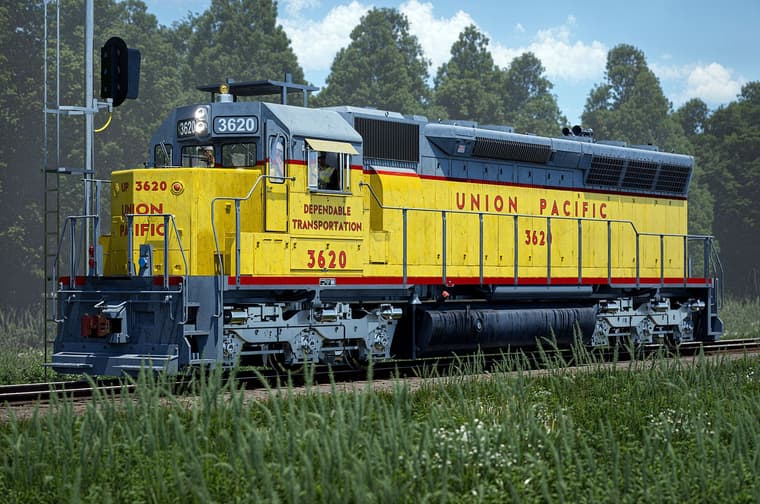
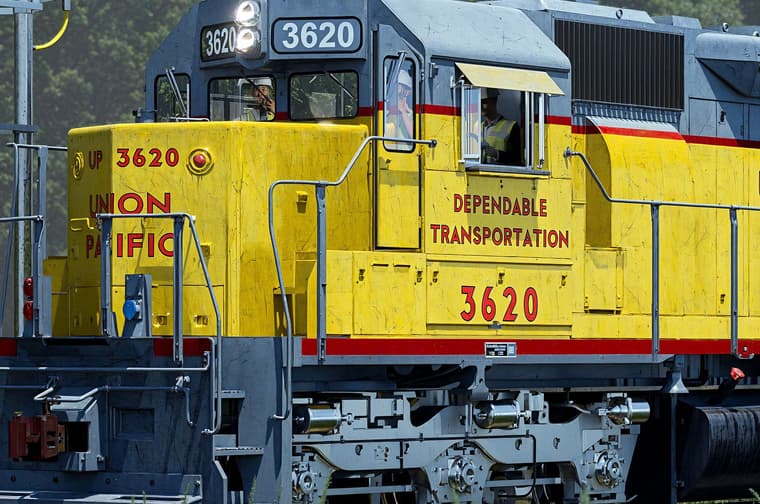
Another update!
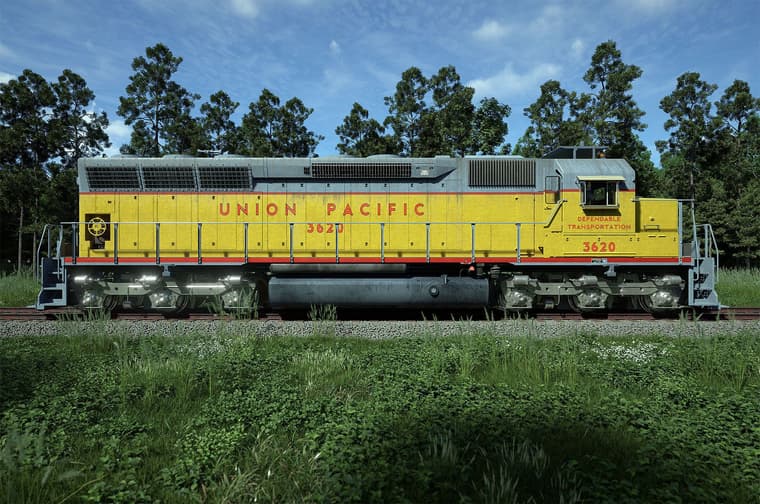
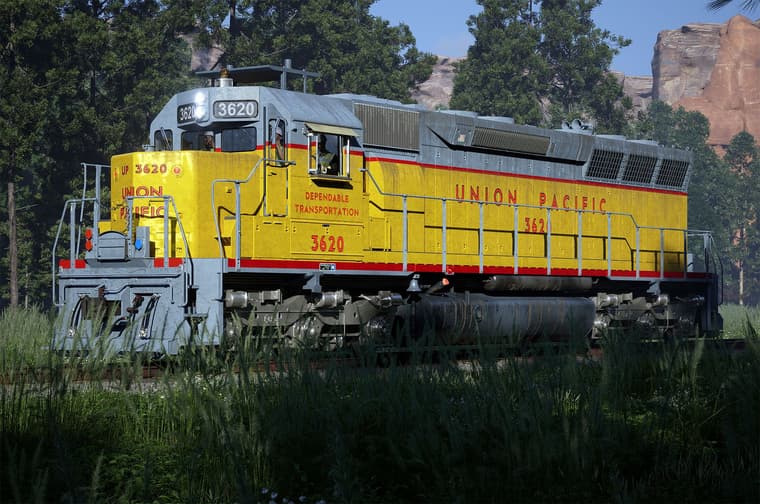
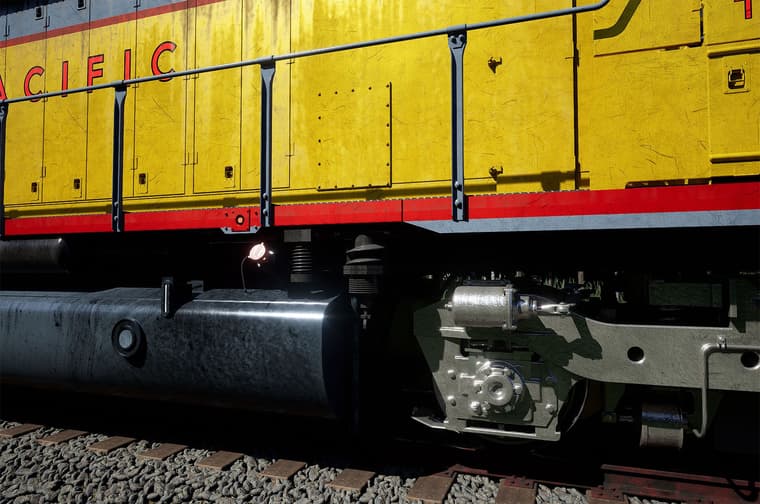
Added/created: window wipers; 27 point connectors in front (the red and blue plug covers); window wind screens; window shade (still working on that); new decals in front of hood; fuel cap texture; manufacturer plate; tool box on side finished; door latches at 600 volt access panel; weathering; etc.
Also changed the gray to a lighter gray. I have to add the walk in front with chain and latch; some hoses and a valve for air brakes; etc. Train signal by others and the two figures are from D5 Render. Otherwise I slogged through almost every single piece of this model.
I tried to find reference drawings for most of it including blue prints for the trucks which have to be upgraded to a later model. Some things like the window shade apparatus and the tool box latch I had to do my best guess at the design using some fuzzy images.
-
RE: Soap Bubble
It's up!
Got the word just now from the author, J. Leibinger.
SketchUp Extension Warehouse
Your library of custom third-party extensions created to optimize your SketchUp workflow.
(extensions.sketchup.com)
-
RE: Where Does One Find Work?
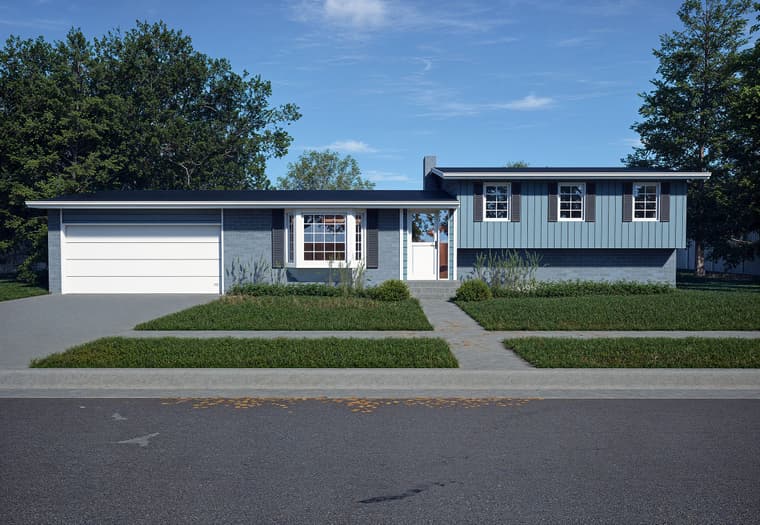
@L-i-am Yeah. Nothing fancy. Took me a couple of hours. Getting ready to go wherever I go at the end of June. Need the money. I'll probably use this to get a year's subscription for SU. I went on the monthly plan and now they're going to start charging $100/month for that.
-
RE: Bauhaus building B&W
@L-i-am Jason Bourne from the series of movies. He's hiding and on the hunt by the CIA and other sinister characters and often ends up in hiding at a house like. Or in the mind of us Americans, a European house. I suppose it is possible that Bela Lugosi could have lived there too. Bad Bauhaus (Peter Murphy) pun on my end.
-
RE: EMD SD45 - Union Pacific
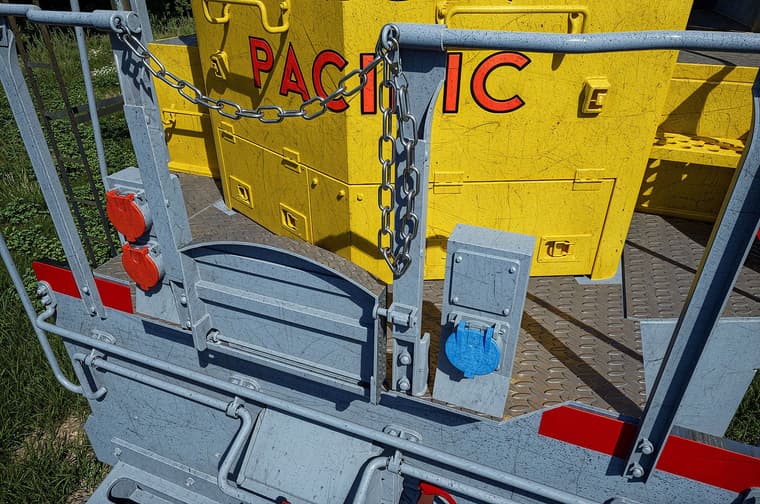
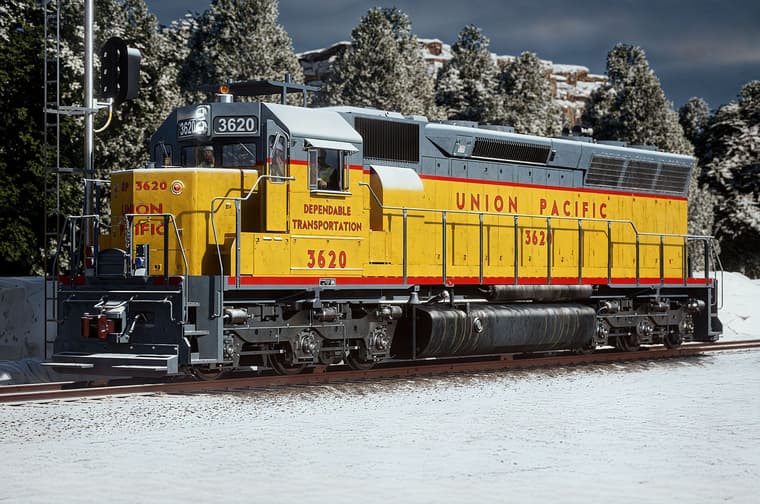
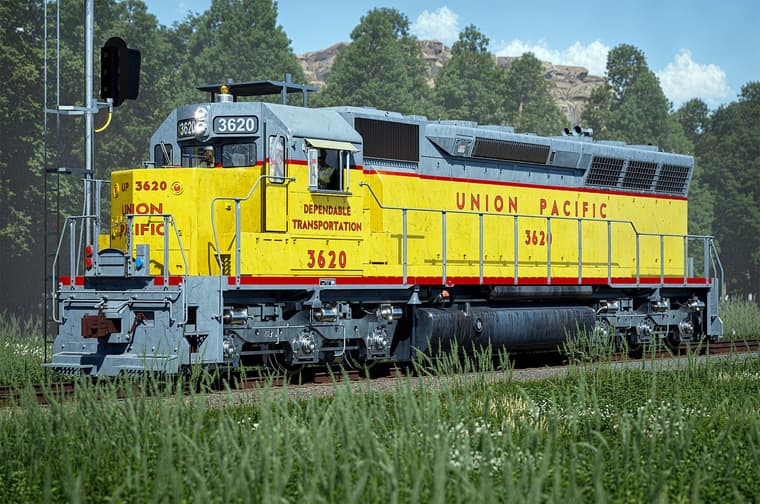
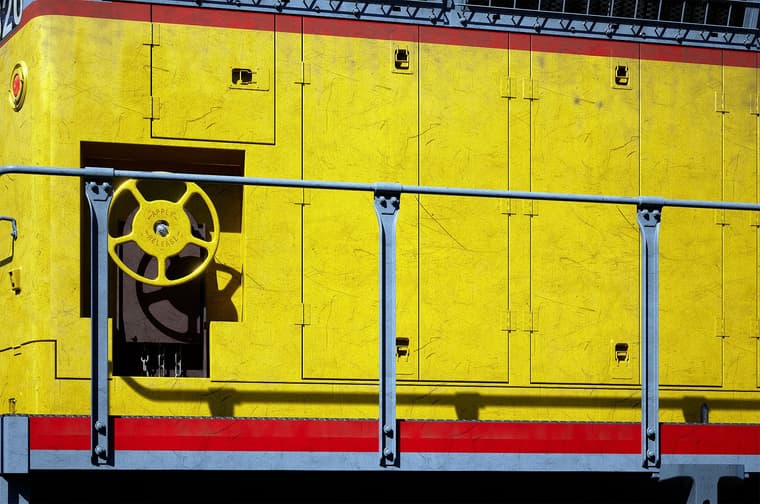
@Gus-R More updates. Made that chain. Ended up using Profile Builder since Tax Engineering wasn't working out for me. I'm sure it's much easier in Blender but I don't see the point in going that route. Also some snow and a cliff in the background. I have to make those gladhand connectors and hoses for the air brakes in front as well as the manual brake wheel in the right rear of the locomotive.
Did you know the EMD SD-45 weighs 368,000 pounds? Like most freight locomotives the underframe is massive which I learned from modeling it. Gladhand connectors are like what you see in trucks connecting the air to the trailer.
-
RE: SketchUp 2025 with PBR Materials - Chair
Looks good. I'm installing SU 2025 right now. The migrate plugins plugin is working away. I like that feature. We'll see how this works.
-
Brick - Seamless Textures/Material
For several years I was using Acme Brick's texture program but that required manually creating a seamless texture by changing a few brick modules. I discovered that it's been updated to an online seamless textures generator which works really well almost instantly.
You find that here: Masonry Designer | brick.com
The seamless textures can be generated under Save: Seamless Tile. The rest is self explanatory.
-
RE: US house render
@Mike-Amos Looks great except I'm not sure about the psychedelic utility pole and the power supply going into the front of the house and porch.

-
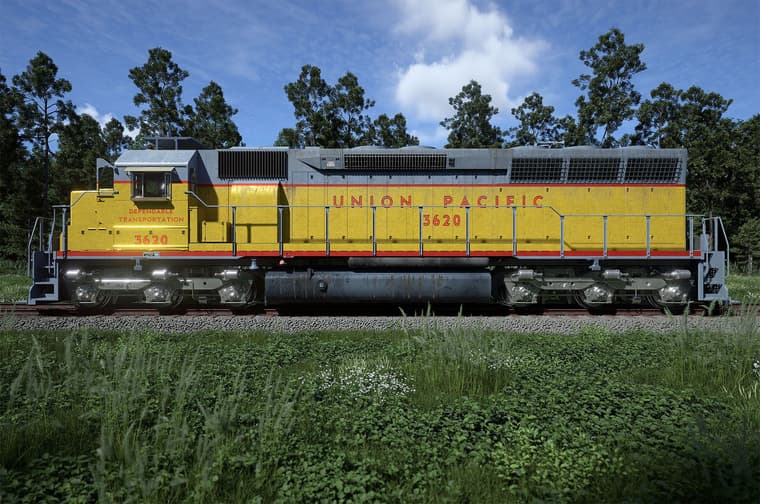
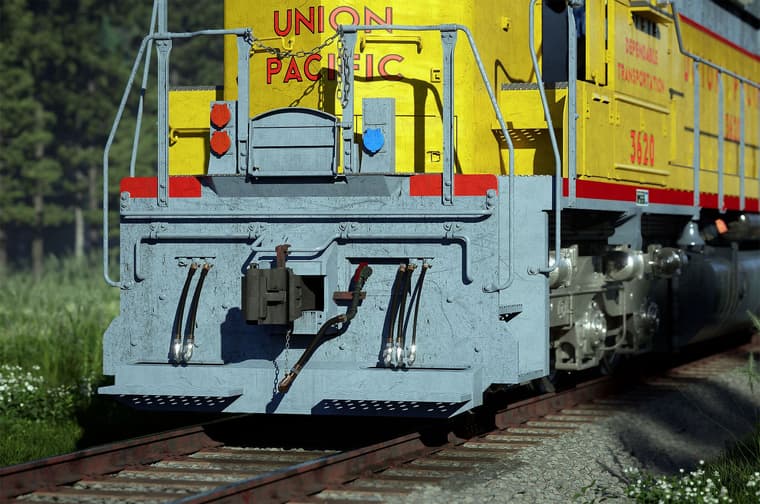
EMD SD-45 Union Pacific Update
Other than maybe adding a few more minor details I'm close to done short of updating the truck. This is my first try more or less of adding weathering using decals and even picked up some nice image to use for decals over at Quixel Bridge.
-
RE: Bending plug in
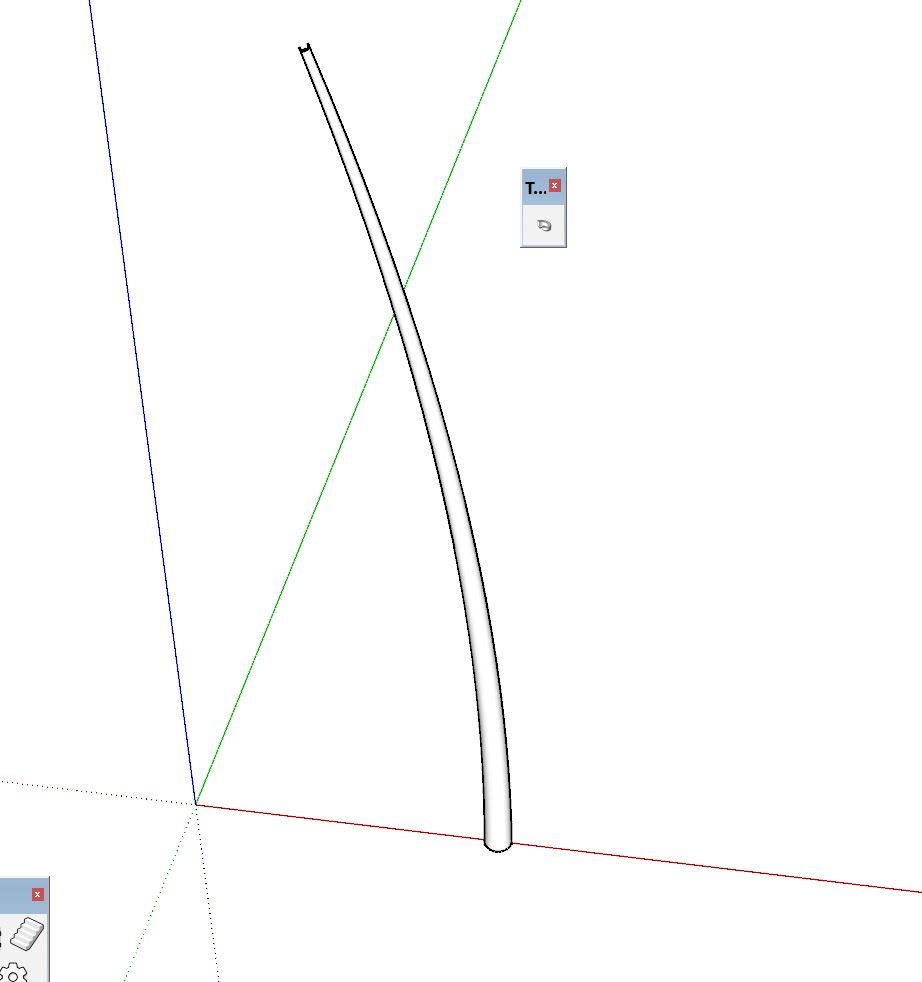
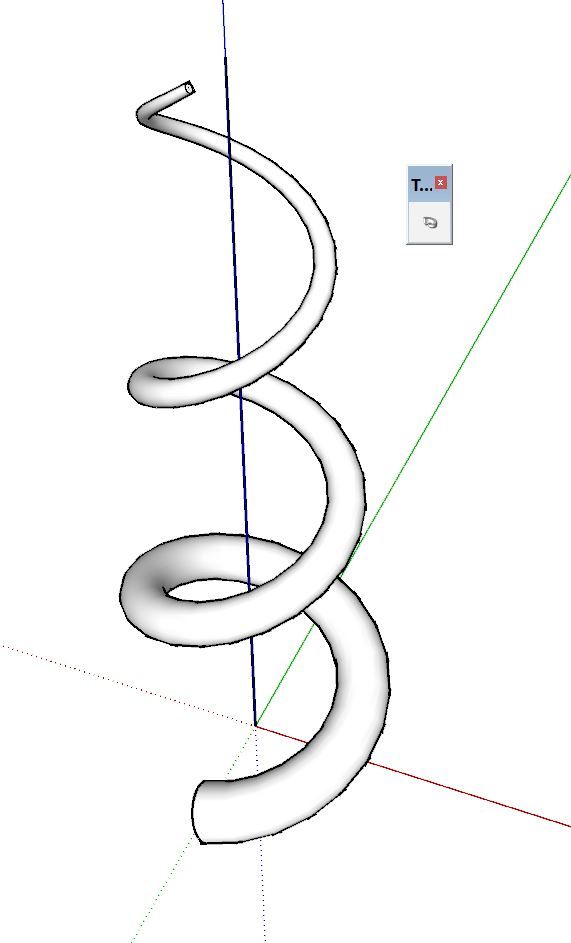
Use a regular arc and Taper Maker plugin.
I exaggerated the diameter difference for clarity.

Taper Maker | SketchUcation
Draw a tapered extrusion in SketchUp using Taper Maker. Any SketchUp line drawing tool can be used to create a path.
(sketchucation.com)
-
RE: need truss model
Fred,
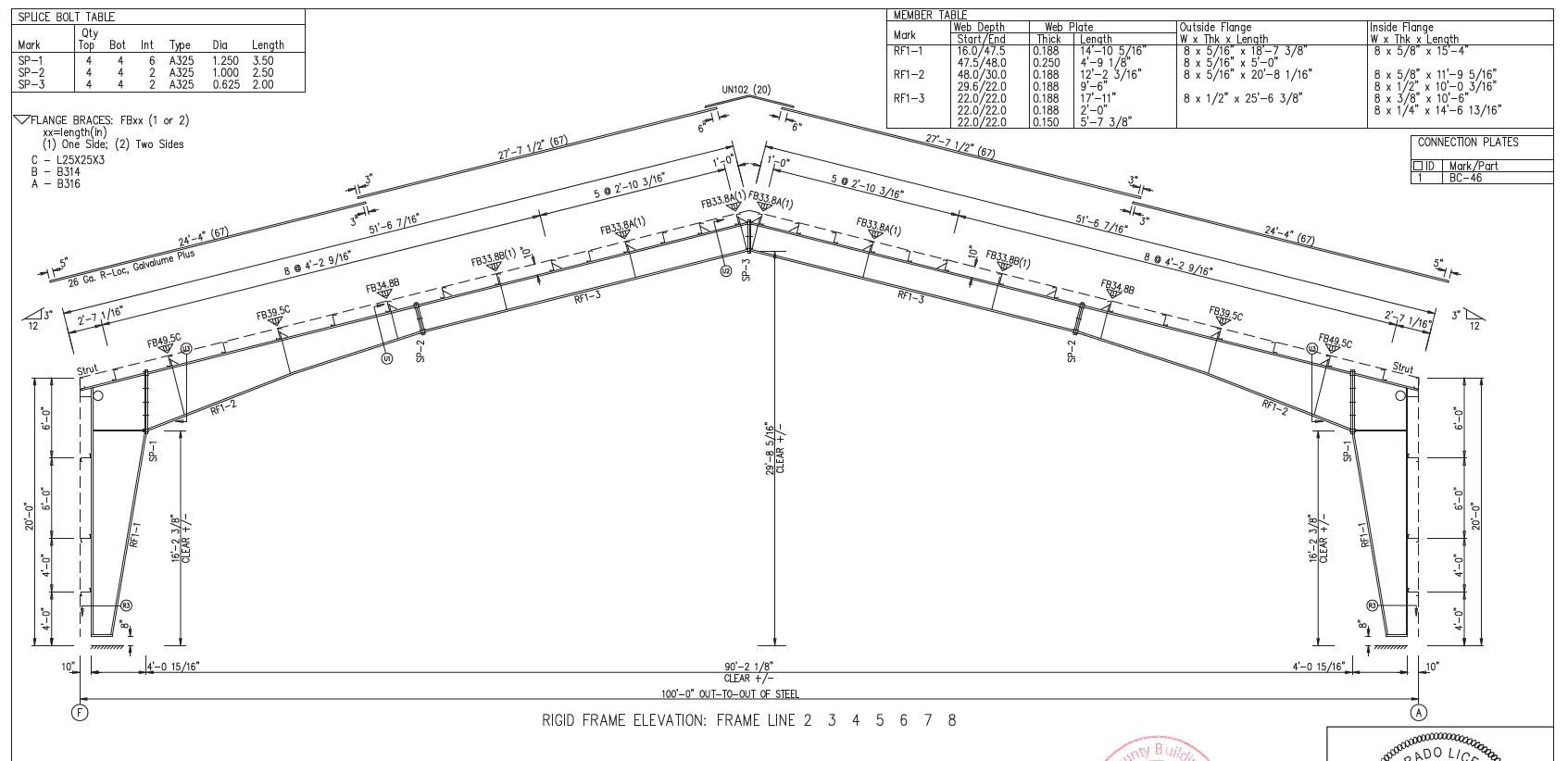
Are you familiar with manufactured steel buildings? A good general knowledge will help. If not you can look up the general components of a steel building. You can find some information here.
It's laid out on a grid usually in equal feet. The rigid frame is basically like a wide flange beam with an angle. The center web is basically and extruded rectangle and the flanges are extruded rectangle. You don't have to mess with that when starting out with Sketchup.
Use that sketch, scale it and start tracing from there. Work to scale whether it be in feet or centimeters. Use a known unit.
I never designed any myself but drew countless foundation plans for steel buildings like this including elevations and site plans.
-
RE: House Render Sketchup/TM
@Rich-O-Brien I've tried putting in cars in a few renderings before and it's always "lose the car." Same thing with a gas meter I modeled.
-
RE: EMD SD-45 Union Pacific Update
@alvis Thanks!
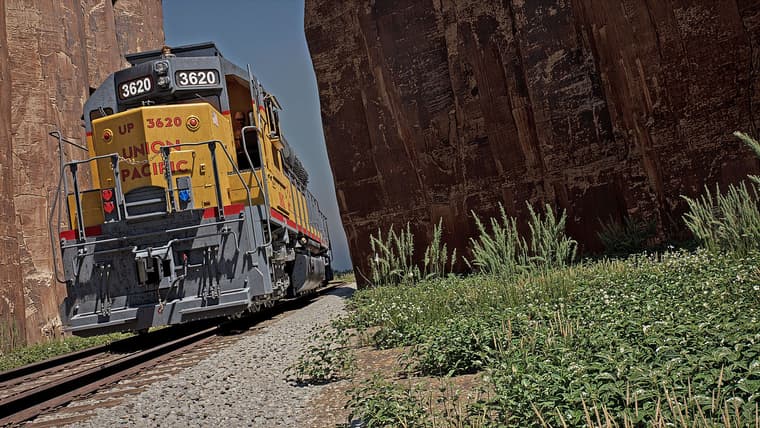
This needs Clint Eastwood and Jeff Bridges on the scene. This model is my hot property in my imaginary movie studio.
-
RE: need truss model
@Gus-R Here's a more recent rigid frame section sample from my files.