I run into problems exporting LO file in PDF
How it's possible that the two exporters have such a huge difference?
Correct is the jpg one.
Any advice is welcomed
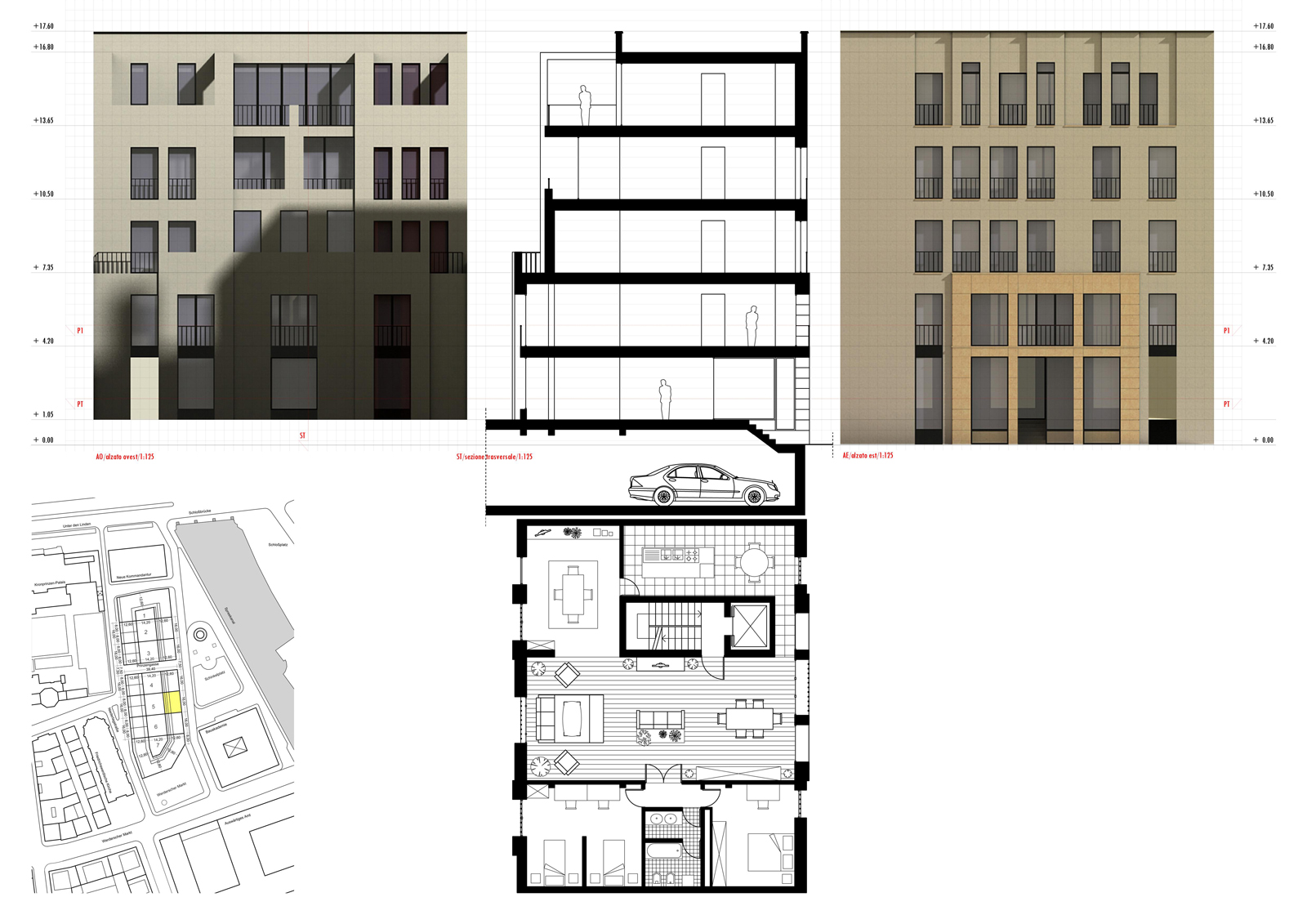
I run into problems exporting LO file in PDF
How it's possible that the two exporters have such a huge difference?
Correct is the jpg one.
Any advice is welcomed
I'm working on my Portfolio that collects samples of my works. I'd like to be able to do this in LO, referencing different skp projects into a single presentation file. Is it possible? As far as I know that seems right now impossible since LO can manage only one reference at time.
Is there some workaround?
Thanx
@cmc007 said:
I have found the dimension feature of LO2.1 to be extremely useful, as previously I was dimensioning my models within SU and hoping they would come out OK. Any feedback on the drawing would be appreciated!
Hello and welcome!
Really good to see such drawings done with SU+LO
My question is: The whole model is in Sketchup and the annotations and dimensions in LO?
Or have you done something more with LO?
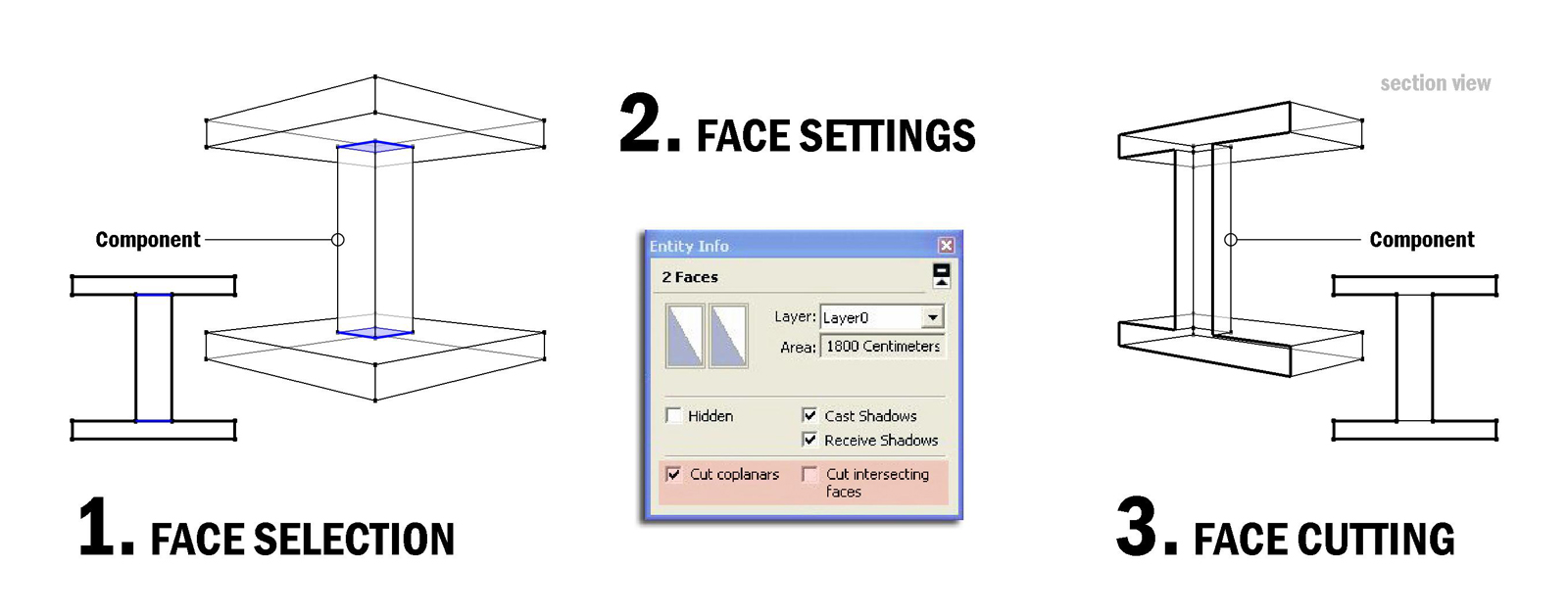
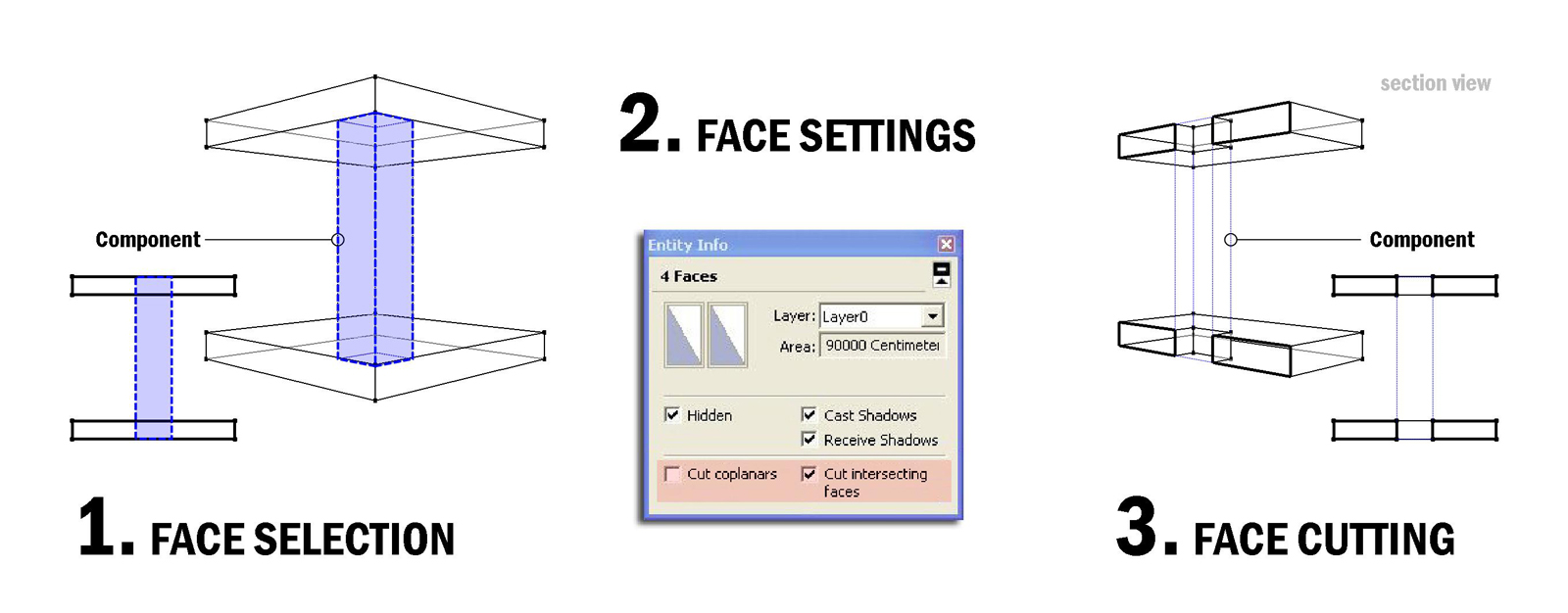
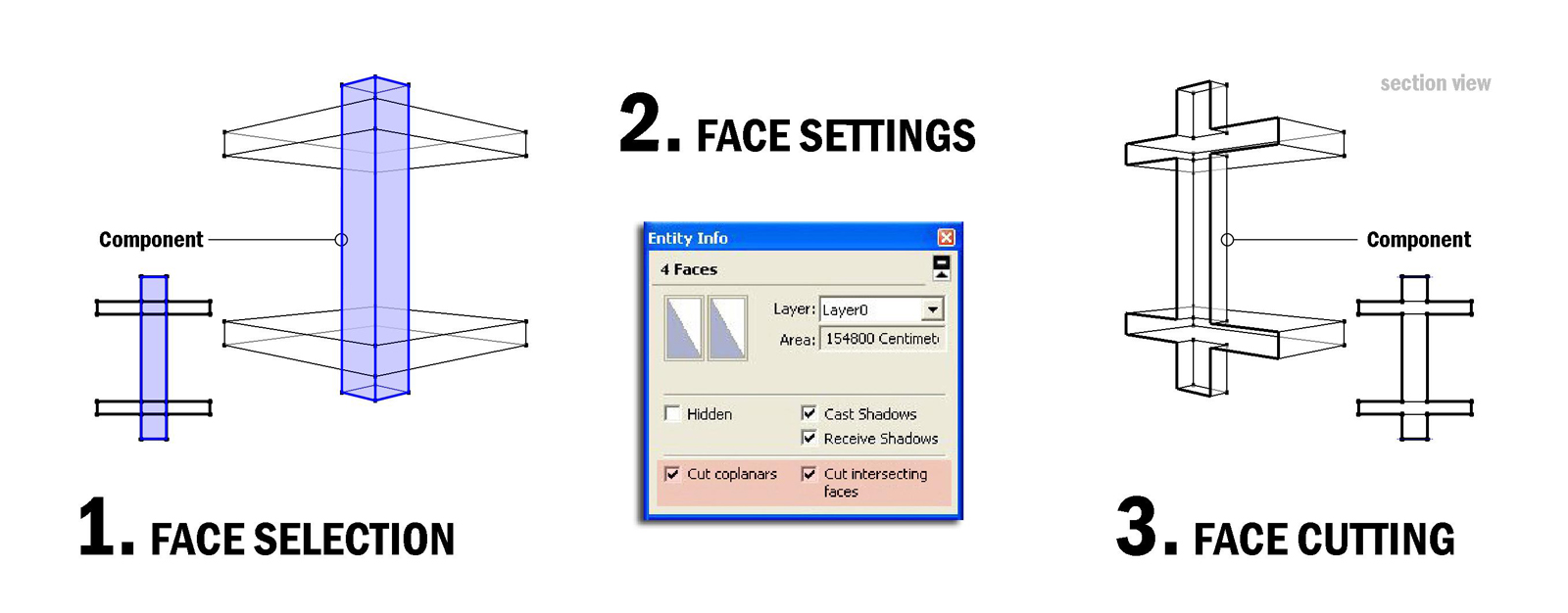
I think it would be very usefull a revision of the "Cut openings" option inside components.
Every one can feel the restriction of cutting just one face.
There are many workarounds but the problem of inserting a component window into a 2 sided wall is still there.
That would come in handy expecially if you need to move and adjust your openings inside a facade project.
Or just think how many times you need to put an elevator tube inside your building. Would be great if you wouldn't have to make cuts on every storey, even because just after a couple of days you might realize that its position is needed to be modified...
That is the same with columns, staircases, and so on...
The idea is to put a component that create just the right openings in the model.
Could be done setting some cutting options directly on the faces of the component, through the Entity Info palette.
Here below I've done some examples that show how can be done.
What's your opinion about that?
Yes it is! but there are still many things to improve.
For example, if the model change a bit in Sketchup, the dimensions do not follow consequently.
And what about retriving area dimensions? Or just simply dimensioning arcs?
And some more controls for extension lines are as well very welcomed
I think I will go on dimensioning in Sketchup!
Don't know if you have the Pro Version. In that case the solution is here in combination with Layout
That's exactly what I was looking for.
How did you do that?
Wonderful!
Thanx a lot
It seems that inside groups isn't possible to do operations with the Joint and Split tool. If I double click to enter inside a group of entities and than chose the Split or Joint commands they don't allow me to work anymore inside.
Am I missing somthing?
Another question is:
I have a shape filled with a hole inside, is it possible to see through the hole, the elements that are lying beneath?
Thanx
Maybe I don't get your request... but Sketchup can already do dimensions like that!
What's the problem?
Good attempt Puma!
Just an advice, the position of the pilasters in the third ring would have to be straight aligned with the columns below.
Despite of that, is quite ok!
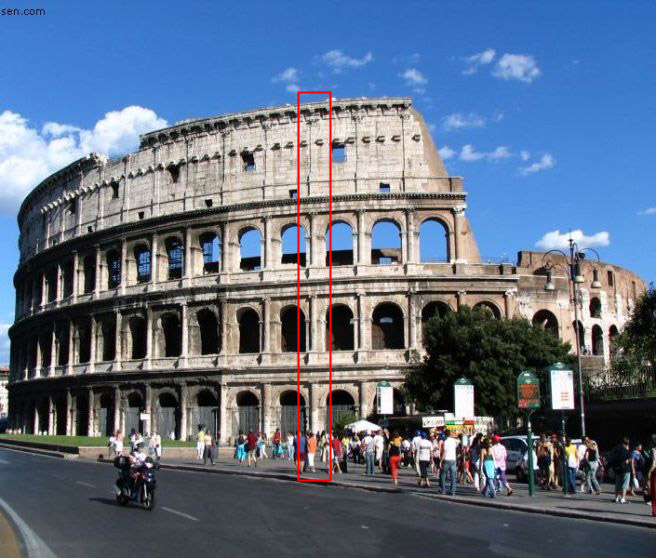
Great work man! but how many steps to achive this result!:)
Congratulations!
Maybe that link could help you in some way...
Check it out
http://www.sketchucation.com/forums/scf/viewtopic.php?f=18&t=17684
@unknownuser said:
I want to have 3D coordinates of a point which is given by middle of two points clicked before. Ruby can easily do that.
But I also want to use this coordinate as second point of a line, or center of the circle, opposite angle of a rectangle, etc...
So inside an active tool !
How is going on your project to run a tool inside an existing active tool?
I'm very curious to know if is somthing possible or not. If so, it could solve lots of annoyng problems (middle between two points, many types of tangents, and so on). Let me know something. 
Thanx!
I suggest you to break down the model into components and to work separately on each of them after having referenced them to the original model using Xref Manager 5.1 by TIG, here is the link:
http://www.sketchucation.com/forums/scf/viewtopic.php?f=180&t=7329&p=139045&hilit=xref#p139045
Of course, in the preferences under the shortcut´s tab
@dave r said:
TIG, it's just amazing. You've just given me an even easier method which doesn't require a plugin. Thank you.
Can you share it with the community?
Such a script is a long requested one by me!
Here
http://www.sketchucation.com/forums/scf/viewtopic.php?f=180&t=3610&hilit=+construction
and here
http://www.sketchucation.com/forums/scf/viewtopic.php?f=180&t=17122&hilit=+construction
I had suggested some time ago a construction circle tool wich would have worked with circle like the tape measure tool work with lines. But was told me that was not possible to do with ruby scripts. This is a slightly different approach to the problem but with the same aim, drawing with accuracy on curvy shapes. This actualy is the biggest lack in Sketchup! So every step in the direction to fill it is greatly appreciated.
Keep working on it, please!
Drag and drop dwg, images and what else, would be also really nice!
I´m not a ruby expert therefore I cannot give you any suggestions, unfortunately.
But let me express my congratulation for your effort to develope such a plugin that will become one of the most useful sketchup plugins. Thanx!
Go ahead, please!
