Very nice! Me likey a lot! 
Oops, your profile's looking a bit empty! To help us tailor your experience, please fill in key details like your SketchUp version, skill level, operating system, and more. Update and save your info on your profile page today!
Check out Febhouse | New extensions for Shadow Analysis in SketchUp Download
 E
Offline
E
Offline
Posts
-
RE: Sketchup to 3DS Max viewport problem
Generally in Max, I use the cameras to save "scenes" like in sketchup. For general navigation I use the perspective view, which can be toggled by pressing "p" on the keyboard. In perspective view, navigation is very similar to sketchup. To set a camera, use the shortcut CTRL C while in perspective mode, then P again to toggle back to perspective to go and set another camera. It's like setting up scenes that you can toggle to for rendering. If you are having issues still, sometimes, switching to Orthographic view will resolve the zoom issue. There is also a setting to change the zoom increment in preferences. As a general rule, (while in perspective) max will use the selected item as it's orbit center, so keep that in mind. You can also turn off the camera export in the .3ds setting from sketchup. If you can upgrade at any point to Max 2011-12, the .skp import support does away with a lot of problems associated with .3ds import.
-
RE: Franciscan abbey, Nasice, Croatia
@roger said:
The coffee cups are not to scale.

Awesome project. Kudos on your determination and patience with a project like this. Looks like a load of fun!
-
RE: Sketchup to 3ds Max - First Attempt
@unknownuser said:
Although, i find Vray SU is quicker at rendering so far for whatever reason!
Uh....might have something to do with the scene size.
 The same scene in sketchup with no vegetation will definitely render quicker.
  In the scene for scene comparisons that I've done, Vray for Max has been quicker every time.
Nice work on the render. The composition is what sells the shot for sure.
-
RE: Flagstone Patio & Landscaping (Real Project)
Ah yes, I see the floating chairs now. It would be nice if Lumion had a merge function to add a scene in pieces. It's quite difficult to get things lined up with no snapping or numerical adjustments. Good eye though and thanks for pointing it out.
-
RE: Flagstone Patio & Landscaping (Real Project)
I decided to swap out all the 2D plants on this one for 3D plants from Sketch3D (Dynascape). I did a few additional renders and processed a quick test animation in Lumion. Edited down in Adobe Premiere. I wanted to just test out the functionality of the Sketch3D plants in a real project and see how they rendered or affected sketchup's speed. So far, so good. Believe it or not, this is over 2 million polys and I was still able to operate smoothly. I even had to explode the plants down to get them to show up in Lumion, but sketchup still seemed to handle the scene okay. Although, I did need to export it in a few separate DAE files.
[flash=800,600:1i3fwhzj]http://www.youtube.com/v/ux21EliM-2Q[/flash:1i3fwhzj]
-
RE: [Plugin] 2dBoolean ver1.3.1 beta UPDATE 20 dec 2013
Here's a video tutorial on using the plugin for stamping stone patterns into various shapes. So far I've had great results. Thanks again Joel and TIG!
[flash=800,600:1trov9v7]http://www.youtube.com/v/SNTQDBmKIro[/flash:1trov9v7]
-
RE: [Plugin] 2dBoolean ver1.3.1 beta UPDATE 20 dec 2013
Very nice Jolran. I'll test it out and give a report back.
Thank you!
-
RE: Intersect Bounding Box?
Thanks Sam, I'll give it a shot and report back. Looks perfect.
-
RE: 5.9 Earthquake in Virginia
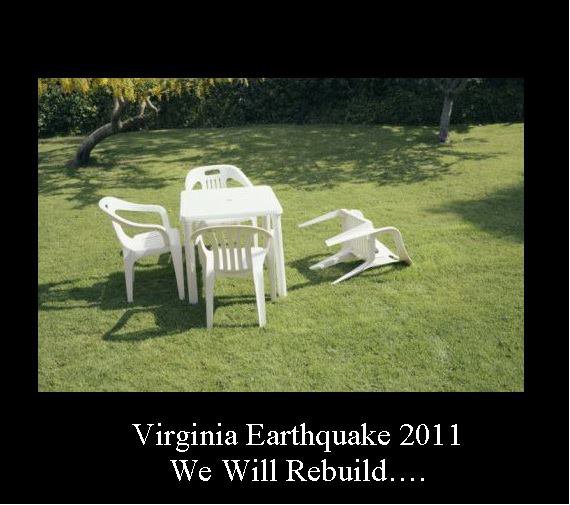
I felt it pretty good at my house. I have an old door knocker outside the door where my office is and it sounded like someone was knocking on the door. It was unsettling for sure. My dog got up from a snoring sleep about 10 seconds before I felt anything. I think he sensed it coming. I sketchup'd right through it though and kept on working.
-
RE: [Plugin] Draw Boundingbox
I missed this useful plugin the first time around. Thanks to Rich for pointing me here and of course thanks to ThomThom for another brilliant tool!
-
Intersect Bounding Box?
Is there a script out there that will use the just the bounding box of a group or component to intersect a face, instead of it analyzing all of the geometry in the group?
I thought I remembered seeing something like that, put can't put my finger on where or what.
Thanks!
-
RE: Flagstone Patio & Landscaping (Real Project)
Thanks John! I'm a big fan of your work as well.
-
Flagstone Patio & Landscaping (Real Project)
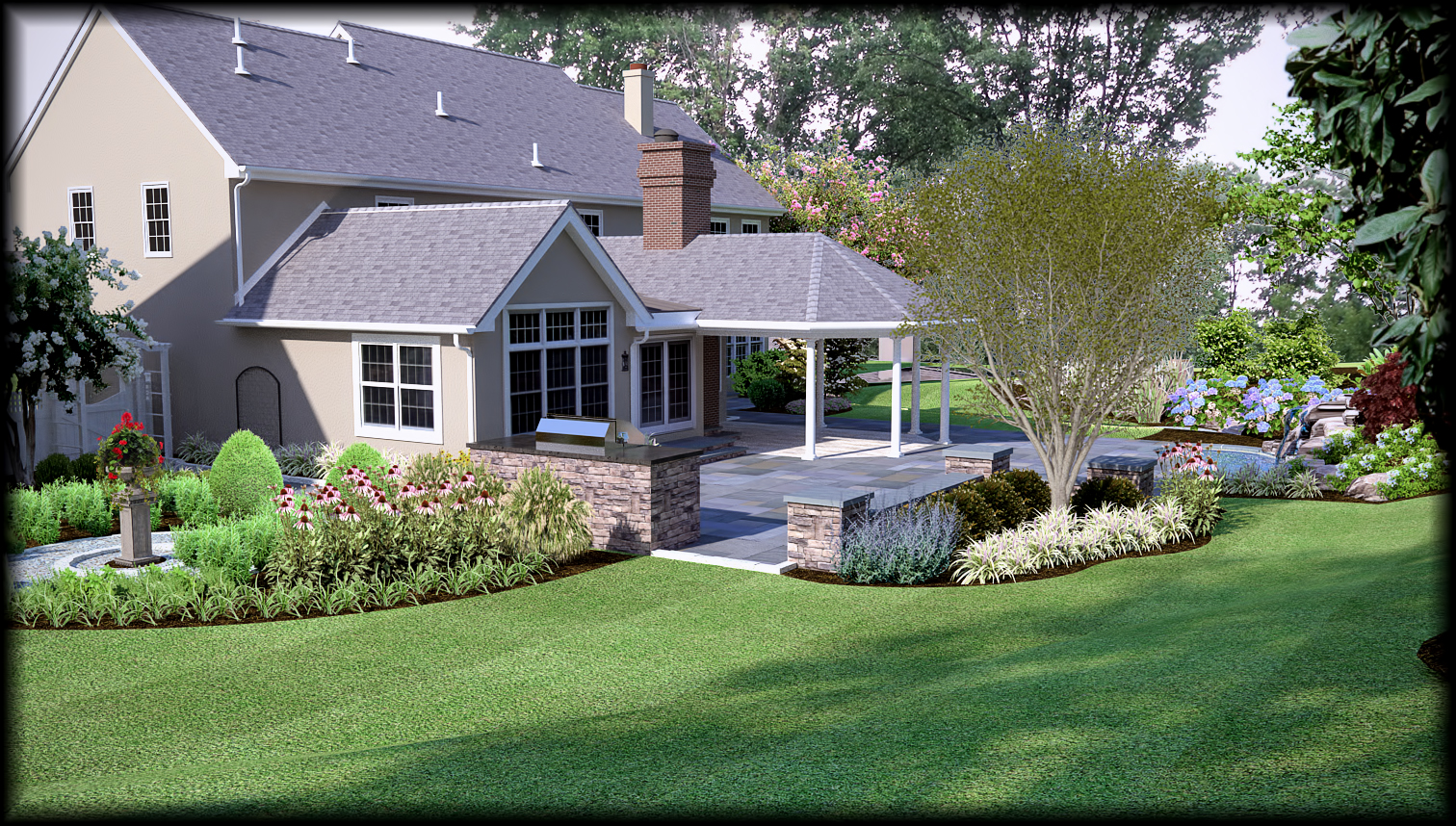
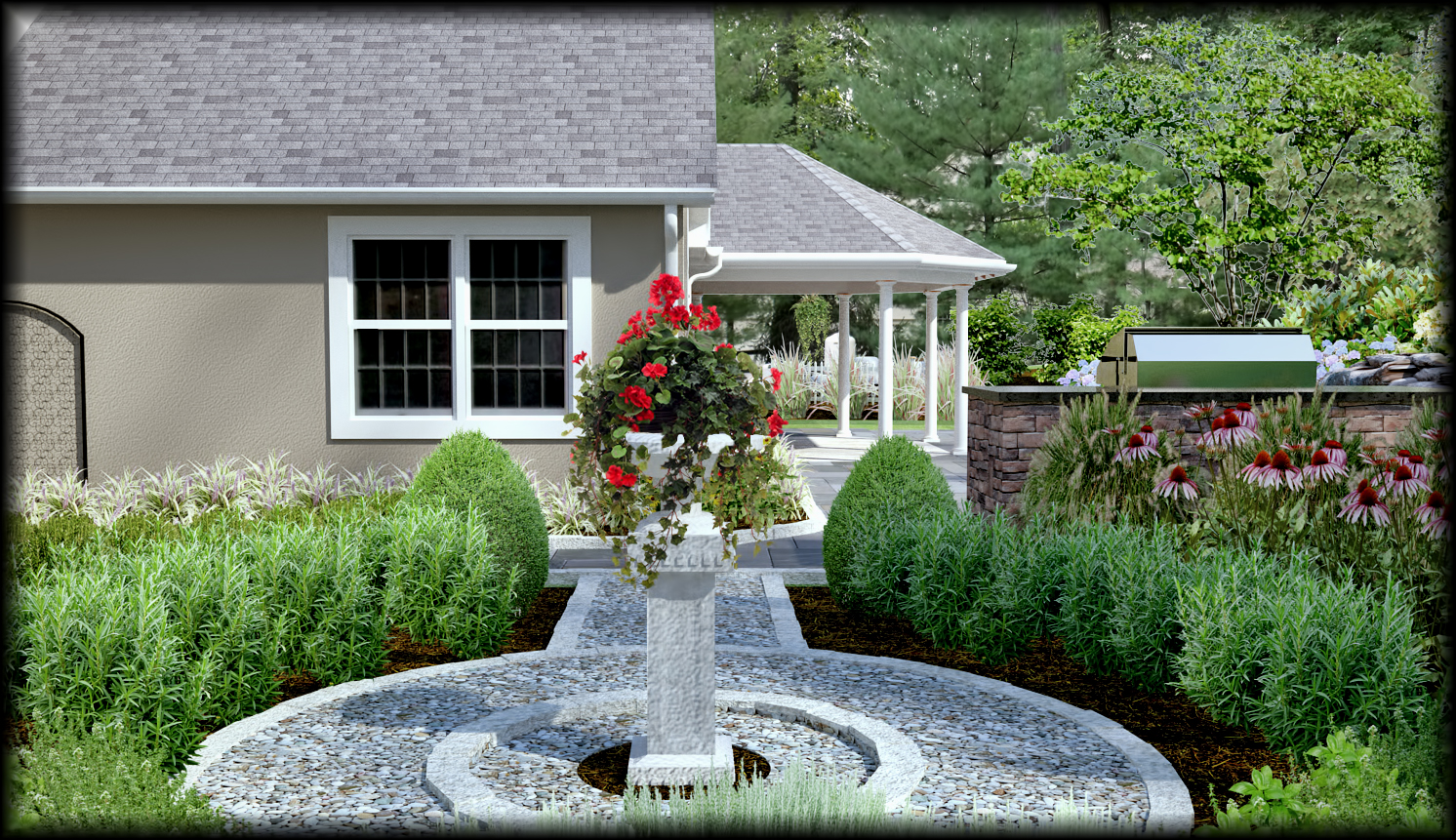
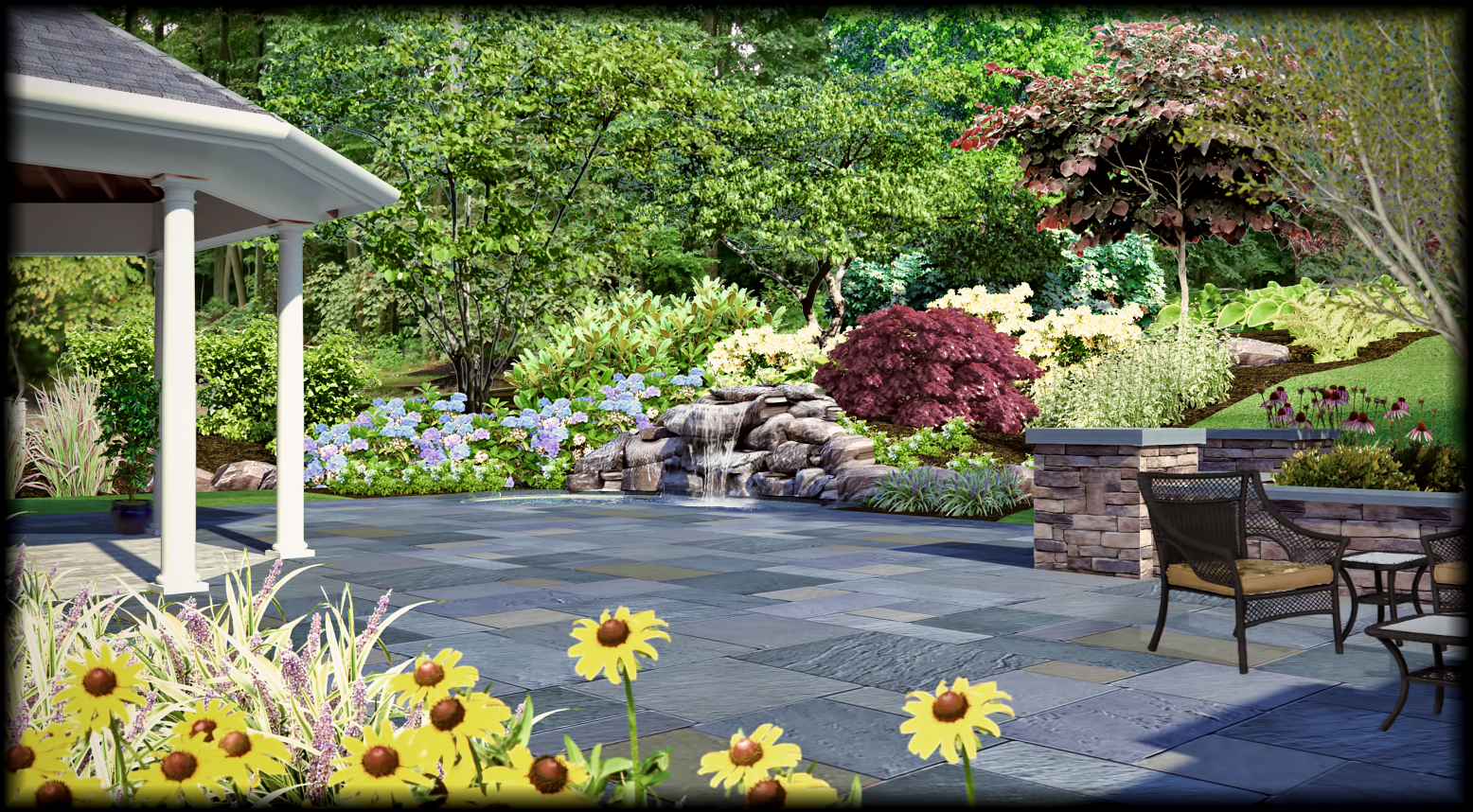
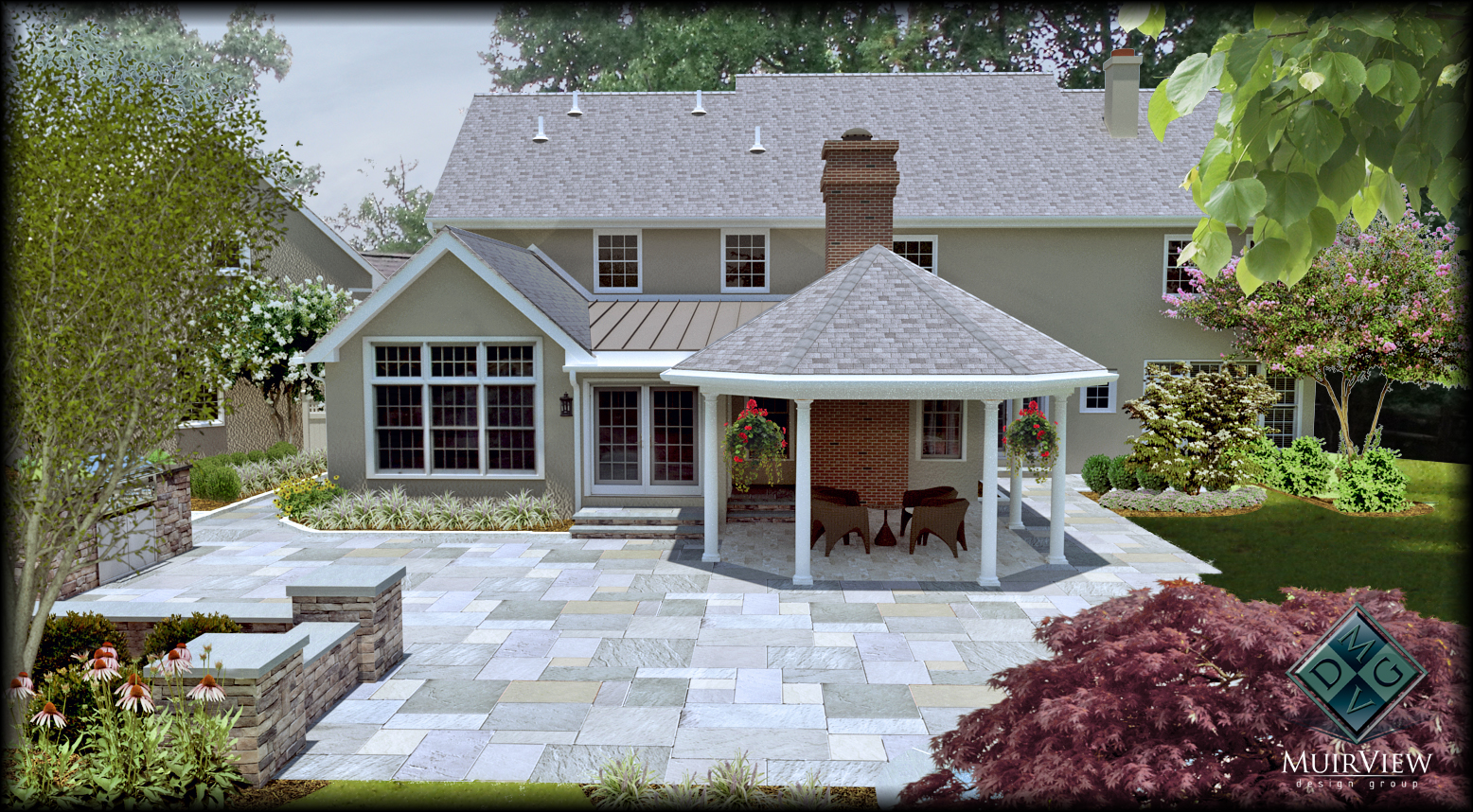
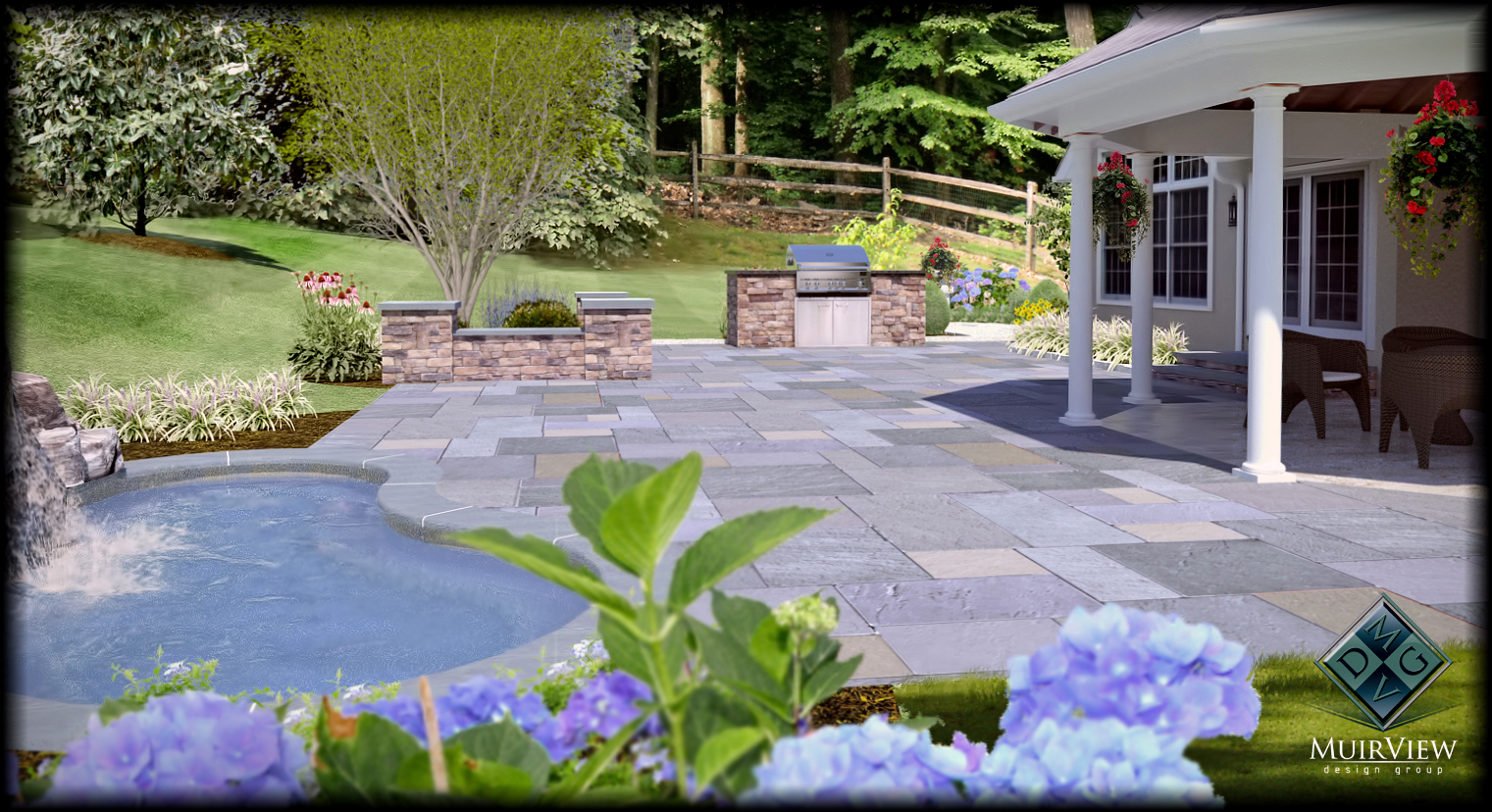
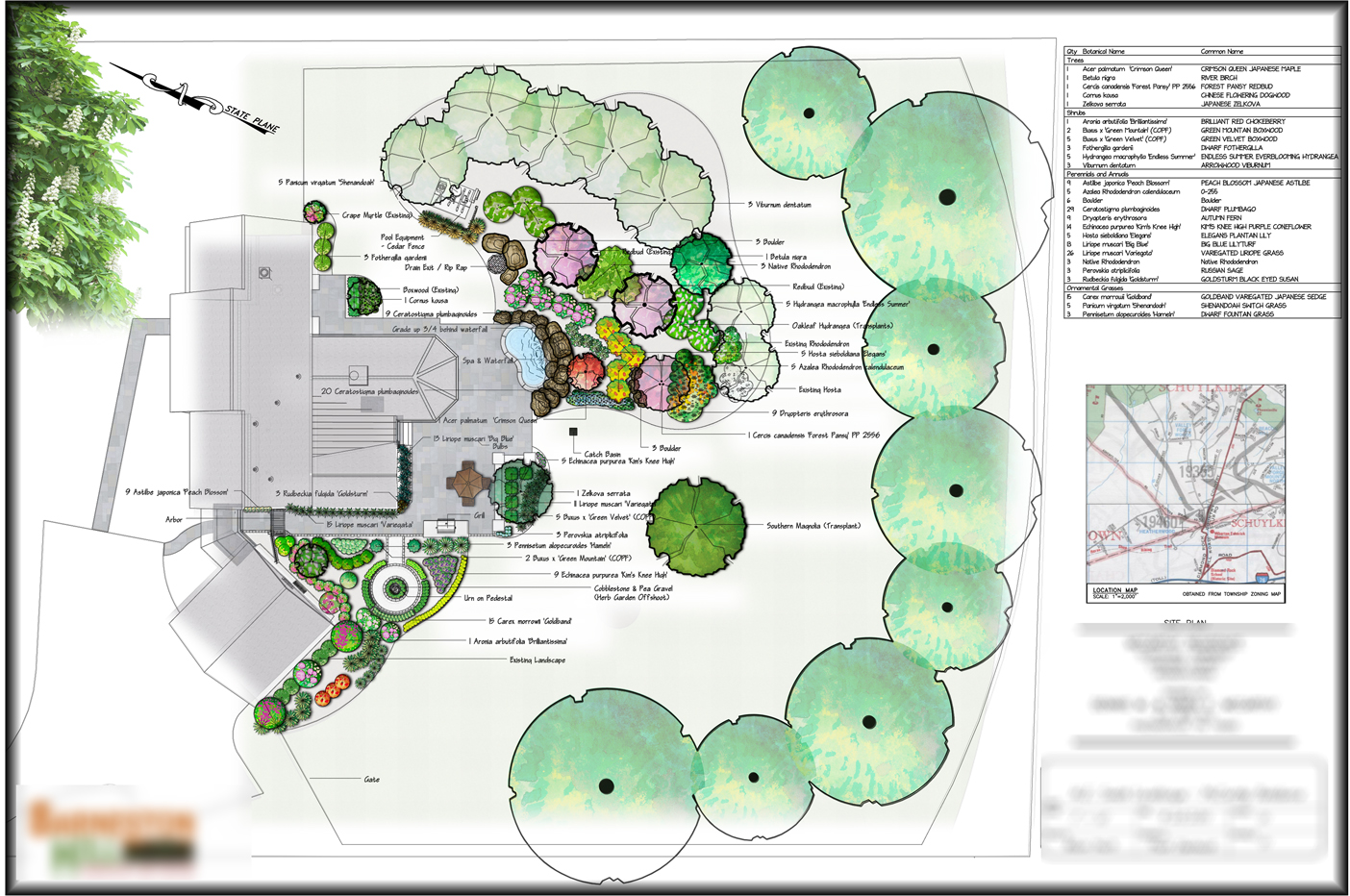
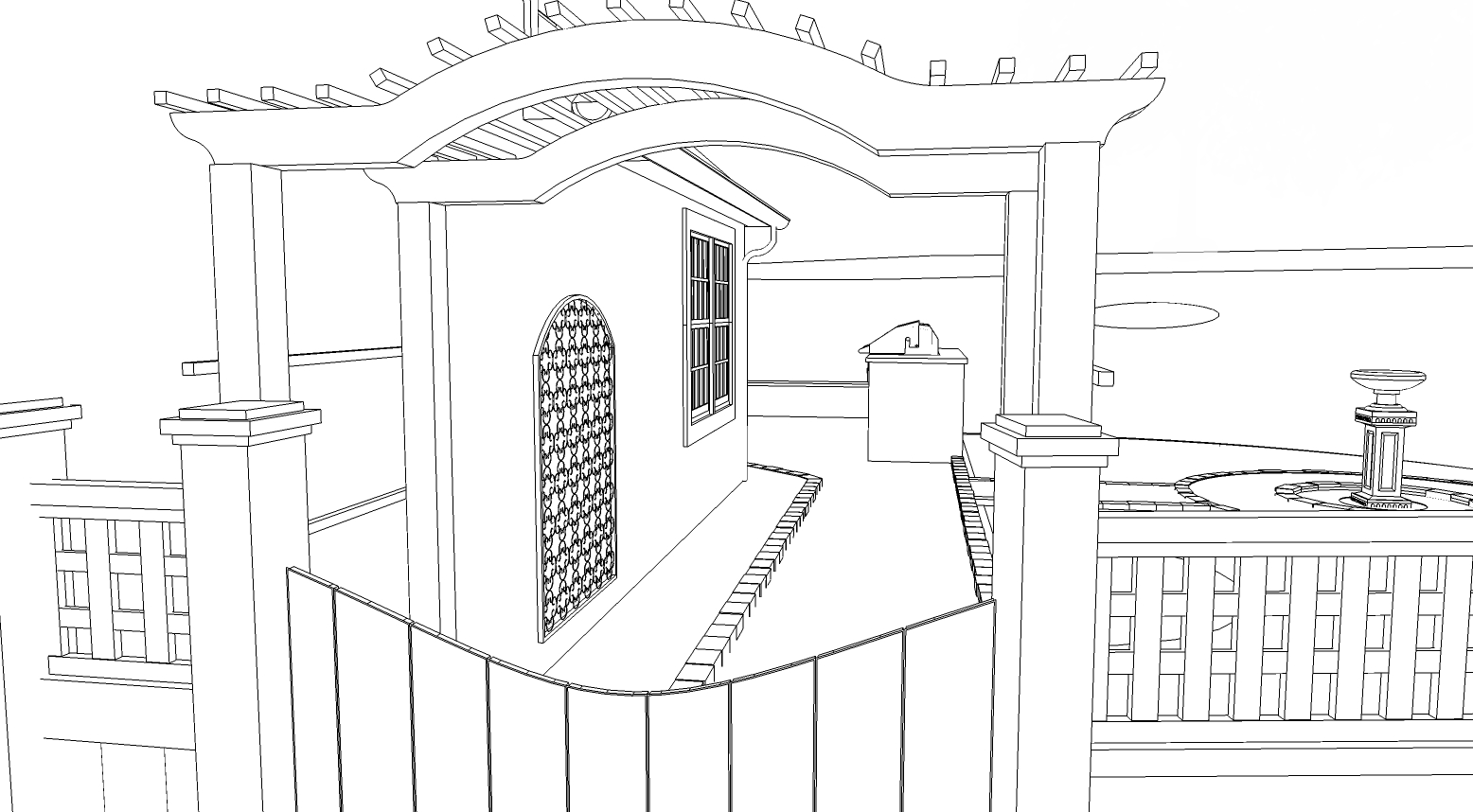
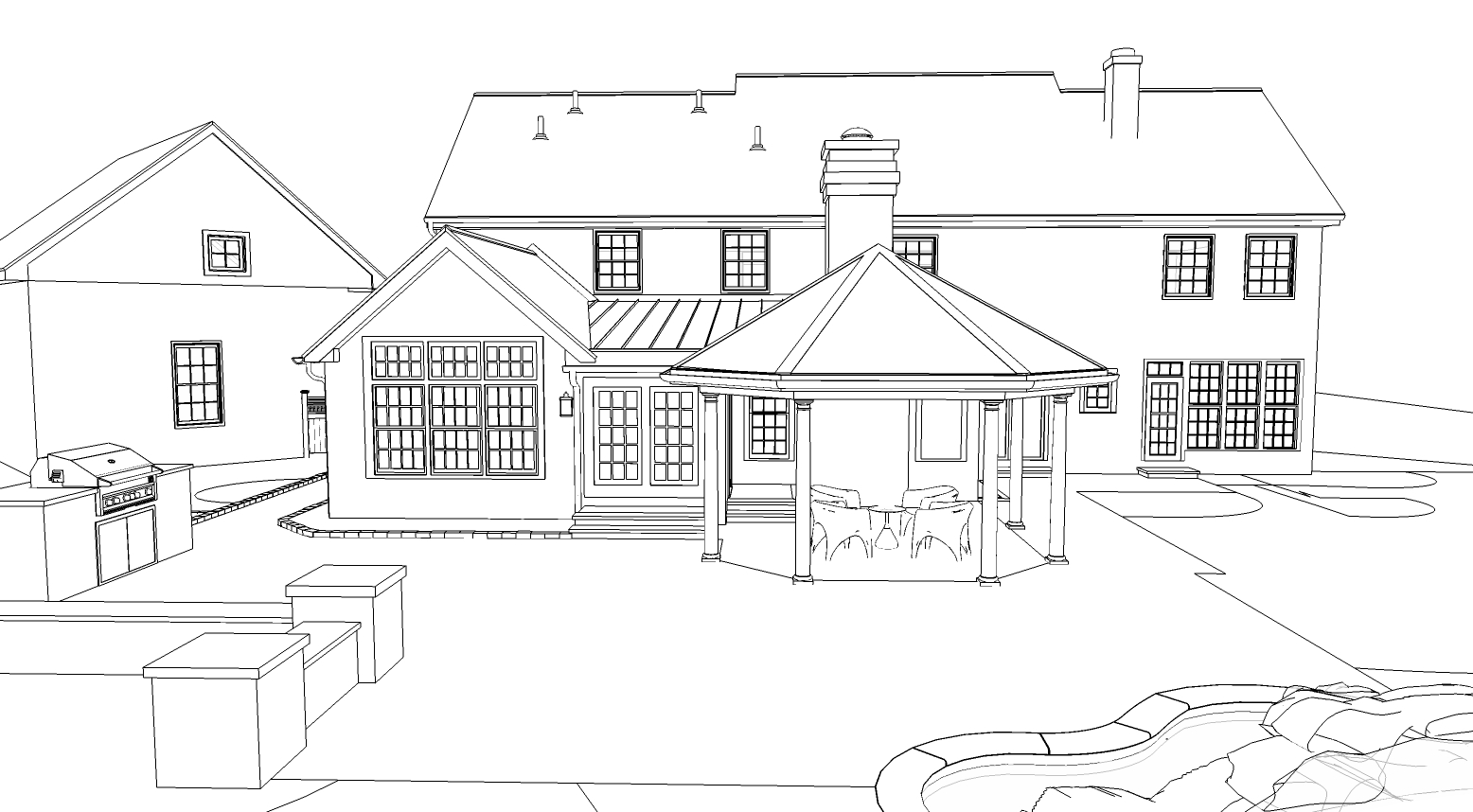
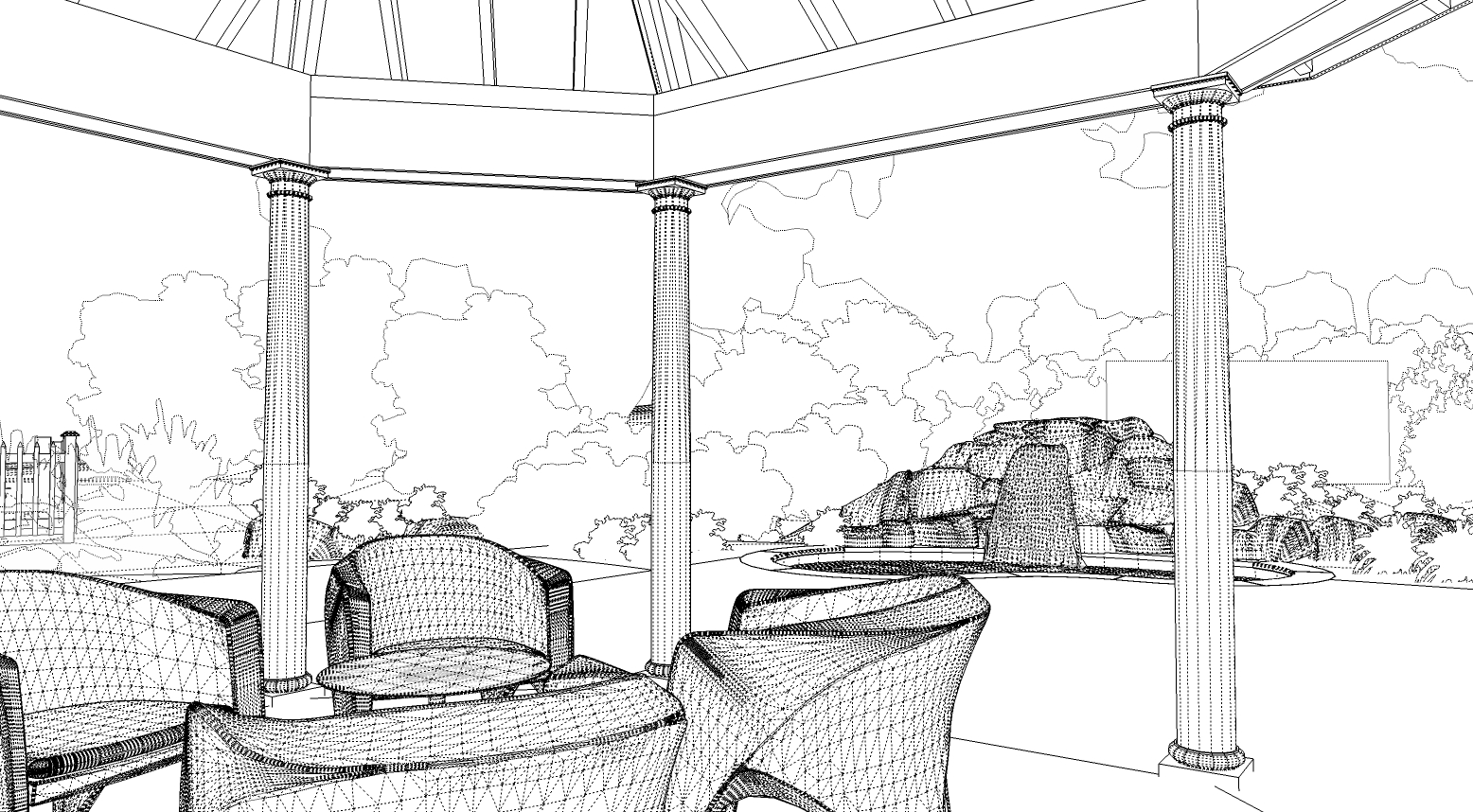
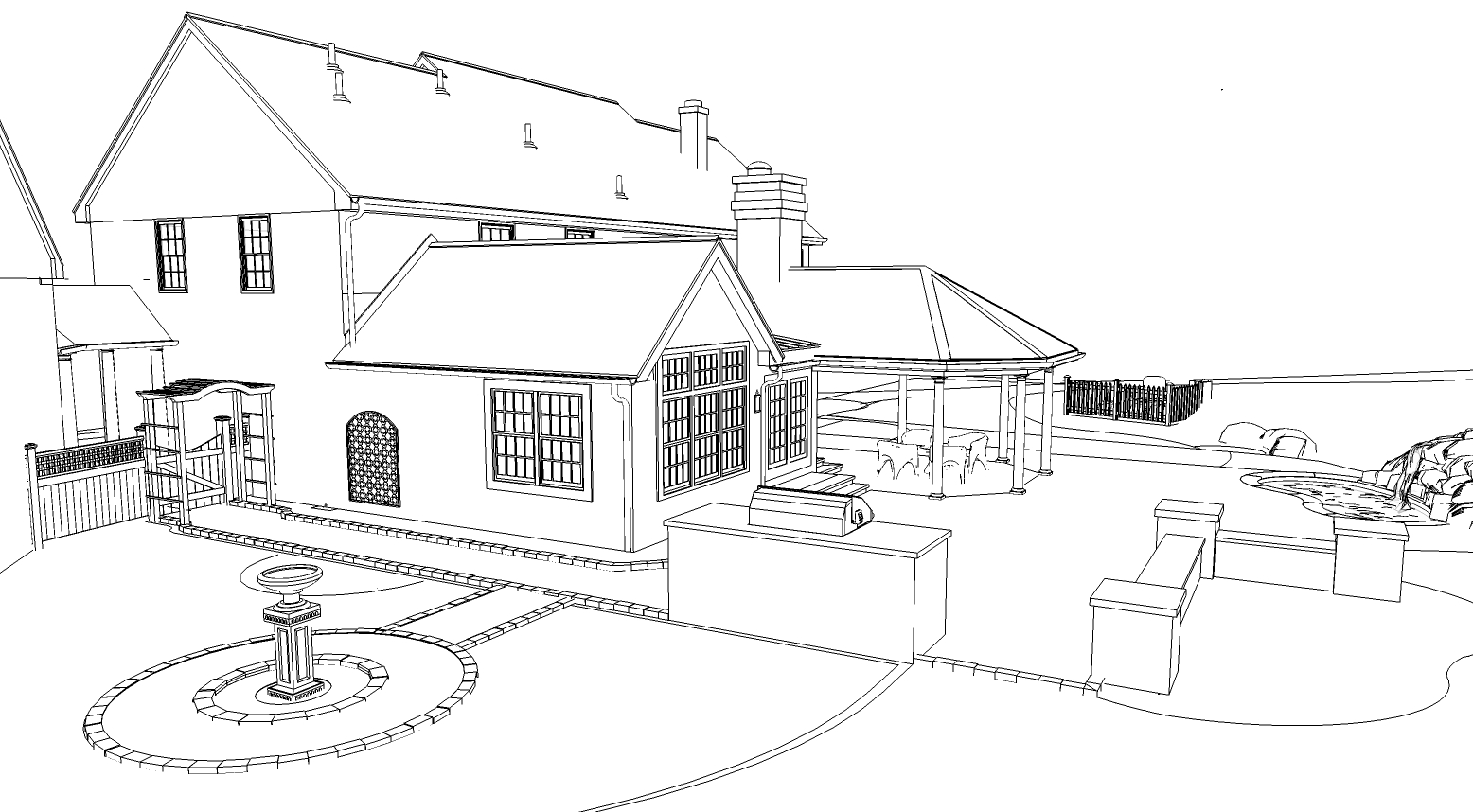
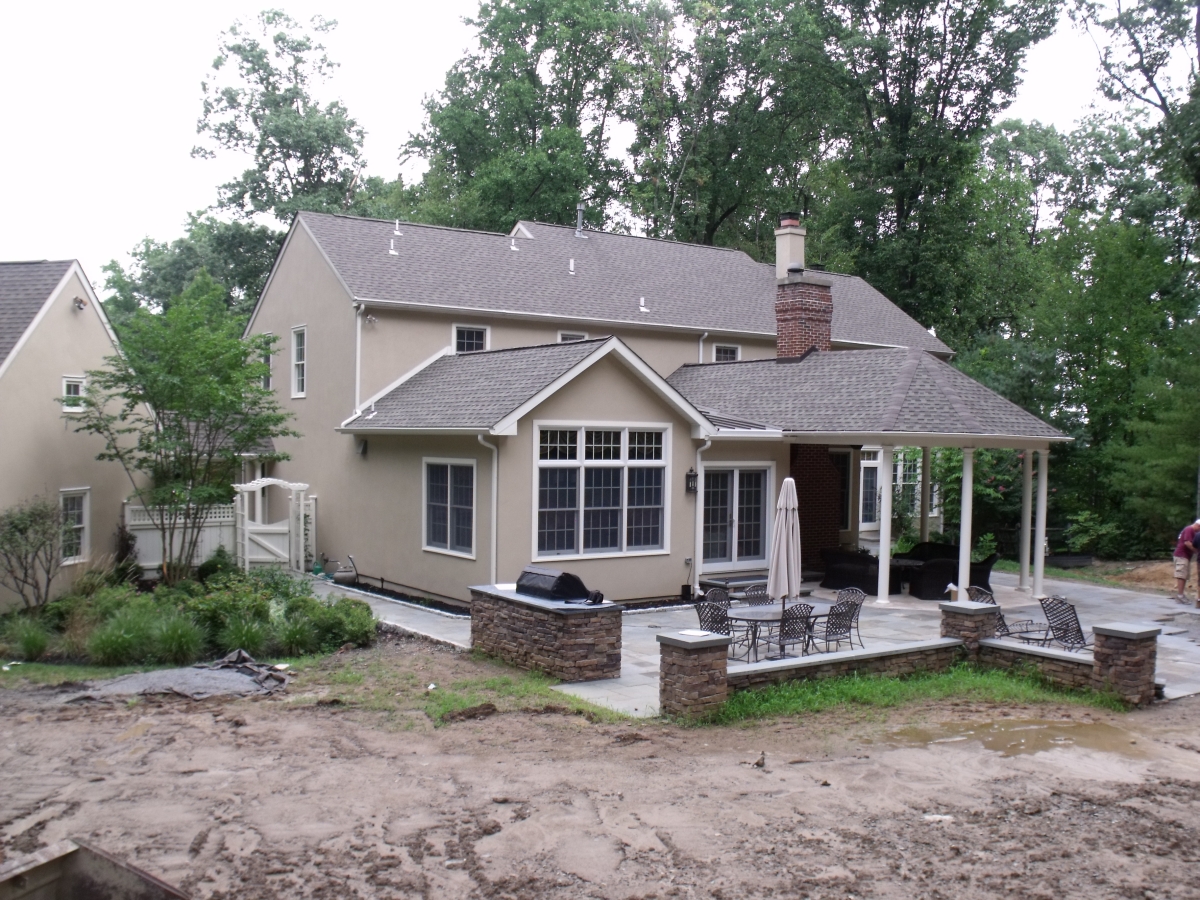
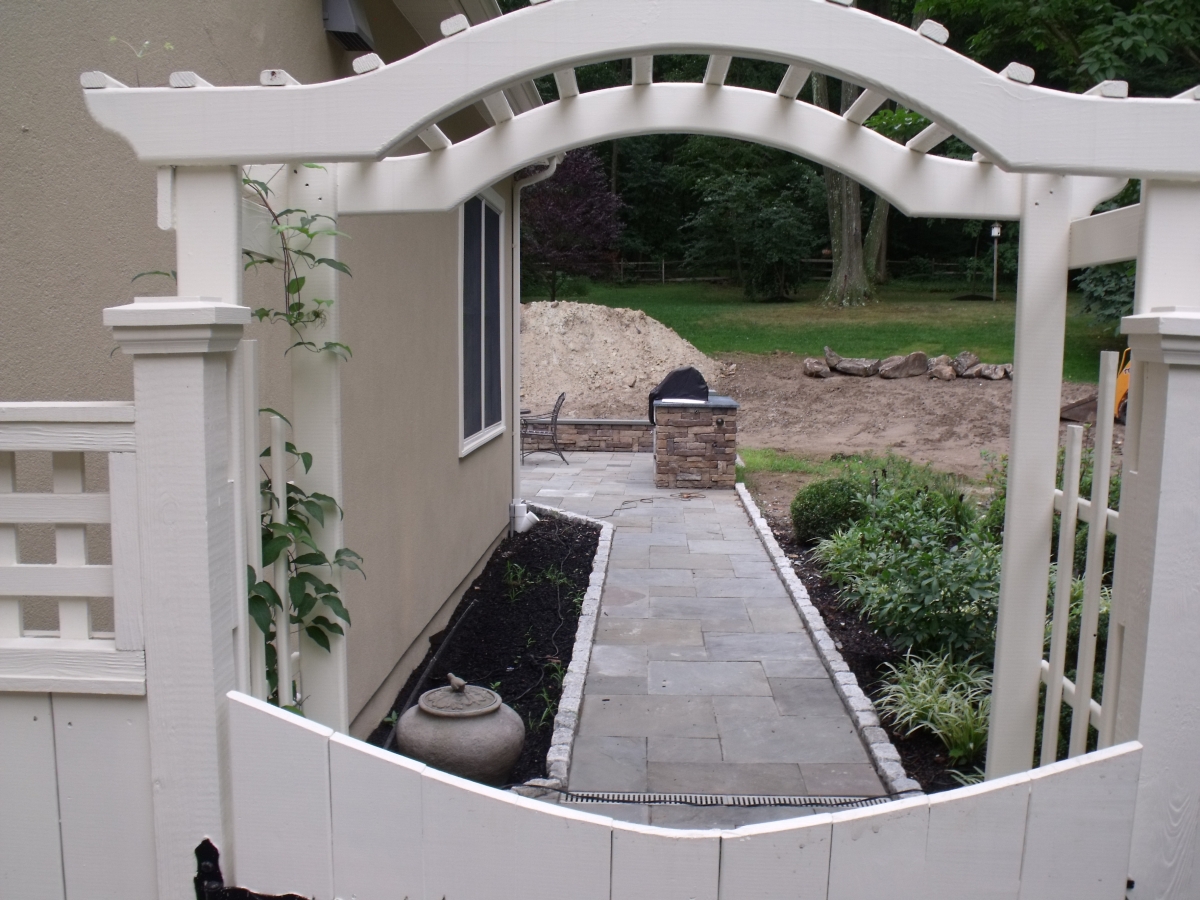
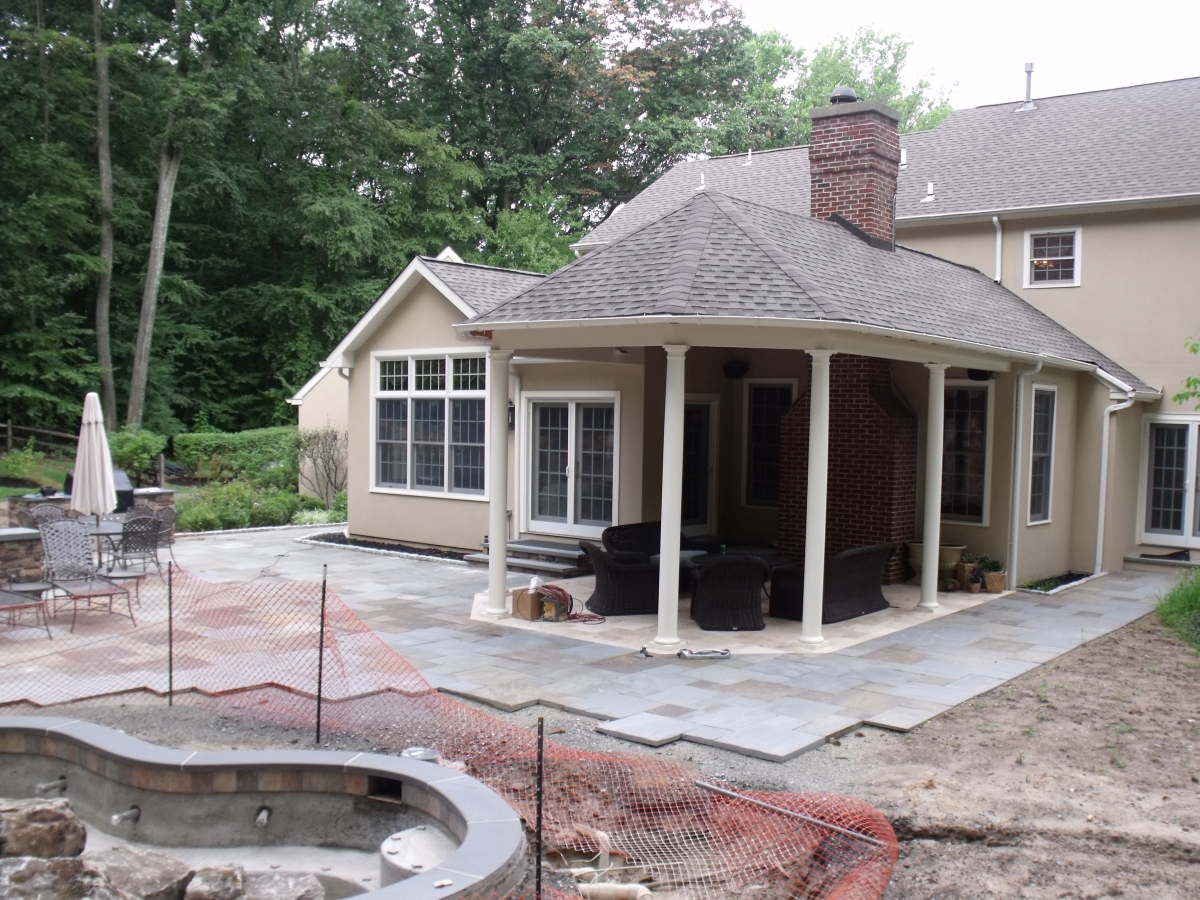
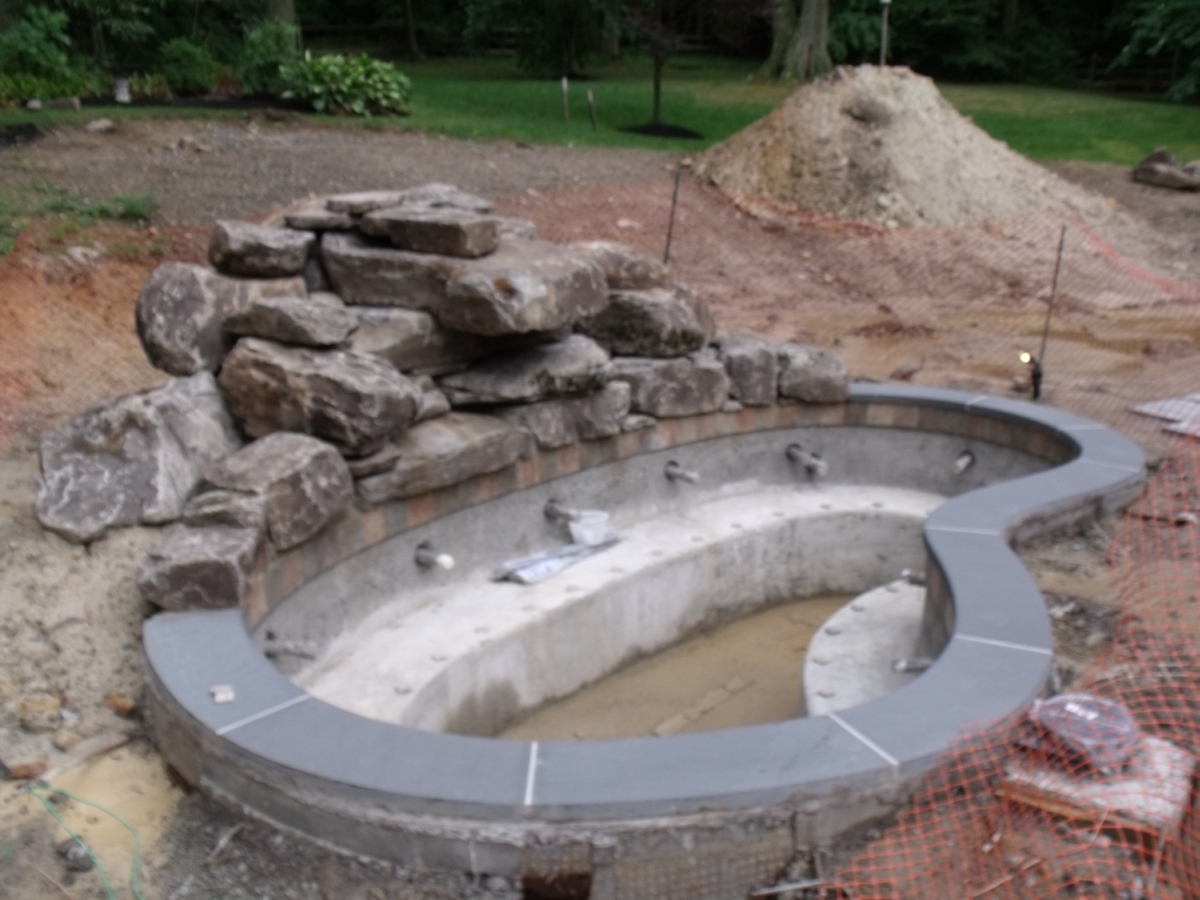
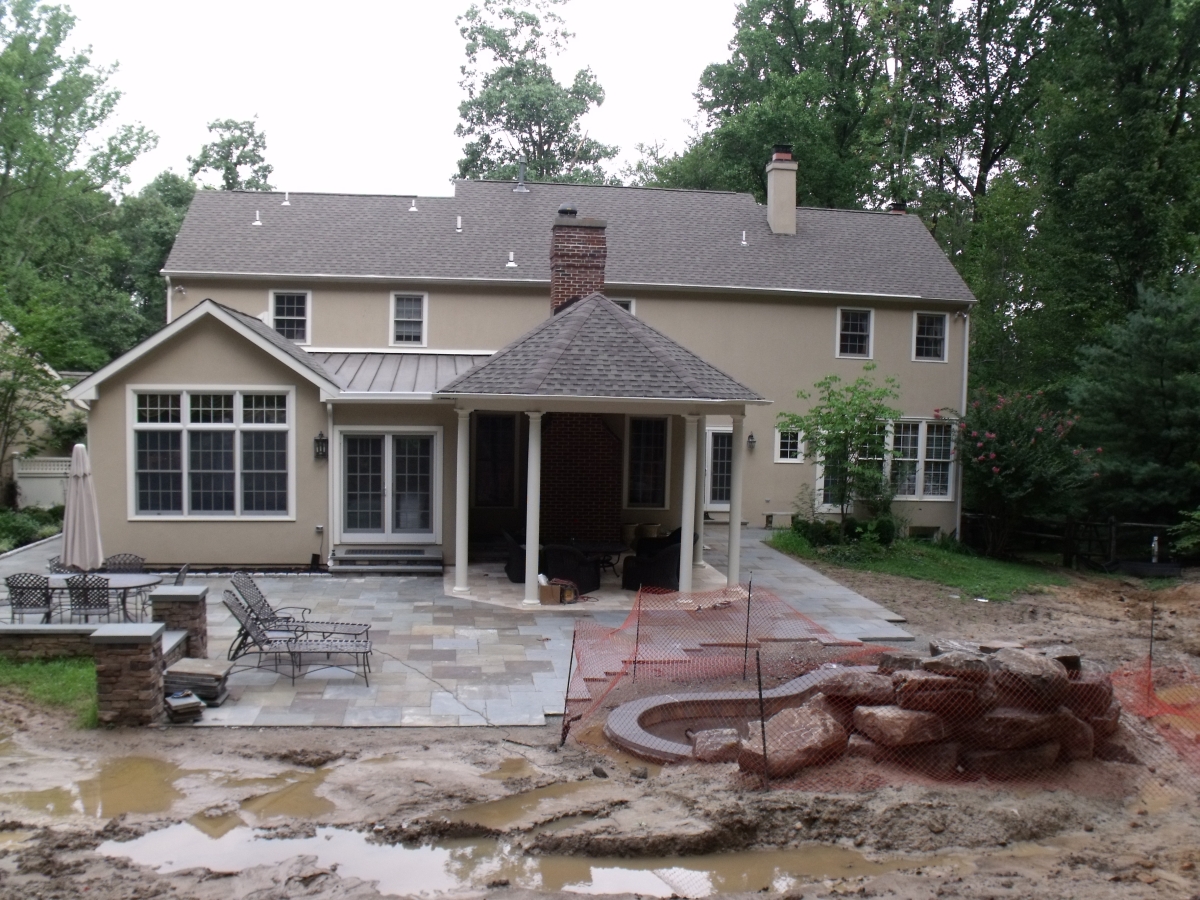
Sharing a recent project. A backyard flagstone and travertine patio with a gunite spa and waterfall, landscaping, etc. The project originally involved a home addition and new covered roof as well. I modeled it 100% to scale including the surveyed terrain. The 2D plan view of the planting plan was done by exporting the sketchup top view line work to Dynascape as .dwg and adding all the plant symbols, callouts and planting key. Then composited in photoshop with the Sketchup texture view at a faint opacity. Plant symbols colored with Dynascape Color.
Sketchup line views of the model also attached and some pics of the project thus far. I was just responsible for the visualization work and planting plan on this and can't take credit for any of the actual construction design. C&C welcome.
-
RE: [Plugin] QuadFaceTools
@thomthom said:
@earthmover said:
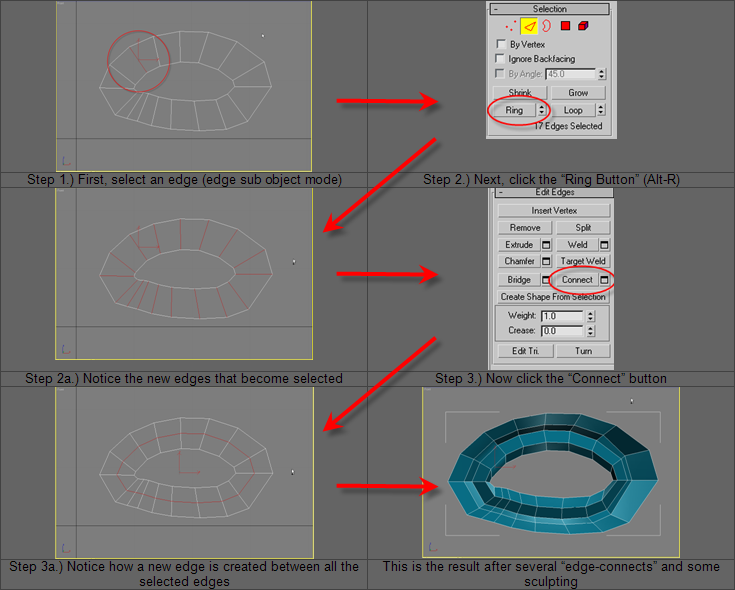
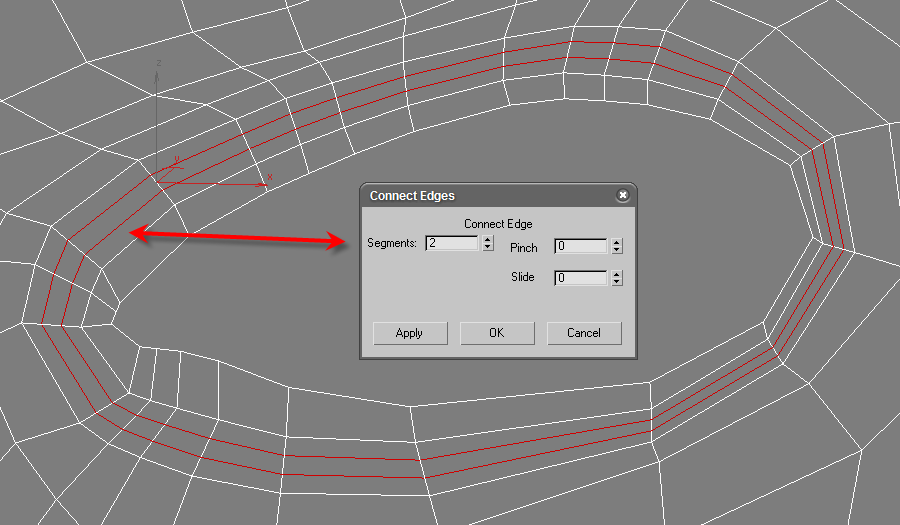
Any plans on adding a Ring Connect option as a way to add additional loops?
What is a Ring Connect?
It's fundamental for creating support edges for hard subdivision surfaces and to model organic surfaces while still maintaining quads. In Max, the Edit Poly Connect, gives you options to also slide and spread the loops along the width of the edge ring in order to "weight" the edges, define creases, etc. In Sketchup, you could always move a copy of a loop, but on an organic surface it doesn't always line up right. Even a simple option to connect edge rings at the midpoints would be helpful.
-
RE: [Plugin] QuadFaceTools
Been playing with it and it's really great. Thanks again. Been playing with Artisan meshes with some mixed results, but after a few Make Quad operations, I can get the whole mesh to quadrify.
Any plans on adding a Ring Connect option as a way to add additional loops?
-
RE: [Plugin] QuadFaceTools
SWEET! This has been a long time dream finally realized. Thanks for all your amazing contributions Thomas! We are lucky to have you in our community!
-
RE: Request: Command line input plugin
In my opinion, it's kind of like taking the motor out of a car and pulling it with a horse....but I totally understand how hard it is to reverse old habits. As in preferring keyboard shortcuts for navigation instead of the mouse.
The closest thing to a command line that is built in, is the Ruby Console. You can call any script from there, but I don't believe you can activate native tools. To find out what command calls a given script, open it with Notepad and look for the line, model.start_operation - followed by parenthesis and quotes. Within the quotes is the command needed to call the script from the Console. It requires typing the full name without deviation. Shortcuts become faster as you need only push a single letter.
-
RE: [Plugin] Hatchfaces (v1.8 beta) UPDATED 15-Dec-2012
Why not create two separate methods to handle the Z fighting based on what the user wants? If the user chooses just a hatch, then doing a 2mm offset would be fine and eliminate the issue with Z fighting. If it's a stamp, then make is flush and the explode/intersect should get rid of it. If the hatch gets put on it's on layer, it can be toggled on and off that way and won't interfere in general modeling operations.