Here is another method to do what you are looking for Simon.
[flash=800,600:1yx2pldf]http://www.youtube.com/v/hzN5n2UB7Ao[/flash:1yx2pldf]
 E
Offline
E
Offline
Here is another method to do what you are looking for Simon.
[flash=800,600:1yx2pldf]http://www.youtube.com/v/hzN5n2UB7Ao[/flash:1yx2pldf]
@jolran said:
Earthmover, there sure are some possibilities for this plugin. I'm a bit conserned about the performance ATM. There can be quite a lot of objects that need to be computed, when using sofisticated pattern. And files WILL get bigger.
It's not vector graphics. But if the plugin get stable enough it will probably be useful for some peoples.
I can see how you have reached a fork in the road, with many paths that this plugin could take from here. I would say pick a direction and stick with it. (Mainly so I can get my hands on it quicker.  )
)
I'm thinking the simpliest, yet most practical path would make the most sense and probably be the most stable and workflow friendly.
I would like to see user defined patterns as I said before, which could be stamped into underlying geometry.
What would be ideal is a way for user to say for example, create a small section of brick pattern, 4 brick by 4 brick wide and accounting for the pattern (half brick on the offset bond).....then save that as "Brick Bond 01" or something. Then using your tool, it would ask the user the size of the stamp / hatch. If the stamp / hatch was set to 3 meters by 3 meters, you would visibly see a 3meter square plane appear on the cursor with the brick pattern tiled across it. I would think perhaps centering on the cursor, similar to the sculpting tool in Artisan or Sculpt Tools and have it conform to the direction of any give face. Then you click and stamp the pattern / hatch into that face. You could use predefined preference settings to set whether you wanted the hatch to intersect or remain a group, instead of bringing up a dialog box for each click of the stamp. Or define it by means of a toggle (Ctrl or Shift key). I'm envisioning taking a simple four sided house and just rotating around and clicking on each face with a brick hatch selected, then switching to a roofing hatch and laying down shingles. Essentially it would be as easy as dropping in a texture, but be ultra beneficial for B&W presentations and interacting with Sketchup's styles. Now that you have materials working as well, that opens up a whole other door of possibilities. 
Thanks to TIG as well in this group endeavor. 
Perhaps you could make a template file to start from each time. This would contain your base shell, so you don't have to keep redrawing it.
I also find ThomThom's Divide Face tool (set to a keyboard shortcut) to be much faster than pulling out construction lines and then drawing on top of them. http://forums.sketchucation.com/viewtopic.php?t=24593
Nice work mate! Looking more and more promising. I'm definitely excited about the direction this is taking. Should be great for doing facade work! Keep it up!
I was trying to understand the underlying issues, now I'm just appalled. This is just outrageous. Call in the Calvary and institute Martial Law immediately! 
[flash=800,600:kdtgum8a]http://www.youtube.com/v/GmU_wexOQt4&feature=feedf[/flash:kdtgum8a]
Sorry to make light.
I like when people call me Earth. I think I'll legally change my name to it.
@srx said:
@unknownuser said:
The London riots and other EU riots are a symptom what the Socialist system is all about. We will have increased frequency of class warfare as the social welfare state grows.
IMO this is not true. Yugoslavia was an example. Socialist system with almost no crime. The main reason for the crime is not in an individual ("natural born rioters") but in Society which is putting people in not so fair situation of being born as a slave with no chance of making life better. 100$ shirt and fancy mobile phone or PS game console doesn't make life. They are only narcotics for making it easier.
NO CHANCE is what makes people desperate...I know it, it is all around me.
I agree. In the US, some call it being "hood rich". Lots of gadgets and fancy clothes, but nothing more than temporary narcotics. I grew up in a predominately minority and very lower class area. I've seen the effects of people who feel discarded by the systems and the ensuing desperation through my whole life. Until you've lived within it, it's hard to understand. People just lose hope in anything long term and all of existence becomes about the temporary satisfactions. This is enough for most people to get through their day, but if the shit hits the fan, there is a bottled rage that is unleashed. A rage covered up for so long, most people didn't know they had it until the walls of the illusion crumble and rioting becomes something that makes them feel as if they've had their rebuttal. But in the end, that too is only temporary. And life will return to what it once was....until the next time.
I see your point Alan. I empathize greatly for the fear being felt by the honest, hard working people of the UK, who have had many sleepless nights and have feared for the safety of their families.
David, social justice is not some code word for a socialist agenda and redistribution of wealth. It's a term for a just society. The entire concept of the EU was a large scale social experiment, in terms of it's impact on society. Some aspects were successful and some horribly unsuccessful.
Ultimately, time will tell that you can't fight fire with fire. Long term mending will have to come slowly, through a rebuild of trust, focus on social programs (youth centers, education, etc.), giving the people an outlet to voice concerns about injustice and brutality, etc.
If you take an aggressive dog into your home who has suffered on some level and who has a distrust for humans, and you want to rehabilitate that animal to live again in a domestic setting, how do you do that? Beat it into submission? Or, work with it slowly and rebuild it's sense of worth and belonging. Ultimately it takes a sense of compassion, will and patience. (I'm not calling anyone an animal by means of the analogy)
I believe in people and know that sometimes hope is all that is needed. When people have hope, they most often do the right things. At the same time, blatant criminals should be dealt with. Not just those in the streets, but those who sit in fancy offices as well.
I completely understand the outrage and disgust, but when the dust settles and order is restored, how do you fix the issues long term? All of the aforementioned strategies of punishment may give some short term satisfaction to those affected, but will not relieve the underlying causes. I fear you are too hasty to seek more severe forms of control and a tightening of noose as a way to teach a lesson to the spoiled youths, which will feel good today, but have heavier consequences in days, years and generations to come. The lid has blown off of a long time boiling pot of water. A tighter lid and hotter fire will only cause the lid to blow even harder the next time. In the U.S. we tried to do the same thing for many decades and for many decades, people suffered. Generations will be born and bred to hate your country for it's subjugation of the under privileged. Until you learn to see this as a social justice issue first, things will not change. It is easy to say this is purely criminality, when you are looking downward from a position of privilege and have never known the oppressive nature of mass desperation. Even if you feel this generation to be lost, you must find compassion in your heart for the children born into this desperate tinder box of shared insignificance. I do pray there is resolution in your country and that the long term resentments created by these riots don't turn into something a lot more carnal and bloody than some stolen sneakers and burning buildings.
Nice. Since you have Max, you might have tried baking your textures and normal maps and applying them to a lower poly mesh. This is a good tut on the subject - http://vimeo.com/18970594
Nice work on the Thea render.
TIG Texture Tools You owe it to yourself to get that one Brodie. Saves a ton of time. Especially for tweaking wood grains.
@patrickbateman said:
Are there more tree libraries available for it from anywhere?
Only what is on their website. They don't allow commercial packaging of prebuilt speedtrees. The trees they have are pretty great though. Most of them are in Lumion. I don't think anyone would seriously buy the software to get the premade trees, in the same way you wouldn't buy 3dsMax to get the sample scenes. It's a modeler, and a bad ass one at that! Also, I don't think any of them would work too well in sketchup though.
[flash=800,600:2d98c46j]http://www.youtube.com/v/g10NDl6HdD4[/flash:2d98c46j]
@archigrafix said:
I am downloading the demo...of cinema version
Anyone already tested and get nice advice?
I have seen trees size sold in their website and get scared but trees size: 300 000 polys!!!
How may you dare export and use in other apps?
There is a LOD control for each aspect of the tree as well as a slider in the main modeling window to reduce poly count. Speedtree is so successful because their high poly trees can still function in game engines due to the realtime Level of Detail built into their SDK. High poly trees only appear when the camera is within a defined distance and get reduced down to billboards when far away.
Great tip Gai! New one to me as well. Rock, to add to what Broomstick said, once you get the on face inference you just have to hold shift and the inference is locked. You can then click and grab an endpoint, midpoint or edge and snap the geometry from there while still maintaining the initial Z height of the On Face inference.
Thats what I love about Sketchup....so many hidden little things to make life easier!
Gotcha. I can't think of one. A simple move tool that restricts whatever it is moving to two axis. It would interesting if this tool also used shift or ctrl to lock ortho and polar with an option to set the polar degree increments as a preference setting. And perhaps another keyboard toggle to switch it from XY move to Z move. This would give the user the type of precision moving done with a gizmo, but still be "sketchup intuitive".
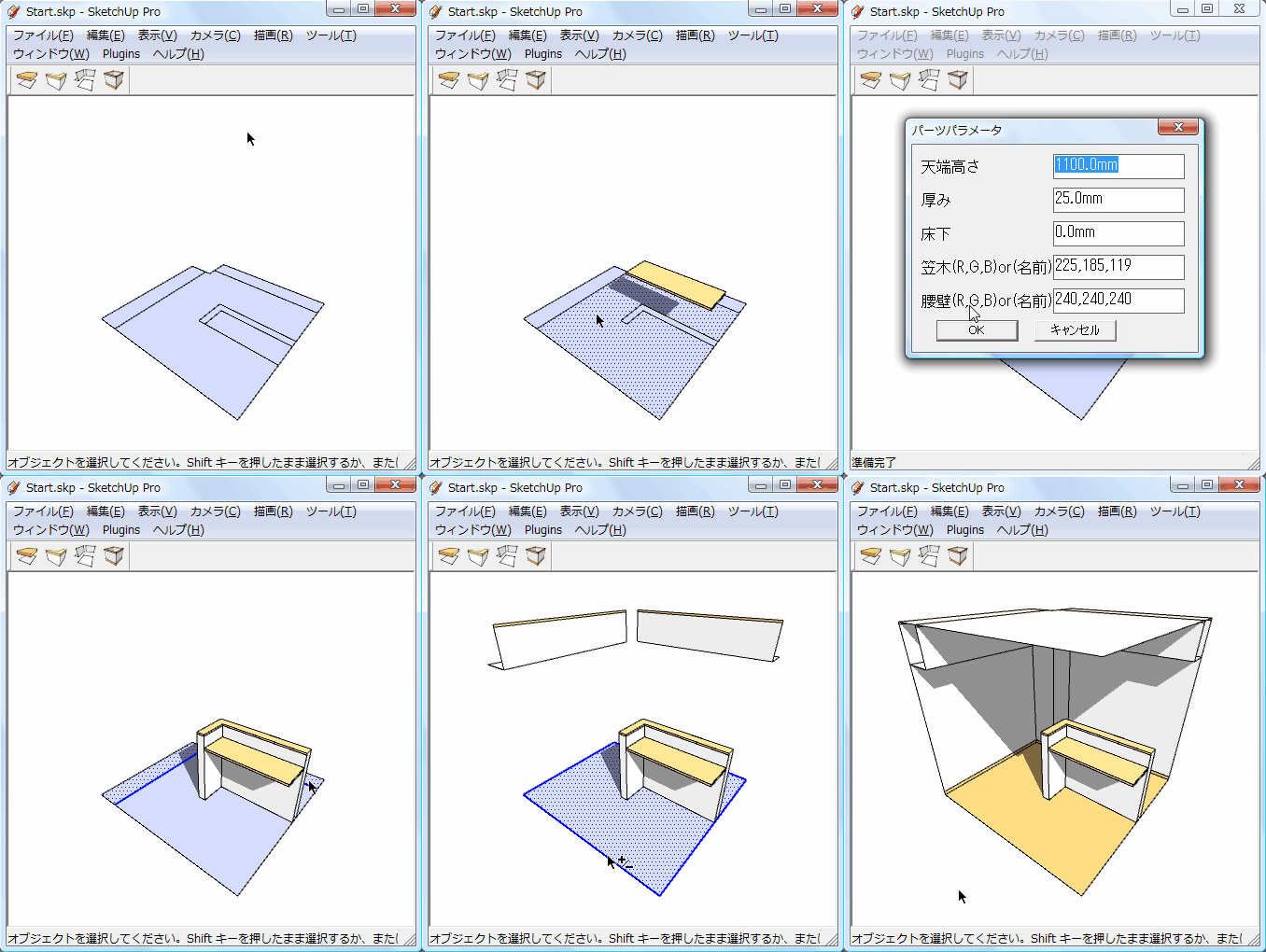
Trying to understand what the plugin in the link does. It looks to give four ways to handle 2D CAD lines depending on what they represent. Does that sound right. I can't read chinese, so I'm just guess based on this .gif in the link you gave. Are you trying to get a plugin that does the same thing or something a little different? Can you provide an image describing what you are asking for? Might be easier to get it accomplished if the masters here have something more to go on.
Just did a test on a sphere with 15K faces, rendered in Twilight on High with a porcelain template applied.
Rendered by it's self with one sketchup open -- 48 sec.
Same sphere copied to a second sketchup and both rendering simultaneously - both finished in 1 min 20 seconds.
Twilight showed both sessions using all 8 cores in my machine. Whether rendering one scene or both, cpu was maxed out.
Not sure, but on a lower spec'd machine, perhaps turning down the priority setting when trying to render two sessions simultaneously could help prevent a bottleneck in the ram.
(My specs are i7 960 CPU, 12 GB of ram, Nvidia GTX 560ti GPU, running on an Asus Rampage III extreme mobo.)
Just tried it and it's working fine for me. Curious what could cause a conflict. Alternatively you can use ThomThom's Edge Tools. Simplify Curves set to "0" will weld individual or multiple sets of edges. At least until you get it sorted out.
Additionally I wonder if it would be possible to implement a Vert Memory option, where you could select all border edges and choose "Remember Vertex Positions", then once you are finished sculpting a terrain, you could "Restore Vertex Positions". This would essentially allow a user to freeze all border edges from being affected by manipulation. This way, if I had, say a flower bed on a hillside that I wanted to add undulation to, I could store the perimeter verts to memory, sculpt to my leisure, then restore the border perfectly.  Just a thought.