sketchucation logo sketchucation
    • Login
    1. Home
    2. deaneau
    3. Posts
    Oops, your profile's looking a bit empty! To help us tailor your experience, please fill in key details like your SketchUp version, skill level, operating system, and more. Update and save your info on your profile page today!
    🔌 Easy Offset | Offset selected faces in SketchUp in positive and negative offsets. Download
    Offline
    • Profile
    • Following 0
    • Followers 0
    • Topics 82
    • Posts 437
    • Groups 1

    Posts

    Recent Best Controversial
    • RE: Animator: Parametric Animation plugin - Discussion

      @Fredo6

      i have seen that many users work with Sketchup to design for Game Engines.

      Your Plugin go in the right direction.

      Animation-Export is needed to animate somethink, like Pantograph for Locos and Trams.

      I think, we all understand that is not the same like fast food or douglas "come in and find out". all this need time AND a strong brain.

      i will take the hat

      like on the picture, for you and all other programmer here.

      http://hilfe-fuer-kimberley.de/onewebstatic/313462468e-Hut ziehen.jpeg

      posted in Plugins
      deaneauD
      deaneau
    • RE: CPoint move rotate name visible in Outliner?

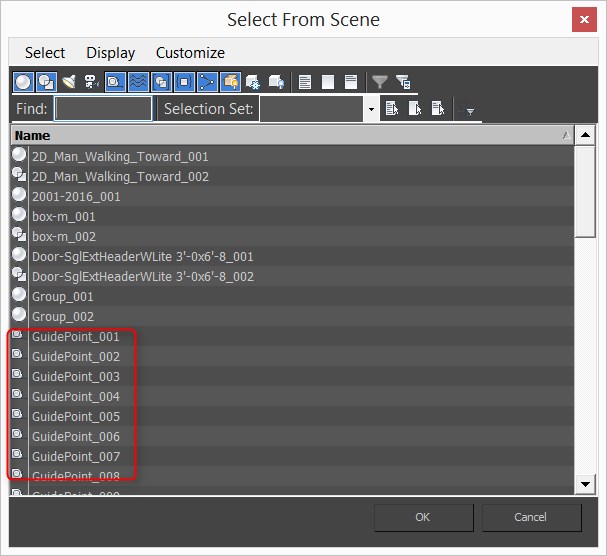
      yes TIG actually i draw a rectangle and group this. than i go in the group and ad center point (smustard). after this i must explode the gorup and must delete the rectangle.
      a second way is to draw short help lines in the group to see the point.
      the point alone in the group isnt pickable.

      if i cant name this point or make visible in the outliner i must go the way via Max 😕
      this was my fear.
      thank you TIG

      2016-03-31_22h38_47.jpg

      posted in Plugins
      deaneauD
      deaneau
    • CPoint move rotate name visible in Outliner?

      Hi,
      yes this sound curious

      however i would use cpoints like in 3dsMax without using Max.

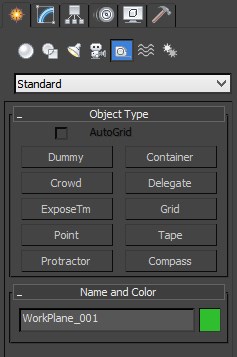
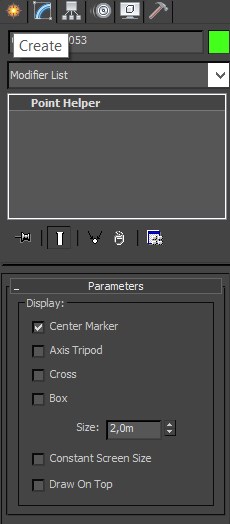
      cPoints will visible in max

      this points have a special function in some 3d games as attacement point.

      1. the name of this attachement point tell the game what kind of point is this and what kind of objects i can attache

      2. the orientation tell the game what direction have light, objects etc

      this is actually only possible in Max.

      2016-03-31_13h22_07.jpg
      2016-03-31_13h24_31.jpg

      what can i do with this points ? the picture will show this.
      and now i can move and rotate this point.

      this would be great in sketchup.
      if this is
      visible in outliner
      and i can name, rotate and move this point.

      what i have try.

      i have try to group this point. however grouups and point are different kind of "objects" in Max.

      2016-03-31_13h33_41.jpg

      posted in Plugins
      deaneauD
      deaneau
    • RE: Animator: Parametric Animation plugin - Discussion

      @Fredo6

      Hi Fredo, in your first post you have asking about models.

      Eneroth Railroad System have Steam Locos.

      http://sketchucation.com/forums/viewtopic.php?f=323%26amp;t=57831

      2016-03-31 10h42_59.gif

      Could be its usefull.

      Im happy that you work for this Project.

      This is a quantum leap.

      when animations will be exportable to other 3d software (3DMax, Cinema4d etc.) this would be great.

      yes this softwares have an own animation plugin however, the feeling in sketchup is better for all sketchup users.

      why i search an exportable animation?

      i ll design objects for the Simulator Trainz

      http://sketchucation.com/forums/viewtopic.php?f=323%26amp;t=61818%26amp;hilit=+trainz

      and some objects will need animations,too.

      the problem of the export plugin is:
      no support for attachement points and animations.
      this will only support 3dmax 😕

      good luck for this awseome project.

      EDIT:

      https://3dwarehouse.sketchup.com/warehouse/getpubliccontent?contentId=a2e01664-06aa-4b09-9efd-62eec3c588af

      Link Preview Image
      3D Warehouse

      3D Warehouse is a website of searchable, pre-made 3D models that works seamlessly with SketchUp.

      favicon

      (3dwarehouse.sketchup.com)

      Dean

      posted in Plugins
      deaneauD
      deaneau
    • RE: [solved][question] Hungarian speaking member?

      @juju big thanks.

      is difficult to contact ikarus

      contact mail on the webpage is an other than ikarus.hu and the email info@ikarus.hu will not work.

      ok i try my best with Gaieus

      best regards

      dean

      posted in Plugins
      deaneauD
      deaneau
    • RE: [solved][question] Hungarian speaking member?

      i read only the message:

      You are not authorised to read this forum.

      posted in Plugins
      deaneauD
      deaneau
    • [solved][question] Hungarian speaking member?

      Edit: Thanks i have now find a native hungarian people here.

      Update: The Company behind Ikarus.hu is not the same like Ikarus in the past (1954-1989+)

      Hi,i know this is the wrong place, however i dont know where is the right place for this question.

      is here a hungarian speaking member?

      what i want?

      i will contact the Hungarian Company that have had produce the Ikarus Bus

      Ikarus 55, Ikarus 66 etc.

      best regards Dean

      here a google search link:

      ~~http://ikarus.hu/

      https://www.google.de/search?q=ikarus+bus+ikarus55+ikarus+66%26amp;espv=2%26amp;biw=988%26amp;bih=525%26amp;tbm=isch%26amp;tbo=u%26amp;source=univ%26amp;sa=X%26amp;ved=0ahUKEwj70OKz0NvLAhWIQpoKHeR0CvsQsAQIIQ~~

      ~~why in hungarian, when the page provide an english page,too?

      not all in this company speaking english.

      i have conntact Ikarus however no answer.

      Thanks for all helper to contakt right this company.~~

      Dean

      posted in Plugins
      deaneauD
      deaneau
    • [REQ] [Inspiration ]BluePrintSetup

      hi devs, rubicons and sketchucation community.

      i need for many models a possibility to setup pictures to a blueprint setup.

      here i have found a video, what very easy.

      I dont want use Cinema4d (in the video)

      when any one know a better plugin, you can post a video here ,too for inspiration.

      thank you

      posted in Plugins
      deaneauD
      deaneau
    • RE: [Plugin][WIP][OpenSource] Bezier Surface

      @thomthom

      could you guide me how i can open the complete pallete?
      i try to model a a bus. how i can setup the texture?


      blue print setup?

      could you develop like this?

      many thanks when this is possible.

      posted in Plugins
      deaneauD
      deaneau
    • RE: [Plugin] "folder" (Updated 15/02/2016)

      @sahi большо́е спаси́бо за плагины 😄 Many thanks for your plugins

      no no im not from russia 😄

      posted in Plugins
      deaneauD
      deaneau
    • RE: [REQ]-[Solved]Batch save in given Version and /or fileformat

      @CadFather. i have to save (m)any sketchup files in the right version. some versions of 3dmax can´t open the newest sketchup format. 2014 have problems to open 2015/2016 Skp-files. the Same Problem in Cinema4d.

      @kaas thank you for your link, my problem was solved by one of my favorite "rubyicon".
      please don´t ask for the name. could be the dev will not named in public.
      if the dev reading this. you can outing you or not 😉

      Dean

      posted in Plugins
      deaneauD
      deaneau
    • [REQ]-[Solved]Batch save in given Version and /or fileformat

      SOLVED

      Hello, Dev´s and RubyIcons,
      i have in the next time a bad job. i must convert many sketchup files in a given versions and fileformats.

      is it possible via ruby that let do this as batch process?

      for example: in a folder i have different files with different versions v.3-16 (2016).

      i would have the possiblity to do this as batch

      open file, hide the message (this is a v.3 or what ever skp file).
      save as v8 (v3-2016). input and output for all files in the given folders.
      rename this like this "sketchup_file_name_V8 or if the input mask is empty let the old name and add the suffix _v8
      foldernames like "input folder" and output folder with suffix v8 or v3-v16 (v2016).

      Examples:
      Old Name for the SKP-File was deaneau_house.skp
      etc.
      give the same Name deaneau_house_v8 and save in the Folder Output_V8

      this one only if i choose v8 before i start the batch process

      i f i choose the skp-Version v3 do the same only change the version and name suffix to v3 etc.

      if possible Save In All Possible Versions

      deaneau_house.skp
      to deaneau_house_v3.skp... deaneau_house_v16 or _V2016

      many thanks for your attention.

      Dean

      posted in Plugins
      deaneauD
      deaneau
    • RE: Change Line types in an other?

      @ pilou ok this could be possible. ill try this

      @rich yes i understand

      thanks for yours fast answers.

      Dean

      @pilou **bingo**Color Edge is a solution.
      works in 2016,too
      thanks

      posted in Plugins
      deaneauD
      deaneau
    • Change Line types in an other?

      Hello Devs.

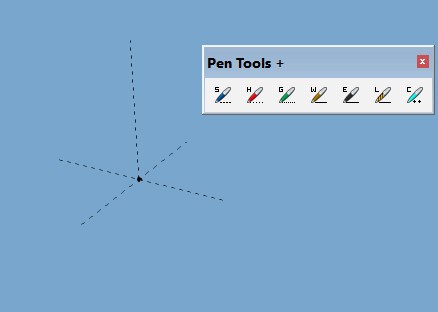
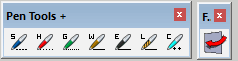
      Rich O'Brien have had written the Pentools+

      some Type of Lines i can view in other 3d Software.

      the Weld Line i can see in Cinema4d as a spline named One Edge Curve.

      is it possible to change the line types in an other?

      for example: i have draw a line with Hide Draw and i would have this as Guide Draw
      i have a Guide Draw and now i would have a Weld Draw

      etc.

      for an easy work flow this would be good to have a palette exactly like Pentools+ however now the function: i select a line and than i click an icon to change to (the same order of the icons would be good, too.
      the icons could look like this with the red arrow as overlay (combination).

      2015-12-18_10h57_19.png

      %(#BF0000)[can i change the measures to an other line type,too?
      and can i do this with points?]

      Edit: a ruby line for the console could be an alternative,too

      thank you Dean

      posted in Plugins
      deaneauD
      deaneau
    • Animation Export???

      Hello Devs.

      i have a question about export for animation.

      not the animation export as movie.

      some plugins provide animations. what format i can use to save this animations?

      is a sketchup animation different than other animations like in 3Dmax, Cinema4d or Blender?

      Thank you.

      Dean

      posted in Plugins
      deaneauD
      deaneau
    • RE: [Plugin] Eneroth Railroad System (v 0.1.21)

      Is ths project dead?
      or is revit and rhino now your favorite? 😉

      dean aka yellowdoor/deaneau

      posted in Plugins
      deaneauD
      deaneau
    • [REQ] Bridge Builder

      hi sketchupers and devs

      is anywhere a Bridge Builder for sketchup planned or out now?

      Materials: Steel, Iron, Wood, Bricks and combinations.

      styles worldwide

      for semi-profi (non architect or stress analyst)
      with export

      or an other Simulator with export function to import this in sketchup?

      thanks

      dean

      posted in Plugins
      deaneauD
      deaneau
    • RE: Is there a plugin for converting circle, lines, arcs to a...

      could be 'Round Corner' by Fredo is your friend...

      when this is your solution

      here a little step by step

      1. mark the face of the type.
      2. use offset inside or outside.
      3. push/pull the additional face
      4. select the face
      5. offset again
      6. select the inner half face
        7 use round corner (sharp corner Blue icon)
        8 set one face
        9 move your mouse pointer outside your selection
        a green check mark apear. than click. the plugin generate now your faces
        10.group the face this will appear after working.
      7. offset the face

      now you have the same like in the attached SKP


      2015-11-14_19h12_09.png


      2015-11-14_19h12_28.png


      obnet_v14_new.skp

      posted in Plugins
      deaneauD
      deaneau
    • RE: 3D Truss Models

      @medeek

      @unknownuser said:

      Positioning: It would be really nice to drop the truss set right into place by clicking the location with the mouse.

      could be this is usefull

      Link Preview Image
      SketchUp Extension Warehouse

      Your library of custom third-party extensions created to optimize your SketchUp workflow.

      favicon

      (extensions.sketchup.com)

      posted in Plugins
      deaneauD
      deaneau
    • RE: [Solved] Move along Normal

      hey cool this cold be a solution. question is, is this than a new object group? when not its better the plugin-in generate a new color what i have never had before. so i can choose this new generated polys by material and group this.
      in your animation i cant see how it work for frontside polys (white).

      posted in Plugins
      deaneauD
      deaneau
    • 1
    • 2
    • 3
    • 4
    • 5
    • 6
    • 7
    • 21
    • 22
    • 5 / 22