sketchucation logo sketchucation
    • Login
    1. Home
    2. Daniel S
    3. Posts
    Oops, your profile's looking a bit empty! To help us tailor your experience, please fill in key details like your SketchUp version, skill level, operating system, and more. Update and save your info on your profile page today!
    🔌 Easy Offset | Offset selected faces in SketchUp in positive and negative offsets. Download
    D
    Offline
    • Profile
    • Following 0
    • Followers 0
    • Topics 18
    • Posts 339
    • Groups 1

    Posts

    Recent Best Controversial
    • RE: [Plugin] Round Edge - v1.0 (by Bezier)

      Thank you Fredo!!! 😍 😍
      I didn´t imagine that you were going to surprise us so soon with another awesome plugin 😍

      Your assumption that only edges that are not ‘Soft’, ‘Hidden’ or ‘Soft’ can be selected is a great idea and the Explicit and Implicit selection is fantastic too.

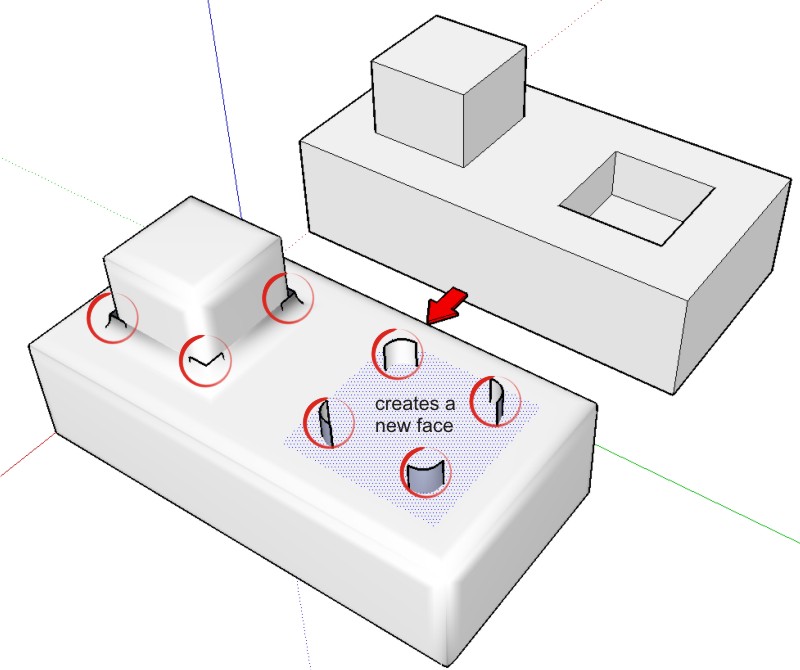
      I tried the plugin and the problems that I have are the ones of the "known problems" on the PDF. Hope that you can fix the issues of Adjacent Convex and Concave edges and the Sheared surfaces before the incorporation of the custom profiles feature. Perhaps will add to the list of problems when there is something like the attached image.

      Thank you again Fredo!,
      Daniel S

      P.S. I´m thinking: If only one person can make all this incredible plugins so quick with limited time... what the SU team working full time on SketchUp will bring to us on SU7??

      holes.jpg

      posted in Plugins
      D
      Daniel S
    • RE: [Re-quest]

      The idea will be that the plugin add scenes, so maybe we can use the sketchup output to export the scenes as animation.
      And this can make possible to render every scene and have a photoreal sketchyphysics animation.
      http://www.sketchucation.com/forums/scf/viewtopic.php?f=61&t=8582&p=51274

      Daniel S

      posted in Developers' Forum
      D
      Daniel S
    • RE: [Re-quest]

      @jim said:

      It should be easy to modify to use a timer instead of an event.

      Do you think that can work with SketchyPhysics? I mean.. create something like 25 scenes per second?

      Daniel S

      posted in Developers' Forum
      D
      Daniel S
    • RE: [Obsolete] Tools On Surface - v1.2

      Thank you, now is working!!!! You are correct, i use big icons and now the toolbar show them right, tested on two computers 😍 😍 ...

      Thank You!!!
      Daniel S

      posted in Developers' Forum
      D
      Daniel S
    • RE: [Obsolete] Tools On Surface - v1.2

      On a second computer with Win xp is not showing the icons too 😞

      posted in Developers' Forum
      D
      Daniel S
    • RE: [Obsolete] Tools On Surface - v1.2

      Yes, i get the tooltip.
      I'm using Windows XP.
      I will try with other computer and report back.

      Daniel S

      posted in Developers' Forum
      D
      Daniel S
    • RE: [Obsolete] Tools On Surface - v1.2

      Yes, the cursors and the tools are working fine 😒

      posted in Developers' Forum
      D
      Daniel S
    • RE: [Obsolete] Tools On Surface - v1.2

      Hi Fredo!!
      Thank you for the update!!
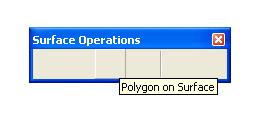
      All the icons are in the TOS_Dir but are not showing on the toolbar for me...

      Daniel S


      noicons.JPG

      posted in Developers' Forum
      D
      Daniel S
    • RE: [Obsolete] Tools On Surface - v1.1

      @plot-paris said:

      3D TEXT... ON SURFACE 😍

      I think that 3D text on surface will be easily made with the drape on surface tool.

      Here Fredo explains the drape on surface and uses the example of text:
      http://www.sketchucation.com/forums/scf/viewtopic.php?f=180&t=9637&p=60520#p60520

      Daniel S

      posted in Plugins
      D
      Daniel S
    • RE: [Obsolete] Tools On Surface - v1.1

      I don´t know if it´s possible to make, but the "move on surface" tool is a great idea!!
      Thank you again for your plugins Fredo!!!

      Daniel S

      posted in Plugins
      D
      Daniel S
    • RE: Icons for toolbars

      SketchUp uses 16 x 16 for small icons
      and 24 x 24 for large ones.

      Daniel S

      posted in Corner Bar
      D
      Daniel S
    • RE: [Plugin] Custom Toolbars Plugin

      @ibon said:

      This is Awesome! keep on with the project, please. Do you need help with the icons? i have changed a little my sketchup, so maybe i could help. Thanks again!


      http://img377.imageshack.us/img377/1050/pantallaum2.th.jpg

      Ibon.. can you share the icons of the bezier tool and the ones for the tools on surfaces (offset and line on surface)? They look really great!!!

      Daniel S

      posted in Plugins
      D
      Daniel S
    • RE: Subdivide and smooth not showing up ?

      Try this:

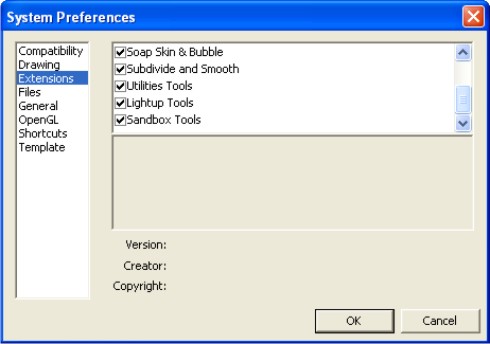
      Inside SketchUp go to Window > Preferences > Extensions.
      In the System Preferences look for subdivide and smooth and mark it like other extensions.
      Hope that works with this.
      Look at the attached image.

      Daniel S


      Subsmooth.jpg

      posted in Developers' Forum
      D
      Daniel S
    • RE: Push pull selected

      There are a lot of ruby scripts that do what you want.

      But I recommend Joint Push Pull by Fredo6:
      http://www.sketchucation.com/forums/scf/viewtopic.php?f=153&t=6708

      It has 3 types of push/pull... I think that you want to use in this case the normal push/pull. You select all the faces you want and then push/pull all together.

      Daniel S

      posted in Developers' Forum
      D
      Daniel S
    • RE: Double Follow me

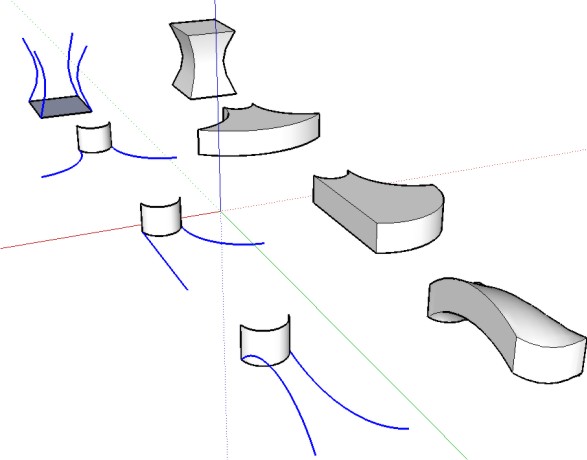
      Hope with SU7 we can have a more powerful follow me.

      Daniel S


      follow%20me.jpg

      posted in Developers' Forum
      D
      Daniel S
    • RE: [Obsolete] Tools On Surface - v1.1

      I have a request...

      The Line on Surface has Point inferences. Can it have linear inferences too?

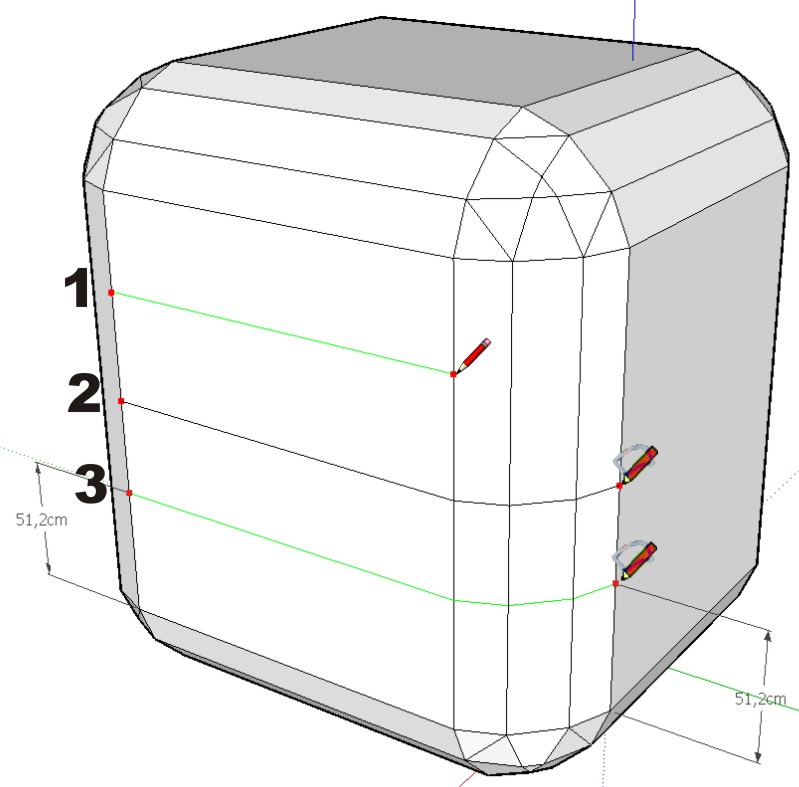
      I don´t know how to explain it well so i try to make a understable image. If you color the line by axis this can´t be done so it´s very strange what i´m requesting.

      In the image in "1" is what i try to say about linear inference.
      In "2" how draw line on surfaces works and is difficult to get the result of "3".
      In "3" the request 😒 😒

      Daniel S


      request.jpg

      posted in Plugins
      D
      Daniel S
    • RE: [Obsolete] Tools On Surface - v1.1

      Hi fredo...

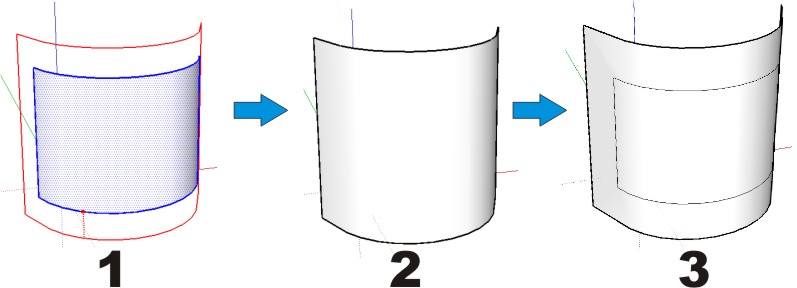
      About the offset on surface the external offset deletes the original surface... is there a way to keep the original surface like in the previous version? In the image I put in "1" the external offset, in "2" the actual result and in "3" what i´m trying to get.

      About the icons and cursors i tried to make them.. but i can´t do the ones with Cline. The ones i can don´t look very good... but i post them here.

      Daniel S


      External offset.jpg


      Icons tools on surface.zip

      posted in Plugins
      D
      Daniel S
    • RE: [Obsolete] Tools On Surface - v1.1

      Awesome like always!!! 😍 😍 😍

      Thank You!!!

      Daniel S

      posted in Plugins
      D
      Daniel S
    • RE: Are you ready for SketchUp 7 news?

      Of course that the image is not the new SketchUp..

      Google uses sketchup for google earth...

      well, Microsoft has done something similar:

      http://www.3dvia.com/shapeit/
      http://maps.live.com/Help/en-us/VE3DVIADownload.htm

      I say we wait for the official news!!!

      Daniel S

      posted in Corner Bar
      D
      Daniel S
    • RE: Make multiple groups from a single window selection

      Strange... I always use this plugin and never have this problem.
      Perhaps you have groups inside groups?
      What you can try is to explode all.. Select all.. group all, and explode2groups.
      I think that there is no limit for the number of groups because I have use it to create more than 600 groups.

      Daniel S

      posted in Developers' Forum
      D
      Daniel S
    • 1 / 1