sketchucation logo sketchucation
    • Login
    Oops, your profile's looking a bit empty! To help us tailor your experience, please fill in key details like your SketchUp version, skill level, operating system, and more. Update and save your info on your profile page today!
    ⚠️ Important | Libfredo 15.6b introduces important bugfixes for Fredo's Extensions Update

    Sketchucation Tools 5.0.4
    Scheduled Pinned Locked Moved Extensions & Applications Discussions
    144 Posts 23 Posters 14.5k Views 22 Watching
    Loading More Posts
    • Oldest to Newest
    • Newest to Oldest
    • Most Votes
    Reply
    • Reply as topic
    Log in to reply
    This topic has been deleted. Only users with topic management privileges can see it.
    • TIGT Offline
      TIG Moderator @Wantao
      last edited by TIG

      @Wantao
      The red dot on the toolbar button shows shows that updates are available.
      If updates are available then the toolbar shows up by default even if you have closed it previously. This is to ensure you see the availability.
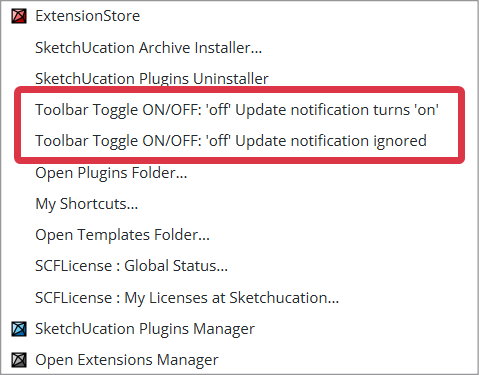
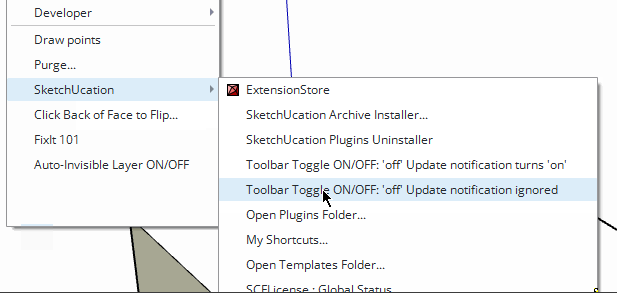
      However there are two options in the Extensions > SketchUcation submenu, covering the toolbar close/open status. The first is the same as opening/closing the toolbar manually with the update-availability auto-opening it later if appropriate, but the second one let's you close it and then ignore update alerts, it you choose that you need to manually check for updates by opening the toolbar or ExtensionStore dialog.
      SubMenu.png

      TIG

      1 Reply Last reply Reply Quote 0
      • Mike AmosM Offline
        Mike Amos
        last edited by

        Moving all toolbars in a new project (No model) and saving as a template usually works for me New tools, new template.

        Absentia mortis praesentiam vitae probat, vita autem est argumentum constantiae.

        1 Reply Last reply Reply Quote 0
        • RTCoolR Offline
          RTCool
          last edited by

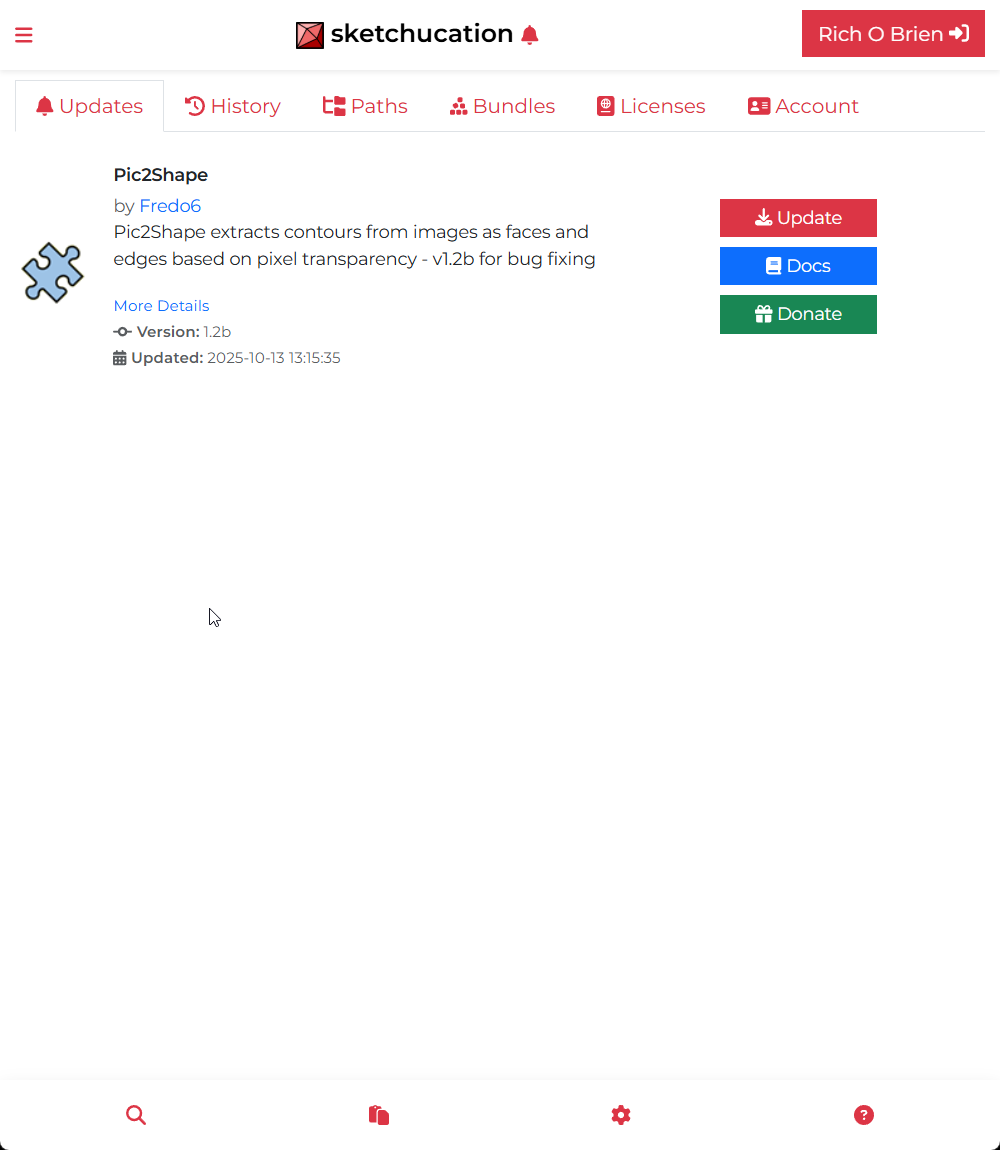
          I'm using SketchUcation Store 5.0.3 in SU 2026 and it seems flaky. It reports that everything in my library needs updating even though that's not correct. Also, clicking on Settings gets me this Update list. What's it supposed to look like when you click Settings?

          Rich O BrienR 1 Reply Last reply Reply Quote 0
          • Rich O BrienR Offline
            Rich O Brien Moderator @RTCool
            last edited by

            @RTCool said in Sketchucation Tools 5.0.3:

            What's it supposed to look like when you click Settings?

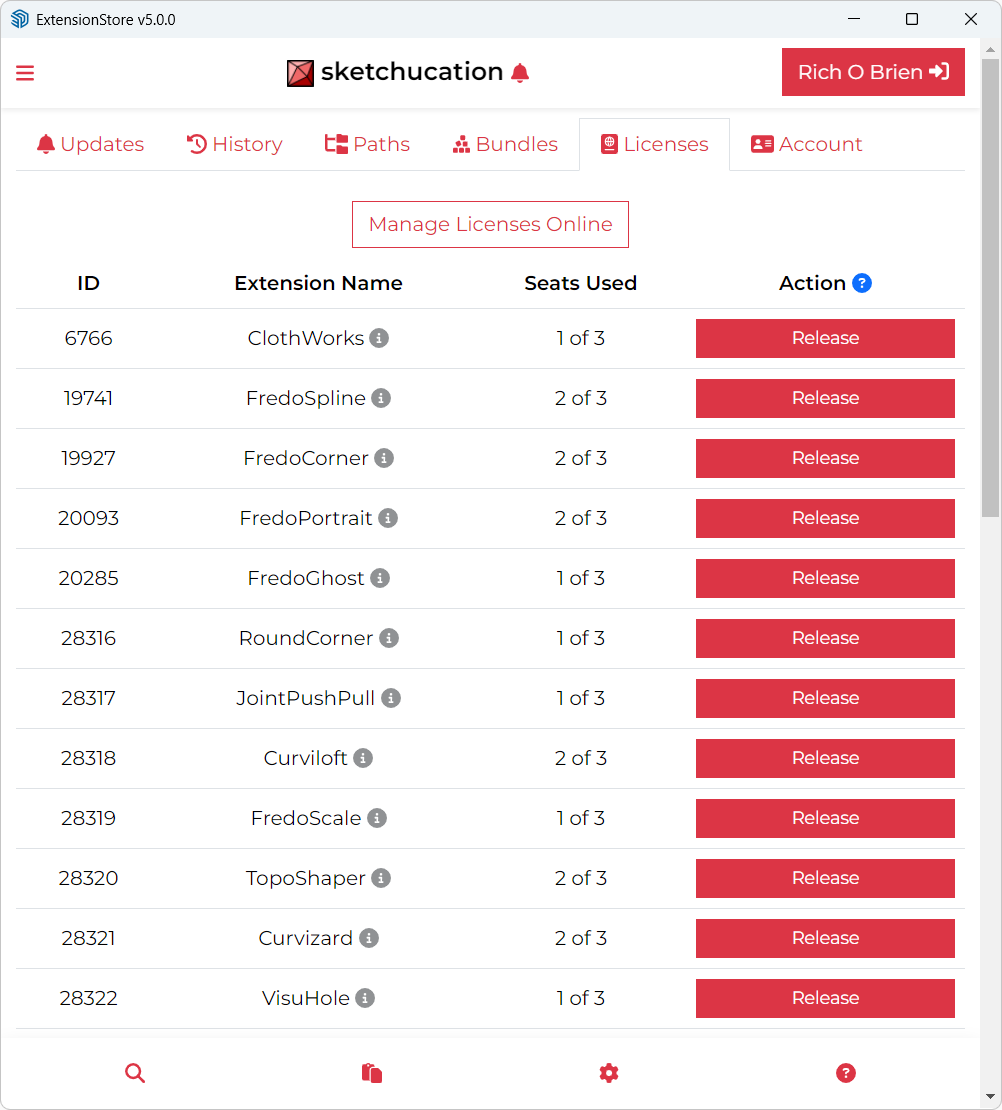
            You should see a tabbed UI with various headings.
            25fb6056-6a6e-44a7-b6c1-e9ad09808336-image.png

            Download the free D'oh Book for SketchUp 📖

            1 Reply Last reply Reply Quote 0
            • RTCoolR Offline
              RTCool
              last edited by

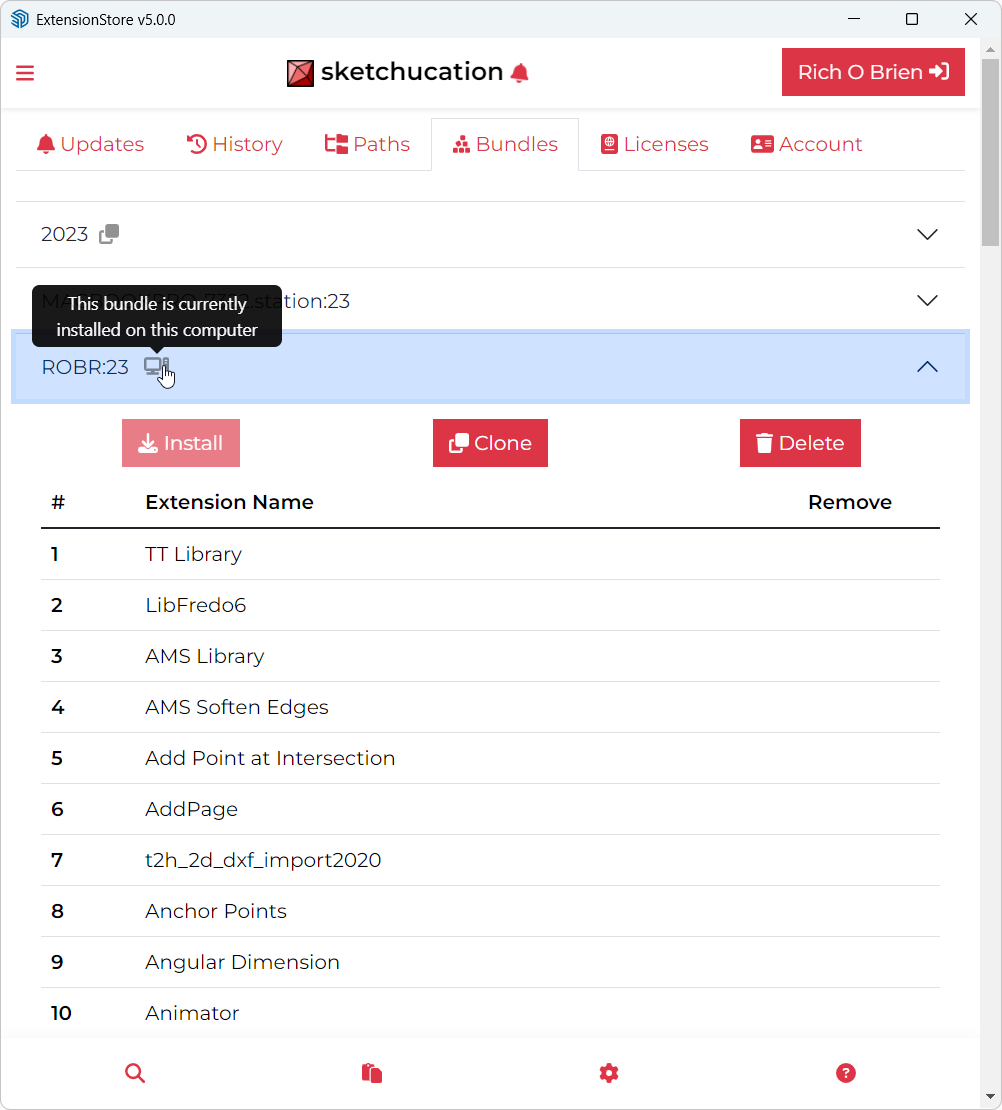
              It occurred to me afterward that's what you're supposed to see. I guess getting used to the new interface, I was confused by two methods of arriving at that tab: clicking the bell for notifications of updates as well as the being the first tab under settings.

              I was having trouble with the thing hanging when I would try updating anything, but that seems to be working now. Maybe I just tell it to update all these plugins it thinks need updating and it will remember all this correctly going forward.

              1 Reply Last reply Reply Quote 0
              • Rich O BrienR Offline
                Rich O Brien Moderator
                last edited by

                Sketchucation Tools 5.0.4 released
                Bugfixing and improvements to toolbar toggling and update notifications.

                Download the free D'oh Book for SketchUp 📖

                1 Reply Last reply Reply Quote 1
                • alexpacio2013A Offline
                  alexpacio2013
                  last edited by

                  Is it possible to add an option to not update a particular plugin in the updates list, meaning it should no longer show the update for that plugin and display it with a flag?

                  Rich O BrienR Dave RD 2 Replies Last reply Reply Quote 0
                  • Rich O BrienR Offline
                    Rich O Brien Moderator @alexpacio2013
                    last edited by

                    @alexpacio2013 said in Sketchucation Tools 5.0.4:

                    Is it possible to add an option to not update a particular plugin in the updates list, meaning it should no longer show the update for that plugin and display it with a flag?

                    Ignore? We can look at that.

                    Download the free D'oh Book for SketchUp 📖

                    1 Reply Last reply Reply Quote 0
                    • Dave RD Offline
                      Dave R @alexpacio2013
                      last edited by

                      @alexpacio2013 what extensions would you not want to update when the author has made updates?

                      Etaoin Shrdlu

                      %

                      (THERE'S NO PLACE LIKE)

                      G28 X0.0 Y0.0 Z0.0

                      M30

                      %

                      alexpacio2013A 1 Reply Last reply Reply Quote 0
                      • alexpacio2013A Offline
                        alexpacio2013 @Dave R
                        last edited by

                        @Dave-R Some plugins have caused me issues with updates, some I want to finish current projects before updating, while others I'm confident are useful updates.

                        1 Reply Last reply Reply Quote 0
                        • caermaloC Offline
                          caermalo
                          last edited by

                          Hi, the Sketchucation plugin in SketchUp 2026 displays the following window every time I open the program.

                          Captura de pantalla 2025-12-08 142019.png

                          Extension error report
                          SketchUp: 26.0.429
                          OS: Windows 10
                          Ruby: 3.2.2

                          Extensión: SketchUcation (5.0.4)
                          Error: NameError (uninitialized constant SCF::TOOLBARTOGGLEup)
                          c:/users/usuario/appdata/roaming/sketchup/sketchup 2026/sketchup/plugins/sketchucation/scf_loader.rbe:193:in <module:SCF>' c:/users/usuario/appdata/roaming/sketchup/sketchup 2026/sketchup/plugins/sketchucation/scf_loader.rbe:13:in <main>'
                          C:/Program Files/SketchUp/SketchUp 2026/SketchUp/Tools/extensions.rb:197:in eval' C:/Program Files/SketchUp/SketchUp 2026/SketchUp/Tools/extensions.rb:197:in require'
                          C:/Program Files/SketchUp/SketchUp 2026/SketchUp/Tools/extensions.rb:197:in load' C:/Users/Usuario/AppData/Roaming/SketchUp/SketchUp 2026/SketchUp/Plugins/SketchUcation.rb:173:in register_extension'
                          C:/Users/Usuario/AppData/Roaming/SketchUp/SketchUp 2026/SketchUp/Plugins/SketchUcation.rb:173:in <module:SCF>' C:/Users/Usuario/AppData/Roaming/SketchUp/SketchUp 2026/SketchUp/Plugins/SketchUcation.rb:17:in <top (required)>'

                          1 Reply Last reply Reply Quote 0
                          • TIGT Offline
                            TIG Moderator
                            last edited by TIG

                            @caermalo

                            This error is very unexpected.
                            As SketchUp starts it loads from your Plugins folder the ../SketchUcation.rb file to set up the rest of the code.
                            This in turn loads ../SketchUcation/SCF_loader.rbe
                            Which makes the toolbars, menus etc, and loads the various other code files needed to work the extension.
                            It's failing at the loader's line#193 with the NameError uninitialized constant SCF::TOOLBARTOGGLEup
                            This is one of many Constants set up to set the text for the toolbar button's tool-tips etc.
                            Because earlier lines of code have already set 27 similar Constants like SCF::TOOLBARTOGGLE, without any errors I can't immediately see what might be causing this issue for you. These Constants are read in from a text file shipped with the set - ../Strings/SCF-EN-US.strings
                            I've checked them and the correct file is included in the file set archive 5.0.4
                            Since the TOOLBARTOGGLEup Constant was just added in for this revision, then it looks like you might have a earlier version of the strings file [e.g. <=5.0.3], that the needed newer 5.0.4 l, and the loadedr is then tripping up later as that particular Constant hasn't been defined.

                            How did you install the newest version ? From the ExtensionStore dialog, or from a downloaded RBZ - if that. then how did you install the files/folders ? Using the Native Extension Manager's Install function should copy all over and overwrite any preexisting files etc - which it clearly has for the loader etc; or did you manually copy the RBZ's contents into your Plugins folder ? If you did that then maybe you inadvertently skipped the new strings file version ?
                            You can see if the existing installation for ../Strings/SCF-EN-US.strings is correct by opening it with Notepad++.exe and around line#31 TOOLBARTOGGLEup= .. defines the Constant. If it's there then something is weirdly adrift, as your other files aren't loading it: but I suggest that it will almost certainly be an older version with that liine missing.
                            If it is missing something when wrong with the installation - probably skipped that file's newer version etc - if so the some other files might also be suspect.
                            Please try SketchUp's Extension Manager Install function again and pick the 5.0.4 RBZ . After it installs that, then restart SketchUp and see if the error recurs...
                            Alternatively you can use a manual way - close SketchUp, then extract the RBZ's contents using 7-Zip or similar [an RBZ is a renamed ZIP file], then manually copy all of its contents - i.e. parts 1) the SketchUcation.rb file and 2) the subfolder SketchUcation [and of course all of that folder's contents intact - files and subfolders of more files etc. When prompted choose to Replace the 118 or so existing files [never Skip them]. Afterwards restart SketchUp to sync everything and see what happens...
                            Please let us know what happens...

                            TIG

                            1 Reply Last reply Reply Quote 0
                            • Dave RD Offline
                              Dave R
                              last edited by

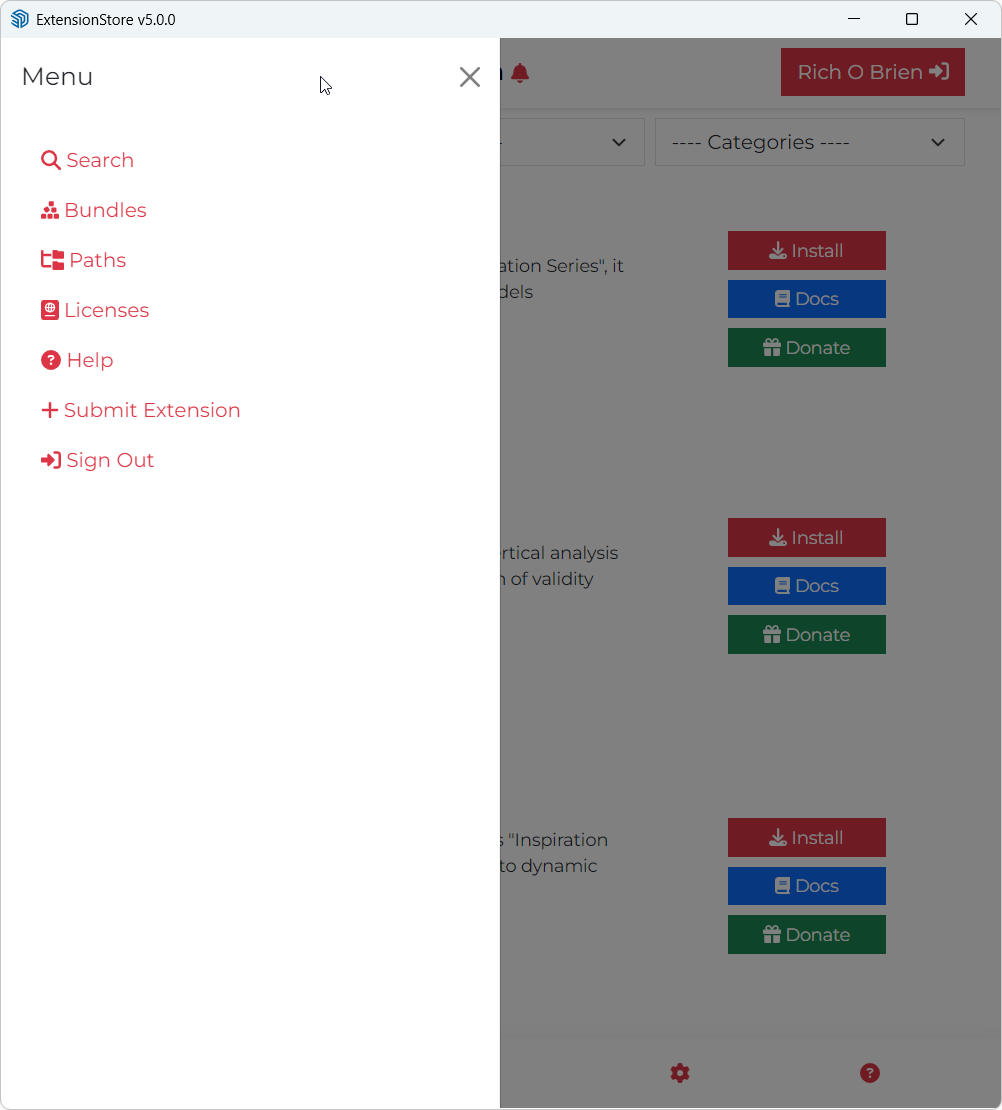
                              Maybe I'm missing something but I don't see the Update All option from earlier versions. Was it removed?
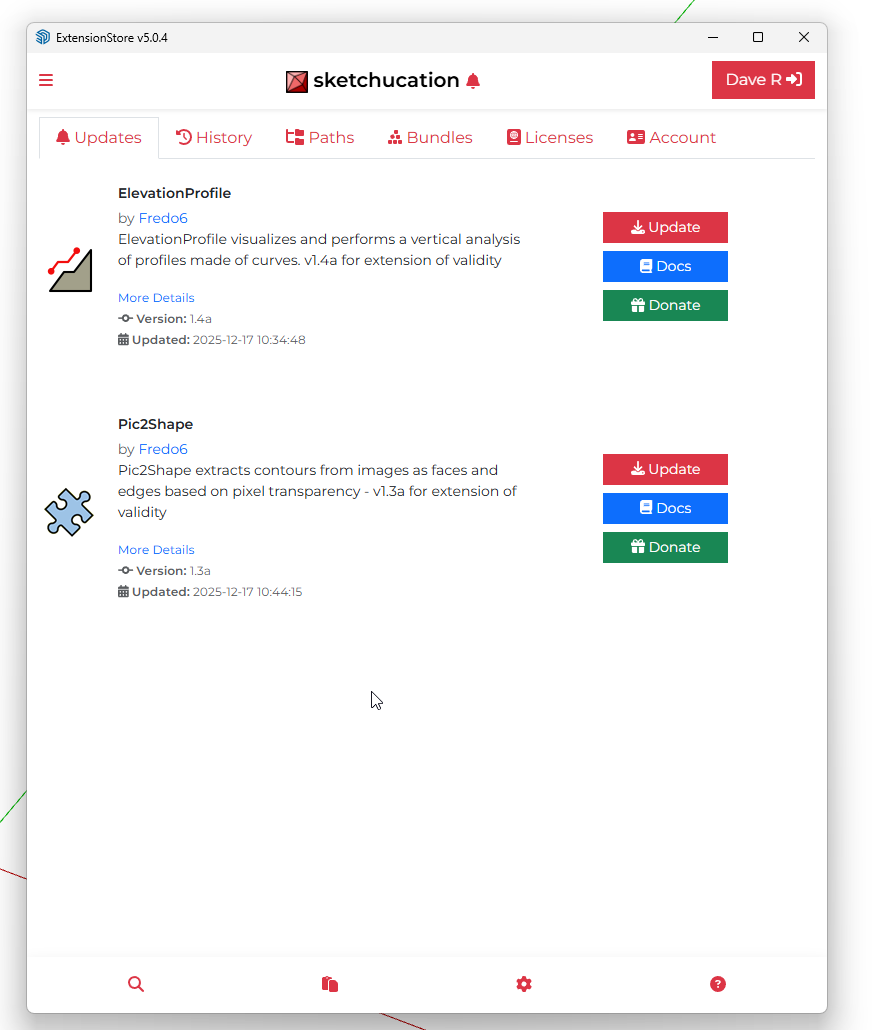
                              Screenshot - 12_17_2025 , 7_56_17 AM.png

                              Etaoin Shrdlu

                              %

                              (THERE'S NO PLACE LIKE)

                              G28 X0.0 Y0.0 Z0.0

                              M30

                              %

                              G 1 Reply Last reply Reply Quote 0
                              • Rich O BrienR Offline
                                Rich O Brien Moderator
                                last edited by

                                I had it but noticed it was not correctly the other day.

                                We will take a look now.

                                Download the free D'oh Book for SketchUp 📖

                                1 Reply Last reply Reply Quote 0
                                • G Offline
                                  Gábor @Dave R
                                  last edited by

                                  @Dave-R We haven't removed it, for me it is displayed correctly. When you have a few minutes to test, please PM me.

                                  Dave RD G 2 Replies Last reply Reply Quote 0
                                  • Dave RD Offline
                                    Dave R @Gábor
                                    last edited by

                                    @Gábor I did send a PM.

                                    Etaoin Shrdlu

                                    %

                                    (THERE'S NO PLACE LIKE)

                                    G28 X0.0 Y0.0 Z0.0

                                    M30

                                    %

                                    1 Reply Last reply Reply Quote 0
                                    • G Offline
                                      Gábor @Gábor
                                      last edited by

                                      said in Sketchucation Tools 5.0.4:

                                      @Dave-R We haven't removed it, for me it is displayed correctly. When you have a few minutes to test, please PM me.

                                      Thank you

                                      1 Reply Last reply Reply Quote 0
                                      • Dave RD Offline
                                        Dave R
                                        last edited by

                                        Thank you for whatever you did. It works as expected now.

                                        Etaoin Shrdlu

                                        %

                                        (THERE'S NO PLACE LIKE)

                                        G28 X0.0 Y0.0 Z0.0

                                        M30

                                        %

                                        G 1 Reply Last reply Reply Quote 1
                                        • G Offline
                                          Gábor @Dave R
                                          last edited by

                                          @Dave-R said in Sketchucation Tools 5.0.4:

                                          Thank you for whatever you did. It works as expected now.

                                          Thank you for checking.

                                          1 Reply Last reply 👍 Reply Quote 1
                                          • C Offline
                                            coffeeholic53
                                            last edited by

                                            I have installed the latest version (5.0.4) of Sketchucation Extension Store and like previous users get the "Loading... Click Continue if page does not refresh" message with a "Continue" button which appears to do nothing. I've read through Tig's responses and looked, using extension manager, for any extensions which don't report a version number. The only one I found was SCF Licence which doesn't have a version number, author, copyright details or description. All of the other plugins have version numbers and about a third of them need to be updated, which is why I installed the extension store. I seem to be going round in circles with this.

                                            I'm using Sketchup Make 2017 (yes I know) and don't want to spend the large, to me, sum of money required to get a desktop version, as I'm just a hobbyist using the software for leisure. Is there any way to fix this problem or should I just give up and leave all the plugins as they are?


                                            Rich O BrienR 1 Reply Last reply Reply Quote 0
                                            • 1
                                            • 2
                                            • 3
                                            • 4
                                            • 5
                                            • 6
                                            • 7
                                            • 8
                                            • 8 / 8
                                            • First post
                                              Last post
                                            Buy SketchPlus
                                            Buy SUbD
                                            Buy WrapR
                                            Buy eBook
                                            Buy Modelur
                                            Buy Vertex Tools
                                            Buy SketchCuisine
                                            Buy FormFonts

                                            Advertisement