sketchucation logo sketchucation
    • 登入
    Oops, your profile's looking a bit empty! To help us tailor your experience, please fill in key details like your SketchUp version, skill level, operating system, and more. Update and save your info on your profile page today!
    🔌 Smart Spline | Fluid way to handle splines for furniture design and complex structures. Download

    Rayscaper New Releases

    已排程 已置頂 已鎖定 已移動 Extensions & Applications Discussions
    rayscaperrender
    407 貼文 11 Posters 40.4k 瀏覽 12 Watching
    正在載入更多貼文
    • 從舊到新
    • 從新到舊
    • 最多點贊
    回覆
    • 在新貼文中回覆
    登入後回覆
    此主題已被刪除。只有擁有主題管理權限的使用者可以查看。
    • KrassK 離線
      Krass
      最後由 編輯

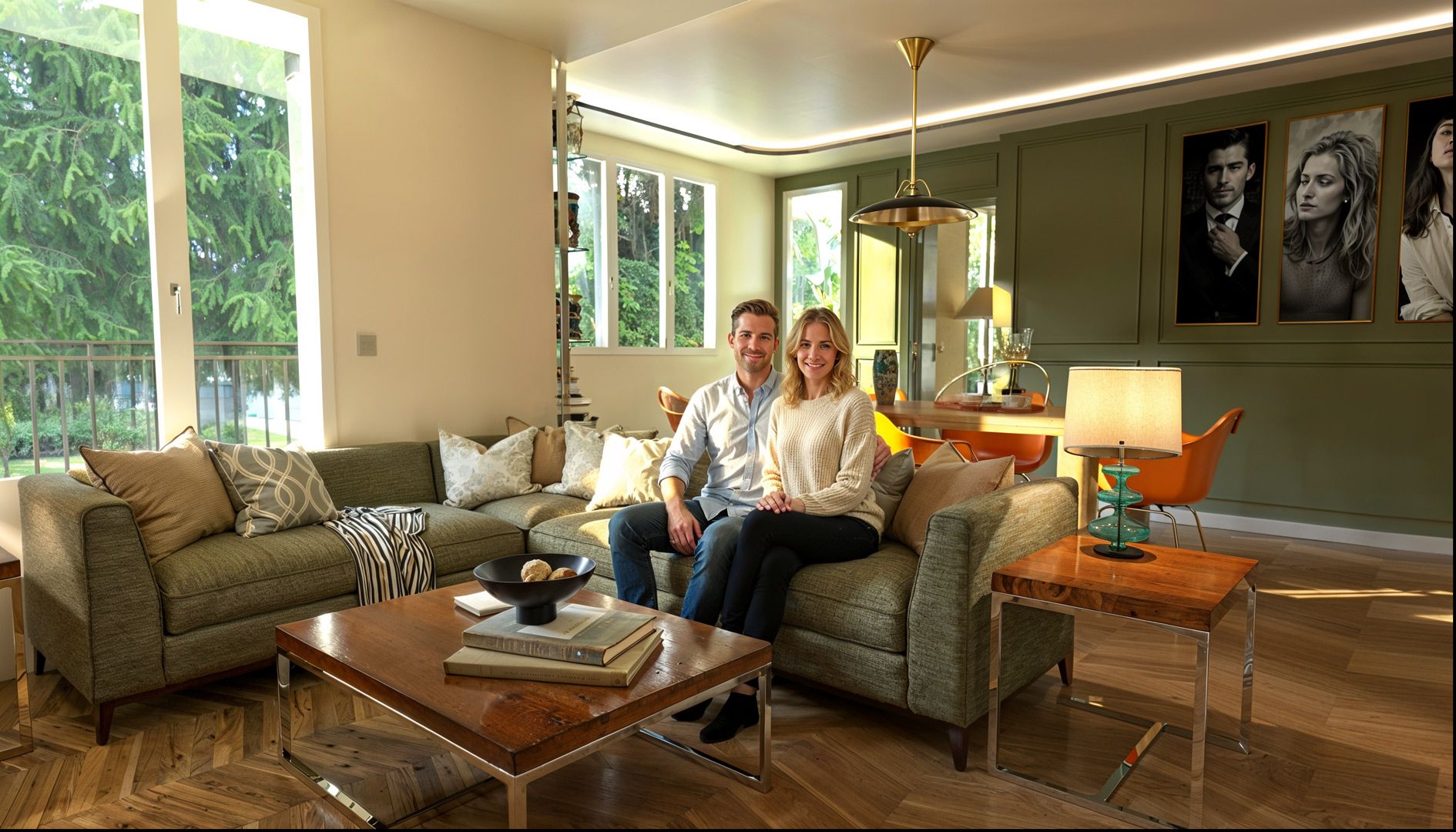
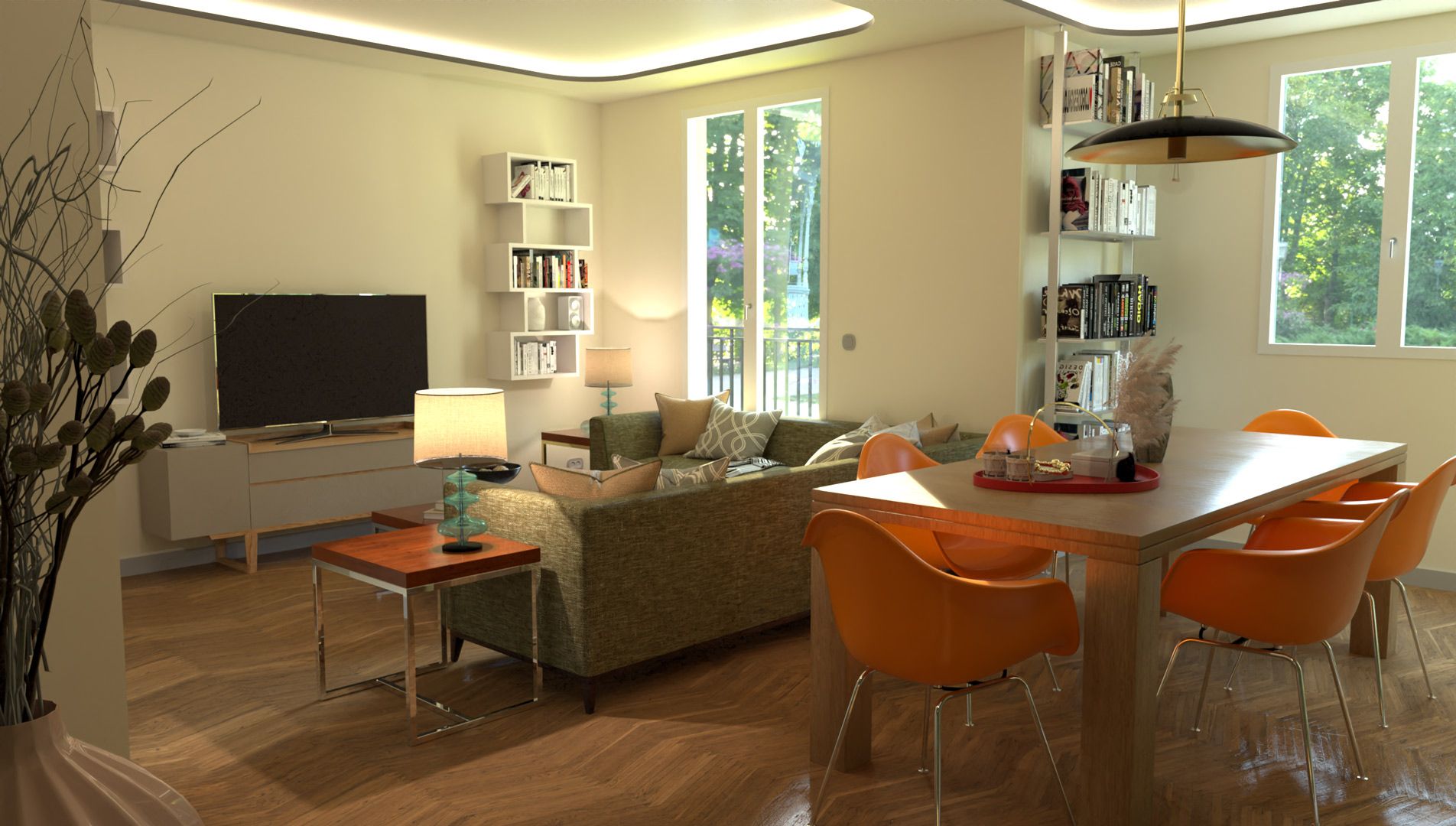
      I previously attached images of Rayscaper with a very satisfactory upscale and I am now adding a character: So, Rayscaper rendering, adding a character with Flux dev basic (via my ComfyUI installation for those who know), and upscale with Magnific via the Xfigura site which gives a few free credits per month.
      xfigura_image_freepik-upscale_1x1_7vzo.jpg

      Krass

      P 1 條回覆 最後回覆 回覆 引用 2
      • P 線上
        pixelcruncher Extension Creator @Krass
        最後由 編輯

        @Krass Very cool, I didn't know about ComfyUI; I'm going to try that out. Thanks for sharing the workflow!

        I'm the developer of Rayscaper: https://rayscaper.com/ - Fast and easy rendering for SketchUp.

        1 條回覆 最後回覆 回覆 引用 0
        • KrassK 離線
          Krass
          最後由 編輯

          Be careful, Comfy UI requires a large graphics card and lots of free disk space, and a lot of patience.

          Krass

          1 條回覆 最後回覆 回覆 引用 1
          • P 線上
            pixelcruncher Extension Creator
            最後由 編輯

            Hey, Rayscaper users!

            Another release!

            Rayscaper 0.9.64 Beta is available in the SketchUcation store. As
            always, I recommend upgrading to the latest version.

            What Changed?

            • Fix weird artifacts in the interactive render viewport.
            • Fix the upside-down images when saving.
            • Add transmission support for the PBR material. This makes it possible to create glass or liquid materials with the PBR material.
            • Fix a regression when renaming light components. Rayscaper lights should now correctly use the name of their SketchUp
              light component again.
            • Fix glass rendering, when multiple glass surfaces overlapped, Rayscaper would render them too dark.
            • Fix the render timer in the viewport. It will stop counting when the render is paused or finished.

            Help Me Build the Community 👍

            If you like Rayscaper, please share your renders (final or work-in-progress, it doesn’t matter)! This is motivating
            and helps me showcase its capabilities to new users.

            Follow me on Twitter.

            Happy Rendering!

            I'm the developer of Rayscaper: https://rayscaper.com/ - Fast and easy rendering for SketchUp.

            1 條回覆 最後回覆 回覆 引用 0
            • KrassK 離線
              Krass
              最後由 編輯

              thanks Pix, but no change for the lights component name with this version 9.64 If I rename the lights componant all lights go down

              Krass

              P 1 條回覆 最後回覆 回覆 引用 0
              • P 線上
                pixelcruncher Extension Creator @Krass
                最後由 編輯

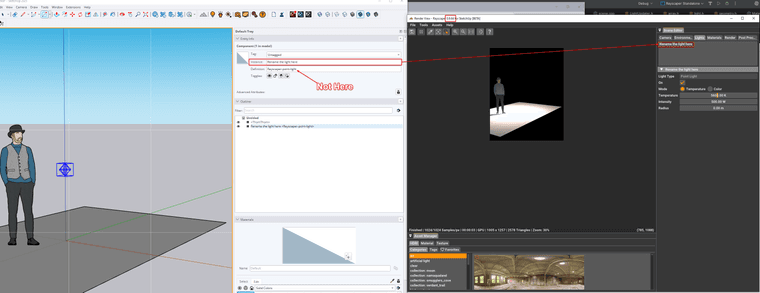
                @Krass, just as a sanity check, you are not changing the name right, and not the component definition name?
                40df0bca-e5d2-4aba-a329-14b242af87d8-image.png

                I'm the developer of Rayscaper: https://rayscaper.com/ - Fast and easy rendering for SketchUp.

                1 條回覆 最後回覆 回覆 引用 0
                • KrassK 離線
                  Krass
                  最後由 編輯

                  ok, sorry, Indeed, I changed the component name and the instance name... thanks. Perfect, I'll test it.
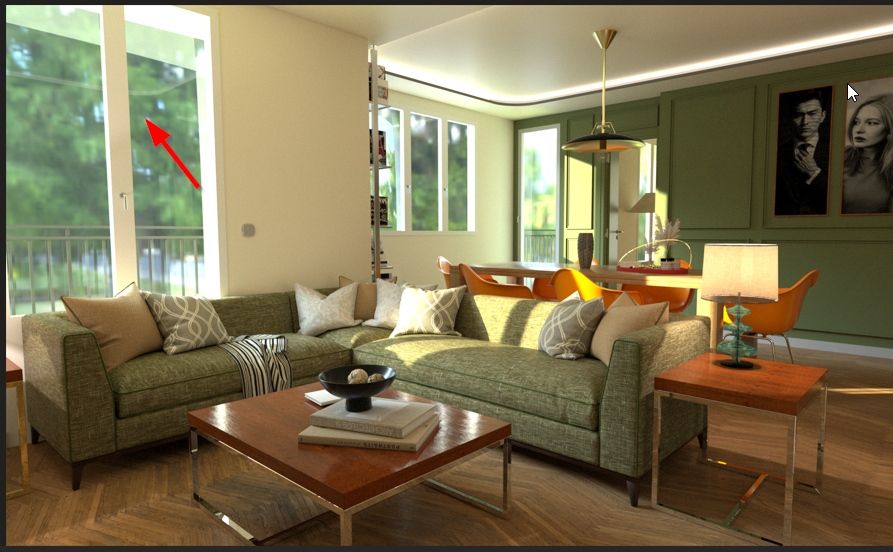
                  However, I don't understand. I set the HDR definition to 8k, and it seems that it doesn't take this definition into account. I'll redo the rendering after downloading the map from the site.
                  alt.jpg

                  Krass

                  P 1 條回覆 最後回覆 回覆 引用 1
                  • KrassK 離線
                    Krass
                    最後由 編輯

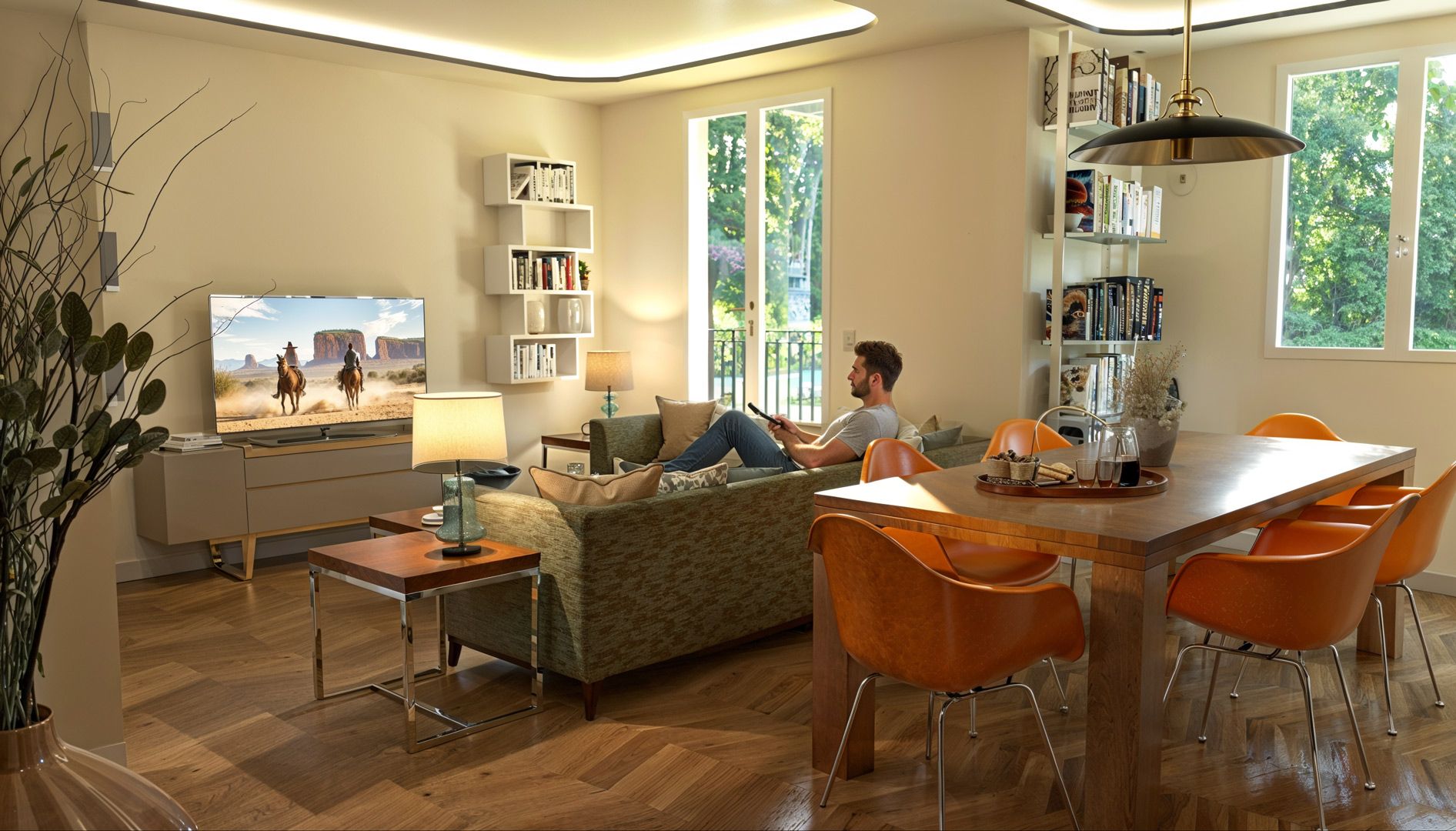
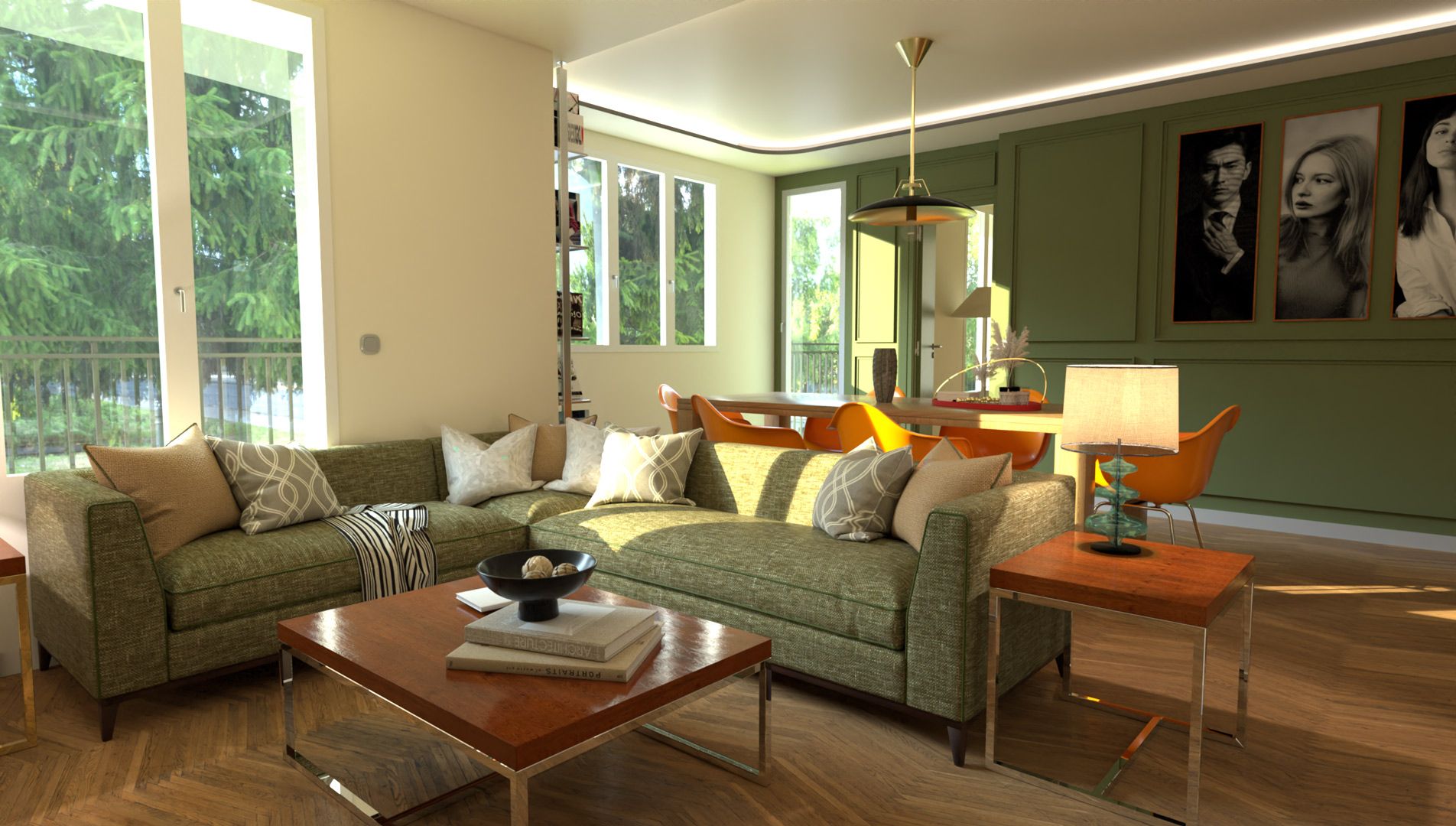
                    before/after: rayscaper project/Nano banana+Magnific upscale
                    1web.jpg

                    1upweb.jpg

                    3web.jpg

                    3upweb.jpg

                    Krass

                    P 1 條回覆 最後回覆 回覆 引用 3
                    • Mike AmosM 離線
                      Mike Amos
                      最後由 編輯

                      You are THE man, Sir. I am in awe of your rendering talents. Unless they are photographs in which case. Pptttttttttttttttttht!

                      Change a thing and you get a call from sister carol. Not something for the faint hearted.....

                      Absentia mortis praesentiam vitae probat, vita autem est argumentum constantiae.

                      1 條回覆 最後回覆 回覆 引用 1
                      • P 線上
                        pixelcruncher Extension Creator @Krass
                        最後由 編輯

                        @Krass

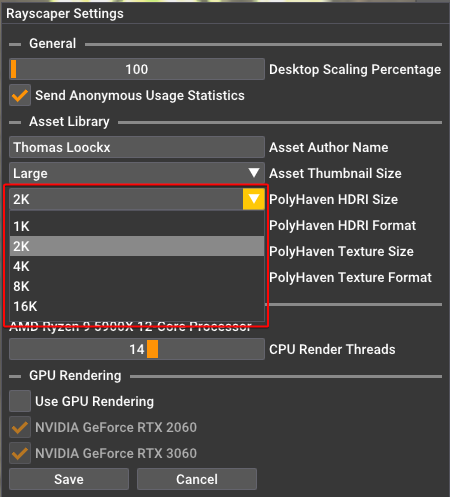
                        To clarify, updating the PolyHaven HDRI size will change the size of the textures after a restart:
                        1b51425b-802f-40de-a857-47ed841b52c8-image.png

                        I will not update the HDRI images/textures you are currently using in your scene. You can check the actual size here, but I should also display the HDRI size more prominently in the UI.
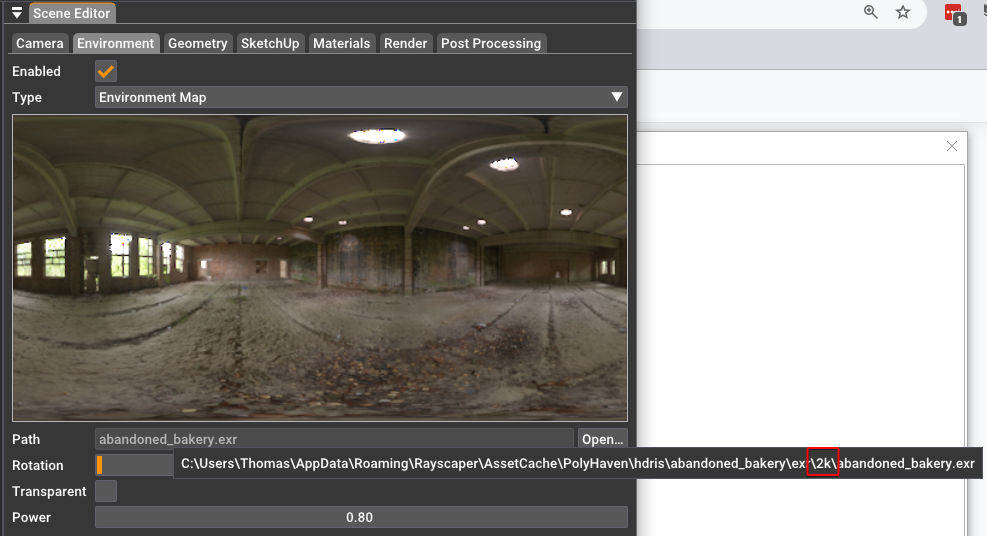
                        268661f9-7022-4bed-946b-d74e09cba0da-image.png

                        If you want to use the larger size, reapply the HDRI later.

                        I hope that clarifies things!

                        Regards,
                        Thomas

                        I'm the developer of Rayscaper: https://rayscaper.com/ - Fast and easy rendering for SketchUp.

                        1 條回覆 最後回覆 回覆 引用 0
                        • P 線上
                          pixelcruncher Extension Creator @Krass
                          最後由 編輯

                          @Krass Wow, that's jaw-dropping. Congratulations. Great work!

                          I'm the developer of Rayscaper: https://rayscaper.com/ - Fast and easy rendering for SketchUp.

                          KrassK 1 條回覆 最後回覆 回覆 引用 0
                          • KrassK 離線
                            Krass @pixelcruncher
                            最後由 Krass 編輯

                            Mike Amos Thanks,
                            I'll have a hard time understanding your joke "Change one thing and you get a call from Sister Carol. Not something for the faint-hearted..." because I'm French and my level of English is limited. But thank you for this feedback.
                            It's true that the result of "arranged" renderings ends up producing standardized photographic images (I'm thinking of this couple in this image; it looks like an advertising brochure for real estate development), but it's perfect for my clients.
                            I'm very happy, thanks to AI, to be able to use Rayscaper as a complete rendering engine (characters and vegetation). I find the quality of the rendering engine equal to Vray, but simpler.

                            Krass

                            KrassK 1 條回覆 最後回覆 回覆 引用 0
                            • KrassK 離線
                              Krass @Krass
                              最後由 Krass 編輯

                              pixelcruncher
                              Thanks for the details
                              In truth, I think I'm on the wrong line for the choice of HDRI size definition. I'm confusing it with the size of the textures... sorry for the messages above

                              Krass

                              1 條回覆 最後回覆 回覆 引用 0
                              • KrassK 離線
                                Krass
                                最後由 Krass 編輯

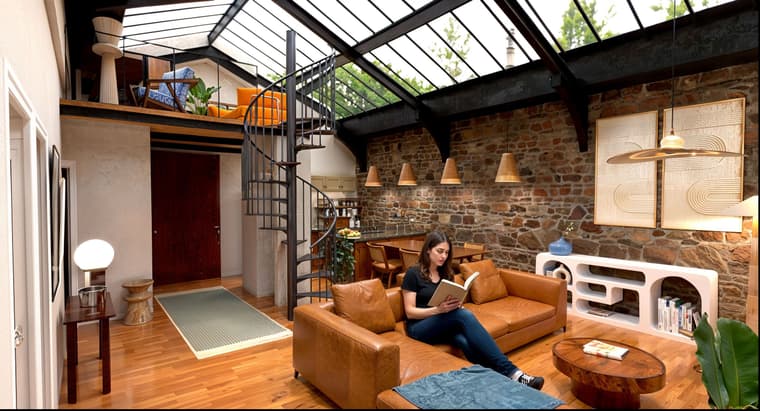
                                Here's a version with an HDRI map background
                                But I'm trying to make a "studio" render for a friend, and Sketchup crashes when I change the image resolution during rendering. I set it to 300x400 and double-scaled it twice, and it crashed both times. Should I send a crash report?
                                https://jskup.fr/wp-content/uploads/2025/09/rocking-chair-3-Phil94.jpg

                                Krass

                                P 1 條回覆 最後回覆 回覆 引用 0
                                • KrassK 離線
                                  Krass
                                  最後由 Rich O Brien 編輯

                                  I paused the rendering and changed the definition, and it didn't crash... "studio" version raw rayscaper
                                  alt text

                                  Krass

                                  1 條回覆 最後回覆 回覆 引用 1
                                  • P 線上
                                    pixelcruncher Extension Creator @Krass
                                    最後由 編輯

                                    @Krass said in Rayscaper New Releases:

                                    Here's a version with an HDRI map background
                                    But I'm trying to make a "studio" render for a friend, and Sketchup crashes when I change the image resolution during rendering. I set it to 300x400 and double-scaled it twice, and it crashed both times. Should I send a crash report?
                                    https://jskup.fr/wp-content/uploads/2025/09/rocking-chair-3-Phil94.jpg

                                    Making sure I understood you correctly. Just changing the resolution (of the rendered image) in Rayscaper made the software crash?

                                    @Krass said in Rayscaper New Releases:

                                    I paused the rendering and changed the definition, and it didn't crash... "studio" version raw rayscaper
                                    alt text

                                    Nice render, it doesn't seem to have the correct tags in the forum post because the picture is not visible for me immediately.

                                    cb84e614-eb7f-489d-a0fa-750af95ed8b2-image.png

                                    I'm the developer of Rayscaper: https://rayscaper.com/ - Fast and easy rendering for SketchUp.

                                    1 條回覆 最後回覆 回覆 引用 0
                                    • KrassK 離線
                                      Krass
                                      最後由 編輯

                                      hello, yes, as I can remember

                                      Krass

                                      1 條回覆 最後回覆 回覆 引用 1
                                      • P 線上
                                        pixelcruncher Extension Creator
                                        最後由 pixelcruncher 編輯

                                        I created a hotfix for a crash and updated to version 0.9.68 Beta - please ensure you get that one.

                                        Hey, Rayscaper users!

                                        A new release, with some cool stuff!

                                        Rayscaper 0.9.68 Beta is available in the SketchUcation store. As
                                        I recommend upgrading to the latest version.

                                        What Changed?

                                        • Support for SketchUp 2026.
                                        • Draw overlays for the lights in the viewport. This allows the user to select the lights in the viewport directly. You can enable
                                          or disable the overlay in the viewport toolbar.
                                        • Save the layout and position of the Rayscaper window between sessions. You can reset the layout via the menu "File >
                                          Reset Window Layout".
                                        • Fix a crash when minimizing the Rayscaper window.

                                        Here's the light overlay feature in action:

                                        55bcdd18-4306-4e37-9503-561a90a1306f-SketchUp_v2WInmuVrd.gif

                                        Help Me Build the Community 👍

                                        If you like Rayscaper, please share your renders (final or work-in-progress, it doesn’t matter)! This is motivating
                                        and helps me showcase its capabilities to new users.

                                        Follow me on X.

                                        Happy Rendering!

                                        I'm the developer of Rayscaper: https://rayscaper.com/ - Fast and easy rendering for SketchUp.

                                        Mike AmosM 1 條回覆 最後回覆 回覆 引用 1
                                        • KrassK 離線
                                          Krass
                                          最後由 編輯

                                          Thanks, very usefull function

                                          Krass

                                          1 條回覆 最後回覆 回覆 引用 1
                                          • Mike AmosM 離線
                                            Mike Amos @pixelcruncher
                                            最後由 編輯

                                            @pixelcruncher

                                            I am getting a crash when minimising or closing Rayscaper latest version.

                                            Also this. Setpoint error, graphic did not save. The crash of Sketchup is repeatable.

                                            Absentia mortis praesentiam vitae probat, vita autem est argumentum constantiae.

                                            P 2 條回覆 最後回覆 回覆 引用 0
                                            • 1
                                            • 2
                                            • 7
                                            • 8
                                            • 9
                                            • 10
                                            • 11
                                            • 20
                                            • 21
                                            • 9 / 21
                                            • 第一個貼文
                                              最後的貼文
                                            Buy SketchPlus
                                            Buy SUbD
                                            Buy WrapR
                                            Buy eBook
                                            Buy Modelur
                                            Buy Vertex Tools
                                            Buy SketchCuisine
                                            Buy FormFonts

                                            Advertisement