sketchucation logo sketchucation
    • Conectarse
    Oops, your profile's looking a bit empty! To help us tailor your experience, please fill in key details like your SketchUp version, skill level, operating system, and more. Update and save your info on your profile page today!
    šŸ”Œ Smart Spline | Fluid way to handle splines for furniture design and complex structures. Download

    [Plugin][$] ThruPaint - v2.8d - 13 May 25


    Programado Fijo Cerrado Movido Plugins
    187 Mensajes 53 Posters 34.0k Visitas 53 Watching
    Cargando mƔs mensajes
    • MĆ”s antiguo a mĆ”s nuevo
    • MĆ”s nuevo a mĆ”s antiguo
    • Mayor nĆŗmero de Votos
    Responder
    • Responder como tema
    Accede para responder
    Este tema ha sido borrado. Solo los usuarios que tengan privilegios de administración de temas pueden verlo.
    • M Desconectado
      Mike Backman
      Última edición por

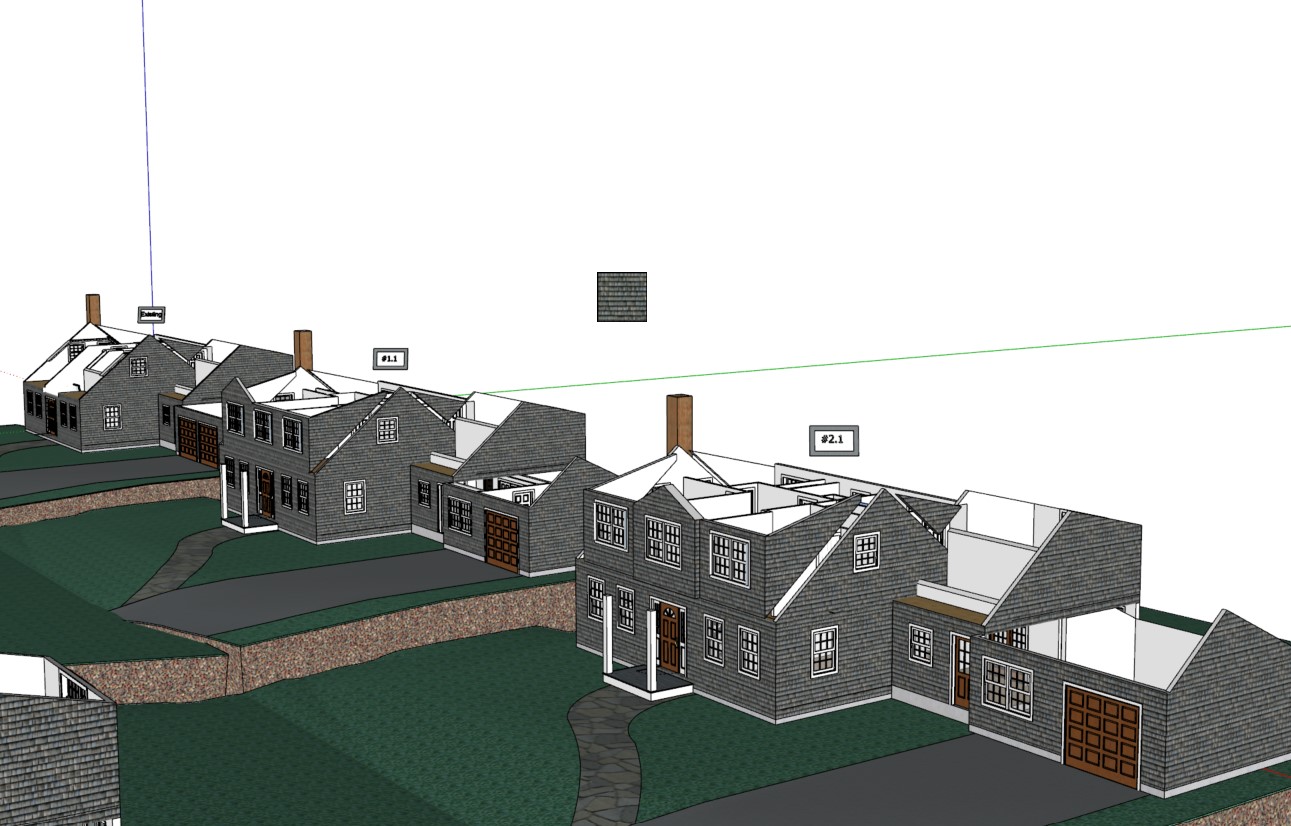
      Screenshot 2023-08-28 101602.jpgI am not sure of how to report problems.. But I'm seeing a little icon of the the last material I used in Thru paint. is jus shows up as a 1/"x1" thumbnail in the canter of my screen . Also it seems like the new SU upgrade is making fredo tools harder to load/ reload too

      1 Respuesta Última respuesta Responder Citar 0
      • fredo6F Desconectado
        fredo6
        Última edición por

        @mike backman said:

        Also it seems like the new SU upgrade is making fredo tools harder to load/ reload too

        I suggest to upgrade to LibFredo6 v14.2a.

        1 Respuesta Última respuesta Responder Citar 0
        • M Desconectado
          Mike Backman
          Última edición por

          Does any one have a better instructional link on how to use Thrupaint for architecture? I can not for the life of me get thrupaint to layup siding on a house and have the mapping all make sense? i will have five walls that the clapboards aline correctly, but one will run vertical. I will need to manually it adjust a few walls . I would think there is a way to aline the mapping so the clapboards are all at the sam elevation and direction

          1 Respuesta Última respuesta Responder Citar 0
          • R Desconectado
            rv1974
            Última edición por rv1974

            Fredo,
            would it be possible to implement a custom nudge distance please? currently moving texture with arrow keys is too aggressive in many situations. if texture represents a large surface say 9X9m it nudges ~30cm which is NOT good). May be to make it viewport dependent (the more you zoom in the more gentle nudging you get)?

            1 Respuesta Última respuesta Responder Citar 0
            • Rich O BrienR Desconectado
              Rich O Brien Moderator
              Última edición por

              @rv1974 said:

              the more gentle nudging you get

              You are such a sweetheart

              Download the free D'oh Book for SketchUp šŸ“–

              1 Respuesta Última respuesta Responder Citar 0
              • F Desconectado
                francisquitof
                Última edición por

                @Fredo6 I cant use the plugin ThruPaint iget a message saying that the version has expired, not the license, and says if I want to open the web browser to get the latest release, I uninstalled it quit sketchup, and download the version on this page, installed it again and I get the same message, I tried installing it from the sketchucation store plugin and the same. I attach an screenshot of the message I get.
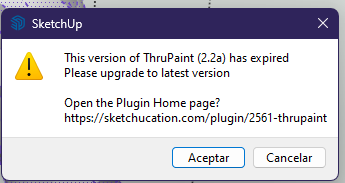

                Captura de pantalla 2023-10-31 022413.png

                1 Respuesta Última respuesta Responder Citar 0
                • ViggoPaulmanV Desconectado
                  ViggoPaulman
                  Última edición por

                  @francisquitof said:

                  @Fredo6 I cant use the plugin ThruPaint iget a message saying that the version has expired, not the license, and says if I want to open the web browser to get the latest release, I uninstalled it quit sketchup, and download the version on this page, installed it again and I get the same message, I tried installing it from the sketchucation store plugin and the same. I attach an screenshot of the message I get.

                  Hello, experiencing the same issue here. Updated to the latest version and now can't start the plugin. Made sure the requirements are updated and working. Would be thankful for a quick feedback!

                  1 Respuesta Última respuesta Responder Citar 0
                  • ViggoPaulmanV Desconectado
                    ViggoPaulman
                    Última edición por

                    @francisquitof said:

                    @Fredo6 I cant use the plugin ThruPaint iget a message saying that the version has expired, not the license, and says if I want to open the web browser to get the latest release, I uninstalled it quit sketchup, and download the version on this page, installed it again and I get the same message, I tried installing it from the sketchucation store plugin and the same. I attach an screenshot of the message I get.

                    Hello, experiencing the same problem here since this morning. Updated the plugin, made sure the requirements are met too, sadly to no avail. Does anyone know what the problem may be?

                    1 Respuesta Última respuesta Responder Citar 0
                    • fredo6F Desconectado
                      fredo6
                      Última edición por

                      NEW RELEASE: ThruPaint v2.3a - 31 Oct 23

                      ThruPaint 2.3a is for extension of validity.


                      Home Page of ThruPaint for information and Download.

                      Main post of this thread.

                      1 Respuesta Última respuesta Responder Citar 0
                      • ViggoPaulmanV Desconectado
                        ViggoPaulman
                        Última edición por

                        For those getting an error message after updating, I seem to have found a solution. You have to completely uninstall the old version and quit SketchUp, before installing the latest version.
                        In the past, installing without removing the old version would usually replace the old version. It seems this is not the case in this example. 2.3a works for me now.

                        1 Respuesta Última respuesta Responder Citar 0
                        • T Desconectado
                          talleycl1994 Newcomers
                          Última edición por

                          The Thrupaint extension says it has expired but when it opens up the link, it is not bringing me to the correct page. I say Fredo 6's response to someone else abut a new update, but I clicked their link and it just took me to a blank page. Where can I download the update?
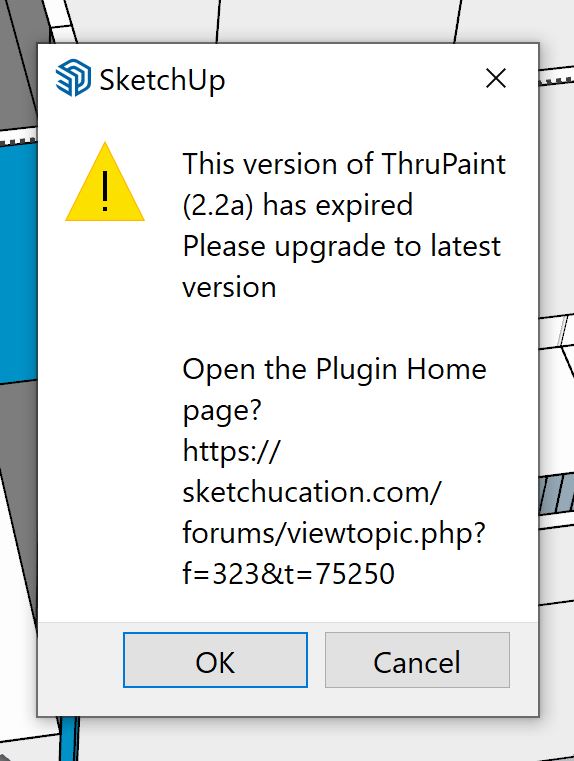

                          Says it has expired

                          1 Respuesta Última respuesta Responder Citar 0
                          • T Desconectado
                            Thelissa
                            Última edición por

                            Where do we go to purchase your Plugins?? Cant find any link to such information. Thank you.

                            1 Respuesta Última respuesta Responder Citar 0
                            • Rich O BrienR Desconectado
                              Rich O Brien Moderator
                              Última edición por

                              Just update to latest release

                              Download the free D'oh Book for SketchUp šŸ“–

                              1 Respuesta Última respuesta Responder Citar 0
                              • T Desconectado
                                Thelissa
                                Última edición por

                                I updated to 2.3a but when trying to use, it brings me here and thats it. Im confused.

                                1 Respuesta Última respuesta Responder Citar 0
                                • Dave RD Desconectado
                                  Dave R
                                  Última edición por

                                  @thelissa said:

                                  I was under the impression that this plugin was moving to a 'paid' version.. apparently not.

                                  It might at some point but not quite yet.

                                  Etaoin Shrdlu

                                  %

                                  (THERE'S NO PLACE LIKE)

                                  G28 X0.0 Y0.0 Z0.0

                                  M30

                                  %

                                  1 Respuesta Última respuesta Responder Citar 0
                                  • P Desconectado
                                    pipinek
                                    Última edición por

                                    In my case Fredo6 Thru Paint 2, last version causes SU unresponsive, SU simply freezes.
                                    There is no option to disable loading ALL SU materials once the extension activated.

                                    Please advise.
                                    Thank you in advance

                                    1 Respuesta Última respuesta Responder Citar 0
                                    • fredo6F Desconectado
                                      fredo6
                                      Última edición por

                                      @pipinek said:

                                      In my case Fredo6 Thru Paint 2, last version causes SU unresponsive, SU simply freezes.
                                      There is no option to disable loading ALL SU materials once the extension activated.

                                      I would need a few more information in order to understand what happens...

                                      Is this the first time you use ThruPaint 2?

                                      1 Respuesta Última respuesta Responder Citar 0
                                      • P Desconectado
                                        pipinek
                                        Última edición por

                                        Hello,

                                        No, I have been using the previous version already and the v2 as well.
                                        I have no idea of what has happened - the extension is leggy and finally unusable, it freezes SU and the only way to get rid of the issue is to force-stop SU.

                                        There is something that takes a lot of time each time I activate the extension - materials loading. As on the picture attached.

                                        PS
                                        I think the problems is in loading materials each time I start the extensions.
                                        Having them a lot it takes a lot of time and during this actions SU is dead.

                                        I cannot afford to wait even a half of an hour or more for the materials loaded.
                                        I thought once loaded, materials are kept in cache/memory for any SU session.

                                        PS2

                                        Definitively - having a lot of materials, I cannot use the extension.
                                        Each time I activate, it takes ages to load them. SU has no such a problem loading materials.
                                        Is there any solution to the issue?
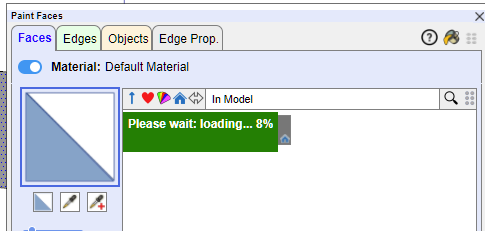

                                        Screenshot 2024-01-05 133232.png

                                        1 Respuesta Última respuesta Responder Citar 0
                                        • G Desconectado
                                          GraceMien Newcomers
                                          Última edición por

                                          Hi there!

                                          I've been using ThruPaint for awhile without many issues, however I was talking to a friend that also has the same plugin and he mentioned his works a little differently than mine.
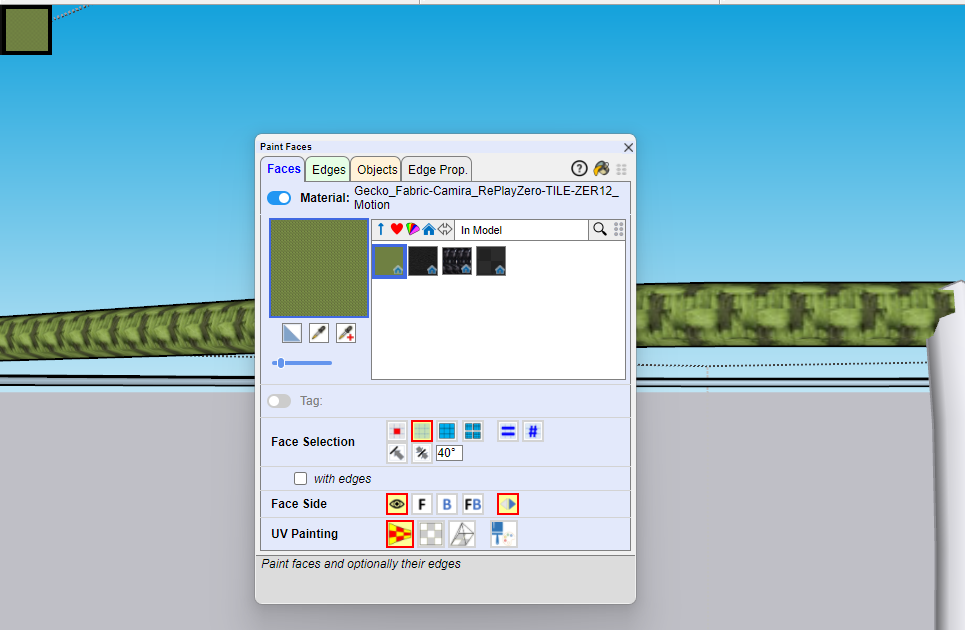
                                          ok2.png
                                          Whenever I select a material to paint with, the selection menu completely disappears after I click on a given material, meanwhile his stays up.
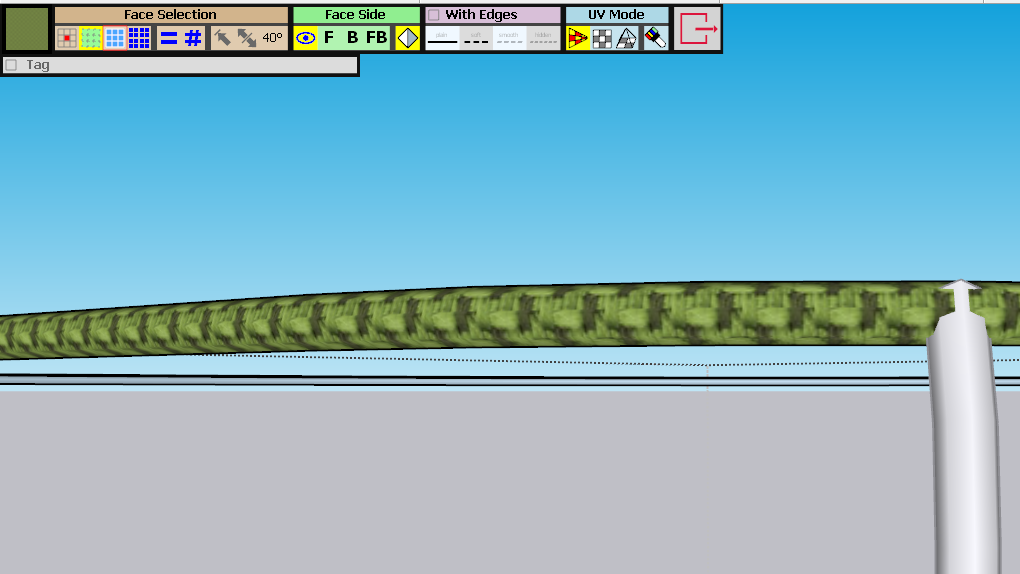
                                          ok1.png
                                          I have to exit out of the plugin completely then reopen it to get that selection menu again. Is there a setting I'm missing that would make it so mine stays up as well? My friend said he didn't change his settings in any way to make that happen, so I'm at a loss for what I should be doing to get the same result. It would be really nice to be able to do that as well.

                                          Operating System: Windows 11
                                          SketchUp Version: 23.0.419 64-Bit
                                          ThruPaint Version: 2.3a - 31 Oct 23

                                          Thank you!

                                          1 Respuesta Última respuesta Responder Citar 0
                                          • R Desconectado
                                            rv1974
                                            Última edición por

                                            This! Sometimes this new window is gone and it's really annoying. I wish there was an option to revert to the old simpler UI - generally not sure why there was need to invent it


                                            1 Respuesta Última respuesta Responder Citar 0
                                            • 1
                                            • 2
                                            • 3
                                            • 4
                                            • 5
                                            • 6
                                            • 7
                                            • 8
                                            • 9
                                            • 10
                                            • 5 / 10
                                            • First post
                                              Last post
                                            Buy SketchPlus
                                            Buy SUbD
                                            Buy WrapR
                                            Buy eBook
                                            Buy Modelur
                                            Buy Vertex Tools
                                            Buy SketchCuisine
                                            Buy FormFonts

                                            Advertisement