sketchucation logo sketchucation
    • Login
    Oops, your profile's looking a bit empty! To help us tailor your experience, please fill in key details like your SketchUp version, skill level, operating system, and more. Update and save your info on your profile page today!
    🔌 Smart Spline | Fluid way to handle splines for furniture design and complex structures. Download

    SCFLicense: Extension Licensing on Sketchucation

    Scheduled Pinned Locked Moved Plugins
    2.2k Posts 487 Posters 928.1k Views 492 Watching
    Loading More Posts
    • Oldest to Newest
    • Newest to Oldest
    • Most Votes
    Reply
    • Reply as topic
    Log in to reply
    This topic has been deleted. Only users with topic management privileges can see it.
    • M Offline
      Mvmcneil @Dave R
      last edited by

      @Dave-R

      Ah yes my bad. It was Fredo Corner not RoundCorner.

      Dave RD 1 Reply Last reply 👍 Reply Quote 0
      • Dave RD Offline
        Dave R @Mvmcneil
        last edited by

        @Mvmcneil ahh ... Good that you got it sorted. Two different extensions and two different licenses. Both a good to have, though.

        Etaoin Shrdlu

        %

        (THERE'S NO PLACE LIKE)

        G28 X0.0 Y0.0 Z0.0

        M30

        %

        1 Reply Last reply Reply Quote 1
        • B Offline
          bentaclas
          last edited by

          i need to buy license for animator.....how to purchase it...please reply me

          G 1 Reply Last reply Reply Quote 0
          • G Offline
            Gábor @bentaclas
            last edited by

            @bentaclas Log in to SketchUcation.com. Go to URL: https://sketchucation.com/purchase-smart.php?plugin=Animator
            Press the "Buy Now" button

            1 Reply Last reply Reply Quote 0
            • A Offline
              alexnegru1234
              last edited by

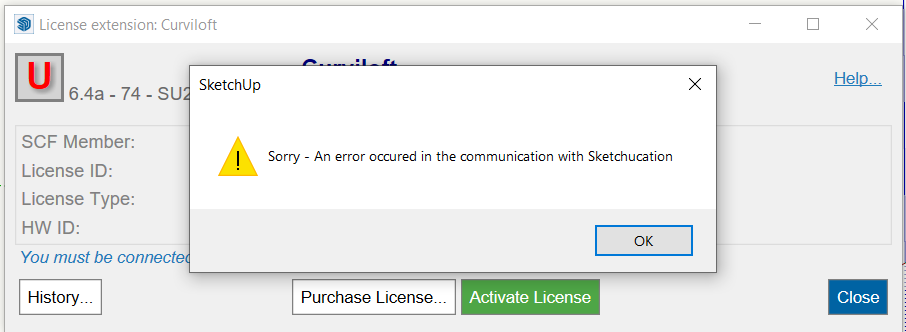
              image.png

              Hello can someone help me with solving this error please?

              1 Reply Last reply Reply Quote 0
              • Rich O BrienR Offline
                Rich O Brien Moderator
                last edited by

                First you need to update your extensions because License Version 6.4a-74 is outdated.

                Please upgrade Sketchucation Tools: https://sketchucation.com/plugin/696-sketchucationtools
                Please upgrade Libfredo: https://sketchucation.com/pluginstore?pln=LibFredo6

                Regarding your error message you need to whitelist *.sketchucation.com on your network or switch to a less strict network.

                Download the free D'oh Book for SketchUp đź“–

                1 Reply Last reply Reply Quote 0
                • D Offline
                  DWH88
                  last edited by

                  [Success] How to purchase and activate the Animator SCF License in SketchUp Make 2017

                  Hi everyone,

                  I just wanted to share a quick guide for anyone still using SketchUp Make 2017. I successfully purchased and activated the SCF License for Animator. Since the "Purchase" button isn't always easy to find on the website, here is the method that worked for me:

                  Prerequisites:
                  Make sure you have the latest versions of SketchUcation Tools, LibFredo6, and Animator installed.

                  Step 1: Purchase the License via SketchUp (Recommended)
                  This method is the safest because it redirects you to the exact correct page in the shop.

                  Install the plugins mentioned above.

                  Open SketchUp 2017.

                  Go to the menu: Tools > Fredo6 Collection > Animator > License...

                  In the window that opens, click the button "Obtain License".

                  This will open your web browser directly to the correct purchase page for the plugin.

                  Purchase the license and download the .scflicense file to your computer.

                  Step 2: Activate the License
                  Now connect the downloaded file to the plugin in SketchUp.

                  Open SketchUp 2017 again.

                  Go to Tools > Fredo6 Collection > Animator > License...
                  (Note: If the "License..." menu item is missing, your LibFredo6 or SketchUcation Tools version is likely outdated).

                  Click on "Validate License".

                  Browse for the .scflicense file you downloaded in Step 1 and select it.

                  The system will do a quick online check. Afterwards, you should see a green checkmark with the status "Active".

                  I hope this helps other Make 2017 users!

                  1 Reply Last reply Reply Quote 0
                  • K Offline
                    kavi priyan Newcomers
                    last edited by

                    can you give me the trail pack of curviloft

                    Dave RD 1 Reply Last reply Reply Quote 0
                    • Dave RD Offline
                      Dave R @kavi priyan
                      last edited by

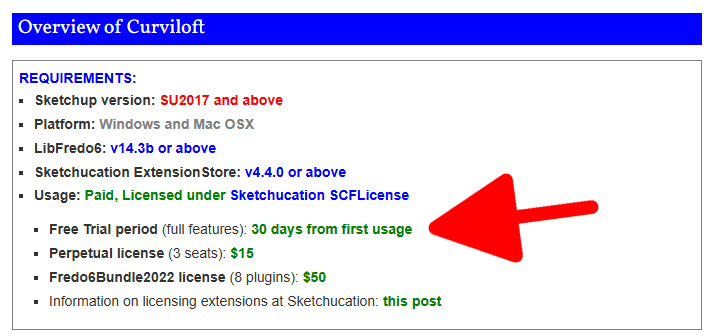
                      @kavi-priyan install the Sketchucation ExtensionStore and use it to search for and install LibFredo6 and Curviloft. There's a 30-day trial period for Curviloft. After the 30 days you can purchase the license if you wish to continue using it.
                      Screenshot - 1_31_2026 , 9_10_13 AM.png

                      Etaoin Shrdlu

                      %

                      (THERE'S NO PLACE LIKE)

                      G28 X0.0 Y0.0 Z0.0

                      M30

                      %

                      1 Reply Last reply Reply Quote 0
                      • Z Offline
                        ZMD
                        last edited by

                        hi, i purchased the roundcorner perpetual liscense about two years ago. I am getting pop ups when i try to use it now stating that my trial period is over. Ive been going in circles trying to verify/update to the latest version of sketchucation with no clear path/luck. in my extension manager, the fredo 6 round corner extension ios signed and enabled....
                        HELP A BROTHA OUT 🙂

                        1 Reply Last reply Reply Quote 1
                        • Rich O BrienR Offline
                          Rich O Brien Moderator
                          last edited by Rich O Brien

                          @zmd make sure all your extensions are the latest releases.

                          If they are please share the error messages you are getting so we have something to chew on

                          Download the free D'oh Book for SketchUp đź“–

                          1 Reply Last reply Reply Quote 0
                          • TIGT Offline
                            TIG Moderator
                            last edited by

                            @zmd
                            Also make sure you have the latest SketchUcation toolset installed for the licensing etc [>=5.0.5], it's version is shown in the top bar of its dialog.
                            If you update it restart SketchUp to sync everything...
                            As well as the latest versions of Fredo's extensions ensure you have his latest LibFredo6 too...
                            PS. Don't confuse Fredo's RoundCorner and FredoCorner extensions, they are separate tools, each needing their own license...
                            PPS. The current toolset requires >v2017 - what's yours ?

                            TIG

                            1 Reply Last reply Reply Quote 0
                            • ntxdaveN Offline
                              ntxdave
                              last edited by

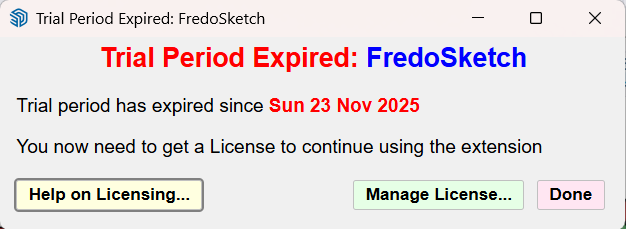
                              I keep getting this message

                              image.png

                              If I go to the Extension Manager here is what I see:
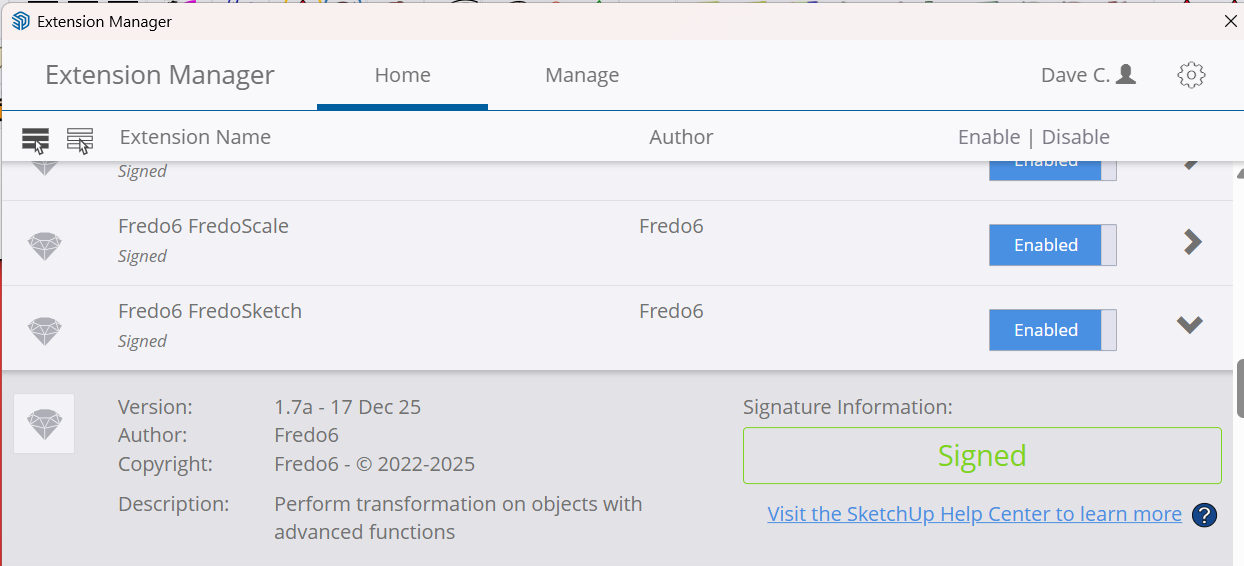
                              12218c73-bb35-4123-aec2-c151acd6c95a-image.png

                              If I go to the SketchUcation Tools here is what I see:
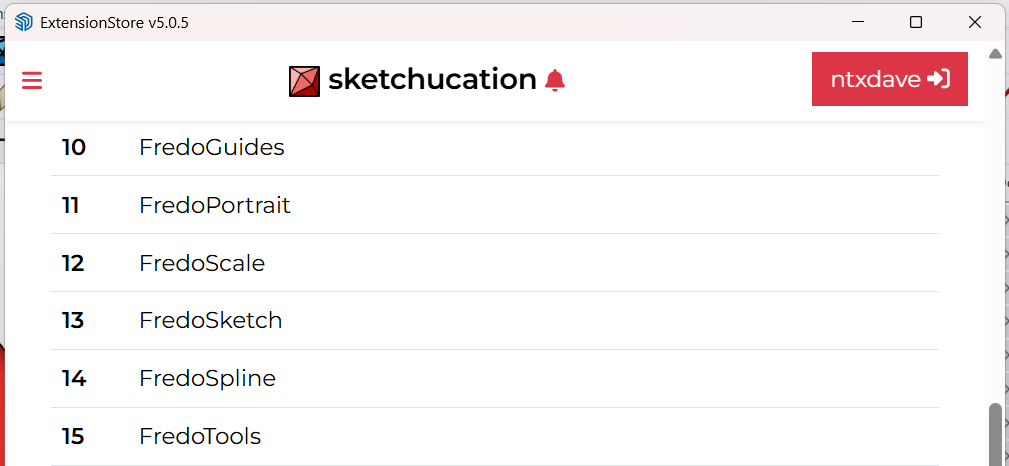
                              f2b03111-0cf3-4729-bb97-b8f3fa4b16da-image.png
                              Notice item 13.

                              NOt sure whatr I need to do to get the license updated.

                              Press F1...thank me later

                              1 Reply Last reply Reply Quote 0
                              • Rich O BrienR Offline
                                Rich O Brien Moderator
                                last edited by

                                Go to https://sketchucation.com/webshop/my-licences.php

                                Download your license file

                                Open SketchUp

                                Go to Tools > Fredo Collection > FredoSketch > License

                                Click Activate and pick your downloaded license file

                                Download the free D'oh Book for SketchUp đź“–

                                1 Reply Last reply Reply Quote 0
                                • ntxdaveN Offline
                                  ntxdave
                                  last edited by

                                  OK, When I go to the licenses link you provided, I am not seeing the FredoSketch license so I cannot download it.

                                  Press F1...thank me later

                                  Dave RD 1 Reply Last reply Reply Quote 0
                                  • Dave RD Offline
                                    Dave R @ntxdave
                                    last edited by

                                    @ntxdave said in SCFLicense: Extension Licensing on Sketchucation:

                                    I am not seeing the FredoSketch license

                                    Did you purchase a license for FredoSketch?

                                    Etaoin Shrdlu

                                    %

                                    (THERE'S NO PLACE LIKE)

                                    G28 X0.0 Y0.0 Z0.0

                                    M30

                                    %

                                    ntxdaveN 1 Reply Last reply Reply Quote 0
                                    • ntxdaveN Offline
                                      ntxdave @Dave R
                                      last edited by

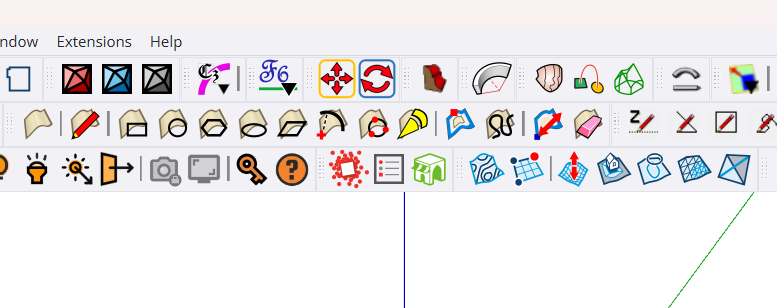
                                      @Dave-R I thought so and have had it installed for a while. If you look at this screen shot you will see that I had it placed on my toolbar.
                                      85e407cc-2300-4dc0-8c92-b37a8cefd521-image.png

                                      Also, If you look at the image from the SketchUp Extension Manager, you will see that I had a license.

                                      Press F1...thank me later

                                      1 Reply Last reply Reply Quote 0
                                      • Dave RD Offline
                                        Dave R
                                        last edited by

                                        The only thing I see in your screenshots is that you have the extension installed and that the trial period has expired. Nothing that shows you have purchased the license, though. The Extension Manager doesn't say anything about whether or not you have a license.

                                        Etaoin Shrdlu

                                        %

                                        (THERE'S NO PLACE LIKE)

                                        G28 X0.0 Y0.0 Z0.0

                                        M30

                                        %

                                        1 Reply Last reply Reply Quote 0
                                        • 1
                                        • 2
                                        • 99
                                        • 100
                                        • 101
                                        • 102
                                        • 103
                                        • 109
                                        • 110
                                        • 101 / 110
                                        • First post
                                          Last post
                                        Buy SketchPlus
                                        Buy SUbD
                                        Buy WrapR
                                        Buy eBook
                                        Buy Modelur
                                        Buy Vertex Tools
                                        Buy SketchCuisine
                                        Buy FormFonts

                                        Advertisement