Ah yes my bad. It was Fredo Corner not RoundCorner.
Oops, your profile's looking a bit empty! To help us tailor your experience, please fill in key details like your SketchUp version, skill level, operating system, and more. Update and save your info on your profile page today!
Check out Febhouse | New extensions for Shadow Analysis in SketchUp Download
M
Offline
Latest posts made by Mvmcneil
-
RE: SCFLicense: Extension Licensing on Sketchucation
-
RE: SCFLicense: Extension Licensing on Sketchucation
Hi I just purchased the 8 bundle licenses. But for some reason, when I go to activate Roundcorner with the downloaded license file, the plug-in doesn't see the file. It was doing the same with JointPushpull but then the file showed up for that plug-in but still not for Roundcorner. Any tips to make this read the file? I downloaded the license files several times and unblocked them.
-
RE: [Plugin][$] Curviloft 2.0a - 31 Mar 24 (Loft & Skinning)
@dave r said:
It may not be complicated but you don't describe which direction you copied the lines or how far. why would you even want to use Curviloft of those lines? What sort of result are you expecting?
I am using a workflow process that is not uncommonly used in Rhino to connect two planes or surfaces without using arcs. I am trying to use simple geometry as a test first before it would be used later on a more complex model. I like to test things like this out on simple models before I try incorporate it into my modeling process, and I noticed this was causing sketchup to freeze on OSX. I am not sure if the same behavior happens in Windows as I am not at work to try it in that environment.
Mike.
-
RE: [Plugin][$] Curviloft 2.0a - 31 Mar 24 (Loft & Skinning)
@dave r said:
@unknownuser said:
I am testing a lofting workflow on simple geometry and Sketchup keeps crashing when trying to loft simple lines.
The process is this:
Draw a line
copy 4 times some distance
move 3 lines vertically up some to distance
select each line in sequence left to right
run curviloftThe tool activates then hangs sketchup. If I loft arcs or other shapes it seems to work fine.
I am using Sketchup 8 and Sketchup2013 on OSX 10.8.5. Both seem to be affected.
Thanks,
Mike
How about posting an example SKP file of what you tried to describe?
The file is not complicated is it only 5 lines and nothing more and it is a fresh file just after Sketchup starts. This is created in Sketchup 8.
I did try as Cotty suggested above to run Curviloft then select the lines. It worked and didn't crash Sketchup, but other geometry seems to work without running Curviloft first.
Mike.
-
RE: [Plugin][$] Curviloft 2.0a - 31 Mar 24 (Loft & Skinning)
I am testing a lofting workflow on simple geometry and Sketchup keeps crashing when trying to loft simple lines.
The process is this:
Draw a line
copy 4 times some distance
move 3 lines vertically up some to distance
select each line in sequence left to right
run curviloftThe tool activates then hangs sketchup. If I loft arcs or other shapes it seems to work fine.
I am using Sketchup 8 and Sketchup2013 on OSX 10.8.5. Both seem to be affected.
Thanks,
Mike
-
RE: [Plugin] Volume Calculator2...
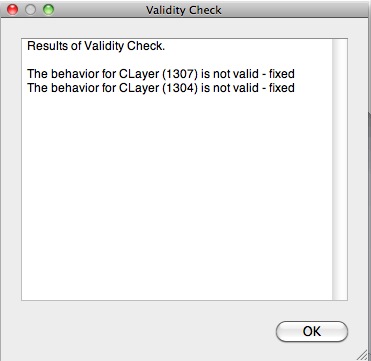
I am cleaning up all my plugins and testing as I install each one to make sure there are no conflicts and I keep getting an error when I do a validity check on simple cubes and spheres. Is this normal?
Using Sketchup 7.1 on OSX 10.6.5.
Thanks.