sketchucation logo sketchucation
    • 登入
    Oops, your profile's looking a bit empty! To help us tailor your experience, please fill in key details like your SketchUp version, skill level, operating system, and more. Update and save your info on your profile page today!
    🔌 Smart Spline | Fluid way to handle splines for furniture design and complex structures. Download

    SCFLicense: Extension Licensing on Sketchucation

    已排程 已置頂 已鎖定 已移動 Plugins
    2.2k 貼文 488 Posters 940.5k 瀏覽 493 Watching
    正在載入更多貼文
    • 從舊到新
    • 從新到舊
    • 最多點贊
    回覆
    • 在新貼文中回覆
    登入後回覆
    此主題已被刪除。只有擁有主題管理權限的使用者可以查看。
    • L 離線
      labaruss
      最後由 編輯

      此回覆已被刪除!
      1 條回覆 最後回覆 回覆 引用 0
      • fredo6F 離線
        fredo6 @labaruss
        最後由 編輯

        @labaruss
        You can manage your licenses at this page, My Licenses at Sketchucation.

        1 條回覆 最後回覆 回覆 引用 0
        • T 離線
          titty456
          最後由 編輯

          @Rich-O-Brien
          I have purchased curviloft, but I encounter a problem with A04. How to solve it?

          Fredo6 Plugins Information on 2024-05-03 18:38:51 +0800

          • Platform: x64-mswin64_140 - Ruby: 2.7.2
          • Sketchup: 23.0.397
          • LibFredo6: v14.3d
          • LibFredo6 Binary loaded
          • Sketchucation ExtensionStore: 4.4.1
          • SCFLicense: v6.4a - 74
          • Fredo6 Plugins

            Curviloft v1.9b
            JointPushPull v4.4e

          • SCFLicense directory present

            Signature File: 2024-05-03 18:31:59 +0800

          TIGT 1 條回覆 最後回覆 回覆 引用 0
          • TIGT 離線
            TIG Moderator @titty456
            最後由 TIG 編輯

            @titty456

            An A04 error means it can't decode the signature file.
            Have you tried deleting that file and redoing it again ?
            Do you have any non-ASCII characters in your computer's user-name ?

            In case it's a permissions issue have you installed SketchUp properly ?

            You can 'Repair' it thus...
            Log out of SketchUp.
            Find the installer's exe file - usually in your Downloads folder.
            Select the exe file's icon, right-click > context-menu > Run as administrator.
            When prompted choose 'Repair'.
            Reboot your computer and retry SketchUp.
            Installing a complex app by double-clicking its icon is not the same - even if you are an admin.
            Doing that can lead to all kinds of unpredictable issues - often relating to reading/writing files...

            TIG

            1 條回覆 最後回覆 回覆 引用 0
            • T 離線
              titty456
              最後由 編輯

              @TIG Thank you for your help!
              My problem solved because my computer's name have non-ASCII characters.
              thank you!

              1 條回覆 最後回覆 回覆 引用 0
              • A 離線
                arkxell
                最後由 編輯

                Hello. I changed the name of my computer and now I can't use the paid plugins. And the problem is that I no longer remember the original name of the PC. How should I proceed?

                fredo6F 1 條回覆 最後回覆 回覆 引用 0
                • fredo6F 離線
                  fredo6 @arkxell
                  最後由 編輯

                  @arkxell

                  The best is to go to your My Licenses on Sketchucation page (just sign in) and release the licenses.

                  If the release seat button is not available, then tell me.

                  1 條回覆 最後回覆 回覆 引用 0
                  • X 離線
                    xxetq Newcomers
                    最後由 編輯

                    此回覆已被刪除!
                    1 條回覆 最後回覆 回覆 引用 0
                    • M 離線
                      manoukkuijper Newcomers
                      最後由 編輯

                      I just bought it, why isn't it working?

                      TIGT 1 條回覆 最後回覆 回覆 引用 0
                      • TIGT 離線
                        TIG Moderator @manoukkuijper
                        最後由 編輯

                        @manoukkuijper

                        You need to help us a bit more than this...
                        You just bought what ?
                        Let's assume it's a Fredo6 extension ??
                        Have you downloaded/installed 'it' ?
                        Have you downloaded/installed the latest LibFredo6, which it also needs ?
                        Have you installed the SketchUcation Tools which will work the licensing code ?
                        Have you restarted your computer to sync everything ?
                        Have you read and understood the guidance for buying and saving your license file[s] onto your computer ?
                        Have you tried to validate that license for the extension in it's submenu item under the Tools menu ?

                        There's a lot you haven't told us...
                        Please help us to help you...

                        TIG

                        1 條回覆 最後回覆 回覆 引用 0
                        • S 離線
                          shamsa_amir @Gus R
                          最後由 編輯

                          @Gus-R said in SCFLicense: Extension Licensing on Sketchucation:

                          this morn

                          hello , how can i get fredo ?

                          TIGT 1 條回覆 最後回覆 回覆 引用 0
                          • TIGT 離線
                            TIG Moderator @shamsa_amir
                            最後由 編輯

                            @shamsa_amir

                            Fredo what ?
                            Help us to help you.
                            You can download Fredo's extensions from our PluginStore [Ruby icon in the top bar]
                            Most of them will also need his FredoLib6 installing to work properly.
                            After the installation of the downloaded RBZ files [using the native Extension Installer] you need to restart SketchUp to sync things.
                            BUT you will also need the SketchUcation Toolset from the PluginStore installing to manage the licensing.
                            As a beneficial side effect of having the SketchUcation Toolset installed, you can then use its ExtensionStore³ dialog to Auto-Install extensions without the download of the RBZ file...
                            This has additional benefits, such as Update reminders and Plugin Management dialogs...

                            TIG

                            1 條回覆 最後回覆 回覆 引用 0
                            • alexpacio2013A 離線
                              alexpacio2013 @fredo6
                              最後由 編輯

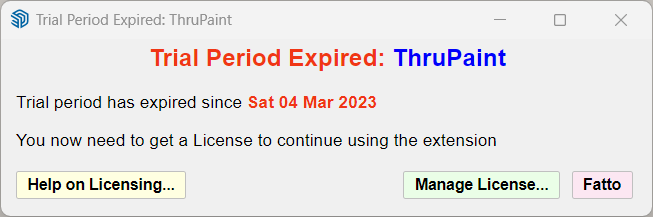
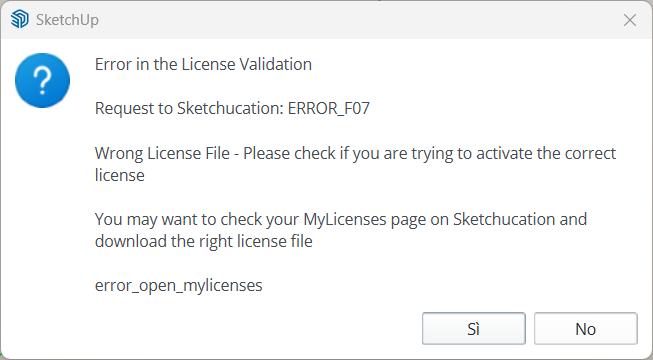
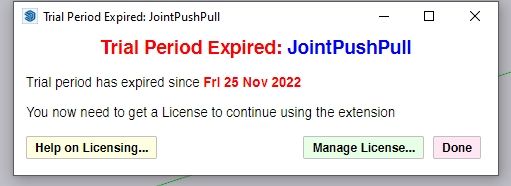
                              Hi cold today I have this problem with the ThruPaint license. I tried to reinstall the license but it gives me an error that it has expired and in my panel I can't find the TruPaint license. It seemed to me I seemed to have a validated Unlimited license. What should I do, thank you
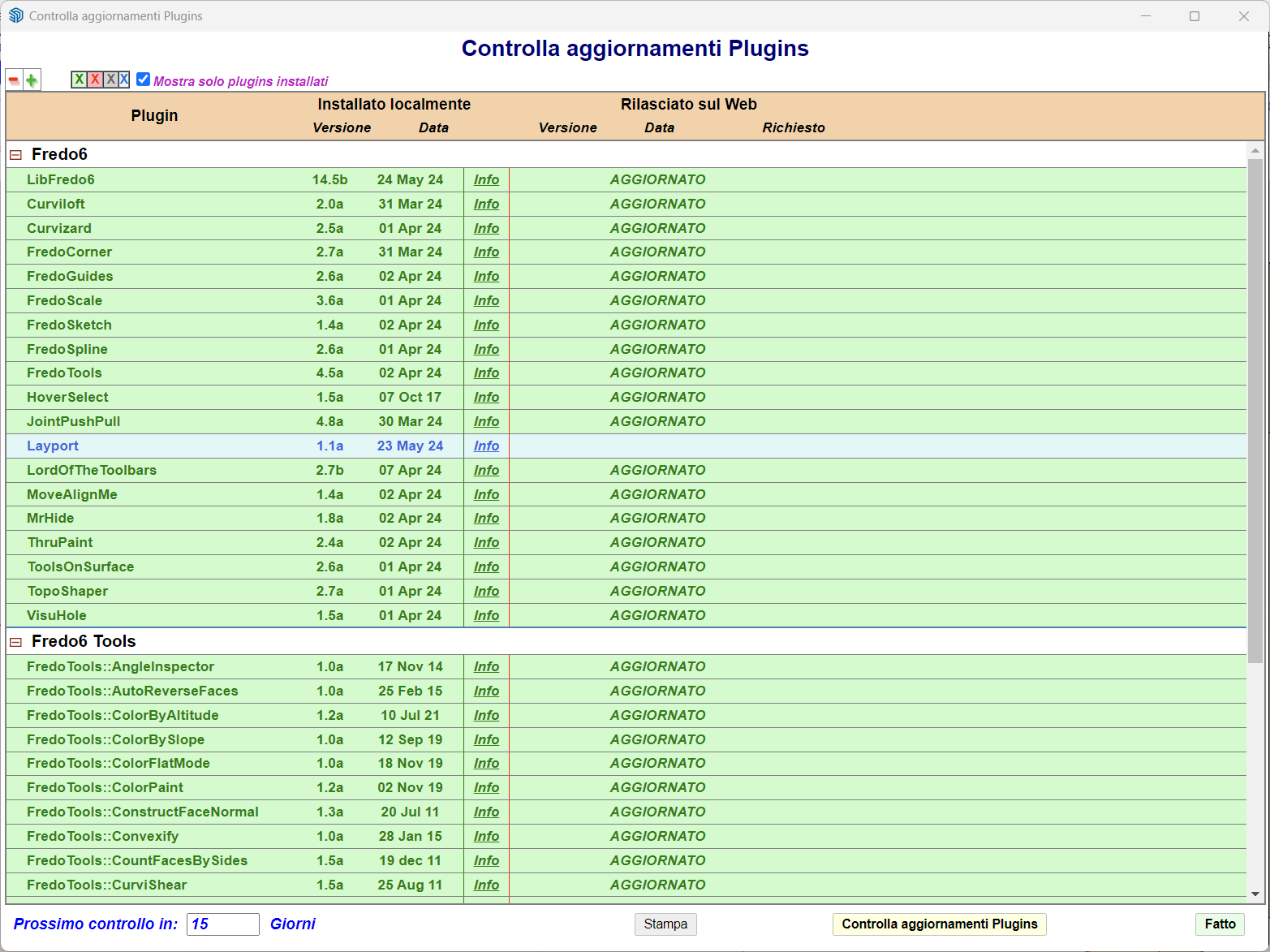
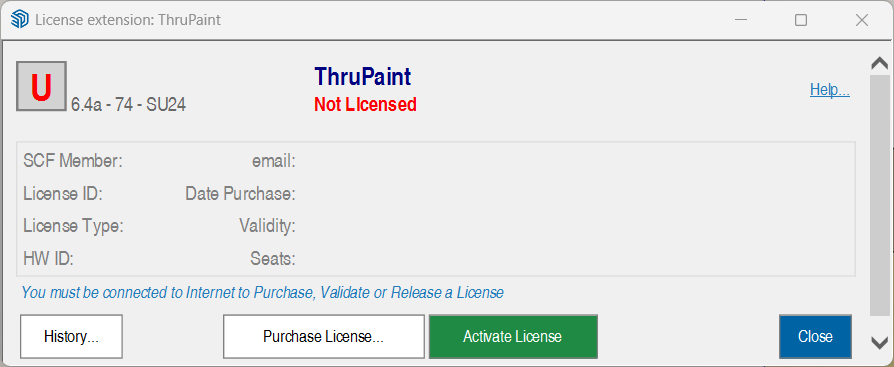
                              SketchUp_tc39P6a13x.png SketchUp_wXfxCbeaej.png SketchUp_uaaWH7gHtC.png SketchUp_dt1w5ZcuIX.png

                              G 1 條回覆 最後回覆 回覆 引用 0
                              • G 離線
                                Gábor @alexpacio2013
                                最後由 Gábor 編輯

                                @alexpacio2013 Are you sure you are trying to activate a valid ThruPaint licence? I can not see any ThruPaint licences purchased by your user.

                                You can buy a proper ThruPaint licence Here

                                1 條回覆 最後回覆 回覆 引用 0
                                • F 離線
                                  Fifo_78
                                  最後由 編輯

                                  Hi everybuddy,
                                  I've purchaser and received my licenses files. I 've put them in the "AppData\Local\SCF Licenses" directory. Ok. But when I try to use the Manage License button in RoundCorner Plugin by ex, my SU2017 Freeze and I must to shutdown it! When I try to see my loaded license I find none in the Global License Status window!!
                                  Could you help please?

                                  Thanks in advance.

                                  Best regards.

                                  Fifo

                                  TIGT 1 條回覆 最後回覆 回覆 引用 0
                                  • TIGT 離線
                                    TIG Moderator @Fifo_78
                                    最後由 TIG 編輯

                                    @Fifo_78

                                    Please read the help pages in the links...
                                    Your License files are not stored in the AppData subfolder path.
                                    Keep them somewhere safe like a subfolder in your Documents folder.
                                    The Manage Licenses is used to Validate the license files and a relevant entry is added to your AppData subfolder folder.

                                    Please make sure you have installed the latest versions of the Extension, LibFredo6 and the SketchUcation toolset [which deals with the licensing]. Once all are installed restart SketchUp to sync everything and try licensing again...

                                    TIG

                                    F 1 條回覆 最後回覆 回覆 引用 0
                                    • F 離線
                                      Fifo_78 @TIG
                                      最後由 編輯

                                      @TIG
                                      Hi TIG,
                                      Thanks for your reply. I've read the help pages but don't understand them very well. The manner discribed in it, seem not be function in my case or may be I'm just gaz man 😜
                                      The SketUcation is v4.41, the Libfredo6 is v14.5b, SCFLicense is V6.4 -74, SCFLicense directory : present, Signature File : absent?!.
                                      What could I do??

                                      Best regards.

                                      1 條回覆 最後回覆 回覆 引用 1
                                      • A 離線
                                        ameerproxy
                                        最後由 編輯

                                        Screenshot_1.jpg

                                        Hi i have the unlimited licence for fredo6 bundle , but now its showing this error i choose the the same licence file while i click on the activate licence ,
                                        please solve this issue

                                        TIGT A 2 條回覆 最後回覆 回覆 引用 0
                                        • F 離線
                                          Fifo_78
                                          最後由 編輯

                                          @TIG
                                          Hi,

                                          I've found in Tools the famour Fedo6 Collection and then I've activate the plugins I've downloaded. There're now actived.

                                          Thanks for all.

                                          Fifo.

                                          1 條回覆 最後回覆 回覆 引用 0
                                          • TIGT 離線
                                            TIG Moderator @ameerproxy
                                            最後由 編輯

                                            @ameerproxy

                                            Have you downloaded/installed the latest versions of all of those bundled Fredo6 extensions, and LibFredo6 and the SketchUcation tools [for the latest licensing set up].
                                            You also need to restart SketchUp to sync everything.

                                            The license files you got for the bundled set need to be stored somewhere safe on your computer - e.g. in a special subfolder made in your Documents folder. You then need to 'validate' each of them individually for each of Fredo6's extensions in the appropriate submenus under the Tools menu.


                                            TIG

                                            A 2 條回覆 最後回覆 回覆 引用 0
                                            • 1
                                            • 2
                                            • 107
                                            • 108
                                            • 109
                                            • 110
                                            • 111
                                            • 111 / 111
                                            • 第一個貼文
                                              最後的貼文
                                            Buy SketchPlus
                                            Buy SUbD
                                            Buy WrapR
                                            Buy eBook
                                            Buy Modelur
                                            Buy Vertex Tools
                                            Buy SketchCuisine
                                            Buy FormFonts

                                            Advertisement