sketchucation logo sketchucation
    • 登入
    Oops, your profile's looking a bit empty! To help us tailor your experience, please fill in key details like your SketchUp version, skill level, operating system, and more. Update and save your info on your profile page today!
    🔌 Easy Offset | Offset selected faces in SketchUp in positive and negative offsets. Download

    Flowify problems

    已排程 已置頂 已鎖定 已移動 Extensions & Applications Discussions
    extensions
    70 貼文 25 Posters 39.9k 瀏覽 25 Watching
    正在載入更多貼文
    • 從舊到新
    • 從新到舊
    • 最多點贊
    回覆
    • 在新貼文中回覆
    登入後回覆
    此主題已被刪除。只有擁有主題管理權限的使用者可以查看。
    • M 離線
      MrKrabs
      最後由 編輯

      is there any way to make it suitable?

      1 條回覆 最後回覆 回覆 引用 0
      • F 離線
        francesgale
        最後由 編輯

        hello, first time using flowify, any idea what i should do with this error?
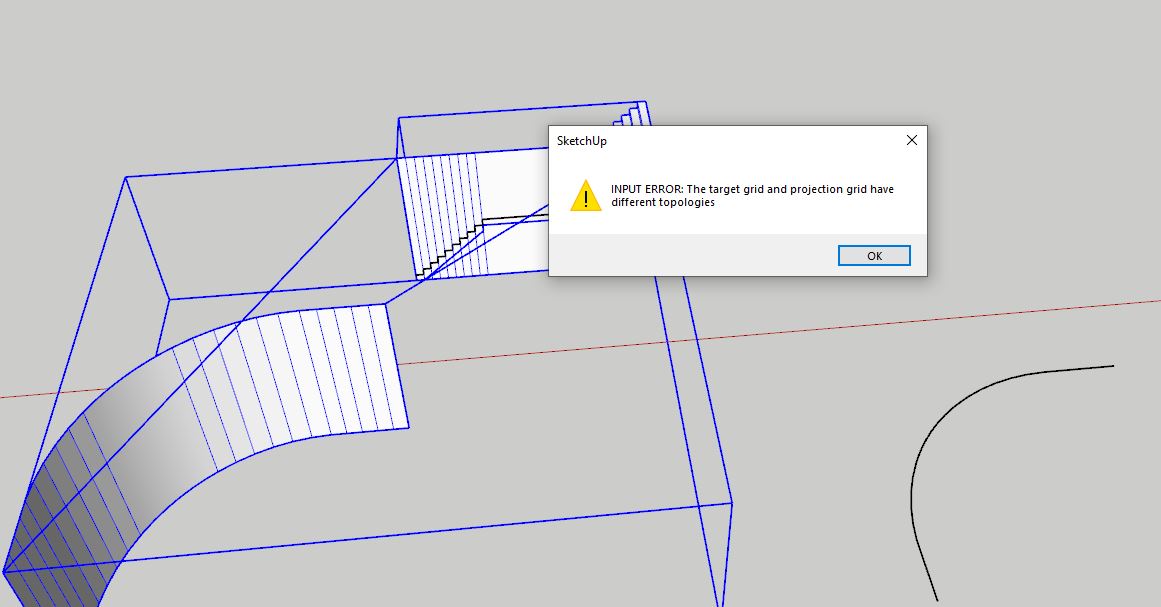

        topology.JPG

        1 條回覆 最後回覆 回覆 引用 0
        • S 離線
          SMatta79
          最後由 編輯

          Hello, is there anyone available to help me fix a problem w Floify? I set up the groups correctly 1 main group w the 3 groups inside. when I hit impose grid the grid doesn't appear.


          Seamless+pattern+--+Cells.skp flowify test.skp

          1 條回覆 最後回覆 回覆 引用 0
          • pilouP 離線
            pilou
            最後由 編輯

            I can help you if files are in format skp 6 to 2017 😄

            Frenchy Pilou
            Is beautiful that please without concept!
            My Little site :)

            1 條回覆 最後回覆 回覆 引用 0
            • S 離線
              SMatta79
              最後由 編輯

              @pilou said:

              I can help you if files are in format skp 6 to 2017 😄

              Hi Pilou, No unfortunately mine is a 2022 version 😞 How else can we do this?

              1 條回覆 最後回覆 回覆 引用 0
              • pilouP 離線
                pilou
                最後由 編輯

                I suppose that you have choice when you make an exportation...(save as)

                Frenchy Pilou
                Is beautiful that please without concept!
                My Little site :)

                1 條回覆 最後回覆 回覆 引用 0
                • Rich O BrienR 離線
                  Rich O Brien Moderator
                  最後由 Rich O Brien 編輯

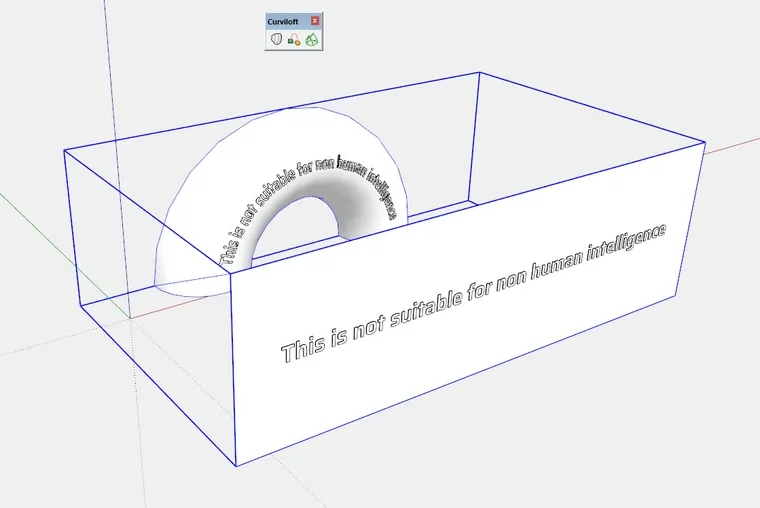
                  Meanwhile back in 2022... 😛

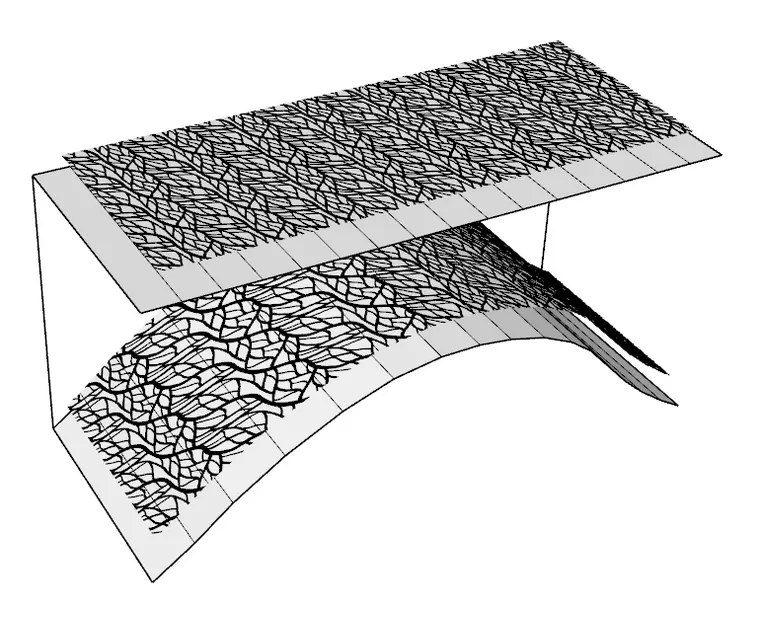
                  7WASd63_d.webp

                  The Error message Flowify is outputting is telling you the problem. Your source and destination should share some level of topological similarities.

                  Download the free D'oh Book for SketchUp 📖

                  1 條回覆 最後回覆 回覆 引用 0
                  • N 離線
                    n hong
                    最後由 編輯

                    Hi, i'm currently having trouble with Flowify.
                    I'm trying to place wall studs on a curvature wall but this input error keeps popping up.
                    I'll appreciate it if someone could help.
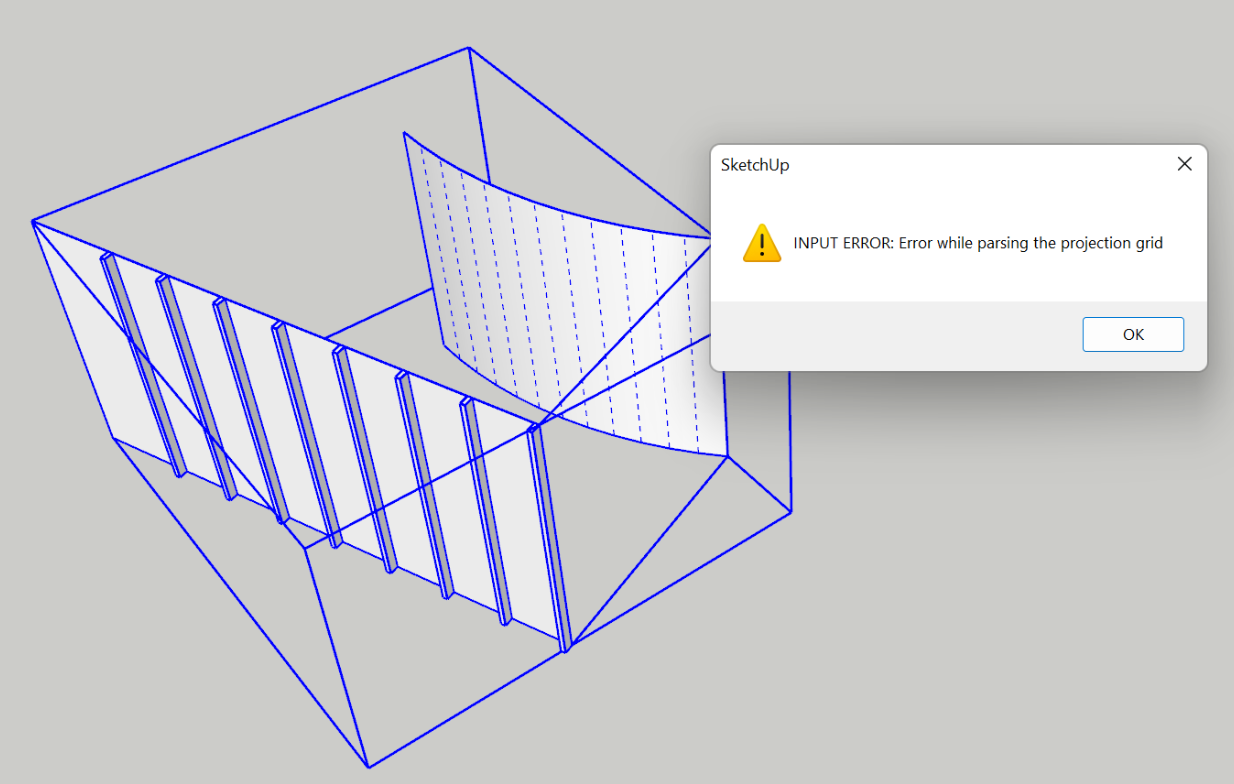

                    INPUT ERROR

                    1 條回覆 最後回覆 回覆 引用 0
                    • tuna1957T 離線
                      tuna1957
                      最後由 編輯

                      n hong, Flowify might not be the best tool for what you want to do. I’m not a Flowify expert but my tests end up distorting the shape of the wall studs. Your might be better off using something like “Copy Along Curve” by Anton S.

                      1 條回覆 最後回覆 回覆 引用 0
                      • M 離線
                        mingjawaz
                        最後由 編輯

                        Can someone help me to solve this flowify problem. Why i cant use the flowify even i have followed the steps of group things
                        😞


                        Sketchup 2020

                        1 條回覆 最後回覆 回覆 引用 0
                        • Rich O BrienR 離線
                          Rich O Brien Moderator
                          最後由 編輯

                          @unknownuser said:

                          The projection plane is either an empty rectangular face or a flat custom made quad grid with the same topology as the target surface.

                          Your target mesh is not Quad Grid.

                          https://i.imgur.com/5ohQlT1.png

                          You've some work to do

                          Download the free D'oh Book for SketchUp 📖

                          1 條回覆 最後回覆 回覆 引用 0
                          • M 離線
                            meerhumzakhan Newcomers
                            最後由 編輯

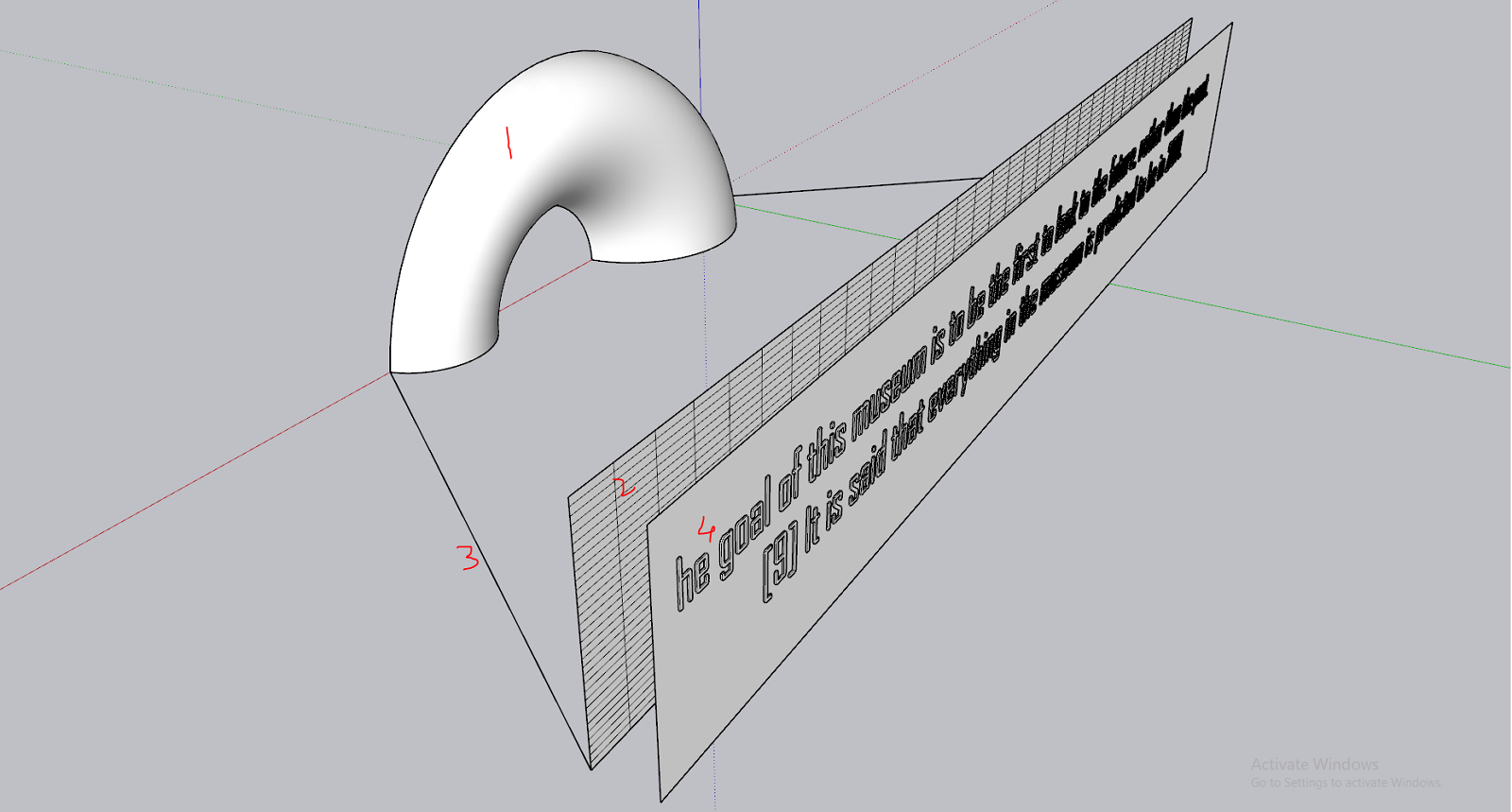
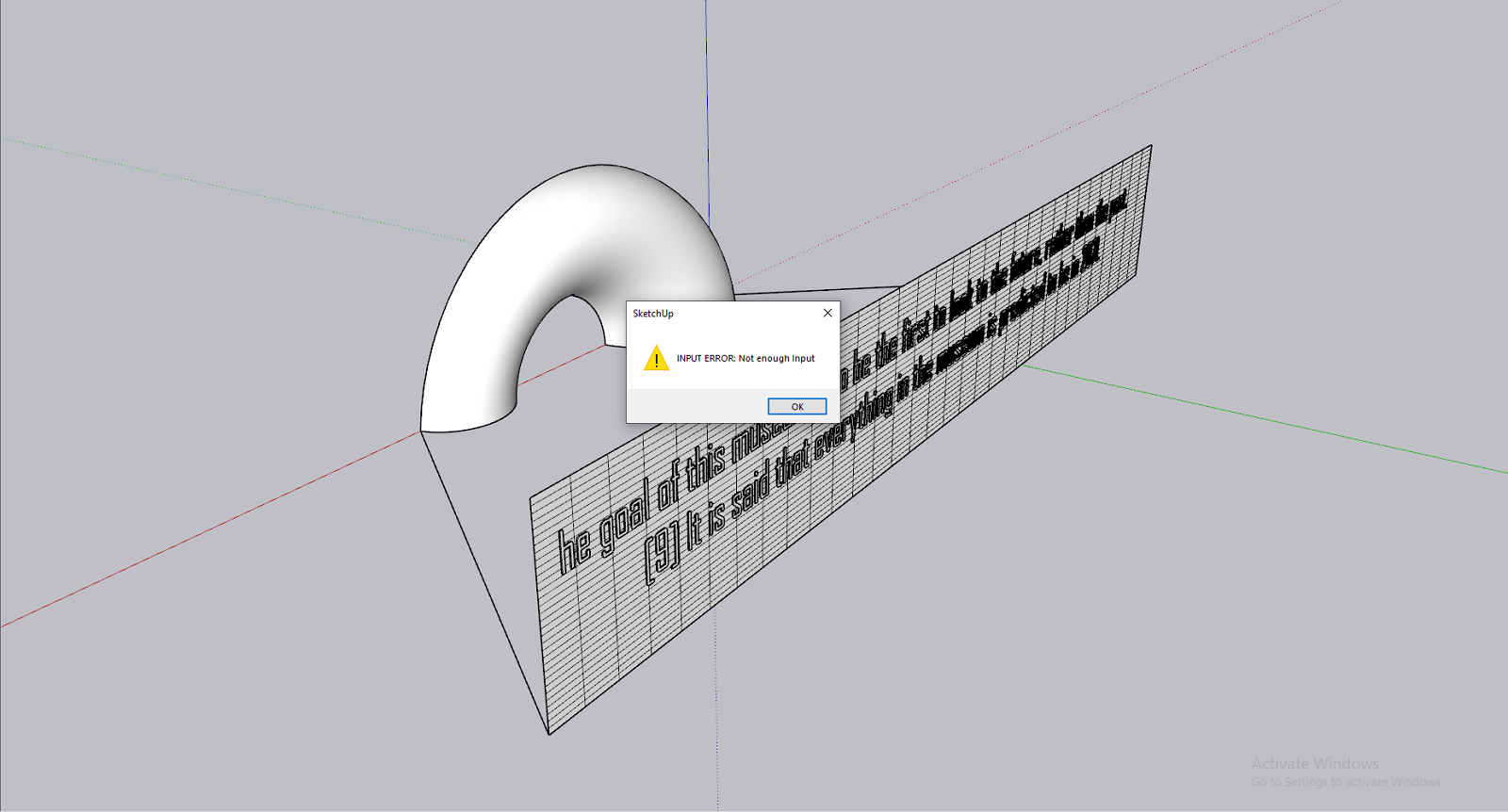
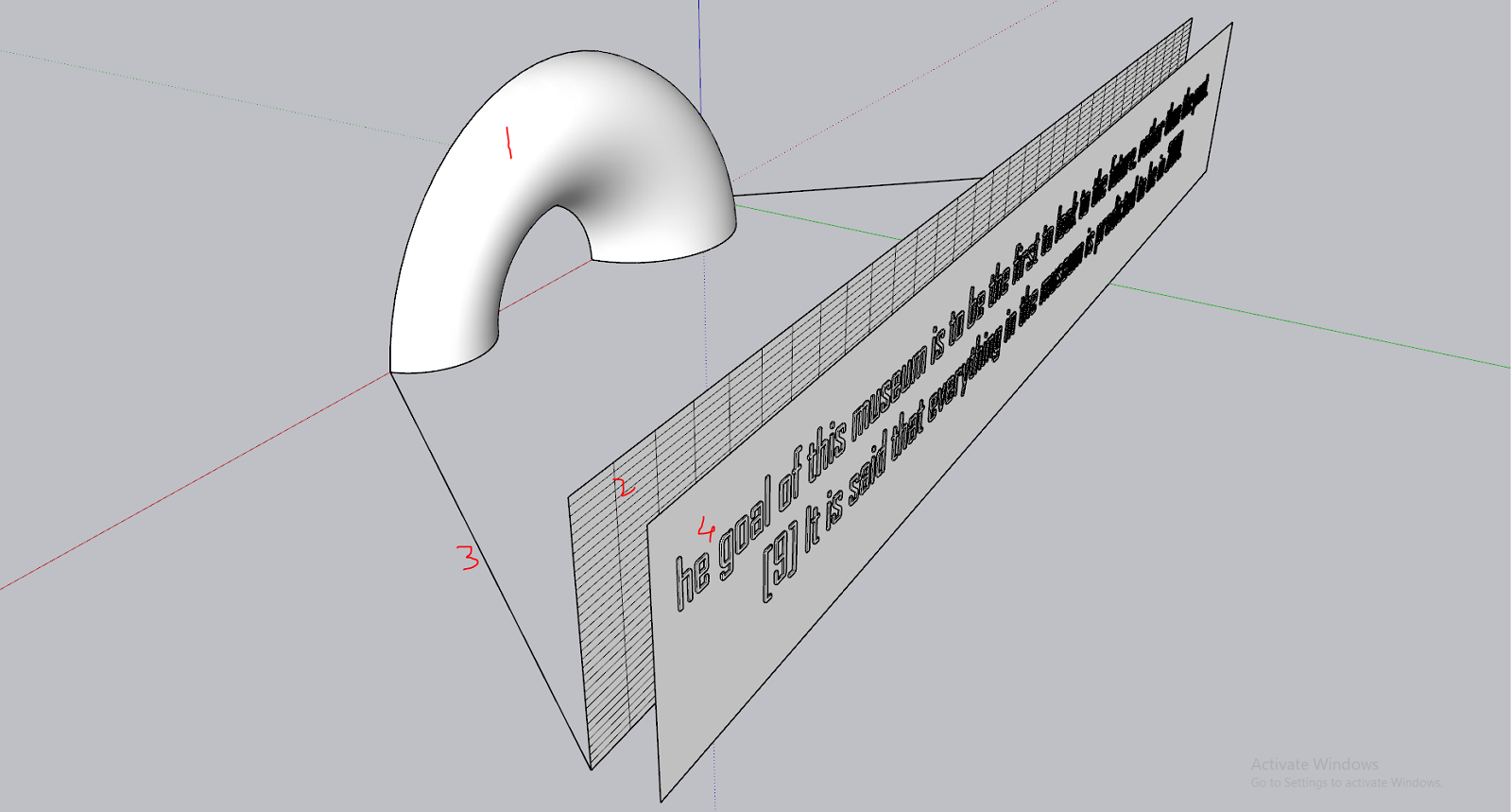
                            HELP!!!! I have done following steps and got the error in the end.

                            1=group
                            2=group
                            3=group
                            1+2+3=group (let's call it "X")
                            imposed grid=Ok
                            4=group
                            4+X=group
                            ====> flowify====> not enough input error

                            Capturedfsfsf.PNG


                            Capturedfsfsf.PNG


                            sasdasd.PNG

                            1 條回覆 最後回覆 回覆 引用 0
                            • Rich O BrienR 離線
                              Rich O Brien Moderator
                              最後由 Rich O Brien 編輯

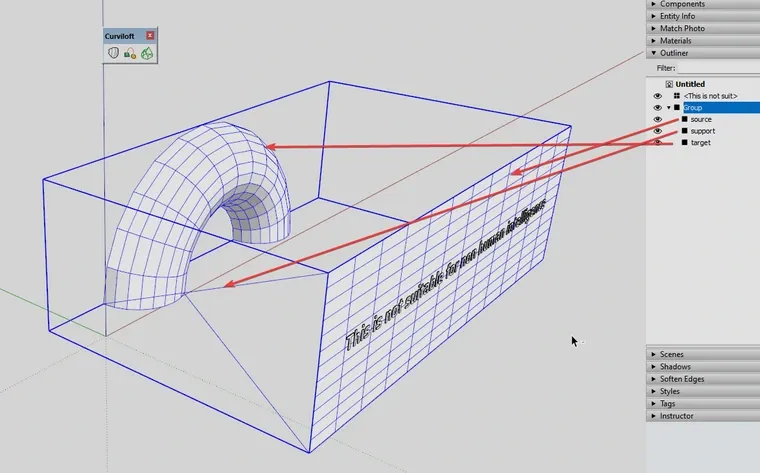
                              8nUyvN9_d.webp

                              The source and target need same topology and the support should be aligned as shown above
                              p4B4kyl_d.webp

                              Download the free D'oh Book for SketchUp 📖

                              1 條回覆 最後回覆 回覆 引用 0
                              • Rich O BrienR 離線
                                Rich O Brien Moderator
                                最後由 Rich O Brien 編輯

                                I lied...
                                xgHqtSx_d.webp
                                ...you can go like this too

                                So something in your setup is not right. Could be nesting order or topology...

                                Download the free D'oh Book for SketchUp 📖

                                1 條回覆 最後回覆 回覆 引用 0
                                • panixiaP 離線
                                  panixia
                                  最後由 編輯

                                  @Rich The text in your example is pure genius 🤣

                                  1 條回覆 最後回覆 回覆 引用 0
                                  • pilouP 離線
                                    pilou
                                    最後由 編輯

                                    I believe it's not 4 + X = group
                                    but 4 + X = Select! 😉
                                    Then call Flowify! 🤓

                                    Frenchy Pilou
                                    Is beautiful that please without concept!
                                    My Little site :)

                                    1 條回覆 最後回覆 回覆 引用 0
                                    • R 離線
                                      RemsRivera123 Newcomers
                                      最後由 編輯

                                      Hey everyone!

                                      I’m having some trouble with Flowify and hoping someone can help me out. I’ve set up my groups as follows:

                                      A – The curve

                                      B – The length of the curve

                                      C – The pathway

                                      D – The group I want to flow

                                      But when I select everything and try to apply Flowify, it doesn’t actually "flow"—instead, it just resizes to a much bigger scale. Any idea what might be going wrong?

                                      Thanks in advance! Appreciate any help!

                                      PS. I attached a video showing my problem

                                      SKP Flowify Problem.mp4

                                      1 條回覆 最後回覆 回覆 引用 1
                                      • Rich O BrienR 離線
                                        Rich O Brien Moderator
                                        最後由 編輯

                                        Can you share a file? @RemsRivera123

                                        It’s quicker solve if there’s something to see

                                        Download the free D'oh Book for SketchUp 📖

                                        R 1 條回覆 最後回覆 回覆 引用 0
                                        • R 離線
                                          RemsRivera123 Newcomers @Rich O Brien
                                          最後由 編輯

                                          @Rich-O-Brien Hello there, here's the skp file
                                          Staircase 01.skp

                                          1 條回覆 最後回覆 回覆 引用 1
                                          • R 離線
                                            RemsRivera123 Newcomers
                                            最後由 編輯

                                            IDK if my reply is pushing through @Rich-O-Brien but I did send a reply with the skp file attached


                                            1 條回覆 最後回覆 回覆 引用 1
                                            • 1
                                            • 2
                                            • 3
                                            • 4
                                            • 3 / 4
                                            • 第一個貼文
                                              最後的貼文
                                            Buy SketchPlus
                                            Buy SUbD
                                            Buy WrapR
                                            Buy eBook
                                            Buy Modelur
                                            Buy Vertex Tools
                                            Buy SketchCuisine
                                            Buy FormFonts

                                            Advertisement