sketchucation logo sketchucation
    • 登入
    Oops, your profile's looking a bit empty! To help us tailor your experience, please fill in key details like your SketchUp version, skill level, operating system, and more. Update and save your info on your profile page today!
    🔌 Easy Offset | Offset selected faces in SketchUp in positive and negative offsets. Download

    Flowify problems

    已排程 已置頂 已鎖定 已移動 Extensions & Applications Discussions
    extensions
    70 貼文 25 Posters 39.9k 瀏覽 25 Watching
    正在載入更多貼文
    • 從舊到新
    • 從新到舊
    • 最多點贊
    回覆
    • 在新貼文中回覆
    登入後回覆
    此主題已被刪除。只有擁有主題管理權限的使用者可以查看。
    • T 離線
      taydavid03
      最後由 編輯

      Hey guys,

      Tried using Flowify and it just couldn't work.

      I created 3 separate groups (including the 2 connecting lines) and grouped them within a larger group (total 4 groups).

      And still no results.

      I must mention that I did not use the impose grid function within Flowify and created my own objects.

      Would appreciate some help.

      I have attached the sketchup file in question.


      Flowify Problem.skp

      1 條回覆 最後回覆 回覆 引用 0
      • pilouP 離線
        pilou
        最後由 編輯

        Seems you have not understand how works Flowify! 😄
        You must have a base surface (C) under your object (E) to project!
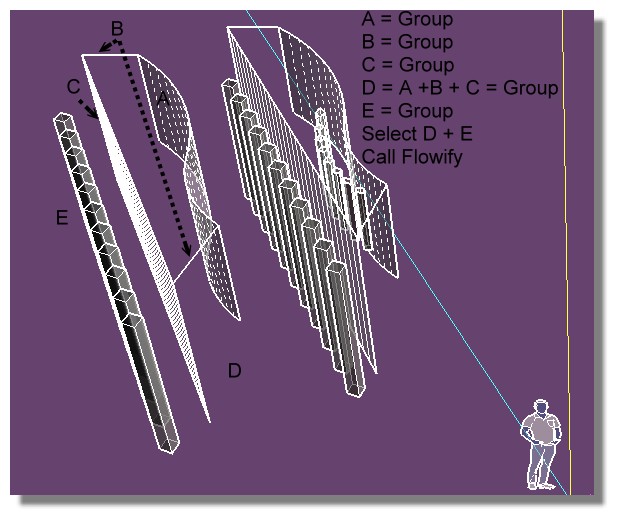
        Flowify02.jpg

        Frenchy Pilou
        Is beautiful that please without concept!
        My Little site :)

        1 條回覆 最後回覆 回覆 引用 0
        • T 離線
          taydavid03
          最後由 編輯

          @pilou said:

          Seems you have not understand how works Flowify! 😄
          You must have a base surface (C) under your object (E) to project!

          [attachment=0:2fo7dtbw]<!-- ia0 -->Flowify02.jpg<!-- ia0 -->[/attachment:2fo7dtbw]

          Hi Frency, thanks for your response.

          I am one step closer to getting this right. I did everything you asked me to.

          However, when I tried it, it gives me this response :

          Input Error : Error while parsing the Target grid.

          The grid must conform to :

          • A cell consists of exactly four edges. Beware of collinear edge segments
          • The grid mus thave four corners
          • Every row int he grid must have the same number of cells
          • No holes

          What do you think I am doing wrong?

          1 條回覆 最後回覆 回覆 引用 0
          • pilouP 離線
            pilou
            最後由 編輯

            your start object must be a simple group (don't take group of groups so explode all to level 0 then group) 🤓

            Frenchy Pilou
            Is beautiful that please without concept!
            My Little site :)

            1 條回覆 最後回覆 回覆 引用 0
            • pilouP 離線
              pilou
              最後由 編輯

              But before use the Curviloft by Fredo , use other Tools by Fredo for transform your 4 curves of the ending surface! (Bezier tools (?) )

              Don't touch the 2 verticals (depend of number of segments you want but as it's vertical straight lines...)
              Transform Curve in PolyLine (Right Click / ) (upper & bottom curves)
              then Segmentor of Polyline (upper & bottom curves)
              (for example take 10 segments for upper and bottom Polylines - you can move some points if you want)

              then you will obtain that in Curviloft (third icon "Skin contour" )
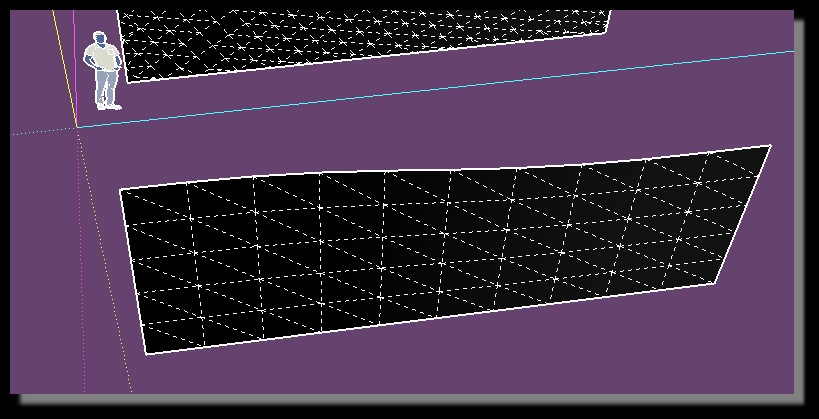
              segmentor.jpg

              You will obtain a better result! ☀ ( 1 minute & 30 seconds) (start surface (C) can be the exact straight rectangle projection of the start volumes (E))
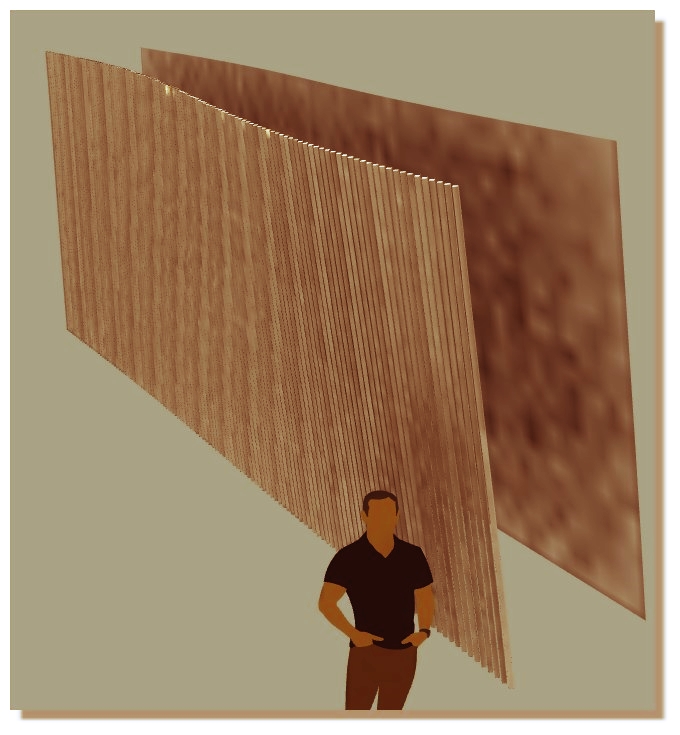
              yours better.jpg

              Ps You must also clean your original object! 😄
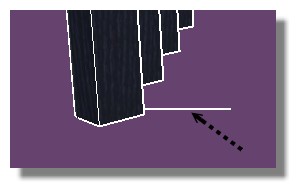
              clean_line.jpg

              Frenchy Pilou
              Is beautiful that please without concept!
              My Little site :)

              1 條回覆 最後回覆 回覆 引用 0
              • pilouP 離線
                pilou
                最後由 編輯

                If you draw a simple line(s) as vertical(s) (so no middle segments) that will work also ! 🤓
                and calculus will be some more speedy! 13 seconds! 💚
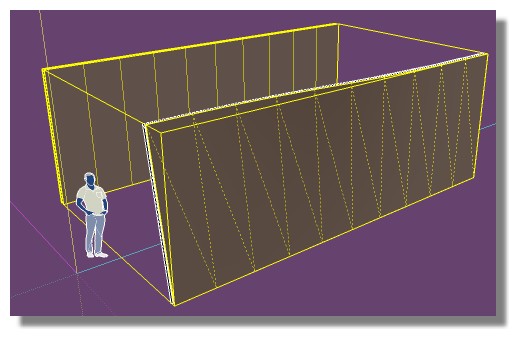
                yours_speedy.jpg

                Frenchy Pilou
                Is beautiful that please without concept!
                My Little site :)

                1 條回覆 最後回覆 回覆 引用 0
                • pilouP 離線
                  pilou
                  最後由 編輯

                  I took your file but with a little changement! 😄

                  Always use the Hidden geometry for validate your choice! 😉

                  Will work but in a little big time! Because your start object is very dense!
                  And little deformations on the extremities due difference of segmentation!
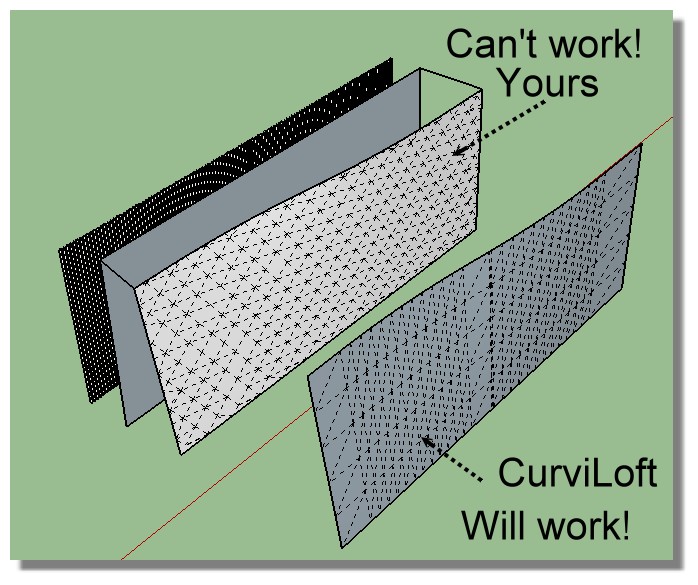
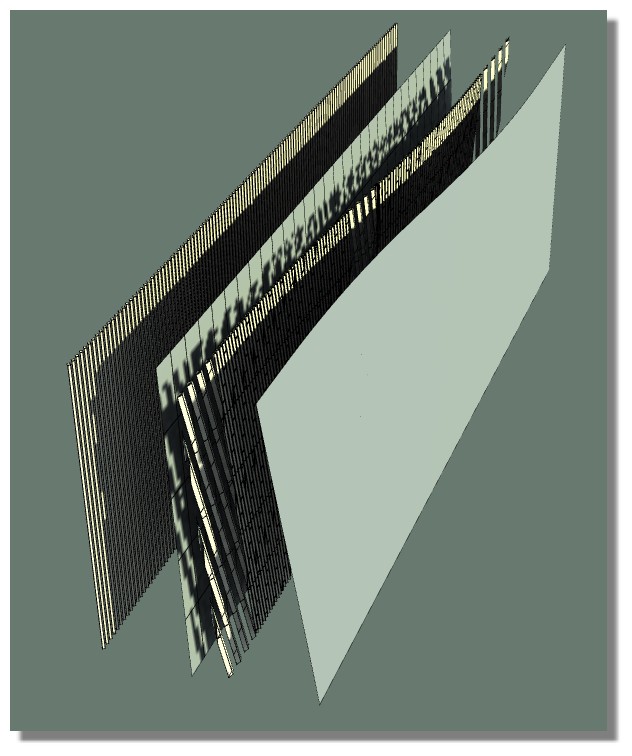
                  yours.jpg

                  yours_curviloft.jpg

                  Frenchy Pilou
                  Is beautiful that please without concept!
                  My Little site :)

                  1 條回覆 最後回覆 回覆 引用 0
                  • T 離線
                    taydavid03
                    最後由 編輯

                    Wow you are amazing. Thank you!

                    This was very helpful... Again, thank you Pilou!

                    1 條回覆 最後回覆 回覆 引用 0
                    • H 離線
                      hellolouise
                      最後由 編輯

                      Hi,

                      I am really struggling to get Flowify to work. I don't understand why so any help would be appreciated.

                      I have attached the file 😄


                      help.skp

                      1 條回覆 最後回覆 回覆 引用 0
                      • H 離線
                        hellolouise
                        最後由 編輯

                        what does raw faces mean?

                        1 條回覆 最後回覆 回覆 引用 0
                        • pilouP 離線
                          pilou
                          最後由 編輯

                          You must don't have Group of Groups for the objects to be projected!
                          Only one Group of faces! (raw face) 🤓

                          But in your case there are also something with all modules!
                          Maybe some overlapings somewhere!
                          I investigate! 😄

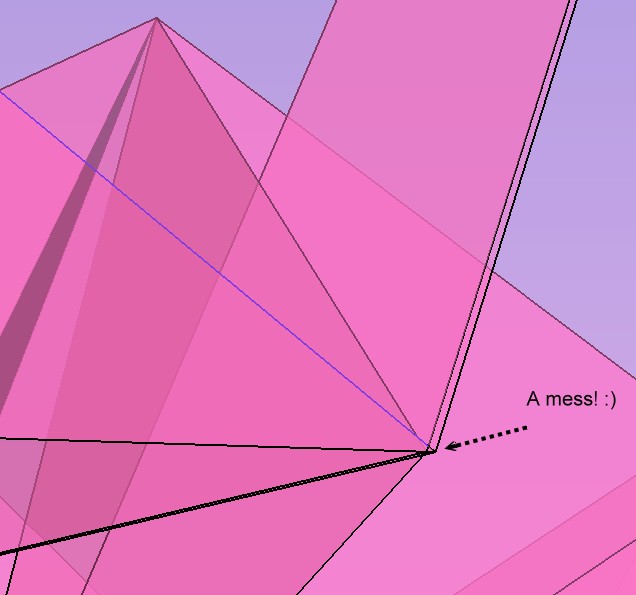
                          In fact some connections between modules are very bad!
                          (if only one is existing Flowify will refuse to work! 😄
                          You must have very précise ones! 😉

                          a_mess.jpg

                          Redraw precisely your modules between them and you will have no problem! 😉
                          Here with 2 different modules from side of your model.
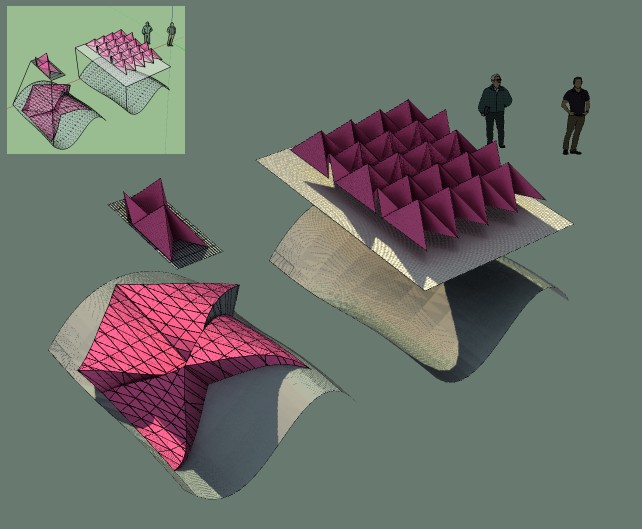
                          mess1.jpg

                          Frenchy Pilou
                          Is beautiful that please without concept!
                          My Little site :)

                          1 條回覆 最後回覆 回覆 引用 0
                          • H 離線
                            hellolouise
                            最後由 編輯

                            Thank you so much that is very helpful!

                            I will try again 😄)

                            1 條回覆 最後回覆 回覆 引用 0
                            • O 離線
                              optimaforever
                              最後由 編輯

                              I have a strange behaviour too...
                              The flowify command generates a huge model, with an array of sectional faces.
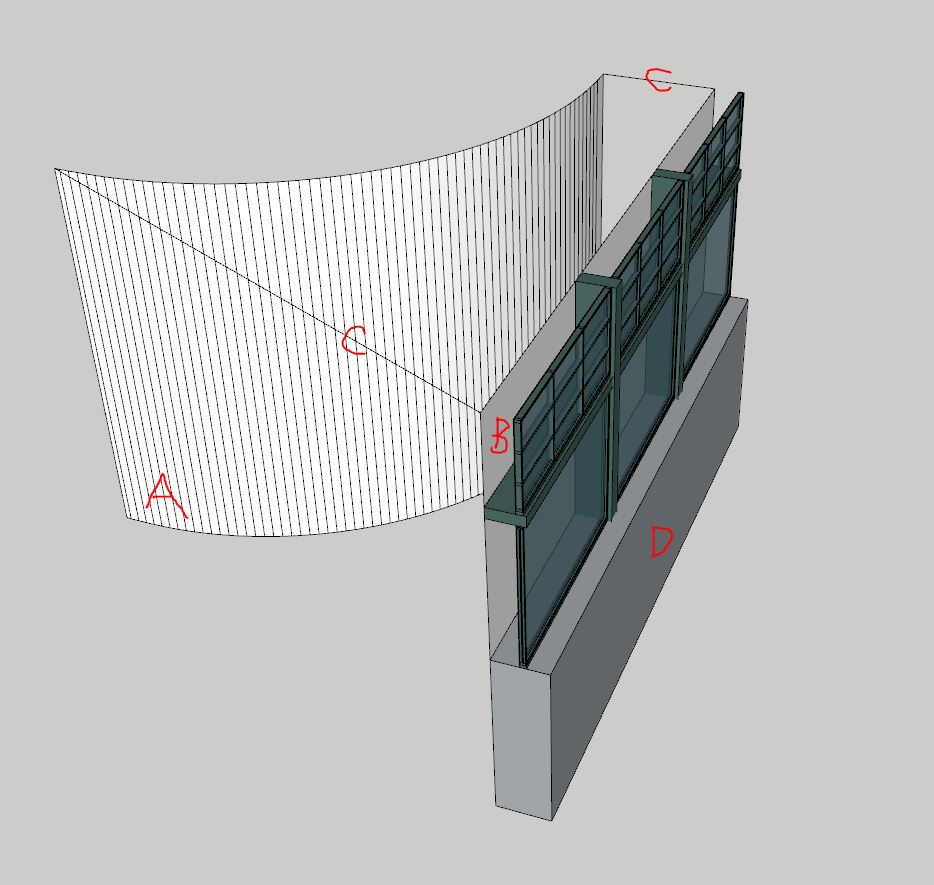
                              The source material
                              First the source material: Group 1 composed of A target surface / B source surface / C projection vectors and D the source mesh (exploded)
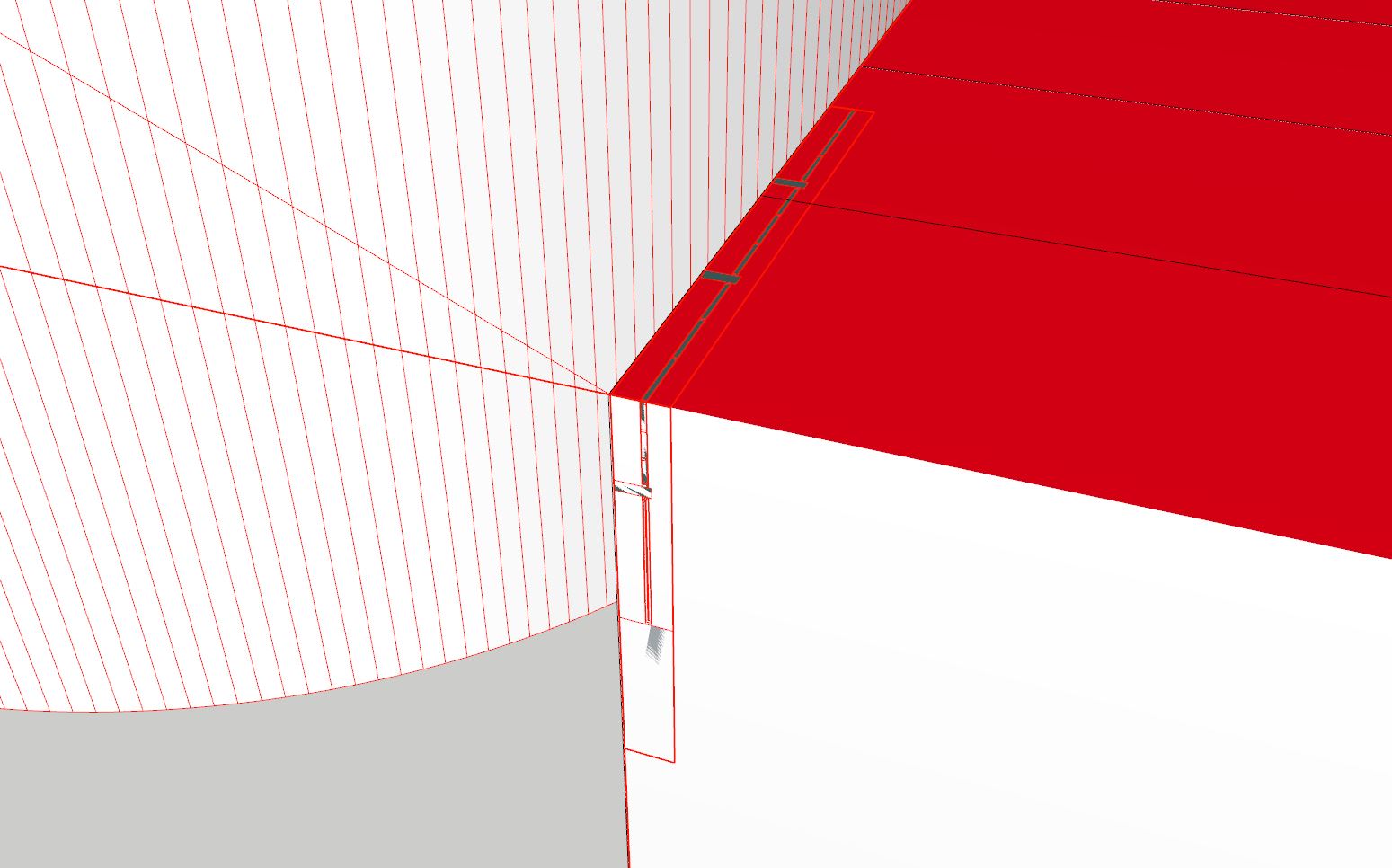
                              And the result
                              The resulting groups from the flowify command

                              I succeeded all the other meshes with the same method but here I've got a bug...

                              The skp

                              1 條回覆 最後回覆 回覆 引用 0
                              • newnoobN 離線
                                newnoob
                                最後由 編輯

                                I am using flowify for the first time with very simple geometry but I get the error message

                                " INPUT ERROR: Error while parsing the projection grid".

                                https://sketchucation.com/forums/download/file.php?mode=view&id=158854&sid=d47475267b2b642d948ff06d550663e6

                                I have checked my model several times but I don't understand what I do wrong. I have also named all the groups like Pilou in his first post.

                                If someone could tell me what i do wrong I'd appreciate it.
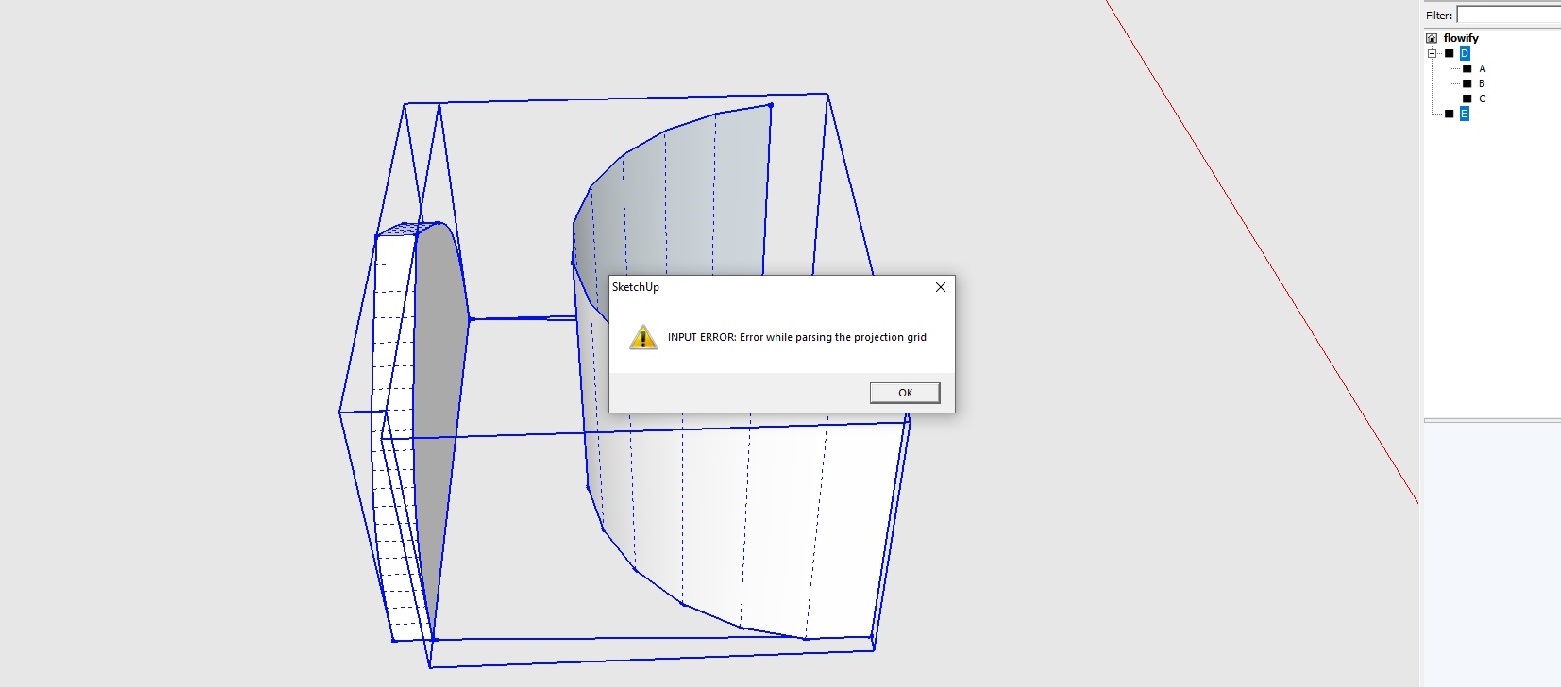

                                flowify.skp


                                Untitled.jpg

                                1 條回覆 最後回覆 回覆 引用 0
                                • pilouP 離線
                                  pilou
                                  最後由 編輯

                                  Your Start Surface C must be a "rectangular" form and not the same surface as the original object ! 😉
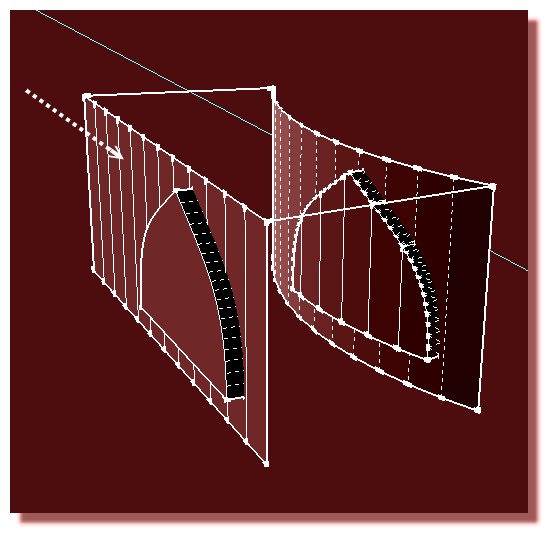
                                  boxy.jpg

                                  Frenchy Pilou
                                  Is beautiful that please without concept!
                                  My Little site :)

                                  1 條回覆 最後回覆 回覆 引用 0
                                  • newnoobN 離線
                                    newnoob
                                    最後由 編輯

                                    Ahhh, "rectangular", got it. Now it's working. I somehow missed that. I thought "plane".

                                    Many Thanks Pilou! I'm glad you are still around!

                                    1 條回覆 最後回覆 回覆 引用 0
                                    • C 離線
                                      CREATIVE WIERDO
                                      最後由 編輯

                                      Hello.
                                      I have a problem with Flowify tool. Please check my file because i have made my groups correctly i think and when i choose the command flowify -> impose grid, the grid doesnt appear.
                                      What am i doing wrong? I saw a video on youtube that says that if i have done my groups correctly a grid must appear.
                                      Thanks for the help.


                                      Help needed.skp

                                      1 條回覆 最後回覆 回覆 引用 0
                                      • Dave RD 離線
                                        Dave R
                                        最後由 編輯

                                        What version of SketchUp? Your profile says 2018 Free/Make but that doesn't exist.

                                        Etaoin Shrdlu

                                        %

                                        (THERE'S NO PLACE LIKE)

                                        G28 X0.0 Y0.0 Z0.0

                                        M30

                                        %

                                        1 條回覆 最後回覆 回覆 引用 0
                                        • pilouP 離線
                                          pilou
                                          最後由 編輯

                                          Can you post your skp file in "save as" V6 for more compatibilities with previous version for have some help! 😉

                                          Frenchy Pilou
                                          Is beautiful that please without concept!
                                          My Little site :)

                                          1 條回覆 最後回覆 回覆 引用 0
                                          • jujuJ 離線
                                            juju
                                            最後由 編輯

                                            @pilou said:

                                            Can you post your skp file in "save as" V6 for more compatibilities with previous version for have some help! 😉

                                            I'm not sure how useful this would be these days, the earliest version I've seen people working on (recently) is version 8, rather ask people to post in SU 2017 version / format. Plus you're already on SU 2017 Make...


                                            Save the Earth, it's the only planet with chocolate.

                                            1 條回覆 最後回覆 回覆 引用 0
                                            • 1
                                            • 2
                                            • 3
                                            • 4
                                            • 1 / 4
                                            • 第一個貼文
                                              最後的貼文
                                            Buy SketchPlus
                                            Buy SUbD
                                            Buy WrapR
                                            Buy eBook
                                            Buy Modelur
                                            Buy Vertex Tools
                                            Buy SketchCuisine
                                            Buy FormFonts

                                            Advertisement