sketchucation logo sketchucation
    • 登入
    Oops, your profile's looking a bit empty! To help us tailor your experience, please fill in key details like your SketchUp version, skill level, operating system, and more. Update and save your info on your profile page today!
    ⚠️ Important | Libfredo 15.6b introduces important bugfixes for Fredo's Extensions Update

    Toolbar Icon Size on 4K Monitor

    已排程 已置頂 已鎖定 已移動 SketchUp Discussions
    sketchup
    41 貼文 10 Posters 7.6k 瀏覽 10 Watching
    正在載入更多貼文
    • 從舊到新
    • 從新到舊
    • 最多點贊
    回覆
    • 在新貼文中回覆
    登入後回覆
    此主題已被刪除。只有擁有主題管理權限的使用者可以查看。
    • Dave RD 離線
      Dave R
      最後由 編輯

      That sounds like a good idea. I would suggest offering the same icon packages to the authors so they can include them in updates of their extensions.

      Etaoin Shrdlu

      %

      (THERE'S NO PLACE LIKE)

      G28 X0.0 Y0.0 Z0.0

      M30

      %

      1 條回覆 最後回覆 回覆 引用 0
      • S 離線
        slbaumgartner
        最後由 編輯

        @pixero said:

        Does anyone know if there is something special that needs to be done in the scripts code to use SVG icons or can we just put SVG icons in the plugins directory?

        The icon files are given explicitly by the plugin code, which has to choose between the old png for SketchUp versions prior to 2016, and between svg and pdf for Windows vs Mac. It doesn't take a lot of code, but has to be changed, and no, simply dropping a svg file into the folder won't do the trick.

        1 條回覆 最後回覆 回覆 引用 0
        • fredo6F 離線
          fredo6
          最後由 編輯

          ...in addition to the relevant comment by slbaumgartner, I would add that there is no automated way to generate a nice SVG from a PNG. Basically, the icon has be redrawn in SVG (via Inskape or similar drawing software).

          Fredo

          1 條回覆 最後回覆 回覆 引用 0
          • Bob JamesB 離線
            Bob James
            最後由 編輯

            @dave r said:

            SVG icons were chosen specifically because they can be scaled to compensate for high res screens. Open a PNG icon in your image editor and scale it up so you can see it. The quality will be crap. SVG just makes sense.

            Thank you, Dave.
            Yes, it does make good sense, but only if there is an easy path for changing all of the hundreds of current plugin/extension icons. This is based on the assumption that as time goes on more and more people will upgrade to 4k. But, apparently, the consensus is that 4k will remain a niche.

            i7-4930K 3.4Ghz, 2x GTX780 6GB, 32GB DDR3-1600 ECC, OCZ Vertex 4 500GB, WD Black 3TB, 32TB NAS, 4x 27" Monitors, SpaceMouse Pro, X-keys XK-60

            1 條回覆 最後回覆 回覆 引用 0
            • PixeroP 離線
              Pixero
              最後由 編輯

              Could someone post a code snippet that shows how to implement svg or pdf icons so I could start updating my own plugins at least.

              1 條回覆 最後回覆 回覆 引用 0
              • S 離線
                slbaumgartner
                最後由 編輯

                Here's an example from one of my extensions:

                
                if(not file_loaded?(__FILE__))
                  cmd = UI;;Command.new("RakeAndSplay") {Sketchup.active_model.select_tool(SLBPlugins;;RakeAndSplayTool.get_tool)}
                  cmd.menu_text = "Rake and Splay"
                  if(Sketchup.version.to_i >= 16)
                    if(RUBY_PLATFORM =~ /darwin/)
                      cmd.small_icon = Sketchup.find_support_file("rake_and_splay.pdf", "Plugins/SB_rake_and_splay")
                      cmd.large_icon = Sketchup.find_support_file("rake_and_splay.pdf", "Plugins/SB_rake_and_splay")
                    else
                      cmd.small_icon = Sketchup.find_support_file("rake_and_splay.svg", "Plugins/SB_rake_and_splay")
                      cmd.large_icon = Sketchup.find_support_file("rake_and_splay.svg", "Plugins/SB_rake_and_splay")
                    end
                  else
                    cmd.small_icon = Sketchup.find_support_file("rake_and_splay_16.png", "Plugins/SB_rake_and_splay")
                    cmd.large_icon = Sketchup.find_support_file("rake_and_splay_24.png", "Plugins/SB_rake_and_splay")
                  end
                  tb = UI;;Toolbar.new("Rake and Splay").add_item(cmd)
                  tb.restore if tb.get_last_state == 1
                  UI.menu("Tools").add_item cmd
                end
                file_loaded(__FILE__)
                
                
                1 條回覆 最後回覆 回覆 引用 0
                • PixeroP 離線
                  Pixero
                  最後由 編輯

                  Thanks.

                  1 條回覆 最後回覆 回覆 引用 0
                  • Bob JamesB 離線
                    Bob James
                    最後由 編輯

                    Thank you, slbaumgartner
                    Would you tell me how to use this for each plugin extension?

                    i7-4930K 3.4Ghz, 2x GTX780 6GB, 32GB DDR3-1600 ECC, OCZ Vertex 4 500GB, WD Black 3TB, 32TB NAS, 4x 27" Monitors, SpaceMouse Pro, X-keys XK-60

                    1 條回覆 最後回覆 回覆 引用 0
                    • Bob JamesB 離線
                      Bob James
                      最後由 編輯

                      @slbaumgartner said:

                      simply dropping a svg file into the folder won't do the trick

                      He's right!
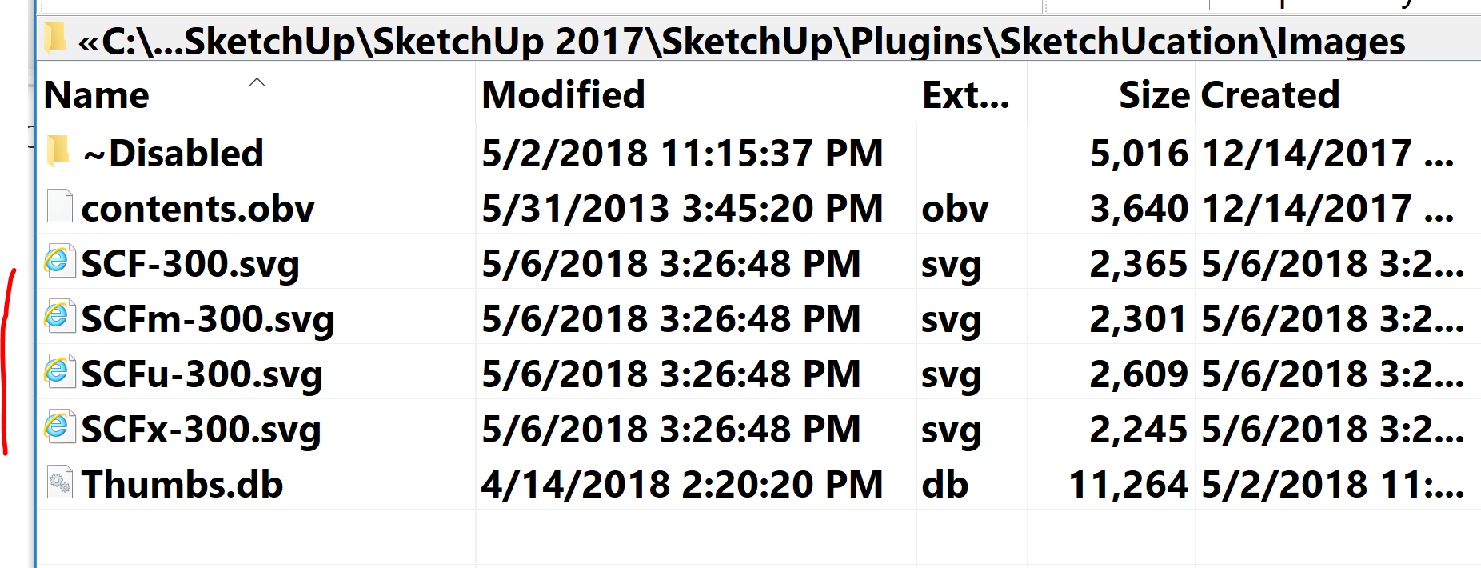
                      I converted and replaced the icons in SketchUcation to .svg at 300pixelsx300pixels at 300dpi but there was no change in SU2018
                      icons 300-1.png

                      i7-4930K 3.4Ghz, 2x GTX780 6GB, 32GB DDR3-1600 ECC, OCZ Vertex 4 500GB, WD Black 3TB, 32TB NAS, 4x 27" Monitors, SpaceMouse Pro, X-keys XK-60

                      1 條回覆 最後回覆 回覆 引用 0
                      • S 離線
                        slbaumgartner
                        最後由 編輯

                        @bob james said:

                        Thank you, slbaumgartner
                        Would you tell me how to use this for each plugin extension?

                        If you're not familiar with Ruby API programming for SketchUp, you might be in over your head as the code needs to be adapted to each specific extension, there is no universal drop-in-place form.

                        You need to create the appropriate icon files (svg, pdf, and png) for the extension and put them in the extension's folder. Then you need to find where in the extension's code it creates and populates its toolbar and integrate my snippet with whatever the original code does there, which will almost surely vary from case to case.

                        1 條回覆 最後回覆 回覆 引用 0
                        • fredo6F 離線
                          fredo6
                          最後由 編輯

                          For inof, all my plugins can support PNG, SVG and PDF (as everything is managed by LibFredo6).

                          I am just missing the icons in SVG / PDF

                          That's just a matter to put the SVG / PDF file in:

                          • subfolder IMAGES_Standards of the plugin folder (say Fredo6_FredoScale/IMAGES_standard)
                          • respecting convention: same name as PNG but removing the trailing _24 (or _16 or _32). So FSC_icon_Scale_24.png would become FSC_icon_Scale.svg

                          Fredo

                          1 條回覆 最後回覆 回覆 引用 0
                          • PixeroP 離線
                            Pixero
                            最後由 編輯

                            Question. Does the svg/PDF icons need to be made in a special size? (I know they are scaleable just wondering if the dokument size should be anything special.)

                            1 條回覆 最後回覆 回覆 引用 0
                            • S 離線
                              slbaumgartner
                              最後由 編輯

                              @pixero said:

                              Question. Does the svg/PDF icons need to be made in a special size? (I know they are scaleable just wondering if the dokument size should be anything special.)

                              You can draw the icon artwork at whatever size you wish. The view of the contents will be scaled to fit the available space in the toolbar button, so the physical size you drew is irrelevant. But you do need to verify that you haven't put details into the artwork that won't be visible when scaled to a typical toolbar button on a particular size display. Since you probably don't have a lot of different displays available to test, the best practice is to keep your icons fairly simple.

                              One precaution though: Whatever size you draw, you should keep the drawing canvas square. Otherwise SketchUp will scale it based on the larger dimension and it won't fill the full button in the other direction.

                              1 條回覆 最後回覆 回覆 引用 0
                              • Bob JamesB 離線
                                Bob James
                                最後由 編輯

                                @unknownuser said:

                                For inof, all my plugins can support PNG, SVG and PDF (as everything is managed by LibFredo6).

                                Awesome!!

                                @slbaumgartner said:

                                You can draw the icon artwork at whatever size you wish. The view of the contents will be scaled to fit the available space in the toolbar button, so the physical size you drew is irrelevant. But you do need to verify that you haven't put details into the artwork that won't be visible

                                Do I have to re-draw them? Can't I just continue converting them from jpg/png to svg?

                                i7-4930K 3.4Ghz, 2x GTX780 6GB, 32GB DDR3-1600 ECC, OCZ Vertex 4 500GB, WD Black 3TB, 32TB NAS, 4x 27" Monitors, SpaceMouse Pro, X-keys XK-60

                                1 條回覆 最後回覆 回覆 引用 0
                                • S 離線
                                  slbaumgartner
                                  最後由 編輯

                                  You can convert png or jpg to svg or pdf, but since the content is a raster image it most likely won't look good when scaled. The contents need to be vector to scale cleanly.

                                  1 條回覆 最後回覆 回覆 引用 0
                                  • Paul RussamP 離線
                                    Paul Russam
                                    最後由 編輯

                                    PNG and JPG are raster images whilst SVG is a vector, Whilst you can save a raster image as an SVG its a complete waste of time as it will remain a raster image but it'll be encoded in XML and be substantially larger (file size) than the original.
                                    To create proper SVG's you need a vector app such as Adobe Illustrator, Affinity Designer etc. Photoshop (raster app) will NOT create proper SVG's
                                    SVG's are size independent, they will look no better or worse if you create them on a 10000x10000px canvas or a 100x100 one and dpi is irrelevant outside of the paper print industry for any image be it JPG, PNG or especially SVG.

                                    I've attached a zip file containing 2 SVG's, one is a logo I did recently (lei-logo-pt1-colour.svg) in Affinity Designer. If you look at it in a text editor you'll see its just a simple set of instructions in XML defining an elements shape/fill/border etc.
                                    The other is an SVG I hand wrote for fun (SolarSys-V4.svg), as it's handwritten it's far clearer to see the XML structure ... and it's animated 😄

                                    TL;DR
                                    Don't convert PNG/JPG to SVG, make them from scratch.


                                    sample svgs.zip

                                    Paul Russam
                                    English doesn't borrow from other languages. It follows them down dark allies, knocks them over, and goes through their pockets for loose grammar.

                                    1 條回覆 最後回覆 回覆 引用 0
                                    • dereiD 離線
                                      derei
                                      最後由 編輯

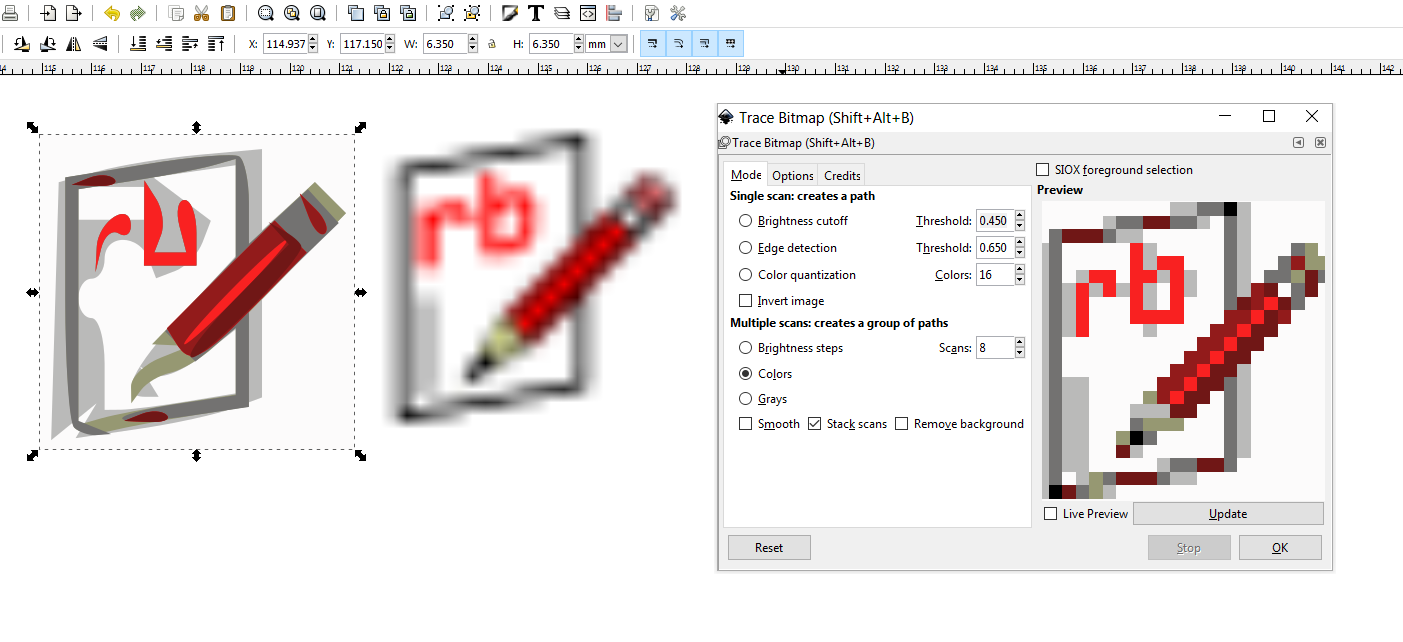
                                      Inkscape has a feature to vectorize a bitmap (Trace Bitmap) and it can be used to quickly convert some icons, provided you have a decent quality of the raster image.
                                      You can try with small icons, but I doubt there will be enough resolution in them to get a decent result. See attached.
                                      However, with a decent quality image, the results can be impressive.
                                      ice_screenshot_20180509-104422.png

                                      DESIGNER AND ARTIST [DEREI.UK](http://derei.uk/l)

                                      1 條回覆 最後回覆 回覆 引用 0
                                      • Bob JamesB 離線
                                        Bob James
                                        最後由 編輯

                                        Miracle 😮

                                        With the latest Win10 update all icons are now full size!!! Not to look a gift horse in the mouth but now I wish I could make them a bit smaller 😎

                                        Has this happened to anyone else?

                                        new-2.png

                                        i7-4930K 3.4Ghz, 2x GTX780 6GB, 32GB DDR3-1600 ECC, OCZ Vertex 4 500GB, WD Black 3TB, 32TB NAS, 4x 27" Monitors, SpaceMouse Pro, X-keys XK-60

                                        1 條回覆 最後回覆 回覆 引用 0
                                        • Bob JamesB 離線
                                          Bob James
                                          最後由 編輯

                                          UPDATE

                                          Updated Nvidia driver from 391.35 to 397.31 and all of the non-svg icons went back to tiny. 😞

                                          i7-4930K 3.4Ghz, 2x GTX780 6GB, 32GB DDR3-1600 ECC, OCZ Vertex 4 500GB, WD Black 3TB, 32TB NAS, 4x 27" Monitors, SpaceMouse Pro, X-keys XK-60

                                          1 條回覆 最後回覆 回覆 引用 0
                                          • jujuJ 離線
                                            juju
                                            最後由 編輯

                                            @bob james said:

                                            UPDATE

                                            Updated Nvidia driver from 391.35 to 397.31 and all of the non-svg icons went back to tiny. 😞

                                            Are you sure the screen resolution was set correctly by the previous driver when you did that update?


                                            Save the Earth, it's the only planet with chocolate.

                                            1 條回覆 最後回覆 回覆 引用 0
                                            • 1
                                            • 2
                                            • 3
                                            • 2 / 3
                                            • 第一個貼文
                                              最後的貼文
                                            Buy SketchPlus
                                            Buy SUbD
                                            Buy WrapR
                                            Buy eBook
                                            Buy Modelur
                                            Buy Vertex Tools
                                            Buy SketchCuisine
                                            Buy FormFonts

                                            Advertisement