[Plugin] Animator - v4.6a - 18 Dec 25




-
@jamesmeng said in [Plugin Beta] Animator - v4.4a - 01 Jun 25:
your animator is so important for me so please ...
Have you made a donation to Fredo6 for his great work on this free extension?
-
Hi Fredo
I have Version 23 of sketchup i still cant get the latest update to work i have uninstalled & Reinstalled but not joy
I have tried putting an earlier version (IE 4.1 etc ) this loads with toolbars but warning states it need updating
is it possible to have an earlier versoin with extended period if this does not workThanks
Kev
-
What exactly does NOT work?
-
sorry fredo , i had appologised & thought replied to my post saying i had got it working it once period extended (it was down to having an earlier version of your reference tool )
-
Hi,
I'm using Fredo6 Animator in SketchUp Pro 2022 along with V-Ray 5 to render an animation of about 5000 frames.
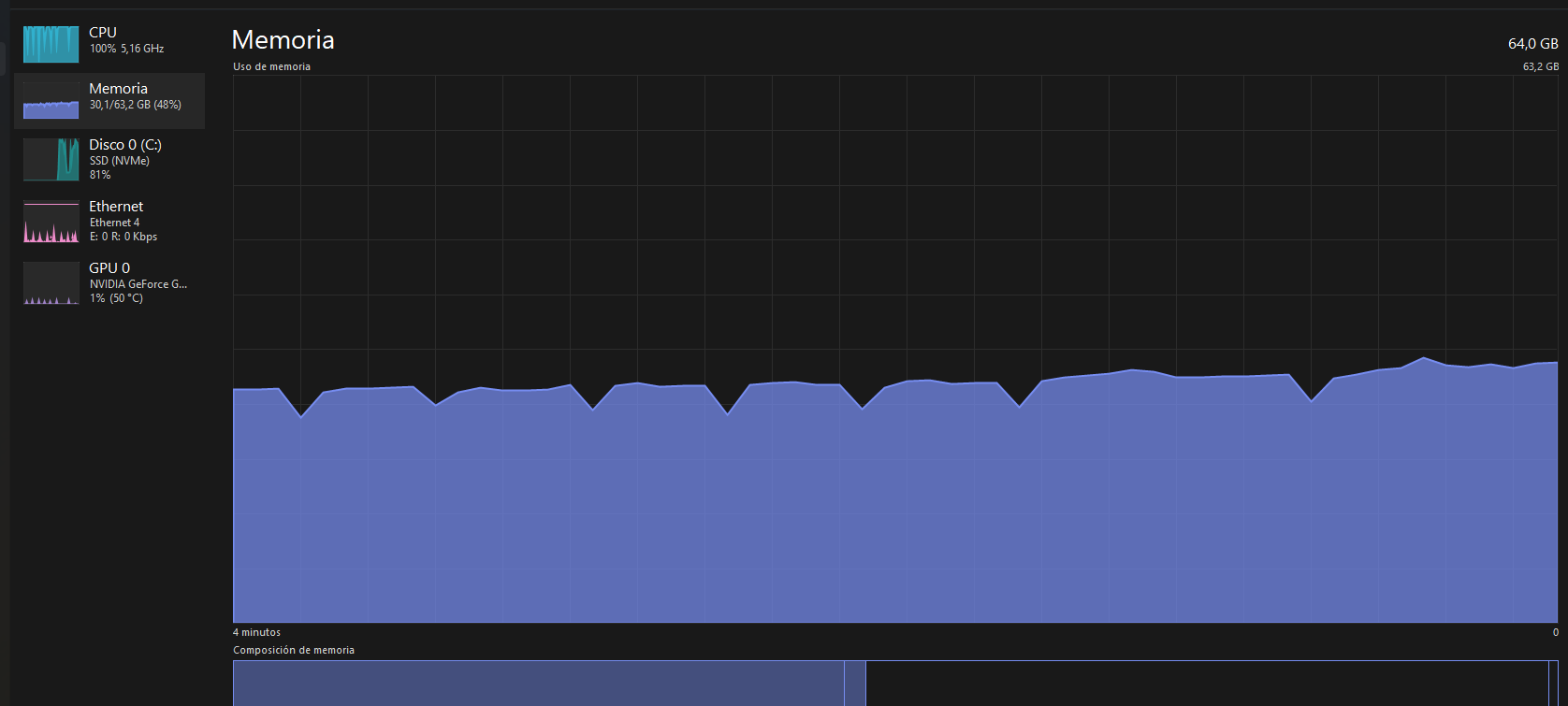
The problem is that with every rendered frame, the RAM usage increases slightly, and it never goes down. After around 500 frames, the memory usage gets so high that the process slows down significantly or crashes altogether.
I have plenty of RAM, so the issue doesn't seem to be hardware-related. I suspect the memory is not being released properly after each frame is rendered.
Is there any way to force Fredo6 or V-Ray to release memory after each frame? Or maybe a known workaround or setting that helps avoid this memory buildup during long renders?
Any help or guidance would be really appreciated!
-
Animator has no control over VRay inner processing. Anyway, it's not surprising that the memory usage increases for a long job.
I would suggest you render by piece, say 100 frames. This feature is available in the latest version of Animator, with VRay 6 or 7. You may also use the cloud rendering.
-
@fredo6 Is it possible with Animator to perform an automatic batch that automates the rendering with V-Ray 7 of all active scenes, including the transition between scenes?
-
Not in the current version. However, I think VRay has this function by default
-
I haven't found this function in the V-Ray batch command. Basically, the batch function follows the renders of all active scenes but not the transition between them.
-
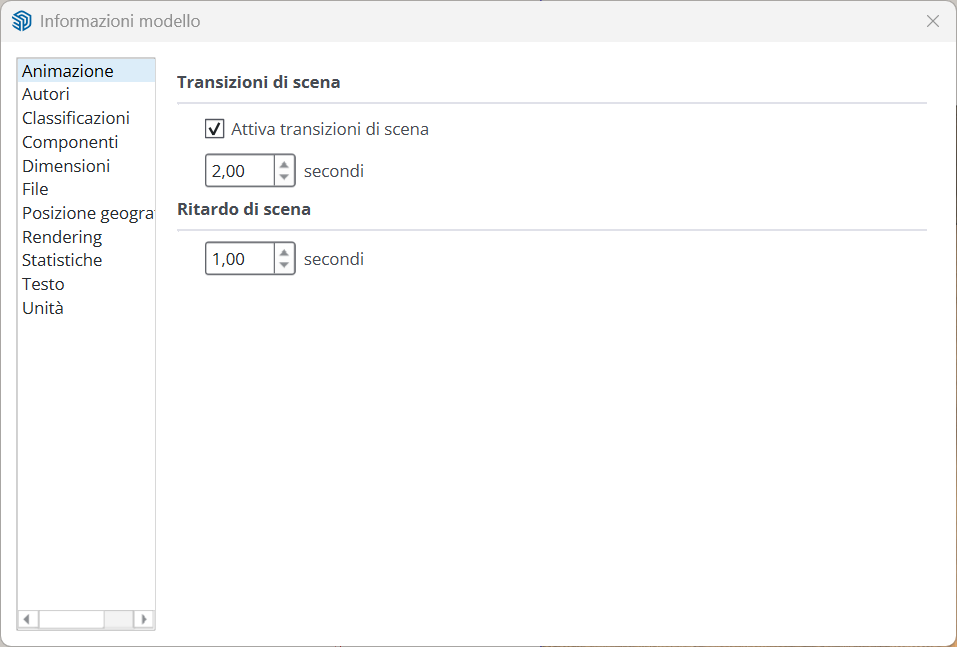
Did you look in the Animation settings?
-
@fredo6 Yes, the option you're referring to is only for SketchUp exports of images, including the transitions between scenes, but not for V-Ray batch.
-
@fredo6 Looking more carefully in the manual, I found how to create scene animations from V-Ray, but it doesn't include object animation—only the transition between scenes. It would be nice to have the transitions in batch with Fredo Animator.
link --->> -
@alexpacio2013 said in [Plugin Beta] Animator - v4.4a - 01 Jun 25:
Looking more carefully in the manual, I found how to create scene animations from V-Ray, but it doesn't include object animation—only the transition between scenes. It would be nice to have the transitions in batch with Fredo Animator.
If you wish to have the objects animated, then it means you rely on Animator. Neither Sketchup nor VRay can move objects between scenes.
With the latest version of Animator and VRay 6 or 7, you can use the VRay batch mode, or the VRay cloud for remote rendering.
-
@fredo6 Yes, I've seen it, but the problem is that you can't do object animation and scene transitions with Animator simultaneously. In practice, you have to make two videos and then work with a video editor, which doesn't seem like a good solution to me. It would have been nice if Animator's batch mode also included transitions, with an option.
-
New Release: Animator - v4.5a - 22 Jul 25
Requirement: LibFredo6 v15.4
Animator 4.5a is a maintenance release for:
- Fix for Thea Render (reverse Animation mode). You need also to upgrade Thea.
See plugin home page of Animator for Download of RBZ from the PluginStore.
See Main Post of the Animator thread for more information.
-
Hi, I find one error in animator plugin, in fact I find it at the version v4.4.
the speed factor is not correct. previously I will set 0.75 factor for speed that mean if you create a 10seconds video and set factor as 0.75, normally the final video should be 13.3seconds. however for new version of animator if you set 0.75 it becomes 24.1 seconds.if it does a bug, please correct it as before.
-
With Animator v4.5a, I cannot reproduce the issue, whether in interactive mode or when generation the video.
Could you be more precise and tell me where you set the speed factor.
-
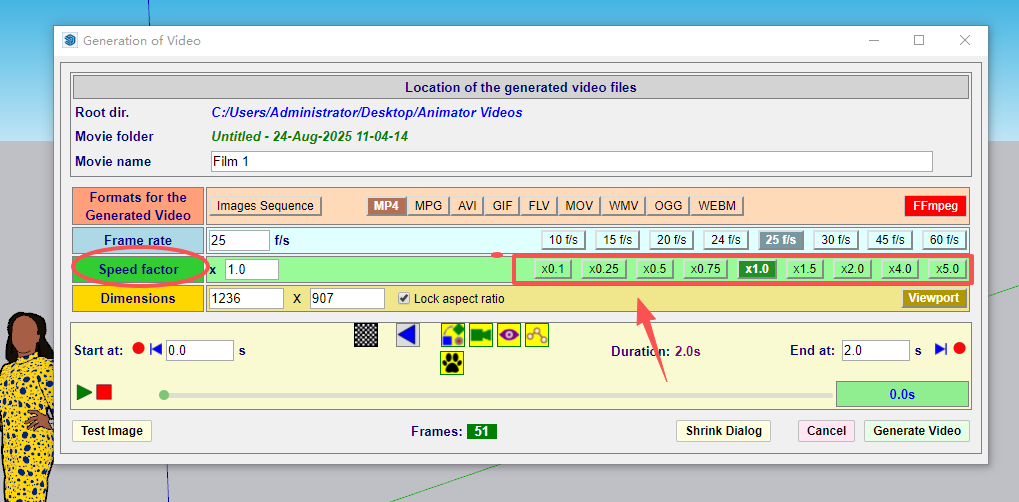
Please see above image. for previous verisons (before v4.4) for example if you choose 0.75 (frame tate I choose 45f/s I don't know if it affects the speed), and if your video last 100 seconds, then the video generated will be 133seconds, that mean 100/133=0.75 (this is exactly the factor you choose).
however after I install v4.4 version, and choose the 0.75 factor, the generated video will last 241seconds, and even I input 0.95 factor, the video last 170seconds around. I think maybe there is something you can adjust in your program. to make the speed factor back to normal.
-
I released v4.5a. Did you try with this version?
-
@fredo6 Yes I tried v4.5a but same problem.



Hello! It looks like you're interested in this conversation, but you don't have an account yet.
Getting fed up of having to scroll through the same posts each visit? When you register for an account, you'll always come back to exactly where you were before, and choose to be notified of new replies (either via email, or push notification). You'll also be able to save bookmarks and upvote posts to show your appreciation to other community members.
With your input, this post could be even better 💗
Register Login


Advertisement