[Plugin] Animator - v4.6a - 18 Dec 25




-
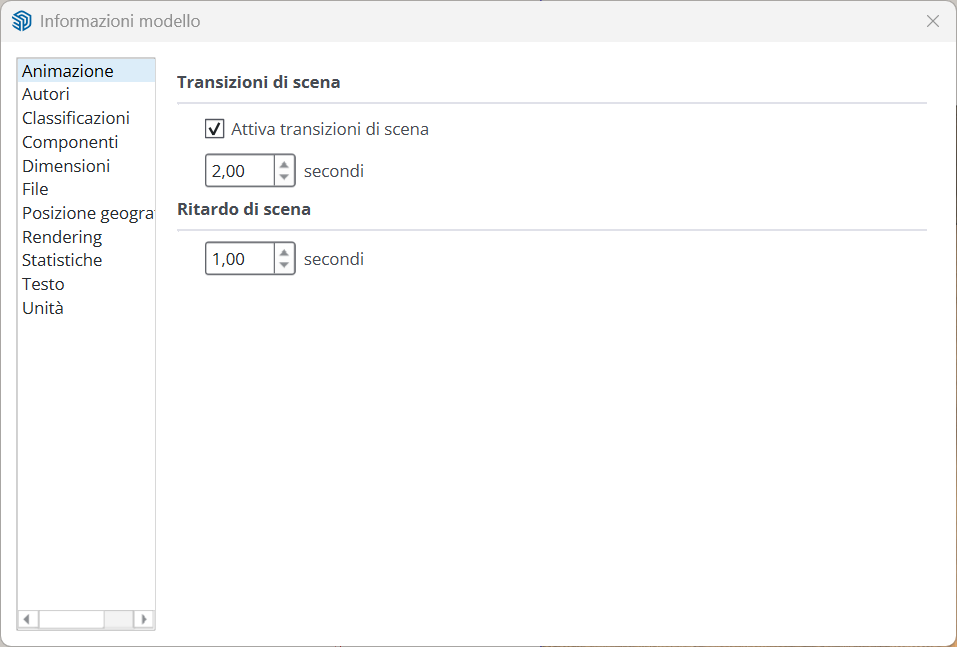
@fredo6 Yes, the option you're referring to is only for SketchUp exports of images, including the transitions between scenes, but not for V-Ray batch.
-
@fredo6 Looking more carefully in the manual, I found how to create scene animations from V-Ray, but it doesn't include object animation—only the transition between scenes. It would be nice to have the transitions in batch with Fredo Animator.
link --->> -
@alexpacio2013 said in [Plugin Beta] Animator - v4.4a - 01 Jun 25:
Looking more carefully in the manual, I found how to create scene animations from V-Ray, but it doesn't include object animation—only the transition between scenes. It would be nice to have the transitions in batch with Fredo Animator.
If you wish to have the objects animated, then it means you rely on Animator. Neither Sketchup nor VRay can move objects between scenes.
With the latest version of Animator and VRay 6 or 7, you can use the VRay batch mode, or the VRay cloud for remote rendering.
-
@fredo6 Yes, I've seen it, but the problem is that you can't do object animation and scene transitions with Animator simultaneously. In practice, you have to make two videos and then work with a video editor, which doesn't seem like a good solution to me. It would have been nice if Animator's batch mode also included transitions, with an option.
-
New Release: Animator - v4.5a - 22 Jul 25
Requirement: LibFredo6 v15.4
Animator 4.5a is a maintenance release for:
- Fix for Thea Render (reverse Animation mode). You need also to upgrade Thea.
See plugin home page of Animator for Download of RBZ from the PluginStore.
See Main Post of the Animator thread for more information.
-
Hi, I find one error in animator plugin, in fact I find it at the version v4.4.
the speed factor is not correct. previously I will set 0.75 factor for speed that mean if you create a 10seconds video and set factor as 0.75, normally the final video should be 13.3seconds. however for new version of animator if you set 0.75 it becomes 24.1 seconds.if it does a bug, please correct it as before.
-
With Animator v4.5a, I cannot reproduce the issue, whether in interactive mode or when generation the video.
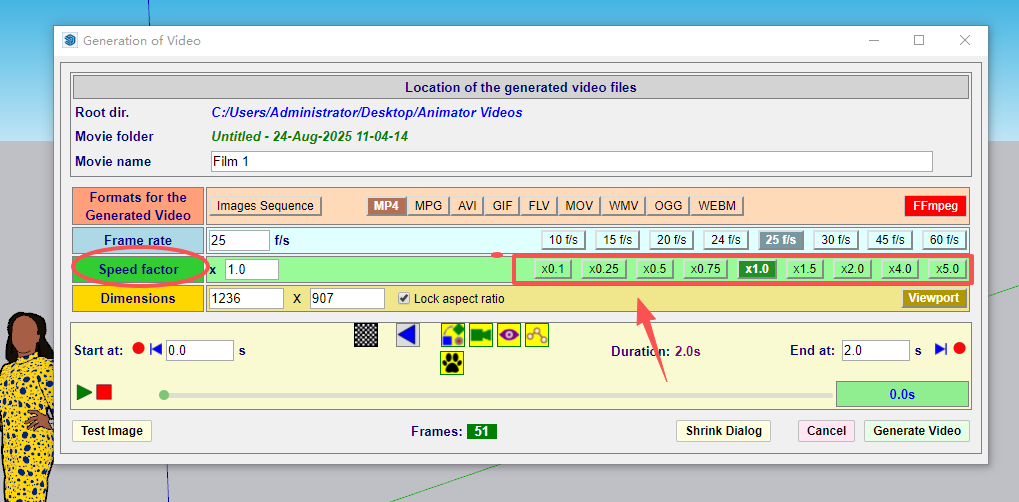
Could you be more precise and tell me where you set the speed factor.
-
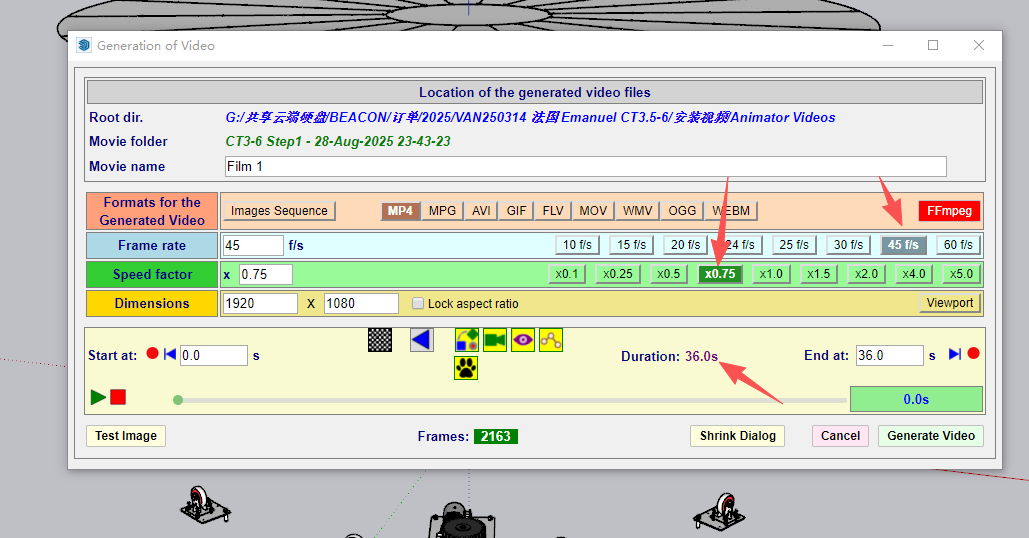
Please see above image. for previous verisons (before v4.4) for example if you choose 0.75 (frame tate I choose 45f/s I don't know if it affects the speed), and if your video last 100 seconds, then the video generated will be 133seconds, that mean 100/133=0.75 (this is exactly the factor you choose).
however after I install v4.4 version, and choose the 0.75 factor, the generated video will last 241seconds, and even I input 0.95 factor, the video last 170seconds around. I think maybe there is something you can adjust in your program. to make the speed factor back to normal.
-
I released v4.5a. Did you try with this version?
-
@fredo6 Yes I tried v4.5a but same problem.
-
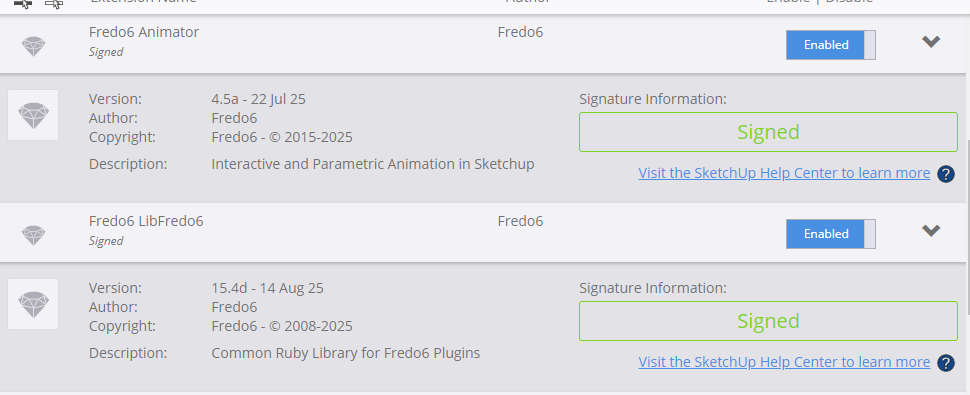
you can see my version now is v4.5a
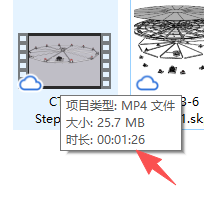
I just created one 36 seconds video and choose 0.75 with 45p/s I finally get 1 minute and 26second video:
-
I love this plugin, but I find the elements get moved due to some glitch- What often happens is that an element gets repositioned to the end of it's path. This means that it will travel the right direction and distance but start and end at incorrect positions. Is there a simple way to correct an element position? The plugin doesn't seem to like it if I manually move an element.
My workaround is to copy all the elements in one sketchup file and paste them into another file so that I can start re-building the animation timeline again.
Please excuse me if this has been answered elsewhere. Thanks.
-
It is better to use the Positioner to save position of objects.
-
@fredo6 Thanks Fredo. Much appreciated.
-
hi Fredo, I want to buy the license but it say that I need to install sektchucation extensionstore v3.1.
how to install it? -
I get it, the plugin name is "SketchUcationTools" not extensionstore. better change the name on the tip. because most people search for extensionstore and get nothing.
-
hi Fredo,
I find timer's possible reason. when I use the computer with old CPU (I7 4790), the video's time will be slow when you set 0.75 factor. however when I use the computer with relative new version CPU, the time will be normal. -
New Release: Animator - v4.6a - 18 Dec 25
Requirement: LibFredo6 v15.6
Animator 4.6a is a maintenance release for:
- Extension of validity
See plugin home page of Animator for Download of RBZ from the PluginStore.
See Main Post of the Animator thread for more information.
-
I would like to create an animation that looks like I am writing something or drawing something. Is there a way to do that with Animator?
-
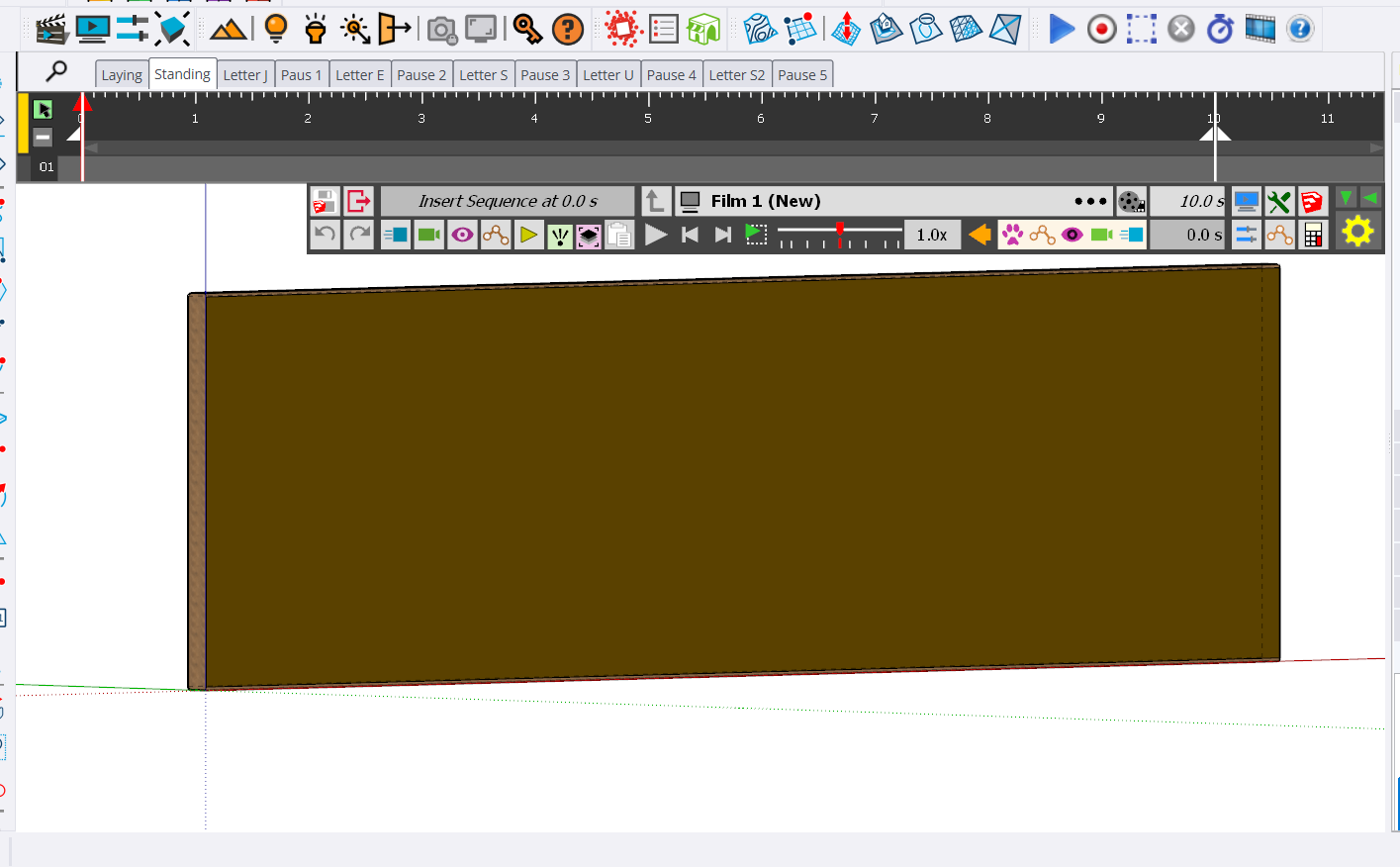
I am suddenly having interface problems. I cannot control how the timeline looks/is located and some other user information is not all visible for me.
Here is a view of the timeline, and no matter which thing I click on, I cannot get the timeline to show up vertically (which used to be the default and the way I like it the best). Here is a view of how it currently looks:
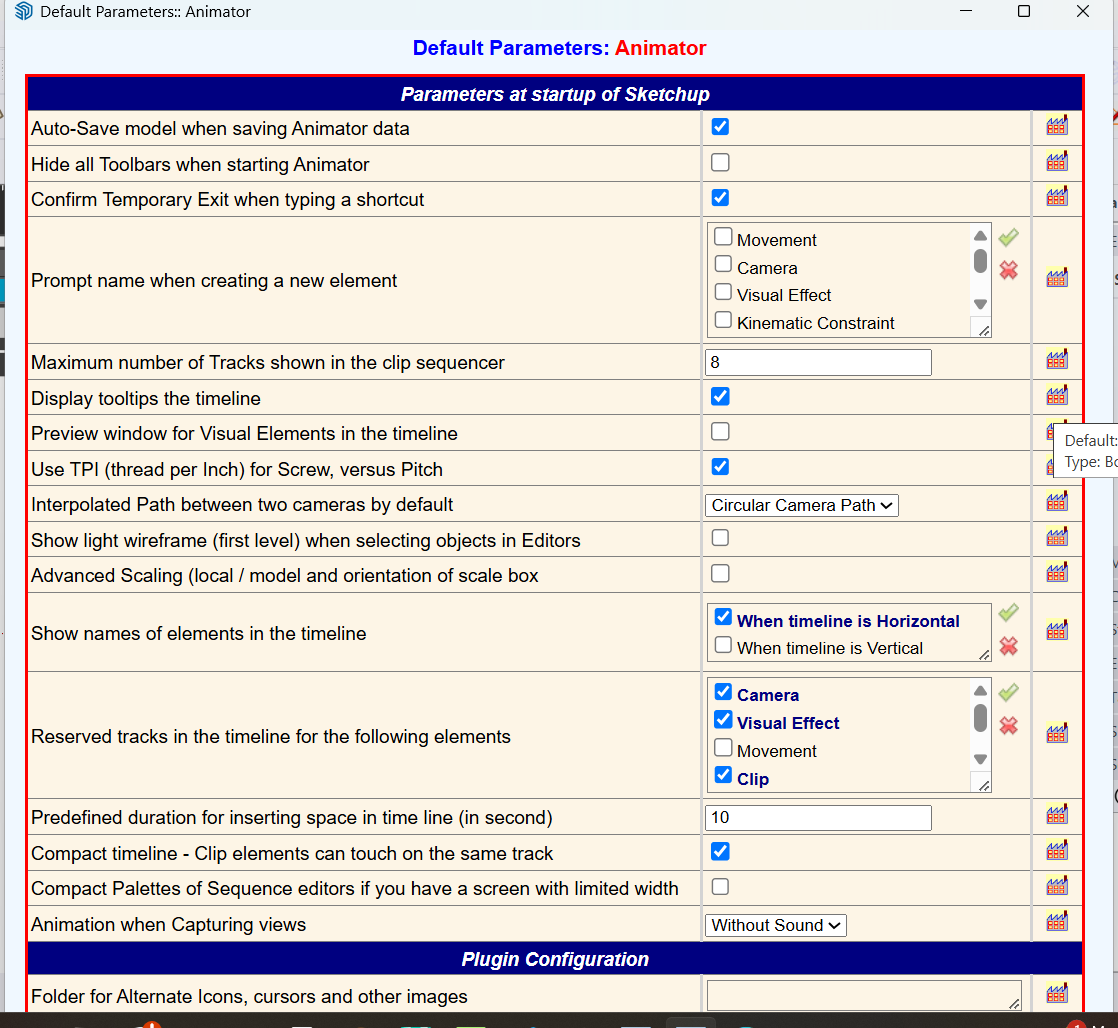
Here is another image that shows the Animator default settings. Notice that at the bottom, not everything is showing (at least as far as I can tell) and there is no option for me to scroll so that I can see what is below (if anything).
I also have been having a problem trying to select multiple items to make part of a clip (or how to add things to an existing clip).
I have tried shutting down SketchUp and Animator multiple times to see if restarting or selecting models where I had some existing Animator animations to see if that would have any effect and it did not. I have also reported these problems (at least some of them). in this thread https://community.sketchucation.com/topic/164682/scene-animation-with-animator/29
OK, I just went back to SU 2025 and tried to create a new Animator file with 2025 and am having the same issues with the Animator UI. I first had to update Animator in 2025 and then I restarted SU and as I just said, I am seeing the same issue with the Animator UI.
What the heck am I/have I done wrong?




Hello! It looks like you're interested in this conversation, but you don't have an account yet.
Getting fed up of having to scroll through the same posts each visit? When you register for an account, you'll always come back to exactly where you were before, and choose to be notified of new replies (either via email, or push notification). You'll also be able to save bookmarks and upvote posts to show your appreciation to other community members.
With your input, this post could be even better 💗
Register Login


Advertisement