[Plugin] Animator - v4.6a - 18 Dec 25




-
Yes, that is an option. I am not on my laptop right now so I can generate a screenshot.
You can add Twiligt Render to the section where you generate the video.
Again, sorry I cannot give you a screenshot.
-
Hello Animators,
I am doing a lot of animations for a project in construction.
Slowly I am understanding the tool better and better.
In a small project I am working on right know I have something that made me very happy, but I don't understand when it happens.
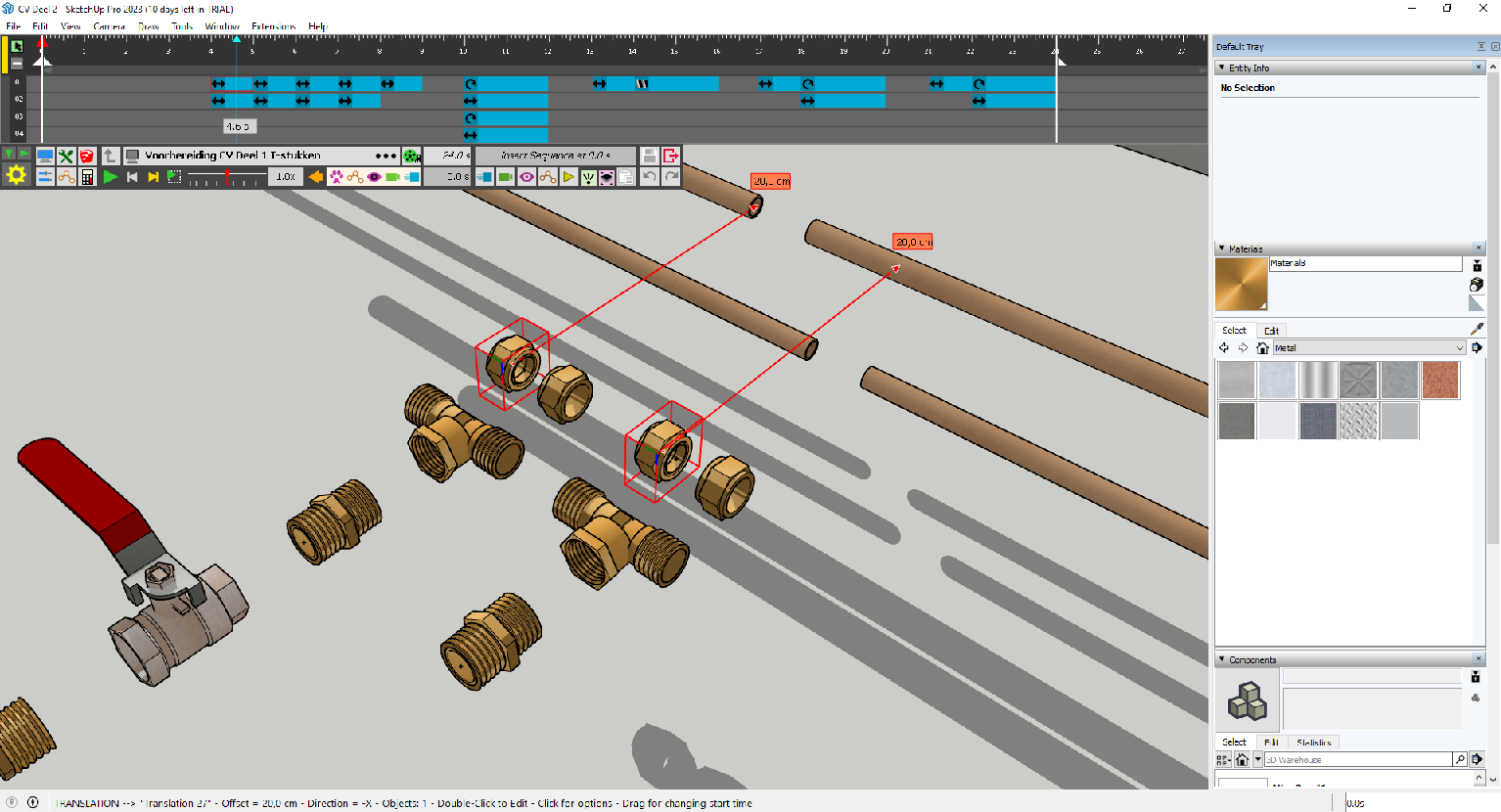
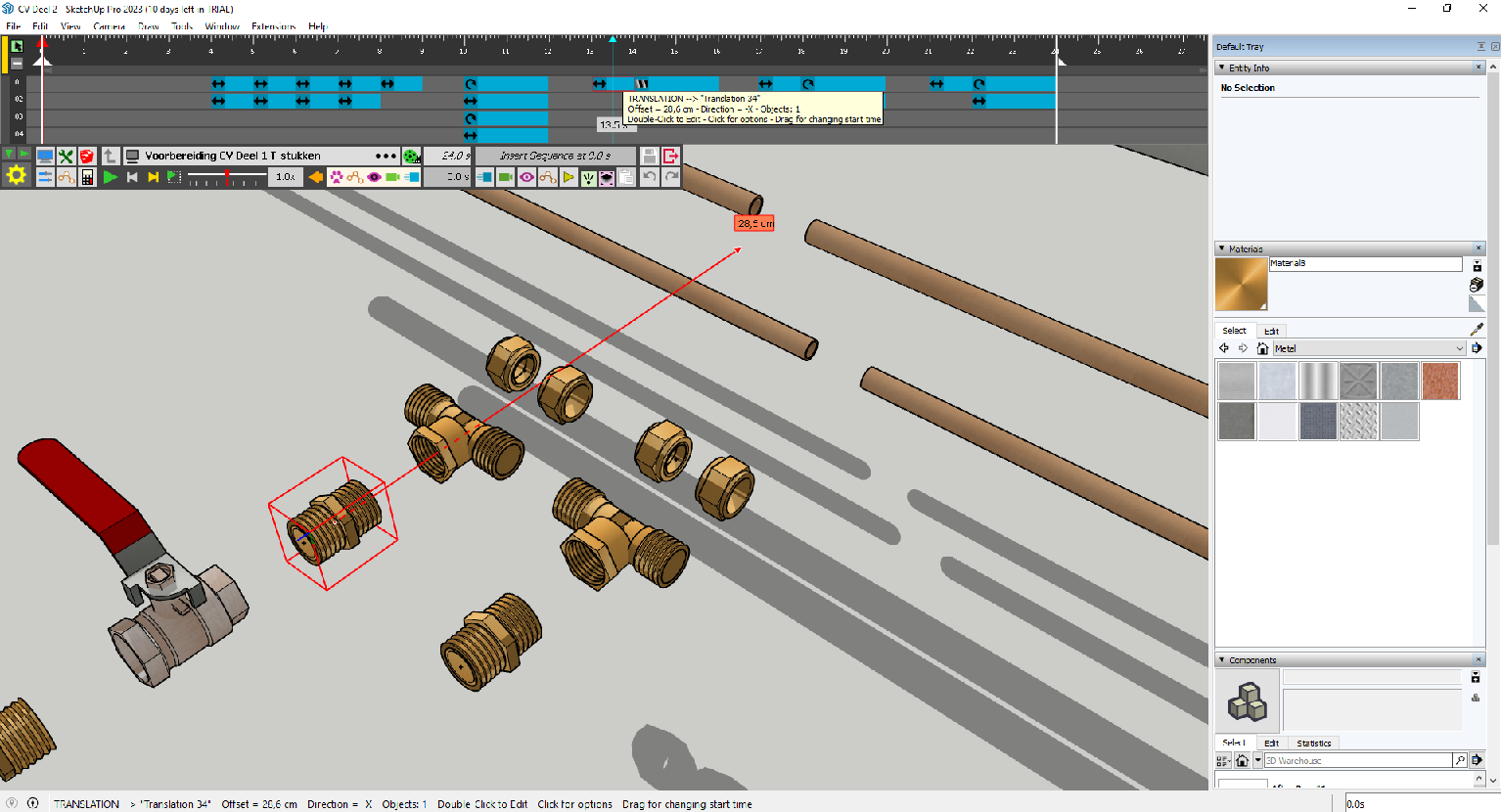
I copied a group which is animated. When I copied this file just next to it and play the animation both elements move. Which is great for enhanced workflow.
But when I copy another element that is also animated, it doesn't copy the animation. See pictures.
I tried everything but can't find the difference in the files or settings. Can somebody pleas tell me when it copies the animation and when not. I would love to copy with the same animation!
Thanks in advance!
-
Difficult to tell ithout having the model.
Be careful however with groups (versus Components). A freshly copied group behaves as a component, until you enter it. Then the group becomes unique.
Anyway, I am not sure you can copy an animation by copying a group. If this works, then it is by accident or unless you activate the Kinematics 'All instances', but hich orks for components only.
-
New Release: Animator - v3.9a - 30 Dec 23
Requirement: LibFredo6 v13.6
Maintenance release
- Extension of validity
See plugin home page of Animator for Download of RBZ from the PluginStore.
See Main Post of the Animator thread for more information.
-
Hi All
i have the latest animator, and also the full version of the Video generator, i use a good windows system with good processore, however?i only do small movements ( not multiples) and small frame rates 161/200 max generate at 25 per second. i managed to do two small videos, then it wont let me make new videos, i have unloaded and reloaded all of the software rbz and also video editor, the paths are correct? but after a couple of videos BOOM wont work anymore? HELP
-
@ntxdave said:
Yes, that is an option. I am not on my laptop right now so I can generate a screenshot.
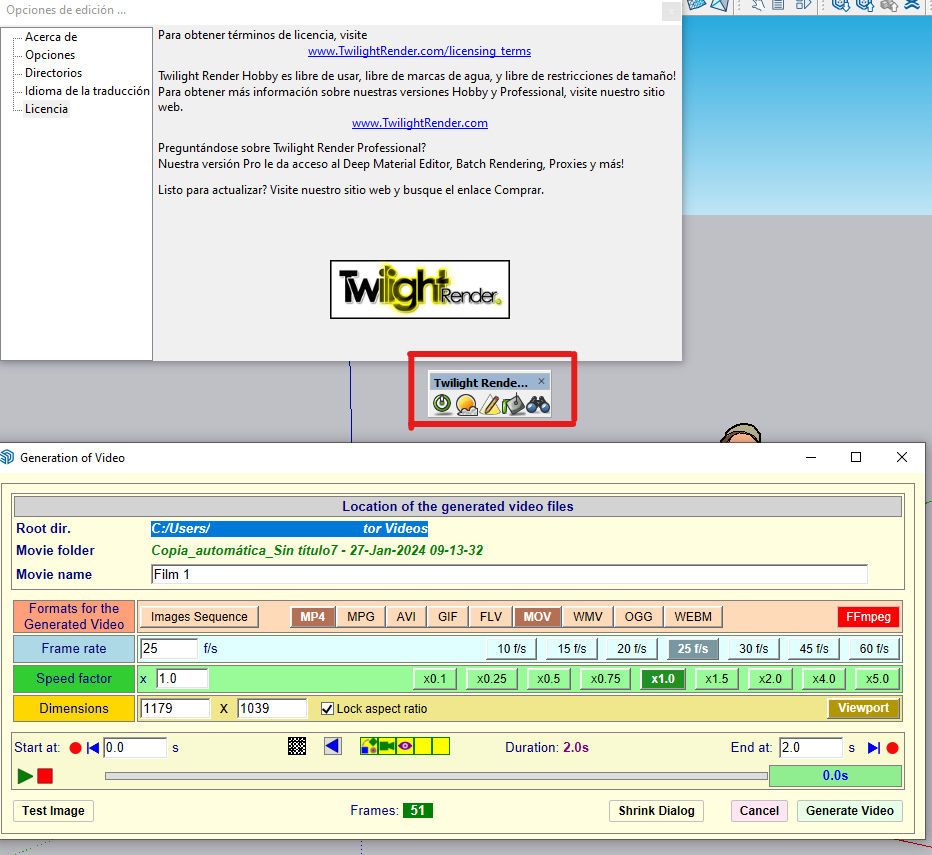
You can add Twiligt Render to the section where you generate the video.
Again, sorry I cannot give you a screenshot.
hellow, sorry I don´t know how add twilight to the section where i generate the video. the option is not present. only can see Natural and Vray in SU 2017, in SU 2023 don´t install vray, only twiligt.
thanks you
-
Did you install Twilight in your Sketchup environment?
-
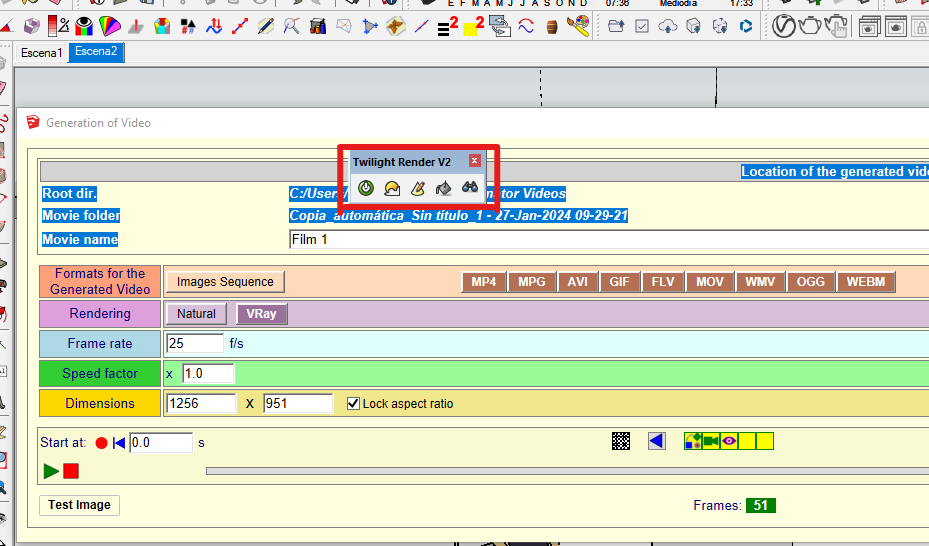
yes, in SU 2017 I installed twiligh and vray but any can´t see in the video editor of animator.
In SU 2023 only installed twiligh, but it also dosen´t work.
are there any option to choose the renders motor that we want? setting the motor route manually?
thanks, your work is the best
-
If you installed Twilight and it is a compatible version, it should automatically appear in the list of Rendering software in Animator.
Can you run Twilight in Sketchup (independently of Animator)?
Can you give me the version of Twilight.
-
Hi All,
Ref: macOS Sonoma 14.2.1 (23C71)
After Mac (Studio) update along with macOS Sonoma 14.2.1 I can’t seem to get FFmpeg to load, to create videos within Animator. Would rather record inside SU than using screen record etc. Would appreciate any help/ideas? > Love this pLugin.
Many Thanks,
Jerry
-
@fredo6 said:
If you installed Twilight and it is a compatible version, it should automatically appear in the list of Rendering software in Animator.
Can you run Twilight in Sketchup (independently of Animator)?
Can you give me the version of Twilight.
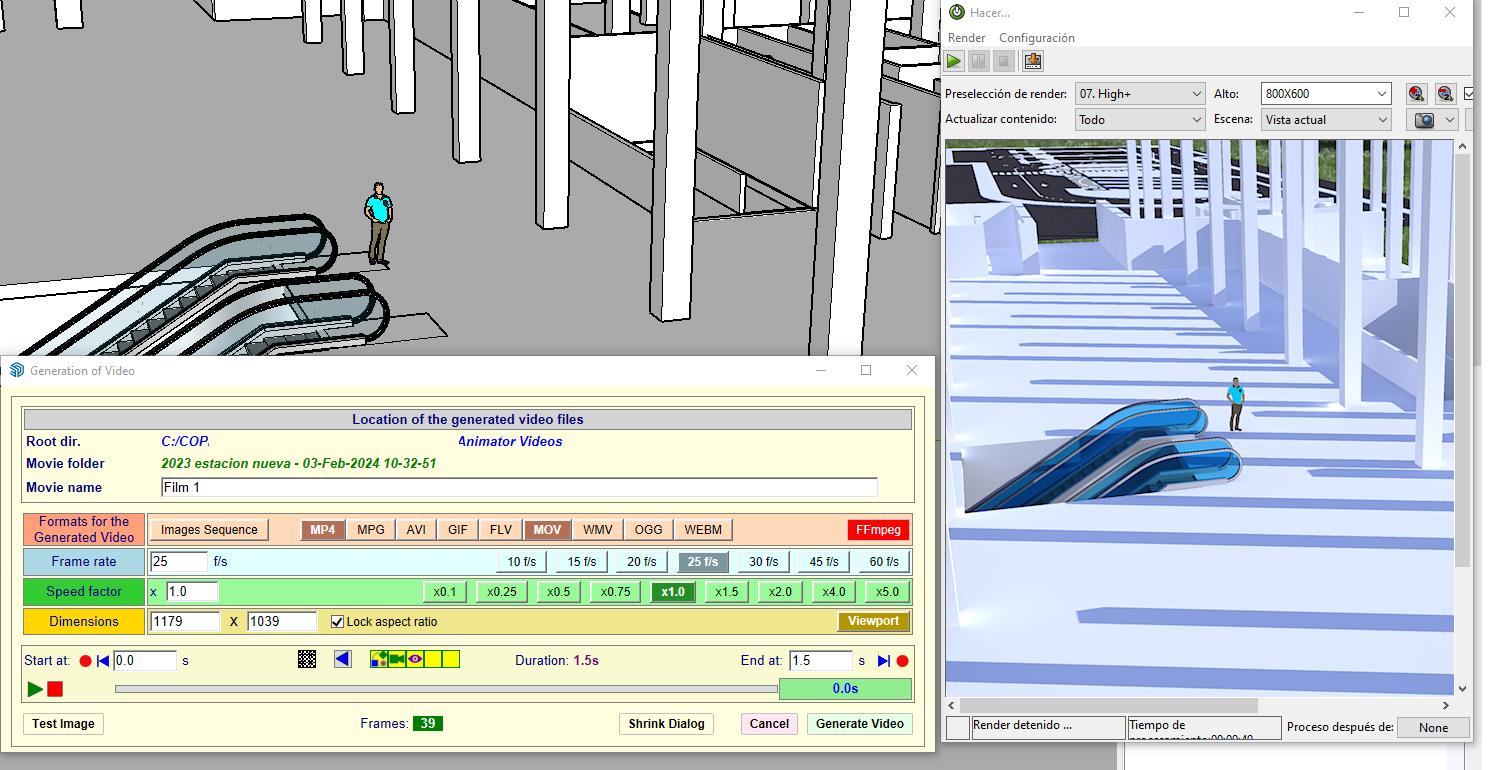
is Twilight Render V2, Hobby, x64 for Windows. it´s a free version
-
@jerrylambe said:
After Mac (Studio) update along with macOS Sonoma 14.2.1 I can’t seem to get FFmpeg to load, to create videos within Animator. Would rather record inside SU than using screen record etc. Would appreciate any help/ideas? > Love this pLugin.
There may be a new version of FFmpeg compatible with Sonoma, as this upgrade of MacOS is causing several problems in many software, including Sketchup. Did you download and install a recent version, marked compatible?
I'll check on my side when I have time, although I did not upgrade to Sonoma.
-
@fredo6 said:
@jerrylambe said:
After Mac (Studio) update along with macOS Sonoma 14.2.1 I can’t seem to get FFmpeg to load, to create videos within Animator. Would rather record inside SU than using screen record etc. Would appreciate any help/ideas? > Love this pLugin.
There may be a new version of FFmpeg compatible with Sonoma, as this upgrade of MacOS is causing several problems in many software, including Sketchup. Did you download and install a recent version, marked compatible?
I'll check on my side when I have time, although I did not upgrade to Sonoma.
I think I downloaded the latest version not 100% certain and not sure if it was Sonoma friendly? Doing several presentations (using Animator) at the moment and getting by with Screen Recording - so no rush. Many thanks!
-
Is there a way to save the frames as jpg instead of png? I am rendering using vray, and saving as png does not save the background information. I am hoping the animation could show the background so I can show how the exterior looks thru windows.
-
New Release: Animator - v4.0a - 02 Apr 24
Requirement: LibFredo6 v14.3b
Animator 4.0a is a maintenance release for:
- Future compatibility
See plugin home page of Animator for Download of RBZ from the PluginStore.
See Main Post of the Animator thread for more information.
-
@fredo6 Surperb News! Many Thanks Fredo.
-
@fredo6
¿es compatible con SU 2024? -
[Plugin Beta] Animator - v4.0a - 02 Apr 24:
Animator 4.0a is a maintenance release for:
Future compatibility
The future is now the present
-
Is it possible to add the free version of Twilight Render to the list of rendering software? this would be incredible
The more I use it, the more I think this software is the best in sketchup.
Thanks fredo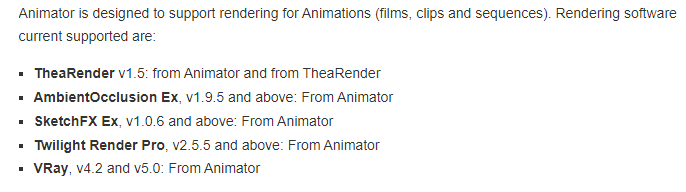
-
@rown2000
Since Twilight Render is going away it would also be neat if you could add Rayscaper to the list.




Hello! It looks like you're interested in this conversation, but you don't have an account yet.
Getting fed up of having to scroll through the same posts each visit? When you register for an account, you'll always come back to exactly where you were before, and choose to be notified of new replies (either via email, or push notification). You'll also be able to save bookmarks and upvote posts to show your appreciation to other community members.
With your input, this post could be even better 💗
Register Login


Advertisement