sketchucation logo sketchucation
    • Login
    Oops, your profile's looking a bit empty! To help us tailor your experience, please fill in key details like your SketchUp version, skill level, operating system, and more. Update and save your info on your profile page today!
    ⚠️ Update | Sketchucation Tools 5.0.8 released with licensing improvements and bugfixes Download

    [Plugin] Animator - v4.6a - 18 Dec 25


    Scheduled Pinned Locked Moved Animator Beta
    renderpluginsextensions
    597 Posts 120 Posters 2.2m Views 120 Watching
    Loading More Posts
    • Oldest to Newest
    • Newest to Oldest
    • Most Votes
    Reply
    • Reply as topic
    Log in to reply
    This topic has been deleted. Only users with topic management privileges can see it.
    • fredo6F
      fredo6
      last edited by

      Not in the current version. However, I think VRay has this function by default

      1 Reply Last reply
      Reply Quote 0
      • alexpacio2013A
        alexpacio2013
        last edited by

        I haven't found this function in the V-Ray batch command. Basically, the batch function follows the renders of all active scenes but not the transition between them.

        1 Reply Last reply
        Reply Quote 0
        • fredo6F
          fredo6
          last edited by

          Did you look in the Animation settings?

          alexpacio2013A 2 Replies Last reply
          Reply Quote 0
          • alexpacio2013A
            alexpacio2013 @fredo6
            last edited by

            @fredo6 Yes, the option you're referring to is only for SketchUp exports of images, including the transitions between scenes, but not for V-Ray batch.
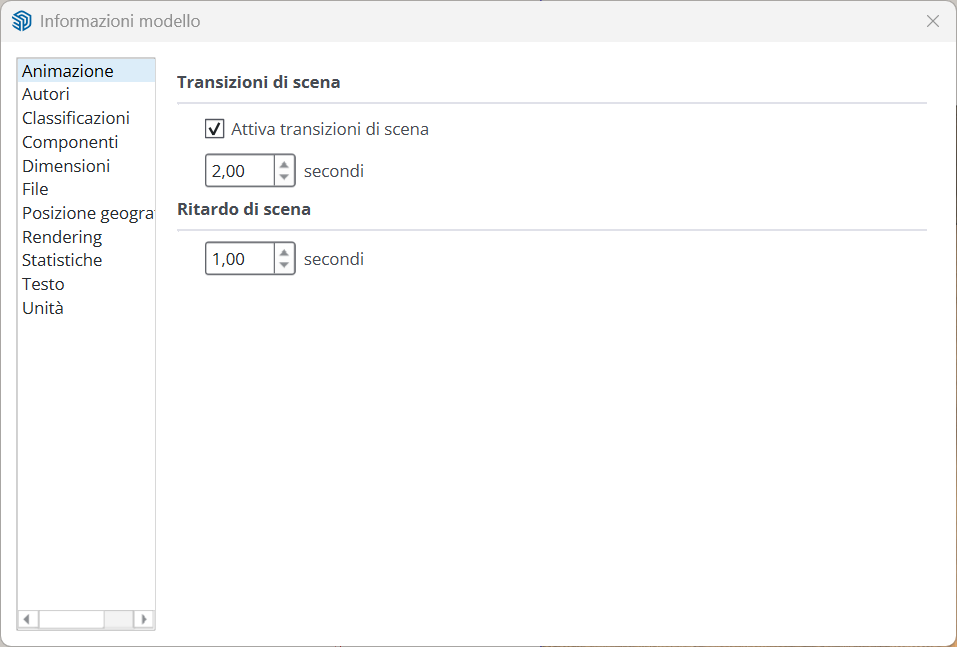
            SketchUp_8fjT1GFI37.png

            1 Reply Last reply
            Reply Quote 0
            • alexpacio2013A
              alexpacio2013 @fredo6
              last edited by

              @fredo6 Looking more carefully in the manual, I found how to create scene animations from V-Ray, but it doesn't include object animation—only the transition between scenes. It would be nice to have the transitions in batch with Fredo Animator.
              link --->>

              fredo6F 1 Reply Last reply
              Reply Quote 0
              • fredo6F
                fredo6 @alexpacio2013
                last edited by

                @alexpacio2013 said in [Plugin Beta] Animator - v4.4a - 01 Jun 25:

                Looking more carefully in the manual, I found how to create scene animations from V-Ray, but it doesn't include object animation—only the transition between scenes. It would be nice to have the transitions in batch with Fredo Animator.

                If you wish to have the objects animated, then it means you rely on Animator. Neither Sketchup nor VRay can move objects between scenes.

                With the latest version of Animator and VRay 6 or 7, you can use the VRay batch mode, or the VRay cloud for remote rendering.

                alexpacio2013A 1 Reply Last reply
                Reply Quote 1
                • alexpacio2013A
                  alexpacio2013 @fredo6
                  last edited by

                  @fredo6 Yes, I've seen it, but the problem is that you can't do object animation and scene transitions with Animator simultaneously. In practice, you have to make two videos and then work with a video editor, which doesn't seem like a good solution to me. It would have been nice if Animator's batch mode also included transitions, with an option.

                  1 Reply Last reply
                  Reply Quote 0
                  • fredo6F
                    fredo6
                    last edited by

                    New Release: Animator - v4.5a - 22 Jul 25

                    Requirement: LibFredo6 v15.4


                    Animator 4.5a is a maintenance release for:

                    • Fix for Thea Render (reverse Animation mode). You need also to upgrade Thea.

                    See plugin home page of Animator for Download of RBZ from the PluginStore.

                    See Main Post of the Animator thread for more information.

                    1 Reply Last reply
                    Reply Quote 0
                    • J
                      jamesmeng
                      last edited by

                      Hi, I find one error in animator plugin, in fact I find it at the version v4.4.
                      the speed factor is not correct. previously I will set 0.75 factor for speed that mean if you create a 10seconds video and set factor as 0.75, normally the final video should be 13.3seconds. however for new version of animator if you set 0.75 it becomes 24.1 seconds.

                      if it does a bug, please correct it as before.

                      1 Reply Last reply
                      Reply Quote 1
                      • fredo6F
                        fredo6
                        last edited by

                        With Animator v4.5a, I cannot reproduce the issue, whether in interactive mode or when generation the video.

                        Could you be more precise and tell me where you set the speed factor.

                        J 1 Reply Last reply
                        Reply Quote 0
                        • J
                          jamesmeng @fredo6
                          last edited by

                          @fredo6

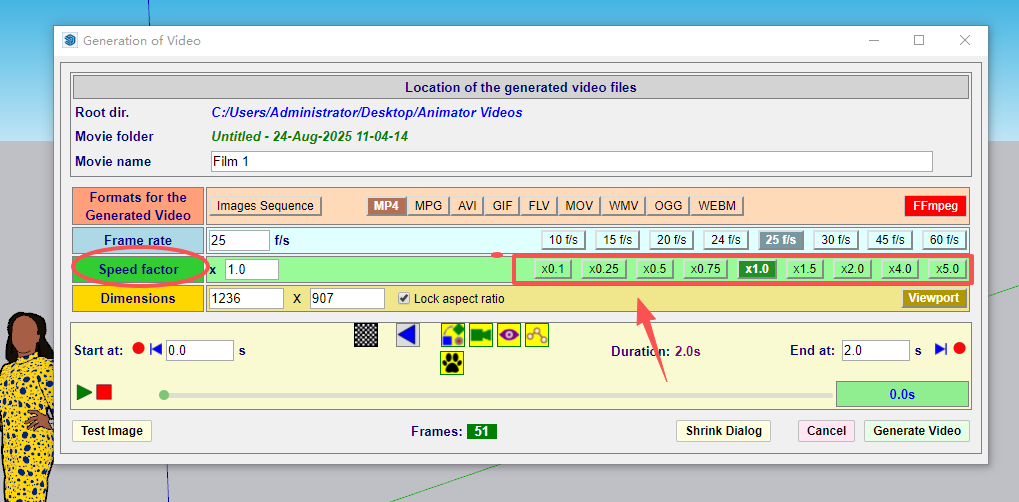
                          842edc37-d5c3-4c64-b0a1-3fa4d03733c6-image.png

                          Please see above image. for previous verisons (before v4.4) for example if you choose 0.75 (frame tate I choose 45f/s I don't know if it affects the speed), and if your video last 100 seconds, then the video generated will be 133seconds, that mean 100/133=0.75 (this is exactly the factor you choose).

                          however after I install v4.4 version, and choose the 0.75 factor, the generated video will last 241seconds, and even I input 0.95 factor, the video last 170seconds around. I think maybe there is something you can adjust in your program. to make the speed factor back to normal.

                          1 Reply Last reply
                          Reply Quote 1
                          • fredo6F
                            fredo6
                            last edited by

                            I released v4.5a. Did you try with this version?

                            J 2 Replies Last reply
                            Reply Quote 0
                            • J
                              jamesmeng @fredo6
                              last edited by

                              @fredo6 Yes I tried v4.5a but same problem.

                              1 Reply Last reply
                              Reply Quote 0
                              • J
                                jamesmeng @fredo6
                                last edited by

                                @fredo6

                                8b00c38d-32b1-4d16-a882-a9ad57aca4ba-image.png
                                you can see my version now is v4.5a
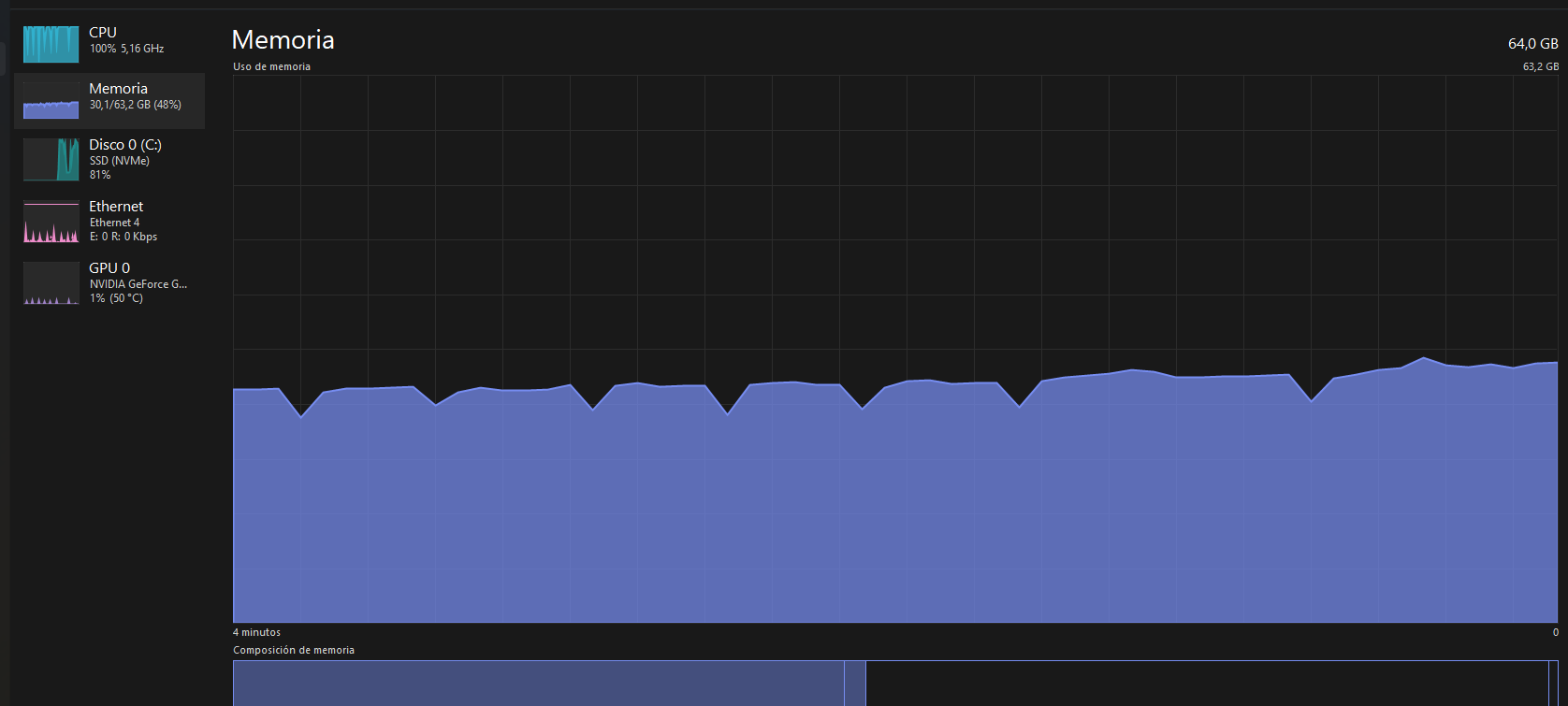
                                I just created one 36 seconds video and choose 0.75 with 45p/s I finally get 1 minute and 26second video:
                                21dd5d35-3b7a-4912-b400-05ac27aac989-image.png

                                8ac1d9ea-d8e0-4762-8367-d9c1396fe406-image.png

                                1 Reply Last reply
                                Reply Quote 0
                                • fionmacoolF
                                  fionmacool
                                  last edited by

                                  I love this plugin, but I find the elements get moved due to some glitch- What often happens is that an element gets repositioned to the end of it's path. This means that it will travel the right direction and distance but start and end at incorrect positions. Is there a simple way to correct an element position? The plugin doesn't seem to like it if I manually move an element.

                                  My workaround is to copy all the elements in one sketchup file and paste them into another file so that I can start re-building the animation timeline again.

                                  Please excuse me if this has been answered elsewhere. Thanks.

                                  Zere are still some architectes zat do not know ow to use ze SketchUp..... Zis is unbelievable....

                                  1 Reply Last reply
                                  Reply Quote 0
                                  • fredo6F
                                    fredo6
                                    last edited by

                                    It is better to use the Positioner to save position of objects.

                                    fionmacoolF 1 Reply Last reply
                                    Reply Quote 0
                                    • fionmacoolF
                                      fionmacool @fredo6
                                      last edited by

                                      @fredo6 Thanks Fredo. Much appreciated.

                                      Zere are still some architectes zat do not know ow to use ze SketchUp..... Zis is unbelievable....

                                      1 Reply Last reply
                                      Reply Quote 0
                                      • J
                                        jamesmeng
                                        last edited by

                                        hi Fredo, I want to buy the license but it say that I need to install sektchucation extensionstore v3.1.
                                        how to install it?

                                        1 Reply Last reply
                                        Reply Quote 0
                                        • J
                                          jamesmeng
                                          last edited by

                                          I get it, the plugin name is "SketchUcationTools" not extensionstore. better change the name on the tip. because most people search for extensionstore and get nothing.

                                          1 Reply Last reply
                                          Reply Quote 0
                                          • J
                                            jamesmeng
                                            last edited by

                                            hi Fredo,
                                            I find timer's possible reason. when I use the computer with old CPU (I7 4790), the video's time will be slow when you set 0.75 factor. however when I use the computer with relative new version CPU, the time will be normal.

                                            1 Reply Last reply
                                            Reply Quote 0

                                            Hello! It looks like you're interested in this conversation, but you don't have an account yet.

                                            Getting fed up of having to scroll through the same posts each visit? When you register for an account, you'll always come back to exactly where you were before, and choose to be notified of new replies (either via email, or push notification). You'll also be able to save bookmarks and upvote posts to show your appreciation to other community members.

                                            With your input, this post could be even better 💗

                                            Register Login
                                            • 1
                                            • 2
                                            • 25
                                            • 26
                                            • 27
                                            • 28
                                            • 29
                                            • 30
                                            • 27 / 30
                                            • First post
                                              Last post
                                            Buy SketchPlus
                                            Buy SUbD
                                            Buy WrapR
                                            Buy eBook
                                            Buy Modelur
                                            Buy Vertex Tools
                                            Buy SketchCuisine
                                            Buy FormFonts

                                            Advertisement