sketchucation logo sketchucation
    • 登入
    Oops, your profile's looking a bit empty! To help us tailor your experience, please fill in key details like your SketchUp version, skill level, operating system, and more. Update and save your info on your profile page today!
    🔌 Smart Spline | Fluid way to handle splines for furniture design and complex structures. Download

    [Plugin][$] JointPushPull Interactive - v4.9a - 02 Apr 25


    已排程 已置頂 已鎖定 已移動 Plugins
    619 貼文 156 Posters 656.4k 瀏覽 155 Watching
    正在載入更多貼文
    • 從舊到新
    • 從新到舊
    • 最多點贊
    回覆
    • 在新貼文中回覆
    登入後回覆
    此主題已被刪除。只有擁有主題管理權限的使用者可以查看。
    • fredo6F 離線
      fredo6
      最後由 編輯

      JPP Thickening is done along the normal of faces. If it happens that all faces are perpendicular to the the radial dierction, then it is OK.

      1 條回覆 最後回覆 回覆 引用 0
      • R 離線
        Raimondo_Vincenti
        最後由 編輯

        Installed libfredo6 11.4f -> JointPushPull is not awailable and cannot be installed anymore.
        Message(german): "JointPushPull_v4.4e.rbz konnte nicht installiert werden."

        1 條回覆 最後回覆 回覆 引用 0
        • Dave RD 離線
          Dave R
          最後由 編輯

          "JointPushPull_v4.4e.rbz konnte nicht installiert werden."

          Where are you looking for it?
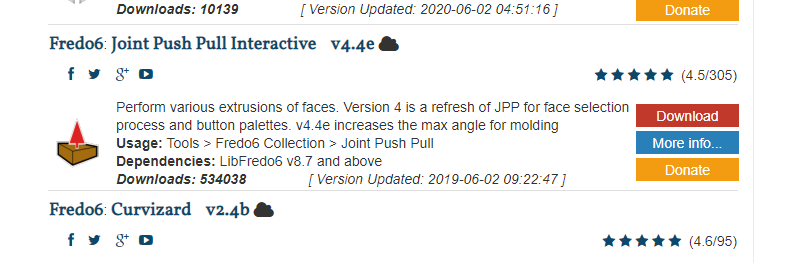
          Screenshot - 12_14_2020 , 10_19_17 AM.png

          Link Preview Image
          SketchUp Plugins | PluginStore | SketchUcation

          SketchUp Plugin and Extension Store by SketchUcation provides free downloads of hundreds of SketchUp extensions and plugins

          favicon

          (sketchucation.com)

          Etaoin Shrdlu

          %

          (THERE'S NO PLACE LIKE)

          G28 X0.0 Y0.0 Z0.0

          M30

          %

          1 條回覆 最後回覆 回覆 引用 0
          • TIGT 離線
            TIG Moderator
            最後由 編輯

            If you have successfully downloaded Fredo's extension as an RBZ file, then you still need to 'Install' it... using the appropriate button on SketchUp's 'Extension Manager' dialog...
            But note that, as explained in the extension's notes, it also requires you to download and install a suitable version of the Libfredo... RBZ... [>=8.7]
            After that you will need to restart SketchUp to 'sync' the loading files...

            TIG

            1 條回覆 最後回覆 回覆 引用 0
            • R 離線
              Raimondo_Vincenti
              最後由 編輯

              Fredo6 Libfredo6 is installed (Version11.4f) is installed
              Still cannot install JointPushPull - a Sketchup 2021 problem?

              I could use JountPushPull in Sketchup 2020.
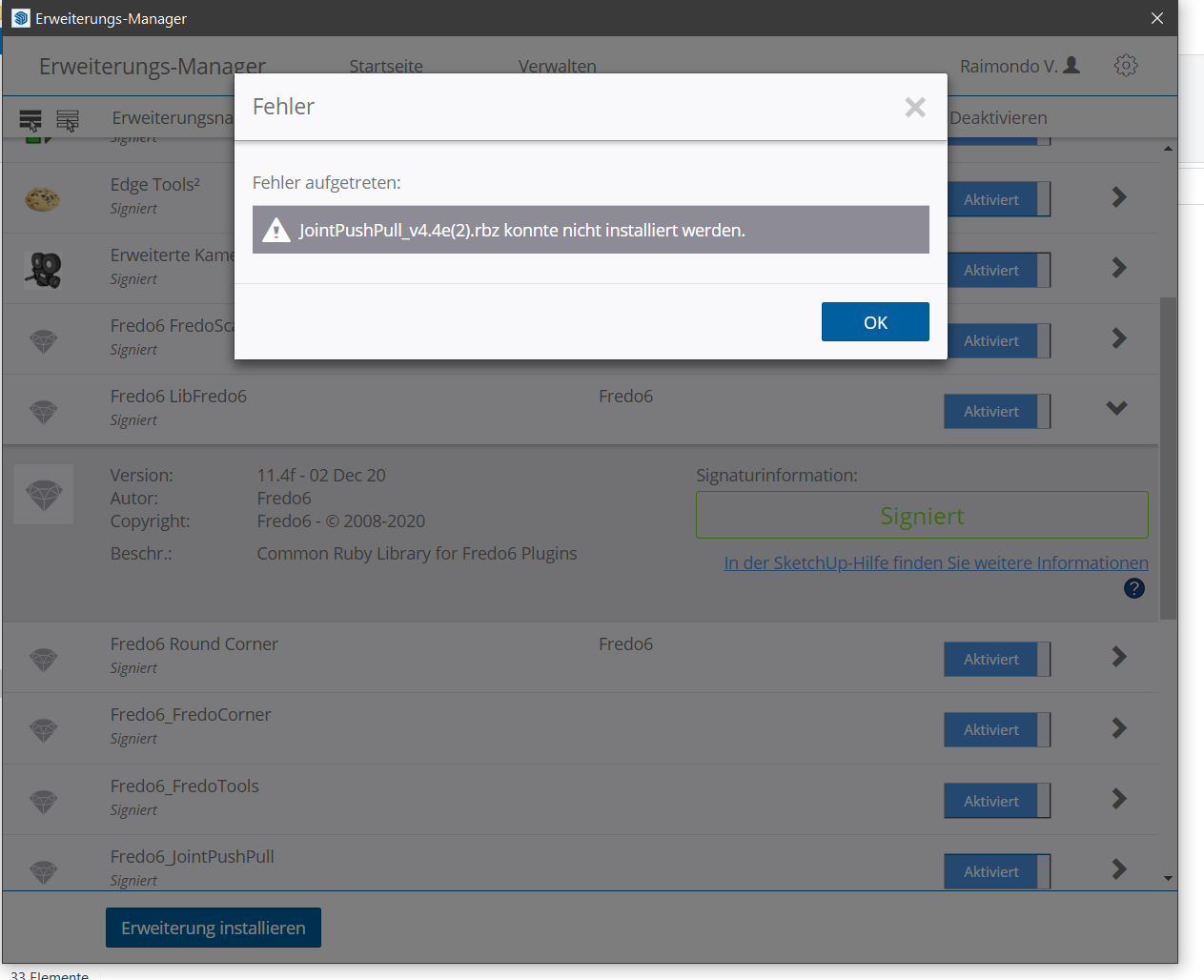

              ErrorMessage

              1 條回覆 最後回覆 回覆 引用 0
              • E 離線
                Einstein
                最後由 編輯

                Hello,
                I got an error with joint push pull extrusion in SketchUp 2020.

                Date: 10-Jan-21 15:59:27
                An error occurred in Joint Push Pull
                Error in generation of the geometry

                undefined method `target' for nil:NilClass

                jointpushpullgeometry.rbe: 447 -- block in geometry_create_top_face
                jointpushpullgeometry.rbe: 445 -- collect
                jointpushpullgeometry.rbe: 445 -- geometry_create_top_face
                jointpushpullgeometry.rbe: 258 -- block in geometry_robot_prepare_mesh
                jointpushpullgeometry.rbe: 257 -- each
                jointpushpullgeometry.rbe: 257 -- each_with_index
                jointpushpullgeometry.rbe: 257 -- geometry_robot_prepare_mesh
                jointpushpullgeometry.rbe: 212 -- robot_call_action
                jointpushpullgeometry.rbe: 183 -- geometry_robot_exec
                jointpushpullgeometry.rbe: 166 -- geometry_robot
                jointpushpullgeometry.rbe: 81 -- block in geometry_execute
                lib6operation.rbe: 369 -- step_geometry
                lib6operation.rbe: 304 -- block in yield?
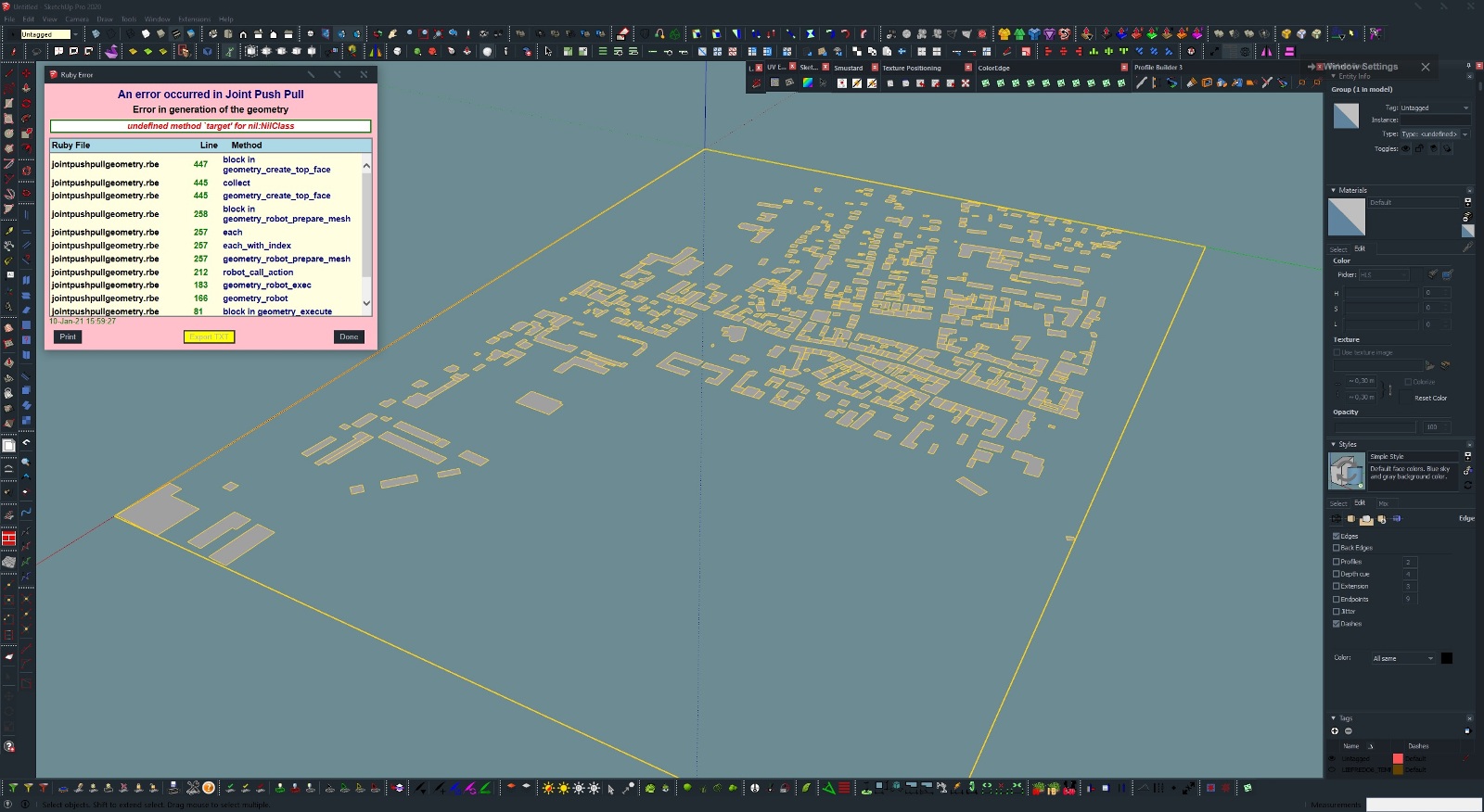

                JPP error.skp


                JPP error.jpg

                1 條回覆 最後回覆 回覆 引用 0
                • fredo6F 離線
                  fredo6
                  最後由 編輯

                  I guess you wish to push-pull all faces.

                  Then, you have a number of them which are ill-formed and there is nothing JPP can do about it. For instance, these group of buildings:
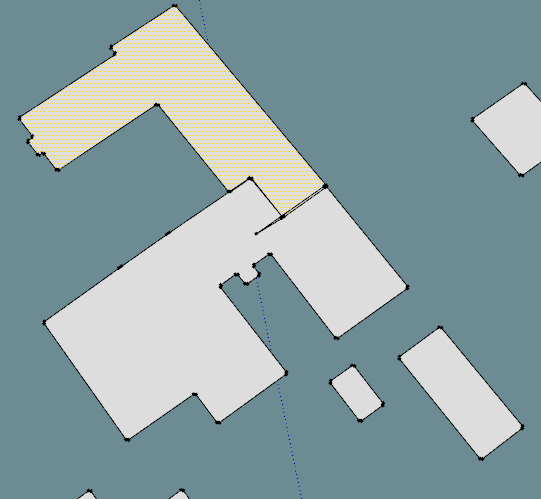
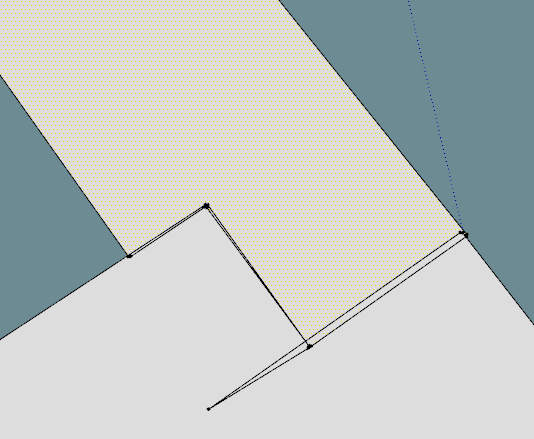
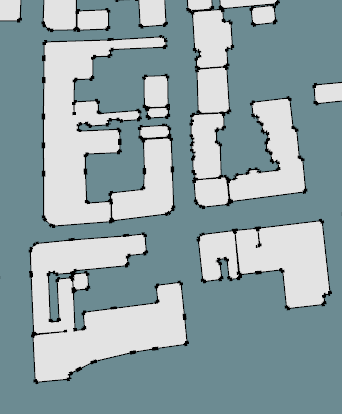
                  Einstein - JPP - faces 1.png

                  Einstein - JPP - faces 2.png

                  Einstein - JPP - faces 3.png

                  1 條回覆 最後回覆 回覆 引用 0
                  • E 離線
                    Einstein
                    最後由 編輯

                    Then would it be possible for the plugin to skip the ill-formed faces, leave them unextruded and proceed?
                    Ok, some of the faces are broken but most of them are OK. Why break entire operation due to a few wicked faces?

                    1 條回覆 最後回覆 回覆 引用 0
                    • Dave RD 離線
                      Dave R
                      最後由 編輯

                      Why not clean up the model before you add more geometry and potentially make more problems for yourself?

                      Etaoin Shrdlu

                      %

                      (THERE'S NO PLACE LIKE)

                      G28 X0.0 Y0.0 Z0.0

                      M30

                      %

                      1 條回覆 最後回覆 回覆 引用 0
                      • fredo6F 離線
                        fredo6
                        最後由 編輯

                        @einstein said:

                        Then would it be possible for the plugin to skip the ill-formed faces, leave them unextruded and proceed?
                        Ok, some of the faces are broken but most of them are OK. Why break entire operation due to a few wicked faces?

                        I concur with Dave. Better clean up the model if you wish to do something with it.

                        Detecting and cleaning the problem is a whole big task in itself. It could deserve a plugin. This is not like Sketchup tells you the face is ill-formed or not. Actually, these faces are toplogically valid for Sketchup but they won't work with many transformations and operations.

                        So, using a detection and fixing before operating JPP would be counterproductive and a big hit to performance in 99.9% of cases where the geometry is OK.

                        1 條回覆 最後回覆 回覆 引用 0
                        • Dave RD 離線
                          Dave R
                          最後由 編輯

                          Thom Thom's CleanUp3 could remove coplanar edges to merge faces although it may not remove the correct edges. In this particular model it would be difficult for an extension to identify which edges should be removed.

                          Etaoin Shrdlu

                          %

                          (THERE'S NO PLACE LIKE)

                          G28 X0.0 Y0.0 Z0.0

                          M30

                          %

                          1 條回覆 最後回覆 回覆 引用 0
                          • E 離線
                            Einstein
                            最後由 編輯

                            That's weird. I actually did a cleanup using ThomThom's plugin and JPP first threw an error. Then did a cleanup again and JPP worked fine.
                            I don't know why it happened but sorry for bothering you.

                            1 條回覆 最後回覆 回覆 引用 0
                            • J 離線
                              jpaine
                              最後由 編輯

                              Hi everyone,

                              Is project shape on a plane possible on a Mac? I can't seem to find this option.

                              Thanks

                              1 條回覆 最後回覆 回覆 引用 0
                              • I 離線
                                iggi
                                最後由 編輯

                                Hi,
                                how do you report a bug?
                                (well, I believe that what I see is a bug, not a feature 😃

                                version 4.4e, Sk Pro

                                Regards,

                                1 條回覆 最後回覆 回覆 引用 0
                                • fredo6F 離線
                                  fredo6
                                  最後由 編輯

                                  @iggi,

                                  Can you send me the model.

                                  I think it has to do with the original circular profile sections, which are not generated parallel to the axes.

                                  1 條回覆 最後回覆 回覆 引用 0
                                  • R 離線
                                    rv1974
                                    最後由 編輯

                                    Fredo wouldn't it be fantastic to add context-free JPP mode for edges? It would demand some smart path selection tool similar to the one in profile builder.
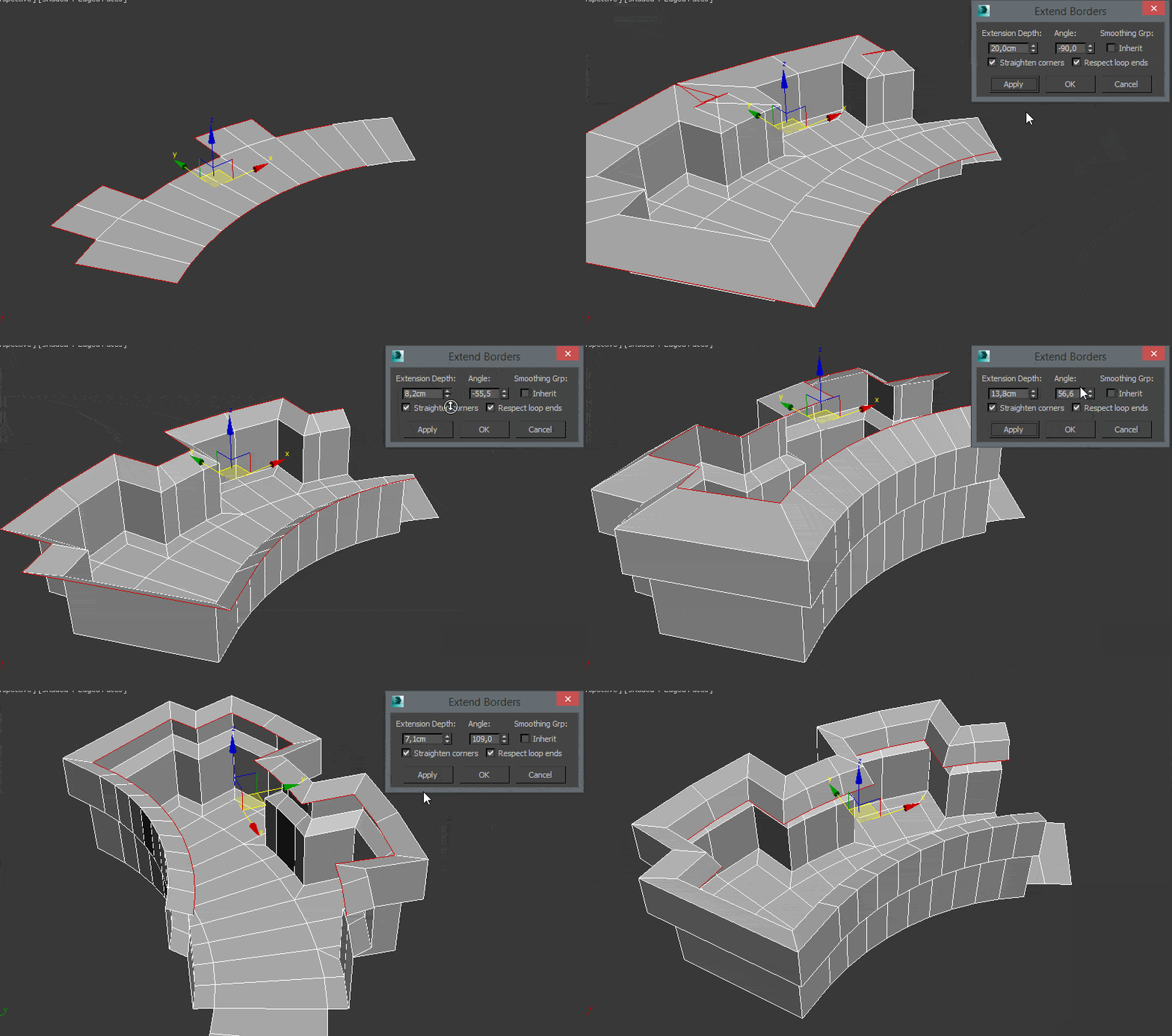
                                    http://www.scriptspot.com/files/straightencorners_cmprspd.gif

                                    1 條回覆 最後回覆 回覆 引用 0
                                    • fredo6F 離線
                                      fredo6
                                      最後由 編輯

                                      That's a different plugin, because the extrusion is based on contour lines, not faces.

                                      Interesting anyway.

                                      Which software is it?

                                      1 條回覆 最後回覆 回覆 引用 0
                                      • R 離線
                                        rv1974
                                        最後由 編輯

                                        some script for Max. If you could develop it for SU.. it'd have a huge advantage because
                                        SU allows to 'hack' the context hierarchy.

                                        1 條回覆 最後回覆 回覆 引用 0
                                        • panixiaP 離線
                                          panixia
                                          最後由 編輯

                                          @rv1974 said:

                                          some script for Max. If you could develop it for SU.. it'd have a huge advantage because
                                          SU allows to 'hack' the context hierarchy.

                                          Which script is that? Is free?
                                          In Max I'm able to do 99% of that stuff without any script at all just using regular editpoly edge mode (just select the loop, set "normal" constraint, extrude/scale and then pull up and down without constraints).
                                          But that corner options look intriguing btw.. ❓

                                          I did a similar request to Thomas, because I feel that normal constraint is one of the few mayor tool still missing in the QFT/VT/SubD workflow.
                                          Not sure this edge job is suitable for JPP itself which is more of a shell/push/face extrude tool.
                                          But never put limits to the Fredo power.. Maybe some normal face extrude logic is reusable on edges? 😄

                                          1 條回覆 最後回覆 回覆 引用 0
                                          • R 離線
                                            rv1974
                                            最後由 編輯

                                            https://www.scriptspot.com/3ds-max/scripts/extend-borders
                                            Yes it'd be natural to expect tool like this from Fredo or TT. I also saw Whaat is working on all-quad Artisan 2.


                                            1 條回覆 最後回覆 回覆 引用 0
                                            • 1
                                            • 2
                                            • 24
                                            • 25
                                            • 26
                                            • 27
                                            • 28
                                            • 29
                                            • 30
                                            • 31
                                            • 26 / 31
                                            • 第一個貼文
                                              最後的貼文
                                            Buy SketchPlus
                                            Buy SUbD
                                            Buy WrapR
                                            Buy eBook
                                            Buy Modelur
                                            Buy Vertex Tools
                                            Buy SketchCuisine
                                            Buy FormFonts

                                            Advertisement