sketchucation logo sketchucation
    • Login
    Oops, your profile's looking a bit empty! To help us tailor your experience, please fill in key details like your SketchUp version, skill level, operating system, and more. Update and save your info on your profile page today!
    ⚠️ Update | Sketchucation Tools 5.0.8 released with licensing improvements and bugfixes Download

    Sketchup 2013 issues

    Scheduled Pinned Locked Moved SketchUp Discussions
    sketchup
    208 Posts 53 Posters 54.8k Views 53 Watching
    Loading More Posts
    • Oldest to Newest
    • Newest to Oldest
    • Most Votes
    Reply
    • Reply as topic
    Log in to reply
    This topic has been deleted. Only users with topic management privileges can see it.
    • KrisidiousK
      Krisidious
      last edited by

      @box said:

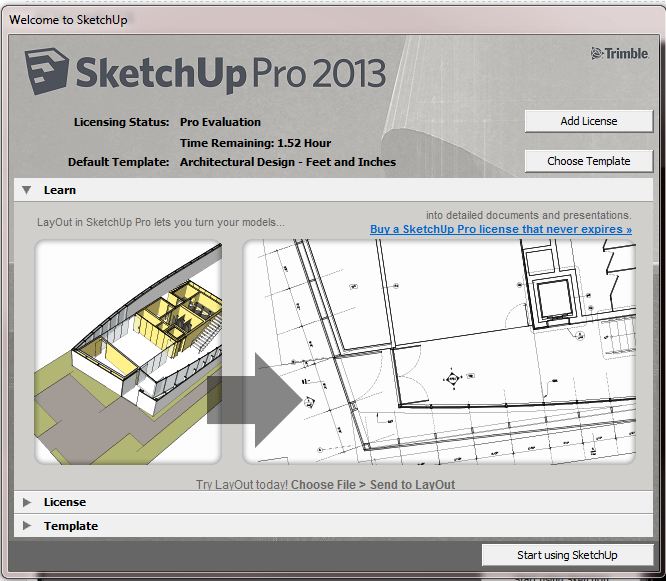
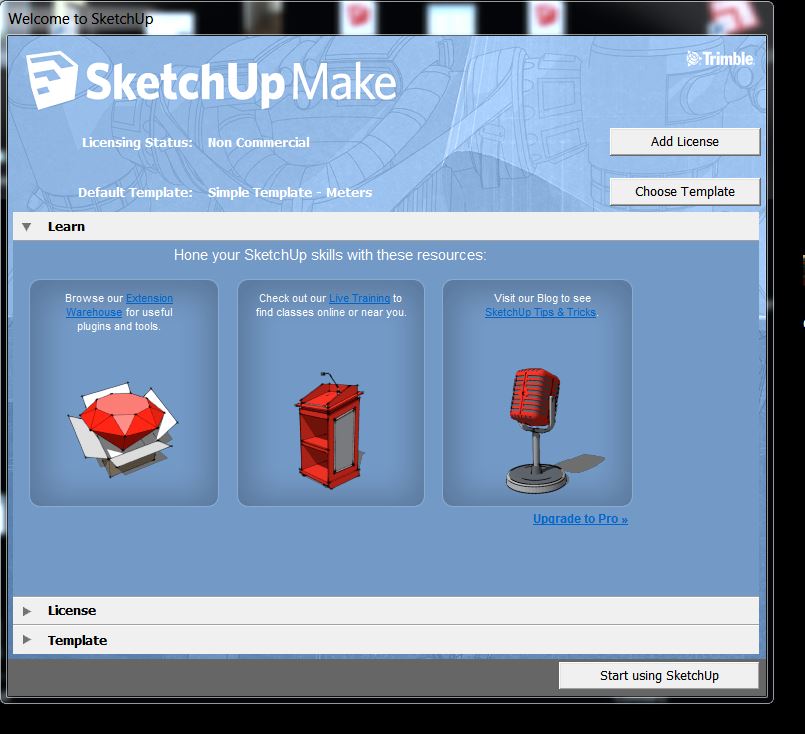
      I can't for the life of me find how to turn off the "Welcome to sketchup" screen. It opens every time even if I already have SU open and will only go away by clicking, Start using.....
      Is this nagware that only goes away with Pro, or am I even more stupid than usual?

      should be a check box to turn it off right in the window itself... at the bottom.

      By: Kristoff Rand
      Home DesignerUnique House Plans

      1 Reply Last reply
      Reply Quote 0
      • BoxB
        Box
        last edited by

        That was the first place I looked, but no.

        If you are telling me it does exist then I need to adjust my resolution again to find it.

        Nope.JPG

        1 Reply Last reply
        Reply Quote 0
        • BoxB
          Box
          last edited by

          So are you saying Kristoff, that in the pro version it doesn't nag you each time.

          1 Reply Last reply
          Reply Quote 0
          • KrisidiousK
            Krisidious
            last edited by

            No, I'm saying it does. maybe it's because I'm still in evaluation?CaptureSUintro.JPG

            By: Kristoff Rand
            Home DesignerUnique House Plans

            1 Reply Last reply
            Reply Quote 0
            • KrisidiousK
              Krisidious
              last edited by

              You're right, mine is not there either...

              By: Kristoff Rand
              Home DesignerUnique House Plans

              1 Reply Last reply
              Reply Quote 0
              • BoxB
                Box
                last edited by

                Ah Ok, so either it's annoying everyone that is using 13 or you and I are equally "Challenged"

                1 Reply Last reply
                Reply Quote 0
                • KrisidiousK
                  Krisidious
                  last edited by

                  I've looked through preferences and found nothing.

                  By: Kristoff Rand
                  Home DesignerUnique House Plans

                  1 Reply Last reply
                  Reply Quote 0
                  • thomthomT
                    thomthom
                    last edited by

                    @penguin2 said:

                    Loaded the following from EW:-
                    'Selection Toys'
                    'Edge Tools2'

                    404 Not Found

                    favicon

                    (sketchucation.com)

                    Thomas Thomassen — SketchUp Monkey & Coding addict
                    List of my plugins and link to the CookieWare fund

                    1 Reply Last reply
                    Reply Quote 0
                    • Dan RathbunD
                      Dan Rathbun
                      last edited by

                      @box said:

                      Is this nagware that only goes away with Pro, or am I even more stupid than usual?

                      No you are not any dumber than usual. 😛

                      Yes the check box has been removed for the 2013 Make edition, and only appears in the Pro edition.

                      An omission from the "What's New" list... 😒

                      I'm not here much anymore.

                      1 Reply Last reply
                      Reply Quote 0
                      • G
                        Garry K
                        last edited by

                        Does anyone know of a registry entry that would disable the Nag screen?

                        I have a ruby script that I run at startup that draws a complete kitchen.

                        Version 7 - 17 seconds
                        Version 8 - 19 seconds
                        Version 2013 - 52 seconds

                        For what ever reason Version 8's graphics have less jaggies than Version 7 or Version 2013.

                        So - I'm not impressed.

                        1 Reply Last reply
                        Reply Quote 0
                        • TIGT
                          TIG Moderator
                          last edited by

                          @garry k said:

                          Does anyone know of a registry entry that would disable the Nag screen?

                          I have a ruby script that I run at startup that draws a complete kitchen.

                          Version 7 - 17 seconds
                          Version 8 - 19 seconds
                          Version 2013 - 52 seconds

                          For what ever reason Version 8's graphics have less jaggies than Version 7 or Version 2013.

                          So - I'm not impressed.
                          The nag [aka 'welcome'] screen 'show' setting is hard-coded into 'Make', it simply ignores the existing registry entry that is set 0/1 for 'Pro' by the check-box...
                          So don't waste your time trying to circumvent it 😒

                          TIG

                          1 Reply Last reply
                          Reply Quote 0
                          • thomthomT
                            thomthom
                            last edited by

                            @garry k said:

                            Version 7 - 17 seconds
                            Version 8 - 19 seconds
                            Version 2013 - 52 seconds

                            Interesting. Is the operation wrapped in model.start_operation? And is the disable_ui argument set to true?

                            Thomas Thomassen — SketchUp Monkey & Coding addict
                            List of my plugins and link to the CookieWare fund

                            1 Reply Last reply
                            Reply Quote 0
                            • G
                              Garry K
                              last edited by

                              I am not using model.start_operation.

                              1 Reply Last reply
                              Reply Quote 0
                              • thomthomT
                                thomthom
                                last edited by

                                See if it makes a difference if you wrap it up into one operation - and use the disable_ui argument.

                                Thomas Thomassen — SketchUp Monkey & Coding addict
                                List of my plugins and link to the CookieWare fund

                                1 Reply Last reply
                                Reply Quote 0
                                • G
                                  Garry K
                                  last edited by

                                  I added in the code as you suggested.

                                  model.start_operation( "gkware", true )

                                  did all the work

                                  model.commit_operation

                                  Version 8 increased its time from 19 seconds to 90 seconds
                                  Version 2013 increased its time from 52 seconds to 64 seconds

                                  So - for those who are using start / commit then 2013 is faster. But for me - it's quite a bit slower.

                                  1 Reply Last reply
                                  Reply Quote 0
                                  • thomthomT
                                    thomthom
                                    last edited by

                                    That is bizzare. I've never seen disable_ui make things slower. It's always been faster as it prevented the UI from updating while the operation ran.

                                    Thomas Thomassen — SketchUp Monkey & Coding addict
                                    List of my plugins and link to the CookieWare fund

                                    1 Reply Last reply
                                    Reply Quote 0
                                    • G
                                      Garry K
                                      last edited by

                                      When running code without the disable_ui I have to make certain that the Outliner is not visible - otherwise it is really slow.

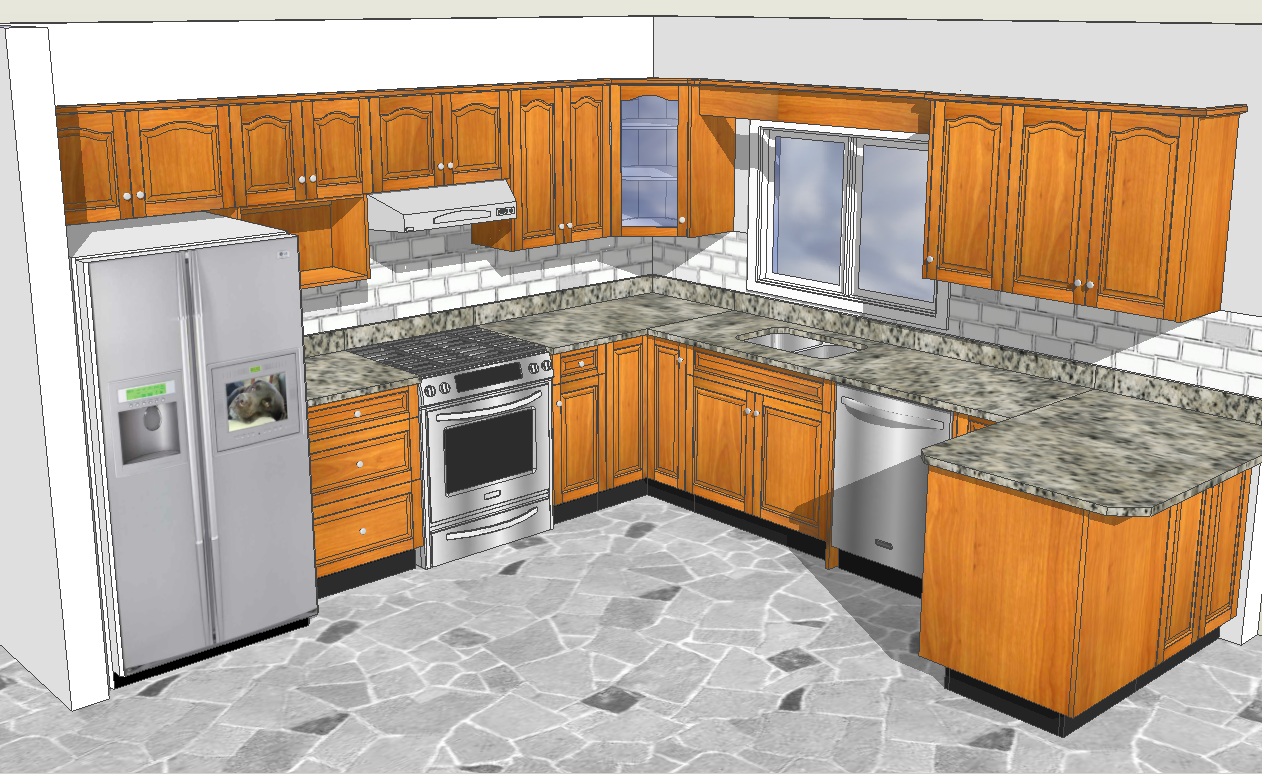
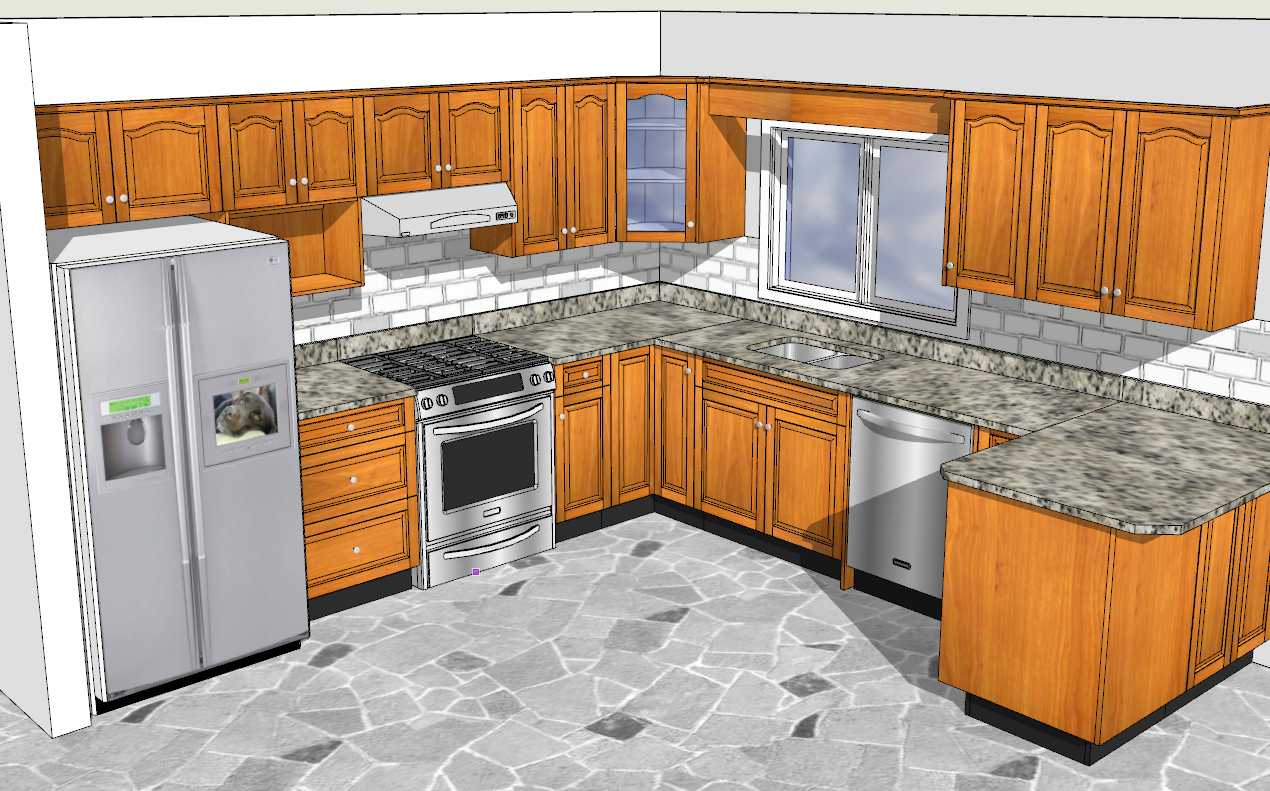
                                      Here are 2 images of a kitchen. One in Sketchup 8 and the other in Sketchup 2013

                                      Sketchup 8


                                      Sketchup 2013

                                      1 Reply Last reply
                                      Reply Quote 0
                                      • thomthomT
                                        thomthom
                                        last edited by

                                        For the images - the edge appear more jagged because you haven't exported with anti-aliasing.

                                        Thomas Thomassen — SketchUp Monkey & Coding addict
                                        List of my plugins and link to the CookieWare fund

                                        1 Reply Last reply
                                        Reply Quote 0
                                        • G
                                          Garry K
                                          last edited by

                                          These aren't exported - I used a snipping tool to grab exactly what I see on screen.

                                          If you click on the images and compare them - Sketchup 8 is giving me better graphics.

                                          1 Reply Last reply
                                          Reply Quote 0
                                          • G
                                            Garry K
                                            last edited by

                                            I figured it out - I had to play around with the OpenGL settings. Sketchup 2013 defaulted to 15 0x antialias whereas Sketchup 8 was using 40 4x.

                                            Now they are both rendering the same.

                                            1 Reply Last reply
                                            Reply Quote 0

                                            Hello! It looks like you're interested in this conversation, but you don't have an account yet.

                                            Getting fed up of having to scroll through the same posts each visit? When you register for an account, you'll always come back to exactly where you were before, and choose to be notified of new replies (either via email, or push notification). You'll also be able to save bookmarks and upvote posts to show your appreciation to other community members.

                                            With your input, this post could be even better 💗

                                            Register Login
                                            • 1
                                            • 2
                                            • 3
                                            • 4
                                            • 5
                                            • 6
                                            • 7
                                            • 10
                                            • 11
                                            • 5 / 11
                                            • First post
                                              Last post
                                            Buy SketchPlus
                                            Buy SUbD
                                            Buy WrapR
                                            Buy eBook
                                            Buy Modelur
                                            Buy Vertex Tools
                                            Buy SketchCuisine
                                            Buy FormFonts

                                            Advertisement