sketchucation logo sketchucation
    • 登入
    Oops, your profile's looking a bit empty! To help us tailor your experience, please fill in key details like your SketchUp version, skill level, operating system, and more. Update and save your info on your profile page today!
    🔌 Smart Spline | Fluid way to handle splines for furniture design and complex structures. Download

    [Plugin] ToolbarEditor (1.1.2) – updated 08.06.2014

    已排程 已置頂 已鎖定 已移動 Plugins
    122 貼文 40 Posters 65.0k 瀏覽 40 Watching
    正在載入更多貼文
    • 從舊到新
    • 從新到舊
    • 最多點贊
    回覆
    • 在新貼文中回覆
    登入後回覆
    此主題已被刪除。只有擁有主題管理權限的使用者可以查看。
    • CadFatherC 離線
      CadFather
      最後由 編輯

      only had two - will run the check later on though just in case

      1 條回覆 最後回覆 回覆 引用 0
      • L 離線
        lionk
        最後由 編輯

        @aerilius said:

        Hi lionk,
        can you try ToolbarEditor 1.0.4? It should now remember toolbar names and display Chinese correctly.

        yes, toolbar names are remembered correctly!
        but Chinese display not so well, still some encoding error if restart sketchup. 😞
        e.g.
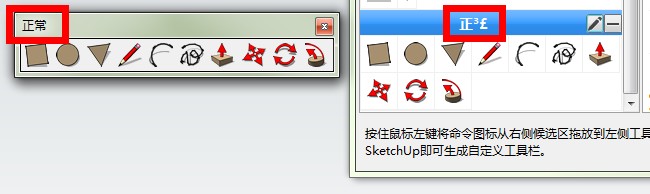
        工具栏
        20130512201347.jpg
        正常
        20130512200149.jpg
        if input"具" and restart SU,ToolbarEditor will never open again.

        btw, i think it need to limit toolbar name if someone input nothing(the toolbar wont show), too many words or punctuation.

        1 條回覆 最後回覆 回覆 引用 0
        • L 離線
          lionk
          最後由 編輯

          the toolbar icon can't remove sometimes. i don't know how it happen...
          do duplicated icons permit to add?

          1 條回覆 最後回覆 回覆 引用 0
          • L 離線
            lionk
            最後由 編輯

            unicode characters in the registry is right all the time.
            ruby can parse it but html or js not.is the value UTF8?

            1 條回覆 最後回覆 回覆 引用 0
            • A 離線
              Aerilius
              最後由 編輯

              I could not reproduce the problem with the same toolbar names (工具栏, 正常, 具) after restarting SketchUp and opening the toolbar editor. I will continue try.

              I updated the webdialog with improvements for higher dpi settings.

              1 條回覆 最後回覆 回覆 引用 0
              • cmeedC 離線
                cmeed
                最後由 編輯

                This looks great but I'm missing icons? any ideas.....

                @rickw said:

                Has anyone else had problems with not all commands being available? I'm also missing a lot of icons that exist on other toolbars.

                cheers
                c
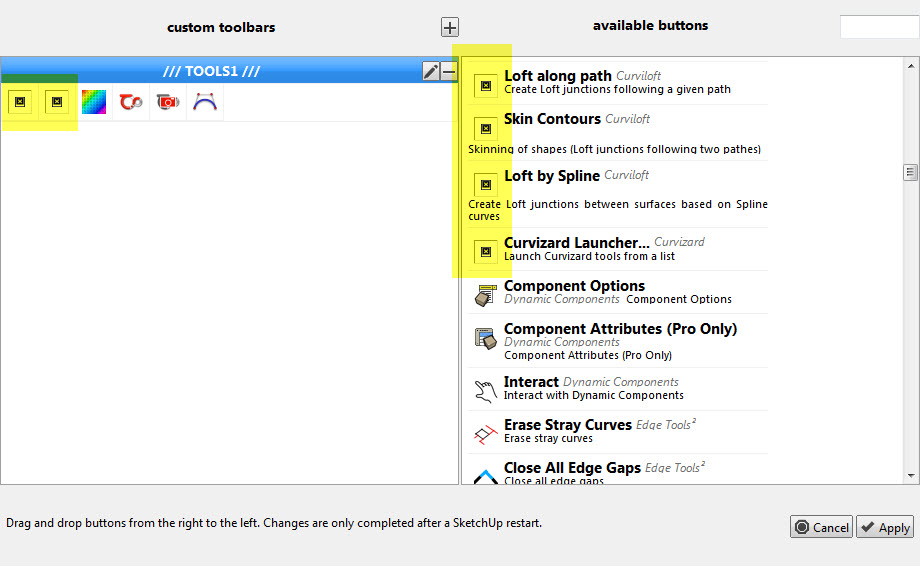

                MISSING ICONS.jpg

                1 條回覆 最後回覆 回覆 引用 0
                • Dave RD 離線
                  Dave R
                  最後由 編輯

                  Do you have those icons on the existing original toolbars?

                  Etaoin Shrdlu

                  %

                  (THERE'S NO PLACE LIKE)

                  G28 X0.0 Y0.0 Z0.0

                  M30

                  %

                  1 條回覆 最後回覆 回覆 引用 0
                  • cmeedC 離線
                    cmeed
                    最後由 編輯

                    Yes I do, they are all there.

                    1 條回覆 最後回覆 回覆 引用 0
                    • A 離線
                      Aerilius
                      最後由 編輯

                      Can you right-click on the missing icons and get the image file path? Maybe some commands return an unusual file path?

                      Or it is a timing issue, maybe Fredo uses layz-loading techniques, or his tools take longer to load?

                      1 條回覆 最後回覆 回覆 引用 0
                      • cmeedC 離線
                        cmeed
                        最後由 編輯

                        im not sure how to do what you asked. right clicking the icons - in the toolbar? (nothing)
                        right clicking in toolbarEditor? (nothing in the menu that come up that looked familiar)

                        some of fredos icons work. is it possible to compare and find the answer?
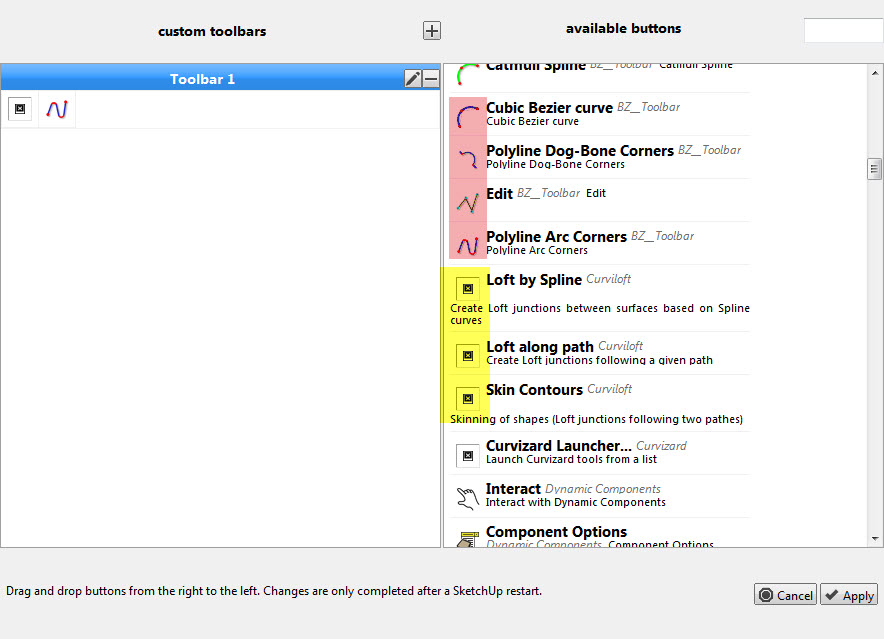

                        MISSING ICONS2.jpg

                        1 條回覆 最後回覆 回覆 引用 0
                        • L 離線
                          lionk
                          最後由 編輯

                          @aerilius said:

                          I could not reproduce the problem with the same toolbar names (工具栏, 正常, 具) after restarting SketchUp and opening the toolbar editor. I will continue try.

                          I updated the webdialog with improvements for higher dpi settings.

                          hi Aerilius,
                          maybe fredo6's methord can solve the UTF8 issue. fredo6's plugins show Chinese very well.
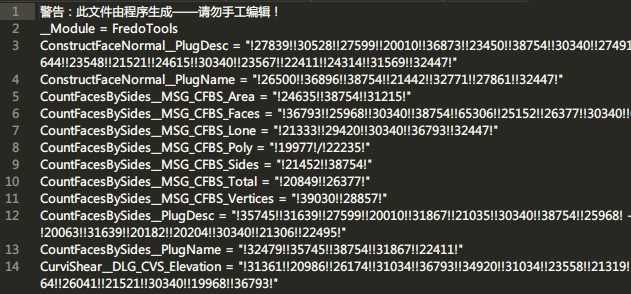
                          20130523000502.jpg

                          1 條回覆 最後回覆 回覆 引用 0
                          • ely862meE 離線
                            ely862me
                            最後由 編輯

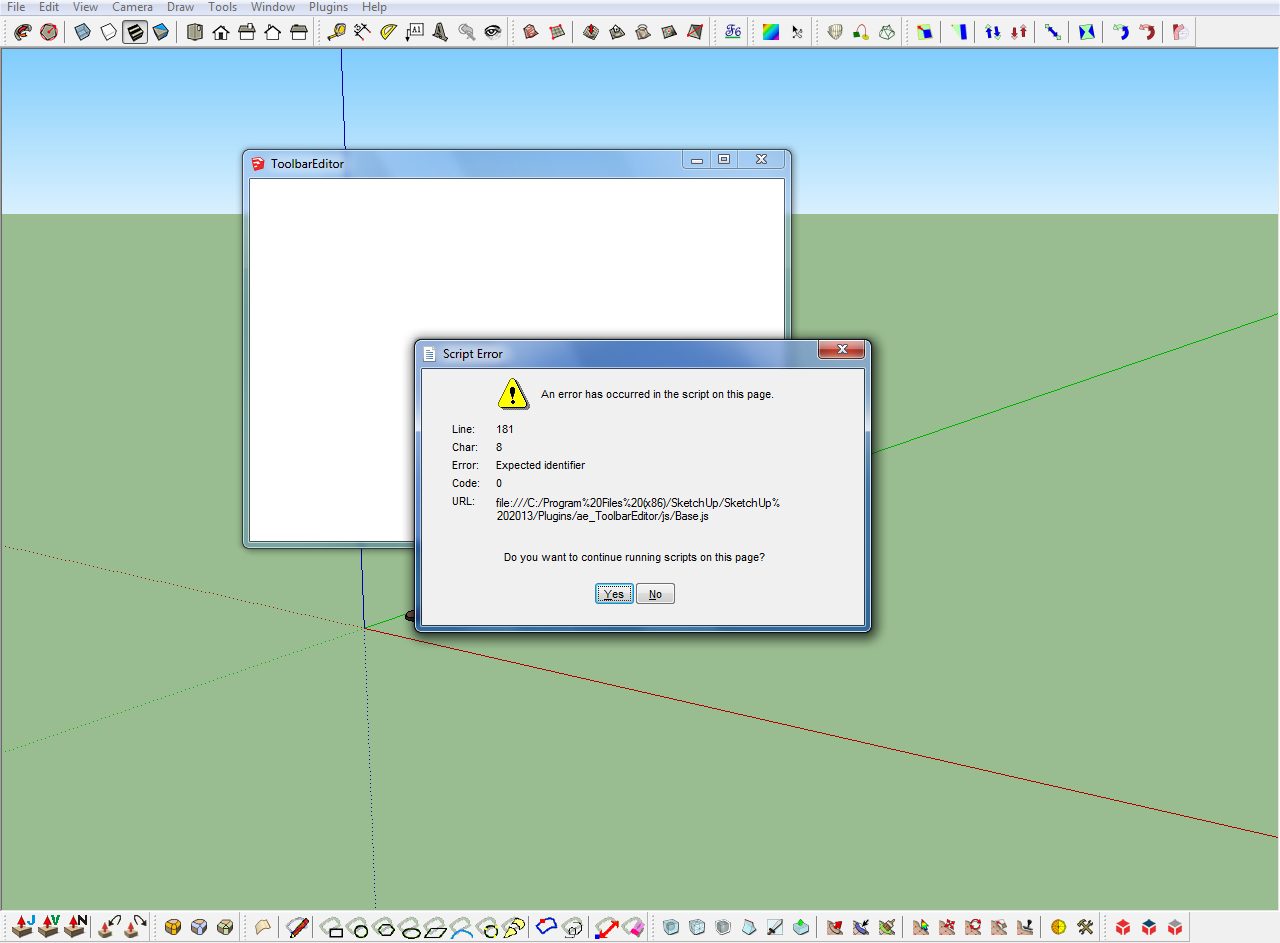
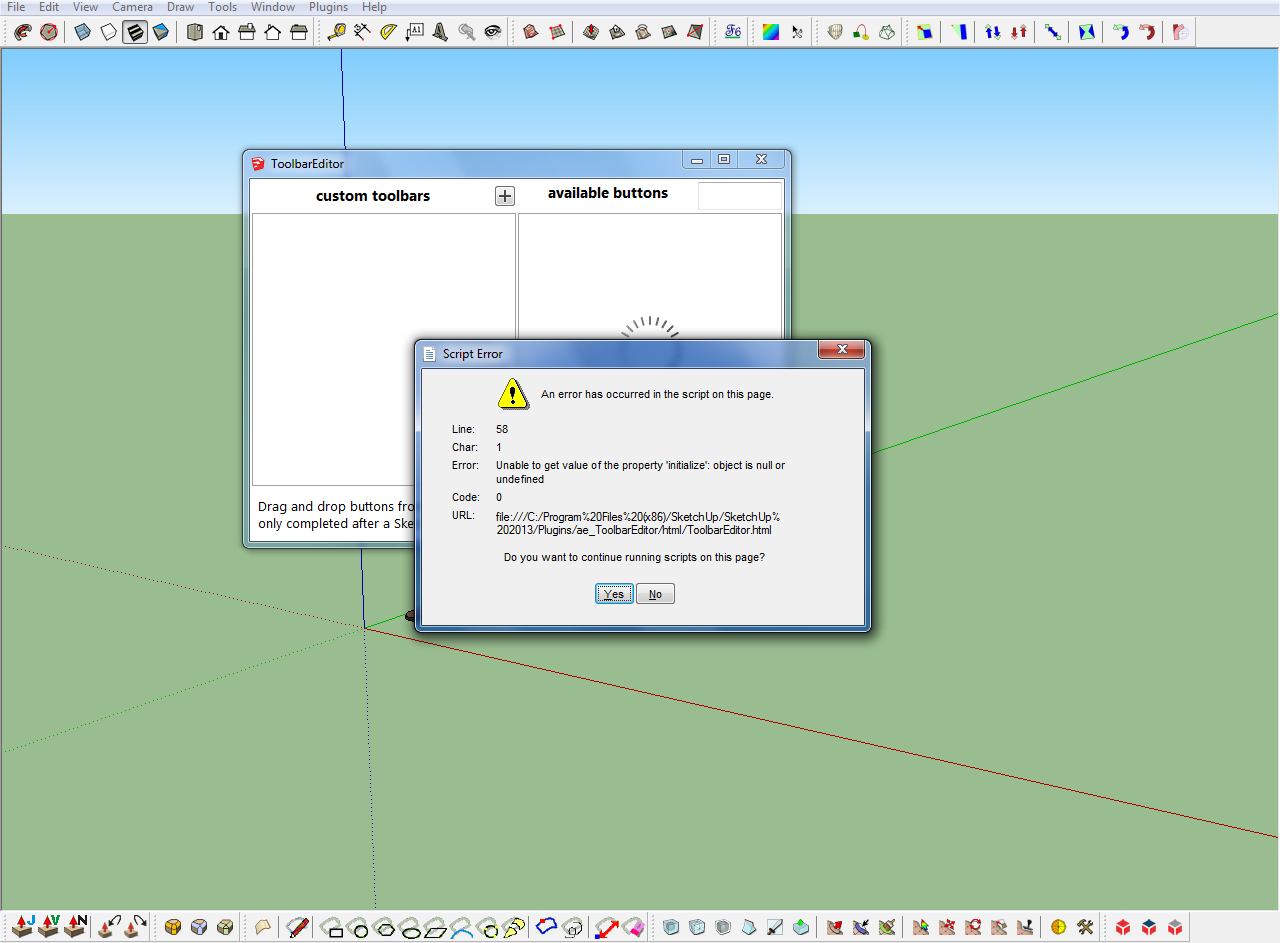
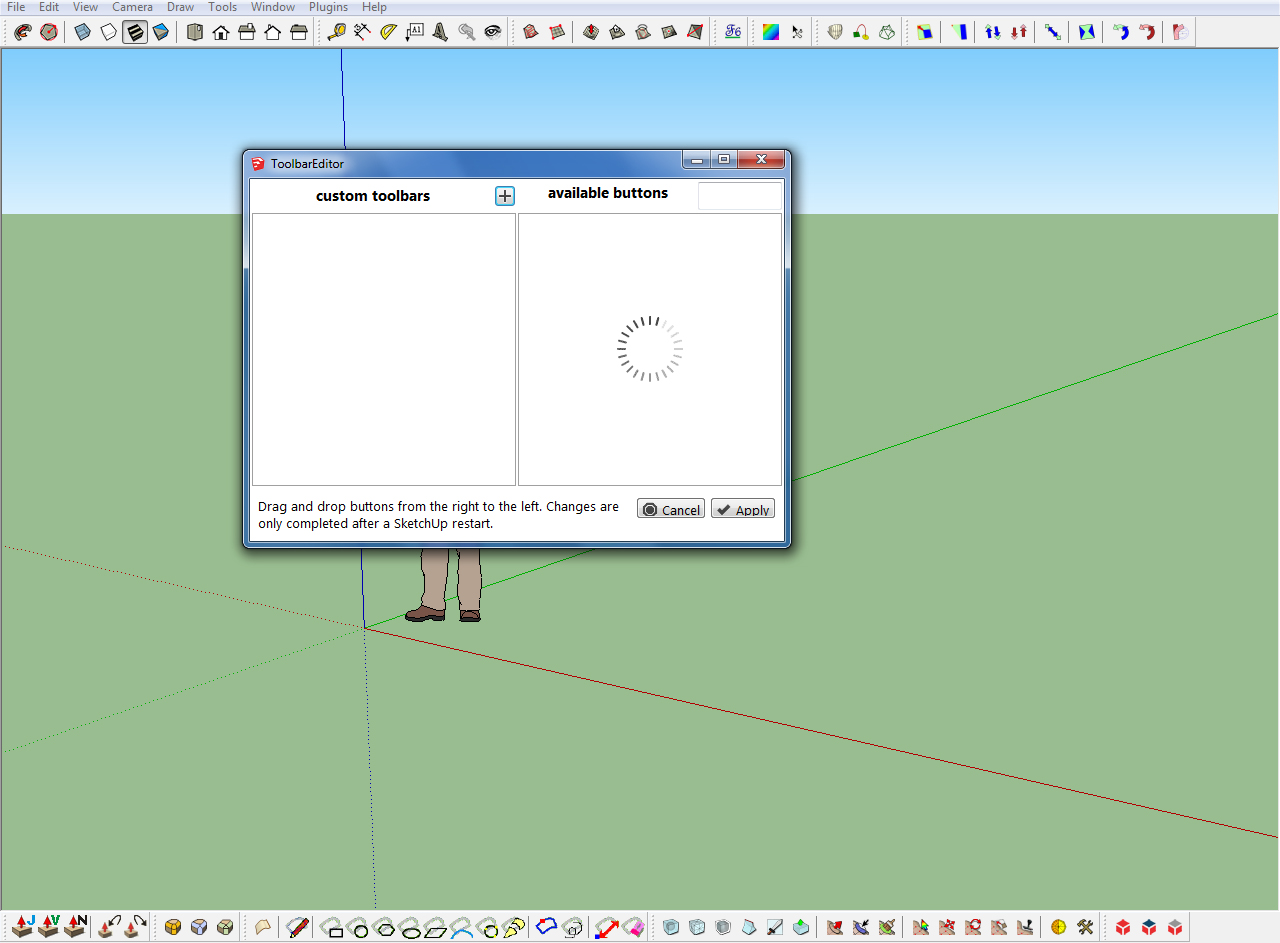
                            What about these ones ?
                            toolbar editor plugin.jpg
                            toolbar editor plugin b.jpg

                            After choosing yes I get this :


                            toolbar editor plugin a.jpg

                            Elisei (sketchupper)


                            Before no life was done on Earth it was THE LIFE ITSELF...GOD
                            Come and See EliseiDesign

                            1 條回覆 最後回覆 回覆 引用 0
                            • A 離線
                              Aerilius
                              最後由 編輯

                              Are you sure you use the latest version?

                              1 條回覆 最後回覆 回覆 引用 0
                              • ely862meE 離線
                                ely862me
                                最後由 編輯

                                I installed it from the scf plugin store and I thought it was the last version but it was not, now it works !

                                Thank you !

                                Elisei (sketchupper)


                                Before no life was done on Earth it was THE LIFE ITSELF...GOD
                                Come and See EliseiDesign

                                1 條回覆 最後回覆 回覆 引用 0
                                • TIGT 離線
                                  TIG Moderator
                                  最後由 編輯

                                  @ely862me said:

                                  I installed it from the scf plugin store and I thought it was the last version but it was not, now it works !
                                  Andreas updated this toolset twice on the same day, so the second version was not automatically picked up... v1.0.6 will be added to the 'SketchUcation Plugin Store' shortly...

                                  TIG

                                  1 條回覆 最後回覆 回覆 引用 0
                                  • thomthomT 離線
                                    thomthom
                                    最後由 編輯

                                    Andreas, here's a nice idea that I liked. That in addition to customize toolbar one could paste a snippet for a completely new command: http://sketchucation.com/forums/viewtopic.php?f=15&t=52454&p=475992#p475990

                                    This would be a great tool. You think this tool can be tweaked for that?

                                    Thomas Thomassen — SketchUp Monkey & Coding addict
                                    List of my plugins and link to the CookieWare fund

                                    1 條回覆 最後回覆 回覆 引用 0
                                    • Bob JamesB 離線
                                      Bob James
                                      最後由 編輯

                                      1. Can someone write a sample ruby script to make an icon for a native command that has no icon so I can use it to add the icon to a toolbar made with ToolbarEditor?

                                      2. How do you delete an icon in a toolbar made with ToolbarEditor?

                                      3. How do you delete a toolbar made with ToolbarEditor?

                                      i7-4930K 3.4Ghz, 2x GTX780 6GB, 32GB DDR3-1600 ECC, OCZ Vertex 4 500GB, WD Black 3TB, 32TB NAS, 4x 27" Monitors, SpaceMouse Pro, X-keys XK-60

                                      1 條回覆 最後回覆 回覆 引用 0
                                      • CadFatherC 離線
                                        CadFather
                                        最後由 編輯

                                        1 - which one?
                                        2 - click on the icon and drag it slowly on the right panel
                                        3 - click on the minus sign - top right of your toolbar header

                                        1 條回覆 最後回覆 回覆 引用 0
                                        • Bob JamesB 離線
                                          Bob James
                                          最後由 編輯

                                          @cadfather said:

                                          1 - which one?

                                          Generically so I could modify it for any command

                                          @cadfather said:

                                          2 - click on the icon and drag it slowly on the right panel

                                          Thank you

                                          @cadfather said:

                                          3 - click on the minus sign - top right of your toolbar header

                                          duh 😳

                                          i7-4930K 3.4Ghz, 2x GTX780 6GB, 32GB DDR3-1600 ECC, OCZ Vertex 4 500GB, WD Black 3TB, 32TB NAS, 4x 27" Monitors, SpaceMouse Pro, X-keys XK-60

                                          1 條回覆 最後回覆 回覆 引用 0
                                          • A 離線
                                            Aerilius
                                            最後由 編輯

                                            As in the API documentation… http://www.sketchup.com/intl/en/developer/docs/ourdoc/command.php

                                            
                                            cmd = UI;;Command.new("name of the command"){
                                              AuthorModule;;PluginName.name_of_the_main_method()
                                            }
                                            cmd.tooltip = "tooltip that describes the command"
                                            cmd.status_bar_text = "text that tells how to use the command"
                                            cmd.large_icon = "./path/to/a/icon24px.png"
                                            cmd.small_icon = "./path/to/a/icon16px.png"


                                            It still can only be used with understanding of what it does, and you would have to look up how a certain plugin is started.

                                            It would probably be sufficient and much easier to edit the plugin's own ruby file, look for "UI::Command.new" and add the icons. The icon path can either be relative to the ruby file or absolute (to the system's root, ie. "C:/" on Windows).

                                            Some plugins add themself only to the menu without creating a command. That looks like this:

                                            UI.menu("plugins").add_item("name of the command"){ name_of_the_method }
                                            

                                            and can be replaced by a command object (as above) plus

                                            UI.menu("plugins").add_item(cmd)

                                            
                                            1 條回覆 最後回覆 回覆 引用 0
                                            • 1
                                            • 2
                                            • 3
                                            • 4
                                            • 5
                                            • 6
                                            • 7
                                            • 4 / 7
                                            • 第一個貼文
                                              最後的貼文
                                            Buy SketchPlus
                                            Buy SUbD
                                            Buy WrapR
                                            Buy eBook
                                            Buy Modelur
                                            Buy Vertex Tools
                                            Buy SketchCuisine
                                            Buy FormFonts

                                            Advertisement