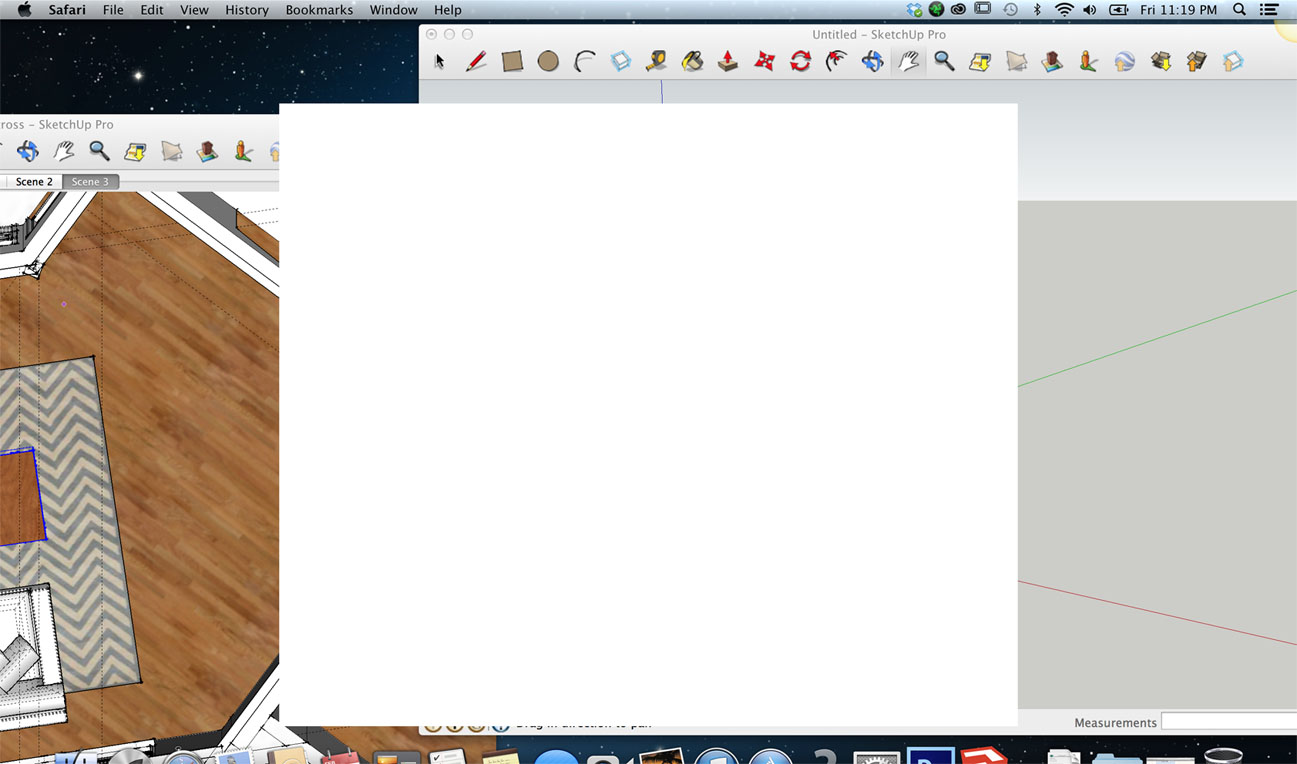
Large empty white screen pops up causing me to force quit
-
hi,
image not attached?
if you right click on it do you have any options, in particular 'reload'...
john -
Ok, it looks like the screenshots are too large for me to add, let me resize them and I will resend.
-
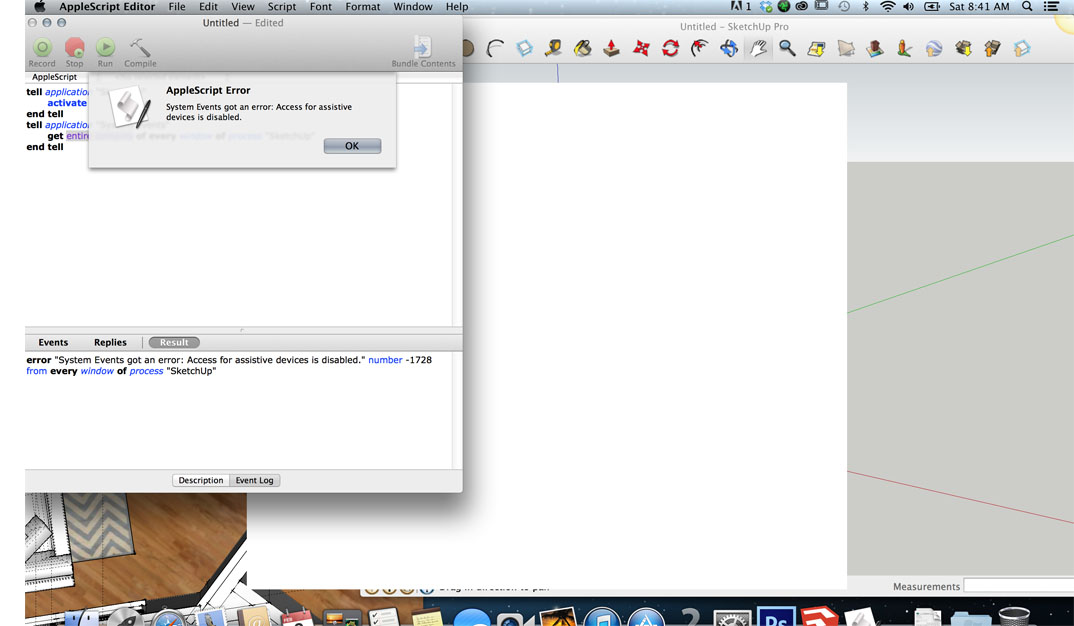
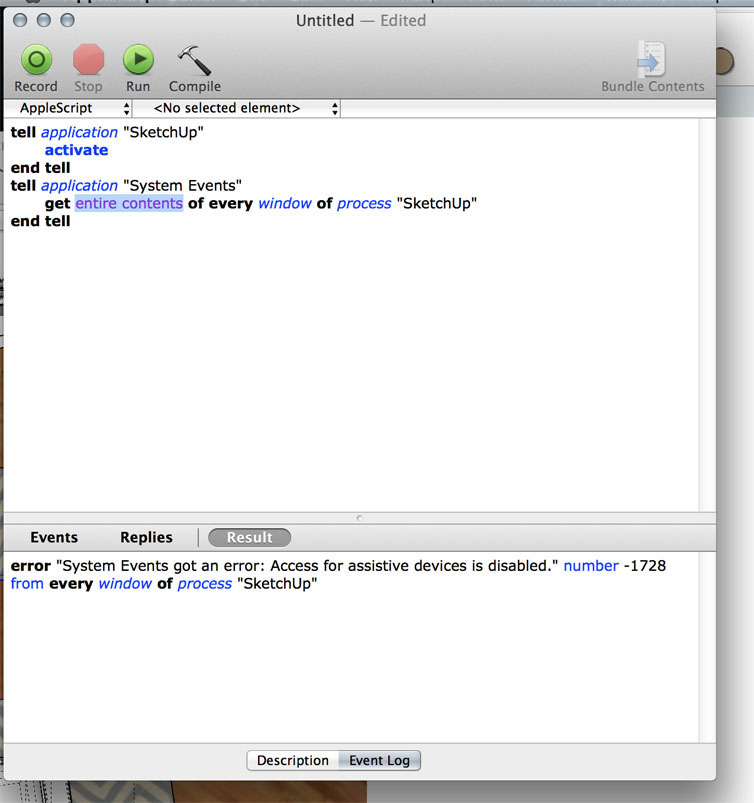
Ok I am attaching a screenshopt of the big whit box over my sketch up, and two images of what happend after I rand the Apple script editor as drected by "Driven".
-
in 'System Preferences' Pane you need to enable assistive devices, forgot about that sorry...
enable_GUI_scripting()

on enable_GUI_scripting()
	try
		if (system attribute "sysv") < 4138 then display dialog "This script requires the installation of Mac OS X 10.3 or higher." buttons {"Cancel"} default button 1 with icon 2
		tell application "System Events" to if not UI elements enabled then
			tell me
				activate
				display dialog "This script requires the built-in Graphic User Interface Scripting architecture of Mac OS X, which is currently disabled." & return & return & "Enable GUI Scripting now? (You may be asked to enter your password.)" buttons {"Cancel", "Enable"} default button 2 with icon 2
			end tell
			set UI elements enabled to true
			if not UI elements enabled then error number -128
		end if
		return "yes"
	on error
		return "no"
	end try
end enable_GUI_scripting
this should help, run in AppleScript Editor
-
in your second image the menu bar says it's Safari?
long shot but, does the box go away if you close Safari?
john -
ok will do that, in the meantime here is another screenshot of what I get when I go to close sketch up....I picked discard changes and it closed down sketchup.

-
Ok,
If you 'Review Changes' then 'Save' or 'Discard' on both, does SU then close itself?
-
if you turn off 'Instructor' does it go away?
scroll area 1 of window "Instructor"
-
hi
you can edit out the long list from the above post if you want....
what it tells me is you have these windows open
%(#0000BF)[window 2, possibly a suspect
window 3, possibly a suspect
window "Instructor"
window "Artisan" ,
window "Round Corner" ,
window "V-Ray for SketchUp" ,
window "Albatross - SketchUp Pro" ,
window "Untitled - SketchUp Pro" ,]you need to turn them off one at a time to find which it is...
john
-
yeah, that is indeed very weird and should not be happening..
i wonder if it's somehow due to the retina display ? (ie- nobody in this thread has ever seen this before but none of us has a retina display either
 ) ..but it seems like you're getting a window that isn't refreshing..
try to run sketchup in normal resolution:
• right-click (2finger click) on the sketchup app inside the applications folder
• choose 'Get Info' from the list
• see if there's an option to 'open in low resolution' (or smthing like that)
• try running sketchup againif that clears up the problem, i would report it to the SketchUp developers so they can try to narrow down the cause and fix it..
if that doesn't clear it up.. honestly, you should probably take the computer to a genius bar if you have an apple store nearby.. there are so many variables here that it's going to be hard for someone to figure out the problem via a forum..
good luck
[edit] oh.. i would still try to turn off sketchup's autosave to see if that's triggering this..
-

I have the Retina display on a 17" MacBook Pro, and I have never experienced this.
This dialogue box is simply telling you you have 2 other SketchUp files open as well as the one you are working with, and you have not saved them recently.
If you have not opened these files, they could be partially to blame.
I notice you are on Mountain Lion, and there is an option in the OS (I'm new to Mountain Lion) that automatically opens any previous files when you start an application.
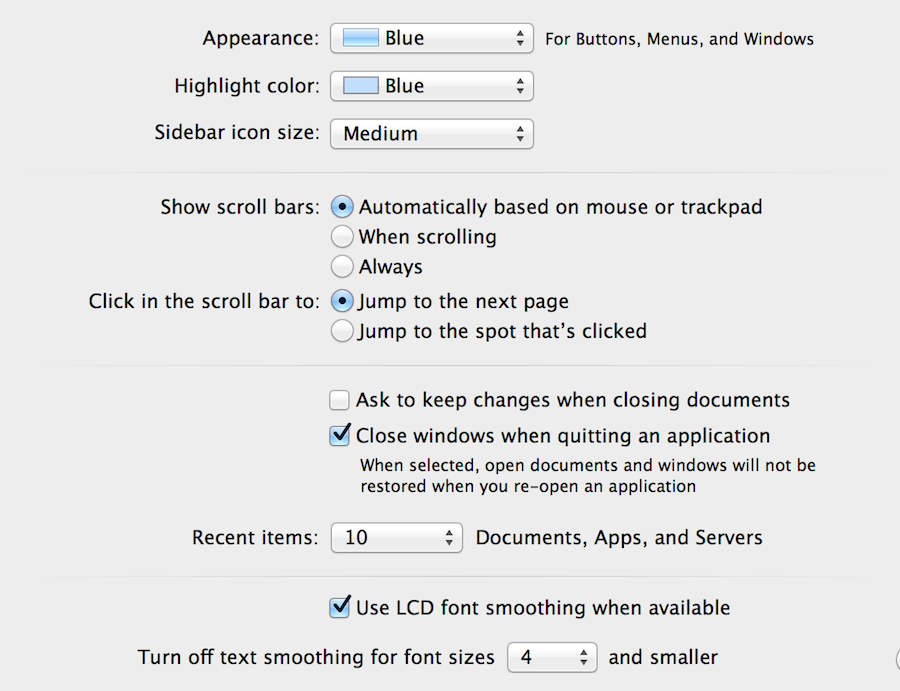
If you go to your System Preferences under the Apple dropdown menu at the top left of the screen, and go to "General"
You can make sure the "Close Windows when quitting an Application button is checked. You can also un-check the ask to keep changes dialogue to if you wish.
-
@dale said:
I have the Retina display on a 17" MacBook Pro,
no such thing
apple ditched the 17" laptop all together after releasing the retinas..hi rez 17" was 1920 x 1200 (2.3m pixels)
retina 15" is 2880 x 1800 (5m pixels) -
@unknownuser said:
@dale said:
I have the Retina display on a 17" MacBook Pro,
no such thing
apple ditched the 17" laptop all together after releasing the retinas..hi rez 17" was 1920 x 1200 (2.3m pixels)
retina 15" is 2880 x 1800 (5m pixels)I really do not know where this is going. I mean it1s not just resolution but also size that you need to look at. What if they can squeeze 5 million pixels in a 1" monitor? Will they be happy? Can you tell those too close pixels apart? Will you still be able to see details?
It's all humbug to me.
-
@gaieus said:
I really do not know where this is going. I mean it1s not just resolution but also size that you need to look at. What if they can squeeze 5 million pixels in a 1" monitor? Will they be happy? Can you tell those too close pixels apart? Will you still be able to see details?
It's all humbug to me.
the iphones are even higher rez (325 pixels per inch as opposed to 225 on the laptops)
as i gather, these aren't really retina quality and apple is basically using the word as a marketing thing..
true retina (somewhere around 400 ppi) means the human eye is unable to differentiate pixels at normal viewing distance.. basically, everything will look like liquid at that point..
(and in graphic/cad apps, that would be really nice.. the circle will look absolutely like true circles (even in apps that have true circles, they are still 'faked' because of the pixels..))further, anti aliasing and those types of visual tricks will no longer be needed..
dunno, i'm all for it.. they'll eventually figure out a way to get the pixels onto cloth.. maybe paint.. etc..
-
More off topic
 of course Jeff You are absolutely right. When I first got it I took a ruler and measured diagonally across the screen (like for old TV's) and it was 17"+- , and that has always stuck with me.
Truth is the 15" MacBook is only a little over 14" with just over 13"of viewable screen.or from an aspect ratio view...
For a 16:10 aspect ratio screen:
screen width = screen height * 16/10
MacBook Pro: 15.4" diag. is 13.06" W x 8.16" H
These are screen dimensions only, not the dimensions of the computer.
Gai
Where you really notice the difference is in Hi Res photography. But since a lot of applications are not optimized for retina, sometimes I really don't notice any difference. -
[off:33ndr0uv]@csaba
oh.. and it's not like everything keeps getting smaller on your screen..a line that's 1px wide on older monitors will be like 5px wide on retina..
they look the same size except the retina one will be much less jagged (ultimately, no jaggies at all)
so the details are incredibly at that resolution compared to low rez monitors.. it's not as if the details get so small that they disappear.. they actually become clearer an more discernible[/off:33ndr0uv] -
Ah well... I do not have a retina display device (nor any Mac device btw) but am building a website which will have responsive features. I already have a headache how to display images on 1200+, 960-1200, 768-960, 480-768 and 480- screens. And now Apple comes up with this retina display. What should I put there? Where is the bandwidth for a mobile phone to load those large images?
When we are at it: what is a pun multiplied by another pun?

-
@gaieus said:
Ah well... I do not have a retina display device (nor any Mac device btw) but am building a website which will have responsive features. I already have a headache how to display images on 1200+, 960-1200, 768-960, 480-768 and 480- screens. And now Apple comes up with this retina display. What should I put there? Where is the bandwidth for a mobile phone to load those large images?
ha.. yeah.. sounds sort of like the same thing the sketchup devs are up against.. they increase the app's performance then people start making higher poly models.. then back to square 1
@unknownuser said:
When we are at it: what is a pun multiplied by another pun? :roll
not sure.. and i can't even come up with any silly guesses right now.. i'll be sure to check back to find out the answer though

[edit]- a pundemic ? lol.. i don't know..
-
Well, a pun upon a pun (just read it up)
-
[off:2fhpntml]
@gaieus said:Well, a pun upon a pun (just read it up)
(once i said it one time, i made sure not to do it again.. that's one of those things that will get stuck in your head for a few days )[/off:2fhpntml]





Advertisement