sketchucation logo sketchucation
    • Login
    Oops, your profile's looking a bit empty! To help us tailor your experience, please fill in key details like your SketchUp version, skill level, operating system, and more. Update and save your info on your profile page today!
    Mac User? | Join the Rayscaper Beta for Mac Learn More

    [Plugin] [$] Artisan (1.2.3) - Feb 28, 2014

    Scheduled Pinned Locked Moved Plugins
    296 Posts 95 Posters 172.5k Views 95 Watching
    Loading More Posts
    • Oldest to Newest
    • Newest to Oldest
    • Most Votes
    Reply
    • Reply as topic
    Log in to reply
    This topic has been deleted. Only users with topic management privileges can see it.
    • R
      reymond
      last edited by

      no mail in my spam folder 😕

      Sketchup & Vray Trainer

      1 Reply Last reply
      Reply Quote 0
      • ely862meE
        ely862me
        last edited by

        @xrok1 said:

        i have however noticed the vertex tool has quirks, have you noticed this?

        Explode those curves and it should work, also after the operation delete the coplanar lines.

        @reymond said:

        no mail in my spam folder

        No worries things will sort out, u still have 13 days of use 😉 !

        Elisei (sketchupper)


        Before no life was done on Earth it was THE LIFE ITSELF...GOD
        Come and See EliseiDesign

        1 Reply Last reply
        Reply Quote 0
        • K
          krash88
          last edited by

          @whaat said:

          @krash88 said:

          @whaat said:

          @krash88 said:

          Great piece of work, thank you! However, while I can crease whole faces I can't un-crease whole faces. I have to do it one edge at a time. Any thoughts?

          hmmm....works fine for me. I just hold shift and click on the face while using the crease tool....

          I've tried on simple and complex models. Could it be because I'm using 7.1? I'll also try a complete restart also. Either way I'm happy to have the upgrade 😄

          Do you get any error messages in the Ruby Console when you try to uncrease?

          No errors. Ok, it all seems to depend on exactly where the cursor is when I un-crease. If I click on a place on the face that coincides with the smoothed mesh then it doesn't work. Just a quirk of Sketchup I guess. All is fine and thanks for the help!

          1 Reply Last reply
          Reply Quote 0
          • S
            Speaker
            last edited by

            Could someone convert those proxies, so I could open them in SU 7 please.

            http://www.youtube.com/user/latvietis1234

            1 Reply Last reply
            Reply Quote 0
            • boofredlayB
              boofredlay
              last edited by

              Here you go.


              Proxie Sample-1_SU6.skp


              comparatif_SU6.zip

              http://www.coroflot.com/boofredlay

              1 Reply Last reply
              Reply Quote 0
              • S
                Speaker
                last edited by

                Thanks!

                Just got into a problem- my laptop has a few broken arrow keys. That did not bother me before, becuse I don't use them almost never anyway, but how do I adjust the sculpt tools strenght now? 😕 It looks like only the radius is adjustable throught the VCB.

                http://www.youtube.com/user/latvietis1234

                1 Reply Last reply
                Reply Quote 0
                • W
                  Whaat
                  last edited by

                  @speaker said:

                  Thanks!

                  Just got into a problem- my laptop has a few broken arrow keys. That did not bother me before, becuse I don't use them almost never anyway, but how do I adjust the sculpt tools strenght now? 😕 It looks like only the radius is adjustable throught the VCB.

                  Actually you can type in 's' to adjust the strength. (eg. 10s) Did I not mention this in the Quick Reference guide? 😳

                  SketchUp Plugins for Professionals

                  1 Reply Last reply
                  Reply Quote 0
                  • N
                    nektares
                    last edited by

                    yay! finally available! i bought it right away! thanks for the discount! now let´s try this amazing plugin!

                    1 Reply Last reply
                    Reply Quote 0
                    • Dave RD
                      Dave R
                      last edited by

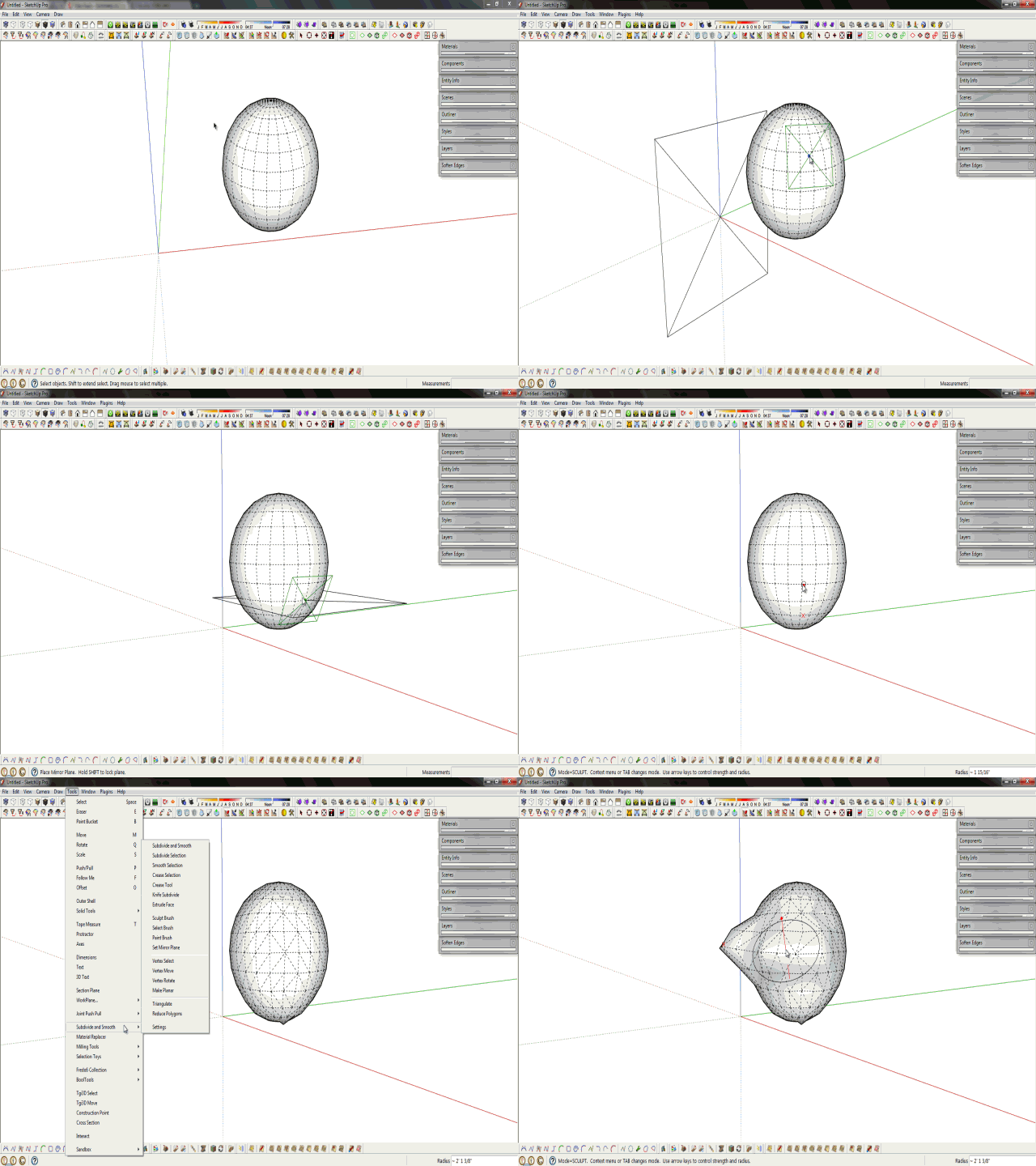
                      From the web site: "Symmetrical sculpting mode using with user-defined work plane"

                      Is this done by creating a component of half the model, copying and mirroring it? I can't seem to find any other way to do it.

                      Etaoin Shrdlu

                      %

                      (THERE'S NO PLACE LIKE)

                      G28 X0.0 Y0.0 Z0.0

                      M30

                      %

                      1 Reply Last reply
                      Reply Quote 0
                      • soloS
                        solo
                        last edited by

                        No, it's more like a cutting plane.

                        http://www.solos-art.com

                        If you see a toilet in your dreams do not use it.

                        1 Reply Last reply
                        Reply Quote 0
                        • Dave RD
                          Dave R
                          last edited by

                          I wish the tutorials were available.

                          Ah. I see. Split it with the Zorro-like tool.

                          Etaoin Shrdlu

                          %

                          (THERE'S NO PLACE LIKE)

                          G28 X0.0 Y0.0 Z0.0

                          M30

                          %

                          1 Reply Last reply
                          Reply Quote 0
                          • soloS
                            solo
                            last edited by

                            See gif by Rich to explain.

                            Pete_SDS.gif

                            http://www.solos-art.com

                            If you see a toilet in your dreams do not use it.

                            1 Reply Last reply
                            Reply Quote 0
                            • Dave RD
                              Dave R
                              last edited by

                              The GIF doesn't display for me. Sorry.

                              Etaoin Shrdlu

                              %

                              (THERE'S NO PLACE LIKE)

                              G28 X0.0 Y0.0 Z0.0

                              M30

                              %

                              1 Reply Last reply
                              Reply Quote 0
                              • mitcorbM
                                mitcorb
                                last edited by

                                Just deployed this plugin last night.
                                Highly usable. Very intuitive.
                                Wish there was a way to automatically de-select unwanted, or non-compliant faces and keep the selection to proceed with selective smoothing, or subdividing. In my case using Shift/Brush Select does not deselect. Sketchup version 7.1, Dinosaur computer.

                                I take the slow, deliberate approach in my aimless wandering.

                                1 Reply Last reply
                                Reply Quote 0
                                • P
                                  publied
                                  last edited by

                                  nice tools. orga(s)nic!

                                  hire me@ http://www.publied.it !

                                  1 Reply Last reply
                                  Reply Quote 0
                                  • massimoM
                                    massimo Moderator
                                    last edited by

                                    Just played few minutes...Amazingly fast and really a spectacular set of tools.😮 👍
                                    Waiting for the registration key. 🎉 😄

                                    1 Reply Last reply
                                    Reply Quote 0
                                    • FrederikF
                                      Frederik
                                      last edited by

                                      @solo said:

                                      See gif by Rich to explain.

                                      Can't see the gif... 😞
                                      Checking the link I get the message "You are not authorised to download this attachment."
                                      I assume it's from a secret part of the SCF... 💚

                                      Cheers
                                      Kim Frederik

                                      1 Reply Last reply
                                      Reply Quote 0
                                      • Rich O BrienR
                                        Rich O Brien Moderator
                                        last edited by

                                        You're damn right but give me ten minutes and I'll sort it out!

                                        Download the free D'oh Book for SketchUp 📖

                                        1 Reply Last reply
                                        Reply Quote 0
                                        • unclebimU
                                          unclebim
                                          last edited by

                                          I really like the plugin and intend to purchase it. I have tested the texturing which is great but I noticed that when loaded Artisan blocks SketchUp's Texture submenu options - Position, Reset Position, Projected, Edit Texture Image. If I want to use these options, I have to disable Artisan via Preferences dialog and restart SketchUp. Is that ok and am I missing something or is it a bug?

                                          Regards

                                          Serafim

                                          1 Reply Last reply
                                          Reply Quote 0
                                          • thomthomT
                                            thomthom
                                            last edited by

                                            @unclebim said:

                                            I really like the plugin and intend to purchase it. I have tested the texturing which is great but I noticed that when loaded Artisan blocks SketchUp's Texture submenu options - Position, Reset Position, Projected, Edit Texture Image. If I want to use these options, I have to disable Artisan via Preferences dialog and restart SketchUp. Is that ok and am I missing something or is it a bug?

                                            Regards

                                            Serafim

                                            Sounds like the old menu-grey-out problem.
                                            Do you have any Fredo plugins installed? If so, have you updated them all?
                                            Do you have a very large number of plugins installed?

                                            Thomas Thomassen — SketchUp Monkey & Coding addict
                                            List of my plugins and link to the CookieWare fund

                                            1 Reply Last reply
                                            Reply Quote 0

                                            Hello! It looks like you're interested in this conversation, but you don't have an account yet.

                                            Getting fed up of having to scroll through the same posts each visit? When you register for an account, you'll always come back to exactly where you were before, and choose to be notified of new replies (either via email, or push notification). You'll also be able to save bookmarks and upvote posts to show your appreciation to other community members.

                                            With your input, this post could be even better 💗

                                            Register Login
                                            • 1
                                            • 2
                                            • 3
                                            • 4
                                            • 5
                                            • 14
                                            • 15
                                            • 1 / 15
                                            • First post
                                              Last post
                                            Buy SketchPlus
                                            Buy SUbD
                                            Buy WrapR
                                            Buy eBook
                                            Buy Modelur
                                            Buy Vertex Tools
                                            Buy SketchCuisine
                                            Buy FormFonts

                                            Advertisement