sketchucation logo sketchucation
    • 登入
    Oops, your profile's looking a bit empty! To help us tailor your experience, please fill in key details like your SketchUp version, skill level, operating system, and more. Update and save your info on your profile page today!
    🔌 Smart Spline | Fluid way to handle splines for furniture design and complex structures. Download

    [Tutorial > Texturing] Texturing an arch - #2

    已排程 已置頂 已鎖定 已移動 SketchUp Tutorials
    sketchup
    87 貼文 18 Posters 34.2k 瀏覽 18 Watching
    正在載入更多貼文
    • 從舊到新
    • 從新到舊
    • 最多點贊
    回覆
    • 在新貼文中回覆
    登入後回覆
    此主題已被刪除。只有擁有主題管理權限的使用者可以查看。
    • GaieusG 離線
      Gaieus
      最後由 編輯

      That's quite a villa indeed! 👍

      The first link did not work at all but the wikipedia page also exists in English: http://en.wikipedia.org/wiki/La_Olmeda

      Gai...

      1 條回覆 最後回覆 回覆 引用 0
      • J 離線
        juanfernandez
        最後由 編輯

        The first link is OK, Gai. The web administrators, I don't know why, shut off their web sites by night, and turn on then early in the morning. It's a provincial institution-Diputación Provincial in spanish- and they have this weird way of publishing their web sites.

        1 條回覆 最後回覆 回覆 引用 0
        • GaieusG 離線
          Gaieus
          最後由 編輯

          Yes, I can see now... "Reconstrucción Virtual > Próximamente". Is this what you are working on?

          Gai...

          1 條回覆 最後回覆 回覆 引用 0
          • J 離線
            juanfernandez
            最後由 編輯

            No, I am a newbie, and cannot take that job by now. I am a teacher, we plan do educative software and documents related to the Olmeda Villa. My 3D model is may way to learn SU with a motivating subject. Perhaps in the future I will be able of making something worth of the Villa. 😉

            1 條回覆 最後回覆 回覆 引用 0
            • GaieusG 離線
              Gaieus
              最後由 編輯

              Get me to do it then. I am an archaeologist, too. 😉

              Gai...

              1 條回覆 最後回覆 回覆 引用 0
              • J 離線
                juanfernandez
                最後由 編輯

                Ok, Gai, I'll take your word. ☀
                When I became profficient enough in SU to do the job, I'll call you. I have to work hard in SU. Then they have to let me take photographies and measurements of the Villa. I think there will be no problem, because I am in very good relations with the Villa's provincial managers.

                1 條回覆 最後回覆 回覆 引用 0
                • marvins_dadM 離線
                  marvins_dad
                  最後由 編輯

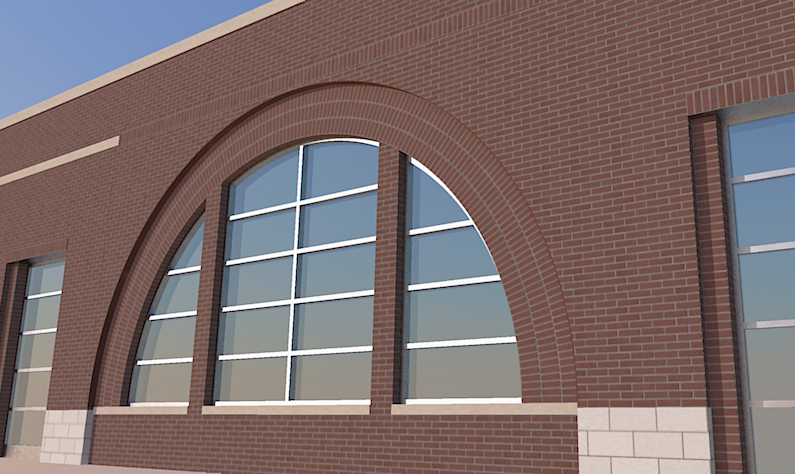
                  Thanks guys! Thanks for the tutorial and the tools!
                  Just saved me with this huge arch for an addition, which matches a design done 10 years ago on the same building.

                  BTW - I didn't read past the initial steps since I didn't have any issues, but if you are matching an opening - make the height of the flat column of brick equal to the length of outer arc of the assembly. Did that make sense?

                  Arch-mustang.jpg

                  My Gallery

                  1 條回覆 最後回覆 回覆 引用 0
                  • GaieusG 離線
                    Gaieus
                    最後由 編輯

                    Nice arch! 👍

                    Of course, now we have Whaat's SketchUV Plugin (with tube mapping) which save even more time and head-ache...

                    @marvins_dad said:

                    BTW - I didn't read past the initial steps since I didn't have any issues, but if you are matching an opening - make the height of the flat column of brick equal to the length of outer arc of the assembly. Did that make sense?

                    I guess it all depends where you grab that column (inner or outer side) with Fredoscale.

                    Gai...

                    1 條回覆 最後回覆 回覆 引用 0
                    • ziiarZ 離線
                      ziiar
                      最後由 編輯

                      Is there a way to do this without the FredoScale plugin? I'm making a gothic arch like the one mentioned in the previous thread:

                      http://sketchucation.com/forums/download/file.php?id=37073&mode=view/rokbox.jpg

                      I assume this was modeled with the follow me tool, which is what I did do model it.

                      1 條回覆 最後回覆 回覆 引用 0
                      • thomthomT 離線
                        thomthom
                        最後由 編輯

                        This wasn't made with FredoScale nor the Follow me tool.

                        I drew the outline, then offset to make the inner hole. Then another offset to create the line in the middle. After that I selected the edges of the inner hole and moved it inwards.

                        hm... this is probably better suited with screenshots....

                        Thomas Thomassen — SketchUp Monkey & Coding addict
                        List of my plugins and link to the CookieWare fund

                        1 條回覆 最後回覆 回覆 引用 0
                        • thomthomT 離線
                          thomthom
                          最後由 編輯

                          Thomas Thomassen — SketchUp Monkey & Coding addict
                          List of my plugins and link to the CookieWare fund

                          1 條回覆 最後回覆 回覆 引用 0
                          • Rich O BrienR 離線
                            Rich O Brien Moderator
                            最後由 編輯

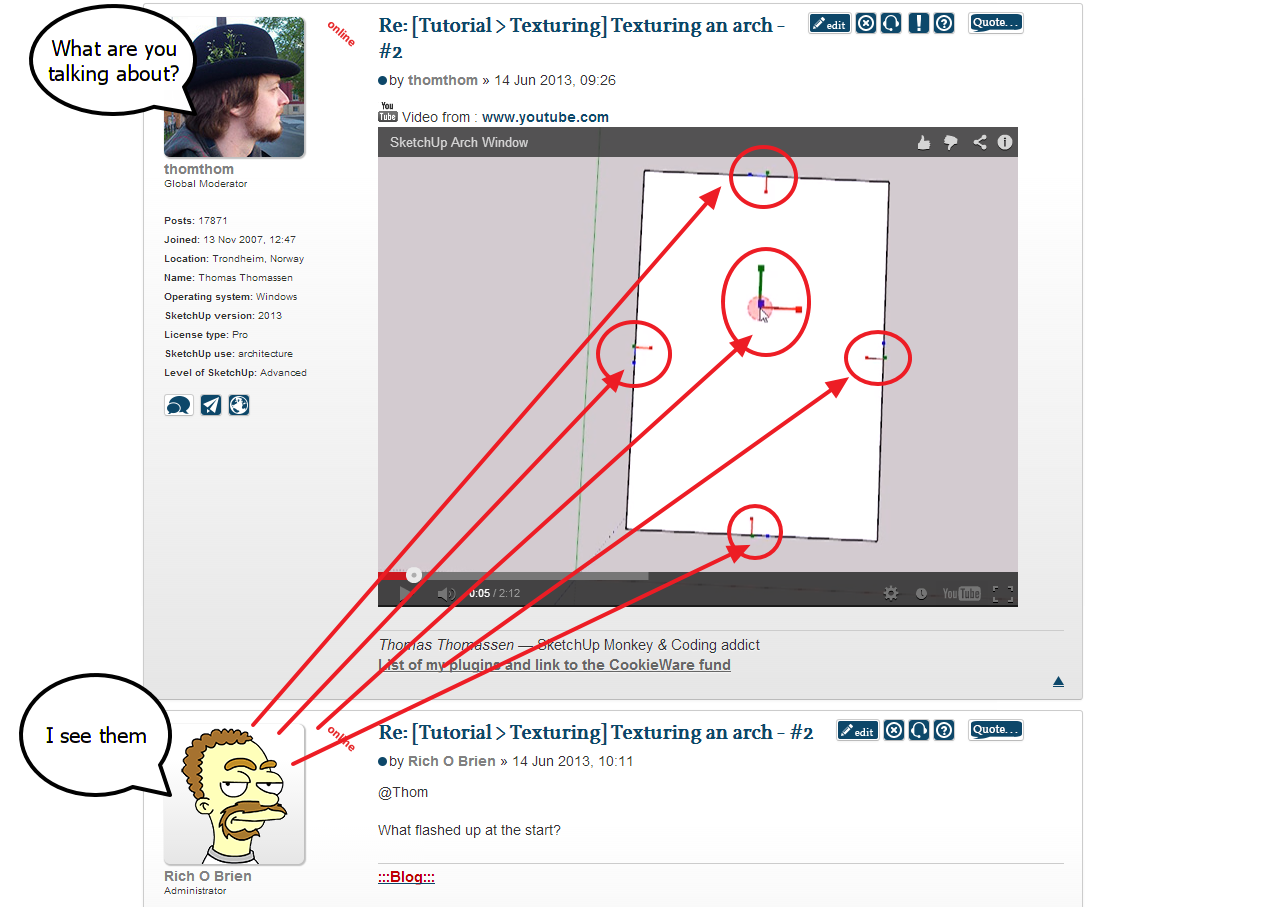
                            @Thom

                            What flashed up at the start?

                            Download the free D'oh Book for SketchUp 📖

                            1 條回覆 最後回覆 回覆 引用 0
                            • thomthomT 離線
                              thomthom
                              最後由 編輯

                              @rich o brien said:

                              What flashed up at the start?

                              ❓

                              Thomas Thomassen — SketchUp Monkey & Coding addict
                              List of my plugins and link to the CookieWare fund

                              1 條回覆 最後回覆 回覆 引用 0
                              • Rich O BrienR 離線
                                Rich O Brien Moderator
                                最後由 編輯

                                image 1.png

                                Download the free D'oh Book for SketchUp 📖

                                1 條回覆 最後回覆 回覆 引用 0
                                • thomthomT 離線
                                  thomthom
                                  最後由 編輯

                                  ah - I use shortcuts of often I don't even notice it. That's my tool to inspect face and edge normals: http://sketchucation.com/forums/viewtopic.php?t=21472#p180592

                                  Thomas Thomassen — SketchUp Monkey & Coding addict
                                  List of my plugins and link to the CookieWare fund

                                  1 條回覆 最後回覆 回覆 引用 0
                                  • ziiarZ 離線
                                    ziiar
                                    最後由 編輯

                                    Thanks thomthom! But I'm still not sure how to use the arcs as a perpendicular path for the textures like you did.

                                    http://sketchucation.com/forums/download/file.php?id=37072

                                    1 條回覆 最後回覆 回覆 引用 0
                                    • GaieusG 離線
                                      Gaieus
                                      最後由 編輯

                                      It's time to make some new tutorials based on newer plugins (or newer versions of plugins). I might put together something during the week-end.

                                      Gai...

                                      1 條回覆 最後回覆 回覆 引用 0
                                      • ziiarZ 離線
                                        ziiar
                                        最後由 編輯

                                        That would be great! looking forward to it.

                                        1 條回覆 最後回覆 回覆 引用 0
                                        • 1
                                        • 2
                                        • 3
                                        • 4
                                        • 5
                                        • 4 / 5
                                        • 第一個貼文
                                          最後的貼文
                                        Buy SketchPlus
                                        Buy SUbD
                                        Buy WrapR
                                        Buy eBook
                                        Buy Modelur
                                        Buy Vertex Tools
                                        Buy SketchCuisine
                                        Buy FormFonts

                                        Advertisement