sketchucation logo sketchucation
    • Login
    Oops, your profile's looking a bit empty! To help us tailor your experience, please fill in key details like your SketchUp version, skill level, operating system, and more. Update and save your info on your profile page today!
    ⚠️ Update | Sketchucation Tools 5.0.8 released with licensing improvements and bugfixes Download

    [Tutorial > Texturing] Texturing an arch - #2

    Scheduled Pinned Locked Moved SketchUp Tutorials
    sketchup
    87 Posts 18 Posters 41.8k Views 18 Watching
    Loading More Posts
    • Oldest to Newest
    • Newest to Oldest
    • Most Votes
    Reply
    • Reply as topic
    Log in to reply
    This topic has been deleted. Only users with topic management privileges can see it.
    • Rich O BrienR
      Rich O Brien Moderator
      last edited by

      Top class πŸ‘

      Download the free D'oh Book for SketchUp πŸ“–

      1 Reply Last reply
      Reply Quote 0
      • massimoM
        massimo Moderator
        last edited by

        Nice one Gai. Thanks.(Thanks to ThomThom too obviously) πŸ‘
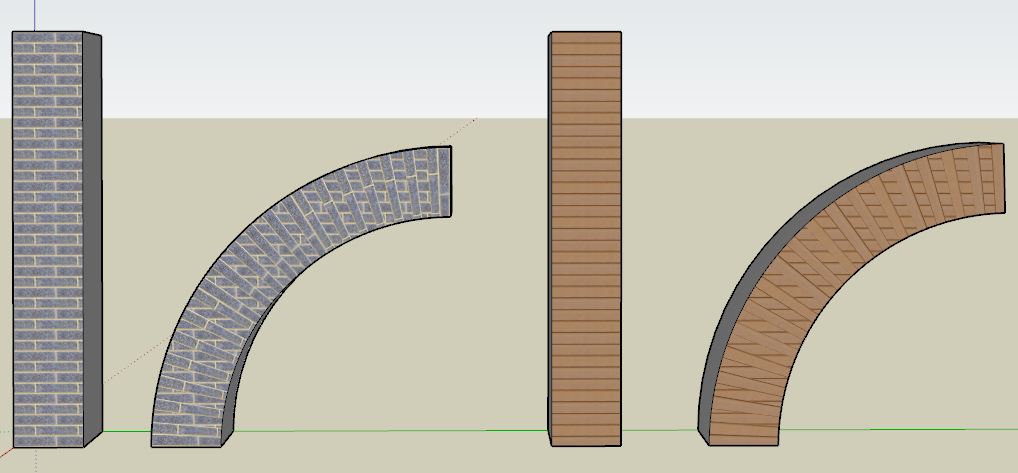
        Followed carefully the tut, however I'm only able to get what you see in the picture. What I'm doing wrong?
        -apply the texture;
        -draw the mortar's lines;
        -hidden geometry on;
        -ctrl+eraser on the lines;
        -hidden geometry off;
        -select the surface with the texture with one click;
        -UVtoolkit-->remember position;
        -bend the pillar;
        -select the surface with the texture with one click;
        -UVtoolkit-->restore position.

        Cattura.JPG

        1 Reply Last reply
        Reply Quote 0
        • GaieusG
          Gaieus
          last edited by

          Hi Massimo,

          Can you attach the skp file (preferably beforethe bend)?

          Gai...

          1 Reply Last reply
          Reply Quote 0
          • massimoM
            massimo Moderator
            last edited by

            HI Gai, here you have a model before the bend and before the UVtoolkit-->remember position.


            UV.skp

            1 Reply Last reply
            Reply Quote 0
            • GaieusG
              Gaieus
              last edited by

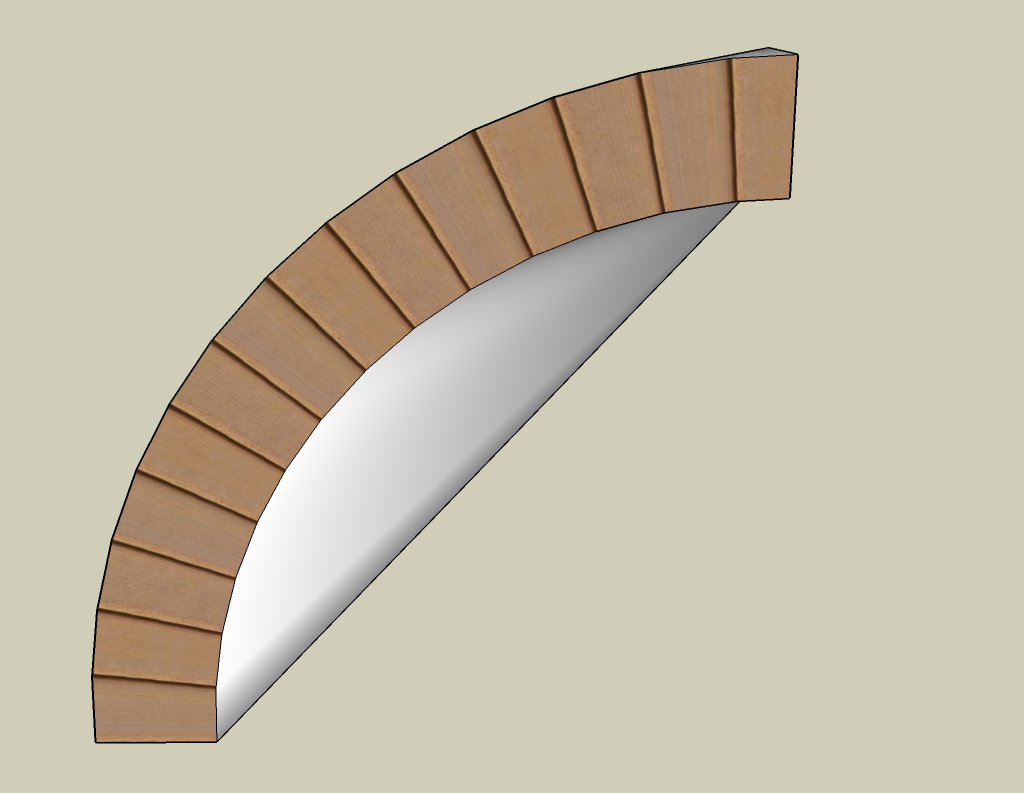
              Hm. To me, it seems to work correctly. I am on SU 8 however - don't know if that makes a difference (should try on 7 as well).

              The bend is a bit funny though as only the front face was subdivided πŸ˜„
              (This should obviously not have any effect on the UV part)

              UV.png


              UV.skp

              Gai...

              1 Reply Last reply
              Reply Quote 0
              • GaieusG
                Gaieus
                last edited by

                I tried in v.7 and it worked correctly, the same way.

                Gai...

                1 Reply Last reply
                Reply Quote 0
                • massimoM
                  massimo Moderator
                  last edited by

                  Have tried also with all faces with subdivisions, but the result is pretty the same. Also the result seems a bit unpredictable: sometimes nothin happens after UVtoolkit-->restore position. Maybe SU 7 is the culprit. Thanks anyway. πŸ˜„
                  Edit: Oh you're too fast! So it's not SU7.

                  1 Reply Last reply
                  Reply Quote 0
                  • GaieusG
                    Gaieus
                    last edited by

                    Here is the file saved after bending but before restoring the UV's. Try to restore from here so that we see where are the steps that went wrong.


                    UV.skp

                    Gai...

                    1 Reply Last reply
                    Reply Quote 0
                    • massimoM
                      massimo Moderator
                      last edited by

                      Wait...Found it. I'm used to press F4 before bending in order to have subdivisions. If you do that it doesn't work. Thanks for the help. πŸ˜„

                      1 Reply Last reply
                      Reply Quote 0
                      • massimoM
                        massimo Moderator
                        last edited by

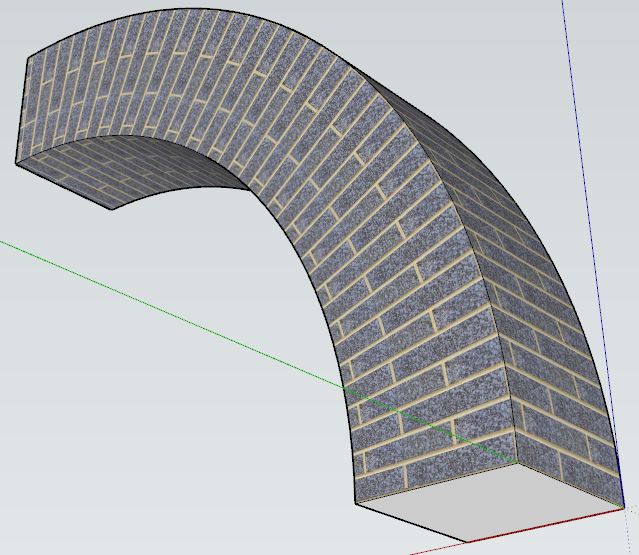
                        And it works also with multiple faces selected. πŸ‘ Even if you will need some adjustment on the corners in this particular case.

                        Cattura.JPG

                        1 Reply Last reply
                        Reply Quote 0
                        • GaieusG
                          Gaieus
                          last edited by

                          @massimo said:

                          Wait...Found it. I'm used to press F4 before bending in order to have subdivisions. If you do that it doesn't work. Thanks for the help. πŸ˜„

                          In the release notes it says that once you add new geometry afterremembering the UV, the data is lost. This is why we need to subdivide first and remember next.

                          It would certainly be awesome if it somehow could remember UV's after modifying the mesh (by adding/removing faces). Maybe one day...

                          @massimo said:

                          And it works also with multiple faces selected. πŸ‘ Even if you will need some adjustment on the corners in this particular case.

                          Yeah. I just select all (of the column) and run the plugin on the whole selection (including all sides).

                          Did I mention that it's an excellent plugin?
                          πŸ˜„


                          Also, it does not only work on quad faces but on triangles, too. This is very important as some operation may add further subdivision by triangulating (imagine a twist for instance)

                          Gai...

                          1 Reply Last reply
                          Reply Quote 0
                          • massimoM
                            massimo Moderator
                            last edited by

                            @unknownuser said:

                            Did I mention that it's an excellent plugin?
                            πŸ˜„

                            Yeah, you did... πŸ˜†

                            @unknownuser said:

                            It would certainly be awesome if it somehow could remember UV's after modifying the mesh (by adding/removing faces). Maybe one day...

                            Indeed. πŸ˜‰

                            1 Reply Last reply
                            Reply Quote 0
                            • GaieusG
                              Gaieus
                              last edited by

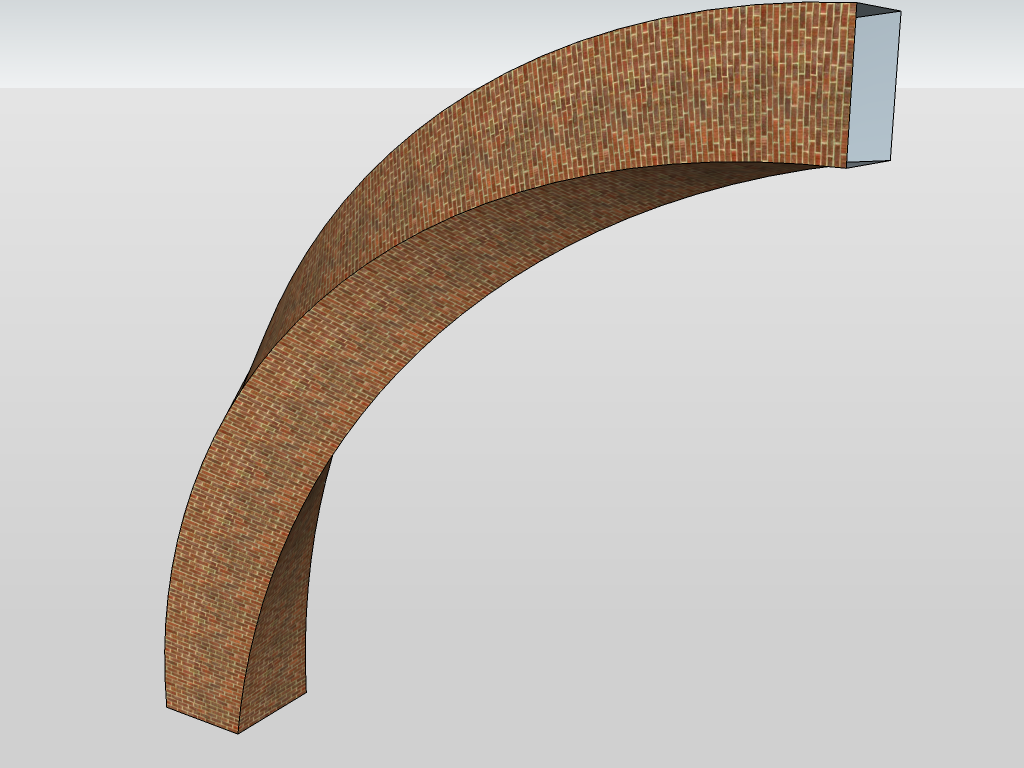
                              Now twisted AND bent. 😲
                              (This definitely needs pre-triangulation as it would be triangulated by the twist anyway)
                              Incredible!

                              UV.png


                              UV.skp

                              Gai...

                              1 Reply Last reply
                              Reply Quote 0
                              • massimoM
                                massimo Moderator
                                last edited by

                                So Gai now we are waiting for a model of this... πŸ˜†


                                chspietro25.jpg

                                1 Reply Last reply
                                Reply Quote 0
                                • GaieusG
                                  Gaieus
                                  last edited by

                                  Ah, Bernini... I have not always liked that deep Baroque but nowadays I am fine with it...
                                  πŸ˜„

                                  Gai...

                                  1 Reply Last reply
                                  Reply Quote 0
                                  • massimoM
                                    massimo Moderator
                                    last edited by

                                    Yeah, I always preferred Borromini (who also worked a bit at that baldaquin anyway). πŸ˜‰

                                    1 Reply Last reply
                                    Reply Quote 0
                                    • thomthomT
                                      thomthom
                                      last edited by

                                      I pitty the brick builder. πŸ˜„

                                      Thomas Thomassen β€” SketchUp Monkey & Coding addict
                                      List of my plugins and link to the CookieWare fund

                                      1 Reply Last reply
                                      Reply Quote 0
                                      • D
                                        dominion
                                        last edited by

                                        Sorry to be dumb but how do you subdivide? is it a plugin?

                                        1 Reply Last reply
                                        Reply Quote 0
                                        • GaieusG
                                          Gaieus
                                          last edited by

                                          I just copied the bottom edges along with a linear array (Ctrl+ )

                                          Gai...

                                          1 Reply Last reply
                                          Reply Quote 0
                                          • D
                                            dominion
                                            last edited by

                                            er if i do that it creates faces for each section of the texture, your 2nd image shows it as one face and your first shows dotted lines for the divide my has sild edges?


                                            1 Reply Last reply
                                            Reply Quote 0

                                            Hello! It looks like you're interested in this conversation, but you don't have an account yet.

                                            Getting fed up of having to scroll through the same posts each visit? When you register for an account, you'll always come back to exactly where you were before, and choose to be notified of new replies (either via email, or push notification). You'll also be able to save bookmarks and upvote posts to show your appreciation to other community members.

                                            With your input, this post could be even better πŸ’—

                                            Register Login
                                            • 1
                                            • 2
                                            • 3
                                            • 4
                                            • 5
                                            • 5 / 5
                                            • First post
                                              Last post
                                            Buy SketchPlus
                                            Buy SUbD
                                            Buy WrapR
                                            Buy eBook
                                            Buy Modelur
                                            Buy Vertex Tools
                                            Buy SketchCuisine
                                            Buy FormFonts

                                            Advertisement
