sketchucation logo sketchucation
    • 登入
    Oops, your profile's looking a bit empty! To help us tailor your experience, please fill in key details like your SketchUp version, skill level, operating system, and more. Update and save your info on your profile page today!
    🔌 Smart Spline | Fluid way to handle splines for furniture design and complex structures. Download

    [Example] V-Ray Displacement

    已排程 已置頂 已鎖定 已移動 V-Ray
    renderpluginsextensions
    54 貼文 27 Posters 173.8k 瀏覽 27 Watching
    正在載入更多貼文
    • 從舊到新
    • 從新到舊
    • 最多點贊
    回覆
    • 在新貼文中回覆
    登入後回覆
    此主題已被刪除。只有擁有主題管理權限的使用者可以查看。
    • thomthomT 離線
      thomthom
      最後由 編輯

      Use a layer blend mode so you mix the shades of the underlaying layer. Or render out the image in mulitple passes which you can overlay.

      Thomas Thomassen — SketchUp Monkey & Coding addict
      List of my plugins and link to the CookieWare fund

      1 條回覆 最後回覆 回覆 引用 0
      • simon le bonS 離線
        simon le bon
        最後由 編輯

        Hi guys,
        Sorry for disturbing: I don't know nothing about Vray..

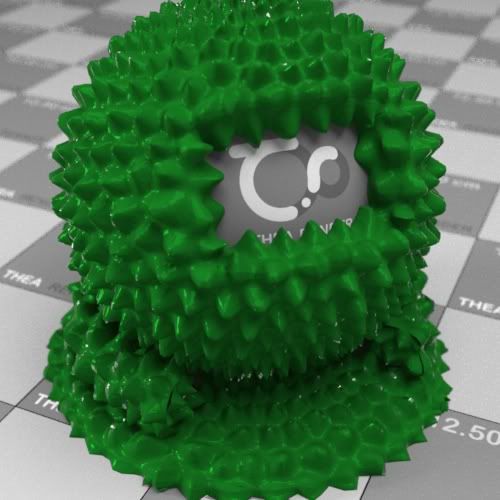
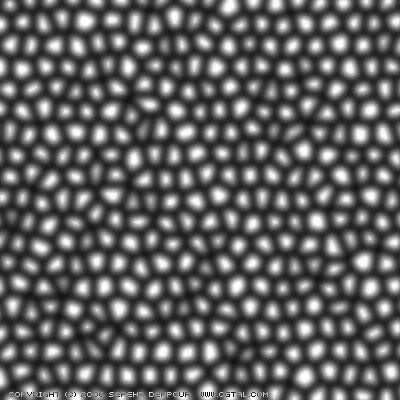
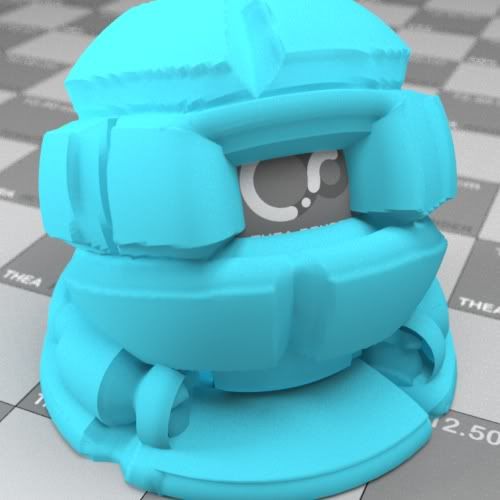
        But I find Displacement incredibly amazing.
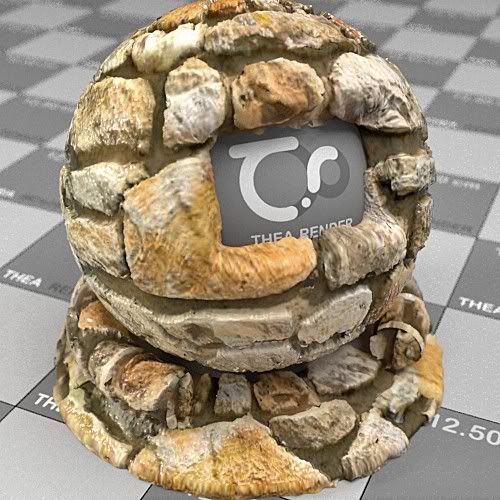
        http://i274.photobucket.com/albums/jj245/Spendauballet/TheaRender/StoneDispMap_handPainted_Ball_2b.jpg

        http://i274.photobucket.com/albums/jj245/Spendauballet/TheaRender/Khashak-map_ball.jpg

        http://i274.photobucket.com/albums/jj245/Spendauballet/TheaRender/Khashak-map.jpg

        http://i274.photobucket.com/albums/jj245/Spendauballet/TheaRender/BibendumBricksWall.jpg
        😎

        😒 simon

        1 條回覆 最後回覆 回覆 引用 0
        • pyrolunaP 離線
          pyroluna
          最後由 編輯

          Thanks Thomthom! Very helpful!

          1 條回覆 最後回覆 回覆 引用 0
          • arail1A 離線
            arail1
            最後由 編輯

            Very frustrated.
            I'm trying to learn a bit of Vray before my demo expires, then I'm back to modo until some more $$ comes in.

            I can't seem to get displacement to work. Is there a global switch somewhere that I'm overlooking? I've downloaded all of the files in this thread, opened them without changing any settings and I get nothing.

            Any ideas of what I'm doing wrong or what I'm not doing?

            Thanks
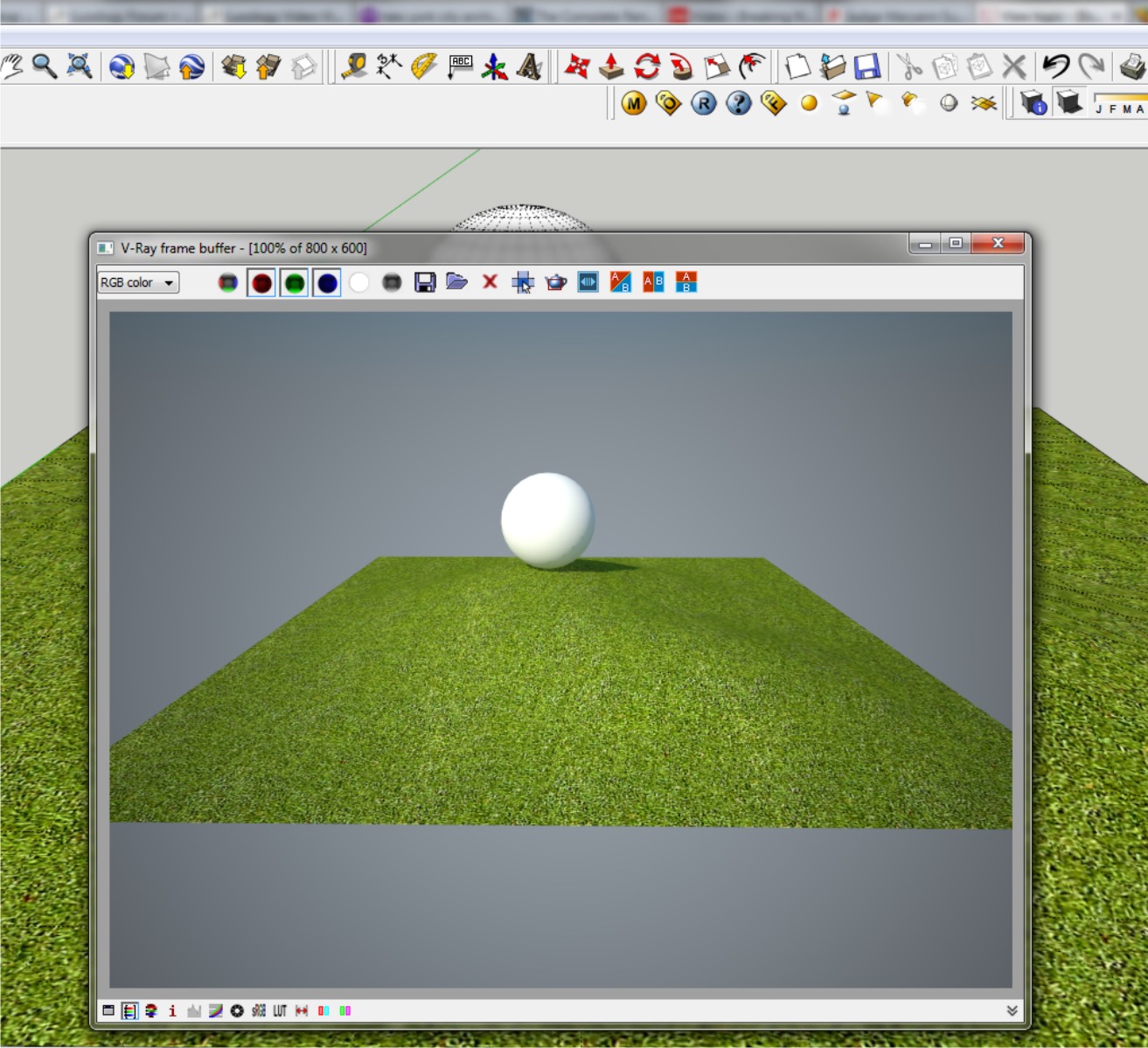

            displace3.jpg

            1 條回覆 最後回覆 回覆 引用 0
            • 3 離線
              3deviator
              最後由 編輯

              @arail1 said:

              Very frustrated.
              I'm trying to learn a bit of Vray before my demo expires, then I'm back to modo until some more $$ comes in.

              I can't seem to get displacement to work. Is there a global switch somewhere that I'm overlooking? I've downloaded all of the files in this thread, opened them without changing any settings and I get nothing.

              Any ideas of what I'm doing wrong or what I'm not doing?

              Thanks

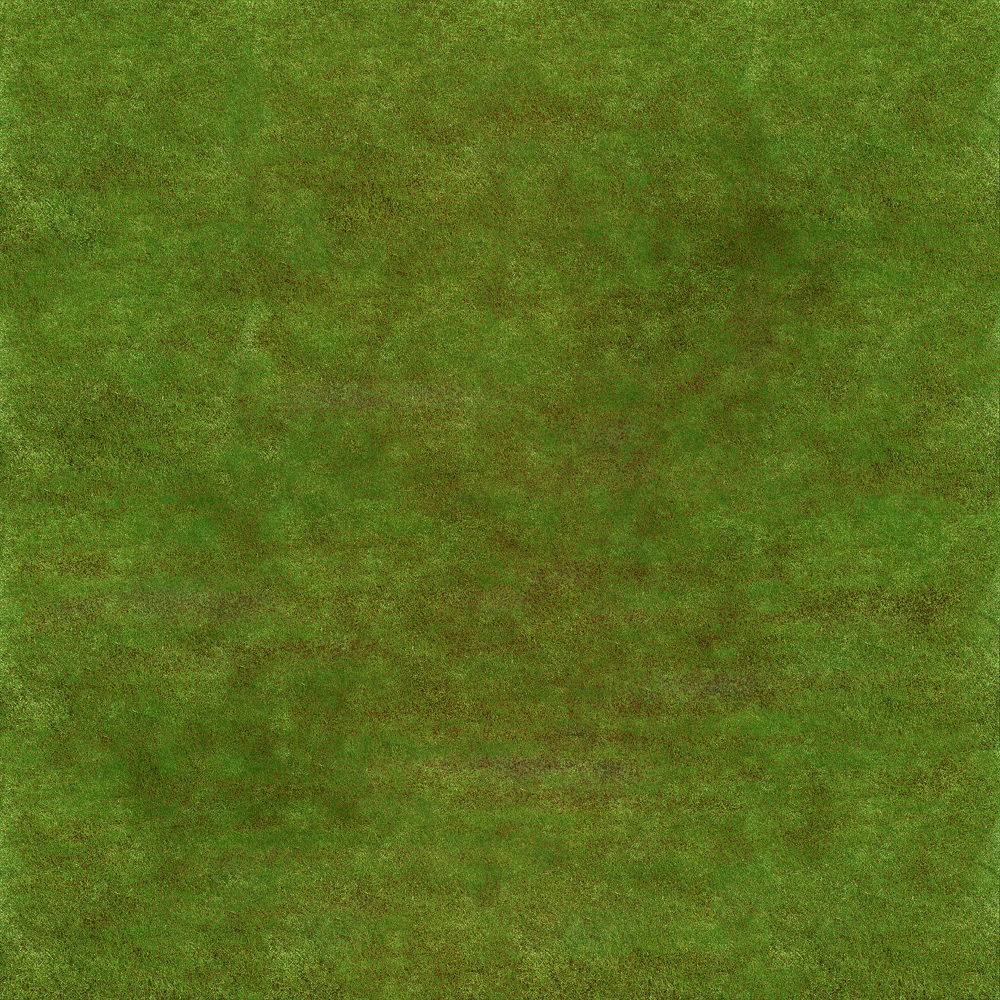
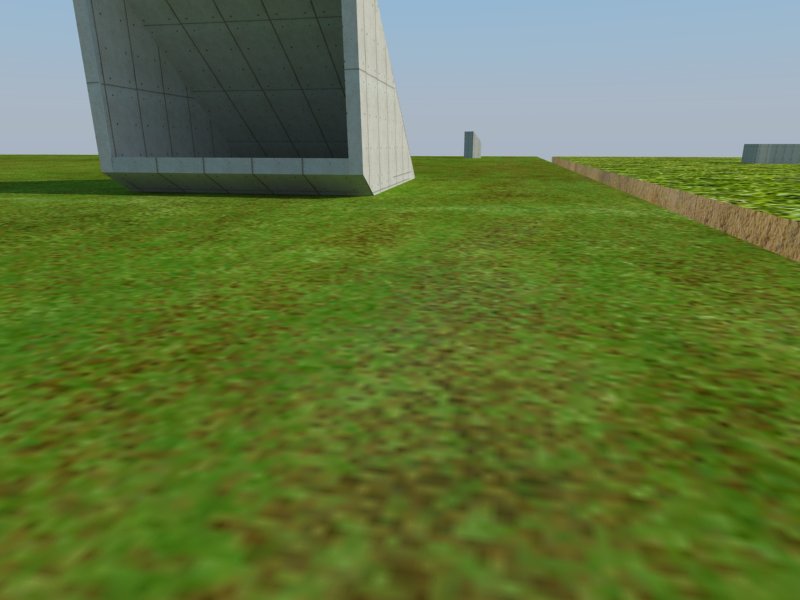
              hello arail1, i dont know if this works for you, recently I play vray displacement on grass. And accidentaly found out this settings for grass displacement. I used vray 1.49.01 demo, and heres my settings.

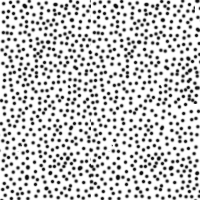
              1. I use the grass textured (attachment no.1) in the difuse layer and the displacement attachment no.2

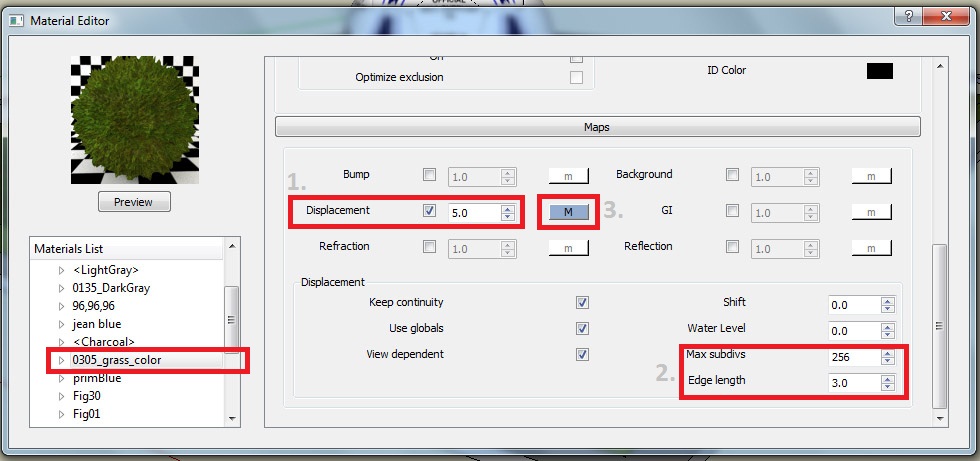
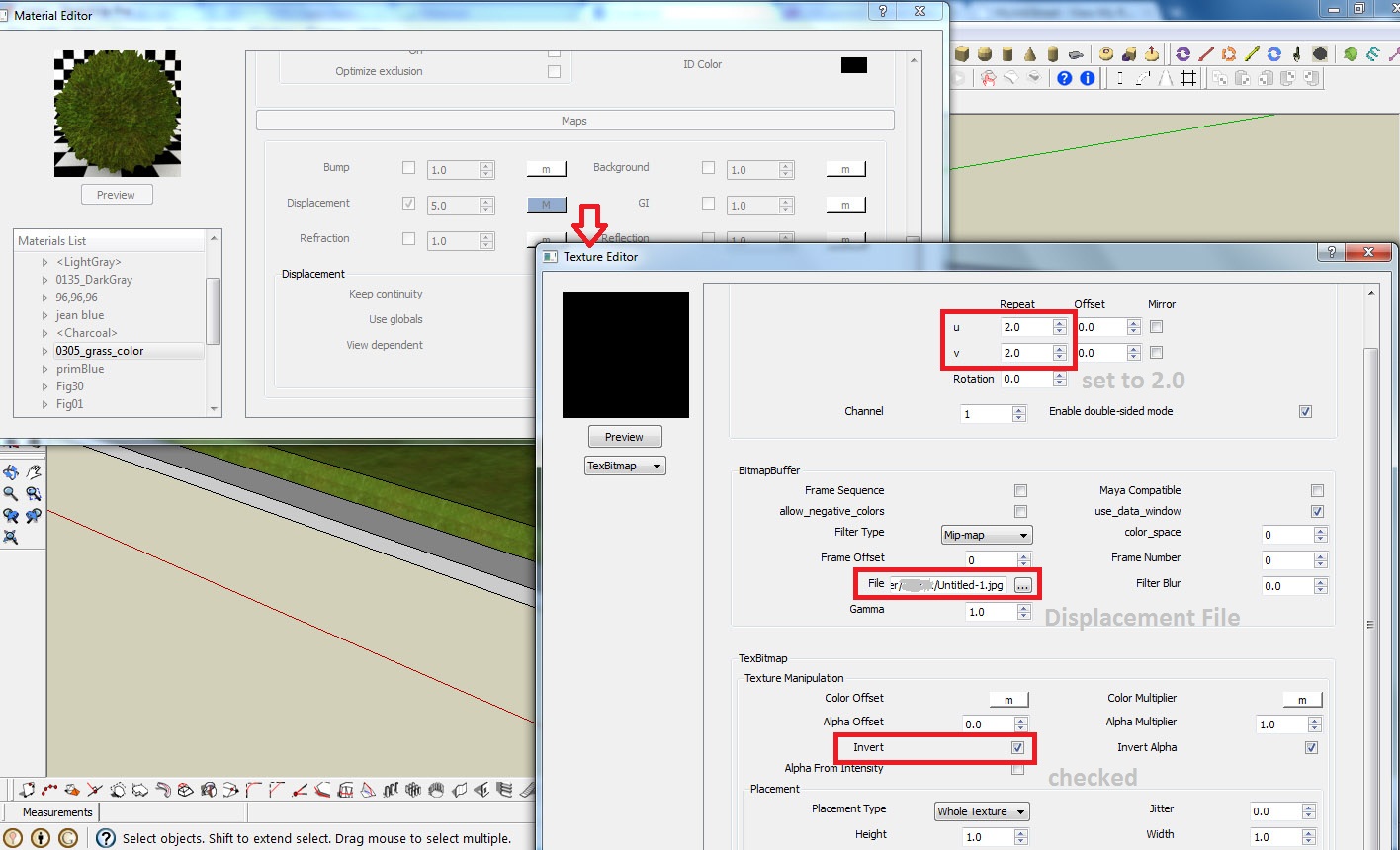
              2. Then in my material editor, at Maps, load the displacement file (attachment no.2) then adjust the U & V equal to 2.0, then check the invert box as shown in picture 7,

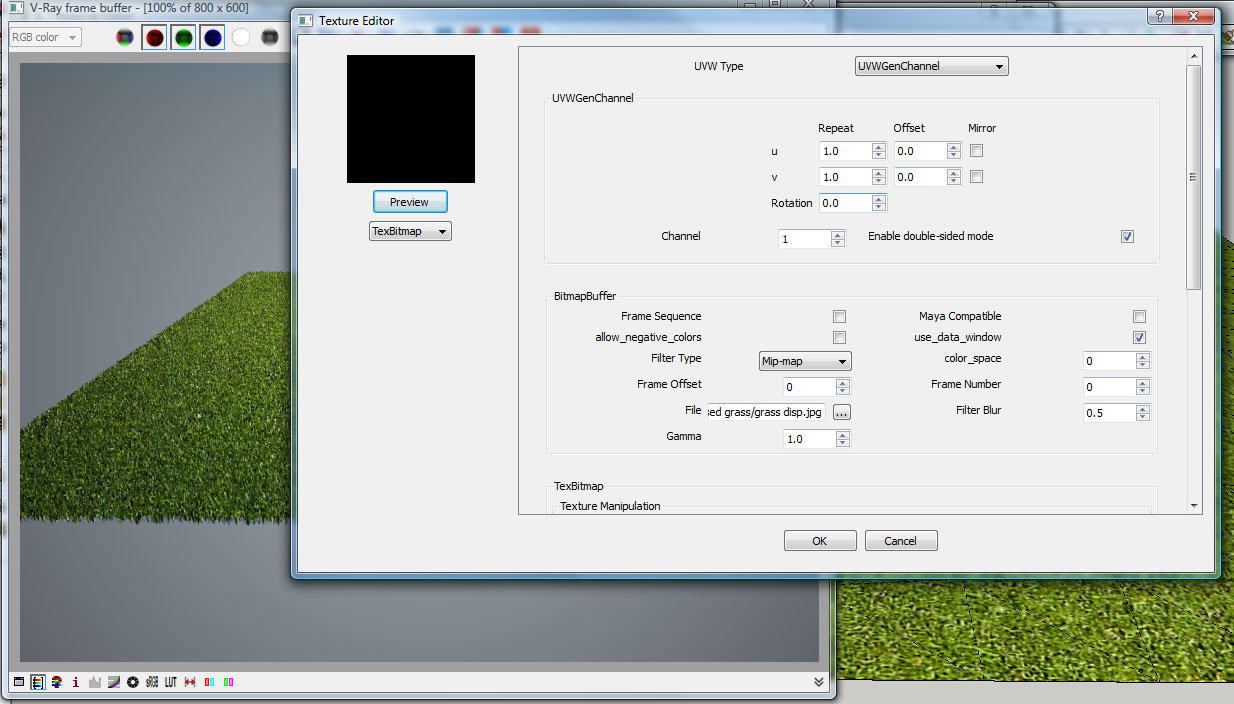
              3. After that, I adjust the displacement multiplier to 5 and the edge length to 3.0 as shown in pictures also. (picture 4)

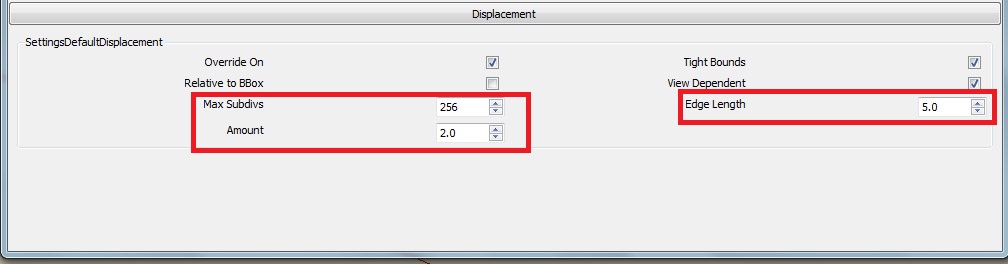
              4. Then in the V-RAY OPTION. go to Displacement menu then adjust the amount to 2.0 and edge length to 5.0. (see picture 5)

              5. finally hit render botton.
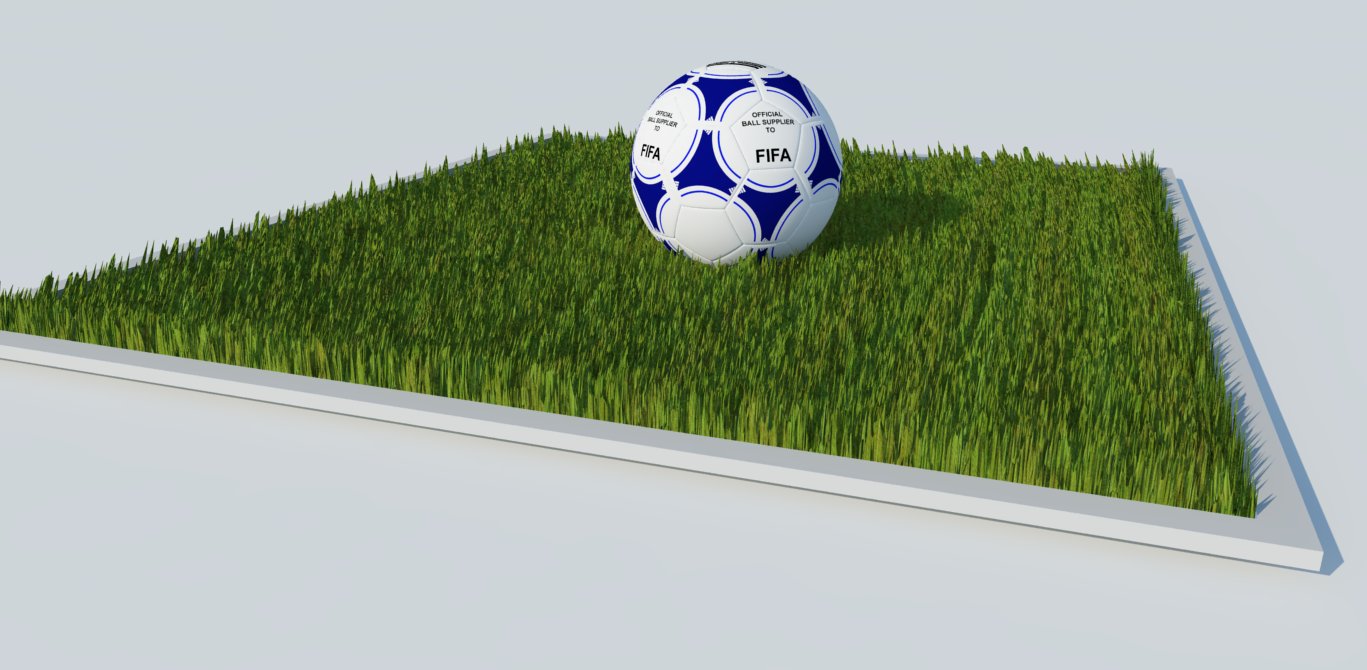
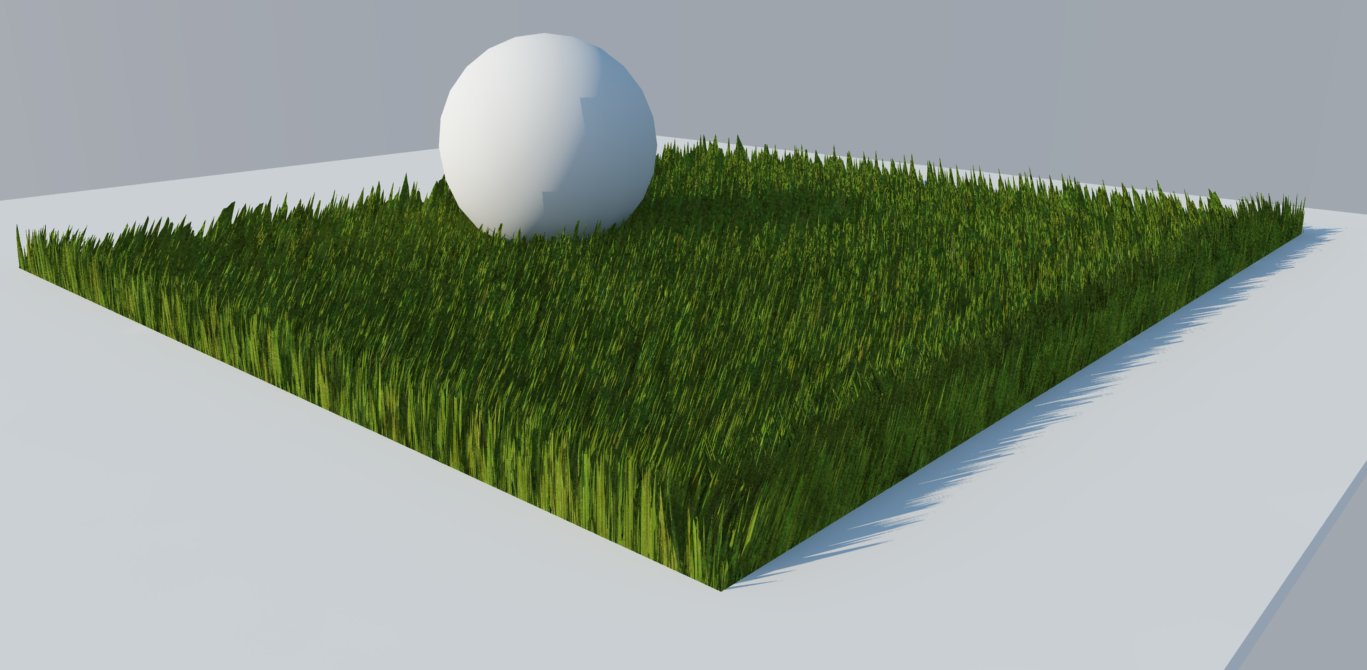
                I attached also the output of that settings (picture 6), and some other output, i just change the amount of displacement and edge length.

              Thats it, hopefully this will help you.
              Cheers! 😛

              Krisnel


              grass (difuse)


              grass displacement


              picture 4


              picture 5


              picture 6


              other output


              picture 7

              1 條回覆 最後回覆 回覆 引用 0
              • arail1A 離線
                arail1
                最後由 編輯

                Thanks 3deviator -

                I dragged some displacement maps I use in modo into my SketchUp scene and now I have displacement. I assumed downloading some of the files from this thread and hitting Render without doing anything else would work but for some reason it doesn't, not sure why. But whatever, I seem to have overcome the problem.

                1 條回覆 最後回覆 回覆 引用 0
                • thomthomT 離線
                  thomthom
                  最後由 編輯

                  Make sure you group the faces with the displaced materials.

                  Thomas Thomassen — SketchUp Monkey & Coding addict
                  List of my plugins and link to the CookieWare fund

                  1 條回覆 最後回覆 回覆 引用 0
                  • M 離線
                    mingjae
                    最後由 編輯

                    hi thomthom,

                    I want to ask the basic pattern of displacement map,
                    is it extrude the black colour and nothing in white?

                    what about if i use a coloured jpg image as displace maps
                    eq, using the same jpeg image in diffuse and displacement maps
                    is it displaced?

                    i already try bump maps , make more realistic in texturing, but not more realistic if i render the corner of a room with applied 30x30 tiles on it (look realistic on the texture but not at the edge/ corner at the tile)

                    maybe, can u share step by step the setting of doing this rendering corner of a room with 30x30 tile? thx

                    SU 8+vray 1.49.01

                    1 條回覆 最後回覆 回覆 引用 0
                    • V 離線
                      valerostudio
                      最後由 編輯

                      I remember reading something about a 'trick' to get displacement to calc faster on a final rendering. Does anyone remember the process. It had something to do with running the rendering with displacement off and then saving the IR and LC maps and then re-running the rendering? It was supposed to increase render times dramatically.

                      1 條回覆 最後回覆 回覆 引用 0
                      • andybotA 離線
                        andybot
                        最後由 編輯

                        That's pretty much it. If you only have a few materials with displacement, you can turn of the disp. map for those materials and run a render at 1/2 the final resolution (height and width), then saving the LC and IR maps. Then change your settings to render LC and IR map from file, change resolution back to full res, and turn back on the disp. maps. The rendering should then start right into the final render pass. One warning though, there's a bug in the current version where the saved maps don't load correctly. I don't recall the workaround now, but it was discussed in the asgvis (now chaosgroup) forum. I'll post some info if I can dig it up. I think it had to do whether autosave image was turned on or not. (It needs to be turned on and a file path selected.)

                        Andy

                        http://charlottesvillearchitecturalrendering.com/

                        1 條回覆 最後回覆 回覆 引用 0
                        • fuzzionF 離線
                          fuzzion
                          最後由 編輯

                          Displacement mapping made with 1.49 vfsu. Texture taken
                          from http://luzindirecta.luxisessentia.com/
                          HDRI sky hyperfocal
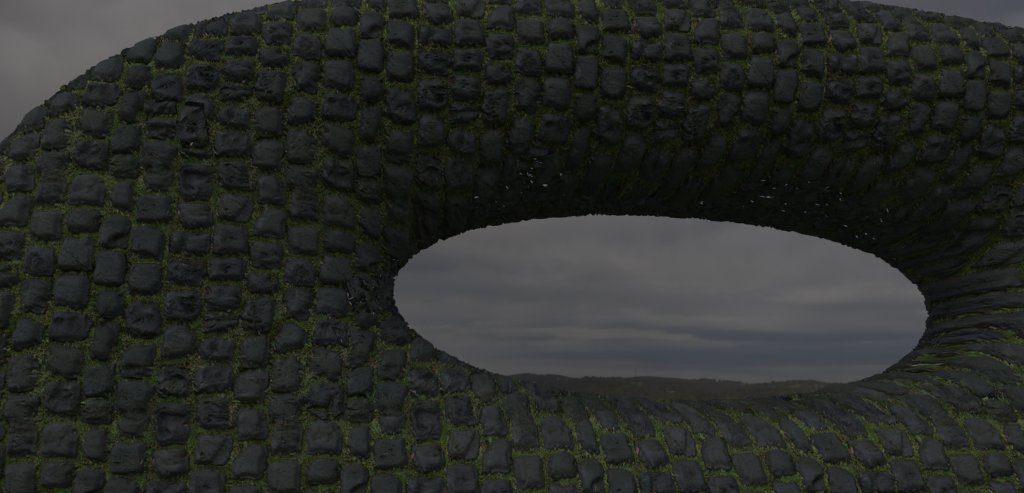

                          Eye in the Sky

                          "Only the dead have seen the end of war" - Plato

                          1 條回覆 最後回覆 回覆 引用 0
                          • V 離線
                            valerostudio
                            最後由 編輯

                            Did we ever figure out the workaround for the 1/2 res LC IR saving in 1.49.01?

                            1 條回覆 最後回覆 回覆 引用 0
                            • B 離線
                              bhbarchitects
                              最後由 編輯

                              The scene that ThomThom has been good enough to supply has a link to the displacement on a local machine.

                              If you save this map to your pc and then link to it, the scene should render fine.

                              Hope this helps

                              Matthew
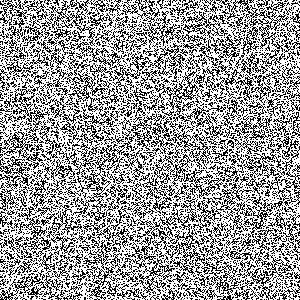

                              disp file for glass


                              displacement settings

                              1 條回覆 最後回覆 回覆 引用 0
                              • V 離線
                                valerostudio
                                最後由 編輯

                                I might have been clear. I apologize for that. What I am referring to is the workaround that lets you rendering at 1/2 res with displace off and then you load your IR Map and LC Maps and render at full res. Andy mentions that he thinks there is a bug in the latest version that will not let you load the IR and LC maps properly. That's my issue right now.

                                1 條回覆 最後回覆 回覆 引用 0
                                • andybotA 離線
                                  andybot
                                  最後由 編輯

                                  @valerostudio: I had a thread about this on the Chaosgroup forum. There is a trick that's worked most of the time - has to do with autosave. As long as you have a file name selected in the IRmap autosave slot, the saved maps seem to work.

                                  bug and solution for indirect illumination autosave bug
                                  (registration required)

                                  http://charlottesvillearchitecturalrendering.com/

                                  1 條回覆 最後回覆 回覆 引用 0
                                  • M 離線
                                    Moderat
                                    最後由 編輯

                                    @3deviator said:

                                    3deviator

                                    I followed your steps, I liked the result.
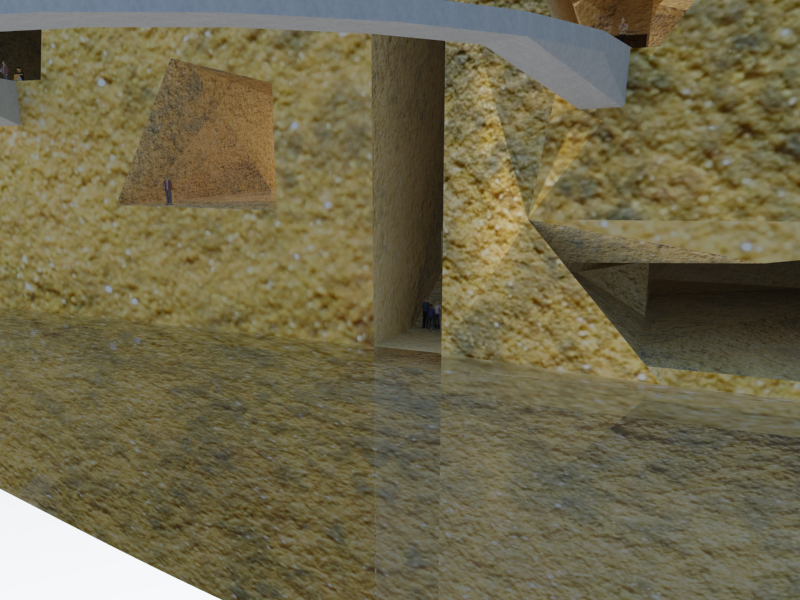
                                    When I preview render in the material editor it looks good, but when I do a render from my scene it doesn't show the displacement.. I have this when rendering other kind of materials with displacement too. So there must be something wrong, I checked all the settings from your images with mine.. and they are the same. Any idea? Really frustrating, been looking for days now (reason why my water material isn't working properly too, see other thread).
                                    grass
                                    waterrender

                                    Thank you,

                                    Bert

                                    1 條回覆 最後回覆 回覆 引用 0
                                    • thomthomT 離線
                                      thomthom
                                      最後由 編輯

                                      Note that the material editor scene isn't well suited to preview architectural materials. When you create displacement materials you will see that the displacement amount will look different. The displacement multiplier represent inches, so calculate how big your multiplier need to be.

                                      Then you also need to make sure that any displaced geometry is completely isolated. A geometry with a displacement material must not touch any geometry with any other material. That is very important.

                                      Thomas Thomassen — SketchUp Monkey & Coding addict
                                      List of my plugins and link to the CookieWare fund

                                      1 條回覆 最後回覆 回覆 引用 0
                                      • andybotA 離線
                                        andybot
                                        最後由 編輯

                                        also, make sure also that any edges in your group do not have any other material applied. That's tricked me up once or twice...

                                        http://charlottesvillearchitecturalrendering.com/

                                        1 條回覆 最後回覆 回覆 引用 0
                                        • M 離線
                                          Moderat
                                          最後由 編輯

                                          I switched the displacement multiplier up to 50, but it doesn't change a thing.
                                          I created a grey rectangle outside my model to check if it would work there (so it isn't connected to another material).. still the same?
                                          Can someone check my sketchup file? Really stuck here. As far as I know I'm not using any groups for the model, maybe by accidence a while ago (been working on it for quite some time now..).
                                          http://www.mediafire.com/?pxmhwih5p0t5li3
                                          (if you open it, does it look like a heavy file? Sketchup blocks from time to time for a minute or 2..)

                                          Thank you!

                                          Bert

                                          1 條回覆 最後回覆 回覆 引用 0
                                          • thomthomT 離線
                                            thomthom
                                            最後由 編輯

                                            Still downloading, but did you isolate the geometry? That is the most important thing to do.

                                            Also, exactly what version of VfSU do you use?

                                            Thomas Thomassen — SketchUp Monkey & Coding addict
                                            List of my plugins and link to the CookieWare fund

                                            1 條回覆 最後回覆 回覆 引用 0
                                            • 1
                                            • 2
                                            • 3
                                            • 2 / 3
                                            • 第一個貼文
                                              最後的貼文
                                            Buy SketchPlus
                                            Buy SUbD
                                            Buy WrapR
                                            Buy eBook
                                            Buy Modelur
                                            Buy Vertex Tools
                                            Buy SketchCuisine
                                            Buy FormFonts

                                            Advertisement