[Plugin][$] Curviloft 2.0a - 31 Mar 24 (Loft & Skinning)


-
Fredo I am a big fan of your work, i hang my head in shame and confess that i cannot get the Curvilot to work when i start uo SU i get the following message " Module Curviloft requires LibFredo6 version greater than 35. Current version is 34" but i do have Version 35 in the plugin dir as well as 34 if i remove the 34 many of my other Fredo plugins work is it possible for anyone to diagnose my problem?
Thanks in anticipation -
@grim said:
fredo and charly
this tool is fantastic, however after reviewing the examples posted by charly i was eager to try them out for myself but when it came time to try step 3 if found that the curviloft menue did not display the same information nor did the black backround profile menu appear i have sinced removed all rubies and reloaded only the latest from you posting to see if i had installed it incorrectly however i get the same responce
can you enlighten me as to the problem or is there somthing i am over looking
thanks
Maybe you just need to click on a junction to get the floating palette appear, if it is your problem.
Fredo
-
@dolphus said:
Fredo I am a big fan of your work, i hang my head in shame and confess that i cannot get the Curvilot to work when i start uo SU i get the following message " Module Curviloft requires LibFredo6 version greater than 35. Current version is 34" but i do have Version 35 in the plugin dir as well as 34 if i remove the 34 many of my other Fredo plugins work is it possible for anyone to diagnose my problem?
Thanks in anticipationCheck out if you have a subfolder named LIBFREDO6_Dir_35 in the Plugins directory. Normally, the script automatically select the latest version of LibFredo6
Fredo
-
fredo
thanks for the pointers, they work... there seems to be a lot more to using this tool than i realise, i am getting the hang of it slowly
-
Thank you for the quick reply, I thought i had put the folder in i have now and it works
Thank you very much -
@daniel s said:
Here I make another quick test for loft feature. It´s simple but y really want to know if it would work in this cases.
Daniel S
I missed this one.
Here is the result, with Loft by Spline
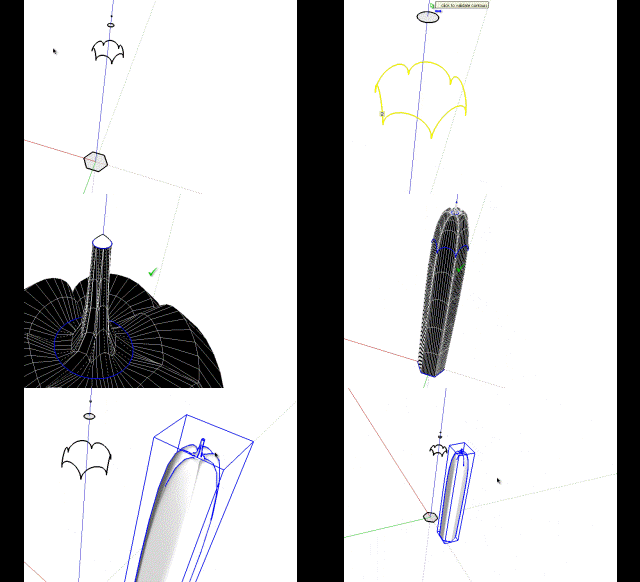
Fredo
-
danial
tried you shape file and came up with very different results see attached file
can you enlighten me as to where i am going wrong as i followed your instructions as well as trying one of my own
regards
david
-
You can select all the contours to make the loft:
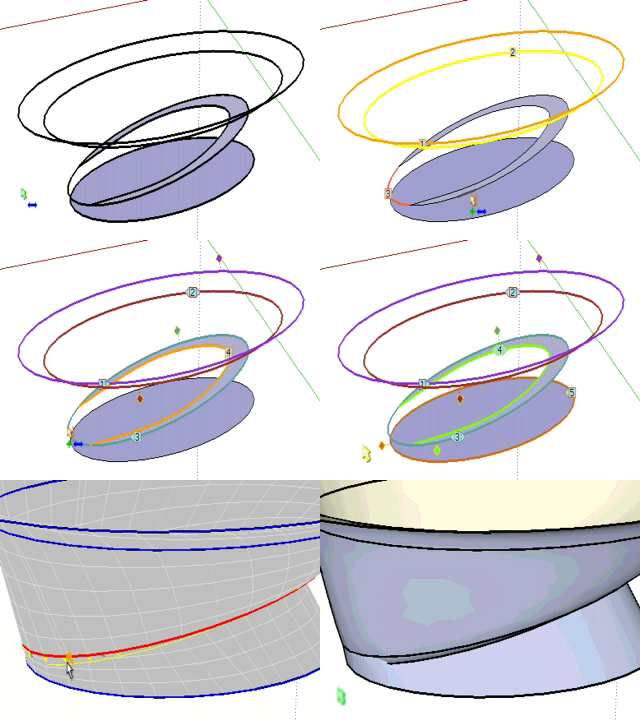
You will see that there is a problem with the default method.. try to change it with the toolbar for different results:

Or you can make it in two parts (for this model I wanted this result):
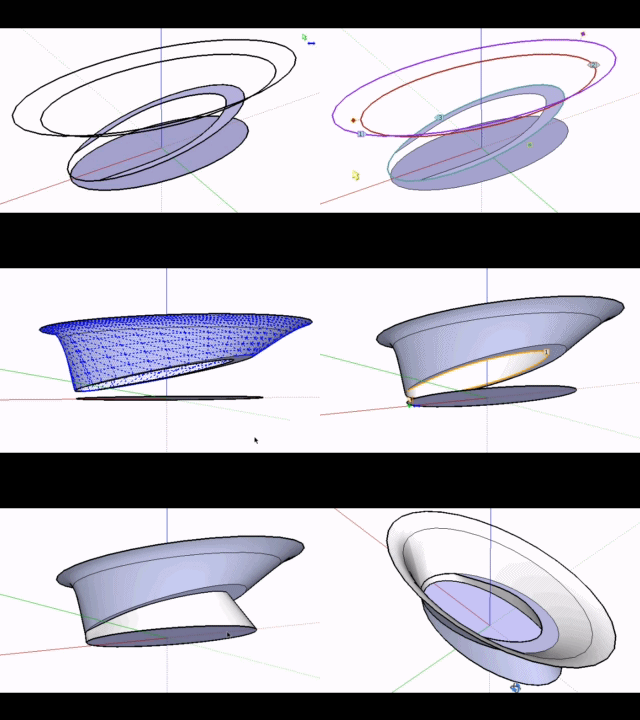
Daniel S
-
The idea was a result like this for that model:
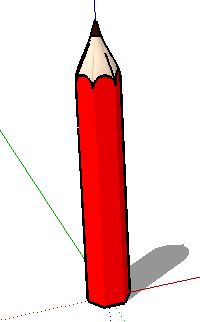
Is better to make the loft in parts and not all togheter in a lot of cases.
For example, I´m making a shape where two contours share edges.
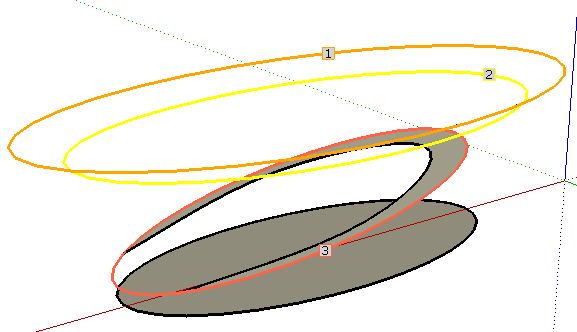
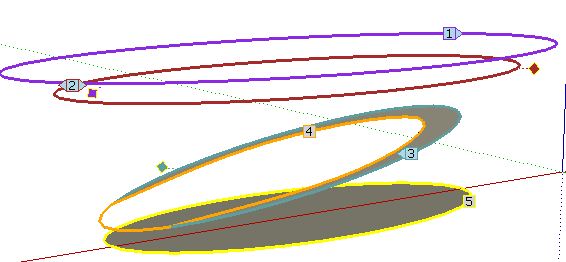
it is better to make a loft between 1-2-3, then explode and after that make the loft 4-5 for better results:
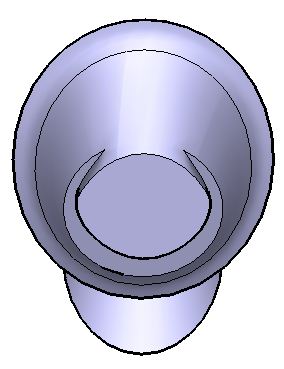
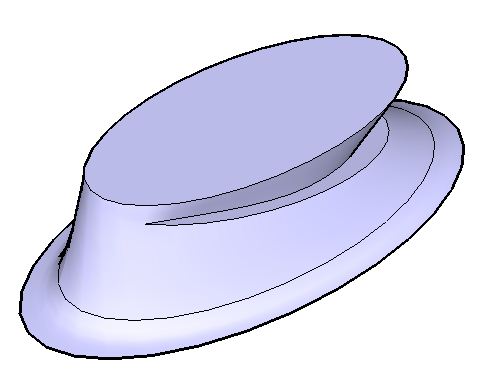
I attach the skp to show that if you make a loft of 1-2-3-4-5 the results are not good in this case.
Daniel S
-
@daniel s said:
The idea was a result like this for that model:
[attachment=6:fuxjwvvf]<!-- ia6 -->pencil.JPG<!-- ia6 -->[/attachment:fuxjwvvf]Daniel SFor the pencil, use the regular Bezier method (first method) instead of Cubic Bezier (default method).
[attachment=0:fuxjwvvf]<!-- ia0 -->Pencil Loft Daniel S.png<!-- ia0 -->[/attachment:fuxjwvvf]
FredoPS: for the other shape, there are still some issues when curves are partially overlapping. But it is a good example I can work from.
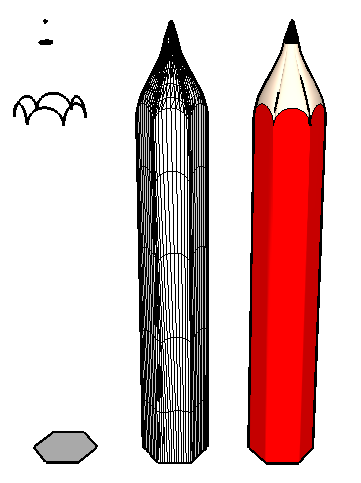
-
I've yet to try out this plugin for myself - but is there a linear option as well? Or is it just beziers? It seems to be that the pencil would require a linear morphing to get the shape of the tip.
-
@thomthom said:
I've yet to try out this plugin for myself - but is there a linear option as well? Or is it just beziers? It seems to be that the pencil would require a linear morphing to get the shape of the tip.
The Linear option will be available in the next release (along with other spline methods). I came to that conclusion too.
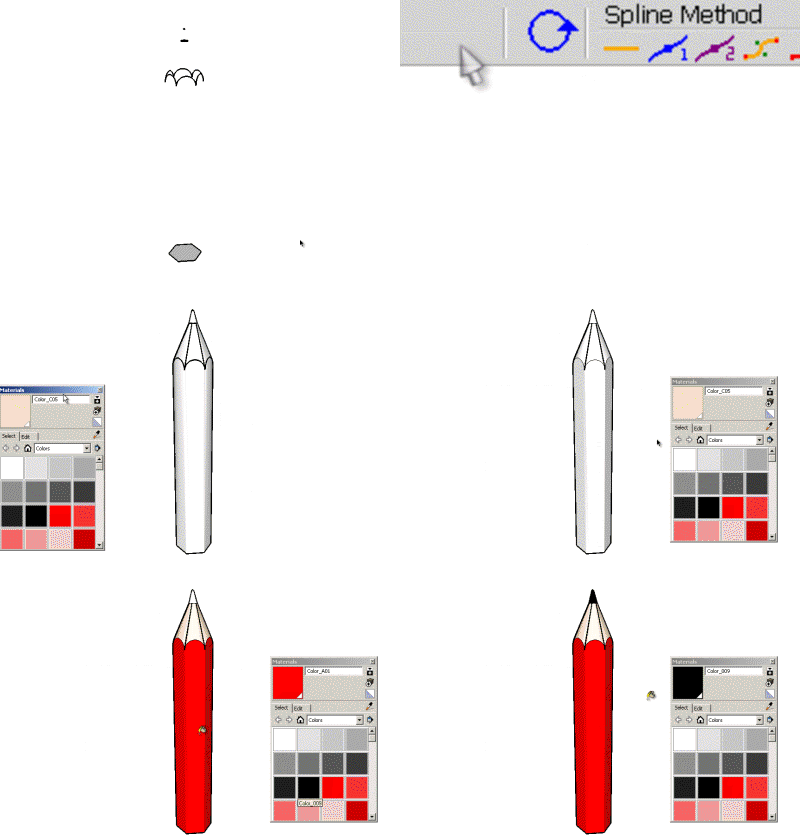
Fredo -
Just came across this wonderful and amazing new tool.
I'm pretty much speechless: incredible
This opens up soooo many possibilities. Thank you for this great tool
-
I haven't even had time to use it and I am already in love with this plugin.
Thanks Fredo -
-
Hi,
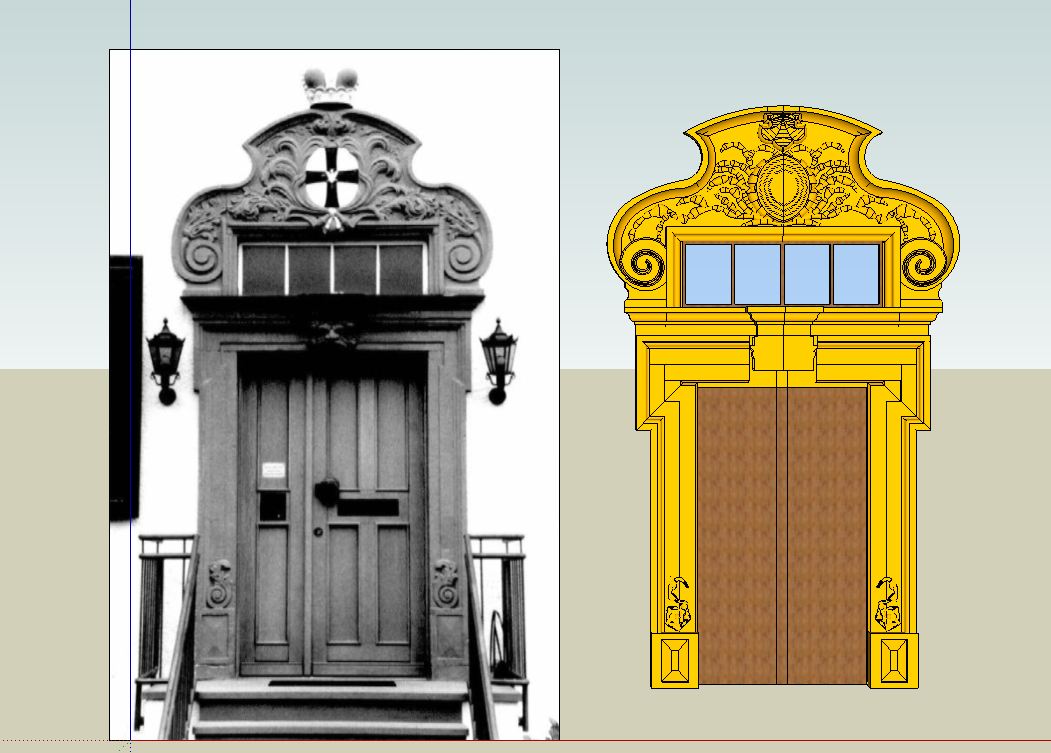
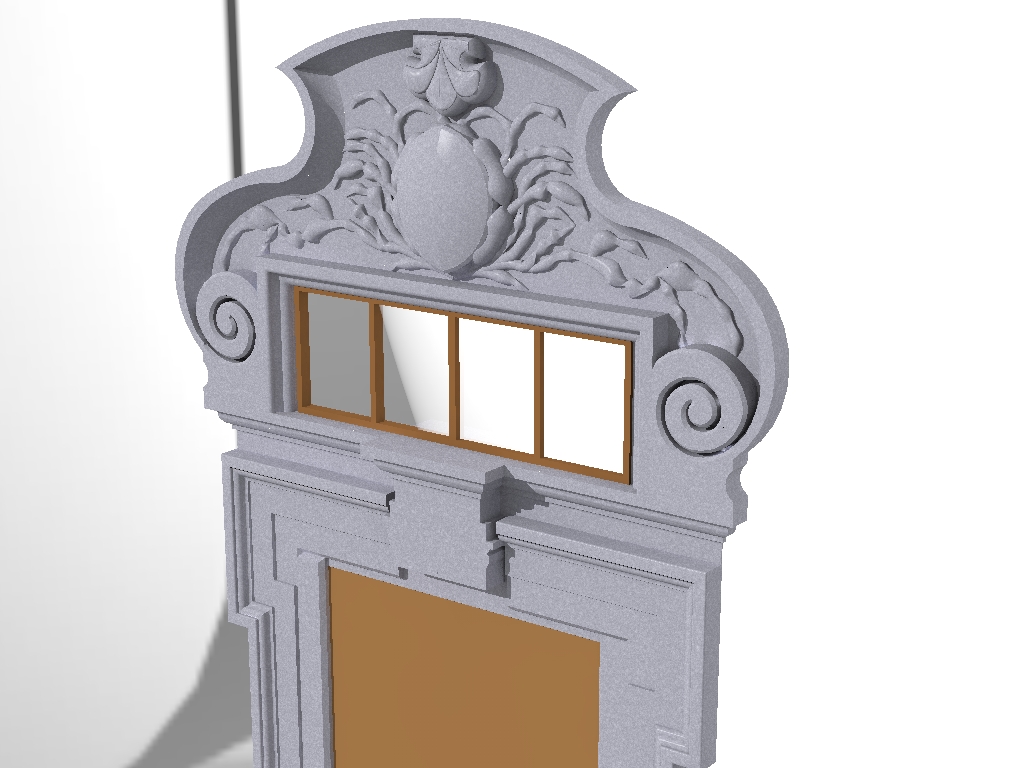
I tried with Curviloft the to make the ornaments in this historic door . But it does not look good. I have to try other shapes. In the rendered image it looks like a Crab.
-
@unknownuser said:
@thomthom said:
I've yet to try out this plugin for myself - but is there a linear option as well? Or is it just beziers? It seems to be that the pencil would require a linear morphing to get the shape of the tip.
The Linear option will be available in the next release (along with other spline methods). I came to that conclusion too.
[attachment=0:12mbvobp]<!-- ia0 -->Pencil for Loft - Daniel S - linear.gif<!-- ia0 -->[/attachment:12mbvobp]
FredoYou cannot stop amaze! This already is a true gem. Wonder to what it will grow...
-
I just see:
And made me wonder... would be possible something like this?
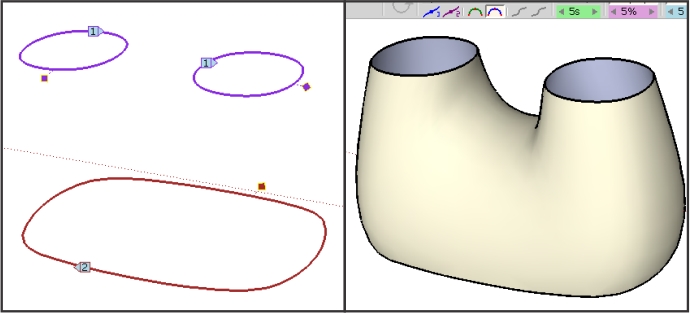
Daniel S -
I have further experimented with Curivloft. But for those stone sculptures, it seems to be less suitable. The current forms I have generated by the standard tools, the Freehand tool, Push Pull and Subdivide and Smooth.
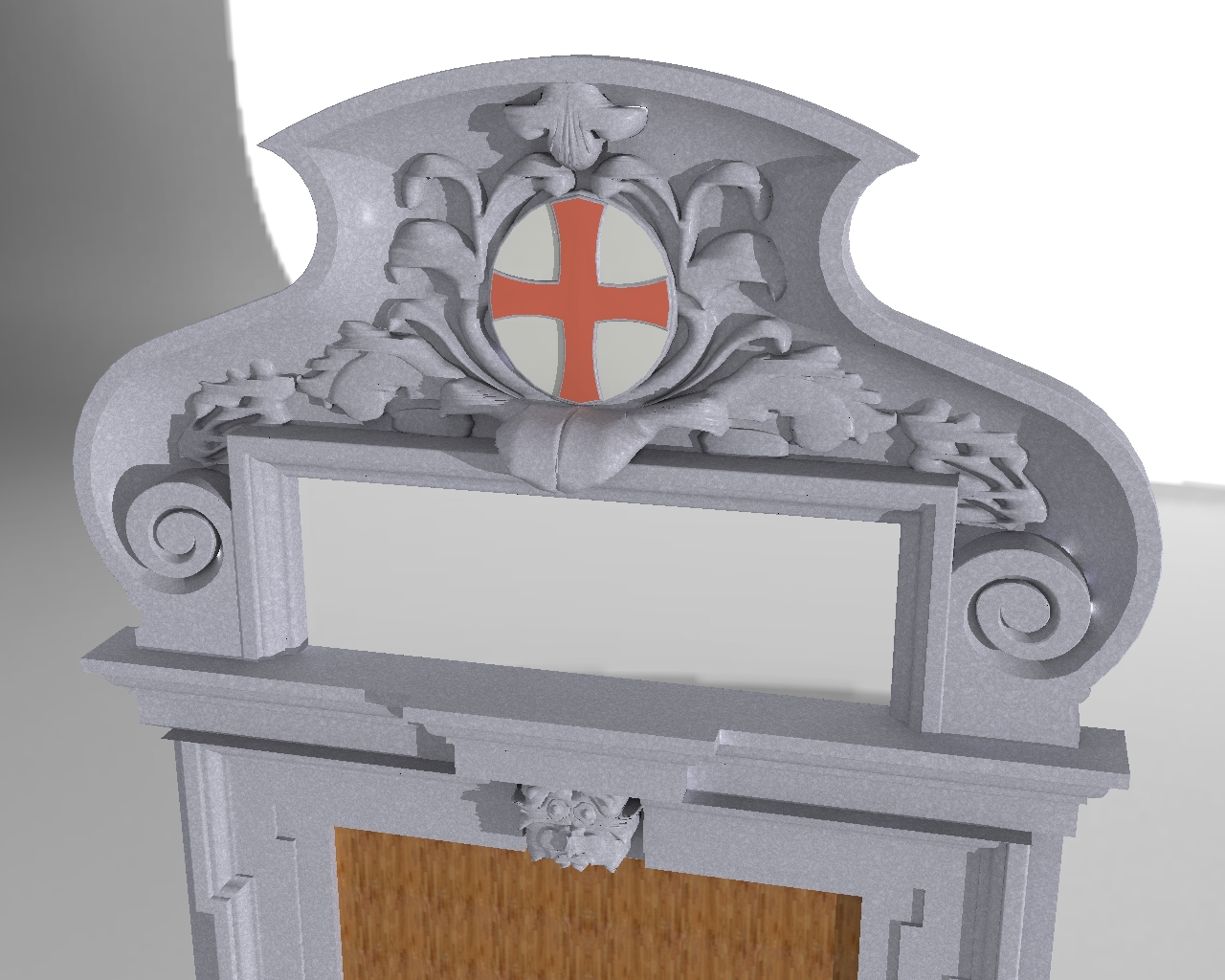
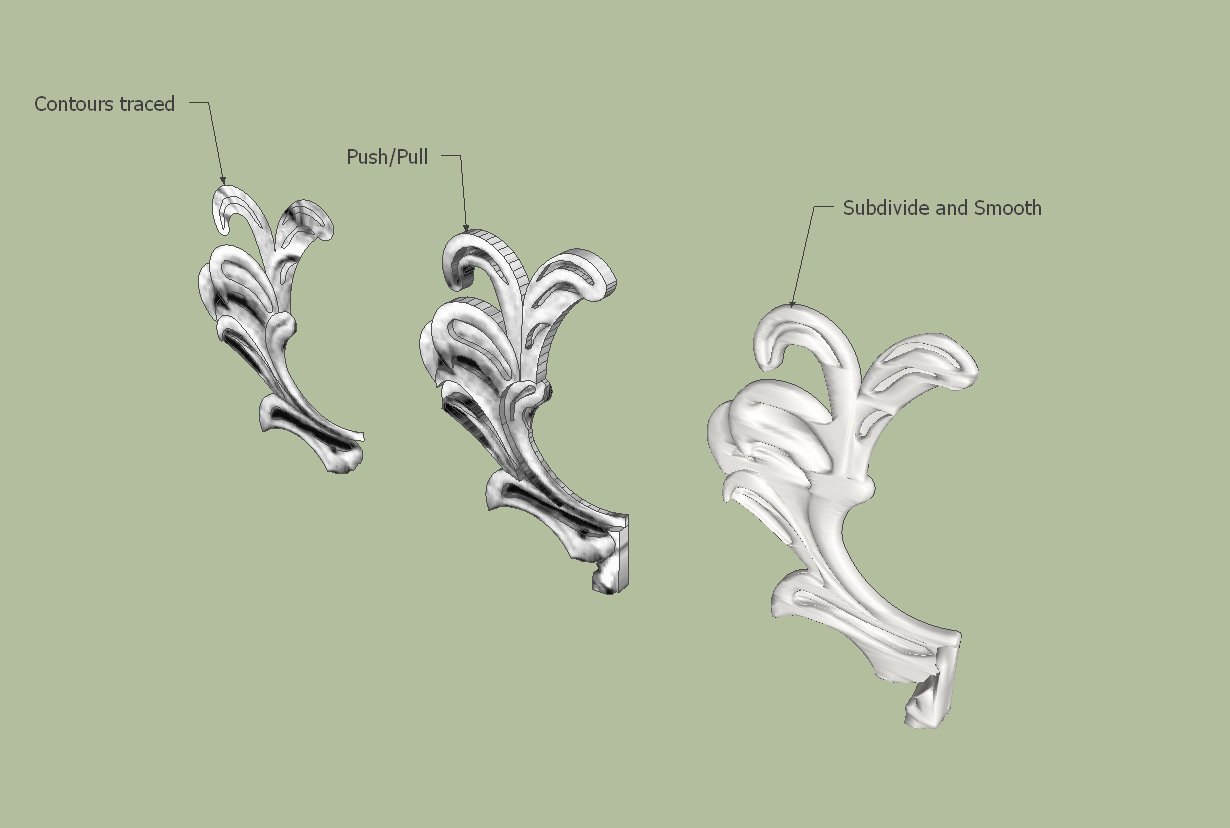
-
Notice that the numbers for each profile alternates throughout your pre-selecting.






Hello! It looks like you're interested in this conversation, but you don't have an account yet.
Getting fed up of having to scroll through the same posts each visit? When you register for an account, you'll always come back to exactly where you were before, and choose to be notified of new replies (either via email, or push notification). You'll also be able to save bookmarks and upvote posts to show your appreciation to other community members.
With your input, this post could be even better 💗
Register Login


Advertisement