sketchucation logo sketchucation
    • 登入
    Oops, your profile's looking a bit empty! To help us tailor your experience, please fill in key details like your SketchUp version, skill level, operating system, and more. Update and save your info on your profile page today!
    🔌 Smart Spline | Fluid way to handle splines for furniture design and complex structures. Download

    [Plugin][$] Curviloft 2.0a - 31 Mar 24 (Loft & Skinning)


    已排程 已置頂 已鎖定 已移動 Plugins
    1.3k 貼文 299 Posters 2.5m 瀏覽 297 Watching
    正在載入更多貼文
    • 從舊到新
    • 從新到舊
    • 最多點贊
    回覆
    • 在新貼文中回覆
    登入後回覆
    此主題已被刪除。只有擁有主題管理權限的使用者可以查看。
    • fredo6F 離線
      fredo6
      最後由 編輯

      @thomthom said:

      I've yet to try out this plugin for myself - but is there a linear option as well? Or is it just beziers? It seems to be that the pencil would require a linear morphing to get the shape of the tip.

      The Linear option will be available in the next release (along with other spline methods). I came to that conclusion too.
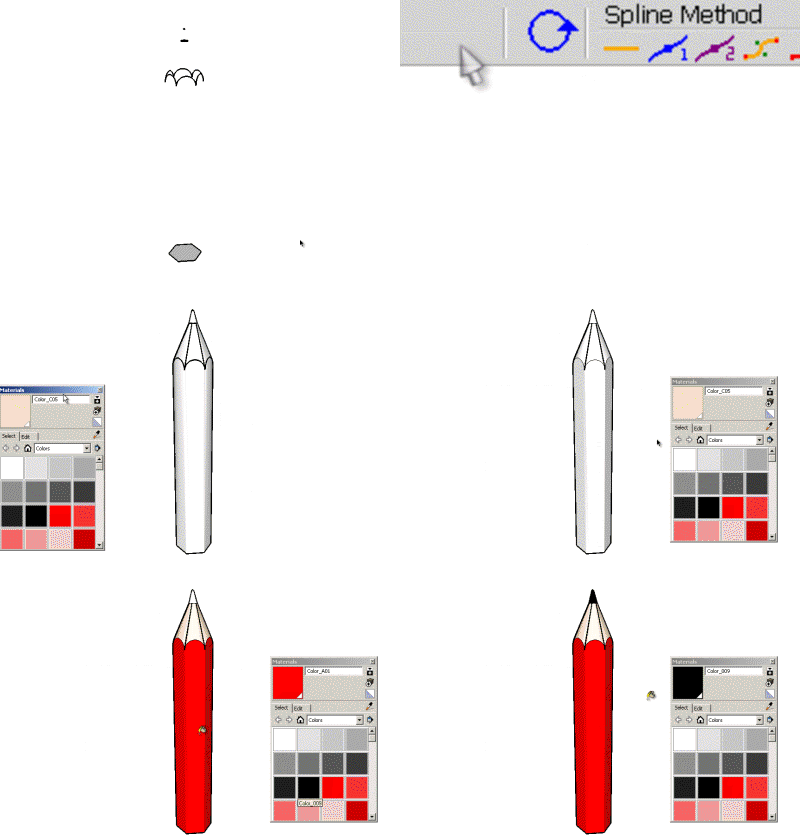
      Pencil for Loft - Daniel S - linear.gif
      Fredo

      1 條回覆 最後回覆 回覆 引用 0
      • Bob JamesB 離線
        Bob James
        最後由 編輯

        Just came across this wonderful and amazing new tool.
        I'm pretty much speechless: incredible 🎉

        This opens up soooo many possibilities. Thank you for this great tool

        i7-4930K 3.4Ghz, 2x GTX780 6GB, 32GB DDR3-1600 ECC, OCZ Vertex 4 500GB, WD Black 3TB, 32TB NAS, 4x 27" Monitors, SpaceMouse Pro, X-keys XK-60

        1 條回覆 最後回覆 回覆 引用 0
        • K 離線
          KarinaGM
          最後由 編輯

          I haven't even had time to use it and I am already in love with this plugin.
          Thanks Fredo

          **"Aquel que sacrifica un poco de libertad por seguridad, no se merece ninguna y terminará perdiendo ambas"

          -Benjamín Franklin.**

          1 條回覆 最後回覆 回覆 引用 0
          • pilouP 離線
            pilou
            最後由 編輯

            A little use of it 😉
            Grow by Tig
            Curviloft by Fredo6
            FredoScale by Fredo6

            http://forums.polyloop.net/picture.php?albumid=23&pictureid=803

            http://forums.polyloop.net/picture.php?albumid=23&pictureid=804

            Frenchy Pilou
            Is beautiful that please without concept!
            My Little site :)

            1 條回覆 最後回覆 回覆 引用 0
            • charly2008C 離線
              charly2008
              最後由 編輯

              Hi,

              I tried with Curviloft the to make the ornaments in this historic door . But it does not look good. I have to try other shapes. In the rendered image it looks like a Crab.
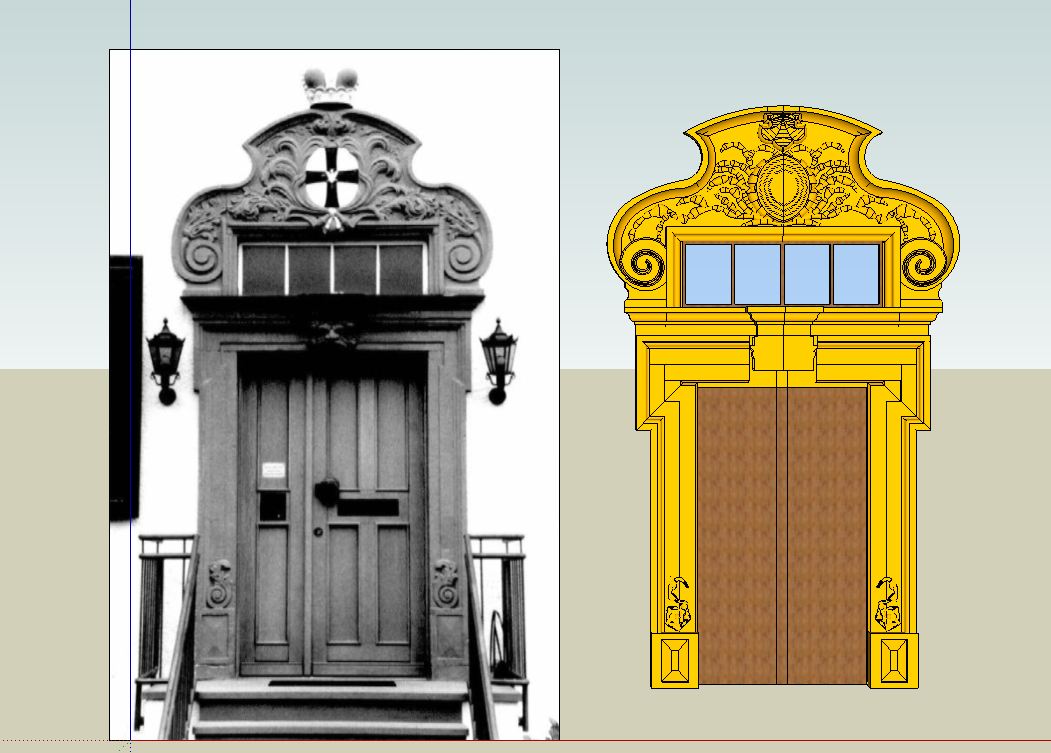
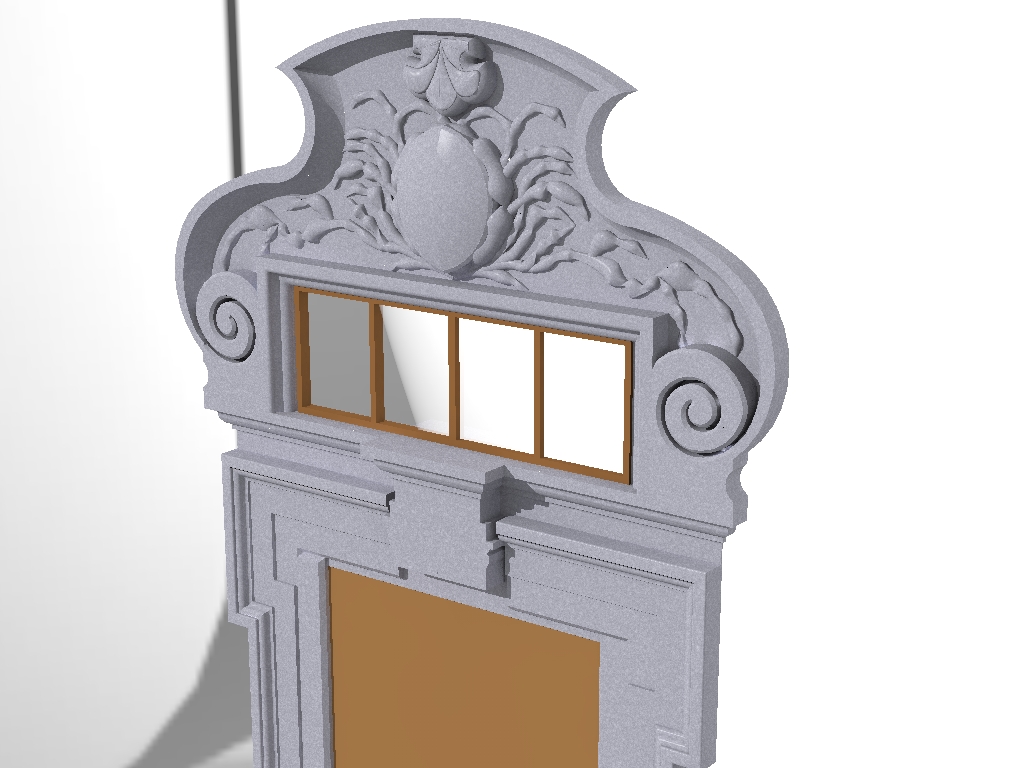
              Portal 1.JPG


              Portal.jpg

              He who makes no mistakes, makes nothing

              1 條回覆 最後回覆 回覆 引用 0
              • N 離線
                notareal
                最後由 編輯

                @unknownuser said:

                @thomthom said:

                I've yet to try out this plugin for myself - but is there a linear option as well? Or is it just beziers? It seems to be that the pencil would require a linear morphing to get the shape of the tip.

                The Linear option will be available in the next release (along with other spline methods). I came to that conclusion too.
                [attachment=0:12mbvobp]<!-- ia0 -->Pencil for Loft - Daniel S - linear.gif<!-- ia0 -->[/attachment:12mbvobp]
                Fredo

                You cannot stop amaze! This already is a true gem. Wonder to what it will grow...

                Welcome to try Thea Render, Thea support | kerkythea.net -team member

                1 條回覆 最後回覆 回覆 引用 0
                • D 離線
                  Daniel S
                  最後由 編輯

                  I just see:

                  http://forums.sketchucation.com/viewtopic.php?f=18&t=29374#p256698

                  And made me wonder... would be possible something like this?
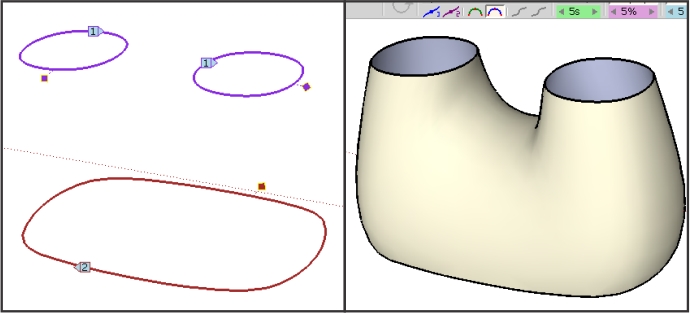
                  strangeloft.jpg
                  Daniel S

                  1 條回覆 最後回覆 回覆 引用 0
                  • charly2008C 離線
                    charly2008
                    最後由 編輯

                    I have further experimented with Curivloft. But for those stone sculptures, it seems to be less suitable. The current forms I have generated by the standard tools, the Freehand tool, Push Pull and Subdivide and Smooth.
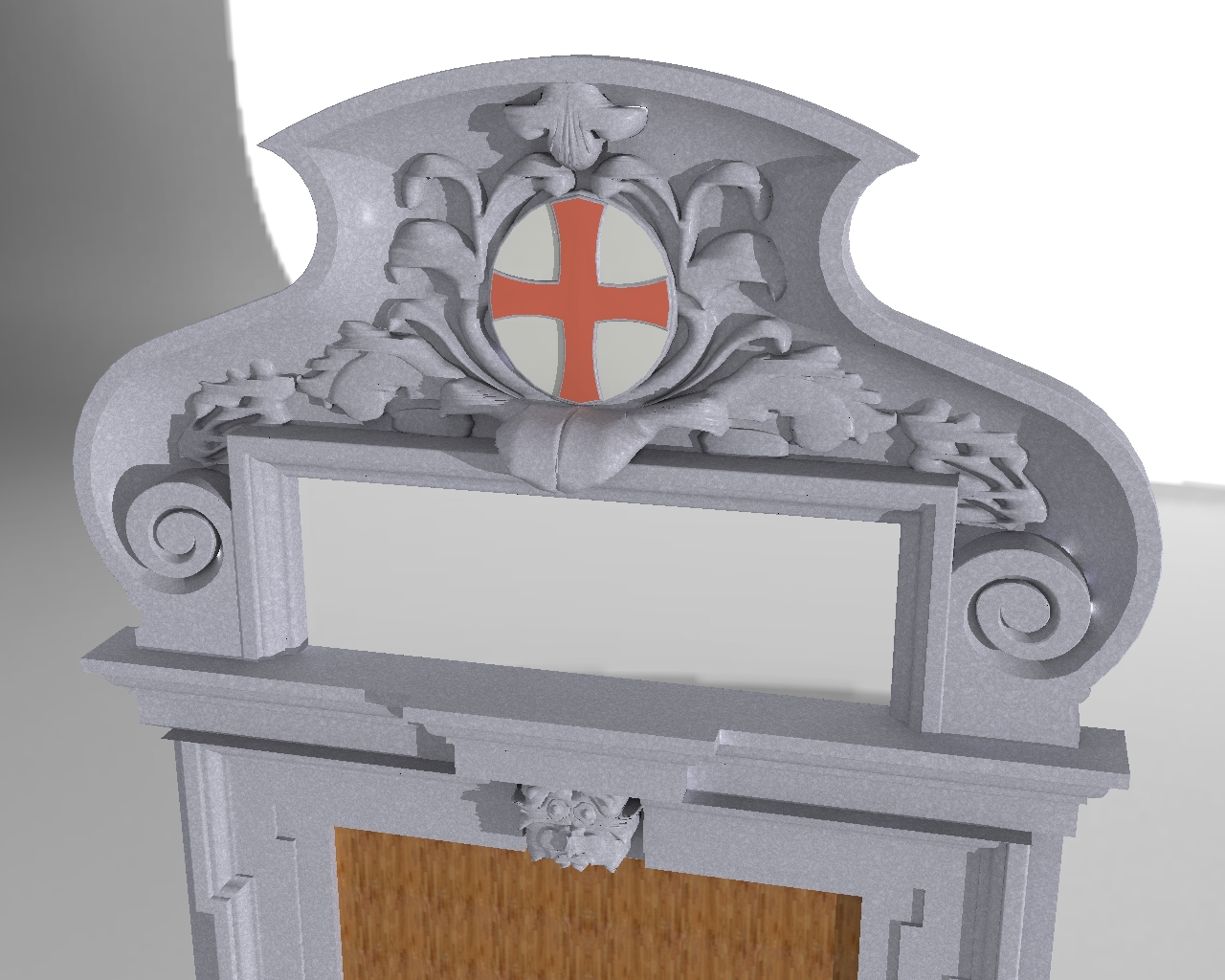
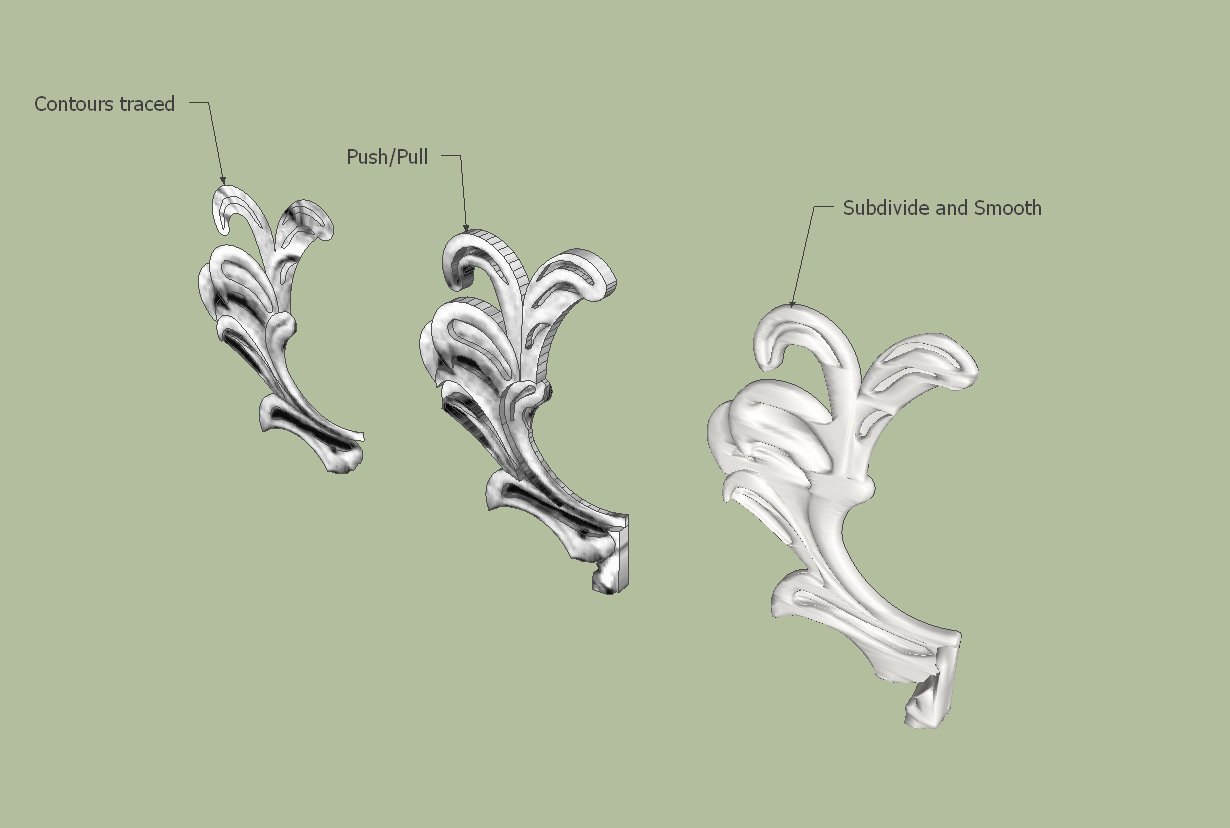
                    Portal.jpg


                    Portal1.png

                    He who makes no mistakes, makes nothing

                    1 條回覆 最後回覆 回覆 引用 0
                    • thomthomT 離線
                      thomthom
                      最後由 編輯

                      Notice that the numbers for each profile alternates throughout your pre-selecting.

                      Thomas Thomassen — SketchUp Monkey & Coding addict
                      List of my plugins and link to the CookieWare fund

                      1 條回覆 最後回覆 回覆 引用 0
                      • TIGT 離線
                        TIG Moderator
                        最後由 編輯

                        I would think Fredo's tool superior to my EEbyLoft... BUT mine works with some componentizing and exploding etc !
                        Fredo, please borrow whatever ideas work in my tool for yours !
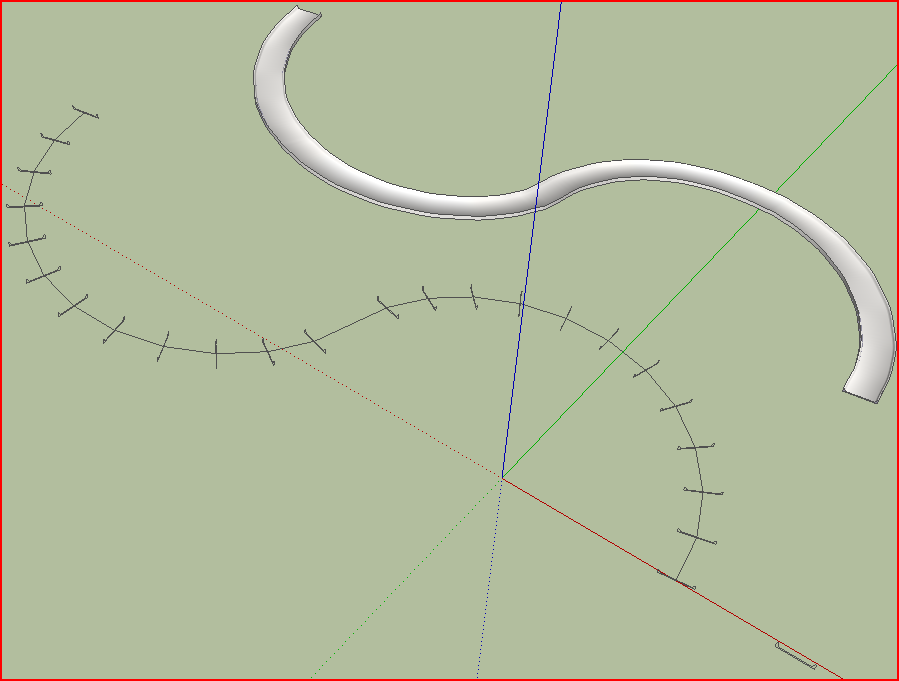
                        Capture.PNGcurviloft5.skp

                        TIG

                        1 條回覆 最後回覆 回覆 引用 0
                        • massimoM 離線
                          massimo Moderator
                          最後由 編輯

                          Charly, try like this:
                          -Select, lets say, four profiles. Explode them and press the loft button;
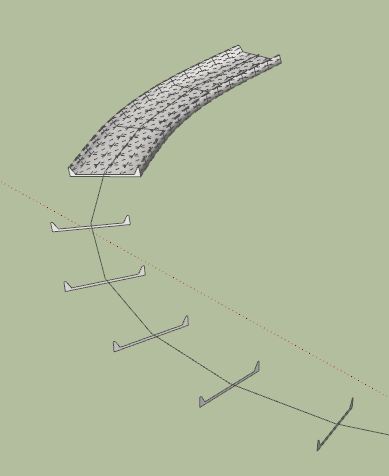
                          Cattura_1.JPG
                          -Do the same with other four and so on;Cattura_2.JPG
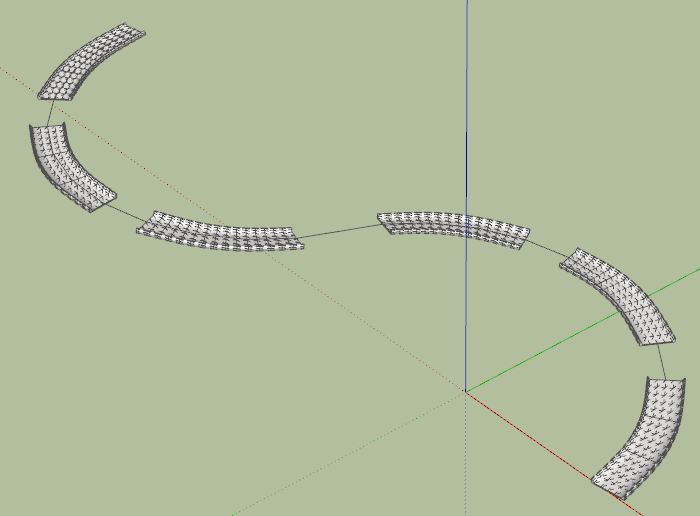
                          -Select the two profiles on the ends of two stumps and press loft. Do that for all the stumps;
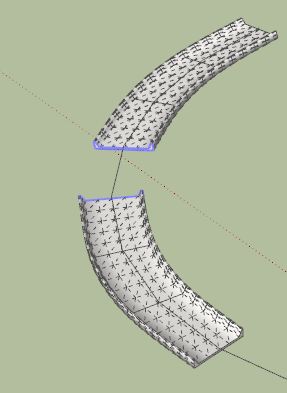
                          Cattura_3.JPGCattura_4.JPG
                          -Delete the unwanted original profiles.
                          That's all. 😉Cattura.JPG

                          curviloft5-2_street.skp

                          1 條回覆 最後回覆 回覆 引用 0
                          • charly2008C 離線
                            charly2008
                            最後由 編輯

                            Hi,

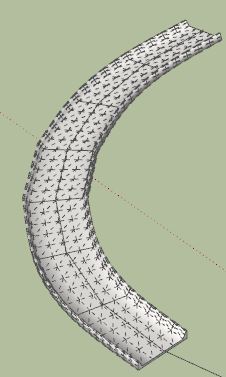
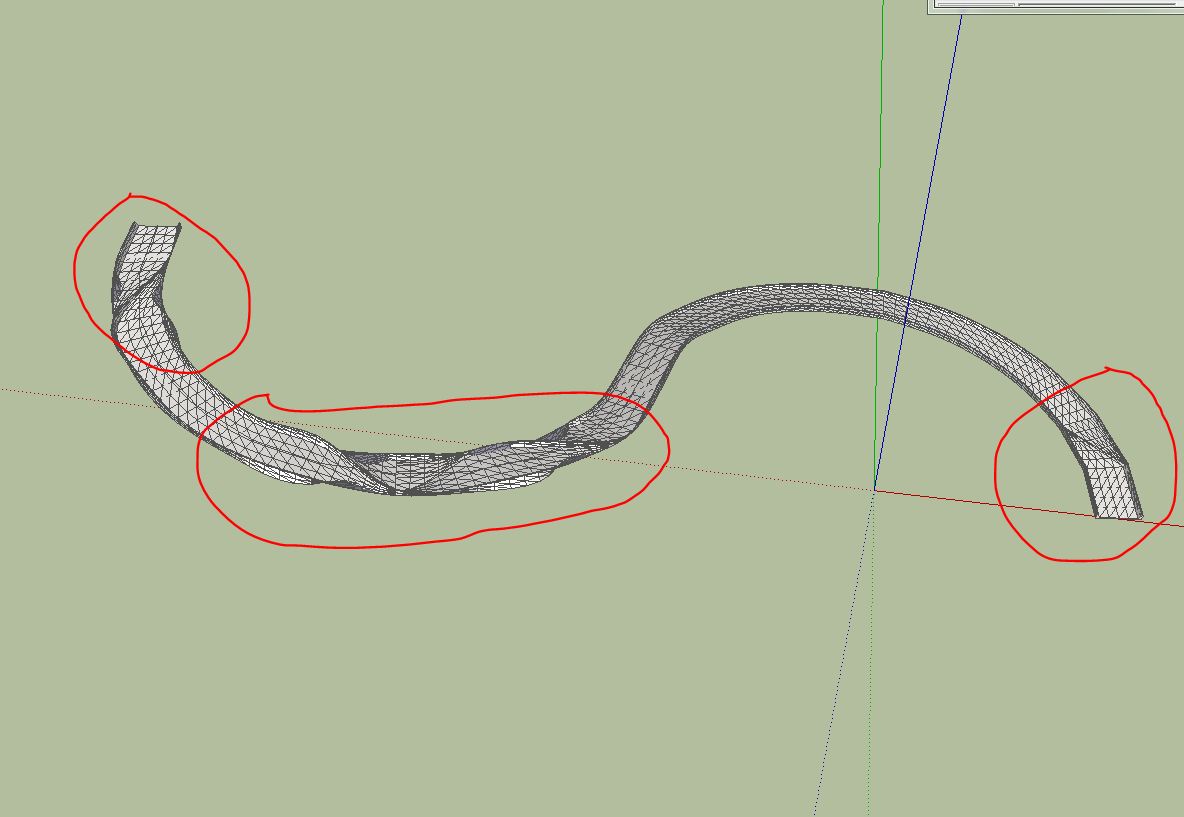
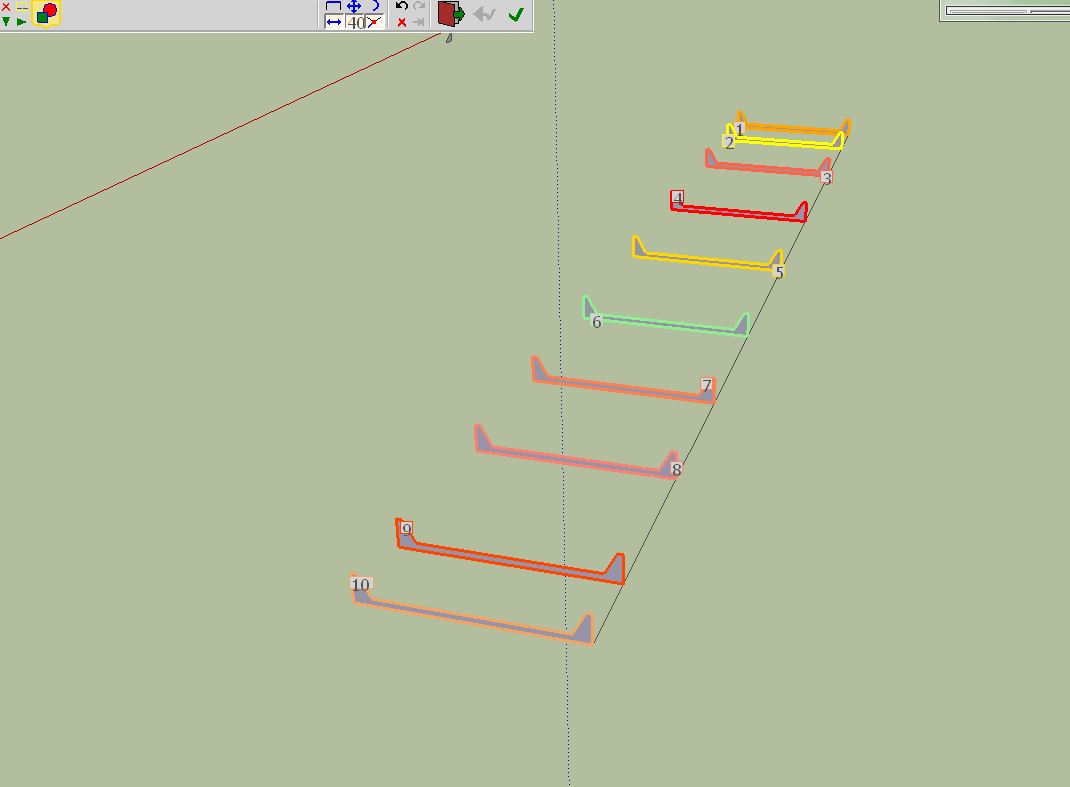
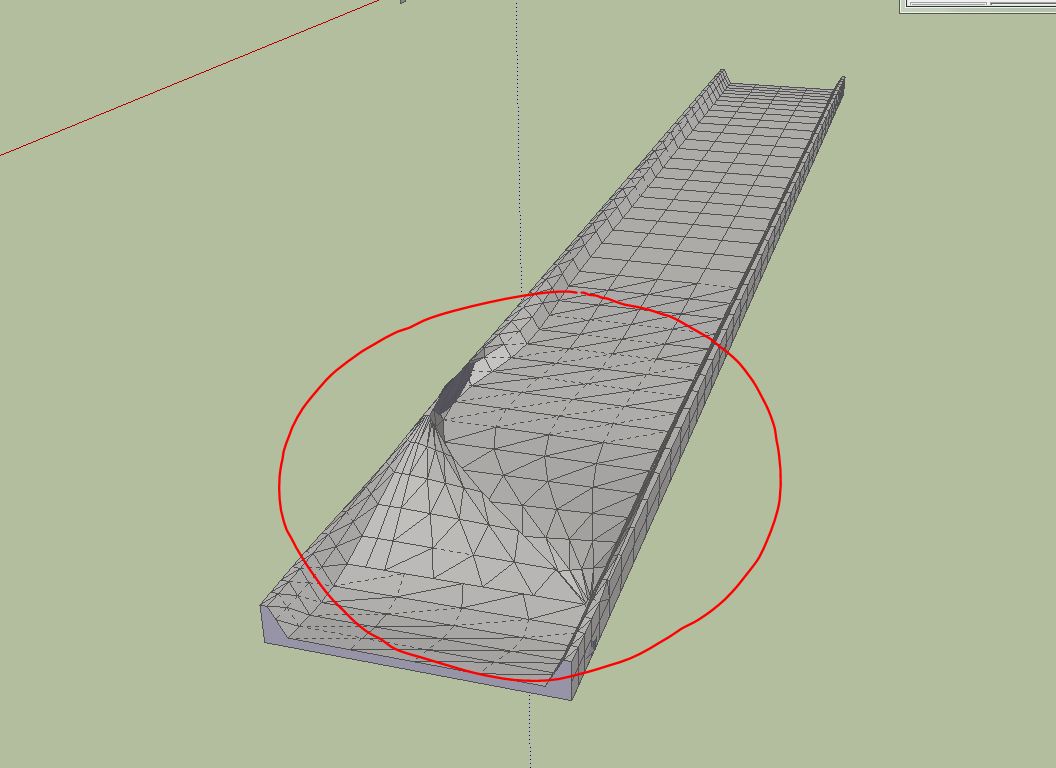
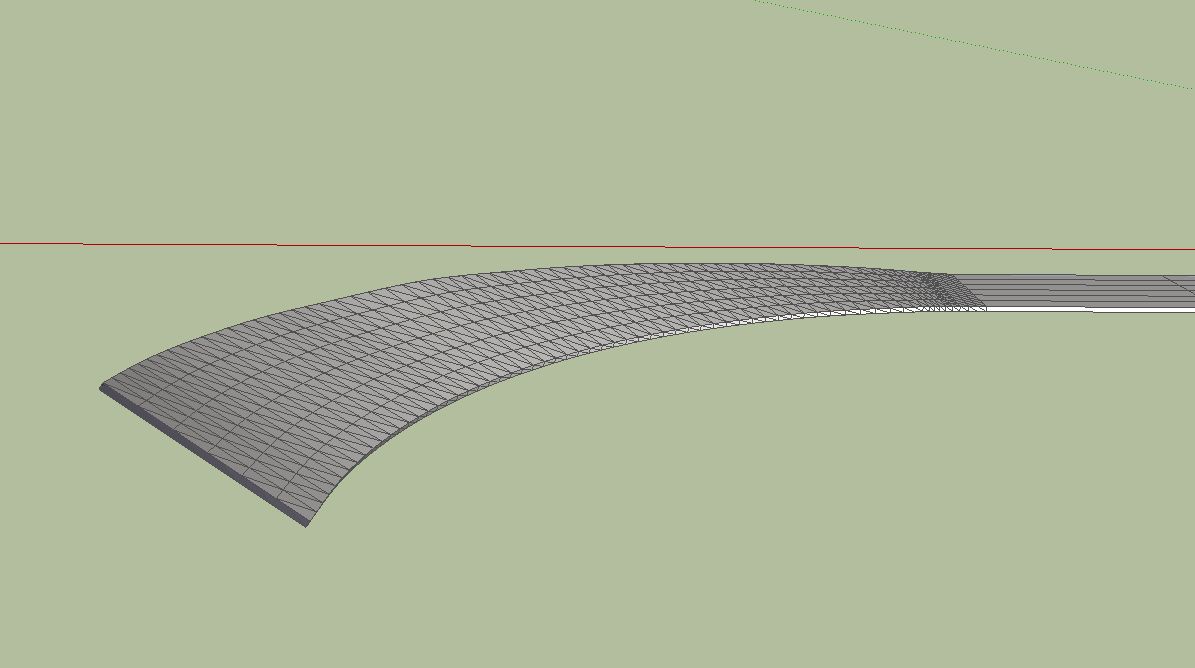
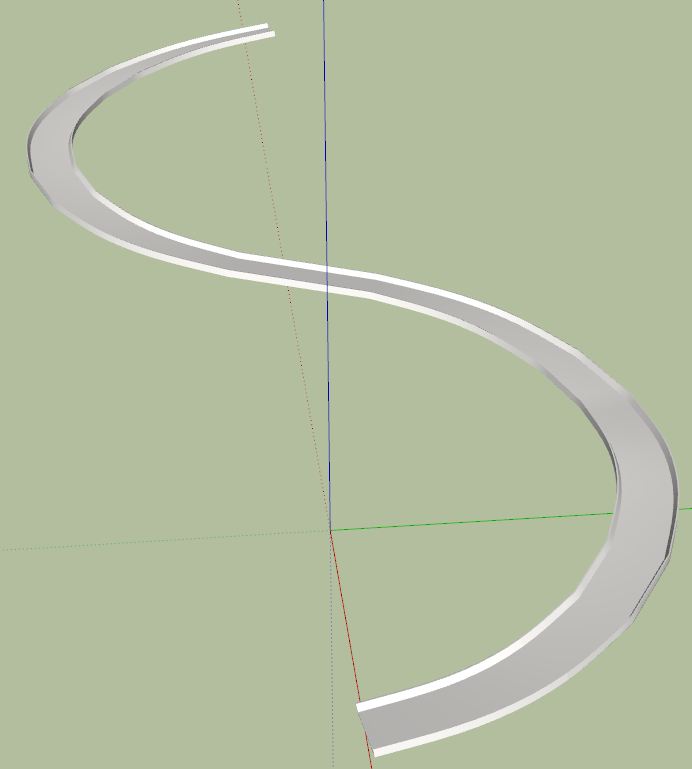
                            In this design I get some errors. The idea was to create a road profile. I have selected the faces one by one. Maybe Fredo can find the error. Even in a straight line this error will appear.

                            Charly
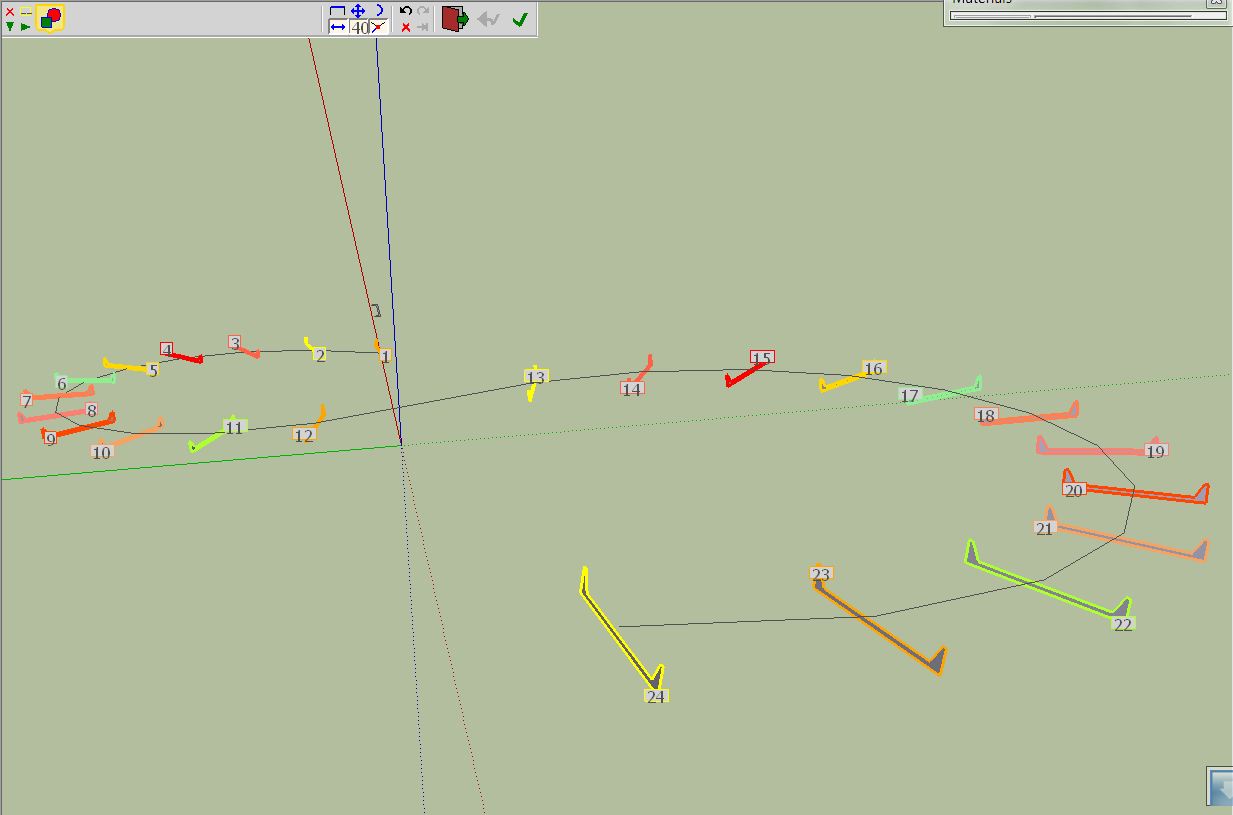

                            Curve1.JPG


                            Curve2.JPG


                            curviloft5.skp


                            Curve1.JPG


                            Curve2.JPG

                            He who makes no mistakes, makes nothing

                            1 條回覆 最後回覆 回覆 引用 0
                            • mitcorbM 離線
                              mitcorb
                              最後由 編輯

                              In Fredo6's discussion in the first post, I saw something that suggested to leave open a tiny segment in the profile to be lofted. Perhaps to prevent the twisting?

                              I take the slow, deliberate approach in my aimless wandering.

                              1 條回覆 最後回覆 回覆 引用 0
                              • charly2008C 離線
                                charly2008
                                最後由 編輯

                                Dear TIG and Massimo,

                                thank you for your advices. The background for my experiments with a winding road is the representation of the curve slope.

                                With EEbyLoft I have also tried. TIG, your EEbyL is also a great tool. I would not belittle your merits. But in this case it is difficult to find the correct level for the protractor because the Edges. With Curviloft i can use faces and I can change the faces more simple(made by Perpendiculare Faces) gradually at an specified angle and can construct the slope. And this worked in my first attempt (see pictures below).

                                You may have seen my posts with winding Roads in the forum. The disadvantage of these Roads was, that the road profile was shown only horizontal in the curves.

                                Charly
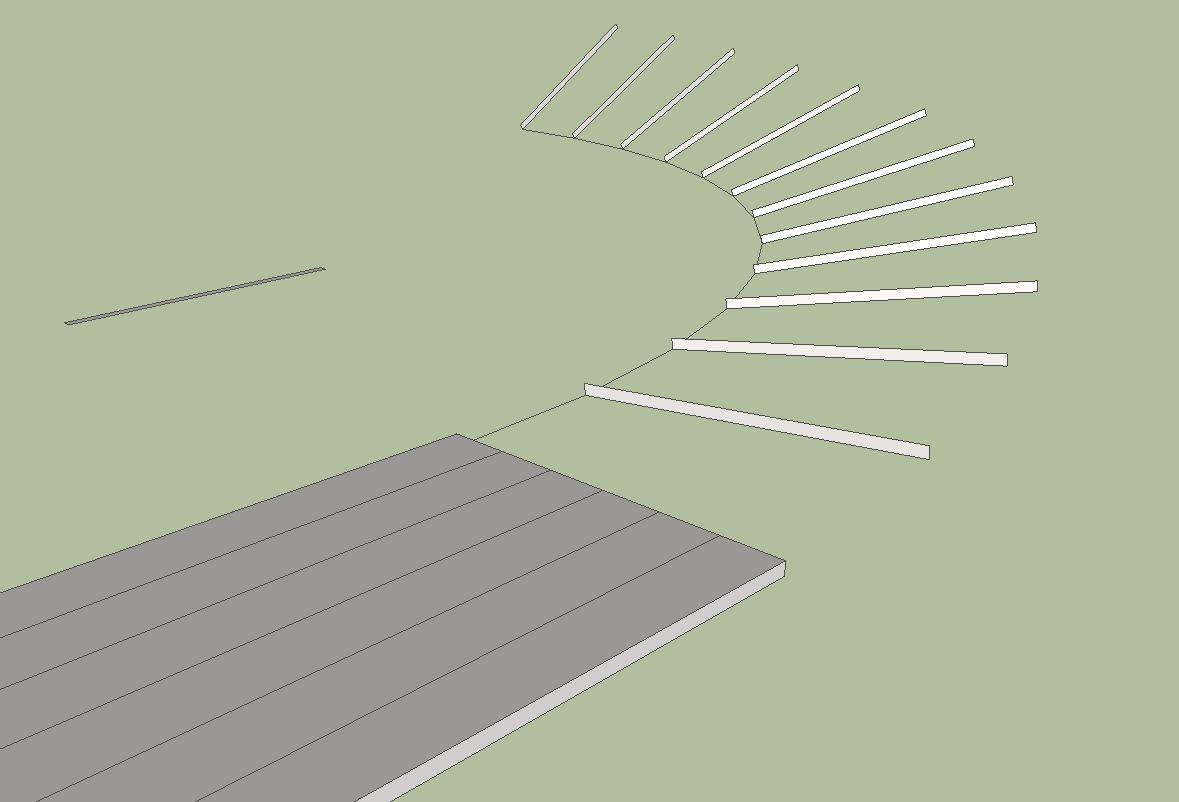

                                Curve1.JPG


                                Curve2.JPG

                                He who makes no mistakes, makes nothing

                                1 條回覆 最後回覆 回覆 引用 0
                                • fredo6F 離線
                                  fredo6
                                  最後由 編輯

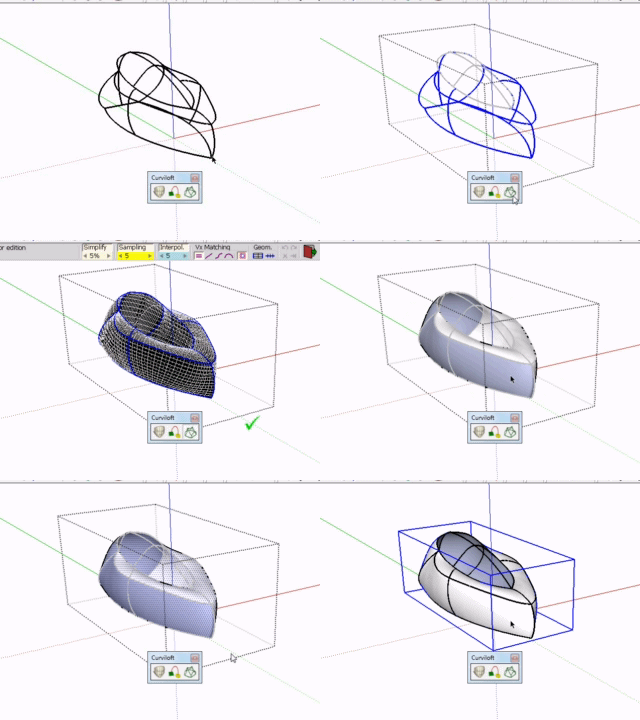
                                  NEW BETA RELEASE

                                  Curviloft 1.0b – LibFredo6 3.5b – 11 Jul 10: Second beta version, dedicated to Loft by Spline and Skinning (Loft Along Path is still not fully functional). Main changes are:

                                  • Skinning should better accept preselection of contours and make its way to create the mesh

                                  • Added some spline methods (Linear, Ortho-elliptic and ortho-spline)

                                  • For Skinning and Loft Along Path, you can over-sample the rails

                                  • For Skinning, you can swap the direction between contours and rails

                                  • Preview Mesh is normally black in SU7

                                  • Floating palette remembers its position across SU sessions

                                  • Spanish translation by Defisto
                                    On top of potential bugs and geometry issues (including bugsplats), there are some limitations and unfinished work

                                  • VCB is not active

                                  • No interactive edition in the floating palette

                                  • B-Spline and F-Spline do not close nicely in loop mode

                                  • No later reedition of shape generated (this will come)

                                  • all texts and labels are not reviewed yet

                                  see main post for download:http://forums.sketchucation.com/viewtopic.php?f=323&t=28586#p248195

                                  1 條回覆 最後回覆 回覆 引用 0
                                  • fredo6F 離線
                                    fredo6
                                    最後由 編輯

                                    Charly,

                                    Thanks very much for your deep testing of Curviloft. It helps me find and hopefully fix the many bugs and imprecisions remaining in the script. This is why I judged that I had to go through a long beta phase with the users.

                                    For the long and winding roads, I have found the issues and they should be adressed in the next release 1.0b.
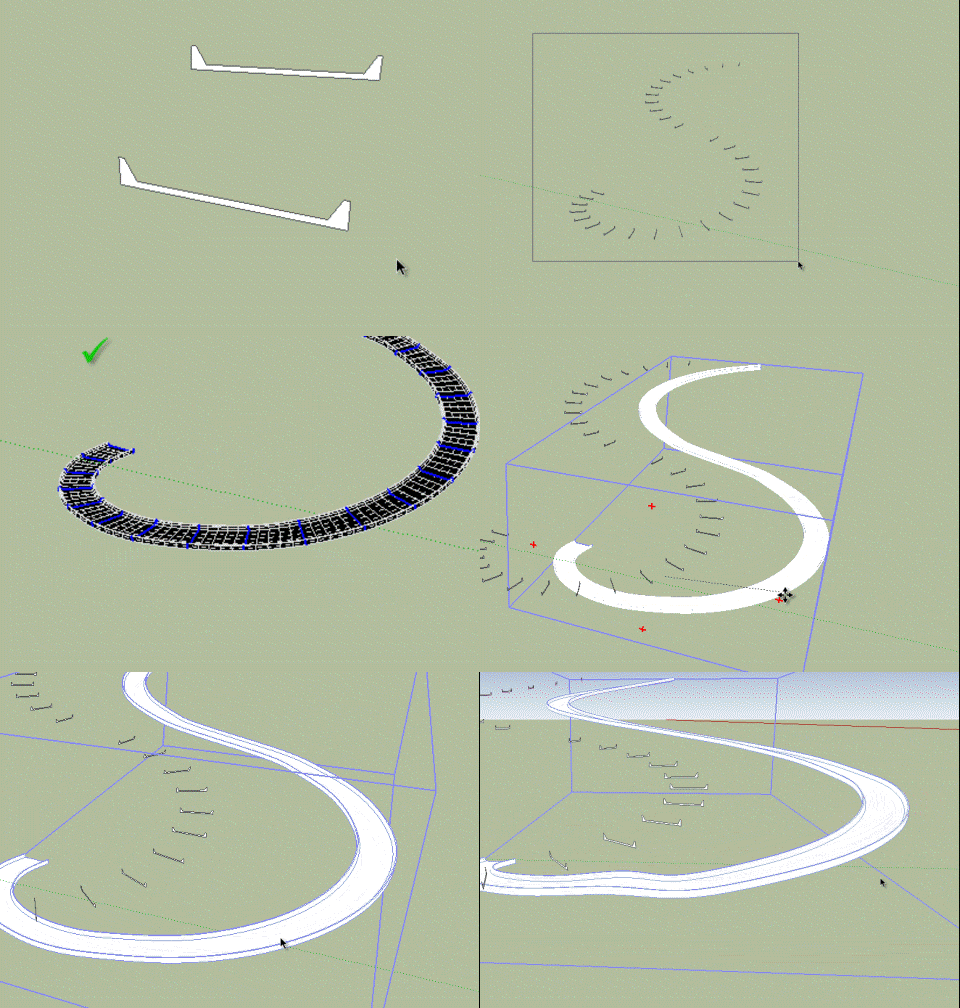
                                    Winding road.gif

                                    Fredo

                                    1 條回覆 最後回覆 回覆 引用 0
                                    • D 離線
                                      dylan
                                      最後由 編輯

                                      Thanks Fredo 👍

                                      http://dmdarchitecture.co.uk/

                                      1 條回覆 最後回覆 回覆 引用 0
                                      • charly2008C 離線
                                        charly2008
                                        最後由 編輯

                                        thanks Fredo,

                                        you are great.

                                        Charly

                                        He who makes no mistakes, makes nothing

                                        1 條回覆 最後回覆 回覆 引用 0
                                        • X 離線
                                          xrok1
                                          最後由 編輯

                                          😲 😍

                                          “There are three classes of people: those who see. Those who see when they are shown. Those who do not see.”

                                          http://www.Twilightrender.com try it!

                                          1 條回覆 最後回覆 回覆 引用 0
                                          • D 離線
                                            Daniel S
                                            最後由 編輯

                                            Great update Fredo! Very powerful!!

                                            test.gif

                                            If you select all and then apply skin there are still issues with this type of geometry:
                                            skin not work right.skp
                                            Daniel S

                                            1 條回覆 最後回覆 回覆 引用 0
                                            • 1
                                            • 2
                                            • 55
                                            • 56
                                            • 57
                                            • 58
                                            • 59
                                            • 65
                                            • 66
                                            • 57 / 66
                                            • 第一個貼文
                                              最後的貼文
                                            Buy SketchPlus
                                            Buy SUbD
                                            Buy WrapR
                                            Buy eBook
                                            Buy Modelur
                                            Buy Vertex Tools
                                            Buy SketchCuisine
                                            Buy FormFonts

                                            Advertisement