sketchucation logo sketchucation
    • 登入
    Oops, your profile's looking a bit empty! To help us tailor your experience, please fill in key details like your SketchUp version, skill level, operating system, and more. Update and save your info on your profile page today!
    🔌 Smart Spline | Fluid way to handle splines for furniture design and complex structures. Download

    [Plugin] Make Fur v.2.1.0(20140323)

    已排程 已置頂 已鎖定 已移動 Plugins
    650 貼文 255 Posters 1.1m 瀏覽 254 Watching
    正在載入更多貼文
    • 從舊到新
    • 從新到舊
    • 最多點贊
    回覆
    • 在新貼文中回覆
    登入後回覆
    此主題已被刪除。只有擁有主題管理權限的使用者可以查看。
    • J 離線
      jaceguay
      最後由 編輯

      Thanks for the fast response, changing the values return another error:

      Error: #<TypeError: no implicit conversion to float from nil>
      C:/Program Files/Google/Google SketchUp 7/Plugins/fur_en.rb:852:in initialize' C:/Program Files/Google/Google SketchUp 7/Plugins/fur_en.rb:852:in new'
      C:/Program Files/Google/Google SketchUp 7/Plugins/fur_en.rb:852:in show_webdialog' C:/Program Files/Google/Google SketchUp 7/Plugins/fur_en.rb:792:in call'

      1 條回覆 最後回覆 回覆 引用 0
      • J 離線
        jonorman
        最後由 編輯

        same problem here. after installing last version..

        Error: #<TypeError: no implicit conversion to float from nil>
        C:/Program Files (x86)/Google/Google SketchUp 7/Plugins/fur_en.rb:541:in initialize' C:/Program Files (x86)/Google/Google SketchUp 7/Plugins/fur_en.rb:541:in new'
        C:/Program Files (x86)/Google/Google SketchUp 7/Plugins/fur_en.rb:541:in fur_inputbox' C:/Program Files (x86)/Google/Google SketchUp 7/Plugins/fur_en.rb:1561 C:/Program Files (x86)/Google/Google SketchUp 7/Plugins/fur_en.rb:1561:in call'

        buuuuhuuuuu... miss my fur/grass plugin 😢

        1 條回覆 最後回覆 回覆 引用 0
        • T 離線
          tak2hata
          最後由 編輯

          Hi
          I uploaded version1.4.
          Change is...

          Remember webdialog position.(Thanks thomthom 😄 )
          Add new mode "Crowd".(Multi Instance scattering.)

          @jonorman said:

          same problem here. after installing last version..

          Error: #<TypeError: no implicit conversion to float from nil>
          C:/Program Files (x86)/Google/Google SketchUp 7/Plugins/fur_en.rb:541:in initialize' C:/Program Files (x86)/Google/Google SketchUp 7/Plugins/fur_en.rb:541:in new'
          C:/Program Files (x86)/Google/Google SketchUp 7/Plugins/fur_en.rb:541:in fur_inputbox' C:/Program Files (x86)/Google/Google SketchUp 7/Plugins/fur_en.rb:1561 C:/Program Files (x86)/Google/Google SketchUp 7/Plugins/fur_en.rb:1561:in call'

          buuuuhuuuuu... miss my fur/grass plugin 😢

          In this version ,I changed convert string to length method little.
          When that error is happened , I want look your dialog parameter.
          I think problem is around "s_to_l" method.

          @thiloo said:

          thanks tak2hata for the quick explanation,

          wow, that´s also an powerful feature.
          sadly it´s not working if I choose "make by component - yes"!
          also, with component activated, the reaction to the force settings are quite unexpected?
          [attachment=0:367xbin3]<!-- ia0 -->fur_force.jpg<!-- ia0 -->[/attachment:367xbin3]
          I need the components for instancing -> rendering.

          again, Thank You for your time and effort

          "make by component -- yes" was added after making this plugin.
          This plugin originaly use for "make by component -- no".
          I do not have good way to componentinstance direction control.

          When I find good way,I will change it.

          Thanks.


          by TAK2HATA

          1 條回覆 最後回覆 回覆 引用 0
          • S 離線
            sloof
            最後由 編輯

            how to use this ?

            somebody help me please ?

            1 條回覆 最後回覆 回覆 引用 0
            • J 離線
              jonorman
              最後由 編輯

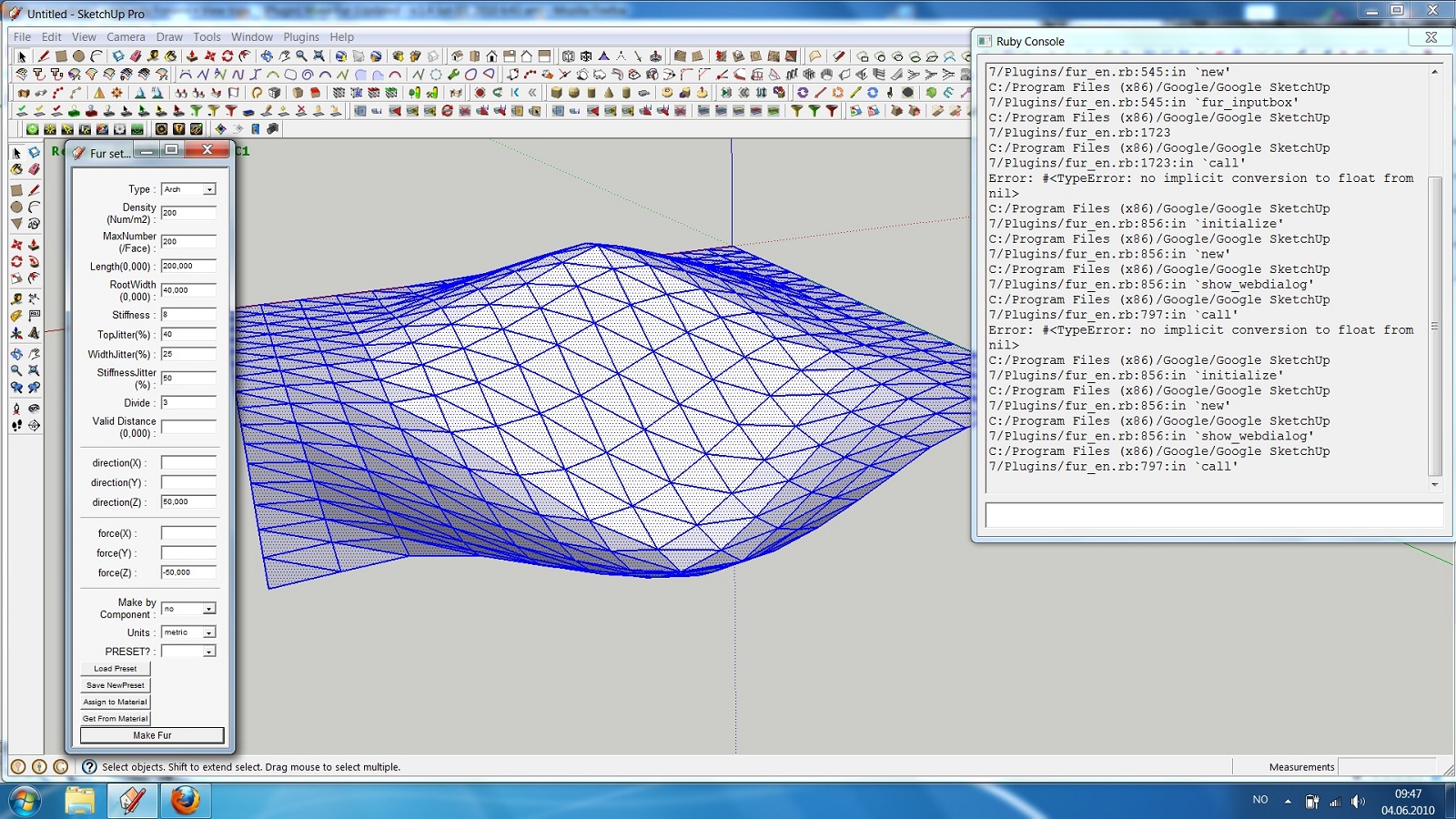
              screen dump of SU trying to use fur.


              screen dump 001.jpg

              1 條回覆 最後回覆 回覆 引用 0
              • T 離線
                tak2hata
                最後由 編輯

                @jonorman said:

                screen dump of SU trying to use fur.

                Hi,jonorman.
                I updated version 1.4a.

                Sorry,I forgat changing "s_to_l".
                now it changed.
                It may be work.


                by TAK2HATA

                1 條回覆 最後回覆 回覆 引用 0
                • T 離線
                  tak2hata
                  最後由 編輯

                  @sloof said:

                  how to use this ?

                  somebody help me please ?

                  Hi,sloof.
                  http://forums.sketchucation.com/viewtopic.php?f=323&t=28092
                  [url=http://sketchupdate.blogspot.com/2010/05/having-spent-last-three-hours-fiddling.html:1j014hsy]http://sketchupdate.blogspot.com/[/url:1j014hsy]
                  It may help.

                  Thanks.


                  by TAK2HATA

                  1 條回覆 最後回覆 回覆 引用 0
                  • J 離線
                    jonorman
                    最後由 編輯

                    JIPPIIIIII ! ! ! ! Back in bizzniz 😍 👍 ☀

                    1 條回覆 最後回覆 回覆 引用 0
                    • T 離線
                      tomot
                      最後由 編輯

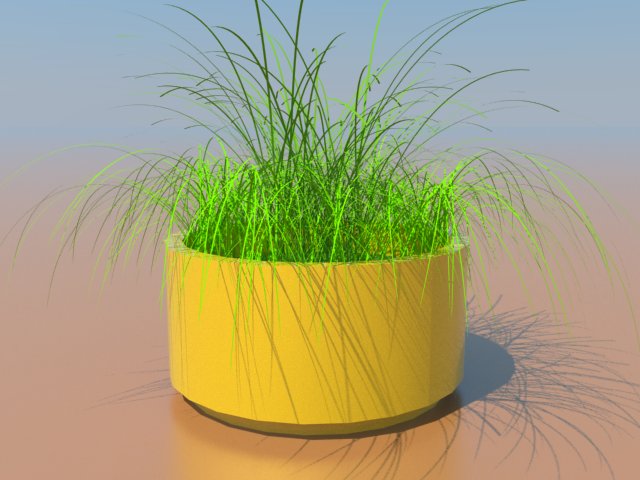
                      WOW! .....another great Plugin,
                      This pampas grass looks better that the real stuff in my planter 😄
                      Thanks! tak2hata


                      PampasGrass.jpg

                      my plugins
                      tomot

                      1 條回覆 最後回覆 回覆 引用 0
                      • Didier BurD 離線
                        Didier Bur
                        最後由 編輯

                        Hi,
                        Got this error when using "make crowd" without having a "fur_instance" component in my model:

                        Error: #<TypeError: wrong argument type (expected Sketchup::ComponentDefinition)>
                        C:/Program Files/Google/Google SketchUp 7/Plugins/fur_en.rb:1272:in `add_instance'

                        I guess the script does not check wether the relevant component is in the model or not ? 💭

                        It works OK if a "fur_instance" component is present.
                        After deleting the fur instance component, hit "CheckOnAll", and it is still there, and the makecrowd doesn't work anymore if I let its checkbox ticked.

                        DB

                        1 條回覆 最後回覆 回覆 引用 0
                        • S 離線
                          Stu
                          最後由 編輯

                          Ive been using fur for a while ...with good results, and just loving it!! 👍

                          However I've struck a problem as in the attached....it seems to be the cut off angle that is upsetting the geometry.....if I try a square or rectangular plane it behaves normally.
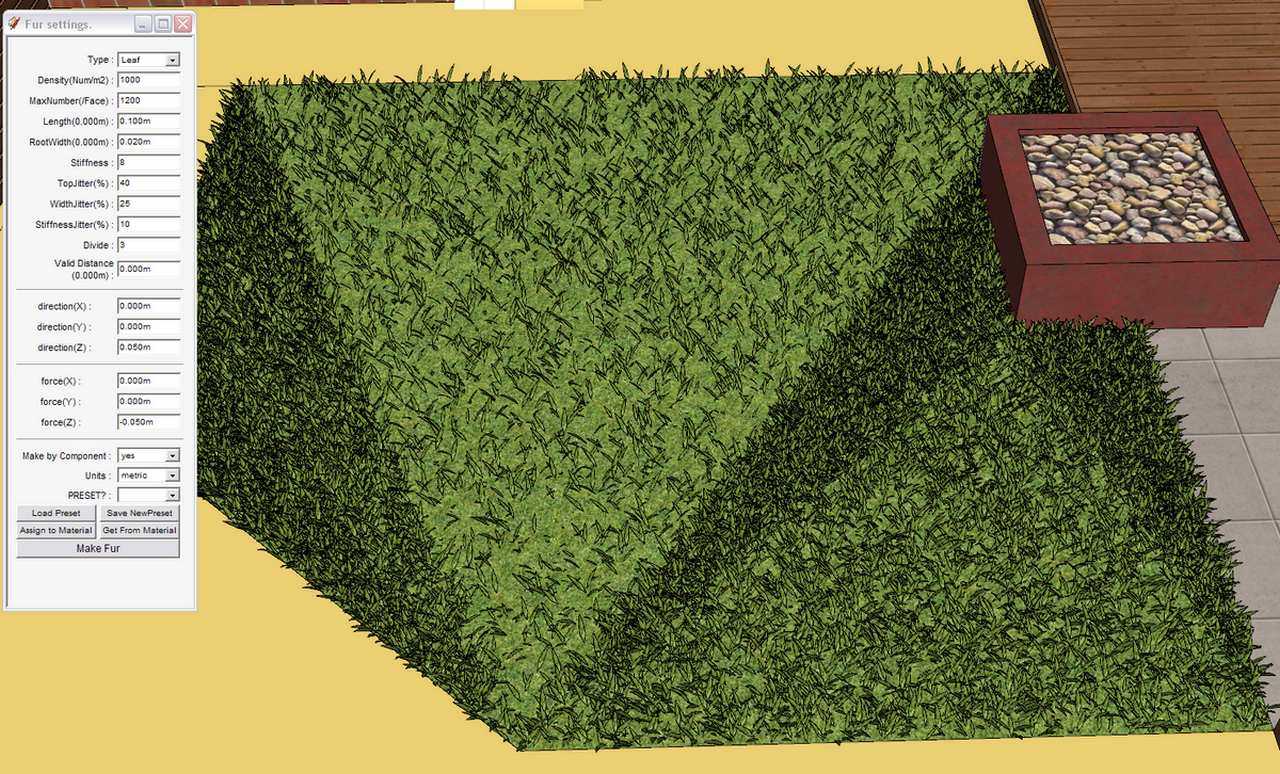

                          Fur_Problem.jpg

                          http://www.landesign.com.au

                          1 條回覆 最後回覆 回覆 引用 0
                          • T 離線
                            tak2hata
                            最後由 編輯

                            @paulower said:

                            This is the translation of Make Fur to languaje Portuguese-BR (Brazil) by me.

                            Tak2hata would be possible in the next version, you increase the size of the buttons "Assign Material to" and "Get Stuff From." Is that in Portuguese, we have more characters in the translation and some letters may not appear on the icon (button).

                            You can see who is running smoothly letters with accents and numerical symbols.

                            Thanks paulowr.
                            I add language list on first thread.
                            I will increase the size of Buttons in next version.

                            @stu said:

                            Ive been using fur for a while ...with good results, and just loving it!! 👍

                            However I've struck a problem as in the attached....it seems to be the cut off angle that is upsetting the geometry.....if I try a square or rectangular plane it behaves normally.

                            Hi , Stu.
                            That happens in small value of "MaxNumber(/Face)" for the faces.
                            You should increase "MaxNumber(/Face)" enough.

                            Thanks.


                            by TAK2HATA

                            1 條回覆 最後回覆 回覆 引用 0
                            • S 離線
                              Stu
                              最後由 編輯

                              Thanks Tak2hata, I boosted it up to 12,000!! and its fine now
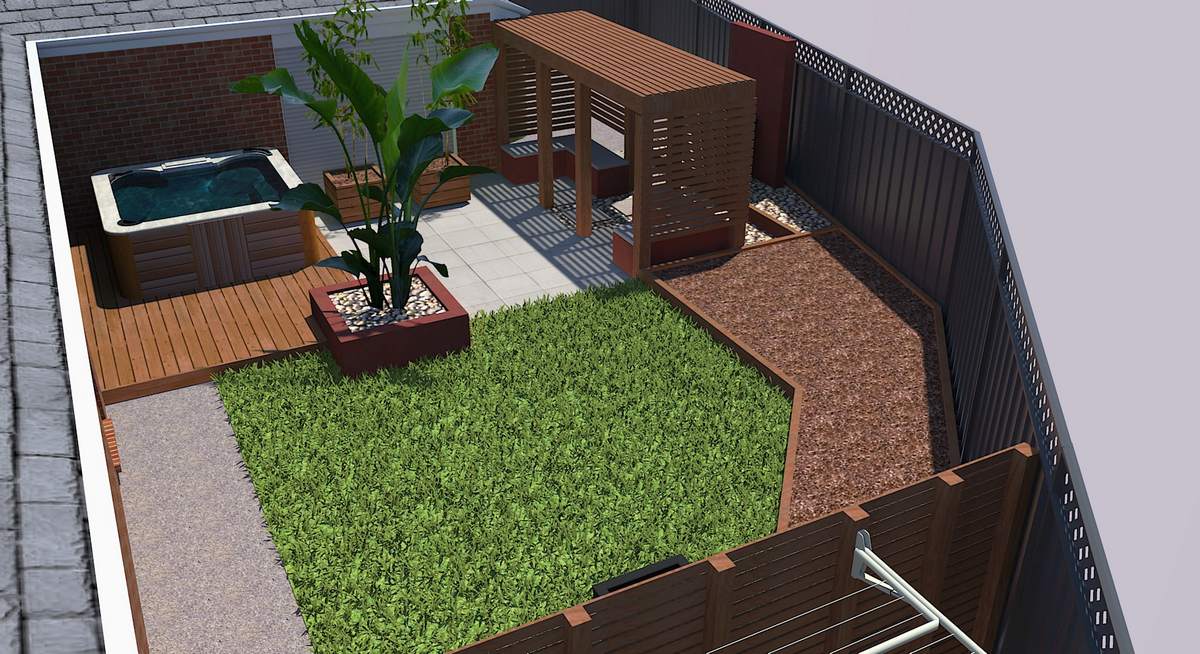

                              SD2.jpg

                              http://www.landesign.com.au

                              1 條回覆 最後回覆 回覆 引用 0
                              • T 離線
                                tomot
                                最後由 編輯

                                Tak2hata I was wondering if you had considered including a random fur height function? I'm currently creating a random height tile/block/city generator... which is not finished yet.
                                See my RAND code snippet below.

                                if( $type == "Random + " )  
                                    
                                    group=entities.add_group
                                    entities=group.entities 
                                  
                                    1.upto($vpanes) do |i|
                                      x = ($vtile*i)+(i*$space)  
                                      1.upto($hpanes) do |j|
                                	    y = ($htile*j)+(j*$space) 
                                        
                                	o = $pt3.offset($hVec, y - $space).offset($vVec, x - $space)
                                    pt1 = o.offset($hVec, -$htile)
                                	pt2 = o.offset($vVec, -$vtile)
                                	pt3 = pt1.offset($vVec, -$vtile)
                                	#entities.add_cpoint o
                                	#entities.add_cpoint pt1
                                	#entities.add_cpoint pt2
                                	#entities.add_cpoint pt3
                                    face = entities.add_face o, pt1, pt3, pt2
                                    face.pushpull -($tthick+rand(20))
                                      end
                                    end
                                end #if    
                                

                                cheers!

                                my plugins
                                tomot

                                1 條回覆 最後回覆 回覆 引用 0
                                • T 離線
                                  tak2hata
                                  最後由 編輯

                                  Hi,all.
                                  I update this to version1.4b.

                                  @tomot said:

                                  Tak2hata I was wondering if you had considered including a random fur height function? I'm currently creating a random height tile/block/city generator... which is not finished yet.
                                  See my RAND code snippet below.

                                  if( $type == "Random + " )  
                                  >     
                                  >     group=entities.add_group
                                  >     entities=group.entities 
                                  >   
                                  >     1.upto($vpanes) do |i|
                                  >       x = ($vtile*i)+(i*$space)  
                                  >       1.upto($hpanes) do |j|
                                  > 	    y = ($htile*j)+(j*$space) 
                                  >         
                                  > 	o = $pt3.offset($hVec, y - $space).offset($vVec, x - $space)
                                  >     pt1 = o.offset($hVec, -$htile)
                                  > 	pt2 = o.offset($vVec, -$vtile)
                                  > 	pt3 = pt1.offset($vVec, -$vtile)
                                  > 	#entities.add_cpoint o
                                  > 	#entities.add_cpoint pt1
                                  > 	#entities.add_cpoint pt2
                                  > 	#entities.add_cpoint pt3
                                  >     face = entities.add_face o, pt1, pt3, pt2
                                  >     face.pushpull -($tthick+rand(20))
                                  >       end
                                  >     end
                                  > end #if    
                                  

                                  cheers!

                                  Thanks tomot.
                                  But this plugin created preset file.
                                  If I add new parameter, compatible with the old one is difficult for me.
                                  If you want to use random size to component instance, please use crowd(webdialog).
                                  and change value of "size jitter" as you like.

                                  Thanks.


                                  by TAK2HATA

                                  1 條回覆 最後回覆 回覆 引用 0
                                  • M 離線
                                    Mauhaus
                                    最後由 編輯

                                    Hi guys,
                                    I lost my dwg-import option after installing the plugin. Any ideas why this happened?

                                    /Thomas 😞

                                    1 條回覆 最後回覆 回覆 引用 0
                                    • GaieusG 離線
                                      Gaieus
                                      最後由 編輯

                                      Hi Thomas,

                                      re you sure you did not upgrade from SketchUp 7.0 to 7.1 (free) lately?

                                      Gai...

                                      1 條回覆 最後回覆 回覆 引用 0
                                      • M 離線
                                        Mauhaus
                                        最後由 編輯

                                        Hi Gaieus

                                        Thanx for replying 😎
                                        Yes, I have been running 7 (7.1.6859) PRO for some time now. The dwg-import option disappeared after installing it. Maybe I didn't install it properly?

                                        /Thomas

                                        1 條回覆 最後回覆 回覆 引用 0
                                        • S 離線
                                          SuperSized
                                          最後由 編輯

                                          In the spirit of the SA World Cup.... nice plugin
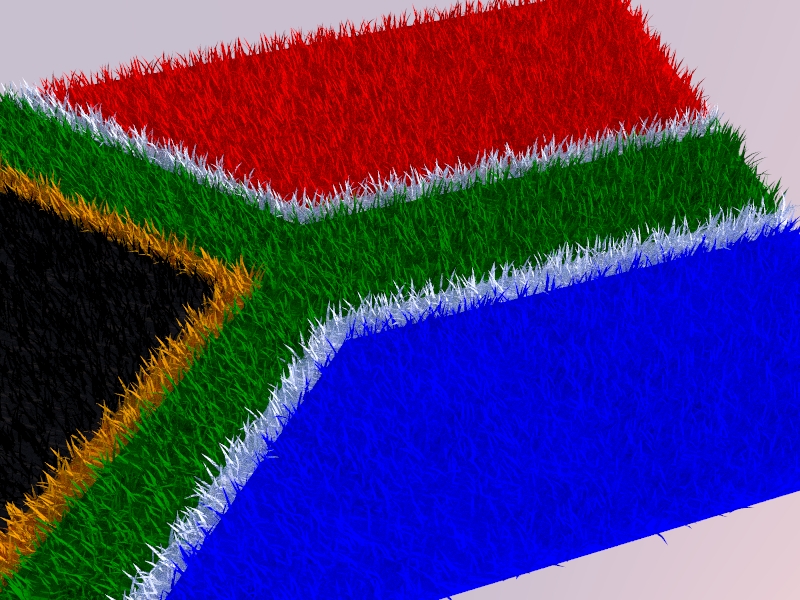

                                          SA_Flag.jpg

                                          1 條回覆 最後回覆 回覆 引用 0
                                          • FrederikF 離線
                                            Frederik
                                            最後由 編輯

                                            @mauhaus said:

                                            Yes, I have been running 7 (7.1.6859) PRO for some time now. The dwg-import option disappeared after installing it. Maybe I didn't install it properly?

                                            I'm sure the install was made properly, however, the dwg/dxf import has been excluded from ver. 7.1 and onwards...
                                            You need a seperate plugin...
                                            Please check out the DWG/DXF import plugin for SketchUp 7.1 (Free)...

                                            Cheers
                                            Kim Frederik

                                            1 條回覆 最後回覆 回覆 引用 0
                                            • 1
                                            • 2
                                            • 3
                                            • 4
                                            • 5
                                            • 32
                                            • 33
                                            • 1 / 33
                                            • 第一個貼文
                                              最後的貼文
                                            Buy SketchPlus
                                            Buy SUbD
                                            Buy WrapR
                                            Buy eBook
                                            Buy Modelur
                                            Buy Vertex Tools
                                            Buy SketchCuisine
                                            Buy FormFonts

                                            Advertisement