Just wanted to give you fine people a notification that the people over at Mindsight Studios now have released a free to use alpha version of their DECAsteel plugin.
This plugin has a huge potensial for Engineers and cad people, and I think it could lift SU to new heights as a engineering tool.
Oops, your profile's looking a bit empty! To help us tailor your experience, please fill in key details like your SketchUp version, skill level, operating system, and more. Update and save your info on your profile page today!
Check out Febhouse | New extensions for Shadow Analysis in SketchUp Download
J
Offline
Best posts made by jonorman
-
DECAsteel now available for open alpha testing.


Latest posts made by jonorman
-
RE: Doubleclick or "holding down" shortctut keys to activate Fredo6 plugins
Hi, sorry for a late reply.
I`m on windows 11, Nvidia 5070, SU v.26.2.243. And yes, it seems that the icon or the shortcut to activate a Fredo plugin tool must be doubletapped og hold for a sec. Exsample: selecting a box that I made and turened in to a group, then tapping the shortcut keys made for this tool (ctrl+shift+s) nothing happens. But if holding those keys for more than a second or holding ctrl+shif, then doubletap the S key the tool activates. and if i select the box and hover over the icon for that tool and click once, nothing happens, but if i double click the tool activates.
This seems to bee with som of the Fredo tools but not all.
Not working is: Tools on surface, Fredoscale (except for the cuick launcher icon, that calls upp the menu on one click), Joint push pull. Stencil, Fredo Stencil and more
But som are working with one click ie.: FredoBend, Move and align ++
This is so wierd, and i have no idea of why this is. I was messing around with the Graphics settings for som "random crashes" after updating skechup, but they are now back to their original settings. -
Doubleclick or "holding down" shortctut keys to activate Fredo6 plugins
Hi and good morning.
I`ve just updated sketchup to newest release, and now as the Haeding says, I have to either doubleclick a Fredo6 tool to activate it or holding down the shortcut key (or doubletap it) to activate tool.
I
ve triede the "fast feedback" routine that Ive seen been mentioned but to no luck.Are there anyone else having this issue, or a explination for this ?? Thank you.
-
RE: Fredo Animator
So the answer here is to have the "pickup and rotation" done in two paralell actions, with the same pivit point ?
-
Fredo Animator
Anyone know whats going on here ?? The arm is a component with several subcomponents in a "logical order"
the cube is a standalone component. When trying to pick up the cube by "Ctrl" clicking on the cube and rotating it with the arm it just flies away.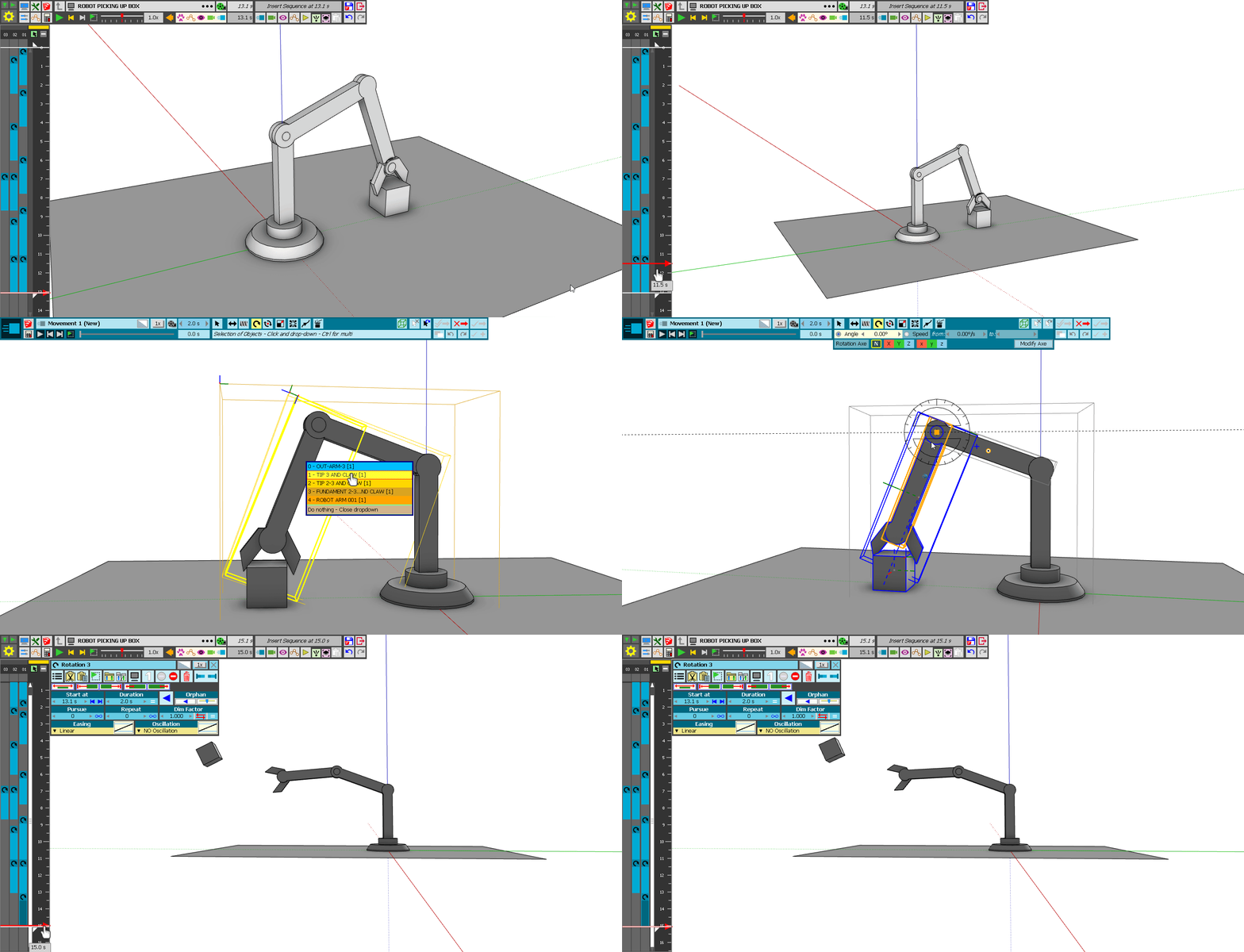
-
DECAsteel now available for open alpha testing.
Just wanted to give you fine people a notification that the people over at Mindsight Studios now have released a free to use alpha version of their DECAsteel plugin.
This plugin has a huge potensial for Engineers and cad people, and I think it could lift SU to new heights as a engineering tool. -
RE: Physics simulator
@rich o brien said:
No, we are trying to get MSPhysics updated but it won't be for a bit yet.
That is great news. Would it be possible to say its likly to happen this year or is it further in the future ??