sketchucation logo sketchucation
    • 登入
    Oops, your profile's looking a bit empty! To help us tailor your experience, please fill in key details like your SketchUp version, skill level, operating system, and more. Update and save your info on your profile page today!
    🔌 Smart Spline | Fluid way to handle splines for furniture design and complex structures. Download

    [Plugin] Eclate_Deplace (fragmentation-exploded view)

    已排程 已置頂 已鎖定 已移動 Plugins
    161 貼文 51 Posters 226.4k 瀏覽 51 Watching
    正在載入更多貼文
    • 從舊到新
    • 從新到舊
    • 最多點贊
    回覆
    • 在新貼文中回覆
    登入後回覆
    此主題已被刪除。只有擁有主題管理權限的使用者可以查看。
    • maxmarjamaaM 離線
      maxmarjamaa
      最後由 編輯

      Thank you, I've long been looking for.

      1 條回覆 最後回覆 回覆 引用 0
      • T 離線
        toddbg
        最後由 編輯

        Hi -
        I'm having trouble with using this plugin.

        I have a fence model that I am trying to explode so I can get a good diagram of.
        This is a rather simple model but I thought I would use the plugin so that when I move up to doing cabinets and other major pieces then I would know how to use this plugin. 😄

        I have been able to get the rails to move along the X and Z but there are some smaller rails that capture a lattice that I would like to move apart on the Y, but they do not seem to be working.


        test lattice cedar fence.

        1 條回覆 最後回覆 回覆 引用 0
        • pilouP 離線
          pilou
          最後由 編輯

          You have something wrong drawn inside the middle group of vertical and horizontal Planks ! 😮

          I have redrawn them and no problem! 😄 Coef % x = 1; Y= 5 ; Z = 1
          the one on the origine is yours the one with "White pinky planks" is mine! 😄
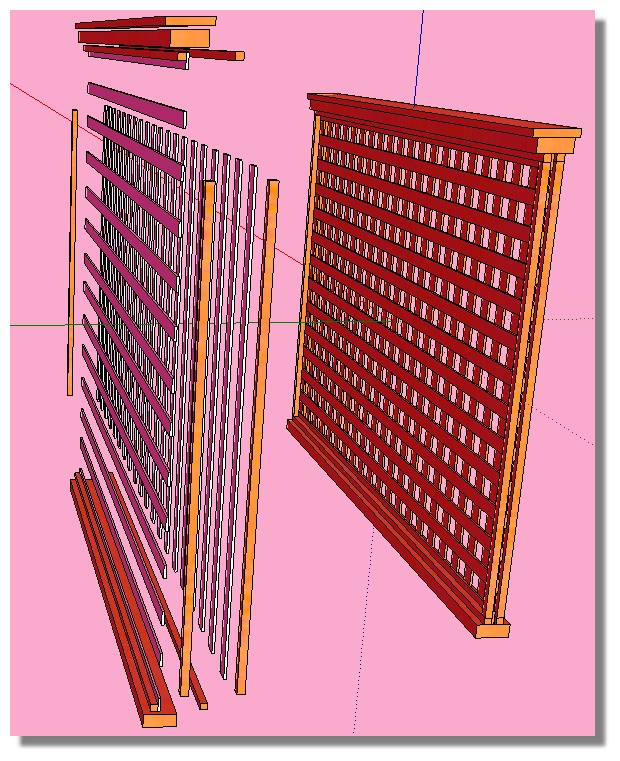
          PLANCHE.jpg


          lattice_v4_expandedV6.skp

          Frenchy Pilou
          Is beautiful that please without concept!
          My Little site :)

          1 條回覆 最後回覆 回覆 引用 0
          • T 離線
            toddbg
            最後由 編輯

            Thanks Pilou!

            I['ll go back and see what I have wrong in the original. Your version works quite well. 😄

            1 條回覆 最後回覆 回覆 引用 0
            • S 離線
              samyell77
              最後由 編輯

              Hi Pilou,
              Just wondered if you have any plans to update this plugin for 2014? Its an amazingly useful plugin and I use it almost daily.
              Thanks in advance
              Sam

              SU Pro 2016
              Dell Precision M4800
              PC Windows 10
              Intel Core i7-4900MQ @ 2.80ghz
              Nvidia Quadro K2100M
              16gb RAM

              1 條回覆 最後回覆 回覆 引用 0
              • TIGT 離線
                TIG Moderator
                最後由 編輯

                @samyell77 said:

                Hi Pilou,
                Just wondered if you have any plans to update this plugin for 2014? Its an amazingly useful plugin and I use it almost daily.
                Thanks in advance
                Sam
                What makes you think it's not compatible with v2014 ?
                As far as I know it works in ALL versions ??

                TIG

                1 條回覆 最後回覆 回覆 引用 0
                • S 離線
                  samyell77
                  最後由 編輯

                  Apologies - just realised I was updating the 2013 plugins folder not the 2014 one. It works perfectly as always!
                  Thanks

                  SU Pro 2016
                  Dell Precision M4800
                  PC Windows 10
                  Intel Core i7-4900MQ @ 2.80ghz
                  Nvidia Quadro K2100M
                  16gb RAM

                  1 條回覆 最後回覆 回覆 引用 0
                  • S 離線
                    samyell77
                    最後由 編輯

                    😍 As I said and exquisite plugin - many thanks Pilou!!!! 👍 👍 👍

                    SU Pro 2016
                    Dell Precision M4800
                    PC Windows 10
                    Intel Core i7-4900MQ @ 2.80ghz
                    Nvidia Quadro K2100M
                    16gb RAM

                    1 條回覆 最後回覆 回覆 引用 0
                    • pilouP 離線
                      pilou
                      最後由 編輯

                      😄
                      So CPlassais has made a very good job! 😎

                      Frenchy Pilou
                      Is beautiful that please without concept!
                      My Little site :)

                      1 條回覆 最後回覆 回覆 引用 0
                      • T 離線
                        tashnag
                        最後由 編輯

                        Hello,

                        Great plug in! I am having an issue though, please see the attached and help me figure out whats wrong...

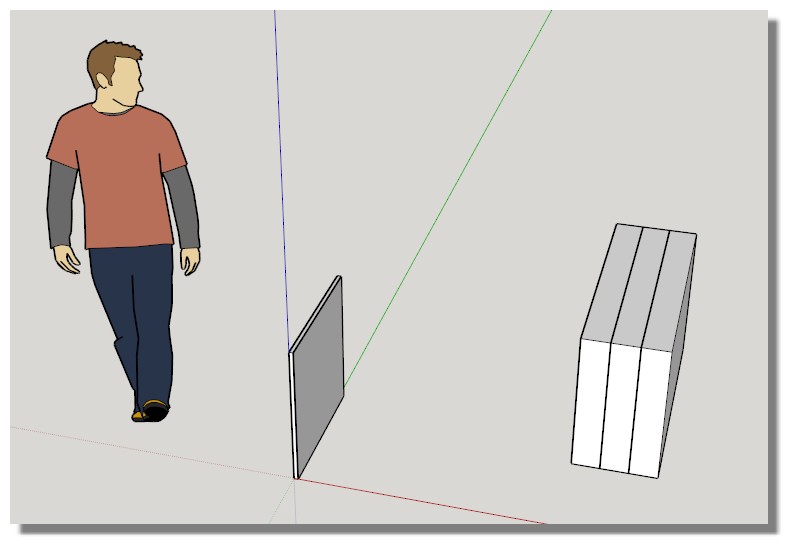
                        If you open the attached sketchup file you will see 2 things, an 11/16" thick panel with 1/32" veneer on both sides, and 3 random sized panels pressed together.

                        The 11/16 with the 1/32 veneer wont separate when I use the plug, and I don't know why

                        The other 3 separate no problem, even though i create them the same way.

                        On another note, I cant tell which is the newest english version, I am currently on 3.0.2

                        Thanks


                        Eclate deplace .skp

                        1 條回覆 最後回覆 回覆 引用 0
                        • pilouP 離線
                          pilou
                          最後由 編輯

                          Post your file save as V6 or V7 ! I can't read the 2014 that I have not! 😉

                          Frenchy Pilou
                          Is beautiful that please without concept!
                          My Little site :)

                          1 條回覆 最後回覆 回覆 引用 0
                          • massimoM 離線
                            massimo Moderator
                            最後由 編輯

                            Here you go Pilou. Saved as SU5, just in case... 😉


                            Eclate deplace .skp

                            1 條回覆 最後回覆 回覆 引用 0
                            • pilouP 離線
                              pilou
                              最後由 編輯

                              Thanks Massimo! Now i can investigate for find the glitch! 😎
                              Massimo.jpg

                              Frenchy Pilou
                              Is beautiful that please without concept!
                              My Little site :)

                              1 條回覆 最後回覆 回覆 引用 0
                              • T 離線
                                tashnag
                                最後由 編輯

                                @Pilou, Thank you for your time.

                                I don't know what you mean by groups and components on the same level. I exploded the parts and then turned them all into groups, and put them back together and it still wont work... I don't know what I'm doing wrong here.

                                I thought they are all separated because I can grab individual parts and move them, and I just noticed a funny thing, when I change the angle of the 3 panels 45 degrees in either direction one of the veneer parts will do what I expect with eclate deplace, but not the other side.

                                1 條回覆 最後回覆 回覆 引用 0
                                • pilouP 離線
                                  pilou
                                  最後由 編輯

                                  @tashnag
                                  It's normal!
                                  Plug works only with Components and/or Groups on the same level!

                                  Your "Thin object" is not composed of separated components/groups!!!

                                  So explode it and make with them some components/groups separated! 😉

                                  PS another thing : your thin pieces are too small! Su don't works very well with these sort of little pièces!
                                  So the plug too!
                                  So make a scale * 10; Apply the plug; make a scale 0.1

                                  Frenchy Pilou
                                  Is beautiful that please without concept!
                                  My Little site :)

                                  1 條回覆 最後回覆 回覆 引用 0
                                  • pilouP 離線
                                    pilou
                                    最後由 編輯

                                    Posts crossing! 😳

                                    PS another thing : your thin pieces are too small! Su don't works very well with these sort of little pièces!
                                    So the plug too!
                                    So make a scale * 10; Apply the plug; make a scale 0.1

                                    Frenchy Pilou
                                    Is beautiful that please without concept!
                                    My Little site :)

                                    1 條回覆 最後回覆 回覆 引用 0
                                    • T 離線
                                      tashnag
                                      最後由 編輯

                                      I just also tried to test something, I made the ticker panels more thin with push pull on only one component and the other 2 followed. I didn't change anything else, now the larger panels wont do anything when I click eclate deplace either.

                                      It seems like the thickness is making a difference if it works or not.

                                      Like I said i have used this in other ways and it works fine.

                                      This skp is saved in version 5 now.

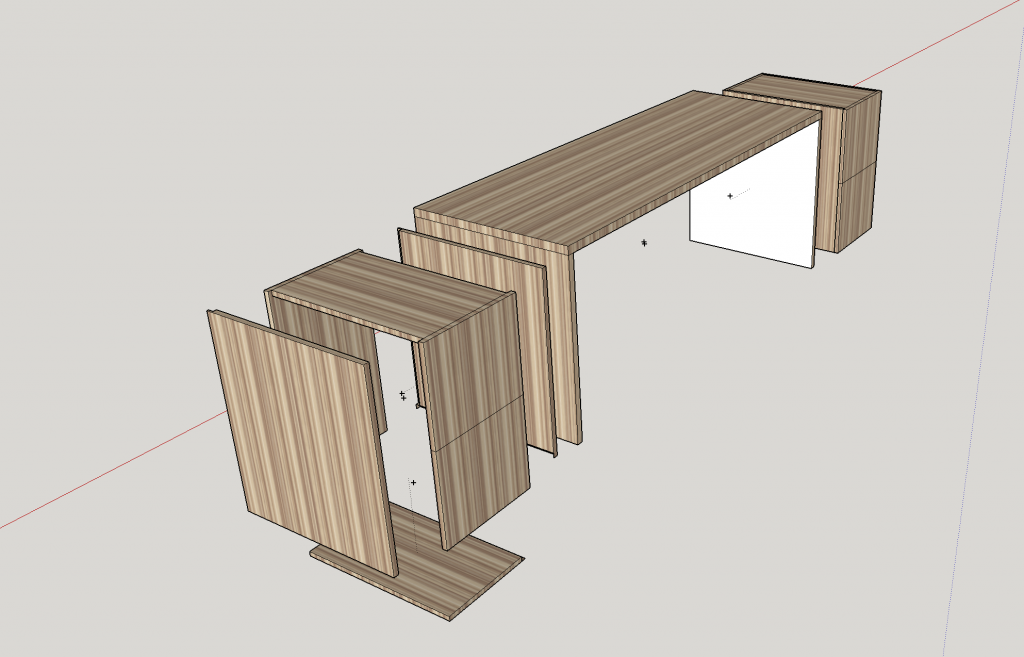
                                      The image below is just to show the plug in works otherwise.

                                      http://i1317.photobucket.com/albums/t637/oaklandnewb/ScreenShot2014-04-15at20217PM_zpsee5bec65.png


                                      Eclate deplace 5.skp

                                      1 條回覆 最後回覆 回覆 引用 0
                                      • T 離線
                                        tashnag
                                        最後由 編輯

                                        @Pilou I think that scaling is the best way, thanks for the help!

                                        1 條回覆 最後回覆 回覆 引用 0
                                        • pilouP 離線
                                          pilou
                                          最後由 編輯

                                          Thx for the V5 ! ☀

                                          @unknownuser said:

                                          scaling is the best way

                                          Yes and coef X,Y,Z inside the plug can help too! 😉

                                          Frenchy Pilou
                                          Is beautiful that please without concept!
                                          My Little site :)

                                          1 條回覆 最後回覆 回覆 引用 0
                                          • J 離線
                                            jjetster
                                            最後由 編輯

                                            Hi, i have a problem. As I run the plugin on SU Version 8 it doesn't seem to work. I type all my preferences into the menu of the Eclate_Deplace, but the exploded view just will not work. Any thoughts?

                                            1 條回覆 最後回覆 回覆 引用 0
                                            • 1
                                            • 2
                                            • 5
                                            • 6
                                            • 7
                                            • 8
                                            • 9
                                            • 7 / 9
                                            • 第一個貼文
                                              最後的貼文
                                            Buy SketchPlus
                                            Buy SUbD
                                            Buy WrapR
                                            Buy eBook
                                            Buy Modelur
                                            Buy Vertex Tools
                                            Buy SketchCuisine
                                            Buy FormFonts

                                            Advertisement

