sketchucation logo sketchucation
    • 登入
    Oops, your profile's looking a bit empty! To help us tailor your experience, please fill in key details like your SketchUp version, skill level, operating system, and more. Update and save your info on your profile page today!
    🔌 Smart Spline | Fluid way to handle splines for furniture design and complex structures. Download

    [Plugin] Eclate_Deplace (fragmentation-exploded view)

    已排程 已置頂 已鎖定 已移動 Plugins
    161 貼文 51 Posters 226.4k 瀏覽 51 Watching
    正在載入更多貼文
    • 從舊到新
    • 從新到舊
    • 最多點贊
    回覆
    • 在新貼文中回覆
    登入後回覆
    此主題已被刪除。只有擁有主題管理權限的使用者可以查看。
    • Dave RD 離線
      Dave R
      最後由 編輯

      The plugin is known to work for others using SU8. You haven't given us much to go on. Perhaps you could post the model so we can see what you are working with?

      Etaoin Shrdlu

      %

      (THERE'S NO PLACE LIKE)

      G28 X0.0 Y0.0 Z0.0

      M30

      %

      1 條回覆 最後回覆 回覆 引用 0
      • formanosqueF 離線
        formanosque
        最後由 編輯

        Fredo a réécrit un plugin qui semble très bien macher... RadialMove. La gestion des unités est OK, le déplacement n'est dépendant de la position en coeff mais bien le nombre de cm, mm depuis le centre.

        Fredo have rewritten a plugin which seems to works perfectly... RadialMove. Units management is fine, move fonction doesn"t depend on a coeff but the real unit of the move from the center.

        1 條回覆 最後回覆 回覆 引用 0
        • D 離線
          DRDS-11
          最後由 編輯

          I am using SU 2015 Pro on a Macbook Pro. Will the latest version of this plugin work with my software? What is the latest version of the plugin? Can you send it to me or post it for download?

          Thanks.

          1 條回覆 最後回覆 回覆 引用 0
          • TIGT 離線
            TIG Moderator
            最後由 編輯

            @DWR

            A few posts ago someone with a MAC and v2014 posted an example SKP.
            So it seems like it should also work with v2015 - which also uses the same newer Ruby etc.

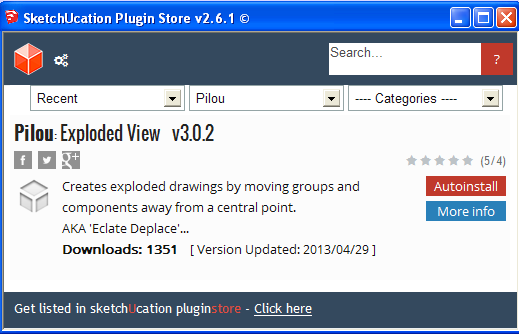
            It IS in the SketchUcation PluginStore http://sketchucation.com/pluginstore?pln=Eclate_Deplace
            It is called 'Exploded View' in English...

            Download its RBZ from there, then install it using SketchUp > Preferences > Extensions > Install... button, OR AutoInstall it directly from the SketchUcation PluginStore dialog within SketchUp itself [install it from the RBZ obtainable from the Resources menu above...]

            TIG

            1 條回覆 最後回覆 回覆 引用 0
            • pilouP 離線
              pilou
              最後由 編輯

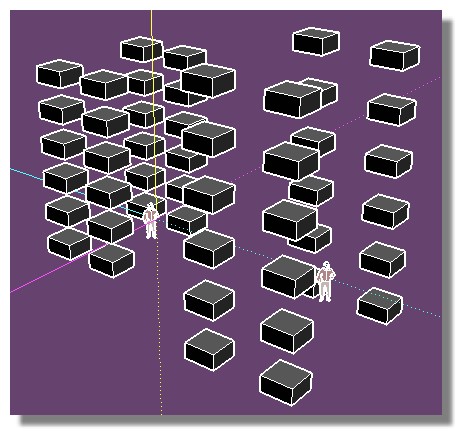
              Seems working fine in 2015 😄
              (Select your Components / Groups then Right Click ! )
              Eclate.jpg

              Frenchy Pilou
              Is beautiful that please without concept!
              My Little site :)

              1 條回覆 最後回覆 回覆 引用 0
              • ARTchiA 離線
                ARTchi
                最後由 編輯

                The plugin is not bundled with another plugin, which would spread out the groups/components with other nested groups/components 2 and 3 orders? Groups/Components in the groups/components.
                Often the model consists of many sub-groups inside another group, with the explosion of the models can be converted to polygons , and some will be less nested. Need a plugin that would put such complex groups/components, simple one nested (first order) groups/components?

                I hope clearly explained!

                1 條回覆 最後回覆 回覆 引用 0
                • F 離線
                  faustfa
                  最後由 編輯

                  hi guy
                  i have a little problem with this plugine , i am new of sketchup 2015 , how can install it??
                  i tryed to insert in zip file and rename .rbz and bye window --> prefernce ---> install extension , try to install but but noting , i try to create a folder plugin and put inside a .rb file but nothing , everyone have some idea ?? thankz

                  1 條回覆 最後回覆 回覆 引用 0
                  • chriC 離線
                    chri
                    最後由 編輯

                    @faustfa said:

                    hi guy
                    i have a little problem with this plugine , i am new of sketchup 2015 , how can install it??
                    i tryed to insert in zip file and rename .rbz and bye window --> prefernce ---> install extension , try to install but but noting , i try to create a folder plugin and put inside a .rb file but nothing , everyone have some idea ?? thankz

                    hi

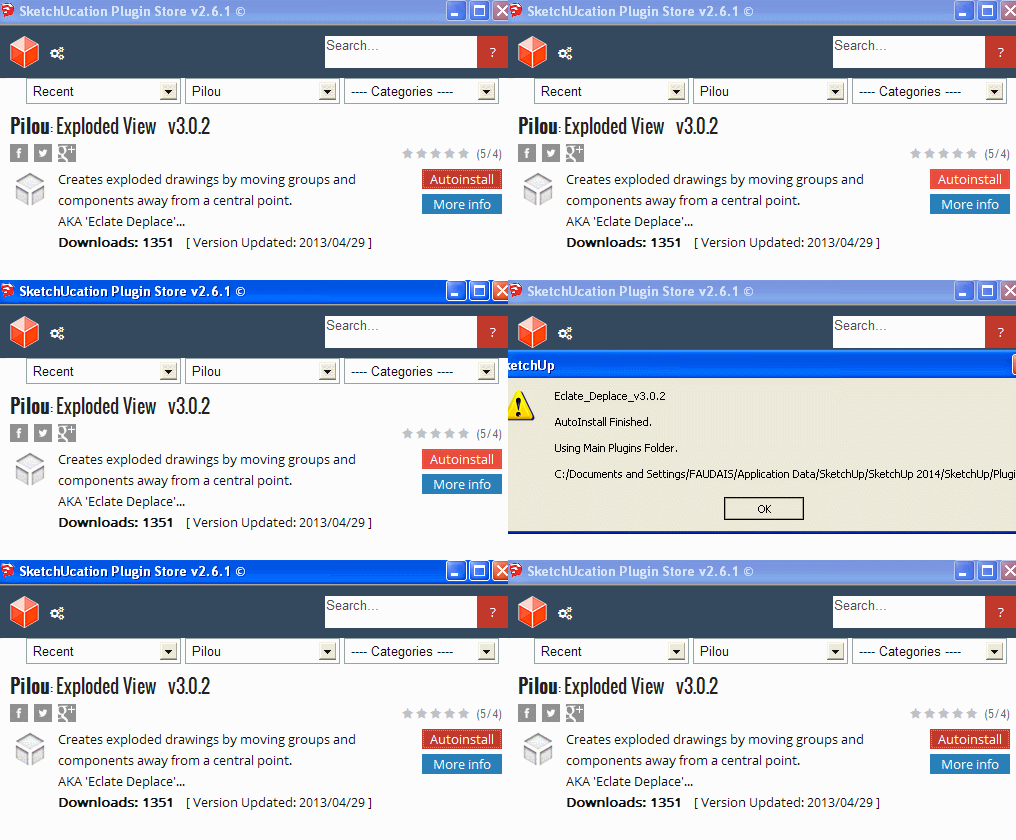
                    the best way is to instal and used the plugin store to install this plugin
                    ( take a look on the next parts )

                    link to instal the pluginstore
                    http://sketchucation.com/pluginstore

                    Chri


                    Capture-1.png


                    1.gif


                    2.gif

                    Y 1 條回覆 最後回覆 回覆 引用 0
                    • Dave RD 離線
                      Dave R
                      最後由 編輯

                      @faustfa said:

                      ...i try to create a folder plugin and put inside a .rb file but nothing...

                      Remove any Plugin folder you have created. SketchUp creates its own folder. Install it the way chri has shown you and all should be well. Or download the .rbz file from the Plugin Store and install it using Preferences>Extensions>Install Extension...

                      Etaoin Shrdlu

                      %

                      (THERE'S NO PLACE LIKE)

                      G28 X0.0 Y0.0 Z0.0

                      M30

                      %

                      1 條回覆 最後回覆 回覆 引用 0
                      • ashscottA 離線
                        ashscott
                        最後由 編輯

                        This is beautiful, thankyou Pilou

                        Just some stuff I do with Sketchup.

                        1 條回覆 最後回覆 回覆 引用 0
                        • S 離線
                          SpookyChick1013
                          最後由 編輯

                          Ken referred me here, from the plugin request I made. This is almost what I was looking for; works quite well too.

                          Is there anyway that capability to handle a specified range of distances, could be added? Essentially being able to enter minimum distance / maximum distance, and then execute is the work flow I'm looking for.

                          Thanks,
                          Cathryn Shaw

                          https://kuromatsudriveyards.com

                          Fo-su to tomo ni aran koto o...

                          1 條回覆 最後回覆 回覆 引用 0
                          • pilouP 離線
                            pilou
                            最後由 編輯

                            @unknownuser said:

                            This is beautiful, thankyou Pilou

                            I made the first stone, CPlassais has made the 99 % missing! 😉

                            Frenchy Pilou
                            Is beautiful that please without concept!
                            My Little site :)

                            1 條回覆 最後回覆 回覆 引用 0
                            • S 離線
                              shdesign
                              最後由 編輯

                              @SpookyChick1013 Wonder why you haven't had a reply? I think we all want this.

                              1 條回覆 最後回覆 回覆 引用 0
                              • Dave RD 離線
                                Dave R
                                最後由 編輯

                                It's been nearly six years since this extension was last updated. It could be that the author lost interest and moved on to other things. There have been several changes to Ruby in SketchUp versions released since this script was. I wouldn't be surprised if it doesn't work with later SketchUp releases.

                                Etaoin Shrdlu

                                %

                                (THERE'S NO PLACE LIKE)

                                G28 X0.0 Y0.0 Z0.0

                                M30

                                %

                                1 條回覆 最後回覆 回覆 引用 0
                                • pilouP 離線
                                  pilou
                                  最後由 編輯

                                  Yes I have no news from this guy from years now! 😞

                                  Frenchy Pilou
                                  Is beautiful that please without concept!
                                  My Little site :)

                                  1 條回覆 最後回覆 回覆 引用 0
                                  • C 離線
                                    cesom
                                    最後由 編輯

                                    Salut Pilou,

                                    Tu aurais mis à jour ton extension par hasard ? Elle fonctionne à partir de 2017 jusqu'à 2021 ? Elle me parait très intéressante pour les éclatés.

                                    Je te remercie

                                    Jerryvento

                                    ►►►►► TUTOS FREE GRATUITS SKETCHUP YOUTUBE ◄◄◄◄◄
                                    ►►►►► DISPLAY THE SUBTITLES

                                    1 條回覆 最後回覆 回覆 引用 0
                                    • pilouP 離線
                                      pilou
                                      最後由 編輯

                                      Non, plus de nouvelle de CPlassais le developpeur principal! 🤓
                                      Il fonctionne parfaitement jusqu'à la 2017, ensuite, aucune idée pour les versions suivantes ne les ayant pas! 😳
                                      A mon avis peu de chance, à tester, car je crois me rappeler que la version de Ruby avait changé!

                                      Le Plugin apparaît sous le Clic Droit sur une sélection de Groupes et/ou Composants! 🤓

                                      Il faut toujours avoir une version 2017 Make sous la main...ça peut toujours servir! ☀
                                      En plus c'est gratuit et même en français! 😎
                                      Il faut scroller, moletter pour avoir la version idoine! 🎉

                                      Frenchy Pilou
                                      Is beautiful that please without concept!
                                      My Little site :)

                                      1 條回覆 最後回覆 回覆 引用 0
                                      • D 離線
                                        DRDS-11
                                        最後由 編輯

                                        I have some questions regarding this plugin….I have used it a few times, but I really would like a little bit of a primer for it.
                                        When activated on a model it asks a few questions which are no problem to understand, but the dialog box needs some explanation as to what each of the boxes does to the model without me continuing to run trial and error over and over.

                                        A descriptor for each box would be helpful in my own opinion. I know it’s an old plug-in, but it is still useful.

                                        Thanks for anyone and everyone’s insight and direction.

                                        1 條回覆 最後回覆 回覆 引用 0
                                        • pilouP 離線
                                          pilou
                                          最後由 編輯

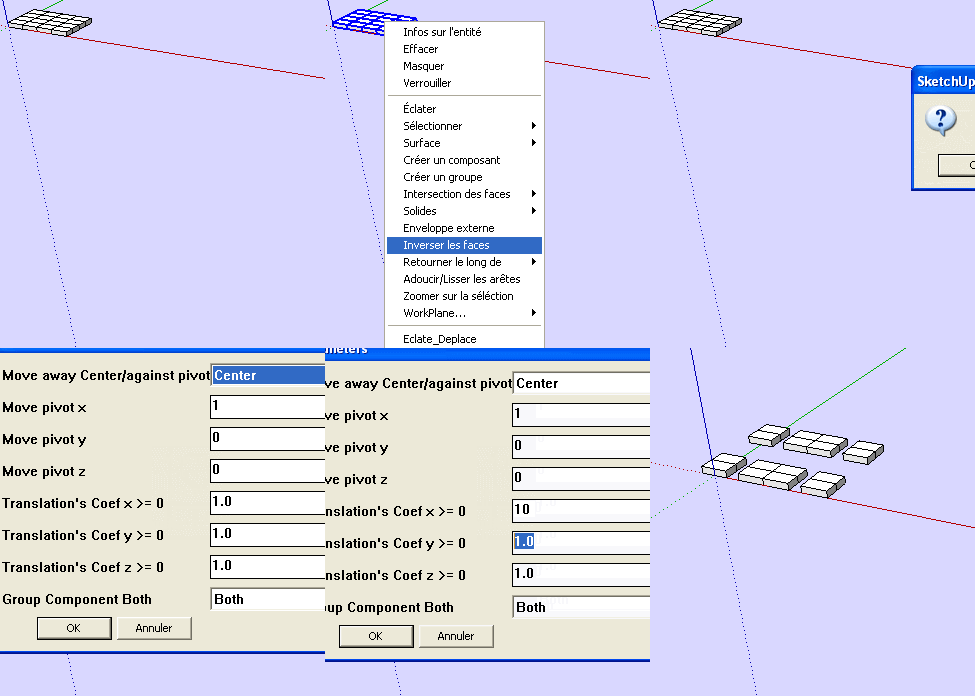
                                          I am affraid but these 2 dialog boxes are self-explainatory! 😄

                                          Idem for parameters!

                                          Have fun éclatement! ☀

                                          Frenchy Pilou
                                          Is beautiful that please without concept!
                                          My Little site :)

                                          1 條回覆 最後回覆 回覆 引用 0
                                          • Y 離線
                                            Yldz29 Newcomers @chri
                                            最後由 編輯

                                            @chri bu eklenti 2023 te çalışırmı

                                            1 條回覆 最後回覆 回覆 引用 0
                                            • 1
                                            • 2
                                            • 5
                                            • 6
                                            • 7
                                            • 8
                                            • 9
                                            • 8 / 9
                                            • 第一個貼文
                                              最後的貼文
                                            Buy SketchPlus
                                            Buy SUbD
                                            Buy WrapR
                                            Buy eBook
                                            Buy Modelur
                                            Buy Vertex Tools
                                            Buy SketchCuisine
                                            Buy FormFonts

                                            Advertisement