sketchucation logo sketchucation
    • 登入
    Oops, your profile's looking a bit empty! To help us tailor your experience, please fill in key details like your SketchUp version, skill level, operating system, and more. Update and save your info on your profile page today!
    🔌 Easy Offset | Offset selected faces in SketchUp in positive and negative offsets. Download

    [Plugin] Extrude Edges by Rails

    已排程 已置頂 已鎖定 已移動 Plugins
    381 貼文 71 Posters 348.5k 瀏覽 71 Watching
    正在載入更多貼文
    • 從舊到新
    • 從新到舊
    • 最多點贊
    回覆
    • 在新貼文中回覆
    登入後回覆
    此主題已被刪除。只有擁有主題管理權限的使用者可以查看。
    • TIGT 離線
      TIG Moderator
      最後由 編輯

      @mitcorb said:

      TIG:
      What are the possibilities of being able to orbit and inspect the initial results of the extrusion on rails while going through the checklist so that decisions can be made in the workflow? Does this make sense?

      It's something that's not so easy to do... but I'll look at it - I currently have a version with most of the bugs ironed out - it'll be published soonest...

      TIG

      1 條回覆 最後回覆 回覆 引用 0
      • mitcorbM 離線
        mitcorb
        最後由 編輯

        Thanks, TIG:
        You are a master.
        I am currently experimenting and learning this excellent tool.

        I take the slow, deliberate approach in my aimless wandering.

        1 條回覆 最後回覆 回覆 引用 0
        • C 離線
          Cyberdactyl
          最後由 編輯

          Very nice Tig.

          Works great in SU7. However, doesn't work SU6, at least for me.

          1 條回覆 最後回覆 回覆 引用 0
          • TIGT 離線
            TIG Moderator
            最後由 編輯

            Here is v1.1 http://forums.sketchucation.com/viewtopic.php?p=201286#p201286

            It is now much more stable, with [most] glitches fixed with ordered points and bugsplats.
            You can now also double-click on one rail and used it as both rails.
            Rails that start / end at a common vertex are now allowed.
            Mismatched segment numbers in the two rails are well accommodated - as are looped profiles and rails.
            Debabelizer language translation are now added to menus and dialogs etc, with ExtrudeEdgesbyRailsEN-US.lingvo and ES/FR versions in the TIGtools folder.

            Feedback please...

            I've also updated the examples SKP here... http://forums.sketchucation.com/viewtopic.php?p=201457#p201457

            TIG

            1 條回覆 最後回覆 回覆 引用 0
            • TIGT 離線
              TIG Moderator
              最後由 編輯

              Here's an example SKP - updated for v1.1... ExtrudeEdgesByRailsExamples.skp

              TIG

              1 條回覆 最後回覆 回覆 引用 0
              • jeff hammondJ 離線
                jeff hammond
                最後由 編輯

                just out of curiosity, i drew the same shapes using the same dimensions in SU with EdgesByRails then i did another in Rhino using Sweep 2rails.. i then brought the SU surface/mesh into rhino and overlayed the two.. here's what it looks like.

                (Sketchup = red... rhino =blue)
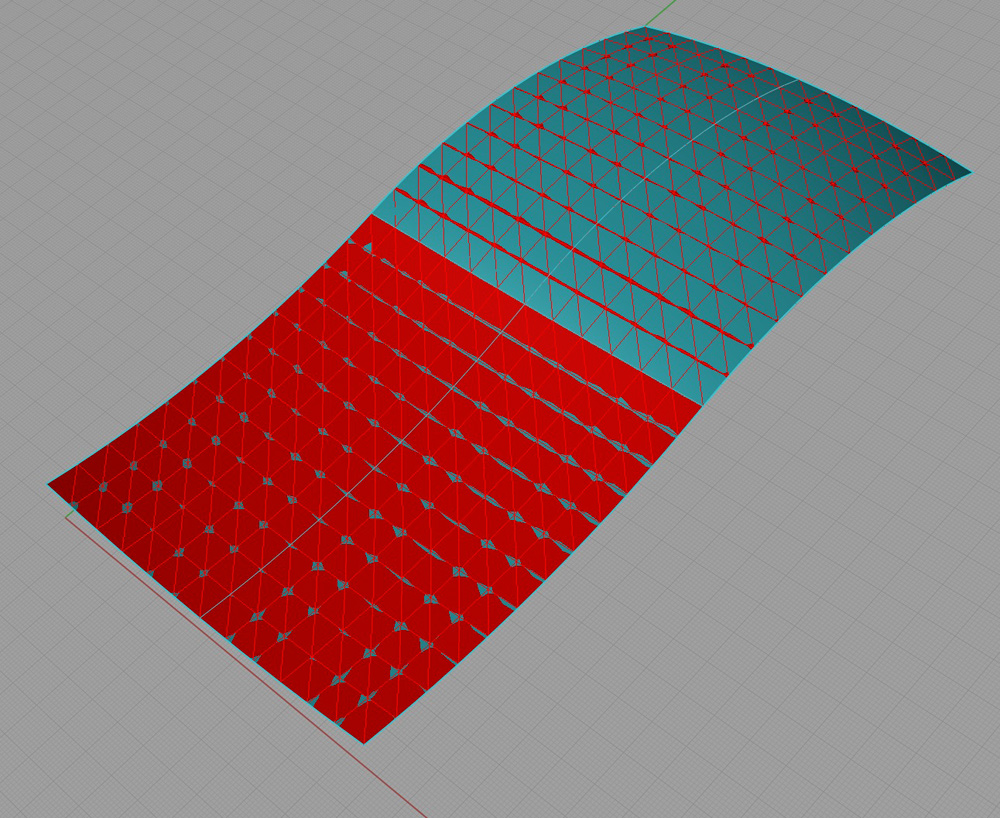
                click pic for larger

                the render mesh in rhino was set at a density of 100 making it about as close to the true nurbs surface that you can view on a computer.. all the vertices from SU edges by rails are right there where i'd hope they'd be.

                so yeah, use this plugin with confidence 😄

                dotdotdot

                1 條回覆 最後回覆 回覆 引用 0
                • pilouP 離線
                  pilou
                  最後由 編輯

                  ...and put Rhino in the garbage trash can 💚

                  Frenchy Pilou
                  Is beautiful that please without concept!
                  My Little site :)

                  1 條回覆 最後回覆 回覆 引用 0
                  • jeff hammondJ 離線
                    jeff hammond
                    最後由 編輯

                    [haha frenchy]

                    just in case that picture is confusing, here are the two surfaces separately..

                    (rhino- blue... SU- red)
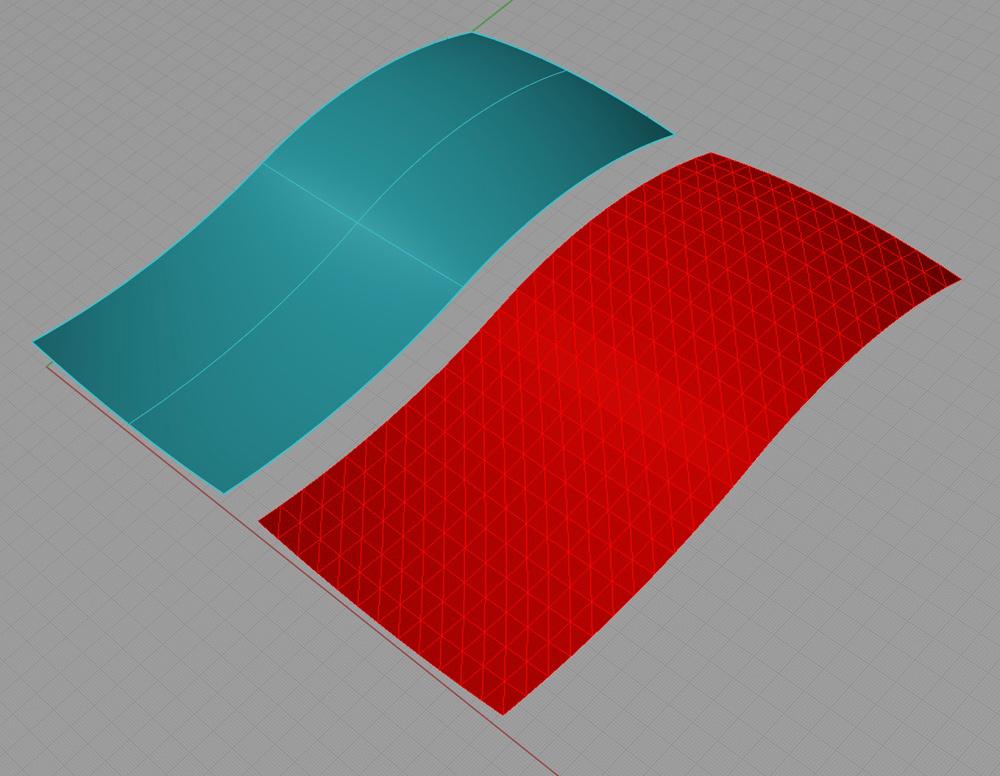
                    click pic for bigger

                    (sorry about the nasty quality of the pictures.. had to use screenshots because the output options in Rhino OS X (beta) aren't fully implemented yet.. i don't think my screenshots like red too much)

                    ... and a render of the SU version after some joint_push_pull..
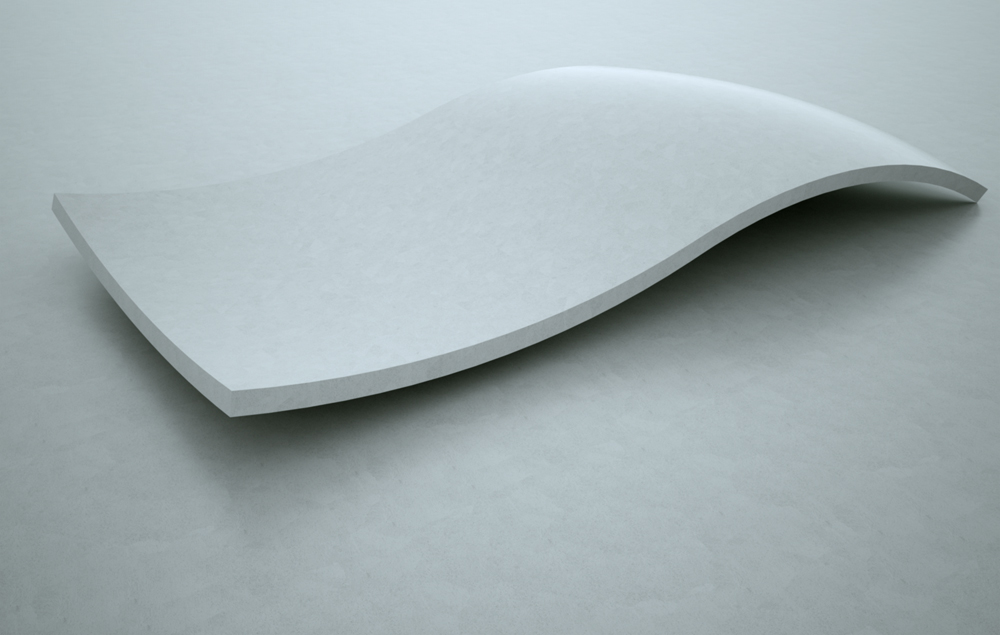
                    dishhump.jpg

                    dotdotdot

                    1 條回覆 最後回覆 回覆 引用 0
                    • X 離線
                      xrok1
                      最後由 編輯

                      nice. thanks for implementing the single rail option. i will delete edges by edges plugin soon but...
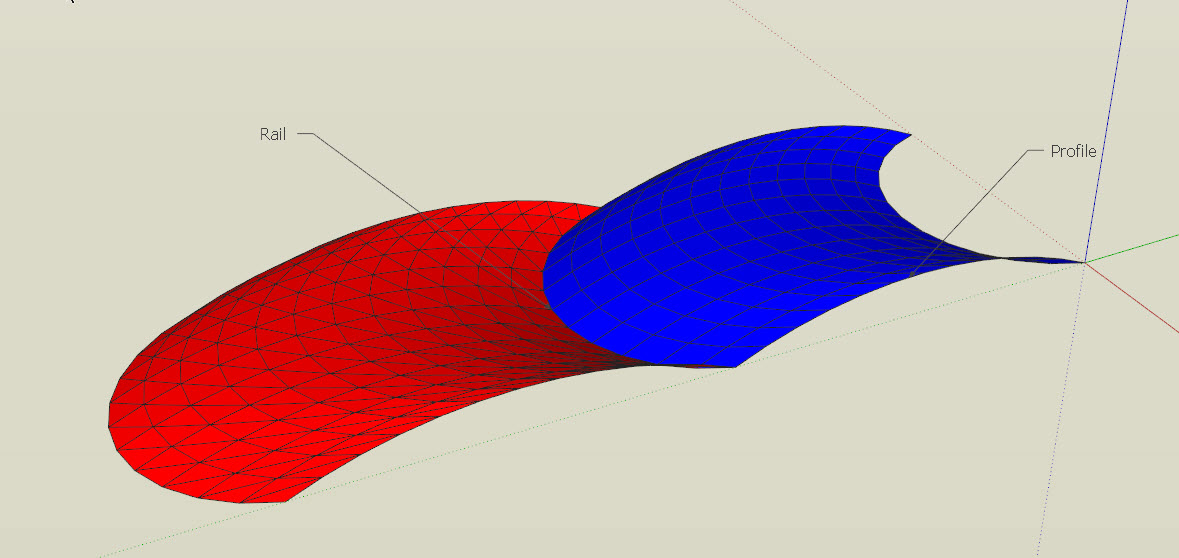
                      Capture.JPG
                      red is edges by rails result, blue is edges by edges result?? i think blue wins my vote on how things should work.

                      “There are three classes of people: those who see. Those who see when they are shown. Those who do not see.”

                      http://www.Twilightrender.com try it!

                      1 條回覆 最後回覆 回覆 引用 0
                      • jeff hammondJ 離線
                        jeff hammond
                        最後由 編輯

                        @xrok1 said:

                        nice. thanks for implementing the single rail option. i will delete edges by edges plugin soon but...

                        red is edges by rails result, blue is edges by edges result?? i think blue wins my vote on how things should work.

                        as far as i can tell, both methods give the exact same results (3 tests and while one of the surfaces ended up in a strange location, it still matched the other)

                        if you're talking about the triangulation then:

                        with edgesBYedges, one of the options after running the script is 'triangulate faces?'

                        with edgesBYrails, the second option that pops up is 'erase coplaner edges?'.. choose yes and the triangulation lines will go away (as long as they aren't necessary for the surfacing but since the geometry is the same with the two scripts for 1rail1edge, they'll end up identical if you choose yes to erase the coplanar edges)

                        that said, maybe there's something i haven't tried that will make the two 1edge1rail methods produce different results..

                        dotdotdot

                        1 條回覆 最後回覆 回覆 引用 0
                        • jeff hammondJ 離線
                          jeff hammond
                          最後由 編輯

                          fwiw, coplanar means 'on the same plane'.. basically, draw a square then draw some lines on its surface or intersecting the edges.. those lines are coplanar and you can freely erase them without making the surface disappear.

                          dotdotdot

                          1 條回覆 最後回覆 回覆 引用 0
                          • X 離線
                            xrok1
                            最後由 編輯

                            @unknownuser said:

                            (3 tests and while one of the surfaces ended up in a strange location, it still matched the other)

                            thats what i'm refering to. EbE seems to be where i'd expect EbR seems to be on the wrong side of the rail. there probably is no right or wrong side it just isn't what i expected. maybe you could add a dialog for the one rail method that asks if you want to mirror result.

                            PS, now that i asked for another dialog 😆 i feel i should say the dialog are annoying and i think a single window with checkboxes would be much nicer. 😉

                            “There are three classes of people: those who see. Those who see when they are shown. Those who do not see.”

                            http://www.Twilightrender.com try it!

                            1 條回覆 最後回覆 回覆 引用 0
                            • TIGT 離線
                              TIG Moderator
                              最後由 編輯

                              This is built with raw UI interface - no web-dialogs so no check-boxes - yet...

                              TIG

                              1 條回覆 最後回覆 回覆 引用 0
                              • K 離線
                                kostas_designer
                                最後由 編輯

                                Wow!
                                Great improvement! I was missing the 1.1 version and i could'n figure out why it was acting like that!
                                Now it rocks!
                                Thanks again, Tig
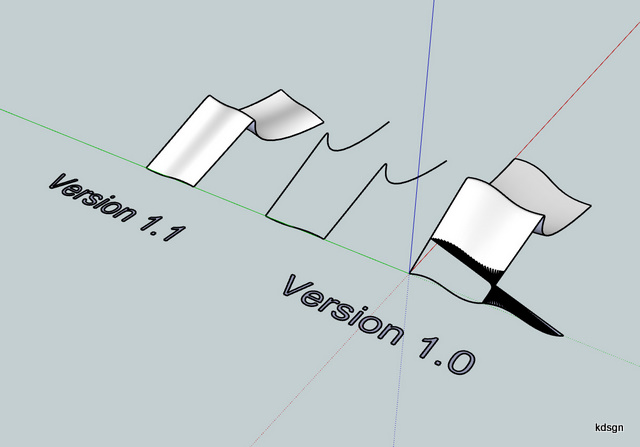

                                version 1.1 vs 1.0.jpg

                                1 條回覆 最後回覆 回覆 引用 0
                                • B 離線
                                  bocomofo
                                  最後由 編輯

                                  I cant even imagine how this works...I can only presume that it is withcraft.
                                  Regardless of that I think it is totally amazing...now just to find a practical use for it in the rather 'boxy' Architecture I'm used to producing!!!

                                  Wonderful effort TIG!

                                  1 條回覆 最後回覆 回覆 引用 0
                                  • TIGT 離線
                                    TIG Moderator
                                    最後由 編輯

                                    @daniel s said:

                                    Amazing TIG!!!
                                    Thank you!!!
                                    How about an option to maintain height?
                                    ...
                                    Daniel S

                                    To do the second option you showed add a horizontal line down the centre of the profile at its topmost point.
                                    Make that line divided and weld into a curve [best if it has same number of segments as the path?]
                                    Use My tool on one 'half' of the profile and a side rail and the new 'top' rail.
                                    Now use My tool again on the other 'half' of the profile and the other side rail and the new 'top' rail.
                                    Select both groups and group, edit the new group and select the two groups inside and explode them.
                                    You now have the form you desired FlatToppedEEbyRails.pngFlatToppedEEbyRails.skpwith a flat top...
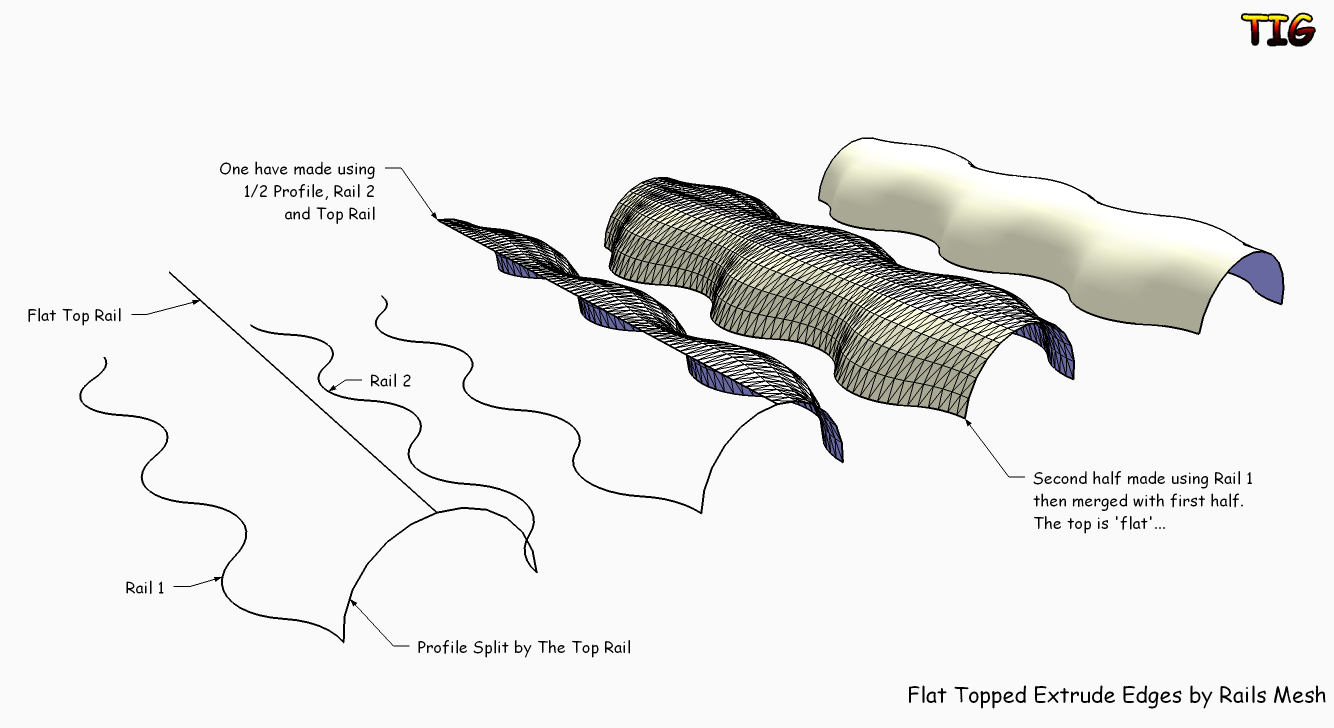
                                    TIG

                                    1 條回覆 最後回覆 回覆 引用 0
                                    • broomstickB 離線
                                      broomstick
                                      最後由 編輯

                                      Like everyone, I am here to say thanks for this great script... words fail me to describe how awesome this ruby is!

                                      1 條回覆 最後回覆 回覆 引用 0
                                      • I 離線
                                        ionandre
                                        最後由 編輯

                                        It's Fantastic!

                                        It works also on 3 closed curves.

                                        Thank you so much

                                        1 條回覆 最後回覆 回覆 引用 0
                                        • D 離線
                                          Daniel S
                                          最後由 編輯

                                          @tig said:

                                          Make that line divided and weld into a curve [best if it has same number of segments as the path?]

                                          I tried to do that but the plugins dosen´t like a line as a rail.
                                          Good tip to divide the line and then weld to make it work 😍

                                          I also like a lot the option to make it work with closed curves.. looks like a patch tool.
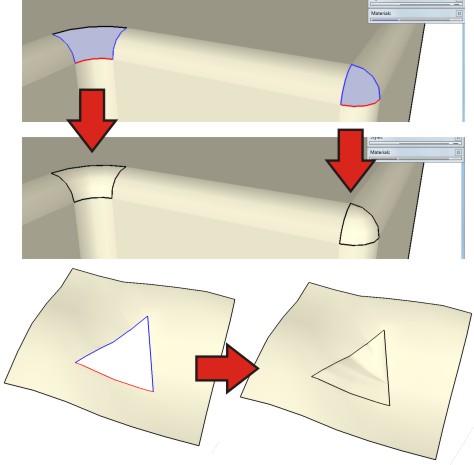
                                          patch.jpg
                                          patch2.jpg
                                          Perhaps in a future we can have a n-sided patch tool inside SketchUp 🎉

                                          Thanks again,
                                          Daniel S

                                          1 條回覆 最後回覆 回覆 引用 0
                                          • pilouP 離線
                                            pilou
                                            最後由 編輯

                                            Case 1 works if volume has orthogonal segments 😄
                                            Case 2 & 3 & 4 yet works! 💚
                                            sweep3.jpg

                                            Frenchy Pilou
                                            Is beautiful that please without concept!
                                            My Little site :)

                                            1 條回覆 最後回覆 回覆 引用 0
                                            • 1
                                            • 2
                                            • 3
                                            • 4
                                            • 5
                                            • 6
                                            • 7
                                            • 8
                                            • 19
                                            • 20
                                            • 6 / 20
                                            • 第一個貼文
                                              最後的貼文
                                            Buy SketchPlus
                                            Buy SUbD
                                            Buy WrapR
                                            Buy eBook
                                            Buy Modelur
                                            Buy Vertex Tools
                                            Buy SketchCuisine
                                            Buy FormFonts

                                            Advertisement