sketchucation logo sketchucation
    • 登入
    Oops, your profile's looking a bit empty! To help us tailor your experience, please fill in key details like your SketchUp version, skill level, operating system, and more. Update and save your info on your profile page today!
    🔌 Smart Spline | Fluid way to handle splines for furniture design and complex structures. Download

    [Plugin] Component Stringer UPDATED May 23, 2013

    已排程 已置頂 已鎖定 已移動 Plugins
    173 貼文 73 Posters 1.1m 瀏覽 73 Watching
    正在載入更多貼文
    • 從舊到新
    • 從新到舊
    • 最多點贊
    回覆
    • 在新貼文中回覆
    登入後回覆
    此主題已被刪除。只有擁有主題管理權限的使用者可以查看。
    • pep75P 離線
      pep75
      最後由 編輯

      unbelievable! Well this is an essential plugin! What can they still do at Google?

      SU has become a full functional modeller at the moment...

      Thanks Chris!

      1 條回覆 最後回覆 回覆 引用 0
      • G 離線
        grim
        最後由 編輯

        chris
        the video shows a great tool and i have put it to the test, i build a chain link and made it a component, however when i apply the plug in it spaces the component far apart and rotates it in odd positions a can not seem to imitate the steps you show in the tutorial video 👿 is there a problem with this script?

        1 條回覆 最後回覆 回覆 引用 0
        • pilouP 離線
          pilou
          最後由 編輯

          @unknownuser said:

          is there a problem with this script?

          no 😄

          Frenchy Pilou
          Is beautiful that please without concept!
          My Little site :)

          1 條回覆 最後回覆 回覆 引用 0
          • Chris FullmerC 離線
            Chris Fullmer
            最後由 編輯

            Hi Grim, it is important to pay attention to the x-component axis. This plugin uses the component axis to place the component. So you are going to have to make sure that the axis is placed very strategically. You can post you test model if you are still unable to get it to work,

            Chris

            Lately you've been tan, suspicious for the winter.
            All my Plugins I've written

            1 條回覆 最後回覆 回覆 引用 0
            • simon le bonS 離線
              simon le bon
              最後由 編輯

              @unknownuser said:

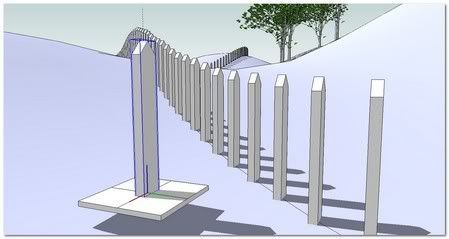
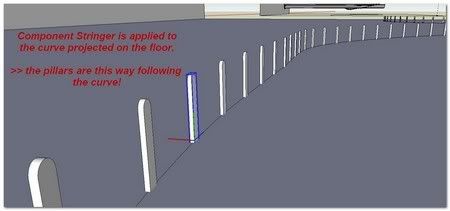
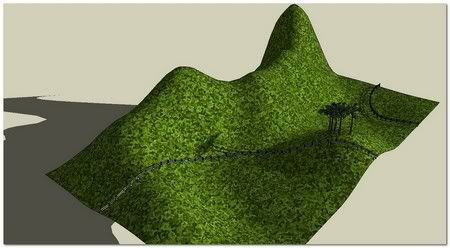
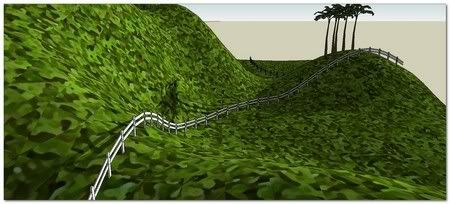
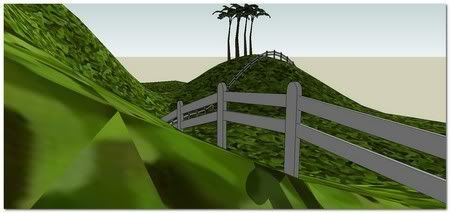
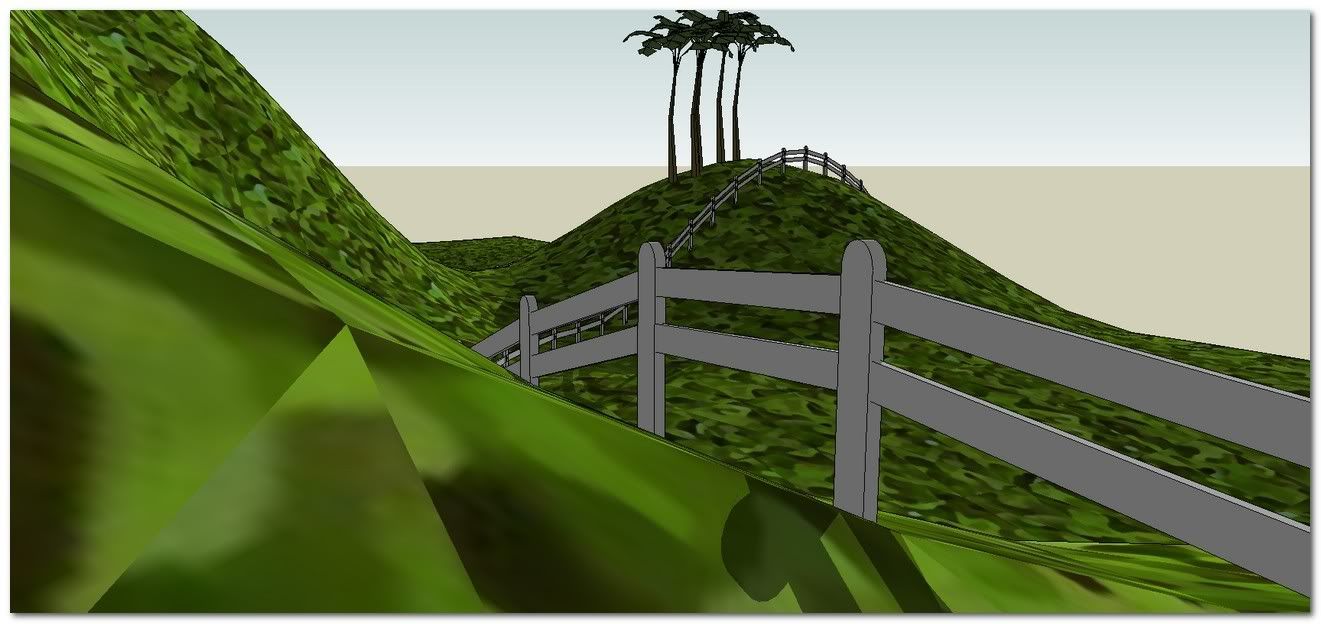
              I have found no solution to make the flat stakes to follow the path while they are planted vertically (=invariable direction+ following direction) ❓ ❓

              http://i274.photobucket.com/albums/jj245/Spendauballet/SketchUp/BarriereBucolique04th.jpg

              Well.., I've found a hand-assisted solution 😉

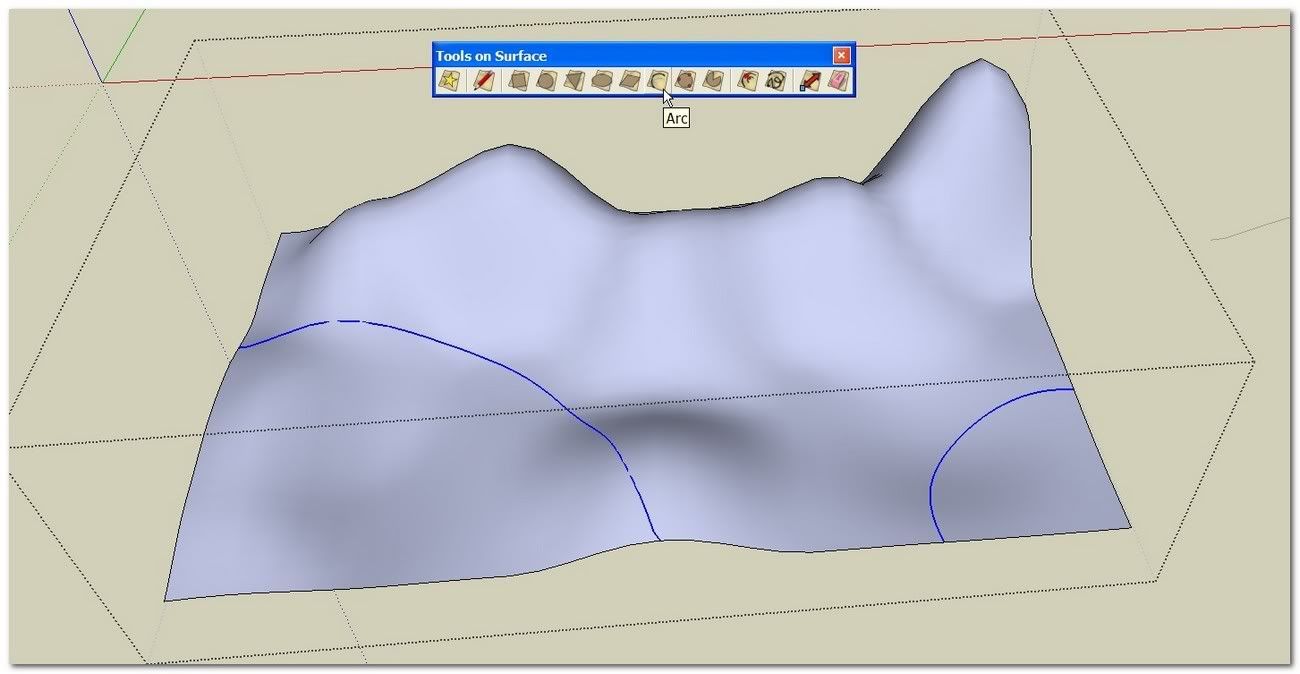
              Fredo6 [Plugin] Tools On Surface - v1.5f
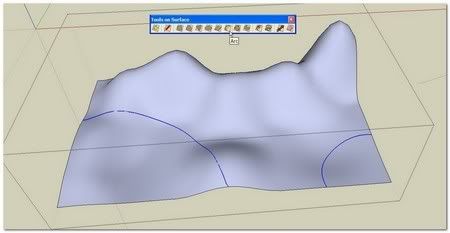
              http://i274.photobucket.com/albums/jj245/Spendauballet/SketchUp/clf_CompString_016th.jpg

              Fredo6 [Plugin] BezierSpline v1.21

              http://i274.photobucket.com/albums/jj245/Spendauballet/SketchUp/clf_CompString_017th.jpg

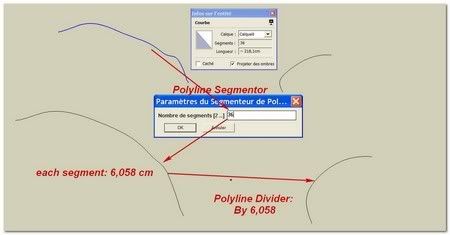
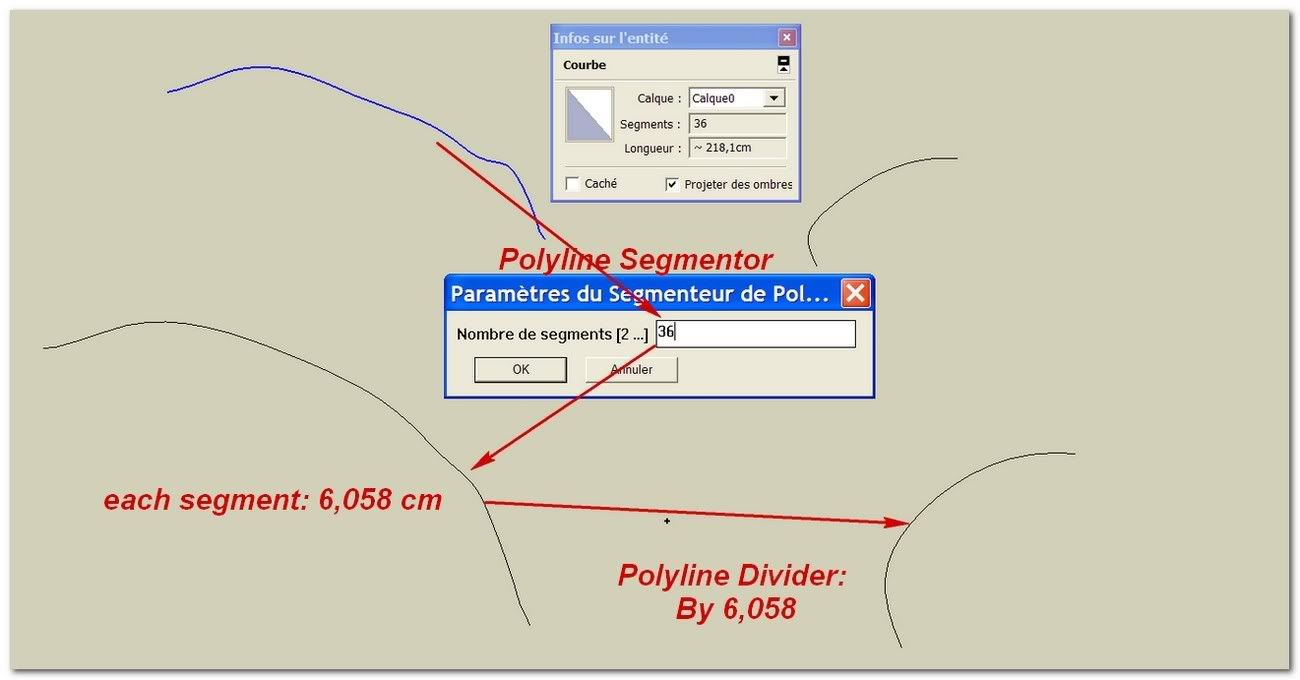
              I assume I want the stakes are to be regularly spaced, non depending of the declivity. So The 3D curve must be regularly segmented (Segmented Polyline) before to be projected on the wall and on the floor.
              (Re: if reversely we want the stakes planted depending of the déclivity, the segmentation must be done after curve projection on the floor and on the wall.)
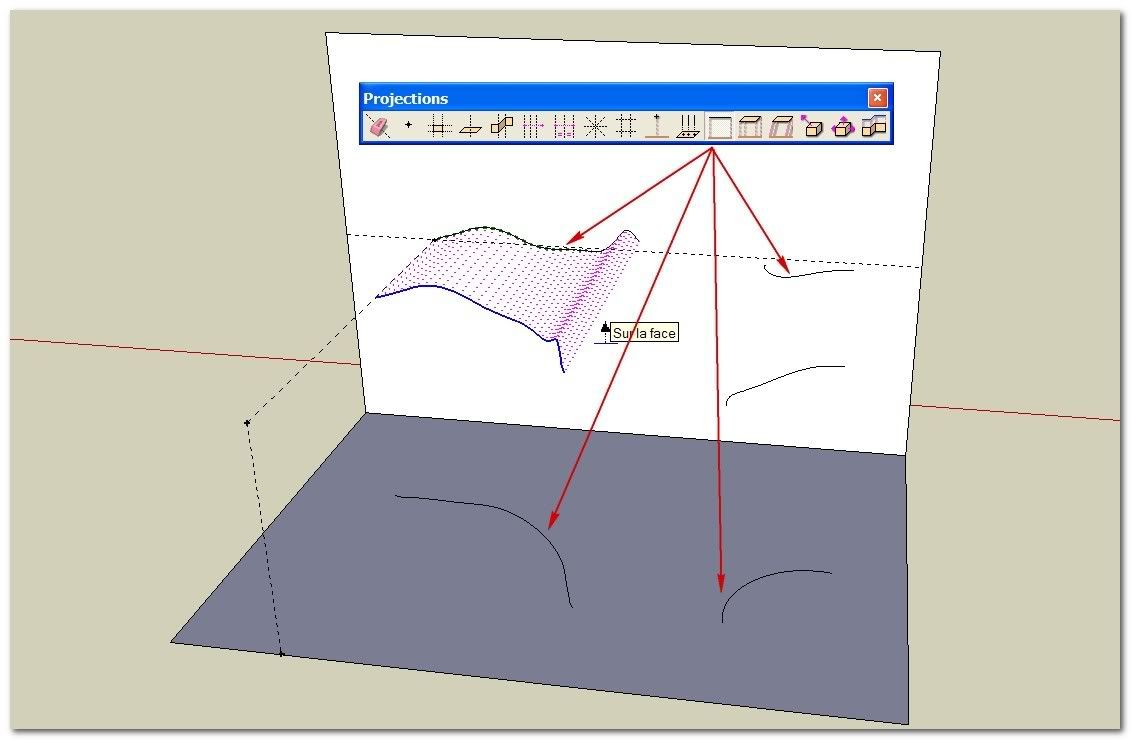
              Didier Bur [plugin] Projections version 2
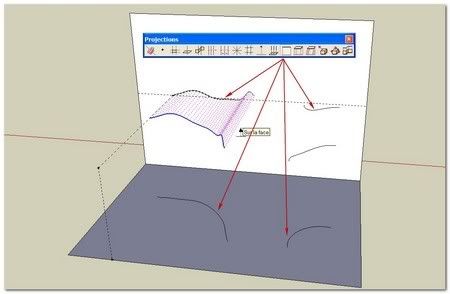
              http://i274.photobucket.com/albums/jj245/Spendauballet/SketchUp/clf_CompString_018th.jpg


              http://i274.photobucket.com/albums/jj245/Spendauballet/SketchUp/clf_CompString_019th.jpg

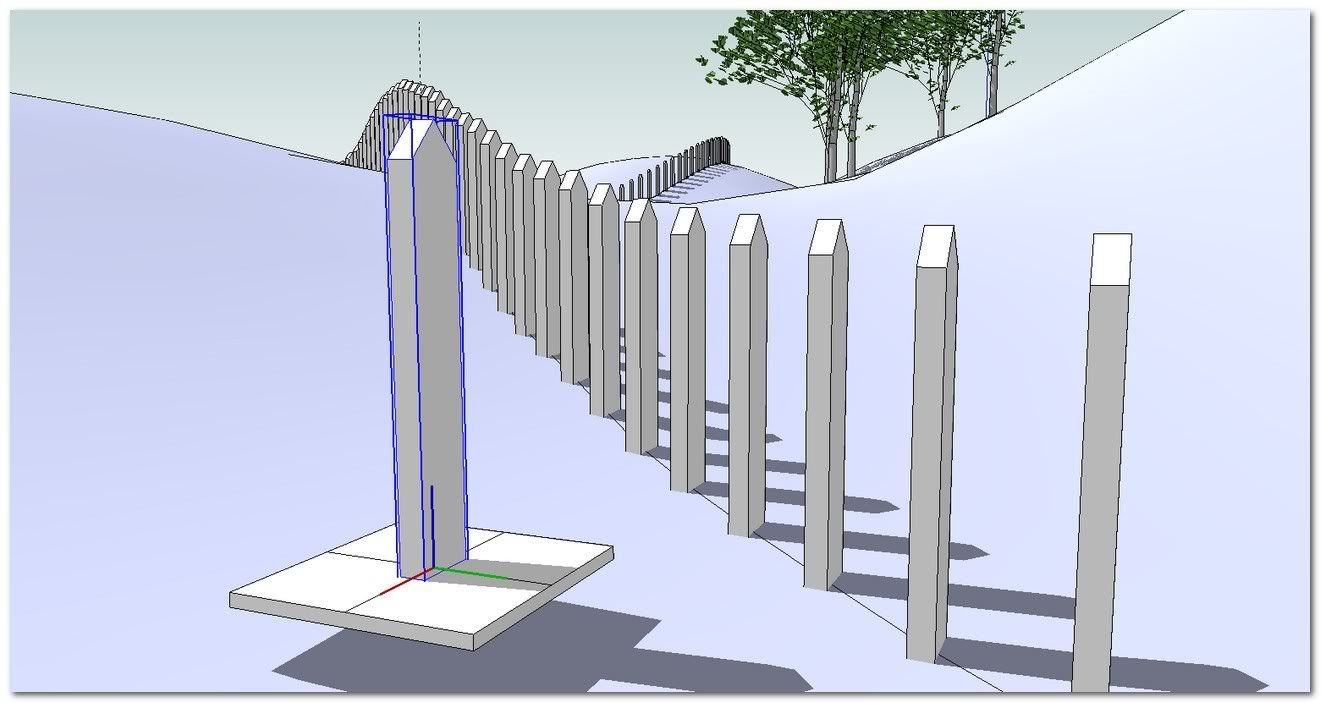
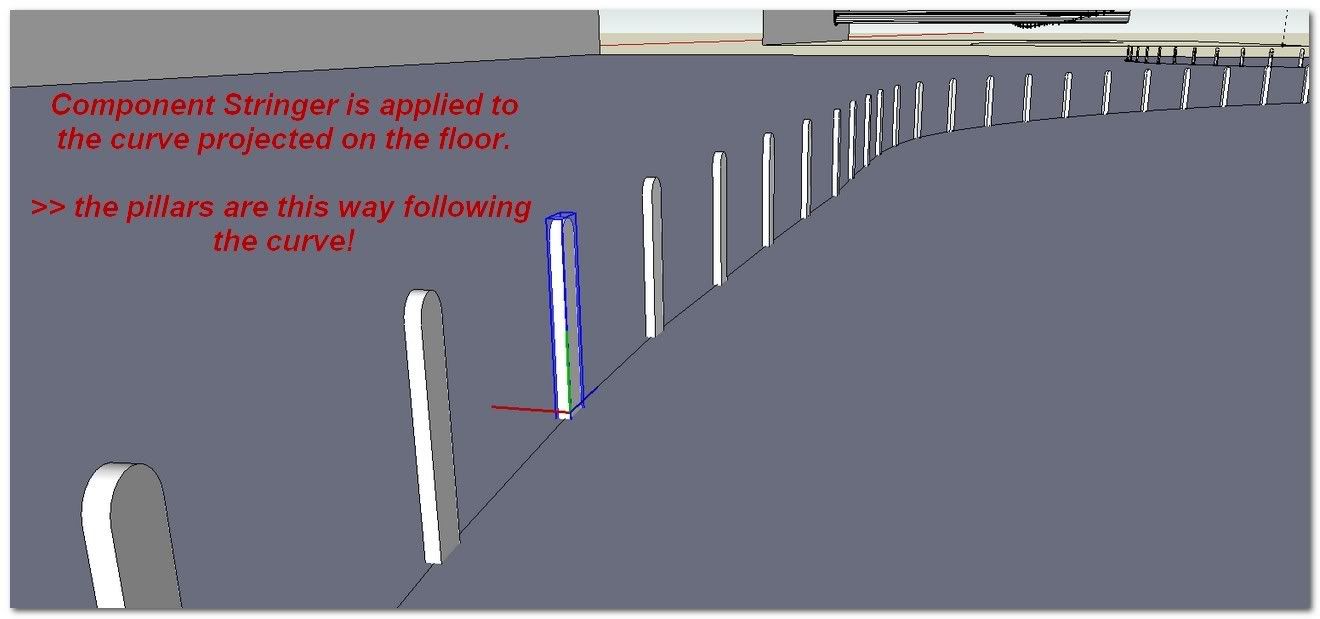
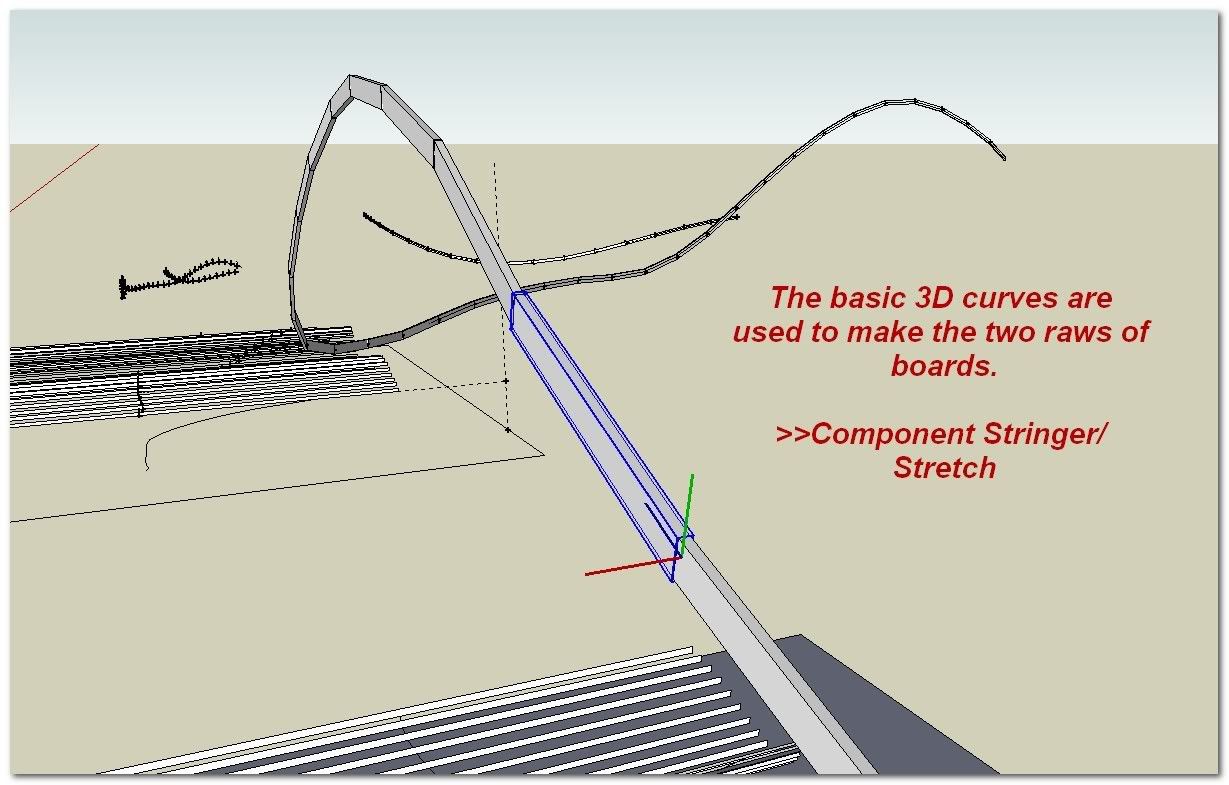
              The long rectangle set as component, distributed along the wall projected curve using Component Stringer is going to be used as a gauge. A line of this rectangle fall in coincidence with the initial 3D curve. This intersection is the point where to move each stake placed on the ground.
              (Re: 1)ground face is deleted to make the process easy.
              2)Move tool is used with Up arrow to constraint the moving on the blue direction)
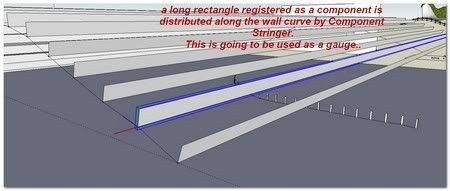

              http://i274.photobucket.com/albums/jj245/Spendauballet/SketchUp/clf_CompString_020th.jpg

              http://i274.photobucket.com/albums/jj245/Spendauballet/videos/CompStringFence01.gif

              (The same on Youtube )

              [flash=575,360:1p7pi4pm]http://www.youtube.com/v/zDAQYT0jk6k[/flash:1p7pi4pm]
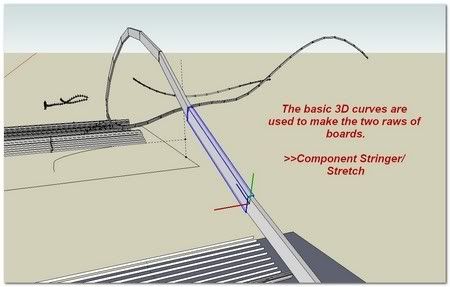

              http://i274.photobucket.com/albums/jj245/Spendauballet/SketchUp/clf_CompString_021th.jpg


              http://i274.photobucket.com/albums/jj245/Spendauballet/SketchUp/clf_CompString_022th.jpg


              http://i274.photobucket.com/albums/jj245/Spendauballet/SketchUp/clf_CompString_023th.jpg


              http://i274.photobucket.com/albums/jj245/Spendauballet/SketchUp/clf_CompString_024th.jpg

              😒 Simon

              1 條回覆 最後回覆 回覆 引用 0
              • EscapeArtistE 離線
                EscapeArtist
                最後由 編輯

                Anyone tried this with SU8 yet? I seem to be having difficulty with component orientation and scaling.

                1 條回覆 最後回覆 回覆 引用 0
                • thomthomT 離線
                  thomthom
                  最後由 編輯

                  @escapeartist said:

                  Anyone tried this with SU8 yet? I seem to be having difficulty with component orientation and scaling.

                  Screenshots? Would help with more specific information.

                  Thomas Thomassen — SketchUp Monkey & Coding addict
                  List of my plugins and link to the CookieWare fund

                  1 條回覆 最後回覆 回覆 引用 0
                  • Chris FullmerC 離線
                    Chris Fullmer
                    最後由 編輯

                    Yeah, screenshot please 😄 I have not gotten around to testing my plugins with version 8. I'm sure there might be some problems. But problems with scaling and orientation were not on my list of things I was expecting to break - so I'm not exactly sure what might be wrong. But screenshots might help, thanks!

                    Chris

                    Lately you've been tan, suspicious for the winter.
                    All my Plugins I've written

                    1 條回覆 最後回覆 回覆 引用 0
                    • S 離線
                      sklu
                      最後由 編輯

                      Component Stringer Loading Problem

                      I loaded the RB into sketchup folder..but when trying to activate, it doesn't work.

                      Ruby Console showing:

                      Error: #<ArgumentError: Cannot convert argument to Sketchup::Point3d>
                      C:/PROGRA~1/Google/GOOGLE~2/Plugins/clf_component_stringer.rb:79:in add_text' C:/PROGRA~1/Google/GOOGLE~2/Plugins/clf_component_stringer.rb:79:in curve_labeler'
                      C:/PROGRA~1/Google/GOOGLE~2/Plugins/clf_component_stringer.rb:70:in curve_ordering' C:/PROGRA~1/Google/GOOGLE~2/Plugins/clf_component_stringer.rb:105:in main'
                      C:/PROGRA~1/Google/GOOGLE~2/Plugins/clf_component_stringer.rb:190

                      Any help, Chris?

                      1 條回覆 最後回覆 回覆 引用 0
                      • Chris FullmerC 離線
                        Chris Fullmer
                        最後由 編輯

                        Hmm, its past my bedtime right now, I'll check it out tomorrow. But what version of SU are you trying it on?

                        Chris

                        Lately you've been tan, suspicious for the winter.
                        All my Plugins I've written

                        1 條回覆 最後回覆 回覆 引用 0
                        • S 離線
                          sklu
                          最後由 編輯

                          SU 7 Pro...tried a few different windows..same error occurs..many thanks

                          1 條回覆 最後回覆 回覆 引用 0
                          • olisheaO 離線
                            olishea
                            最後由 編輯

                            Great plugin 👍

                            oli

                            1 條回覆 最後回覆 回覆 引用 0
                            • EscapeArtistE 離線
                              EscapeArtist
                              最後由 編輯

                              @thomthom said:

                              @escapeartist said:

                              Anyone tried this with SU8 yet? I seem to be having difficulty with component orientation and scaling.

                              Screenshots? Would help with more specific information.

                              I found the bug, it was on this side of my computer screen.

                              1 條回覆 最後回覆 回覆 引用 0
                              • V 離線
                                voxdei_999
                                最後由 編輯

                                thanks Chris very useful to me

                                1 條回覆 最後回覆 回覆 引用 0
                                • Chris FullmerC 離線
                                  Chris Fullmer
                                  最後由 編輯

                                  Great Beto, glad you like it!

                                  Chris

                                  Lately you've been tan, suspicious for the winter.
                                  All my Plugins I've written

                                  1 條回覆 最後回覆 回覆 引用 0
                                  • F 離線
                                    fabiorossi
                                    最後由 編輯

                                    @sklu said:

                                    Component Stringer Loading Problem

                                    I loaded the RB into sketchup folder..but when trying to activate, it doesn't work.

                                    Ruby Console showing:

                                    Error: #<ArgumentError: Cannot convert argument to Sketchup::Point3d>
                                    C:/PROGRA~1/Google/GOOGLE~2/Plugins/clf_component_stringer.rb:79:in add_text' C:/PROGRA~1/Google/GOOGLE~2/Plugins/clf_component_stringer.rb:79:in curve_labeler'
                                    C:/PROGRA~1/Google/GOOGLE~2/Plugins/clf_component_stringer.rb:70:in curve_ordering' C:/PROGRA~1/Google/GOOGLE~2/Plugins/clf_component_stringer.rb:105:in main'
                                    C:/PROGRA~1/Google/GOOGLE~2/Plugins/clf_component_stringer.rb:190

                                    Any help, Chris?

                                    This is just the same error message that I see on my ruby console; I've got su7Pro and this message appears also on SU6;I've tried many times to download "Component Stringer"script but ther is not any changement...............what's the problem??

                                    my blog
                                    http://progettin3d.blogspot.com/

                                    1 條回覆 最後回覆 回覆 引用 0
                                    • Chris FullmerC 離線
                                      Chris Fullmer
                                      最後由 編輯

                                      Hmm, does it fail everytime you try it? Can you upload a small test file here for me?

                                      Are you using the Itallian Language of SketchUp and is your computer set to Itallian?

                                      Upload a test model, I'll start by looking at that.

                                      Chris

                                      Lately you've been tan, suspicious for the winter.
                                      All my Plugins I've written

                                      1 條回覆 最後回覆 回覆 引用 0
                                      • B 離線
                                        bentleykfrog
                                        最後由 編輯

                                        Nice plugin Chris, would love to see an option to use the tangent of the two edges at the node rather than perpendicular to one edge

                                        1 條回覆 最後回覆 回覆 引用 0
                                        • R 離線
                                          raffy
                                          最後由 編輯

                                          thank you so much for your help....

                                          1 條回覆 最後回覆 回覆 引用 0
                                          • soloS 離線
                                            solo
                                            最後由 編輯

                                            I'm getting this:

                                            Error; #<NoMethodError; undefined method `definition' for nil;NilClass>
                                            C;/Program Files (x86)/Google/Google SketchUp 8/Plugins/clf_component_stringer.rb;103;in `main'
                                            C;/Program Files (x86)/Google/Google SketchUp 8/Plugins/clf_component_stringer.rb;190
                                            C;/Program Files (x86)/Google/Google SketchUp 8/Plugins/clf_component_stringer.rb;103;in `call'
                                            C;/Program Files (x86)/Google/Google SketchUp 8/Plugins/clf_component_stringer.rb;103


                                            Nothing happens, no dialogue box.

                                            http://www.solos-art.com

                                            If you see a toilet in your dreams do not use it.

                                            1 條回覆 最後回覆 回覆 引用 0
                                            • 1
                                            • 2
                                            • 3
                                            • 4
                                            • 5
                                            • 6
                                            • 7
                                            • 8
                                            • 9
                                            • 4 / 9
                                            • 第一個貼文
                                              最後的貼文
                                            Buy SketchPlus
                                            Buy SUbD
                                            Buy WrapR
                                            Buy eBook
                                            Buy Modelur
                                            Buy Vertex Tools
                                            Buy SketchCuisine
                                            Buy FormFonts

                                            Advertisement