Sketchup 7.1 bugs
-
I can't select a section plane once I put it in my model!
Help!
-
@markozeta said:
I can't select a section plane once I put it in my model!
Help!
The section plane is a little strange. If you have geometry on the other side of the section cut you will select it. Zoom out some to a point where there is no geometry behind the section and select from there.
Also, Tommys fix does not actually fix the bug but it is sort of a work around. The section plain does not snap back to the face so after moving it it is no longer on it. For now, the best thing to do to avoid this bug is to move the section into the building, something like .1". Its not perfect but it does the trick.
-
I thought somebody reported the loss of their plugins... now I cannot find the post, was I dreaming?
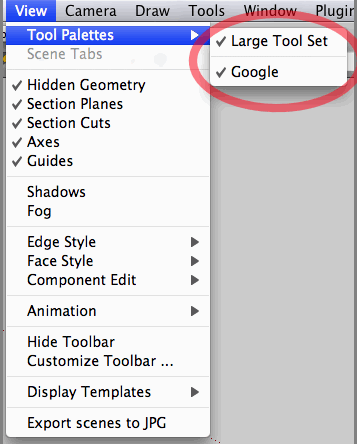
Anyway, after upgrading to 7.1, looks like all of my toolset is gone except Google's.
Script files are physically there, sitting in two "Plugins" folders (I'm on a Mac), and they are enabled at [SketchUp]>[Preferences]>[Extensions].
Some of them are visible in my workspace. Others I have no way to start them.
IF anybody encountered the similar problems and solved it, please let me know.
-
Sorry for repeating this (I mentioned it within a post on keying in length- which appears to be buggy too),
I'm drawing a line out from a corner at a 45º angle, but I've got no angle snap (despite changing the model info preferences between different angle snap sizes). Sometimes the snap will work, but most of the time, I'm there pulling my hair out trying to get it to snap to something. I don't remember having this problem before.
Anyone else seeing or finding this?
(Macbook Pro 2.16GHz Intel Core Duo 2, 3 gigs ram, ATI Radeon X1600)
Tom
PS I'm also repeating the parallel projection bug, as mentioned earlier too. This is also really frustrating!! I want to upgrade to Pro, and I've got the money too, but these little things always make me put my credit card away again. And if I go back to using (ie reinstall) SU7, then how can I find these bugs? (and I pick up the previous bugs too!). Software should work when it is sold- not half work. This is not good.
-
I attempted to answer your other post. "I think you're mis-understanding angle snap", Barry snapped.
-
@bjanzen said:
I attempted to answer your other post. "I think you're mis-understanding angle snap", Barry snapped.
Yes, I probably am. I need to spend some more time with the manual (well Aidan Chopra's manual. Absolutely Brilliant Aidan!
 ). It's crazy but I trained using Solidworks, but I'm finding relearning SketchUp a bit of a tough one!! (probably because there is no history).
We're getting there
Thanks for the reply, Barry.
Tom
-
No problem... it does depend on what you're coming from to understand some of the things about SketchUp. When I started, I was not accustomed to being able to modify things after the second click (via the Measurements box / VCB). But after you get into SketchUp, it's a real joy to use, as displayed by my many feeble attempts at humor and fun.
So I'm guessing a typical SketchUp user would draw a line, select it, select the rotate tool, click on one end, click on the other end, hold down option (I'm on Mac) to copy move, rotate a bit and then type "45" and return and have 2 lines, same length, 45º angle.
b
-
I've had a couple of very odd SUpro crashes in the last few days; no crashlog, no report to Apple, just .... gone. The Console shows
05-10-09 6:30:29 PM com.apple.launchd.peruser.501[121] ([0x0-0x2c02c].com.google.sketchuppro7[296]) Exited with exit code: 1
which isn't so very helpful.Interestingly Layout has done the same thing a couple of times
06-10-09 6:47:59 PM com.apple.launchd.peruser.501[121] ([0x0-0x3af3af].com.google.LayOut[7913]) Exited with exit code: 1
Possibly associated with theLO crash are some messages about Intrinsic Alchemy v3.2 Beta-0903I haven't been doing anything different to my normal work, the machine hasn't changed in recent days (no hardware alterations, no updates loaded etc) and it's all been running pretty well generally.
-
@markozeta said:
I can't select a section plane once I put it in my model!
Help!
I've got the same problem.
I can get around it by grouping everything together, adding the section plane, selecting all then subtracting everything bar the plane, but it's not ideal
-
I notice that color selection from the drawing does not work regularly.
I am working in 2D and alt-click in paint select everything but the chosen square and do not recuparate the color from the square beside
Selection does not work so well also when selecting between two lines side by side
Marc -
Precision on the selection tool
When I work with a jpeg under my drawing (in 2D)the color picking select only the jpeg,
even covered with a colored rectangle above.
Marc -
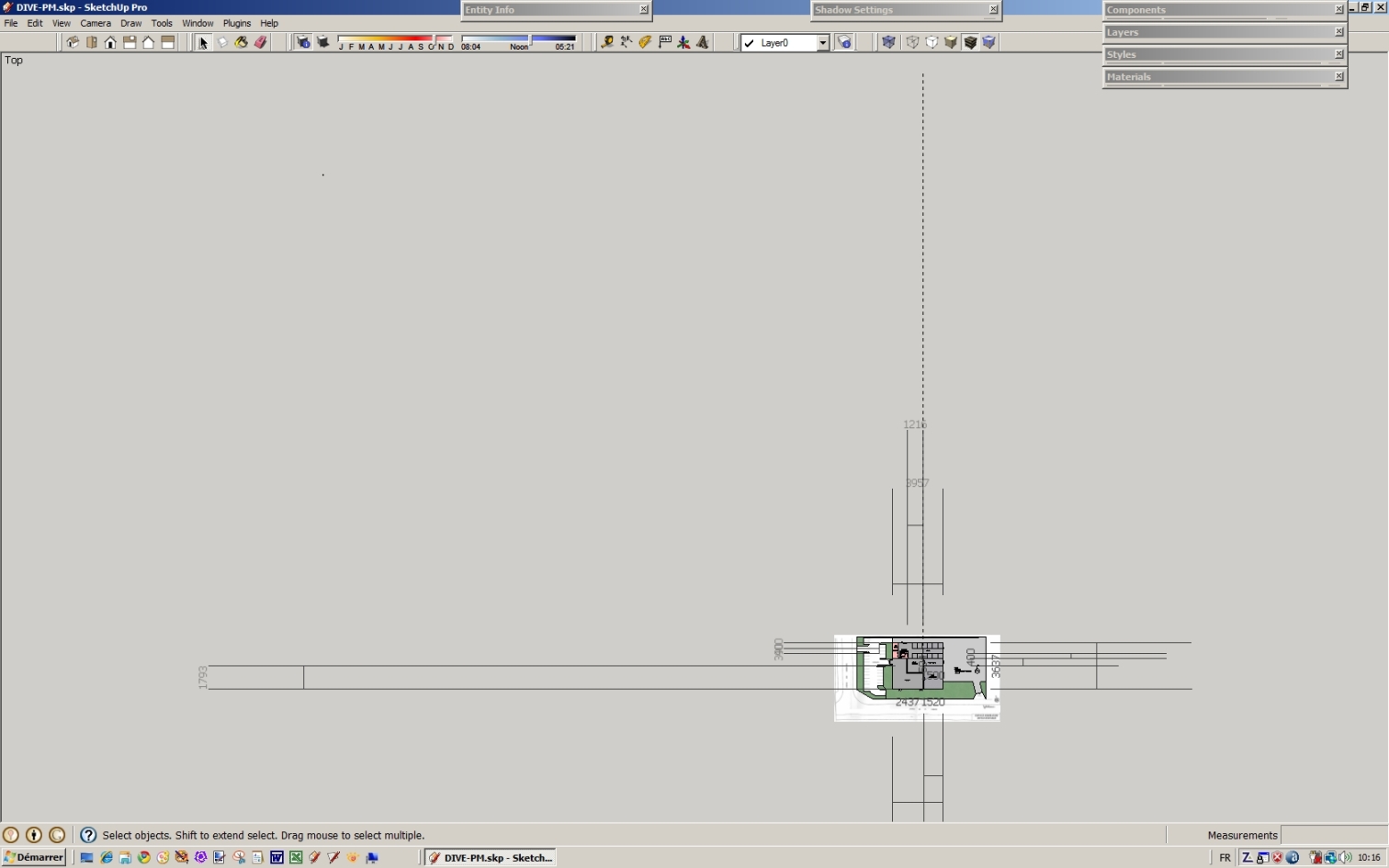
Another problem
Dimensions have blown out all over the sheet
Marc -
Just thought I'd add, that trashing the preferences in Mac OS X, has cured quite a few upgrade 'problems'. I don't know how one would go about this though in Windows. Sorry.
-
I think there's a bug in Sketchup 7.1 and the use of 'Engineering' Units [always feet].
If you change to 'Decimal' Units [feet] it works fine. Also any other units format also works properly too...BUT with Units set to Engineering Feet with a negative Z it does a 'round' to an integer and does a double negative to boot, when data is taken from the -ve Z point: it's reported wrongly as a length/length.to_s e.g. --20' instead of -20.5'.

-
Tiger
Thanks for help, but I am in decimeter precisiion 0; I tried all other units
with re-starting SU without success.
I tried hardware acceleration off too without results.Marc
-
Has someone else found this: in the Windows version, Sketchup does not update the title bar of the window after loading another file. For example you start SU and it opens the standard template "untitled", you go to file -> open ... and open model.skp, but it still shows "untitled" in the titlebar.
SU7.1, WinXP SP3
-
@aerilius said:
Has someone else found this: in the Windows version, Sketchup does not update the title bar of the window after loading another file. For example you start SU and it opens the standard template "untitled", you go to file -> open ... and open model.skp, but it still shows "untitled" in the titlebar.
SU7.1, WinXP SP3
It works all right for me.
Anssi
-
@bishopski said:
@markozeta said:
I can't select a section plane once I put it in my model!
Help!
I've got the same problem.
I can get around it by grouping everything together, adding the section plane, selecting all then subtracting everything bar the plane, but it's not ideal
Hi,
I'm interested in getting more details on this issue. Do you see it with all models (e.g. if you create a box and add a section plane will you be unable to select the section plane?). If so, as an experiment, does turning off hardware acceleration cause the issue to go away?
Thanks in advance,
Tricia
Google -
@anglaret said:
Precision on the selection tool
When I work with a jpeg under my drawing (in 2D)the color picking select only the jpeg,
even covered with a colored rectangle above.
MarcHi Marc,
Not sure I see this one. Is it possible to post a model that shows it? In the first maintenance release of 7.1, we are going to address the fact that selection (which includes sampling materials) is not as precise as it used to be. I'm testing the candidate release now and would like to make sure this issue is fixed.
Thanks in advance!
Tricia
Google -
@tig said:
I think there's a bug in Sketchup 7.1 and the use of 'Engineering' Units [always feet].
If you change to 'Decimal' Units [feet] it works fine. Also any other units format also works properly too...BUT with Units set to Engineering Feet with a negative Z it does a 'round' to an integer and does a double negative to boot, when data is taken from the -ve Z point: it's reported wrongly as a length/length.to_s e.g. --20' instead of -20.5'.
Hi TIG,
Right you are - this is a bug that has been reported by others as well. It is not new to 7.1 but it is on our radar. I'll make a note in the bug that it you reported it as well.
Best regards,
Tricia





Advertisement