sketchucation logo sketchucation
    • 登入
    Oops, your profile's looking a bit empty! To help us tailor your experience, please fill in key details like your SketchUp version, skill level, operating system, and more. Update and save your info on your profile page today!
    🔌 Smart Spline | Fluid way to handle splines for furniture design and complex structures. Download

    [Plugin] UV Toolkit

    已排程 已置頂 已鎖定 已移動 Plugins
    377 貼文 86 Posters 312.9k 瀏覽 86 Watching
    正在載入更多貼文
    • 從舊到新
    • 從新到舊
    • 最多點贊
    回覆
    • 在新貼文中回覆
    登入後回覆
    此主題已被刪除。只有擁有主題管理權限的使用者可以查看。
    • thomthomT 離線
      thomthom
      最後由 編輯

      Ah - you need to transfer UVs between whole surfaces, not use individual faces... ?

      Thomas Thomassen — SketchUp Monkey & Coding addict
      List of my plugins and link to the CookieWare fund

      1 條回覆 最後回覆 回覆 引用 0
      • GaieusG 離線
        Gaieus
        最後由 編輯

        Yes. I guess(ed) the plugin would work that way, too.

        Currently I (sort of) "copy" (or "memorize") the UV's on a mesh and then restore them. In my thoughts, it would work the same way with the improved UV Tools just it could (also) transfer these co-ordinates from one mesh to the other.

        Sometimes you can quite easily apply a material to a certain shape but if you modify it further, it is not easy. Then here is a quick (and rather dirty) example. I will have all different shapes (tapered and distorted) vaults that are derived from the same, quite regular shape. If I texture each separately, it will take forever.
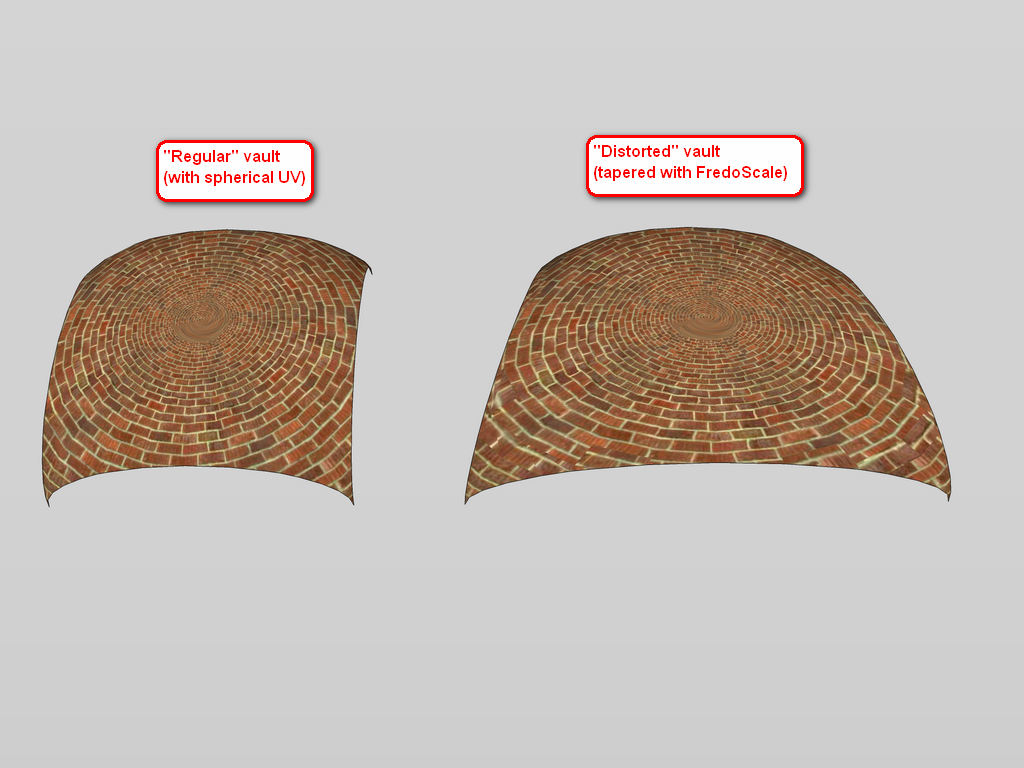
        UV-example.png
        But even a better example: this way you could easily apply a texture to a flat (yet subdivided) (sur-)face then copy the UV's and apply it to a completely modified mesh.

        Gai...

        1 條回覆 最後回覆 回覆 引用 0
        • thomthomT 離線
          thomthom
          最後由 編輯

          Copy from one mesh to another is more challenging.
          UV copy/paste only works on per quad-face.

          If you have a mapped mesh, then use the UV Memory function to store the UVs - then you can make a copy of that mesh - modify it (as long as you don't erase/recreate the faces and finally use the UV Restore function.

          Copy from a mesh to another would require the mesh to have the same structure, same number of faces etc. The challenge is trying to match it all up.

          hmmm...

          Thomas Thomassen — SketchUp Monkey & Coding addict
          List of my plugins and link to the CookieWare fund

          1 條回覆 最後回覆 回覆 引用 0
          • GaieusG 離線
            Gaieus
            最後由 編輯

            @thomthom said:

            Copy from a mesh to another would require the mesh to have the same structure, same number of faces etc. The challenge is trying to match it all up.

            Well yes, as the plugin currently works (also), it is obvious. But as I explained, I'll have to finish the untextured model first and then texture it.

            @thomthom said:

            If you have a mapped mesh, then use the UV Memory function to store the UVs - then you can make a copy of that mesh - modify it (as long as you don't erase/recreate the faces and finally use the UV Restore function.

            This method would require to re-model each vault. In my above example, the two vaults are identical in face count and all. So with "my version" I could (re-)texture the whole thing any time by texturing the "regular" one and then transfer the co-ordinates to the other one.

            But of course, if it is a no-go, I won't insist (somehow I thoughtyour unpublished beta worked that way)

            Gai...

            1 條回覆 最後回覆 回覆 引用 0
            • thomthomT 離線
              thomthom
              最後由 編輯

              It's not a complete go. But it may not be part of the next release. ...will see... Would be a very useful tool.

              Thomas Thomassen — SketchUp Monkey & Coding addict
              List of my plugins and link to the CookieWare fund

              1 條回覆 最後回覆 回覆 引用 0
              • GaieusG 離線
                Gaieus
                最後由 編輯

                @thomthom said:

                Would be a very useful tool.

                Definitely. And thanks for listening!
                😄

                (We could add a topic next to "Google is listening" like "ThomThom is listening")
                😄

                Gai...

                1 條回覆 最後回覆 回覆 引用 0
                • Rich O BrienR 離線
                  Rich O Brien Moderator
                  最後由 編輯

                  Or even "Gaieus is pestering" maybe?

                  Download the free D'oh Book for SketchUp 📖

                  1 條回覆 最後回覆 回覆 引用 0
                  • GaieusG 離線
                    Gaieus
                    最後由 編輯

                    I am only doing it for the sake of the community (i.e. squeezing everything out of Thom in order that we have the greatest UV plugin ever!)
                    😄

                    Gai...

                    1 條回覆 最後回覆 回覆 引用 0
                    • Rich O BrienR 離線
                      Rich O Brien Moderator
                      最後由 編輯

                      I'll agree on the UV toolkit being excellent but don't forget he needs to concentrate on Bezier Patch for me.

                      Now i need to return to baking the world biggest cookie.....for Thom.....my pal...... 👍

                      Download the free D'oh Book for SketchUp 📖

                      1 條回覆 最後回覆 回覆 引用 0
                      • R 離線
                        Ro33y
                        最後由 編輯

                        thanks a lot thom!! 👍

                        very usefull... ☀

                        1 條回覆 最後回覆 回覆 引用 0
                        • R 離線
                          robert111
                          最後由 編輯

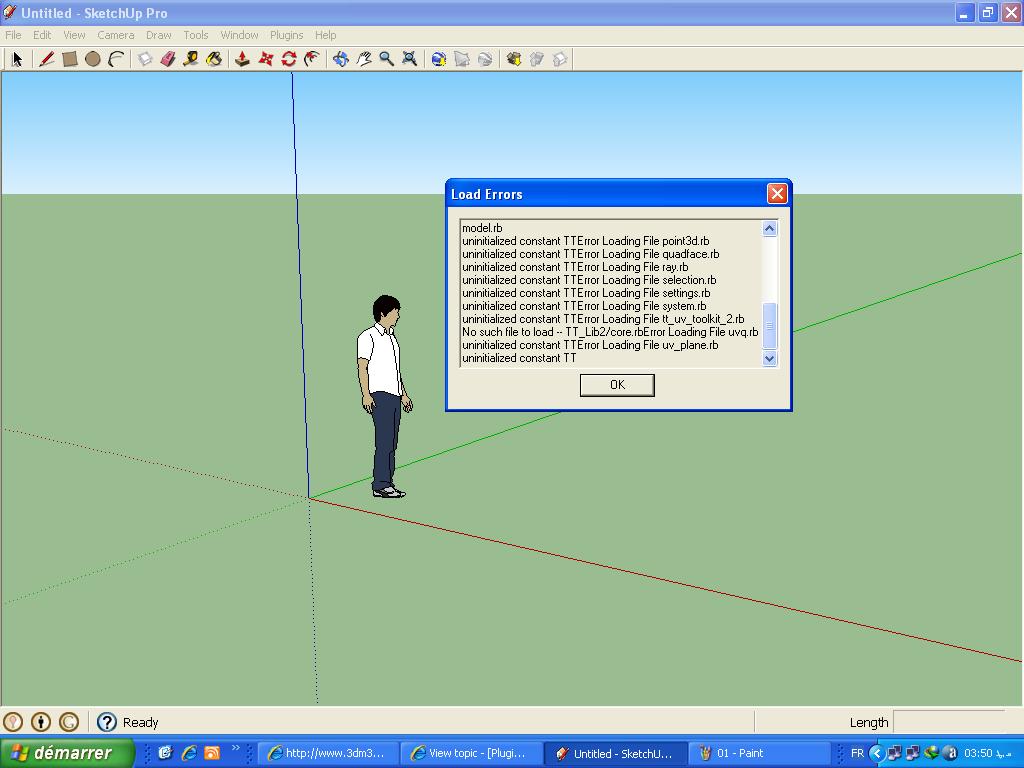
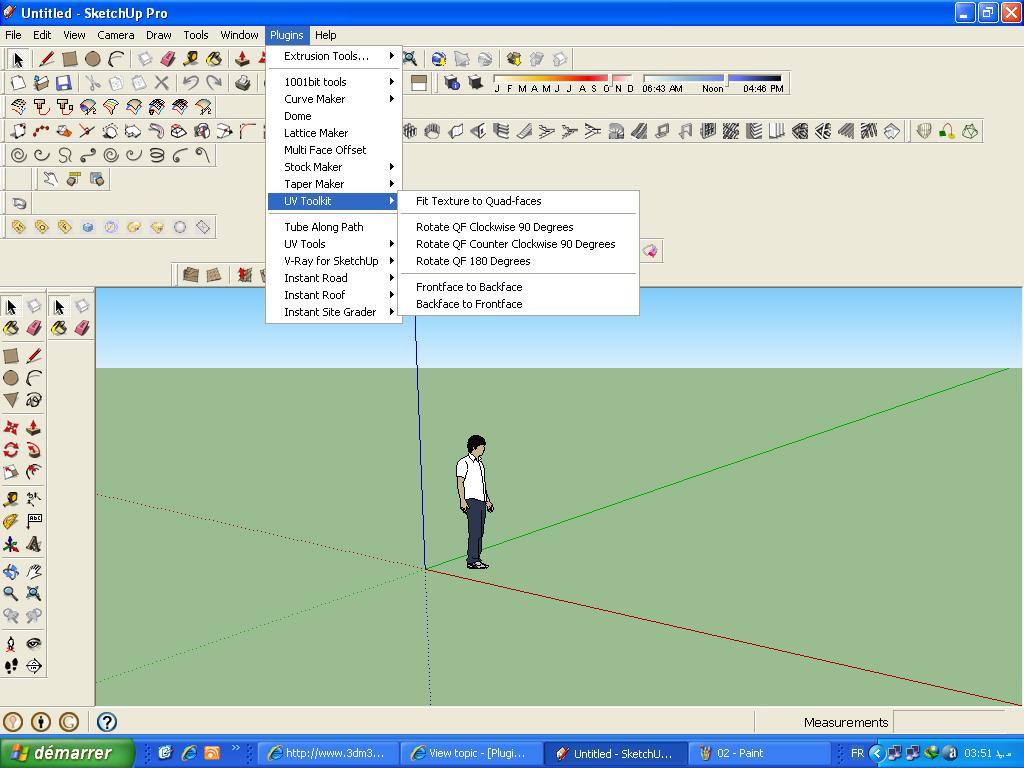
                          why uv toolkit , no work with me, i have make uv toolkit (2.1.0) and TT_Lib2 (v2.4.0) in sketchup / plugin but i dont find uv toolkit in my plugin

                          is the same problem with sketchup 7 and 8
                          plz i need solution for this problem
                          thanks

                          1 條回覆 最後回覆 回覆 引用 0
                          • thomthomT 離線
                            thomthom
                            最後由 編輯

                            Windows or OSX? Can you post a screenshot of where you placed the files?
                            Any error messages?

                            Thomas Thomassen — SketchUp Monkey & Coding addict
                            List of my plugins and link to the CookieWare fund

                            1 條回覆 最後回覆 回覆 引用 0
                            • R 離線
                              robert111
                              最後由 編輯

                              thanks thomthom
                              i have uv toolkit and not toolkit2
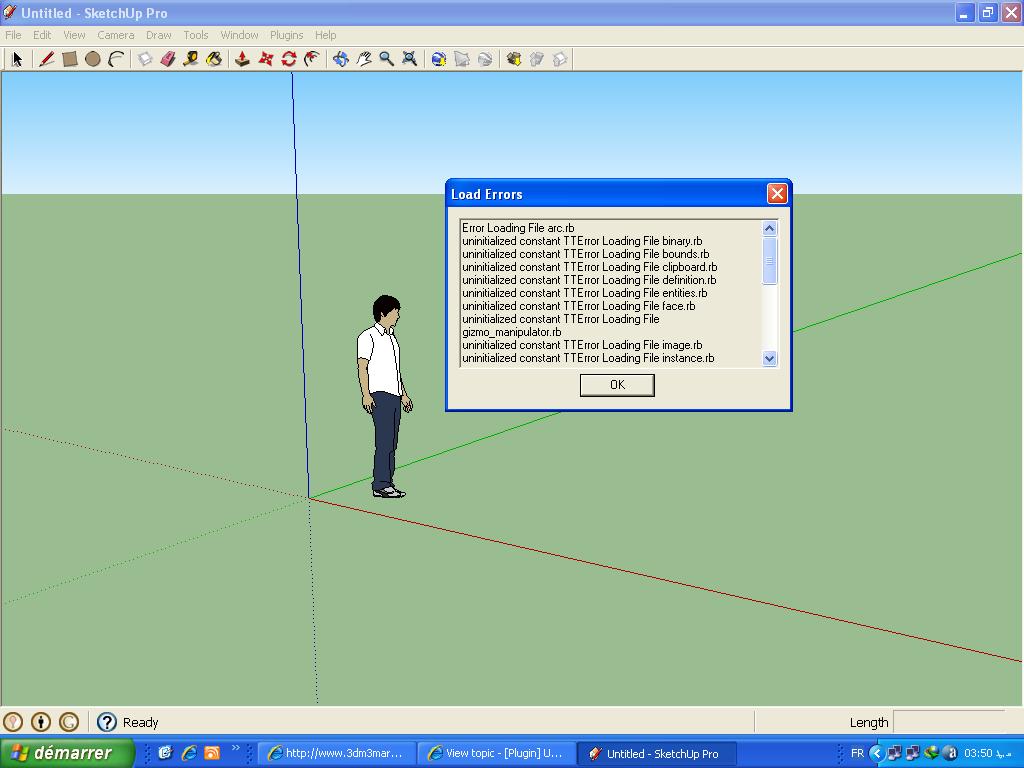

                              01.JPG


                              02.JPG


                              03.JPG

                              1 條回覆 最後回覆 回覆 引用 0
                              • R 離線
                                robert111
                                最後由 編輯

                                i have windows xp pack 3

                                1 條回覆 最後回覆 回覆 引用 0
                                • thomthomT 離線
                                  thomthom
                                  最後由 編輯

                                  I'm guessing you put all the content of the TT_Lib2 folder directly into the plugins folder?
                                  Have a look at the footprint description of TT_Lib2 - towards the bottom of the first post.

                                  Thomas Thomassen — SketchUp Monkey & Coding addict
                                  List of my plugins and link to the CookieWare fund

                                  1 條回覆 最後回覆 回覆 引用 0
                                  • R 離線
                                    robert111
                                    最後由 編輯

                                    yes i put all the content of the TT_Lib2 folder directly into the plugins folder

                                    1 條回覆 最後回覆 回覆 引用 0
                                    • thomthomT 離線
                                      thomthom
                                      最後由 編輯

                                      It should be there.
                                      It should be ...\Plugins\TT_Lib2\<*.rb> - like the footprint description for TT_Lib illustrates.

                                      Thomas Thomassen — SketchUp Monkey & Coding addict
                                      List of my plugins and link to the CookieWare fund

                                      1 條回覆 最後回覆 回覆 引用 0
                                      • R 離線
                                        robert111
                                        最後由 編輯

                                        I did not understand, can you explain more clearly

                                        1 條回覆 最後回覆 回覆 引用 0
                                        • J 離線
                                          JoZ
                                          最後由 編輯

                                          Ehy ThomThom, great plugin 😄
                                          Any chance you would look into increasing it with numerical input transformations like: translation, rotation, scale as possible in 3dpaintbrush for example (see this part of video: http://www.youtube.com/watch?feature=player_detailpage&v=h_7ZOgjxREM#t=125s) ?
                                          That would be very usefull, avoiding me the need to often switch to other 3d app just for this (I often need precise numerical transform) 😄

                                          1 條回覆 最後回覆 回覆 引用 0
                                          • thomthomT 離線
                                            thomthom
                                            最後由 編輯

                                            When I finish the transoformation gizmo you'll be able to use numerical input for some transformations.

                                            Thomas Thomassen — SketchUp Monkey & Coding addict
                                            List of my plugins and link to the CookieWare fund

                                            1 條回覆 最後回覆 回覆 引用 0
                                            • 1
                                            • 2
                                            • 3
                                            • 4
                                            • 5
                                            • 6
                                            • 18
                                            • 19
                                            • 4 / 19
                                            • 第一個貼文
                                              最後的貼文
                                            Buy SketchPlus
                                            Buy SUbD
                                            Buy WrapR
                                            Buy eBook
                                            Buy Modelur
                                            Buy Vertex Tools
                                            Buy SketchCuisine
                                            Buy FormFonts

                                            Advertisement