sketchucation logo sketchucation
    • 登入
    Oops, your profile's looking a bit empty! To help us tailor your experience, please fill in key details like your SketchUp version, skill level, operating system, and more. Update and save your info on your profile page today!
    🔌 Smart Spline | Fluid way to handle splines for furniture design and complex structures. Download

    [Plugin][$] FredoScale - v3.6a - 01 Apr 24


    已排程 已置頂 已鎖定 已移動 Plugins
    1.1k 貼文 345 Posters 2.4m 瀏覽 342 Watching
    正在載入更多貼文
    • 從舊到新
    • 從新到舊
    • 最多點贊
    回覆
    • 在新貼文中回覆
    登入後回覆
    此主題已被刪除。只有擁有主題管理權限的使用者可以查看。
    • GaieusG 離線
      Gaieus
      最後由 編輯

      Well, if

      @fishdiva said:

      right click does the same job this is a minor issue...

      the plugin must be already activated (or it activates automatically?)

      However you may need to activate the Toolbar itself under View > Toolbars.

      Gai...

      1 條回覆 最後回覆 回覆 引用 0
      • A 離線
        arjunmax09
        最後由 編輯

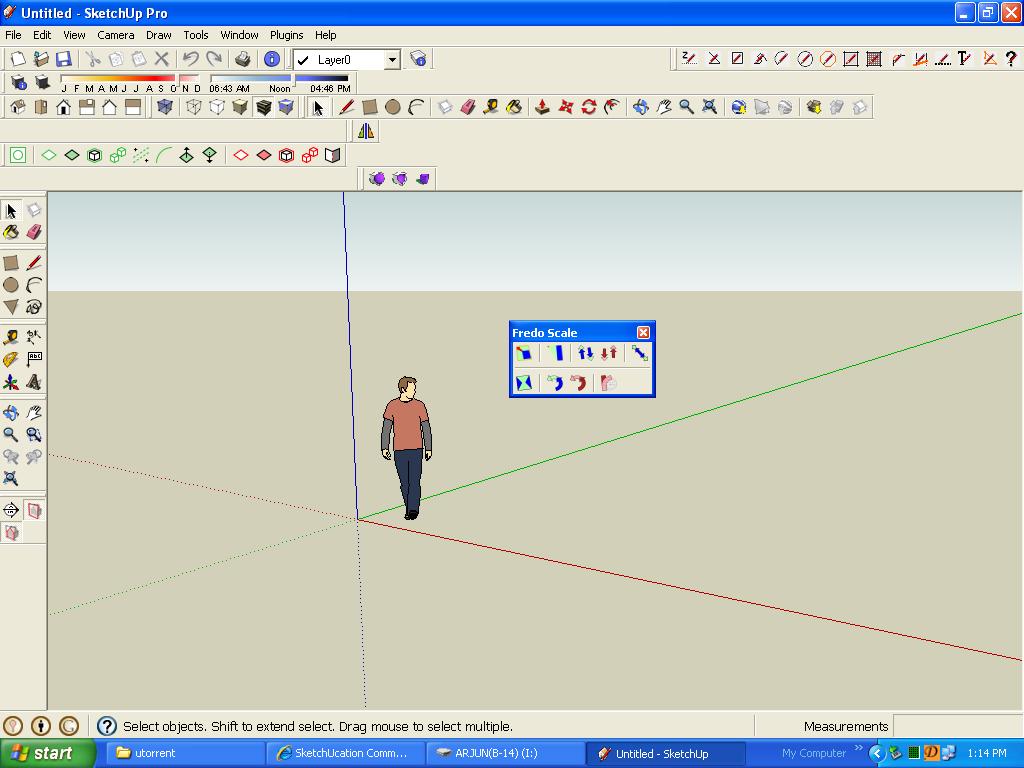
        hello everyone... i'm currently having only 9 toolbar buttons in fredoscale whereas there are supposed to be 12 in one video on youtube... and i'm sure there's a setting to get more buttons how can i do that?? 😒


        fredoprob.JPG

        when you fail at something....you haven't really failed...you've found one way the thing will not work out

        1 條回覆 最後回覆 回覆 引用 0
        • TIGT 離線
          TIG Moderator
          最後由 編輯

          There are usually only 9 buttons on my FredoScale toolbar and only 9 tools in the context-menu.
          BUT you can have up to 14 !
          You can add extra tools from Menu > Tools > Fredo6 Collection > FredoScale > Default Parameters ...
          What do you want the others to be ?? Choose from the list. You need to restart SUp to see the changes...

          TIG

          1 條回覆 最後回覆 回覆 引用 0
          • S 離線
            shoeb_cars
            最後由 編輯

            NO MATTER HOW MANY PRAISES WE KEEP HEAPING ON YOU....U DESERVE MORE N MORE
            1000 REP... 👍 💚

            1 條回覆 最後回覆 回覆 引用 0
            • T 離線
              thom_stone
              最後由 編輯

              agreed, this is a fantastic plug in.

              however... i am making some 3d models for some longboards i want to make, so i downloaded this to put the curve and camber into the boards. did the longitudinal downward curve no problem, however when it came to the latitudinal upward camber (the slight tip up at each edge of the board, so you can lock your feet in for cornering and speed) i first had to add a flat ended oblong to the end as the end of my board was pointy and the radial beding tool could not lock on to the front, this worked fine, so i went from the center did the first one.

              It took about 5 minutes to load the action (just a side affect of a slow computer, i thought) then when i got back it had worked but i still had the tool selected so i pressed esc and the action undid. tried again, stil had the tool selected so i typed in 6 degrees and pressed enter. took 5 minutes or so to load then the screen was entirely blank, so i saved it in a hope it would come back if i reloaded, but its aLLLLL gone. im well gutted.

              sorry about the essay figured more help could be given if people knew the details.

              thanks for your help in advance

              1 條回覆 最後回覆 回覆 引用 0
              • W 離線
                wyatt
                最後由 編輯

                I get the following error when starting SU 7. I've probably had this error a long time; I just now had time to try to fix it. I have reloaded the FredoScale2.0i.zip and LibFredo63.4c.zip so I should have the latest files. I have the following in my Plugins folder: libfredo6.rb, LibTraductor.rb, LibTraductor.def, ZLoader_FredoScale.rb, FredoScale_ZH.lang, LIBFREDO6_Dir_34, and FREDOSCALE_Dir_20. I have the Fredo Scale toolbar, and the tools work fine. What's gone wrong?
                Thanks,
                Wyatt
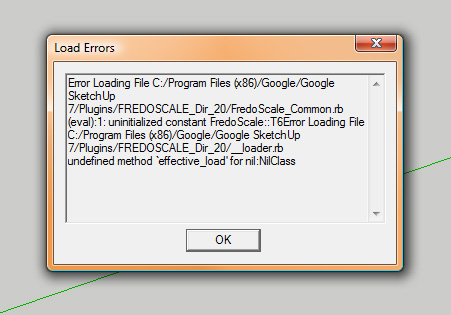

                fredoscale-error.jpg

                1 條回覆 最後回覆 回覆 引用 0
                • fredo6F 離線
                  fredo6
                  最後由 編輯

                  Wyatt,

                  You seems to have an incorrect footprint in the Plugins folder.
                  You should only have 2 folders FREDOSCALE_Dir_20 and LIBFREDO6_Dir_34, and 2 files LibFredo6.rb and ZLoader__FredoScale.rb

                  What I don't understand is that you say you have the FredoScale toolbar because the message you get means that you did not load the FredoScale script.

                  Fredo

                  1 條回覆 最後回覆 回覆 引用 0
                  • W 離線
                    wyatt
                    最後由 編輯

                    Fredo,
                    Thanks for the quick reply. I have those 2 folders and 2 files, and indeed, the toolbar loads. See the pic.

                    Is LibTraductor.rb and LibTraductor.def from an old version, or an entirely different script? I actually tried deleting them, but then other (older?) plugins don't work - those errors say that LibTraductor.rb doesn't exist - so I reloaded them. I'm not sure where the .lang file came from. I only need the En version, so maybe that file isn't necessary.
                    Wyatt
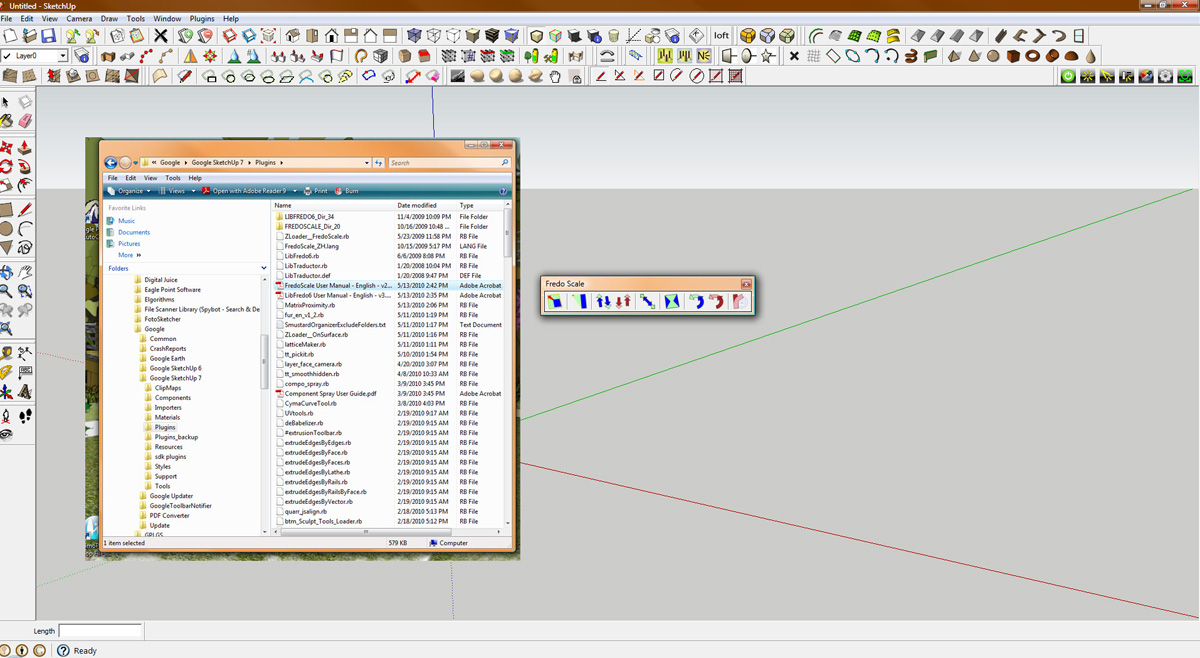

                    fredoscale-error2.jpg

                    1 條回覆 最後回覆 回覆 引用 0
                    • C 離線
                      chouaibcl65
                      最後由 編輯

                      thank you , i dont know how to download

                      1 條回覆 最後回覆 回覆 引用 0
                      • Jean-FrancoJ 離線
                        Jean-Franco
                        最後由 編輯

                        Hi Chouaib,
                        go to the end of the first post of this thread and you will find the file to download.

                        Jean-Franco

                        1 條回覆 最後回覆 回覆 引用 0
                        • C 離線
                          chouaibcl65
                          最後由 編輯

                          thank yououuu

                          1 條回覆 最後回覆 回覆 引用 0
                          • M 離線
                            Mocom
                            最後由 編輯

                            i love your plug-ins you are the master thank you. 😄

                            1 條回覆 最後回覆 回覆 引用 0
                            • K 離線
                              KarinaGM
                              最後由 編輯

                              I have a problem with the plugin. It suddendly stoped working.
                              A couple of hours ago I used it normaly. Now I can't bend or twist... 😕
                              I haven't installed nothing new, just worked with huge files that sometimes crash.

                              Here I put some screenshots of what is happening now when I try to use radial bend
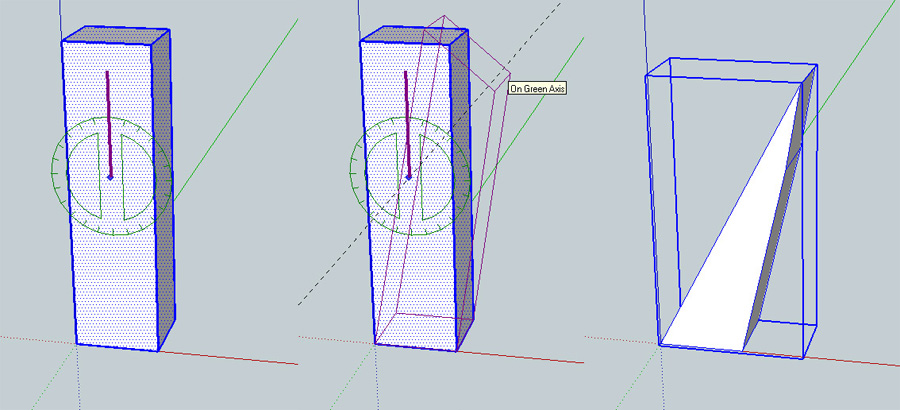
                              1.jpg

                              I downoladed and reinstaled the plugin and Libredo (just in case) in the correct path, just where it was this morning. I checked the list file by file (everything was there), anyway I deleted and place the new ones instead. No luck. Restarted pc (sometimes it works) no luck again.

                              **"Aquel que sacrifica un poco de libertad por seguridad, no se merece ninguna y terminará perdiendo ambas"

                              -Benjamín Franklin.**

                              1 條回覆 最後回覆 回覆 引用 0
                              • thomthomT 離線
                                thomthom
                                最後由 編輯

                                There is a toggle that makes it subdivide the object. Looks like you have turned it off. I can't remember what key toggled it though.

                                Thomas Thomassen — SketchUp Monkey & Coding addict
                                List of my plugins and link to the CookieWare fund

                                1 條回覆 最後回覆 回覆 引用 0
                                • TIGT 離線
                                  TIG Moderator
                                  最後由 編輯

                                  Read the manual... http://forums.sketchucation.com/download/file.php?id=35246

                                  TIG

                                  1 條回覆 最後回覆 回覆 引用 0
                                  • K 離線
                                    KarinaGM
                                    最後由 編輯

                                    well I read it... but until now it never ocured to me that the defaults didn't include slicing. 😳
                                    THANKS!

                                    **"Aquel que sacrifica un poco de libertad por seguridad, no se merece ninguna y terminará perdiendo ambas"

                                    -Benjamín Franklin.**

                                    1 條回覆 最後回覆 回覆 引用 0
                                    • fredo6F 離線
                                      fredo6
                                      最後由 編輯

                                      @karinagm said:

                                      well I read it... but until now it never ocured to me that the defaults didn't include slicing. 😳
                                      THANKS!

                                      Slicer is activated by key F4.
                                      Note that all options can also be activated via the contextual menu (right click).

                                      Fredo

                                      1 條回覆 最後回覆 回覆 引用 0
                                      • B 離線
                                        Barack
                                        最後由 編輯

                                        SUCH A POWERFUL PLUGIN--- FOR FREE!!! YOU ARE THE COOLEST!!! 😄:D:D:D!!!

                                        I'm a Sketchup Free user, nothing else. 3DS is way too expensive, and Pro, ditto. What else do you expect?

                                        UPDATE: I have some blender knowledge, that is why this signature is edited.

                                        1 條回覆 最後回覆 回覆 引用 0
                                        • L 離線
                                          lensman
                                          最後由 編輯

                                          As I said somewhere else in a review of this plug-in, it goes waaaay beyond that status and should have been a part of the original programme. Google snap this guy up! - No, wait, don't!! - We'd have to pay for this stuff then!

                                          Great stuff.

                                          1 條回覆 最後回覆 回覆 引用 0
                                          • pyrolunaP 離線
                                            pyroluna
                                            最後由 編輯

                                            Someone is advertising for you, Fredo!

                                            😄

                                            1 條回覆 最後回覆 回覆 引用 0
                                            • 1
                                            • 2
                                            • 6
                                            • 7
                                            • 8
                                            • 9
                                            • 10
                                            • 56
                                            • 57
                                            • 8 / 57
                                            • 第一個貼文
                                              最後的貼文
                                            Buy SketchPlus
                                            Buy SUbD
                                            Buy WrapR
                                            Buy eBook
                                            Buy Modelur
                                            Buy Vertex Tools
                                            Buy SketchCuisine
                                            Buy FormFonts

                                            Advertisement