[Plugin Library] LibFredo6 - v15.7a - 26 Dec 25



-
How did you install LibFredo6?
- Copying files?
- Sketchup Extension manager from a rbz
- Sketchucation ExtensionStore?
It seems one file is altered.
-
I am still not able to use most all of the Fredo extensions. I have removed ALL Fredo plugins and reinstalled LibFredo6 v11.6a from SketchUcation PluginStore and still get the following error:
Error: #<ArgumentError: invalid byte sequence in UTF-8>
/users/toddlehman/library/application support/sketchup 2021/sketchup/plugins/fredo6_!libfredo6/body_lib6g6.rbe:9318:instrip' /users/toddlehman/library/application support/sketchup 2021/sketchup/plugins/fredo6_!libfredo6/body_lib6g6.rbe:9318:inload_from_file'
/users/toddlehman/library/application support/sketchup 2021/sketchup/plugins/fredo6_!libfredo6/body_lib6g6.rbe:9221:inblock in load_all_colors' /users/toddlehman/library/application support/sketchup 2021/sketchup/plugins/fredo6_!libfredo6/body_lib6g6.rbe:9216:ineach'
/users/toddlehman/library/application support/sketchup 2021/sketchup/plugins/fredo6_!libfredo6/body_lib6g6.rbe:9216:inload_all_colors' /users/toddlehman/library/application support/sketchup 2021/sketchup/plugins/fredo6_!libfredo6/body_lib6g6.rbe:9164:ininitialize'
/users/toddlehman/library/application support/sketchup 2021/sketchup/plugins/fredo6_!libfredo6/body_lib6g6.rbe:9151:innew' /users/toddlehman/library/application support/sketchup 2021/sketchup/plugins/fredo6_!libfredo6/body_lib6g6.rbe:9151:ininstantiate'
/users/toddlehman/library/application support/sketchup 2021/sketchup/plugins/fredo6_!libfredo6/body_lib6g6.rbe:3830:incolor_parse' /users/toddlehman/library/application support/sketchup 2021/sketchup/plugins/fredo6_!libfredo6/body_lib6g6.rbe:4007:incolor_luminance'
/users/toddlehman/library/application support/sketchup 2021/sketchup/plugins/fredo6_!libfredo6/body_lib6g6.rbe:4017:incolor_is_dark?' /users/toddlehman/library/application support/sketchup 2021/sketchup/plugins/fredo6_!libfredo6/body_lib6palette.rbe:2797:indraw_button_text'
/users/toddlehman/library/application support/sketchup 2021/sketchup/plugins/fredo6_!libfredo6/body_lib6palette.rbe:2699:indraw_button' /users/toddlehman/library/application support/sketchup 2021/sketchup/plugins/fredo6_!libfredo6/body_lib6palette.rbe:3203:inblock in draw'
/users/toddlehman/library/application support/sketchup 2021/sketchup/plugins/fredo6_!libfredo6/body_lib6palette.rbe:3196:ineach' /users/toddlehman/library/application support/sketchup 2021/sketchup/plugins/fredo6_!libfredo6/body_lib6palette.rbe:3196:indraw'
/users/toddlehman/library/application support/sketchup 2021/sketchup/plugins/fredo6_!libfredo6/lib6palette.rbe:78:indraw' /users/toddlehman/library/application support/sketchup 2021/sketchup/plugins/fredo6_toolsonsurface/shapeonsurface.rbe:575:indraw' -
I don't know what happened during the installation, but there is clearly a problem in a few files which lost their UTF8 encoding.
Could you try the following
- Open the Ruby Console
- copy the following command in red and type Enter:
UI.openURL LibFredo6.path + '/Ancillary' - This will open a subfolder of LibFredo6
- Delete the file Colors_RAL_classic.txt
- restart Sketchup to see if this improves the situation
- Otherwise, delete all files with names beginning with Colors_ and extension txt.
Then restart Sketchup to see if this improves the situation.
-
@fredo6 said:
I don't know what happened during the installation, but there is clearly a problem in a few files which lost their UTF8 encoding.
Could you try the following
- Open the Ruby Console
- copy the following command in red and type Enter:
UI.openURL LibFredo6.path + '/Ancillary' - This will open a subfolder of LibFredo6
- Delete the file Colors_RAL_classic.txt
- restart Sketchup to see if this improves the situation
- Otherwise, delete all files with names beginning with Colors_ and extension txt.
Then restart Sketchup to see if this improves the situation.
I did try to copy the following command in red and type Enter:
UI.openURL LibFredo6.path + '/Ancillary'Result:
UI.openURL LibFredo6.path + '/Ancillary'
falseI did however, go to that folder in 'Finder' and Delete the file Colors_RAL_classic.txt - restarted and no change.
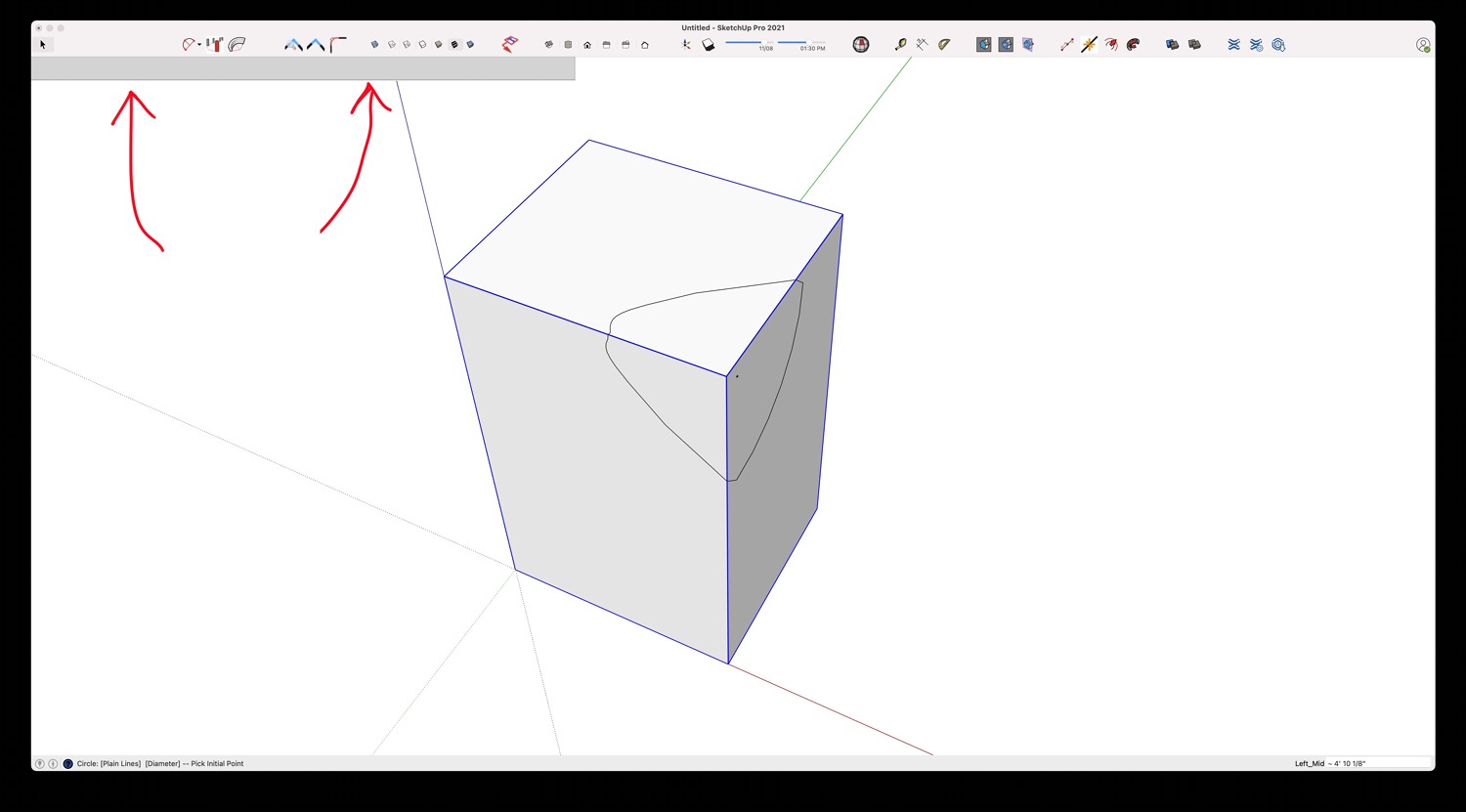
I then deleted all files with names beginning with Colors_ and extension txt. - restarted and tried to use the only PlugIn installed: ToolsOnSurface - result:Error: #<ArgumentError: invalid byte sequence in UTF-8>
/users/toddlehman/library/application support/sketchup 2021/sketchup/plugins/fredo6_!libfredo6/body_lib6g6.rbe:9318:instrip' /users/toddlehman/library/application support/sketchup 2021/sketchup/plugins/fredo6_!libfredo6/body_lib6g6.rbe:9318:inload_from_file'
/users/toddlehman/library/application support/sketchup 2021/sketchup/plugins/fredo6_!libfredo6/body_lib6g6.rbe:9221:inblock in load_all_colors' /users/toddlehman/library/application support/sketchup 2021/sketchup/plugins/fredo6_!libfredo6/body_lib6g6.rbe:9216:ineach'
/users/toddlehman/library/application support/sketchup 2021/sketchup/plugins/fredo6_!libfredo6/body_lib6g6.rbe:9216:inload_all_colors' /users/toddlehman/library/application support/sketchup 2021/sketchup/plugins/fredo6_!libfredo6/body_lib6g6.rbe:9164:ininitialize'
/users/toddlehman/library/application support/sketchup 2021/sketchup/plugins/fredo6_!libfredo6/body_lib6g6.rbe:9151:innew' /users/toddlehman/library/application support/sketchup 2021/sketchup/plugins/fredo6_!libfredo6/body_lib6g6.rbe:9151:ininstantiate'
/users/toddlehman/library/application support/sketchup 2021/sketchup/plugins/fredo6_!libfredo6/body_lib6g6.rbe:3830:incolor_parse' /users/toddlehman/library/application support/sketchup 2021/sketchup/plugins/fredo6_!libfredo6/body_lib6g6.rbe:4007:incolor_luminance'
/users/toddlehman/library/application support/sketchup 2021/sketchup/plugins/fredo6_!libfredo6/body_lib6g6.rbe:4017:incolor_is_dark?' /users/toddlehman/library/application support/sketchup 2021/sketchup/plugins/fredo6_!libfredo6/body_lib6palette.rbe:2797:indraw_button_text'
/users/toddlehman/library/application support/sketchup 2021/sketchup/plugins/fredo6_!libfredo6/body_lib6palette.rbe:2699:indraw_button' /users/toddlehman/library/application support/sketchup 2021/sketchup/plugins/fredo6_!libfredo6/body_lib6palette.rbe:3203:inblock in draw'
/users/toddlehman/library/application support/sketchup 2021/sketchup/plugins/fredo6_!libfredo6/body_lib6palette.rbe:3196:ineach' /users/toddlehman/library/application support/sketchup 2021/sketchup/plugins/fredo6_!libfredo6/body_lib6palette.rbe:3196:indraw'
/users/toddlehman/library/application support/sketchup 2021/sketchup/plugins/fredo6_!libfredo6/lib6palette.rbe:78:indraw' /users/toddlehman/library/application support/sketchup 2021/sketchup/plugins/fredo6_toolsonsurface/shapeonsurface.rbe:575:indraw'
-
@tlehman914 said:
I did however, go to that folder in 'Finder' and Delete the file Colors_RAL_classic.txt - restarted and no change.
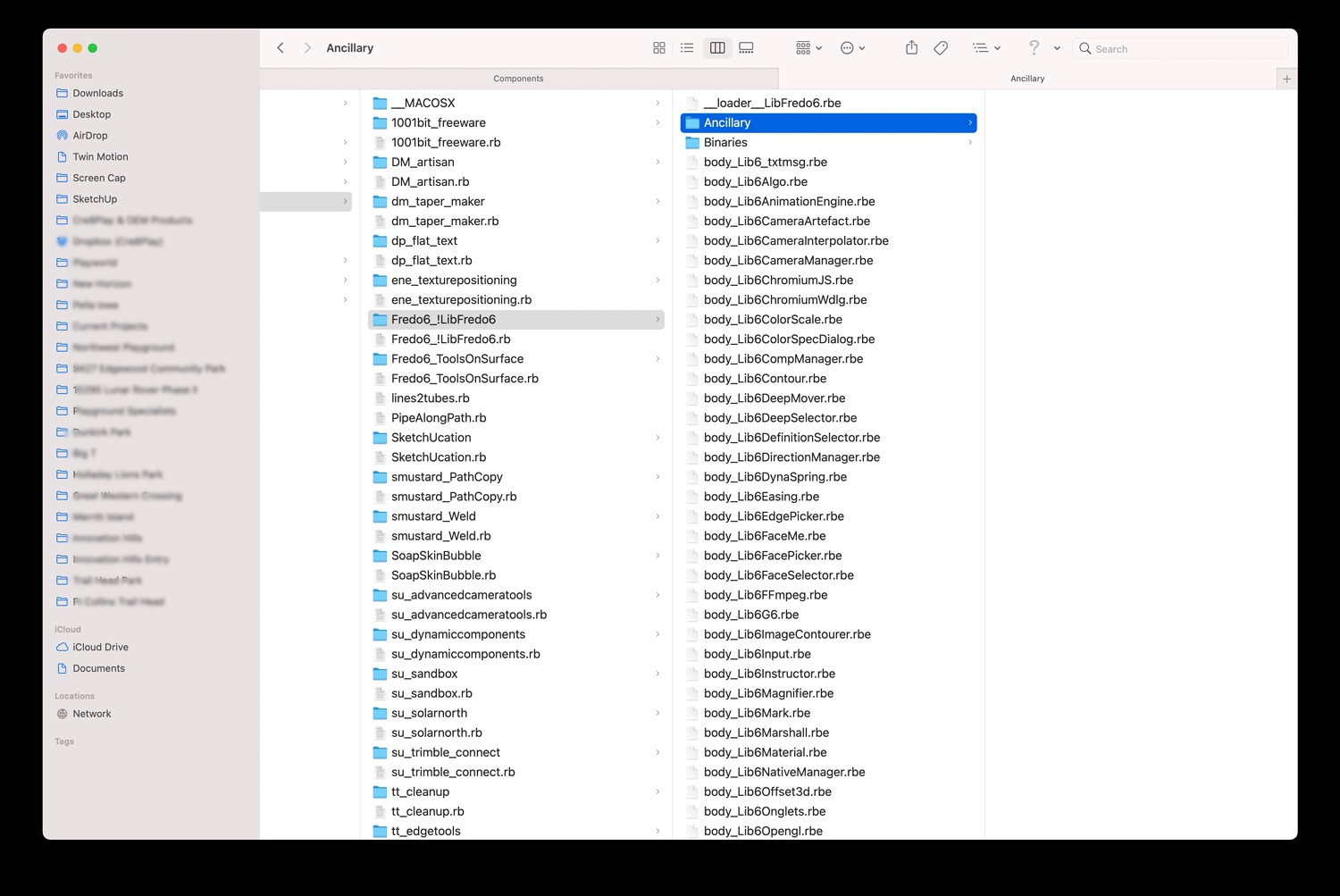
I then deleted all files with names beginning with Colors_ and extension txt. - restarted and tried to use the only PlugIn installed: ToolsOnSurfaceWhat is left in the directory?
Just type in the Ruby console:
Dir[LibFredo6.path + '/Ancillary/*.*'] -
@fredo6 said:
@tlehman914 said:
I did however, go to that folder in 'Finder' and Delete the file Colors_RAL_classic.txt - restarted and no change.
I then deleted all files with names beginning with Colors_ and extension txt. - restarted and tried to use the only PlugIn installed: ToolsOnSurfaceWhat is left in the directory?
Just type in the Ruby console:
Dir[LibFredo6.path + '/Ancillary/*.*']Nothing is left in the directory...?
No change after typing the above.
-
Did you define a custom color file?
If so, do you remember where you save it?
In the Ruby Console, could you type
Traductor::Marshall.new.decode(Traductor::Registry.load "Fredo6_ColorFan_Custom")This should be the list of custom color files.
-
@fredo6 said:
Did you define a custom color file?
If so, do you remember where you save it?
In the Ruby Console, could you type
Traductor::Marshall.new.decode(Traductor::Registry.load "Fredo6_ColorFan_Custom")This should be the list of custom color files.
{"/Users/toddlehman/Dropbox (Cre8Play)/SketchUp/Materials/Archive/Bark/Tree Tex8.jpg"=>true}
-
@tlehman914 said:
@fredo6 said:
Did you define a custom color file?
If so, do you remember where you save it?
In the Ruby Console, could you type
Traductor::Marshall.new.decode(Traductor::Registry.load "Fredo6_ColorFan_Custom")This should be the list of custom color files.
{"/Users/toddlehman/Dropbox (Cre8Play)/SketchUp/Materials/Archive/Bark/Tree Tex8.jpg"=>true}
I deleted the material 'Tree Tex8.jpg', and all is working!!!!


THANK YOU!!!!
-
@tlehman914 said:
I deleted the material 'Tree Tex8.jpg', and all is working!!!!
In ColorPaint, you are supposed to load only plain text file (tabular value of colors: name, R, G, B), not images or material.
-
@fredo6 said:
@tlehman914 said:
I deleted the material 'Tree Tex8.jpg', and all is working!!!!
In ColorPaint, you are supposed to load only plain text file (tabular value of colors: name, R, G, B), not images or material.
Understood. I didn't even know that I had done that...!? Thanks again!
-
@fredo6 said:
How did you install LibFredo6?
- Copying files?
- Sketchup Extension manager from a rbz
- Sketchucation ExtensionStore?
It seems one file is altered.
Tried all 3 with full uninstalls in between each. Sadly no luck.
Success! Running a repair on the sketchup installation seemed to fix it!
-
Bonjour à tous,
Je viens d'installer l'extension FredoTools via le gestionnaire d'extension,
Elle apparait bien dans mon gestionnaire d'extension mais nul part ailleurs ?
Je ne peut donc pas l'utiliser.Il ya t-il une raison ou une manip particulière à effectuer ?
Je suis sur SketchUp 21pro
Merci d'avance
-
Have you also installed LibFredo ?
Have you restarted SketchUp ?
Have you looked in the Tools menu's submenus ?
Avez-vous également installé LibFredo?
Avez-vous redémarré SketchUp?
Avez-vous regardé dans les sous-menus du menu Outils [Tools]? -
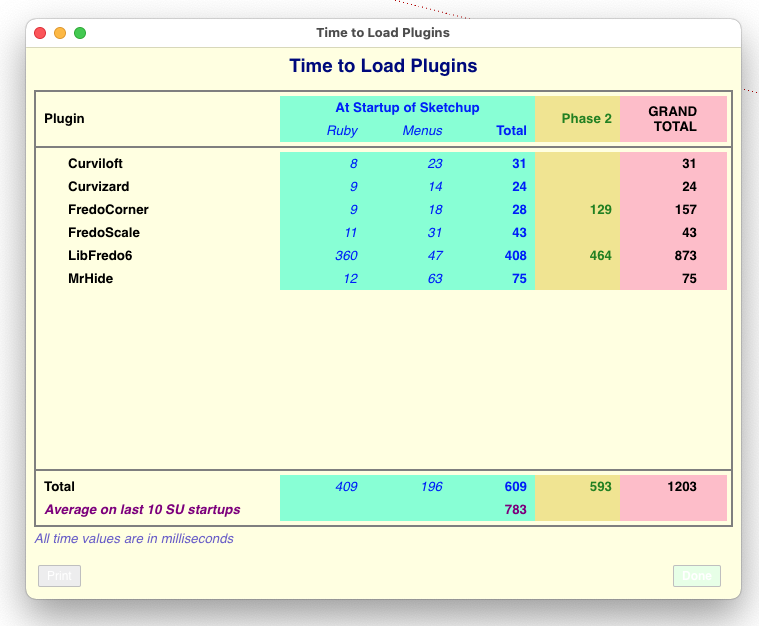
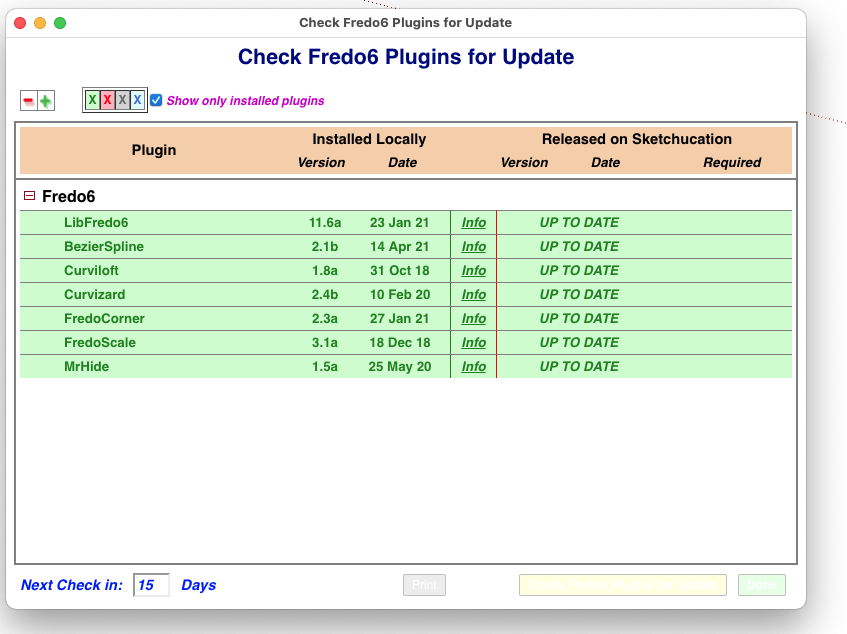
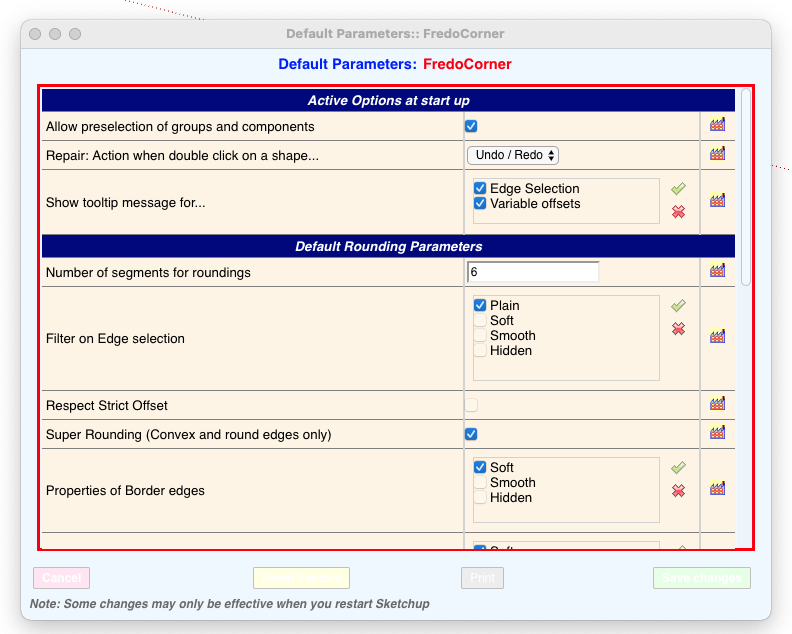
I'm seeing some UI problems, specifically buttons at the bottom of various dialog boxes being completely washed out. I'm on MacOS Big Sur.
I don't have this problem in other applications, only here in SketchUp and with these dialog box buttons.
Any thoughts? Is it a SketchUp thing, an extension thing, or an OS thing?Please see image examples.
Thanks.
-
Thanks for signaling this problem. You are the first one.
Big Sur seems to be a master in term of non-backward compatibility, at least for Sketchup...!
I will see if I can find a workaround in a next version of LibFredo6.
Fredo
-
Hello LibFredo6,
I recieved your message showing me your Pic2Shape plugin.
I tried it with a couple of images and it works great.
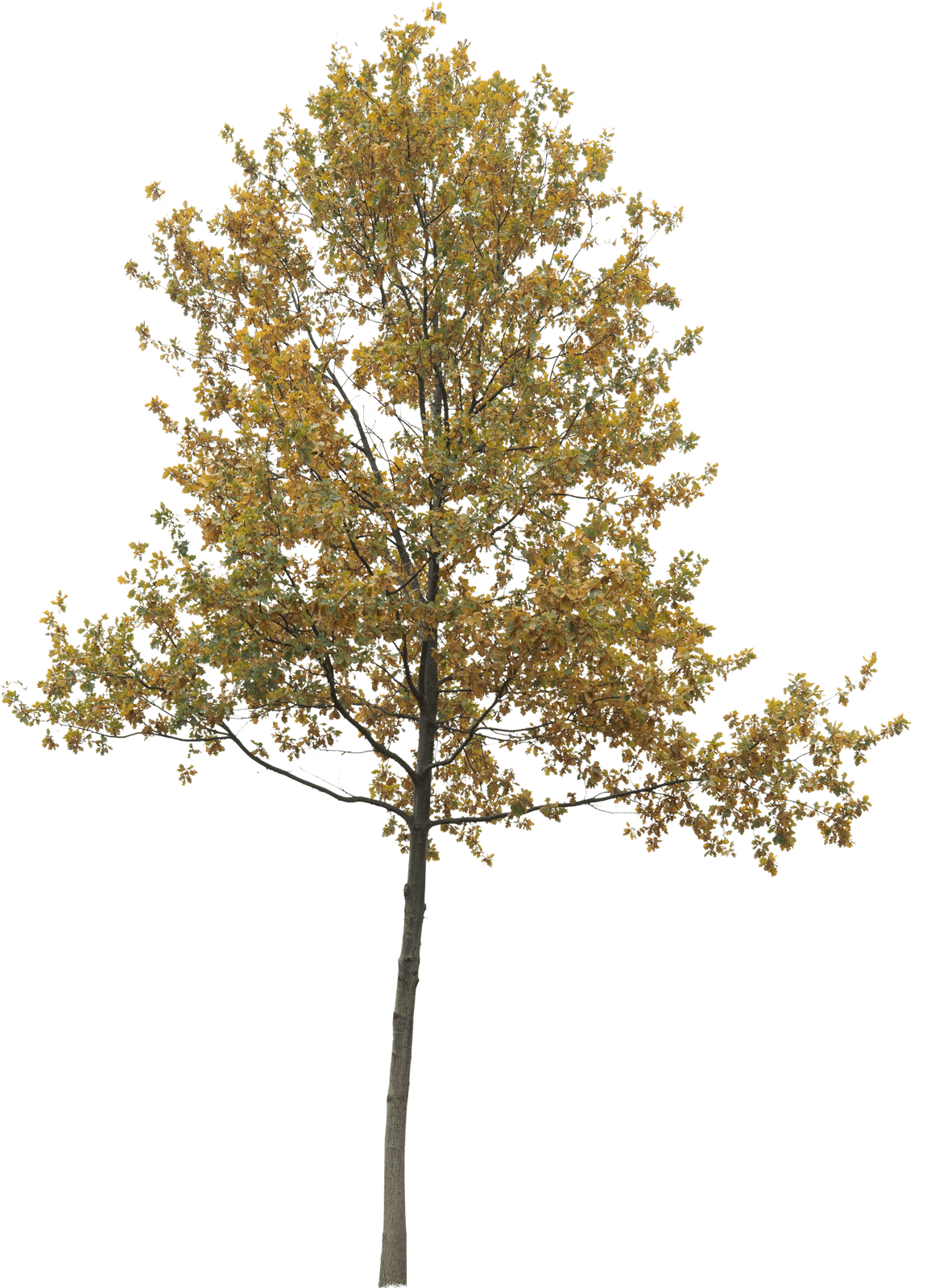
However, I would like to use this for cutting out the contours of 2D trees, so i can cast a more realistic shadow.
And here I ran into some troubles.
For complex trees (with a lot of tiny holes between the branches) the plugin says he can't generate any contours.
I wonder if you could help me with the right filter settings so that the plugin can still work ?I attached a tree (png) that doesn't generate a boundary when using the plugin.
All the png trees i'm using are available (for free) as high quality PNG’s with transparent background from this website : https://meye.dk/info/
Many thanks in advance !
Boris
-
Since this thread is about LibFredo6, I created a dedicated thread here.
Fredo
-
Very efficient plugin thank you.
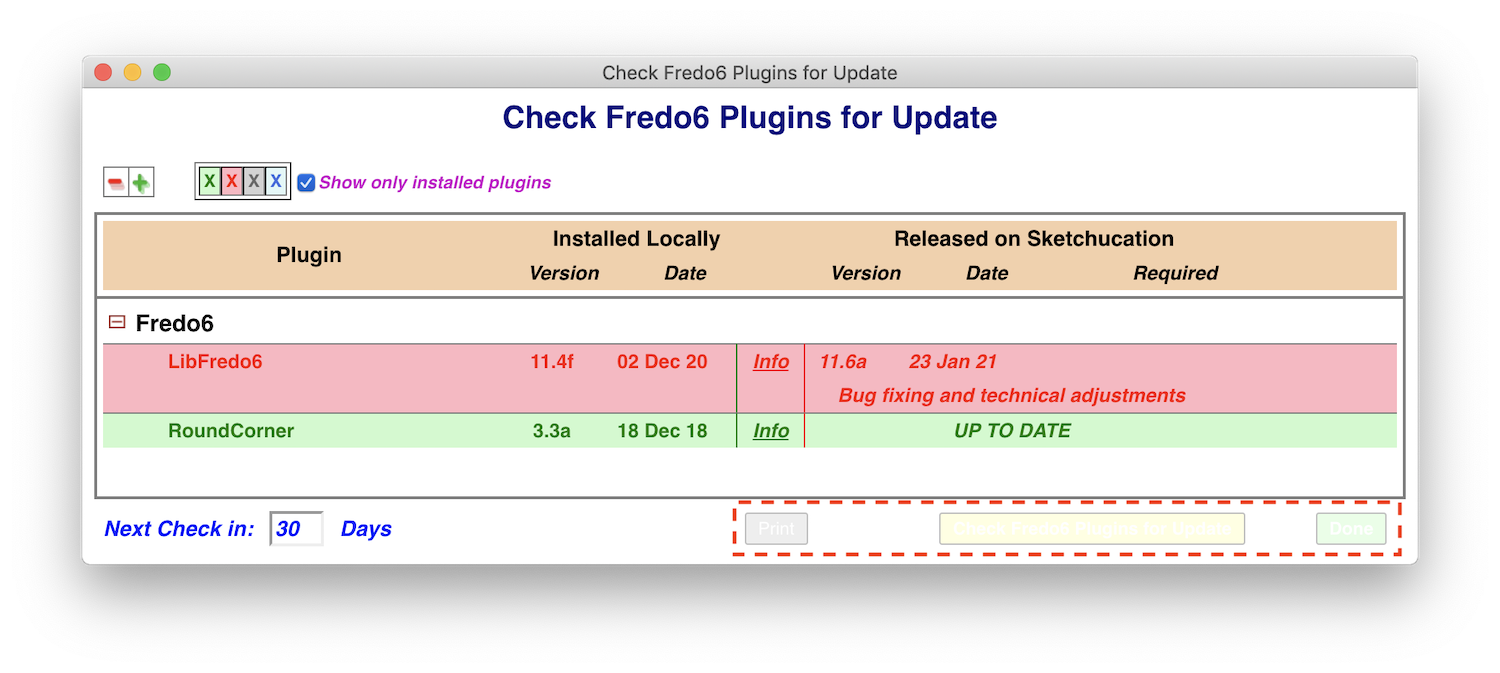
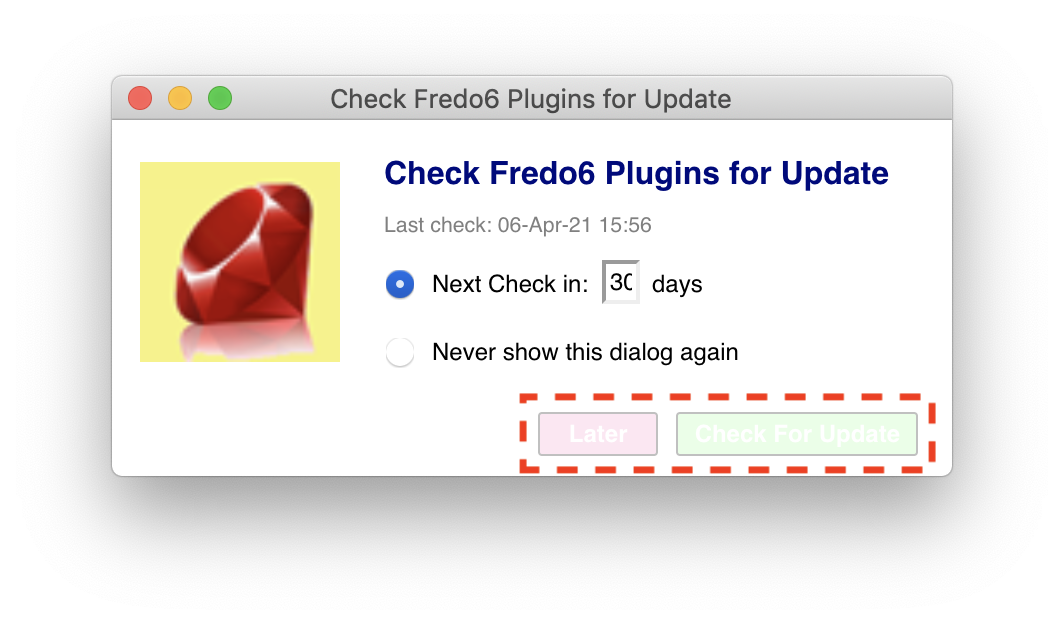
The only issue is that the colour of action icons are extremely difficult to read against the white background.
I am using SUP2021 on a MacBoo pro 2018 running under MacOS Mojave.Is it just me or a common issue that could be resolved easily on the developer's end?
Thank you.
T
-
This will be fixed in the next version of LibFredo6. This seems to happen for some Mac configurations.





Advertisement