sketchucation logo sketchucation
    • Login
    Oops, your profile's looking a bit empty! To help us tailor your experience, please fill in key details like your SketchUp version, skill level, operating system, and more. Update and save your info on your profile page today!
    ⚠️ Update | Sketchucation Tools 5.0.8 released with licensing improvements and bugfixes Download

    The "Duh!" thread (aka the Doh! thread)

    Scheduled Pinned Locked Moved SketchUp Discussions
    sketchup
    696 Posts 135 Posters 580.0k Views 135 Watching
    Loading More Posts
    • Oldest to Newest
    • Newest to Oldest
    • Most Votes
    Reply
    • Reply as topic
    Log in to reply
    This topic has been deleted. Only users with topic management privileges can see it.
    • pilouP
      pilou
      last edited by

      Yes but see this epic thread about the insufficiency of the Rotate tool inferency! πŸ˜‰

      Frenchy Pilou
      Is beautiful that please without concept!
      My Little site :)

      1 Reply Last reply
      Reply Quote 0
      • charly2008C
        charly2008
        last edited by

        Hi,

        I just got the "SketchUp 7 Bible" scrolled once again. At the "Move Tool" I looked more closely. I did not know that you can also use the tool to make multiple copies of objects.
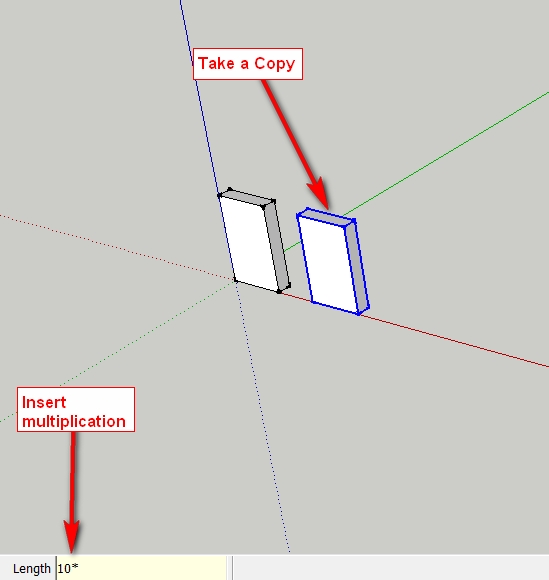
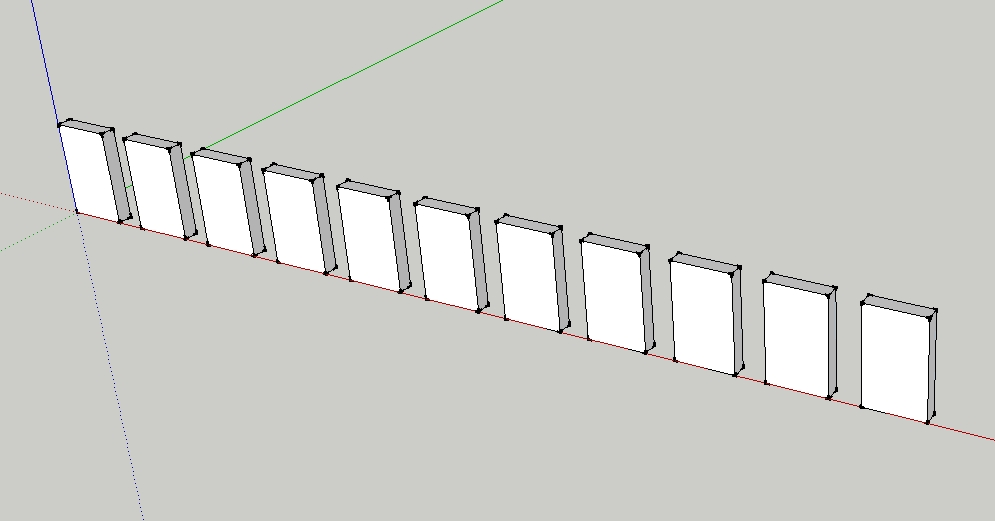
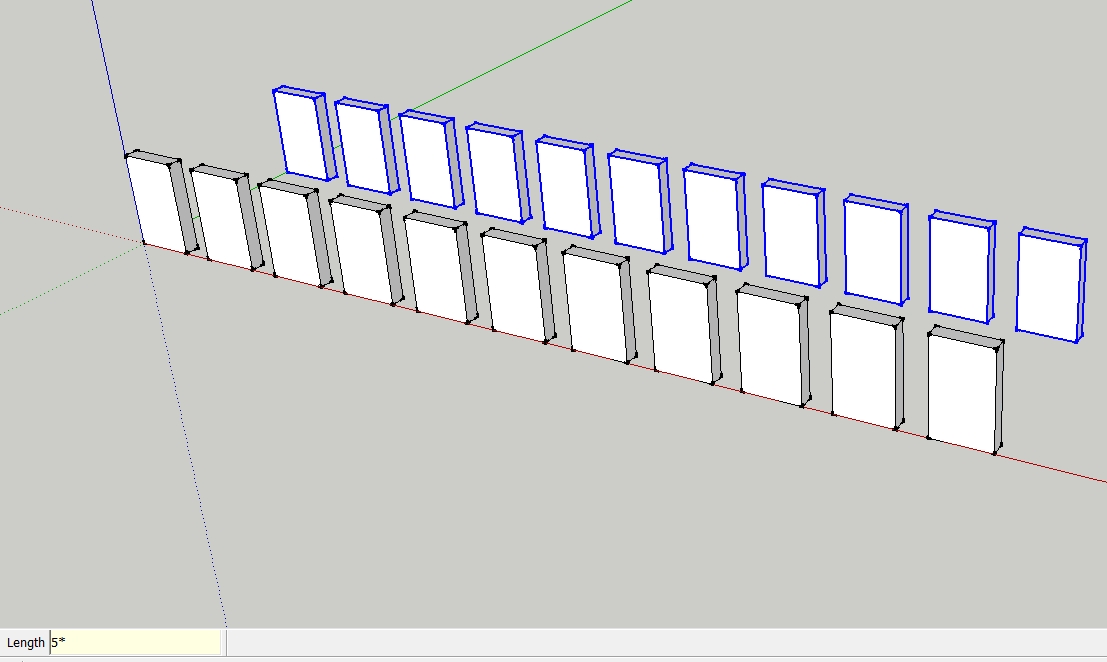
        1.jpg


        2.jpg


        3.jpg


        4.jpg

        He who makes no mistakes, makes nothing

        1 Reply Last reply
        Reply Quote 0
        • boofredlayB
          boofredlay
          last edited by

          Oh yes and if you copy the object then type in 10/ you will get copies divided equally between the two distances. πŸ‘

          http://www.coroflot.com/boofredlay

          1 Reply Last reply
          Reply Quote 0
          • GaieusG
            Gaieus
            last edited by

            @charly2008 said:

            did not know that you can also use the tool to make multiple copies of objects.
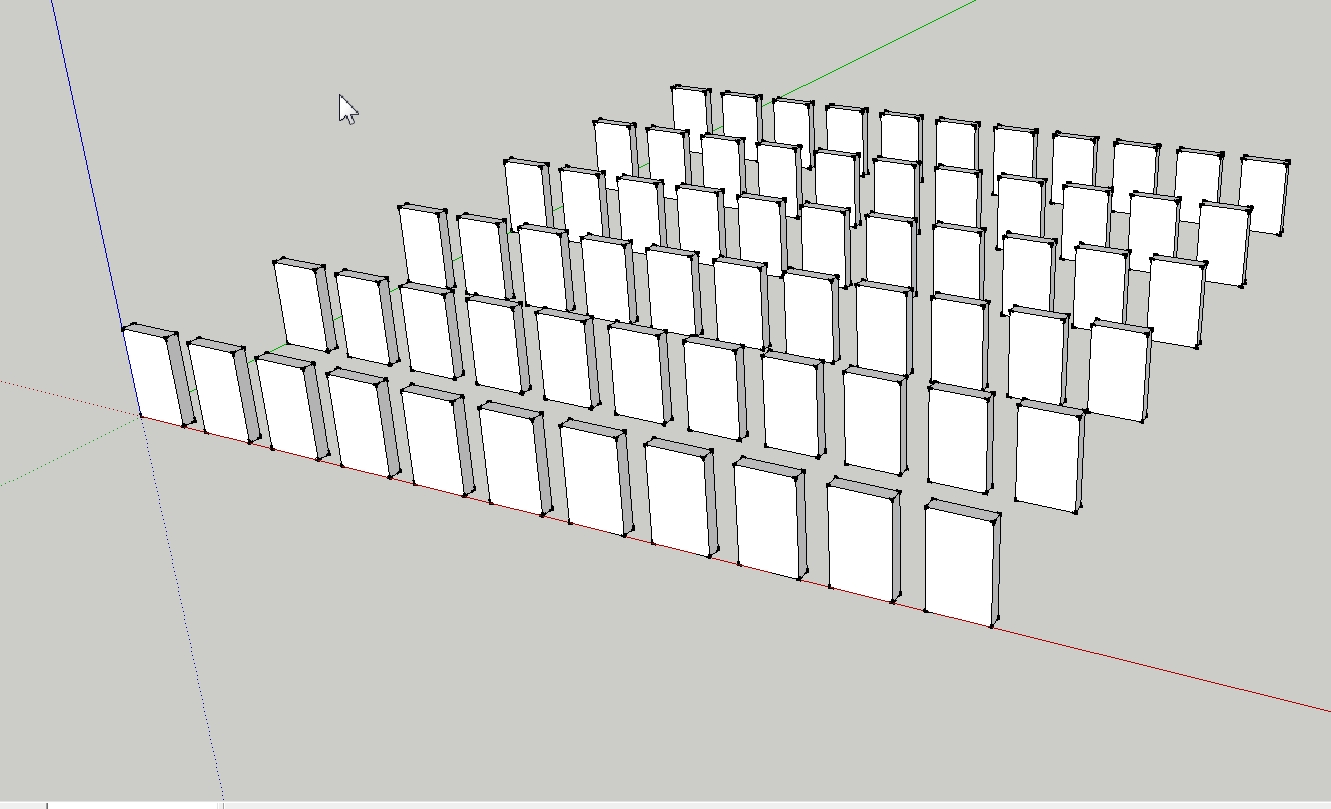
            Ah yes, with the Move tool it's called a "Linear array" - but you can also do similar "Radial array" with the Rotate tool

            Gai...

            1 Reply Last reply
            Reply Quote 0
            • pilouP
              pilou
              last edited by

              And it's the same with the rotation Tool πŸ˜‰

              But seems also that is the first thing that we learn when we start SU! πŸ˜‰

              Don't use multiple copy in SU is very mysterious πŸ˜„

              Frenchy Pilou
              Is beautiful that please without concept!
              My Little site :)

              1 Reply Last reply
              Reply Quote 0
              • majidM
                majid
                last edited by

                @gaieus said:

                @charly2008 said:

                did not know that you can also use the tool to make multiple copies of objects.

                Ah yes, with the Move tool it's called a "Linear array" - but you can also do similar "Radial array" with the Rotate tool

                amazin part is that you can type:
                X5
                5X
                5
                0r 5

                and they reffer to same result!!!! ( array )

                My inspiring A, B, Sketches book: https://sketchucation.com/shop/books/intermediate/2612-alphabet-inspired-sketches--inspiring-drills-for-architects--3d-artists-and-designers-

                1 Reply Last reply
                Reply Quote 0
                • jgbJ
                  jgb
                  last edited by

                  @gaieus said:

                  @charly2008 said:

                  did not know that you can also use the tool to make multiple copies of objects.

                  Ah yes, with the Move tool it's called a "Linear array" - but you can also do similar "Radial array" with the Rotate tool

                  I've used that a lot, BUT, I can't seem to radial array within a 360 circle. πŸ˜•
                  As I reach 359.999 it jumps to zero degrees, and "/x" returns nothing.

                  I know I'm missing something here. ❓

                  I usually solve it by first making a circle with the number of segments I want, then radially array the object to a vertex, and multiply (total number wanted less 1), then delete the circle.


                  jgb

                  1 Reply Last reply
                  Reply Quote 0
                  • boofredlayB
                    boofredlay
                    last edited by

                    Start your array and type 360 for the degrees and hit enter rather than clicking to enter the degrees. Then do your multiplier.

                    http://www.coroflot.com/boofredlay

                    1 Reply Last reply
                    Reply Quote 0
                    • thomthomT
                      thomthom
                      last edited by

                      @jgb said:

                      @gaieus said:

                      @charly2008 said:

                      did not know that you can also use the tool to make multiple copies of objects.

                      Ah yes, with the Move tool it's called a "Linear array" - but you can also do similar "Radial array" with the Rotate tool

                      I've used that a lot, BUT, I can't seem to radial array within a 360 circle. πŸ˜•
                      As I reach 359.999 it jumps to zero degrees, and "/x" returns nothing.

                      I know I'm missing something here. ❓

                      1. Copy rotate to any random angle
                      2. Adjust angle with VCB to 360
                      3. Use VCB to divide the full rotation by number of elements ( / 7 )

                      Or, if you know the angle between each element, just rotate by the first segment.

                      1. Copy Rotate 45 degrees
                      2. *7

                      Thomas Thomassen β€” SketchUp Monkey & Coding addict
                      List of my plugins and link to the CookieWare fund

                      1 Reply Last reply
                      Reply Quote 0
                      • GaieusG
                        Gaieus
                        last edited by

                        One note however. If you use the divide function around a full 360 degrees and first you rotate the component by 360 degrees, you will end up with two, overlapping components in position 0 (or 360). This is not a serious issue as after the rotation and radial array, this firstly copied component will remain highlighted so just make sure that after the radial array, also press the Delete button.

                        Gai...

                        1 Reply Last reply
                        Reply Quote 0
                        • thomthomT
                          thomthom
                          last edited by

                          @gaieus said:

                          One note however. If you use the divide function around a full 360 degrees and first you rotate the component by 360 degrees, you will end up with two, overlapping components in position 0 (or 360). This is not a serious issue as after the rotation and radial array, this firstly copied component will remain highlighted so just make sure that after the radial array, also press the Delete button.

                          True, I used loose geometry in my test.

                          Thomas Thomassen β€” SketchUp Monkey & Coding addict
                          List of my plugins and link to the CookieWare fund

                          1 Reply Last reply
                          Reply Quote 0
                          • GaieusG
                            Gaieus
                            last edited by

                            Well, true, thatmerges with no trace left.

                            Gai...

                            1 Reply Last reply
                            Reply Quote 0
                            • jgbJ
                              jgb
                              last edited by

                              @unknownuser said:

                              Start your array and type 360 for the degrees and hit enter rather than clicking to enter the degrees. Then do your multiplier.

                              😍 That worked... Many thanks. πŸ‘ πŸ‘ πŸ‘

                              TT & Gaieus, thanks as well. That duplicate copy over the original used to be a problem, till I started using a circle with the right # of segments to get around it.


                              jgb

                              1 Reply Last reply
                              Reply Quote 0
                              • pilouP
                                pilou
                                last edited by

                                Super cool never thought to bend a 2D image with the Fredo Scale! πŸ‘ 😎

                                cool.jpg

                                Frenchy Pilou
                                Is beautiful that please without concept!
                                My Little site :)

                                1 Reply Last reply
                                Reply Quote 0
                                • R
                                  Roger
                                  last edited by

                                  @unknownuser said:

                                  Super cool never thought to bend a 2D image with the Fredo Scale! πŸ‘ 😎
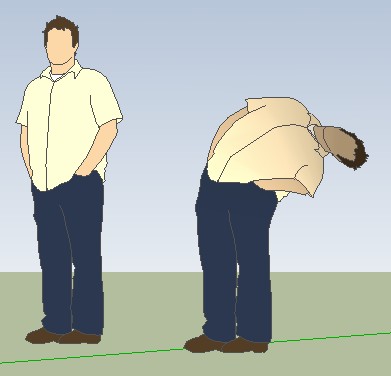
                                  [attachment=0:39d35j95]<!-- ia0 -->cool.jpg<!-- ia0 -->[/attachment:39d35j95]

                                  You bent over backward to discover that function. 🀣 (Does not translate easily to French)

                                  http://www.azcreative.com

                                  1 Reply Last reply
                                  Reply Quote 0
                                  • pilouP
                                    pilou
                                    last edited by

                                    @unknownuser said:

                                    (Does not translate easily to French)

                                    I believe that I understand that you want to say πŸ˜„

                                    Contortionist Zlata up the steps of the Cannes Film Festival! 😲

                                    http://www.pourlefan.eu/photos/1568823771.jpeg

                                    Frenchy Pilou
                                    Is beautiful that please without concept!
                                    My Little site :)

                                    1 Reply Last reply
                                    Reply Quote 0
                                    • R
                                      Roger
                                      last edited by

                                      Boggles the imagination!

                                      http://www.azcreative.com

                                      1 Reply Last reply
                                      Reply Quote 0
                                      • A
                                        ArCAD-UK
                                        last edited by

                                        @pbacot said:

                                        I can make a new layer via the Entities window simply by assigning the selected entity by typing a new layer name.

                                        Not on the PC you can't. πŸ˜•

                                        1 Reply Last reply
                                        Reply Quote 0
                                        • pbacotP
                                          pbacot
                                          last edited by

                                          I can make a new layer via the Entities window simply by assigning the selected entity and typing a new layer name. Did it by mistake. πŸ˜„ Never knew.

                                          I thought this thread was a sticky, until I went looking for it...

                                          MacOSX MojaveSketchUp Pro v19 Twilight v2 Thea v3 PowerCADD

                                          1 Reply Last reply
                                          Reply Quote 0
                                          • Epix3DE
                                            Epix3D
                                            last edited by

                                            Just discovered the System settings> Open GL > Use hardware acceleration. Suddenly Sketchup looks sharp and smooth to work with. How can I have missed this before? 😳

                                            1 Reply Last reply
                                            Reply Quote 0

                                            Hello! It looks like you're interested in this conversation, but you don't have an account yet.

                                            Getting fed up of having to scroll through the same posts each visit? When you register for an account, you'll always come back to exactly where you were before, and choose to be notified of new replies (either via email, or push notification). You'll also be able to save bookmarks and upvote posts to show your appreciation to other community members.

                                            With your input, this post could be even better πŸ’—

                                            Register Login
                                            • 1
                                            • 2
                                            • 20
                                            • 21
                                            • 22
                                            • 23
                                            • 24
                                            • 34
                                            • 35
                                            • 22 / 35
                                            • First post
                                              Last post
                                            Buy SketchPlus
                                            Buy SUbD
                                            Buy WrapR
                                            Buy eBook
                                            Buy Modelur
                                            Buy Vertex Tools
                                            Buy SketchCuisine
                                            Buy FormFonts

                                            Advertisement