The "Duh!" thread (aka the Doh! thread)
-
Pull out to approximate size [using any modifier keys you desire], then immediately type in the required size, before selecting another tool.
The length has to have a 'units suffix'.
Type 13 will make it 13x bigger ! but 13" makes it exactly 13 inches, or 330mm which makes it exactly that size in mm, this is done irrespective of the model's current-unit settings... -
Post by Pilou on Wed, 15 Aug 2012 10:57 am
Just draw a 13 inch segment from a vertex from your object and Scale your object by the line!
Yeah, I do that, thanks.
Post by thomthom on Wed, 15 Aug 2012 10:59 am
Just scale roughly first - then use the VCB to adjust with accuracy afterwards - typing in the length.Can't seem to make it work. I type the value but when I type the " (inch) it erases the value.

I noticed that when I press the SHIFT key, the VCB shows me the ratios of each axis, which is handy.

You can then adjust the ratios of each axis in the VCB using a comma to separate the % values in the same order as the axis ref to its left.
AND you can post adjust the size to a dimension but only in FEET, not inches.

-
I beg to differ.

I can successfully Scale an object to exactly 13" using the " suffix.
Pick a point to scale it by an arbitrary amount - 1.1 say - commit the scaling - THEN type 13" to apply the desired exact dimension...
What are your unit-settings ? I have tried virtually every combo and they all let me enter 13" successfully ?? -
@jgb said:
This is also a question, based on the above.
Using SCALE, you can just type a percentage value in the VCB. This is handy to set a specific scale factor like 92%. It is also handy to set a scale factor that is between SCALE's preset snap tolerance of .1% so just type 90.15 in the VCB where SCALE snaps only to 90.1% or 90.2% and you need the precision.
OK, my question, How do I set scale to a dimensional value?
ie: my object is 12 inches, and I want it to be 13 inches, without doing the percentage math. AND I am holding the CTRL and SHIFT keys down to scale all and from the center. When I release the mouse button to type, my position is lost.Make sure your object is a group/component. Double click it so you're inside the group and use the tape measure to measure your 12" segment. The VCB will report back that it's 12". Now just type 13" and hit enter. A dialogue will pop up asking "do you want to resize the active group or component?" Hit yes and you're home free

This works wonderfully when you get a 'not to scale' drawing that you need to be to scale.
-Brodie
-
@tig said:
I beg to differ.
I can successfully Scale an object to exactly 13" using the " suffix.
Pick a point to scale it by an arbitrary amount - 1.1 say - commit the scaling - THEN type 13" to apply the desired exact dimension...
What are your unit-settings ? I have tried virtually every combo and they all let me enter 13" successfully ??Saw my error....
I would scale approx, then enter 13". The 13 would vanish.
I need to Left Click after the approx setting, then while the scale box was still active, enter 13", and it worked.
"Minor detail" 
Brodie;
Thank you all.
-
@tig said:
Pull out to approximate size [using any modifier keys you desire], then immediately type in the required size, before selecting another tool.
The length has to have a 'units suffix'.
Type 13 will make it 13x bigger ! but 13" makes it exactly 13 inches, or 330mm which makes it exactly that size in mm, this is done irrespective of the model's current-unit settings...Nice tip, I didn't know that one.
So many SU easter eggs.
-Brodie
-
Here is a nice trick from Jean for rotation axis inferencing.
-
Yes but see this epic thread about the insufficiency of the Rotate tool inferency!
-
Hi,
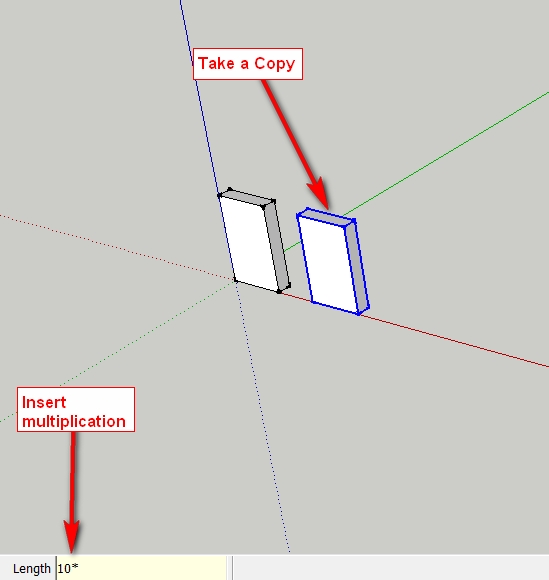
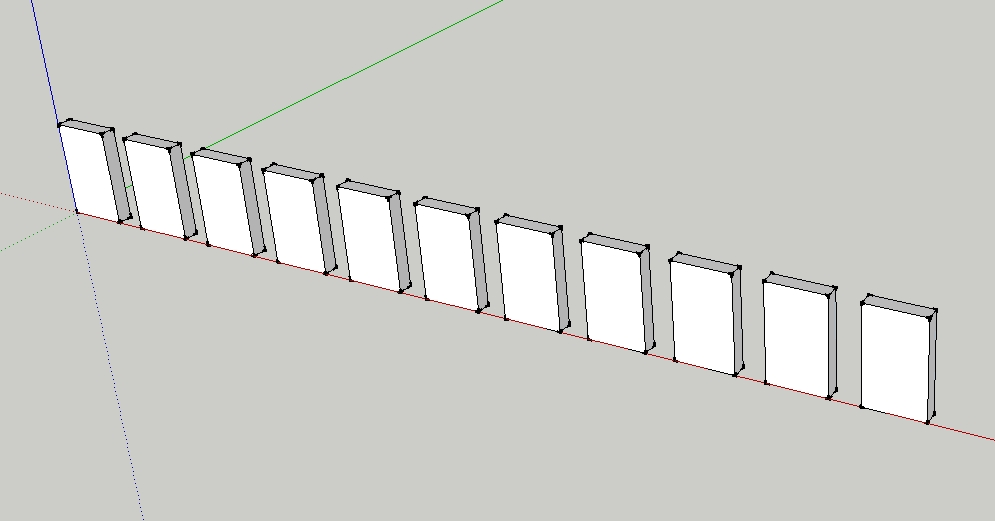
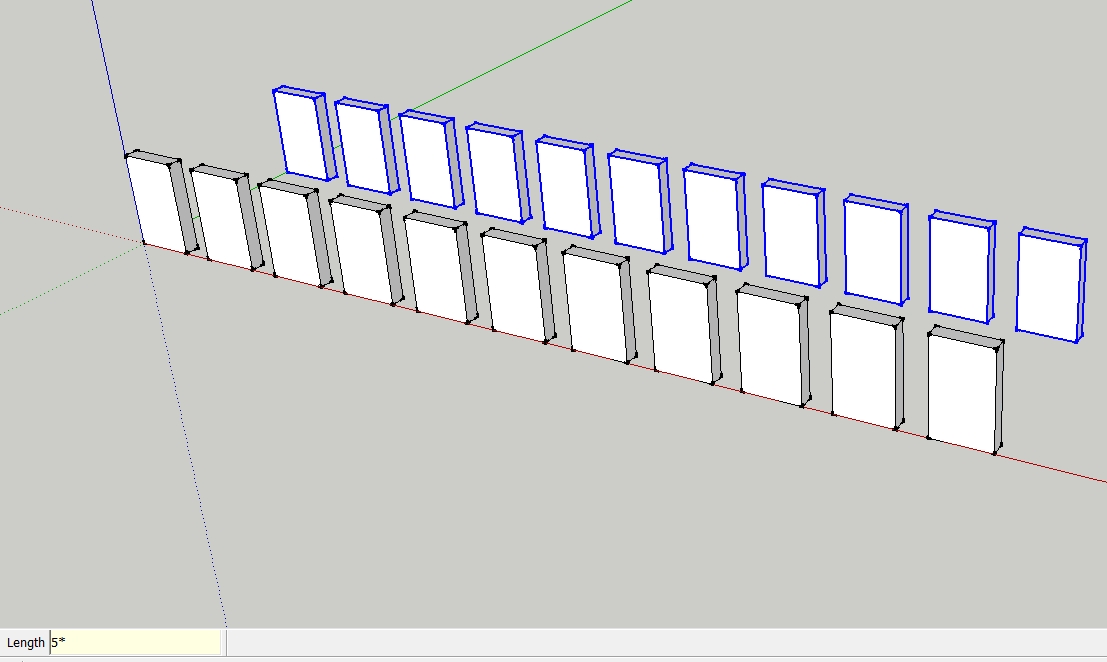
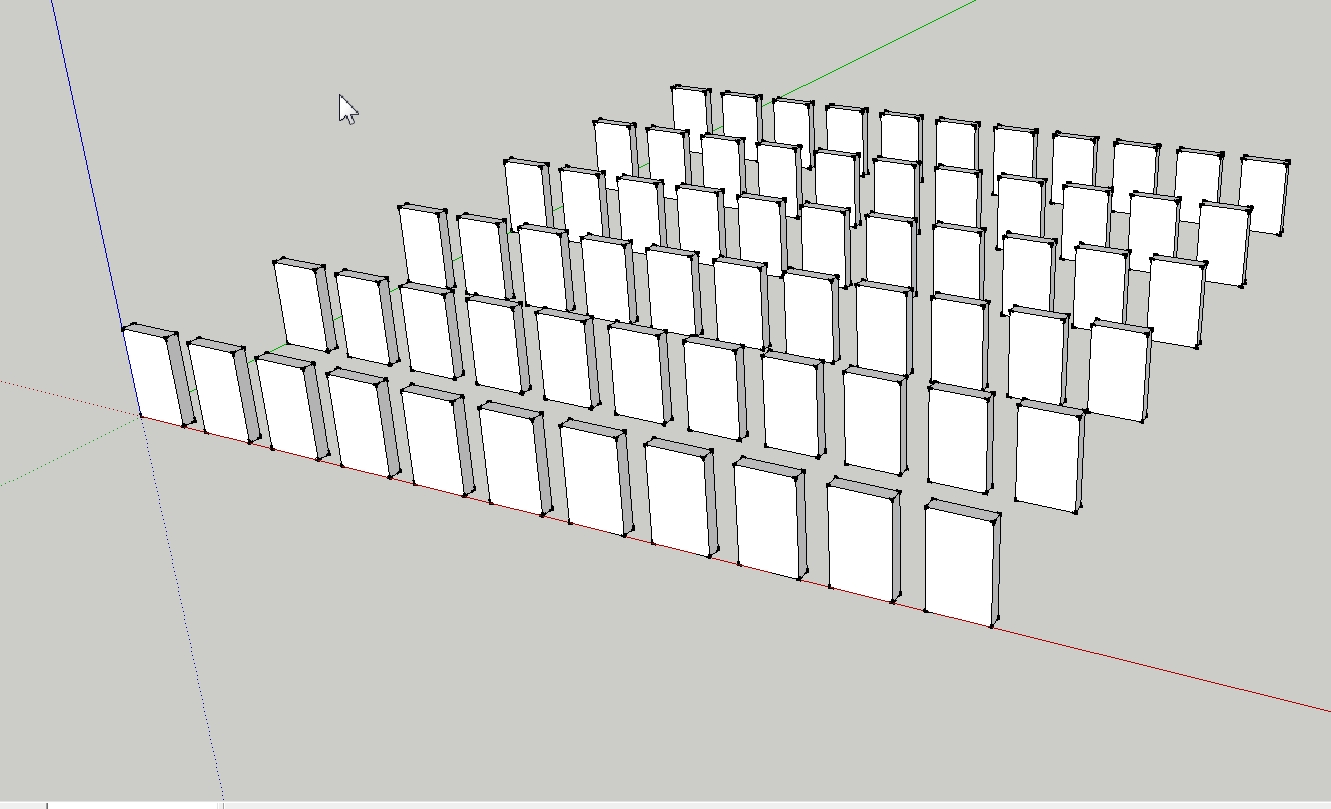
I just got the "SketchUp 7 Bible" scrolled once again. At the "Move Tool" I looked more closely. I did not know that you can also use the tool to make multiple copies of objects.
-
Oh yes and if you copy the object then type in 10/ you will get copies divided equally between the two distances.
-
@charly2008 said:
did not know that you can also use the tool to make multiple copies of objects.
Ah yes, with the Move tool it's called a "Linear array" - but you can also do similar "Radial array" with the Rotate tool
-
And it's the same with the rotation Tool
But seems also that is the first thing that we learn when we start SU!
Don't use multiple copy in SU is very mysterious
-
@gaieus said:
@charly2008 said:
did not know that you can also use the tool to make multiple copies of objects.
Ah yes, with the Move tool it's called a "Linear array" - but you can also do similar "Radial array" with the Rotate tool
amazin part is that you can type:
X5
5X
5
0r 5
and they reffer to same result!!!! ( array ) -
@gaieus said:
@charly2008 said:
did not know that you can also use the tool to make multiple copies of objects.
Ah yes, with the Move tool it's called a "Linear array" - but you can also do similar "Radial array" with the Rotate tool
I've used that a lot, BUT, I can't seem to radial array within a 360 circle.
As I reach 359.999 it jumps to zero degrees, and "/x" returns nothing.I know I'm missing something here.

I usually solve it by first making a circle with the number of segments I want, then radially array the object to a vertex, and multiply (total number wanted less 1), then delete the circle.
-
Start your array and type 360 for the degrees and hit enter rather than clicking to enter the degrees. Then do your multiplier.
-
@jgb said:
@gaieus said:
@charly2008 said:
did not know that you can also use the tool to make multiple copies of objects.
Ah yes, with the Move tool it's called a "Linear array" - but you can also do similar "Radial array" with the Rotate tool
I've used that a lot, BUT, I can't seem to radial array within a 360 circle.
As I reach 359.999 it jumps to zero degrees, and "/x" returns nothing.I know I'm missing something here.
- Copy rotate to any random angle
- Adjust angle with VCB to 360
- Use VCB to divide the full rotation by number of elements ( / 7 )
Or, if you know the angle between each element, just rotate by the first segment.
- Copy Rotate 45 degrees
- *7
-
One note however. If you use the divide function around a full 360 degrees and first you rotate the component by 360 degrees, you will end up with two, overlapping components in position 0 (or 360). This is not a serious issue as after the rotation and radial array, this firstly copied component will remain highlighted so just make sure that after the radial array, also press the Delete button.
-
@gaieus said:
One note however. If you use the divide function around a full 360 degrees and first you rotate the component by 360 degrees, you will end up with two, overlapping components in position 0 (or 360). This is not a serious issue as after the rotation and radial array, this firstly copied component will remain highlighted so just make sure that after the radial array, also press the Delete button.
True, I used loose geometry in my test.
-
Well, true, thatmerges with no trace left.
-
@unknownuser said:
Start your array and type 360 for the degrees and hit enter rather than clicking to enter the degrees. Then do your multiplier.
 That worked... Many thanks.
 TT & Gaieus, thanks as well. That duplicate copy over the original used to be a problem, till I started using a circle with the right # of segments to get around it.










Hello! It looks like you're interested in this conversation, but you don't have an account yet.
Getting fed up of having to scroll through the same posts each visit? When you register for an account, you'll always come back to exactly where you were before, and choose to be notified of new replies (either via email, or push notification). You'll also be able to save bookmarks and upvote posts to show your appreciation to other community members.
With your input, this post could be even better 💗
Register Login


Advertisement