sketchucation logo sketchucation
    • Login
    Oops, your profile's looking a bit empty! To help us tailor your experience, please fill in key details like your SketchUp version, skill level, operating system, and more. Update and save your info on your profile page today!
    Mac User? | Join the Rayscaper Beta for Mac Learn More

    [Plugin] BezierSpline - v2.2a - 22 Apr 21

    Scheduled Pinned Locked Moved Plugins
    460 Posts 183 Posters 2.1m Views 183 Watching
    Loading More Posts
    • Oldest to Newest
    • Newest to Oldest
    • Most Votes
    Reply
    • Reply as topic
    Log in to reply
    This topic has been deleted. Only users with topic management privileges can see it.
    • S
      suHappyPills
      last edited by

      cool tools,Thx a lot.

      1 Reply Last reply
      Reply Quote 0
      • robertWanR
        robertWan
        last edited by

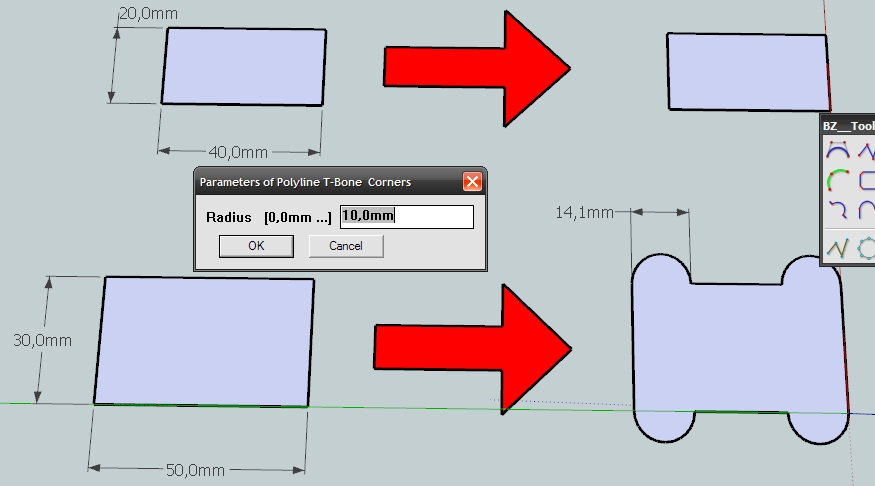
        I type radius 10 mm, but have 14,1. (sqrt200 πŸ˜’ )

        Robert


        T-Bones.jpg

        1 Reply Last reply
        Reply Quote 0
        • fredo6F
          fredo6
          last edited by

          NEW RELEASE 1.6c - 03 Mar 14

          This release is fixes a bug in the TBone curves, found by Robert Wan.
          Remember also that v1.6 is necessary for SU14 and fixes some crashes encountered on some Mac OSX configuration and SU13.
          .

          Download latest release if BezierSpline at main post

          Fredo

          1 Reply Last reply
          Reply Quote 0
          • robertWanR
            robertWan
            last edited by

            Thank you for the correction.
            If it could also be chosen on which line T-bones is formed. Right now it's only on a longer one.

            Robert

            1 Reply Last reply
            Reply Quote 0
            • fredo6F
              fredo6
              last edited by

              @robertwan said:

              Thank you for the correction.
              If it could also be chosen on which line T-bones is formed. Right now it's only on a longer one.

              Robert

              This is not possible with the current GUI. The only thing you can do is to place intermediate points to control the respective lengths of segments at corner.

              Also, I publish a small upgrade (1.6d) to make sure T-bones appears when one of the segment has the required minimum length.

              Fredo

              1 Reply Last reply
              Reply Quote 0
              • fredo6F
                fredo6
                last edited by

                NEW RELEASE 1.6d - 04 Mar 14

                This release fixes a few bugs and problem in the TBone curves, as highlighted by Robert Wan.
                Remember also that v1.6 is necessary for SU14 and also fixes some crashes encountered on some Mac OSX configuration and SU13.
                .

                Download latest release of BezierSpline from main post
                Or the PluginStore http://sketchucation.com/pluginstore?pln=BezierSpline

                Fredo

                1 Reply Last reply
                Reply Quote 0
                • L
                  ly871108
                  last edited by

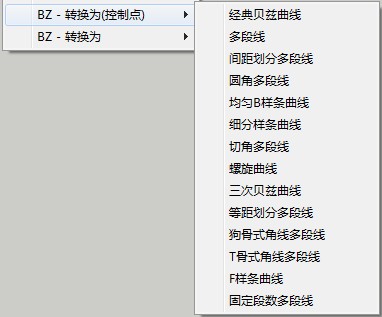
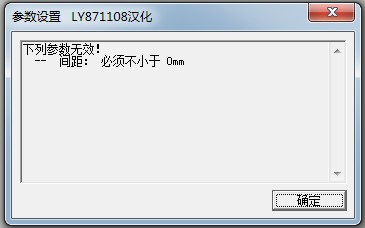
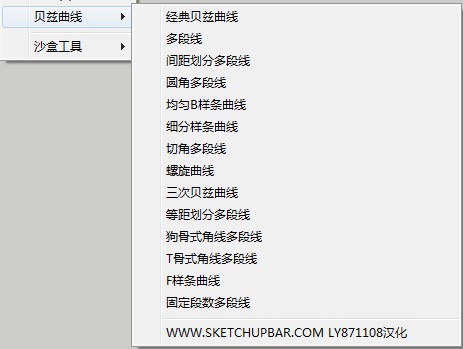
                  I have translated it into CHINESE,perfectly.I tried my best to be with it.THANK YOU!
                  Here is the CHINESE version of 1.6D:


                  1.jpg


                  2.jpg


                  3.jpg


                  4.jpg


                  5.jpg


                  CHINESE Version!Enjoy it! 1.6D

                  1 Reply Last reply
                  Reply Quote 0
                  • P
                    pizixie
                    last edited by

                    πŸ‘
                    @ly871108 said:

                    I have translated it into CHINESE,perfectly.I tried my best to be with it.THANK YOU!
                    Here is the CHINESE version of 1.6D:
                    1 Reply Last reply
                    Reply Quote 0
                    • D
                      dedmin
                      last edited by

                      See the video.
                      Video_2014-03-28_200608.wmv

                      1 Reply Last reply
                      Reply Quote 0
                      • M
                        matthew.robert
                        last edited by

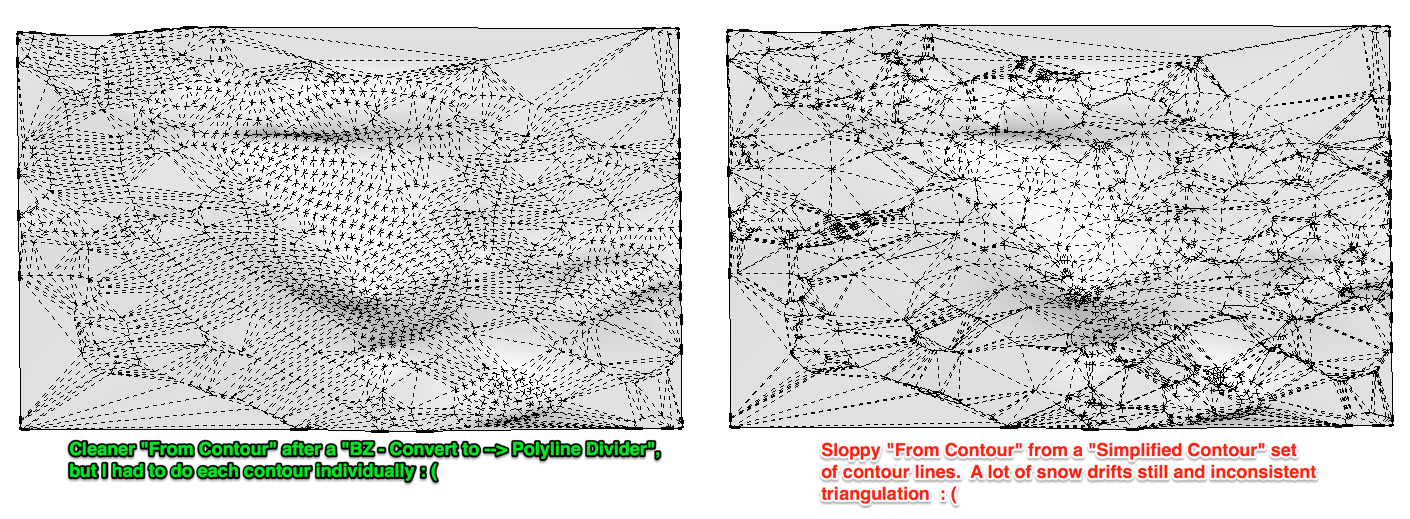
                        Is there any way to convert multiple welded lines (contours for example) to segmented lines with set segment lengths? I have used Bezier Spline in the past to get better "From Contour" results by converting contour lines one at a time to lines made with consistent segment lengths. This works considerably better than the "simplify contours" plugin that still creates snow drifts all over the place.
                        sfq.png

                        EDIT, kinda related... here is a video I created showing how to use the Polyfit LISP (from polyface.de) in Autocad to ultimately get a more efficient model to do a From Contour in SketchUp.

                        http://youtu.be/6bQtJhDn_lc?t=3m40s
                        (Easier to see in HD directly on Youtube, also jump to the 3:40 mark to see the polyfit part.)

                        I've done a similar thing using BezierSpline with the Polyline Divider option, but I need to weld and apply the tool to each contour line rather than all at once with the Polyfit LISP.

                        -- matt

                        1 Reply Last reply
                        Reply Quote 0
                        • M
                          MarinerSketch
                          last edited by

                          Awesome plugin.

                          Is there any option or method to make a spline's ends to be tangent to a straight line?

                          1 Reply Last reply
                          Reply Quote 0
                          • robertWanR
                            robertWan
                            last edited by

                            favicon

                            (www.screencast.com)

                            Robert

                            1 Reply Last reply
                            Reply Quote 0
                            • SkeeterdS
                              Skeeterd
                              last edited by

                              Wonderful plugin! Is there a way to keep a tool persistent like in the tools on surface plugin?

                              1 Reply Last reply
                              Reply Quote 0
                              • T
                                tellkurt
                                last edited by

                                How would I install the plugin for Sketchup 2014 ?

                                1 Reply Last reply
                                Reply Quote 0
                                • fredo6F
                                  fredo6
                                  last edited by

                                  @tellkurt said:

                                  How would I install the plugin for Sketchup 2014 ?

                                  The strongly suggested method is that you first install the Sketchucation PluginStore tool, so that you can easily and safely install any plugin.

                                  Then, you can auto-install Bezierspline and all other plugins in one click.

                                  Fredo

                                  1 Reply Last reply
                                  Reply Quote 0
                                  • M
                                    mamagroene
                                    last edited by

                                    so, I just installed the plugin, but as soon as I try to use it with sketch up (my version is sketchup pro 2014, the toolbar that appears is just empty. I hope you understand my problem as I'm not a native english speaker. we tried pretty much everything to make it work, but we simply can't. I hope you can help!

                                    1 Reply Last reply
                                    Reply Quote 0
                                    • TIGT
                                      TIG Moderator
                                      last edited by

                                      @mamagroene said:

                                      so, I just installed the plugin, but as soon as I try to use it with sketch up (my version is sketchup pro 2014, the toolbar that appears is just empty. I hope you understand my problem as I'm not a native english speaker. we tried pretty much everything to make it work, but we simply can't. I hope you can help!
                                      How did you install it ?
                                      Sounds like some files are missing...
                                      Please reinstall it using the PluginStore's AutoInstall tool, OR if you have the RBZ, then use it with v2014's Preferences > Extensions > Install... button...
                                      Also note that many of Fredo's tools need LibFredo - also install the latest version of that [also available at the PluginStore...].
                                      Restart after the installing to ensure everything is synchronized...

                                      TIG

                                      1 Reply Last reply
                                      Reply Quote 0
                                      • A
                                        antonio.calvo
                                        last edited by

                                        Hello Fredo, thank you for your plugin. Is fantastic and works great. Any way of making it persistent to glue to surface/or group/or edge..? Maybe be with a key stroke? Thank you so much again.

                                        1 Reply Last reply
                                        Reply Quote 0
                                        • W
                                          witjazz
                                          last edited by

                                          thanks

                                          1 Reply Last reply
                                          Reply Quote 0
                                          • Y
                                            yaseerr
                                            last edited by

                                            like it thank you

                                            1 Reply Last reply
                                            Reply Quote 0

                                            Hello! It looks like you're interested in this conversation, but you don't have an account yet.

                                            Getting fed up of having to scroll through the same posts each visit? When you register for an account, you'll always come back to exactly where you were before, and choose to be notified of new replies (either via email, or push notification). You'll also be able to save bookmarks and upvote posts to show your appreciation to other community members.

                                            With your input, this post could be even better πŸ’—

                                            Register Login
                                            • 1
                                            • 2
                                            • 5
                                            • 6
                                            • 7
                                            • 8
                                            • 9
                                            • 22
                                            • 23
                                            • 7 / 23
                                            • First post
                                              Last post
                                            Buy SketchPlus
                                            Buy SUbD
                                            Buy WrapR
                                            Buy eBook
                                            Buy Modelur
                                            Buy Vertex Tools
                                            Buy SketchCuisine
                                            Buy FormFonts

                                            Advertisement