sketchucation logo sketchucation
    • Login
    Oops, your profile's looking a bit empty! To help us tailor your experience, please fill in key details like your SketchUp version, skill level, operating system, and more. Update and save your info on your profile page today!
    ⚠️ Update | Sketchucation Tools 5.0.8 released with licensing improvements and bugfixes Download

    SubD examples and models

    Scheduled Pinned Locked Moved SUbD
    renderpluginsextensions
    1.7k Posts 81 Posters 2.1m Views 79 Watching
    Loading More Posts
    • Oldest to Newest
    • Newest to Oldest
    • Most Votes
    Reply
    • Reply as topic
    Log in to reply
    This topic has been deleted. Only users with topic management privileges can see it.
    • BoxB
      Box
      last edited by

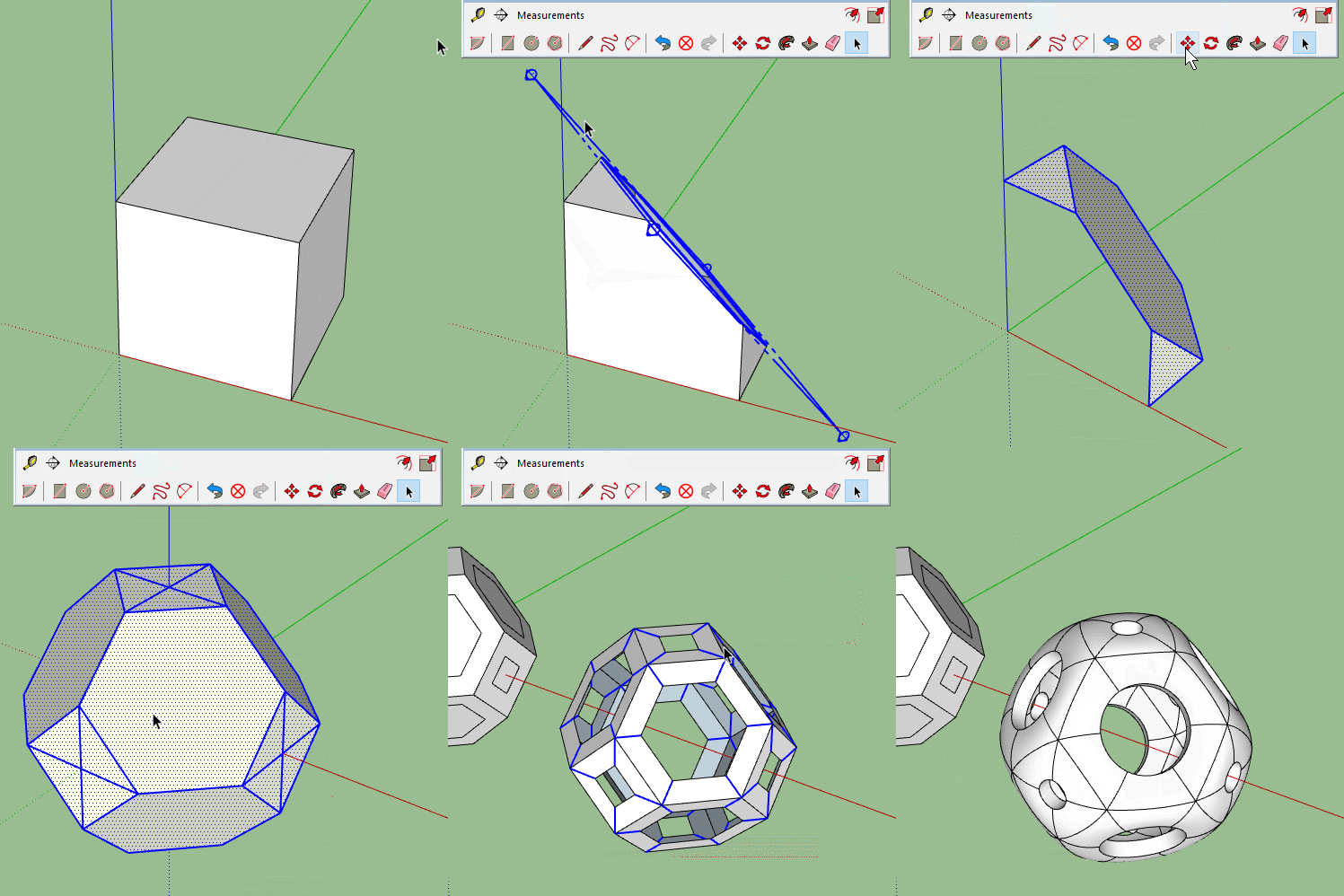
      This one shows how if you SUbD before JPP you get the sharp edges in the original render rather than the soft ones in the second model.

      Oddball.gif

      1 Reply Last reply
      Reply Quote 0
      • HornOxxH
        HornOxx
        last edited by

        Thanks, now I got it πŸ˜„ - I first assumed to see 2 shapes above. To see your competent handling with geometry is impressive allways πŸ‘ - for exampe that you started with a section plane to generate this first shape ...

        never trust a skinny cook

        1 Reply Last reply
        Reply Quote 0
        • BoxB
          Box
          last edited by

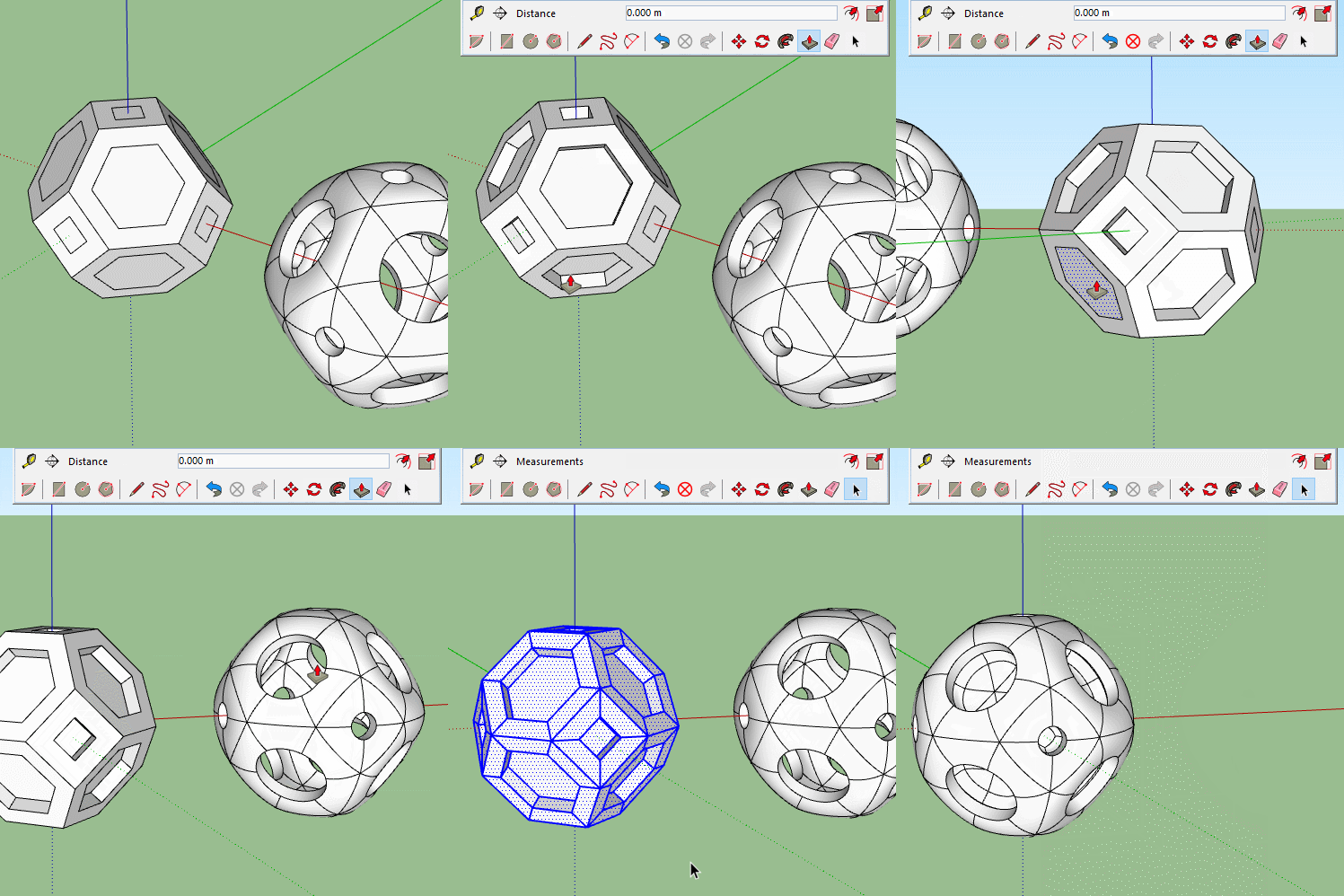
          No, you are right, there are two shapes, the red and the blue. The blue one fits around the red one.
          Here's the rest of it, hope that makes sense.

          Oddball2.gif

          1 Reply Last reply
          Reply Quote 0
          • HornOxxH
            HornOxx
            last edited by

            Yes πŸ˜„ - and I really enjoy this kind of geometry exercises ...

            never trust a skinny cook

            1 Reply Last reply
            Reply Quote 0
            • V
              Vizan
              last edited by

              @cotty said:

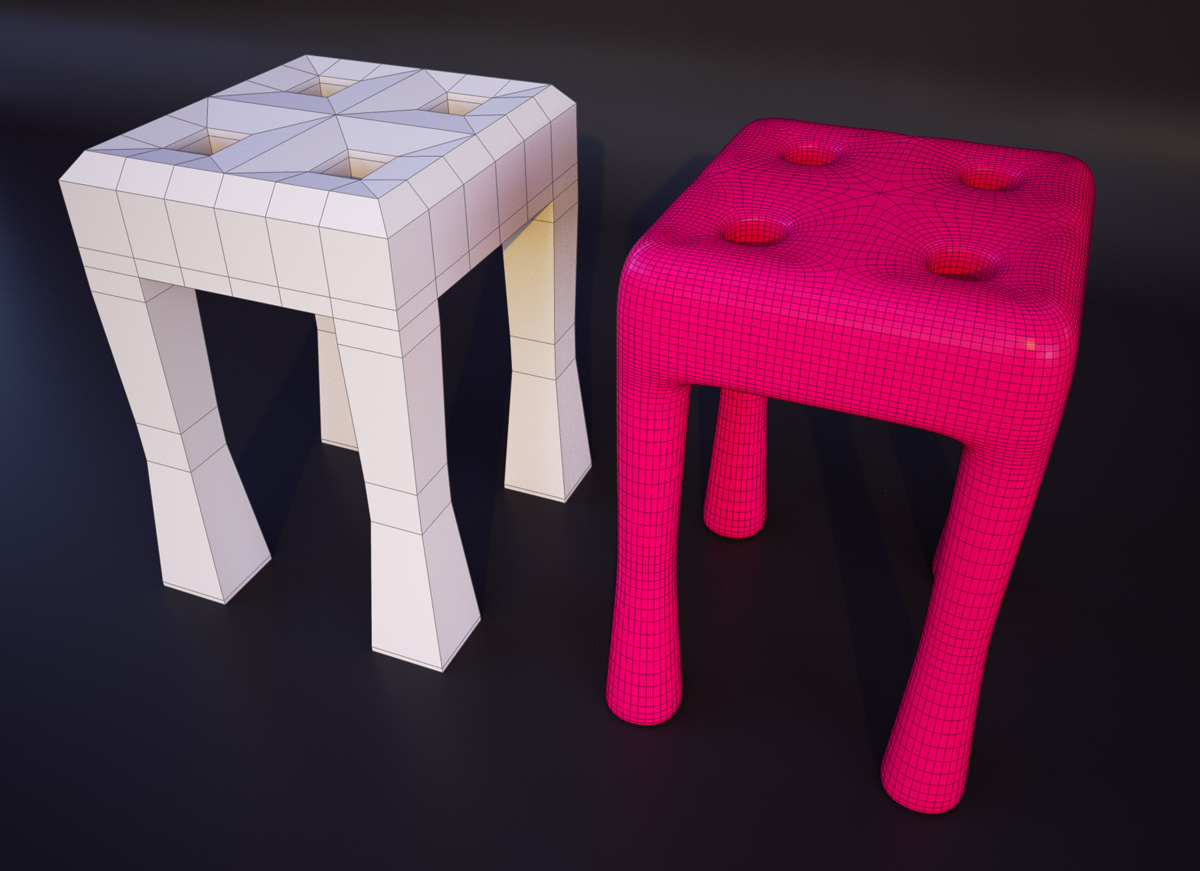
              Hopefully the beginning of a looong and helpful topic...
              subd6.jpg

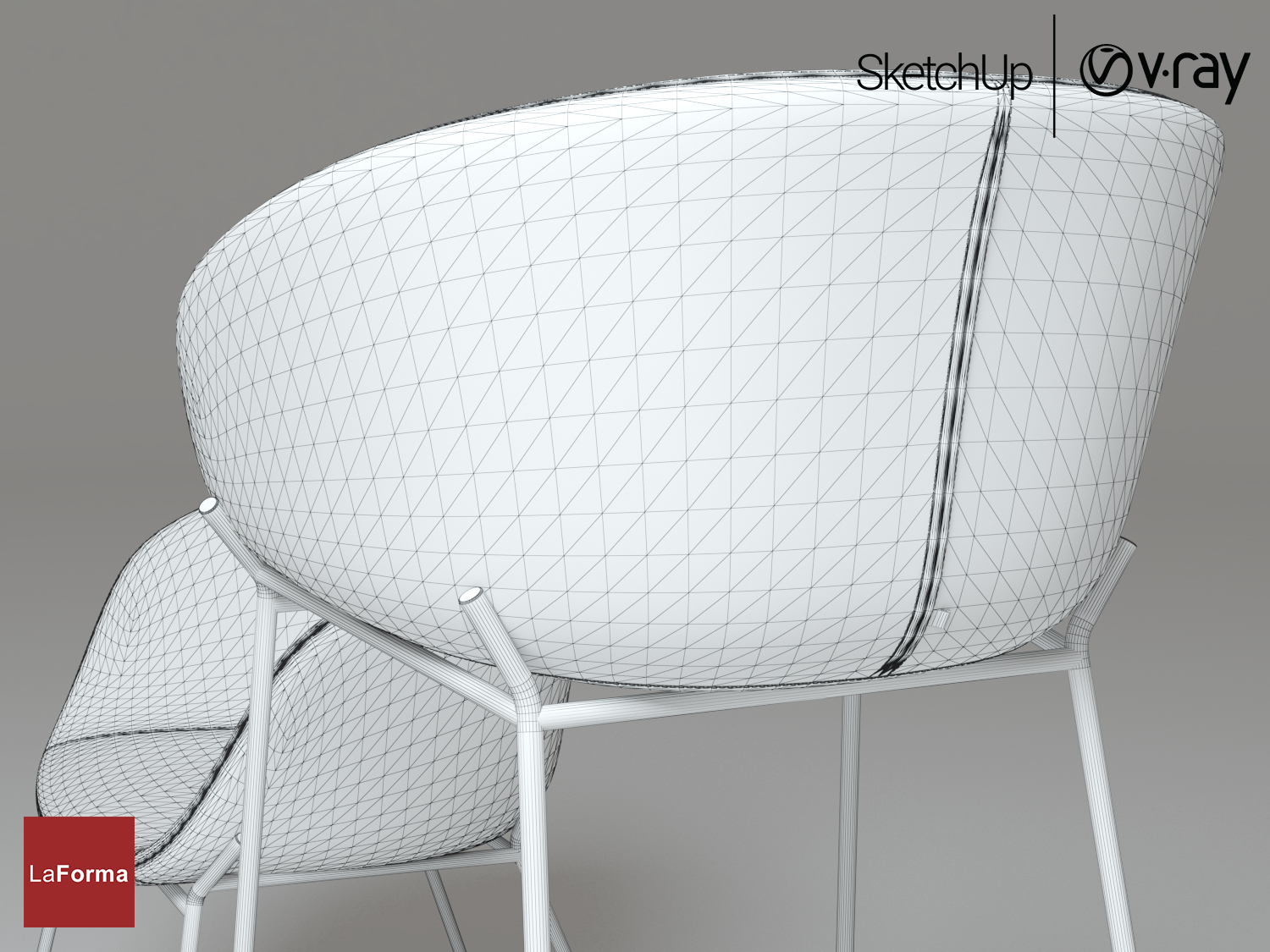
              How did you render with a square grid without triangles? It doesn’t work out for me((

              LaForma Π‘Ρ‚ΡƒΠ» ZADINE+Π‘Π°Ρ€Π½Ρ‹ΠΉ стул ZADINE_06.jpg


              screenshot50.png

              1 Reply Last reply
              Reply Quote 0
              • C
                Callegari_hr
                last edited by

                In QuadFaceTools plugin there is Convert Triangulated Mesh to Quads, select two triangles of one quad and run that tool.

                1 Reply Last reply
                Reply Quote 0
                • cottyC
                  cotty
                  last edited by

                  You can use this tool with no visible hidden geometry for it.
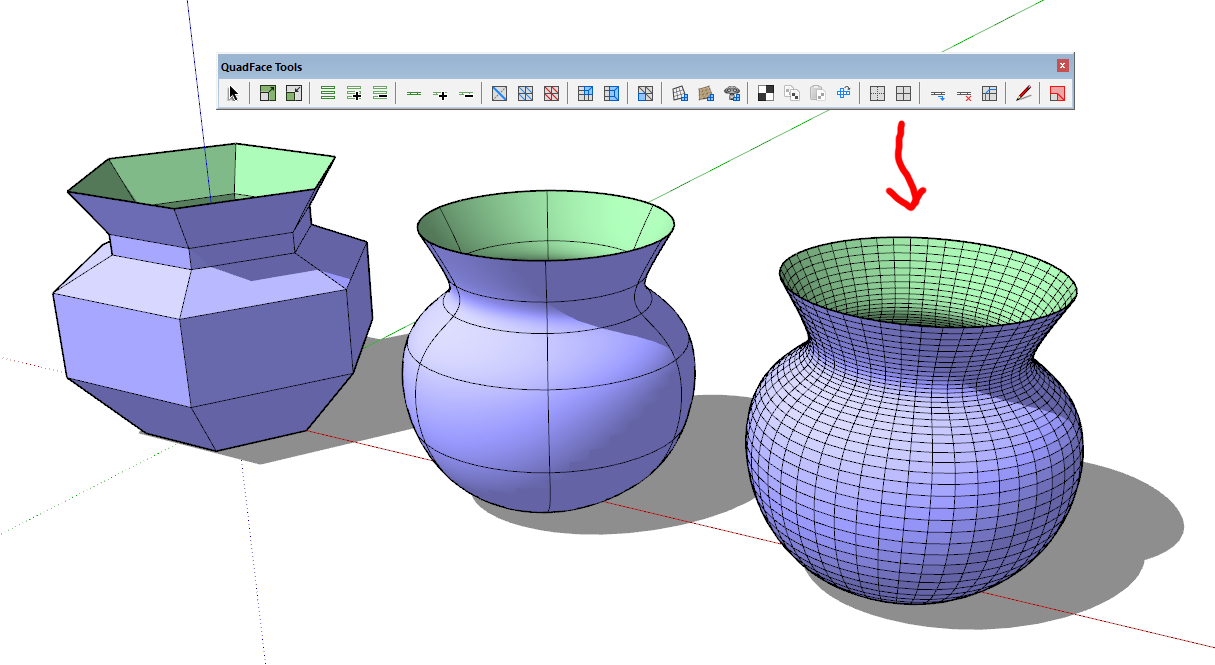
                  quads.jpg

                  my SketchUp gallery

                  1 Reply Last reply
                  Reply Quote 0
                  • V
                    Vizan
                    last edited by

                    @cotty said:

                    You can use this tool with no visible hidden geometry for it.

                    [attachment=4:3726vs77]<!-- ia4 -->quads.jpg<!-- ia4 -->[/attachment:3726vs77]

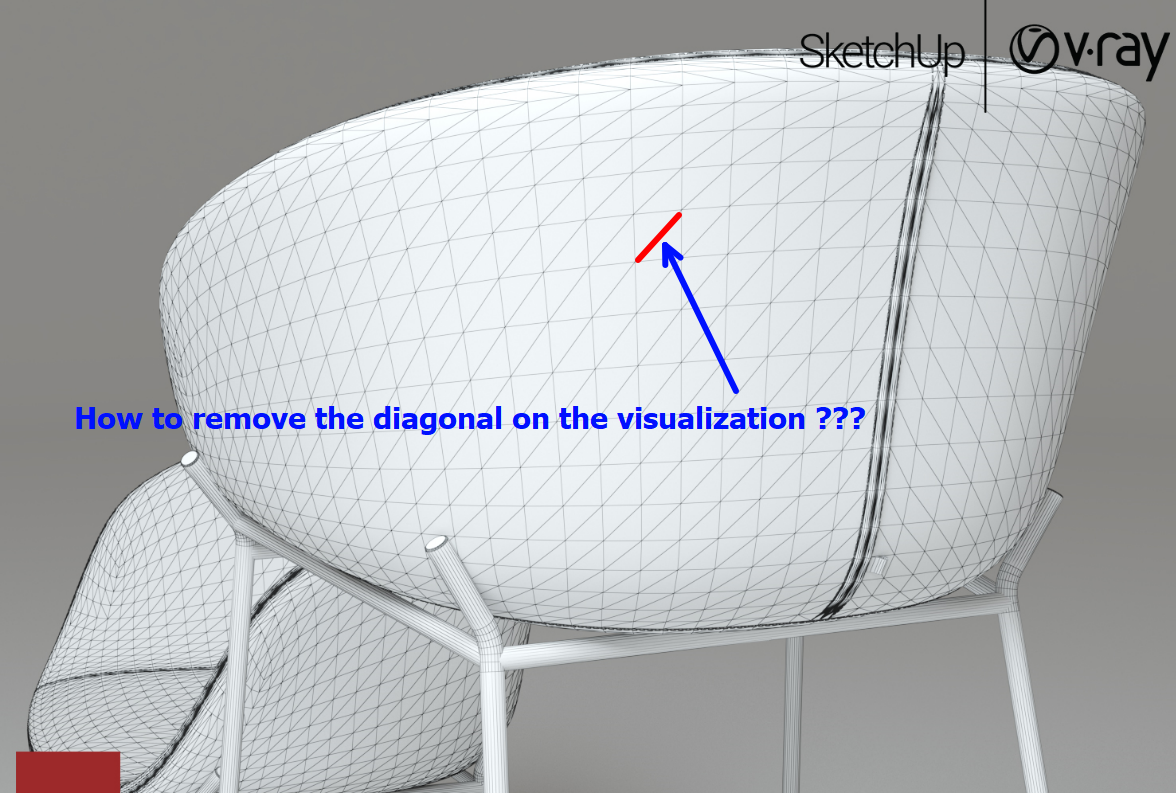
                    After the Subd plugin, my model looks like on a screenshot. But when rendering a polygon mesh in Vray, I see triangles. I noticed that if the dividing line of the square is hidden, then it is not visible on the visualization.
                    It would be great if the Subd plugin itself hid this dividing line, or there would be some sort of automatic way.
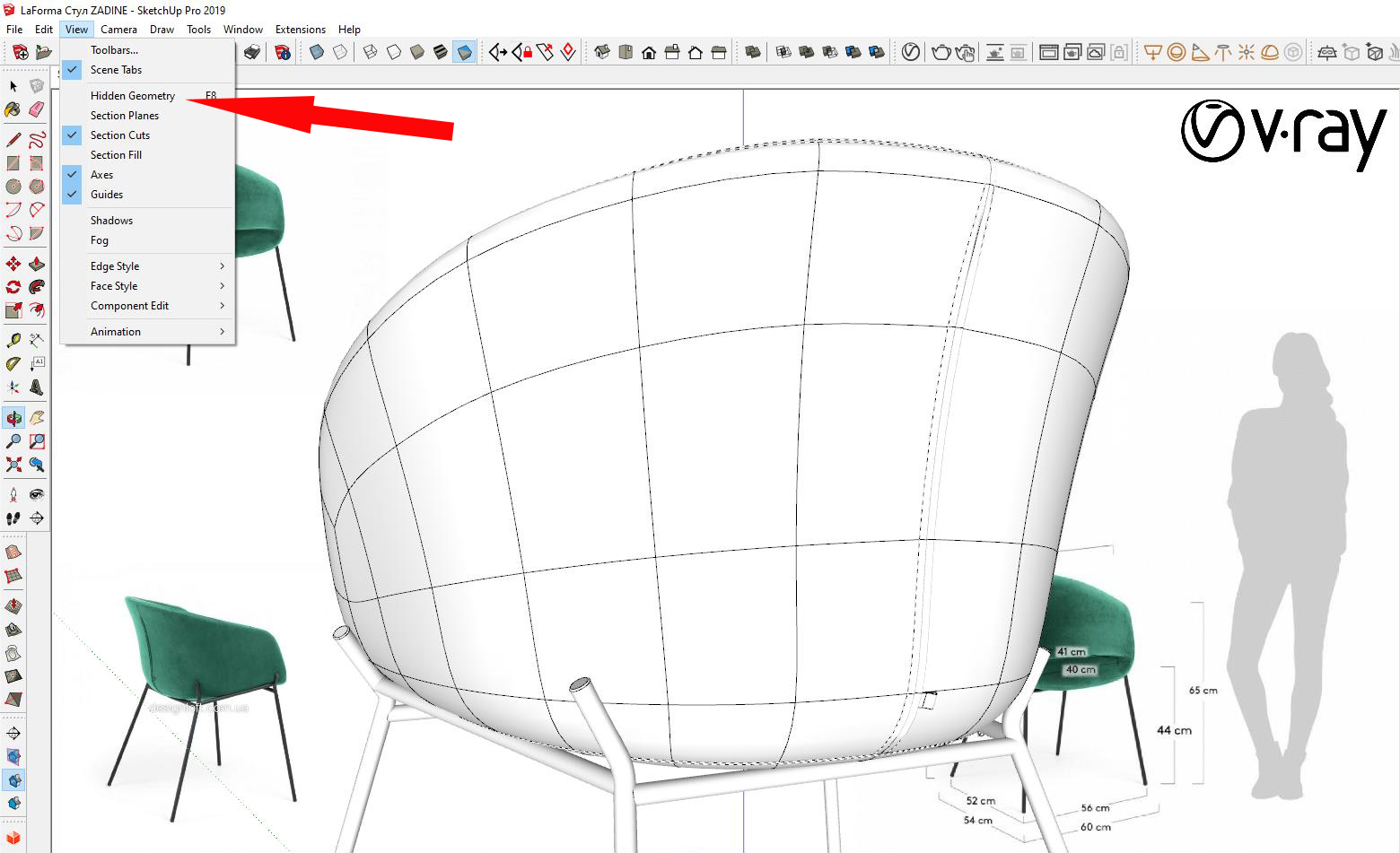
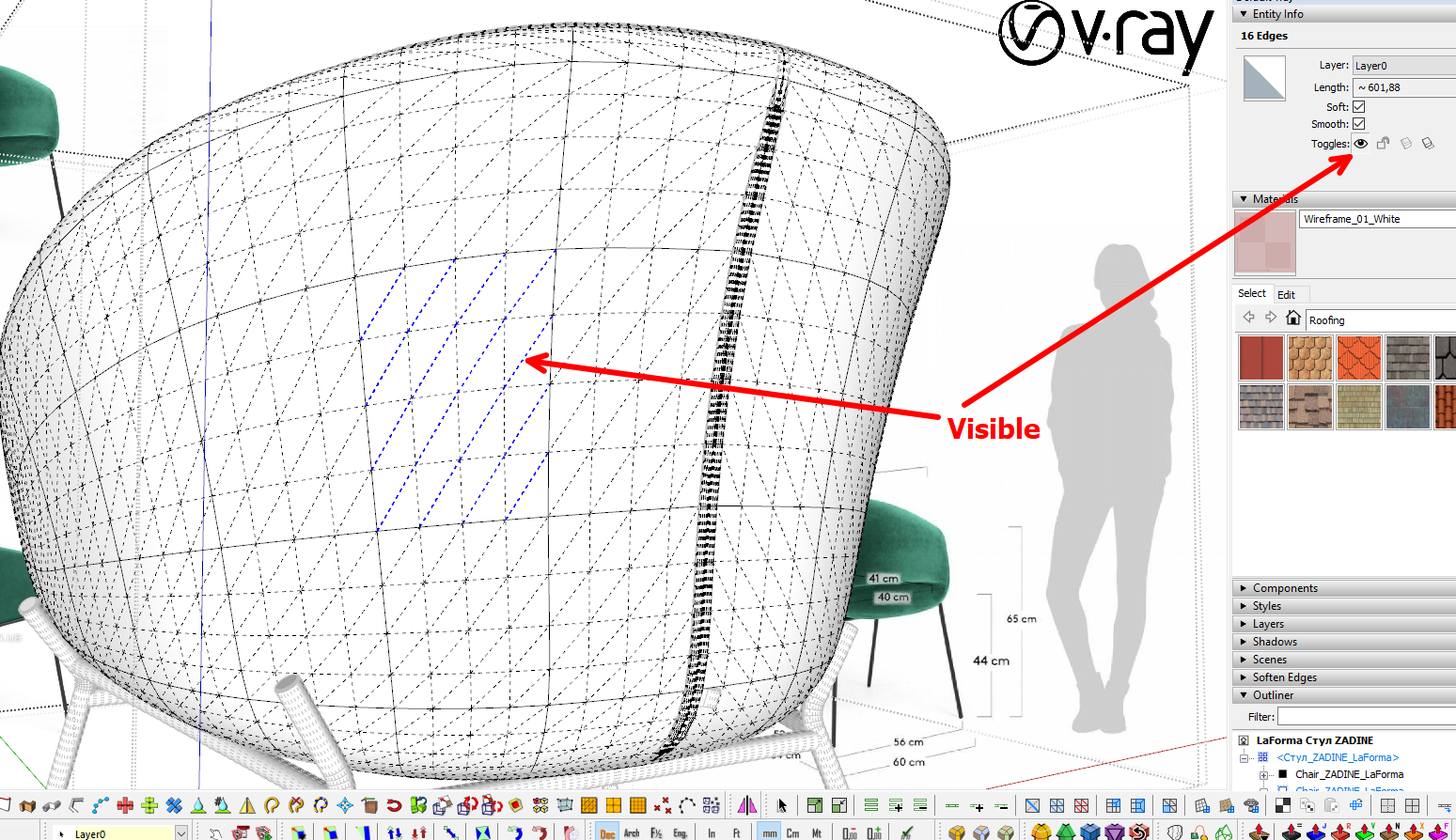
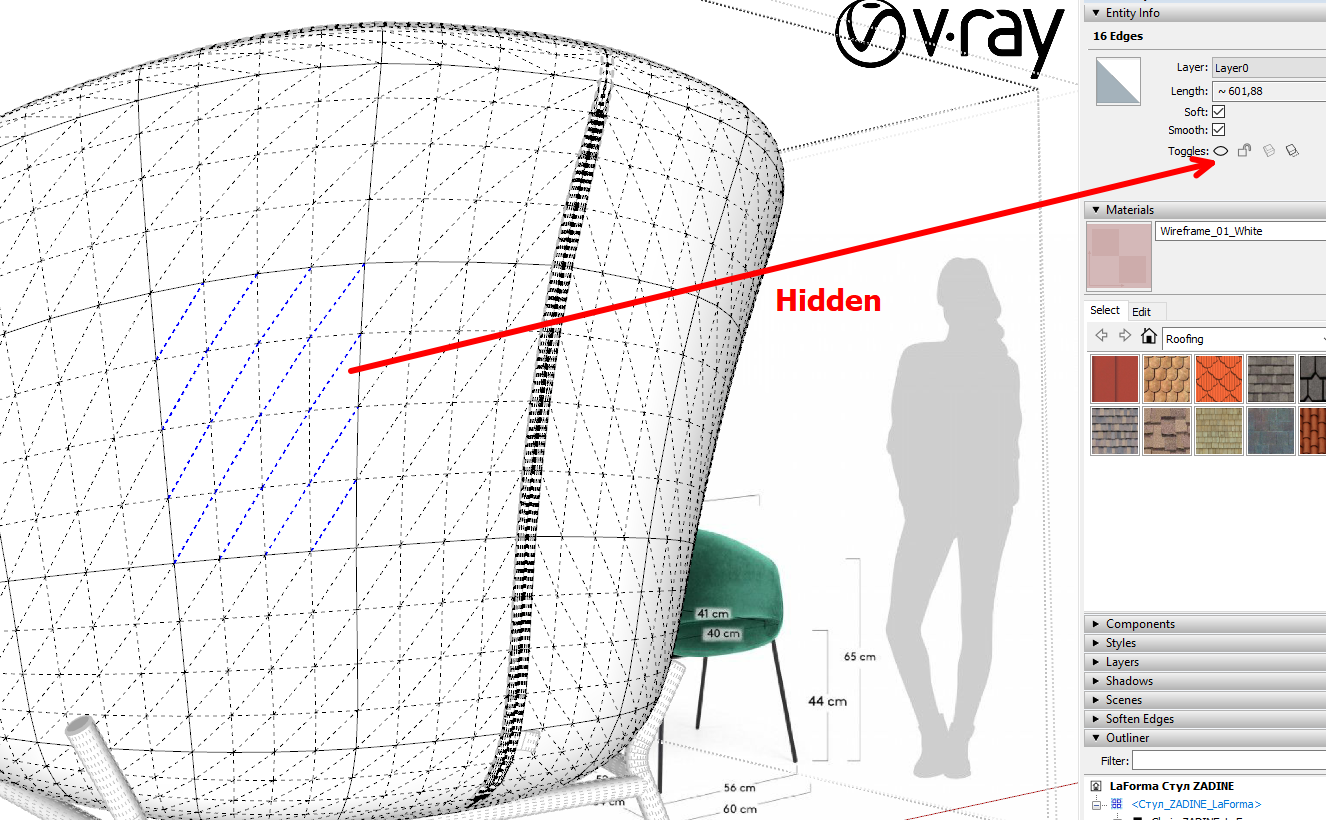
                    img_15122019_161259.jpg


                    screenshot52.png


                    screenshot53.png


                    screenshot54.png

                    1 Reply Last reply
                    Reply Quote 0
                    • BoxB
                      Box
                      last edited by

                      This is more of a v-ray question, if V-ray doesn't have an option to render specific edges then you need to be a bit clever.
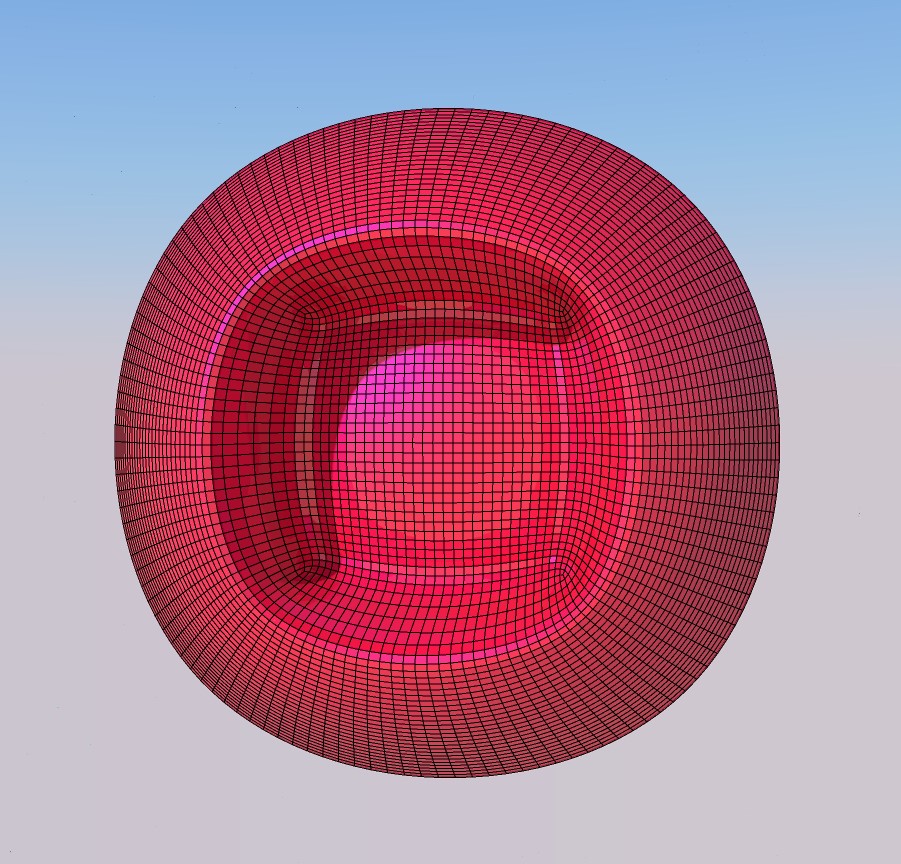
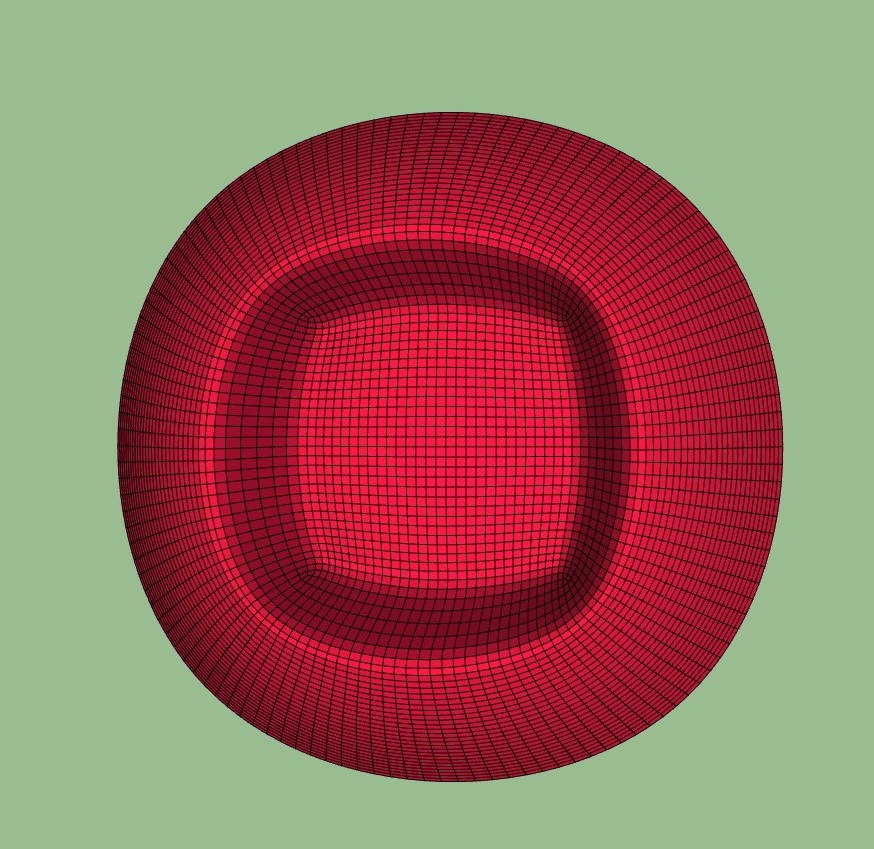
                      Render the shape then export the edges as a transparent background .png and combine the two.
                      Hera's a very simple example.


                      Pink.jpg


                      PinkSu.jpg

                      1 Reply Last reply
                      Reply Quote 0
                      • V
                        Vizan
                        last edited by

                        @box said:

                        This is more of a v-ray question, if V-ray doesn't have an option to render specific edges then you need to be a bit clever.
                        Render the shape then export the edges as a transparent background .png and combine the two.
                        Hera's a very simple example.

                        Thanks! This is a good idea)))

                        1 Reply Last reply
                        Reply Quote 0
                        • thomthomT
                          thomthom
                          last edited by

                          @vizan said:

                          It would be great if the Subd plugin itself hid this dividing line, or there would be some sort of automatic way.
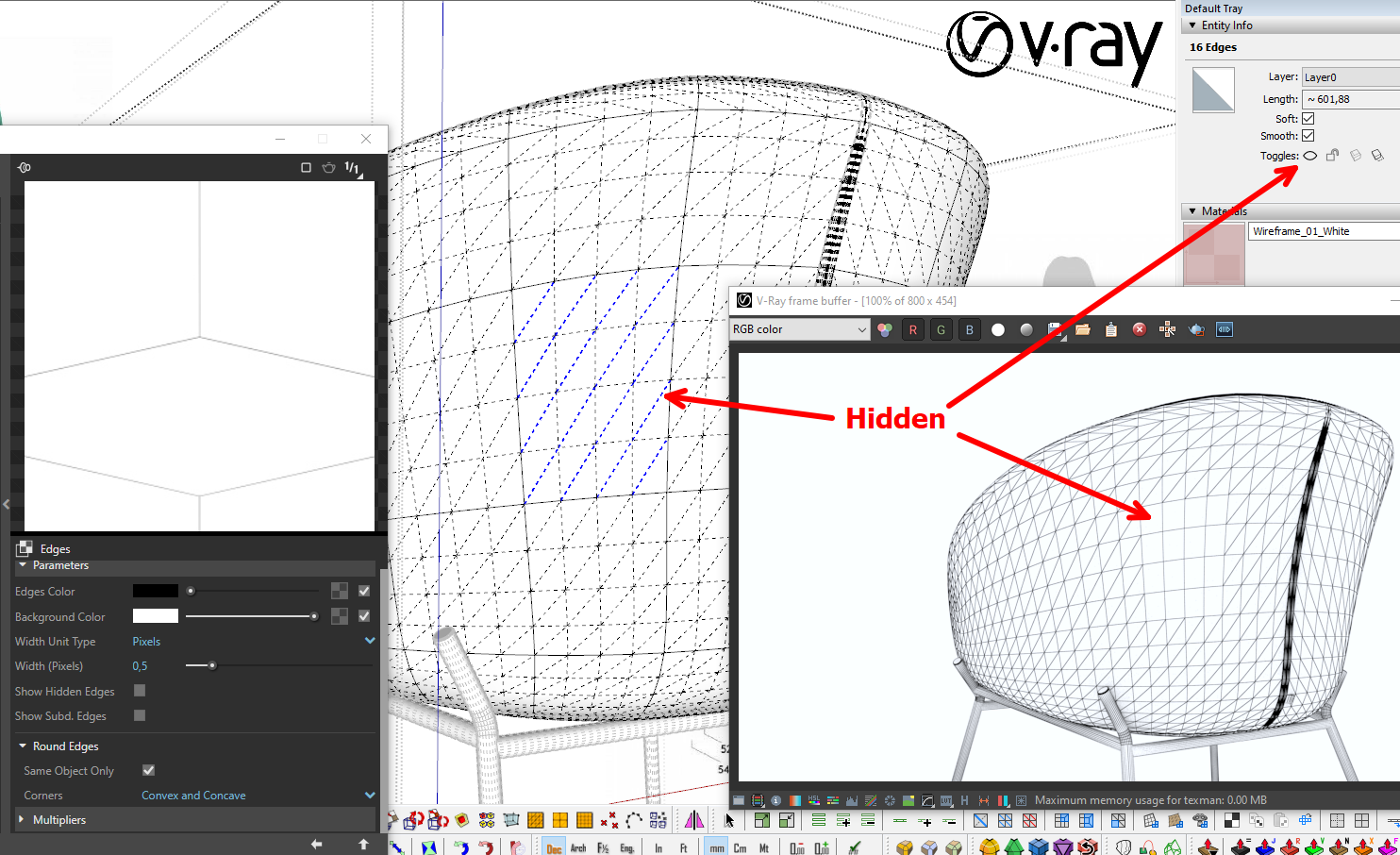
                          I'll logged it as something to look into. I just need to make sure it doesn't have any other unintended side-effects.

                          Thomas Thomassen β€” SketchUp Monkey & Coding addict
                          List of my plugins and link to the CookieWare fund

                          1 Reply Last reply
                          Reply Quote 0
                          • pilouP
                            pilou
                            last edited by

                            Frenchy Pilou
                            Is beautiful that please without concept!
                            My Little site :)

                            1 Reply Last reply
                            Reply Quote 0
                            • B
                              bahri06
                              last edited by

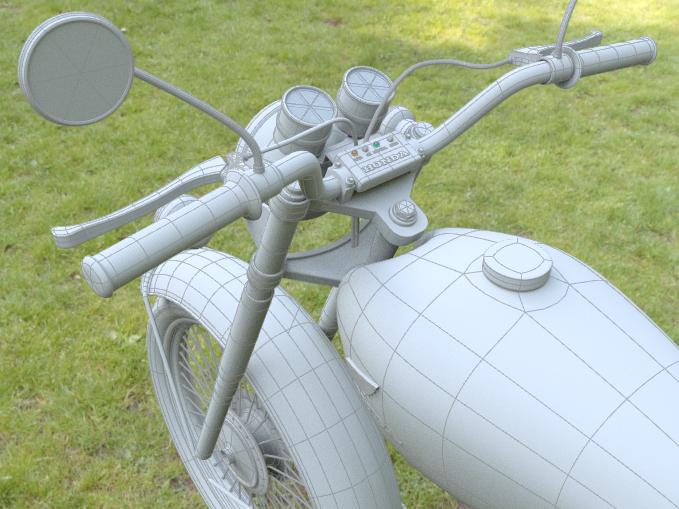
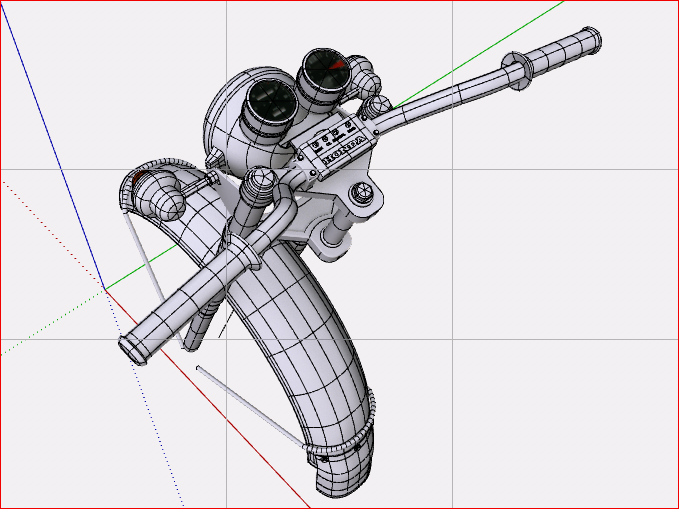
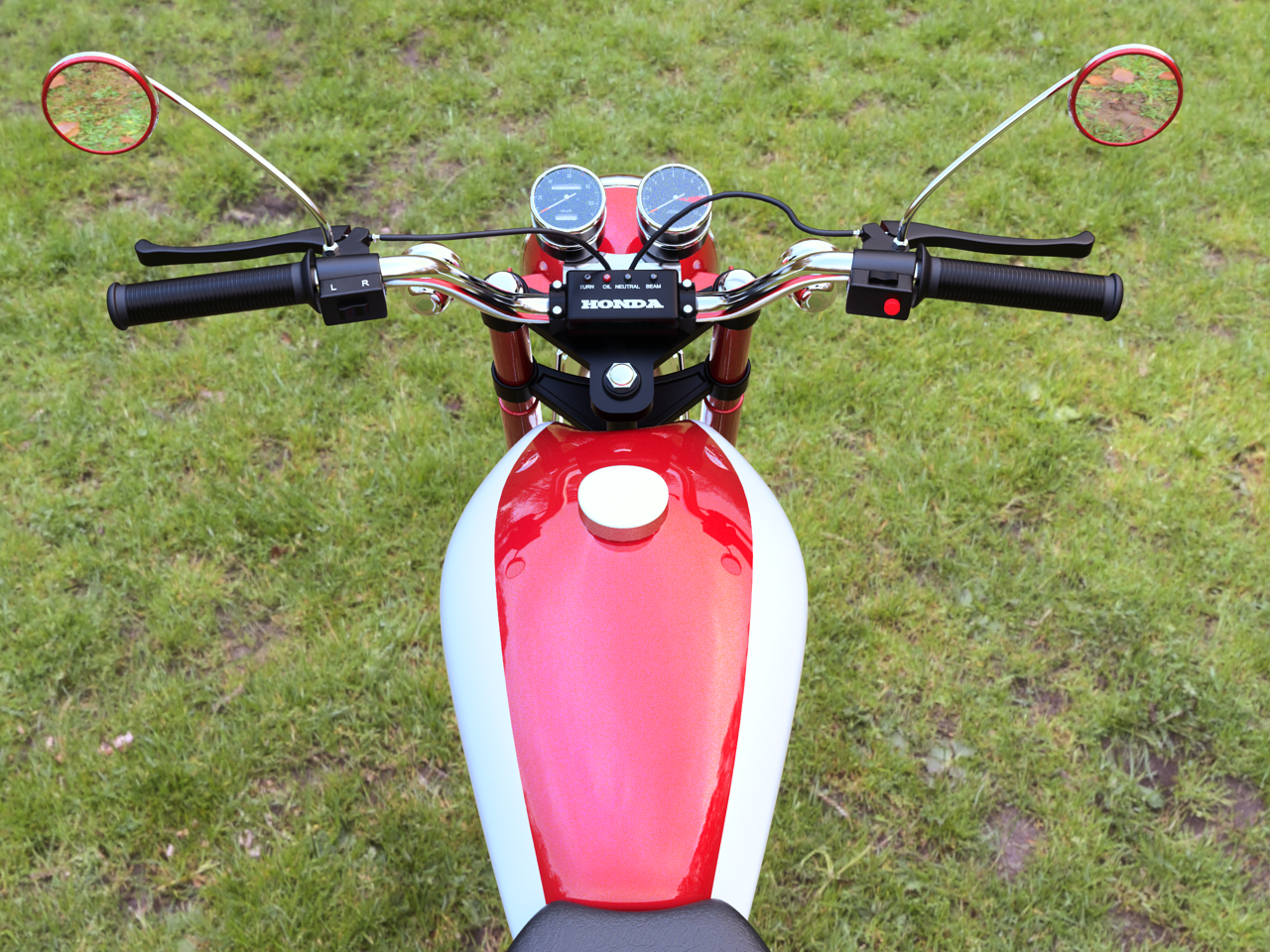
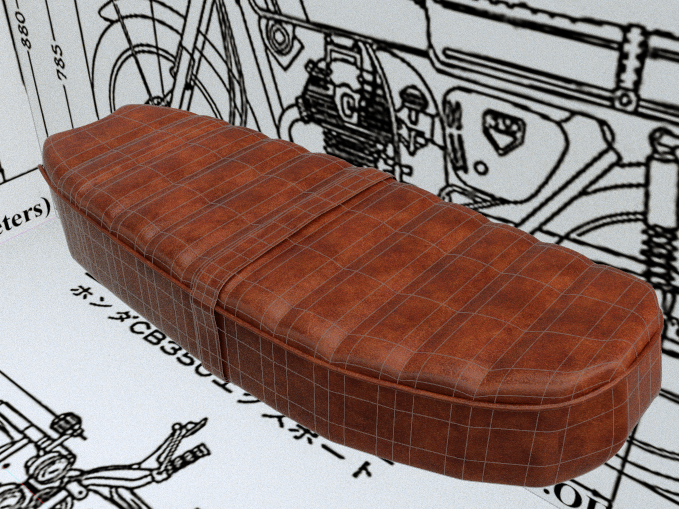
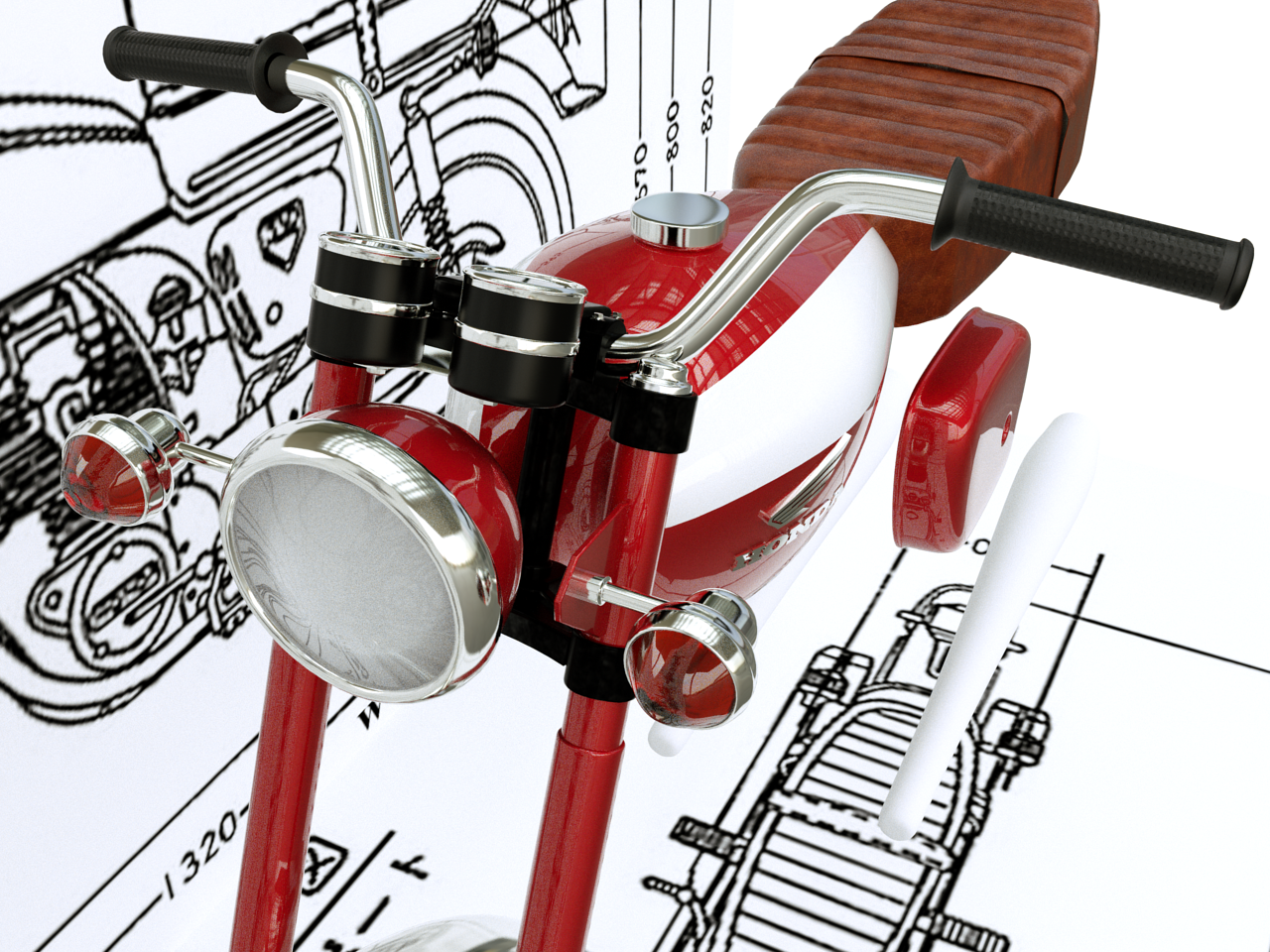
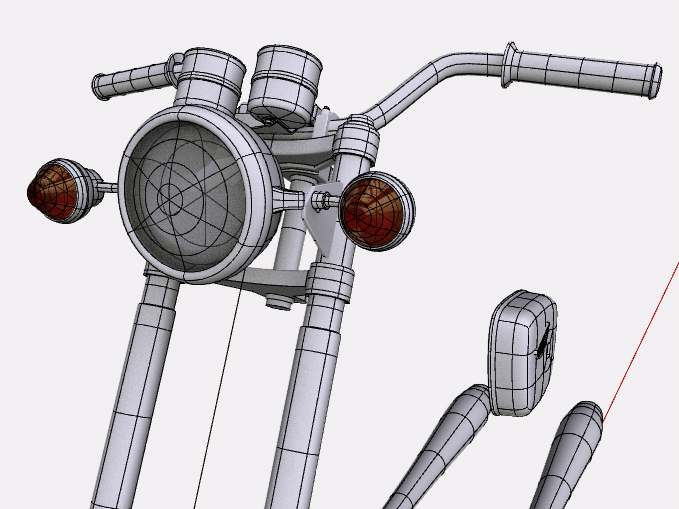
                              My first post here... still WIP Honda CB 175
                              Thanks to Pilou for all your tutorial on you tube channel

                              hg.png


                              AutoSave_CB 350 II-Scene 1yu.png


                              ki.png


                              finale front.png


                              AutoSave_CB 350 II-Scene 1r.png


                              2.png

                              1 Reply Last reply
                              Reply Quote 0
                              • cottyC
                                cotty
                                last edited by

                                great model and impressive first post...

                                my SketchUp gallery

                                1 Reply Last reply
                                Reply Quote 0
                                • pilouP
                                  pilou
                                  last edited by

                                  Cool motor bike! 😎

                                  (Ps these above videos are not my own videos, alas! πŸ˜‰

                                  Frenchy Pilou
                                  Is beautiful that please without concept!
                                  My Little site :)

                                  1 Reply Last reply
                                  Reply Quote 0
                                  • HornOxxH
                                    HornOxx
                                    last edited by

                                    πŸ‘ perfect! and a nice model idea πŸ˜„

                                    never trust a skinny cook

                                    1 Reply Last reply
                                    Reply Quote 0
                                    • V
                                      Vizan
                                      last edited by

                                      @thomthom said:

                                      @vizan said:

                                      It would be great if the Subd plugin itself hid this dividing line, or there would be some sort of automatic way.

                                      I'll logged it as something to look into. I just need to make sure it doesn't have any other unintended side-effects.

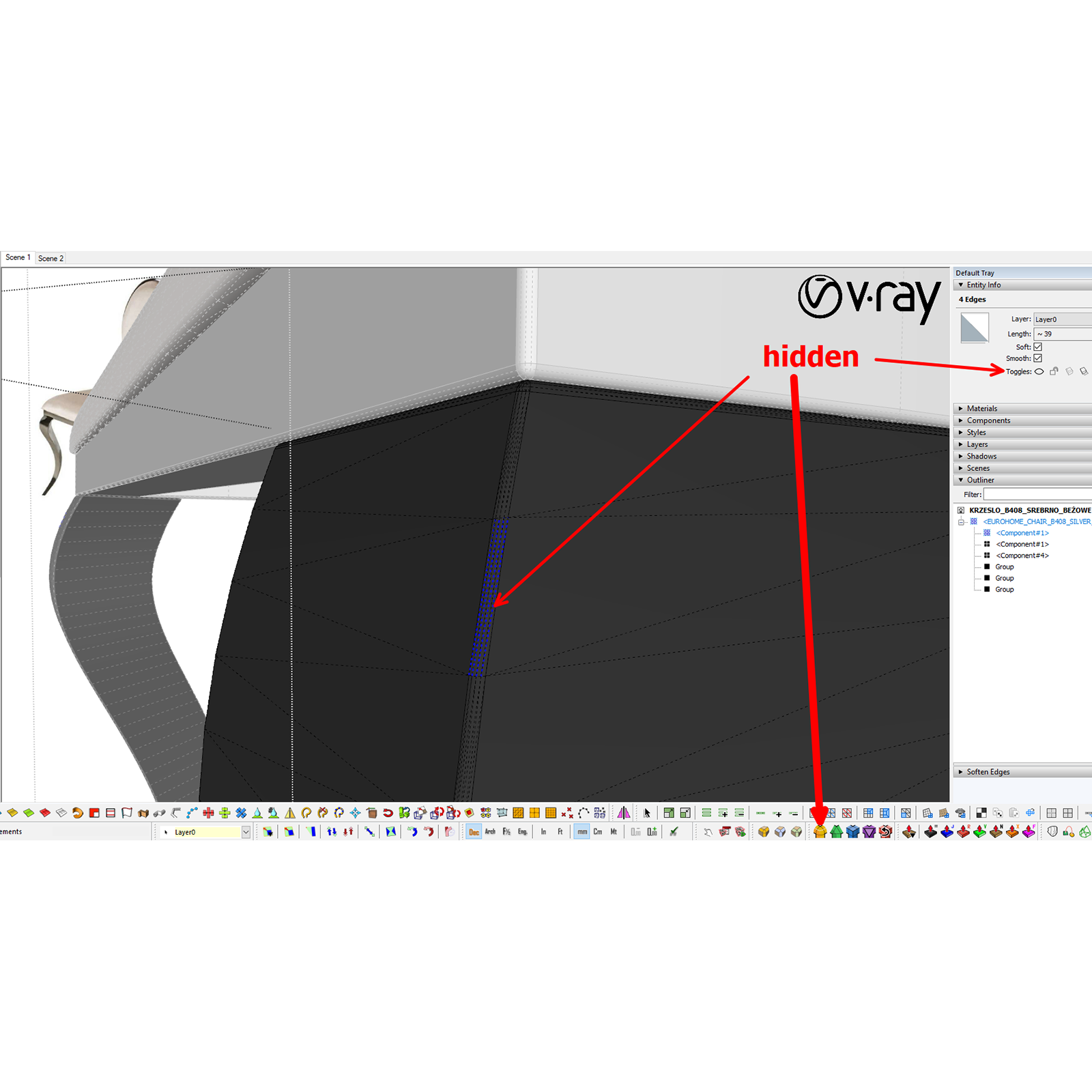
                                      Thank you for your attention to this!
                                      I noticed that the FredoCorner plugin does this automatically.

                                      screenshot5.png

                                      1 Reply Last reply
                                      Reply Quote 0
                                      • thomthomT
                                        thomthom
                                        last edited by

                                        Wow - that's an impressible detailed model! Very nice topology as well! πŸ‘ πŸ‘

                                        Thomas Thomassen β€” SketchUp Monkey & Coding addict
                                        List of my plugins and link to the CookieWare fund

                                        1 Reply Last reply
                                        Reply Quote 0
                                        • panixiaP
                                          panixia
                                          last edited by

                                          Dirt jumping bike trails.
                                          Sub-d concept

                                          3d printed version πŸ˜›

                                          1 Reply Last reply
                                          Reply Quote 0
                                          • panixiaP
                                            panixia
                                            last edited by

                                            @thomthom said:

                                            I just need to make sure it doesn't have any other unintended side-effects.

                                            Please no, or at least make this as an option one can toggle on/off, because in general hidden geometry is BAD. 😐
                                            IMHO it would be a more clean workflow to do all the modeling avoiding hidden geometry and only at the last stage, when finalizing geometry for rendering, select all the smoothed edges (select all geometery and then run "selection toys -> select only -> soft edges") and turn them invisible.

                                            @vizan said:

                                            Thank you for your attention to this!
                                            I noticed that the FredoCorner plugin does this automatically.

                                            Fredo corner plugin has an option for this in "rounding parameters->borders->inner edges" and you can toggle.
                                            I think that's a good approach, because it can be adapted for different workflows.

                                            1 Reply Last reply
                                            Reply Quote 0

                                            Hello! It looks like you're interested in this conversation, but you don't have an account yet.

                                            Getting fed up of having to scroll through the same posts each visit? When you register for an account, you'll always come back to exactly where you were before, and choose to be notified of new replies (either via email, or push notification). You'll also be able to save bookmarks and upvote posts to show your appreciation to other community members.

                                            With your input, this post could be even better πŸ’—

                                            Register Login
                                            • 1
                                            • 2
                                            • 65
                                            • 66
                                            • 67
                                            • 68
                                            • 69
                                            • 83
                                            • 84
                                            • 67 / 84
                                            • First post
                                              Last post
                                            Buy SketchPlus
                                            Buy SUbD
                                            Buy WrapR
                                            Buy eBook
                                            Buy Modelur
                                            Buy Vertex Tools
                                            Buy SketchCuisine
                                            Buy FormFonts

                                            Advertisement