[Plugin][$] Vertex Tools
-
Add these too...
Edge Slide
Vertex Move parallel to view direction. Without gizmo
Vertex Extrude
Quad Face FillWill i stop?
-
-
Hi,
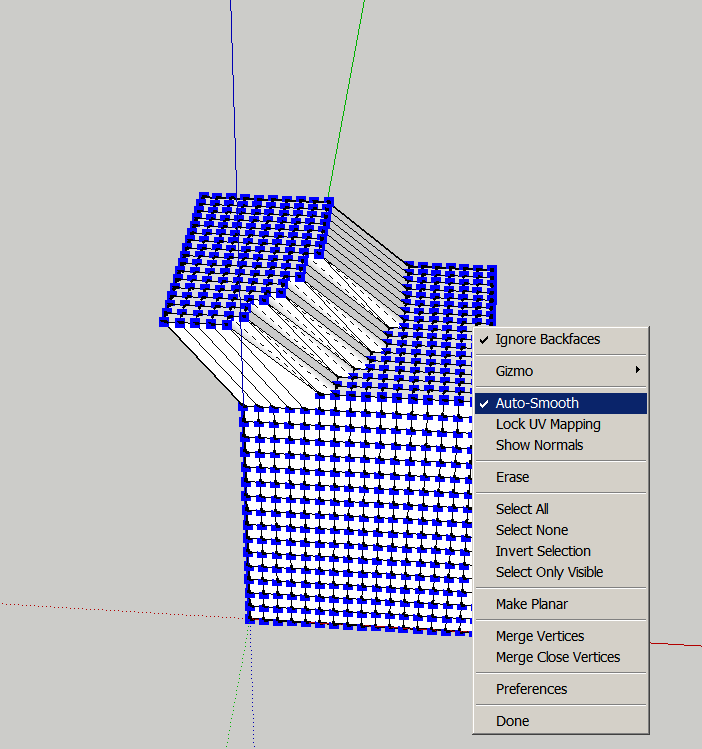
I do not know what I'm doing wrong. For me smoothing doesn't work although the function is checked. I thank you in advance for any help.
Charly
-
It is working. Turn off hidden geometry and you will see all the faces have 4 edges.
-
I assume you mean the soft selection? When you have the Select tool activated, enter a radius in the VCB.
-
Hi Thomas,
Yes that was what I meant. Thanks for the hint. -
If any OSX Mavericks users tried to register Vertex Tools recently and failed to do so there is a fix released (1.1.7) that takes care of the issue.
-
I've tried to create a simple star with vertex scaling (see screencast), but it's getting unsymmetrical, any ideas?
-
Did you try Shift + Blue scale?
Sent from my iPad
-
It works if you use a 10 sided circle rather than a polygon.
-
-
Yes, that's because the center of the five selected vertices isn't the center of the polygon.
You can right-click the Gizmo > Gizmo > Align Custom and then set the position of the gizmo. Note that it works like the Align Axis tool, so you must pick center point and then the X and Y axes.
You can then scale and get your start. Note that after scaling the gizmo re-centers itself.
-
align gizmo to custom

edit: didn't see page 13 of this post


-
I know Vertex Tools has been around for a little while but I only recently downloaded the trial version and I just have to say that this plugin finally fills in such a huge hole that Sketchup has been missing in advanced modelling tools and techniques. I only wish I had noticed it before. I was especially STOKED with the scale tool implementation that not only aligns vertices to a single axis, but that we can finally get rid of artifact lines by scaling a plane to absolute zero. Ya-freakin-hoo, it's about time.
Also love the extrude edge and merge vertex options. Beautiful man.
-
HAppy you like it!

-
@xiombarg said:
...this plugin finally fills in such a huge hole that Sketchup has been missing in advanced modelling tools and techniques....
nice testimonial/endorsement

-
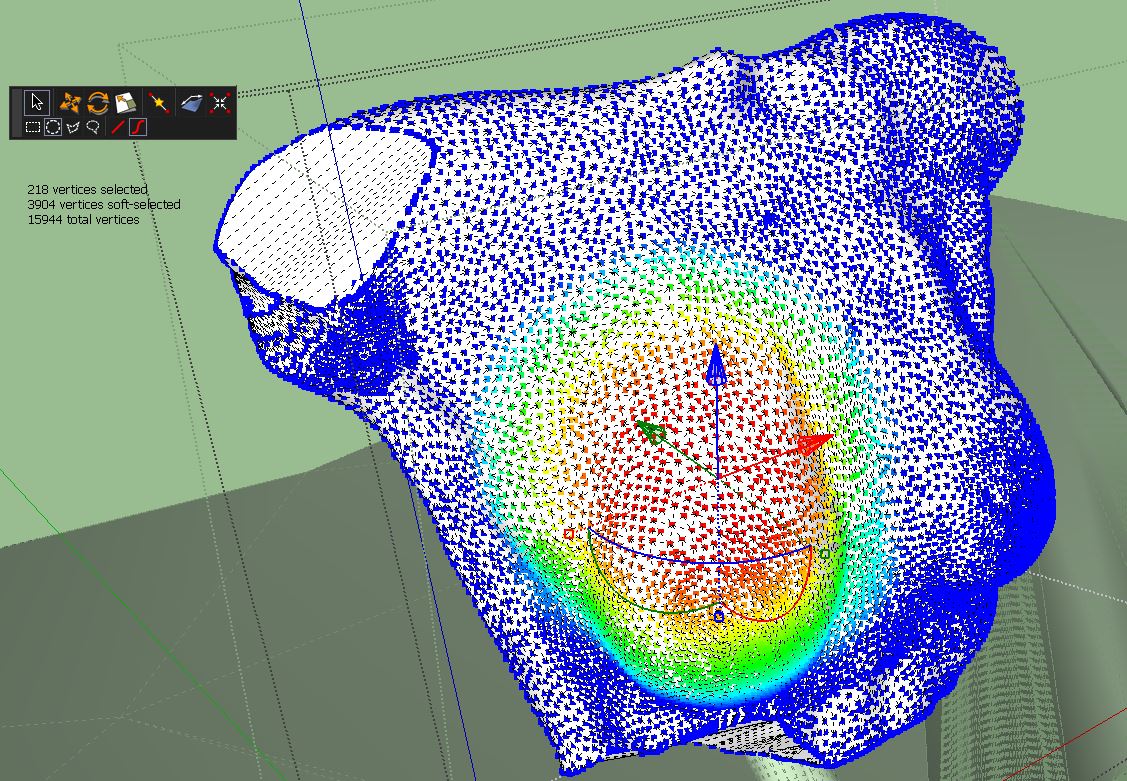
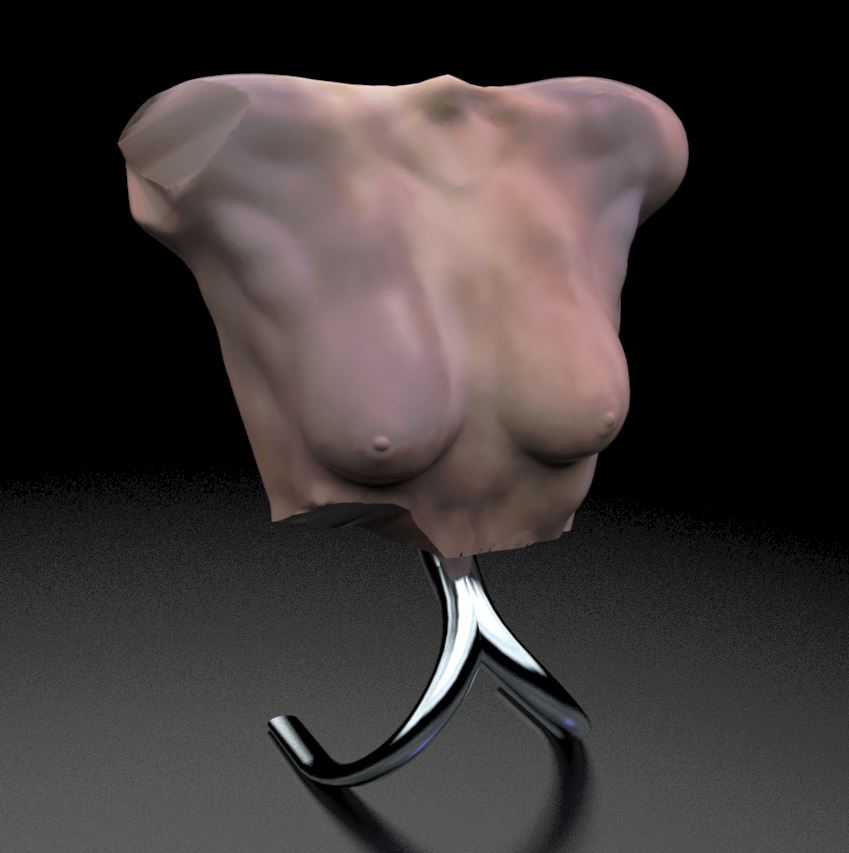
I was just trolling through the thread and noticed a number of times you asked for action shots of the tool in use. Here's a quick doodle I did the other day for fun.
Fantastic tool, couldn't live without it.
-
Very nice work Box! And a great subject for VT capabilities. Did you subd as well? Other tools?
-
My question is certainly not as interesting as the above post but here goes -
I have need on occasion to introduce a flat area into a terrain. I can move individual vertices but this can sometimes be a lot of work. The planar tool makes a flat surface but not a horizontal surface. What I want to do is select a number of vertices and set them all to the same z elevation. The stamp tool does this somewhat but introduces a bunch of new vertices to do this (unless you create a very exact stamp surface). This option seems like this might be fairly straightforward to incorporate. Any possibilities with this request? Or perhaps there is already a tool around which does what I want. I've looked but haven't found it.
Kris -
Pbacot I used a few tools, but mostly VT. A tiny bit of Artisan for sub and smooth mainly because the button is right there. And a bit of poly reduce to keep things under control.
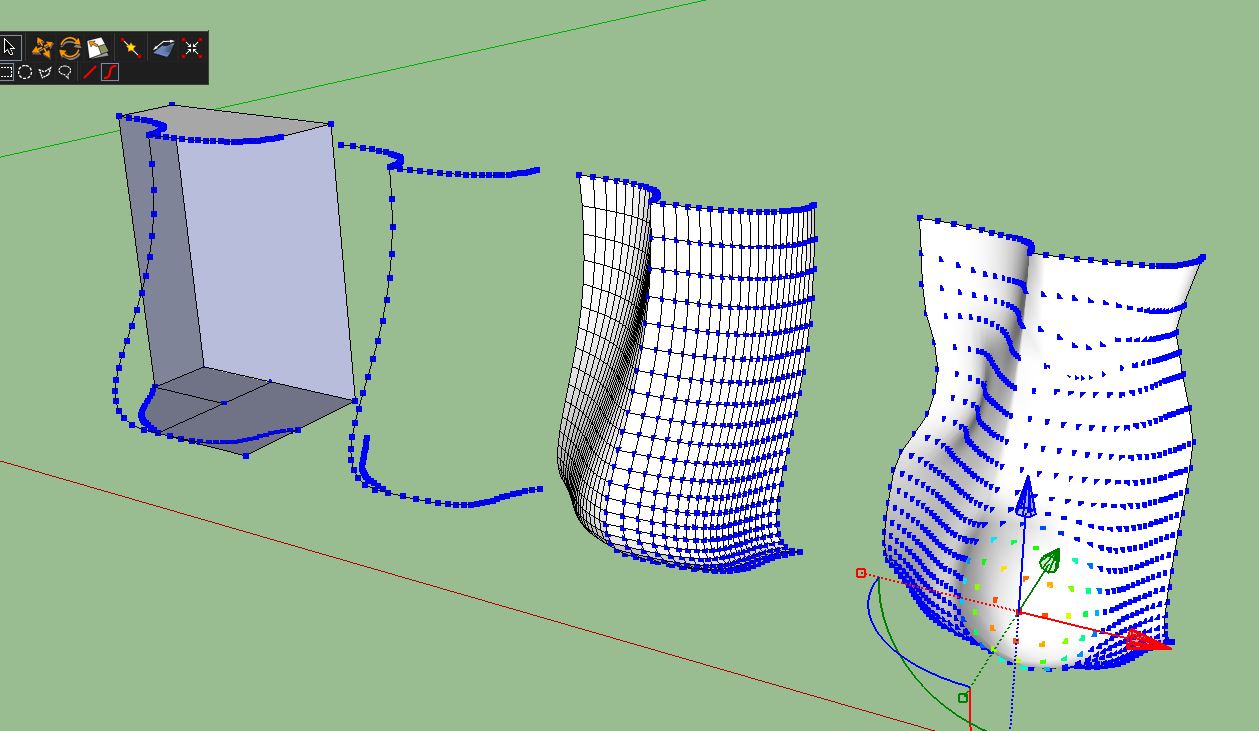
But generally speaking I usually make a blob using either curviloft or Extude tools, this way you can control the structure of vertex' quite well. Then I just use the gizmo to push pull and scale until it looks like what I want. I'm pretty haphazard and free form with it, wouldn't want to have to copy anything this way.The image shows how I would start, first with a block cut to rough shape then those edges used to create quadfaced forms that I explode and join then start to work with.










Hello! It looks like you're interested in this conversation, but you don't have an account yet.
Getting fed up of having to scroll through the same posts each visit? When you register for an account, you'll always come back to exactly where you were before, and choose to be notified of new replies (either via email, or push notification). You'll also be able to save bookmarks and upvote posts to show your appreciation to other community members.
With your input, this post could be even better 💗
Register Login


Advertisement