[Plugin] Honeycomber
-
No problems, I am on hols from tonight anyway...

-
Hi TIG,
Is it possible to use this script to create space frames with regular geometry that can be tessellated e.g. a tetrhedron, octahedron, or dodecahedron? -
@oisin.higgins said:
Hi TIG,
Is it possible to use this script to create space frames with regular geometry that can be tessellated e.g. a tetrahedron, octahedron, or dodecahedron?
Yes, theoretically...
This is v1.0
The math would just get extra extra complicated...
I do have '3 sided' [equilateral triangles] on the to-do-list already - which would give 'reinforced hexagonal honeycombs... -
Oxer/SUFractal
Thomthom has just pointed out that your versions of v8 are out of date and were replaced by updated that fixed certain issues - including some with model.raytest...
Please download the latest v8pro version for your OS, install then then retest...
Report back - it would be nice to know that the fix was as simple as you getting the latest version of the software... before you report an issue
-
@tig said:
Oxer/SUFractal
Thomthom has just pointed out that your versions of v8 are out of date and were replaced by updated that fixed certain issues - including some with model.raytest...
Please download the latest v8pro version for your OS, install then then retest...
Report back - it would be nice to know that the fix was as simple as you getting the latest version of the software... before you report an issueTIG/TT:
I've updated SU (Version 8.0.11751) as you suggested.
Honeycomber, Instant Roof, SectionCutFace, and SketchUpBIM all seem to be getting along nicely so far.
(Why didn't I think of something so simple as that?
 )
)Thanks for all your help ... I'll post in the SketchUpBIM thread/post.
-
Well at least we know it's fixed.
It was remiss of me that I didn't spot your v8 was out of date.
Luckily TT noticed it ! -
Here's v1.1 http://forums.sketchucation.com/viewtopic.php?p=395061#p395061
A glitch with the undo code is now fixed; it will now always undo in one step. -
@sufractal said:
(Why didn't I think of something so simple as that?
)As a general rule of thumb: When you have a software issue, first ensure you have the latest version. Your issue might very well be fixed already. And for 3D related applications, also check your graphic card driver.
-
Here's v1.2 http://forums.sketchucation.com/viewtopic.php?p=395061#p395061
It now has a 3 sided option making equilateral perforations, which assemble into hexagons etc thus
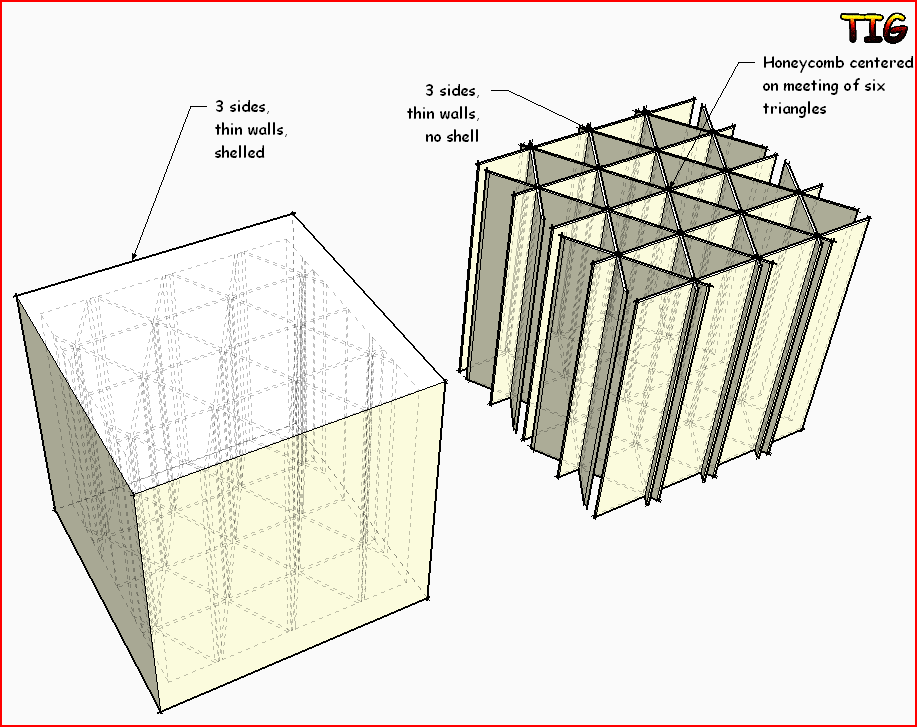
-
@tig said:
Here's v1.2 http://forums.sketchucation.com/viewtopic.php?p=395061#p395061
It now has a 3 sided option making equilateral perforations, which assemble into hexagons etc thusTIG:
Just downloaded the new version (w/ 3-sided option). Same issues as before. Tool appears to begin working, TIG::Honeycomber: Perforating appears in status bar ......... appears, then spinning wheel of death appears and refuses to go away.
-
Be patient !
How many perforations are you making ?
If there are many hundreds it will take a looong time !
Try it with a small number and see if it works then.
If, before running the tool, you open the Ruby Console do you get any error messages in it ?
Works fine for me and many others...
You do have SUp v8M2 ?
Must be something you are doing ?? -
@tig said:
Be patient !
How many perforations are you making ?
If there are many hundreds it will take a looong time !
Try it with a small number and see if it works then.
If, before running the tool, you open the Ruby Console do you get any error messages in it ?
Works fine for me and many others...
You do have SUp v8M2 ?
Must be something you are doing ??TIG:
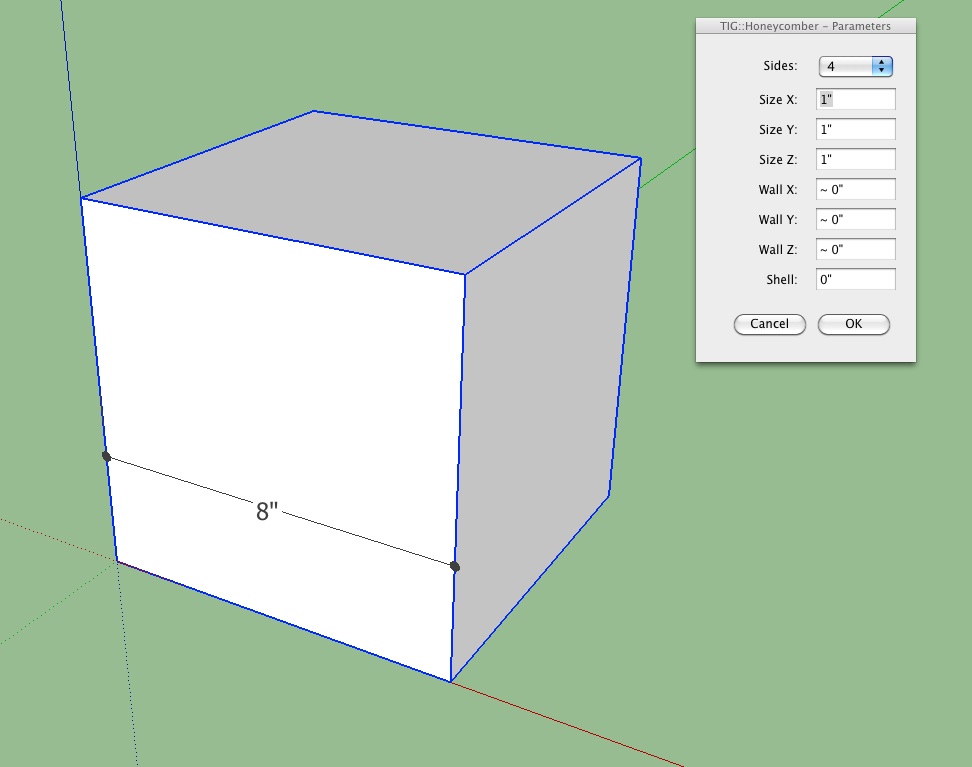
No error message in ruby console prior to tool. Running current version (you reminded me to upgrade remember?) of SU. Trying default setting that pops up. 30+ minutes later and the spinning wheel of death remains. Am I doing anything wrong?
BTW ... the previous version (w/o the 3-sided option) seems to work fine.
-
Try with a 4" cube it'd take a fraction of the time! [with ~125+ perforations, each with 8 faces etc]
This one took ~2 minutes.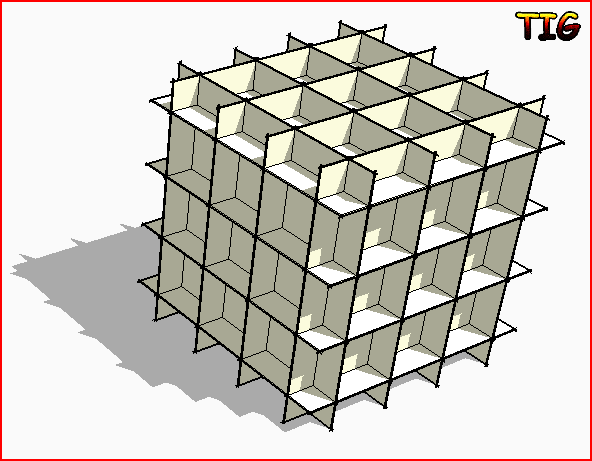
I replicated your 8" cube on my PC and it eventually made it in ~150 minutes .
.
There are ~729+ perforations, each with 8 faces etc... It all adds up...
So it is not just 10x slower, because the more entities you add to a context the slower Sketchup runs disproportionately... each extra step adds exponentially, time-wise.I think you don't need so many holes ???
If you open Task Manager when running a looooong process you will see that Sketchup is still working.
It's just taking a-g-e-s to process all of the needed geometry...In passing... please adjust your default Template's, Model Info > Units to show some decimal inches !
-
@tig said:
Try with a 4" cube it'd take a fraction of the time! [with ~125+ perforations, each with 8 faces etc]
This one took ~2 minutes.[attachment=0:97y792mn]<!-- ia0 -->Capture4.PNG<!-- ia0 -->[/attachment:97y792mn]
I replicated your 8" cube on my PC and it eventually made it in ~150 minutes .
There are ~729+ perforations, each with 8 faces etc... It all adds up...
So it is not just 10x slower, because the more entities you add to a context the slower Sketchup runs disproportionately... each extra step adds exponentially, time-wise.I think you don't need so many holes ???
If you open Task Manager when running a looooong process you will see that Sketchup is still working.
It's just taking a-g-e-s to process all of the needed geometry...In passing... please adjust your default Template's, Model Info > Units to show some decimal inches !
4" cube with simple perforation offers no change in operation.
I'll continue to work in the units I need, thanks. -
Complex point of the porous,the generation process is very slow.
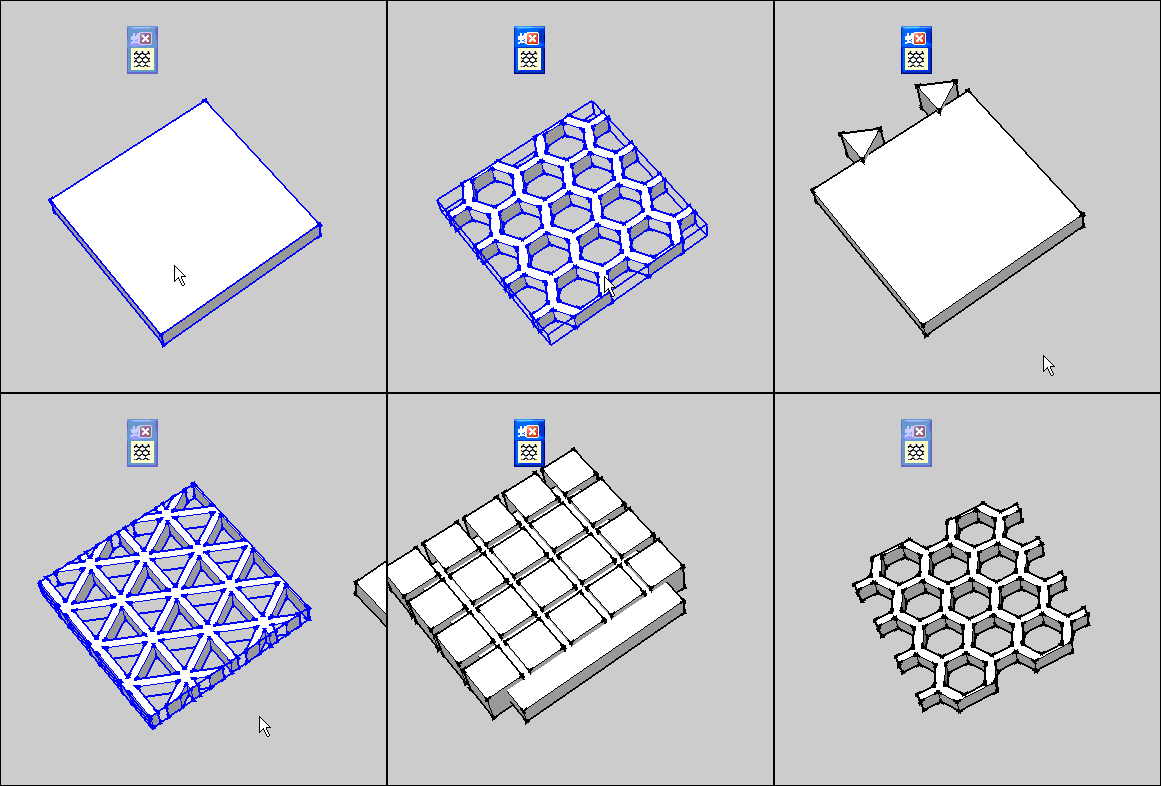
-
Guanjin
The more geometry there is the slower the processing.
It's inevitable.
Set it running and make some tea... -
@tig said:
Guanjin
The more geometry there is the slower the processing.
It's inevitable.
Set it running an make some tea...Thank you of TIG: you have worked hard, so many good tools for free use, you are great!

-
Awesome plugin. I have enjoyed using it so far, just experimenting.
I have noticed it will hang if I breathe wrong when applying a large number of perforations. I can't tab to another program, it will simply lock SU up.
An idea - would it be possible to add a "random" or mathematical feature to the spacing and size? I.e., between 1" to 1'? Add a rotation feature, i.e. each new unit rotates 10 degrees "X", 5 "Y" and 12 "Z" (all 3 axis?), and finally to use one's own model as the subtracted shape?
I realize this may be completely prohibitive by SU's single core use and the added complexity of any intersections, but just a thought. One could come up with almost fractal-like iterations in a medium with these options.
-
It's almost certainly not 'hanging'.
It just takes ages to process and left to its own devices it will complete [eventually!]
Use the Task Manager to see that Sketchup is still processing away, although the screen has a 'white-out' - it's one of the quirks of SUp, when it's doing intensive calculations it looses the screen...
It does take a while to make all of the changes to the geometry - have patience...I do have some recoding ideas to speed it up [a little], but testing takes time too...
-
@tig said:
It is for v8-Pro only.
"Free" users will have any chance of using this excellent tool?Best regards!




Hello! It looks like you're interested in this conversation, but you don't have an account yet.
Getting fed up of having to scroll through the same posts each visit? When you register for an account, you'll always come back to exactly where you were before, and choose to be notified of new replies (either via email, or push notification). You'll also be able to save bookmarks and upvote posts to show your appreciation to other community members.
With your input, this post could be even better 💗
Register Login


Advertisement