@pixelcruncher
thank you for this update, and putting back the noise/ mix/ checkerboard options.
Oops, your profile's looking a bit empty! To help us tailor your experience, please fill in key details like your SketchUp version, skill level, operating system, and more. Update and save your info on your profile page today!
Check out Febhouse | New extensions for Shadow Analysis in SketchUp Download
S
Offline
Posts
-
RE: Rayscaper New Releases
-
AI generated subdivison plugin
In the past view weeks, I worked with ai to make a subdivision and mesh reduction plugin. I started off with this old plugin (https://github.com/NB70/sketchup-loop-subdivision), and got the ai to improve it, and then I got it to make a dynamic subdivision plugin, and a mesh reduction plugin. I don't really know ruby coding, so I can't say it will work, but it works for me. I will attach it here, hopefully someone finds it useful. I also am attaching a manual, generated by ai (obviously) from the code.
mesh tool manual.pdf
Mesh Tools.rbz -
RE: [Plugin] Sculpt Tools v 1.0...
I gave the code of this plugin to ai, and asked him to write a manual, here it is.Sculpt Tools Manual.pdf
-
RE: Rayscaper is going Beta
@pixelcruncher thank you very much
-
RE: Rayscaper New Releases
@pixelcruncher Hello, I have downloaded sketchup 2025 and rayscaper doesn't work, it just says idle and doesn't render, (and do you have plans to incorporate sketchup's pbr materials into rayscaper's materials?) thanks
-
RE: Rayscaper New Releases
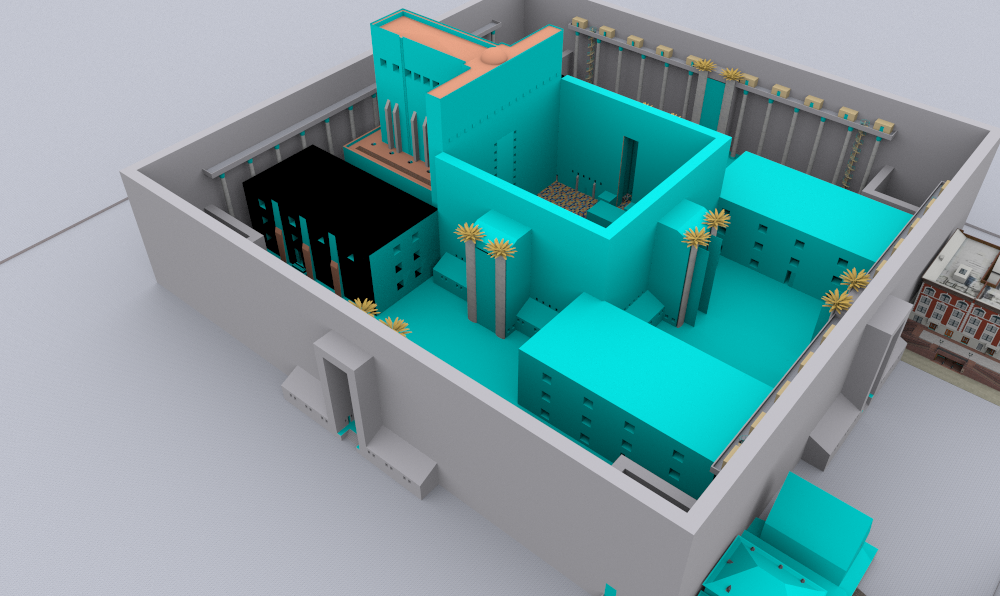
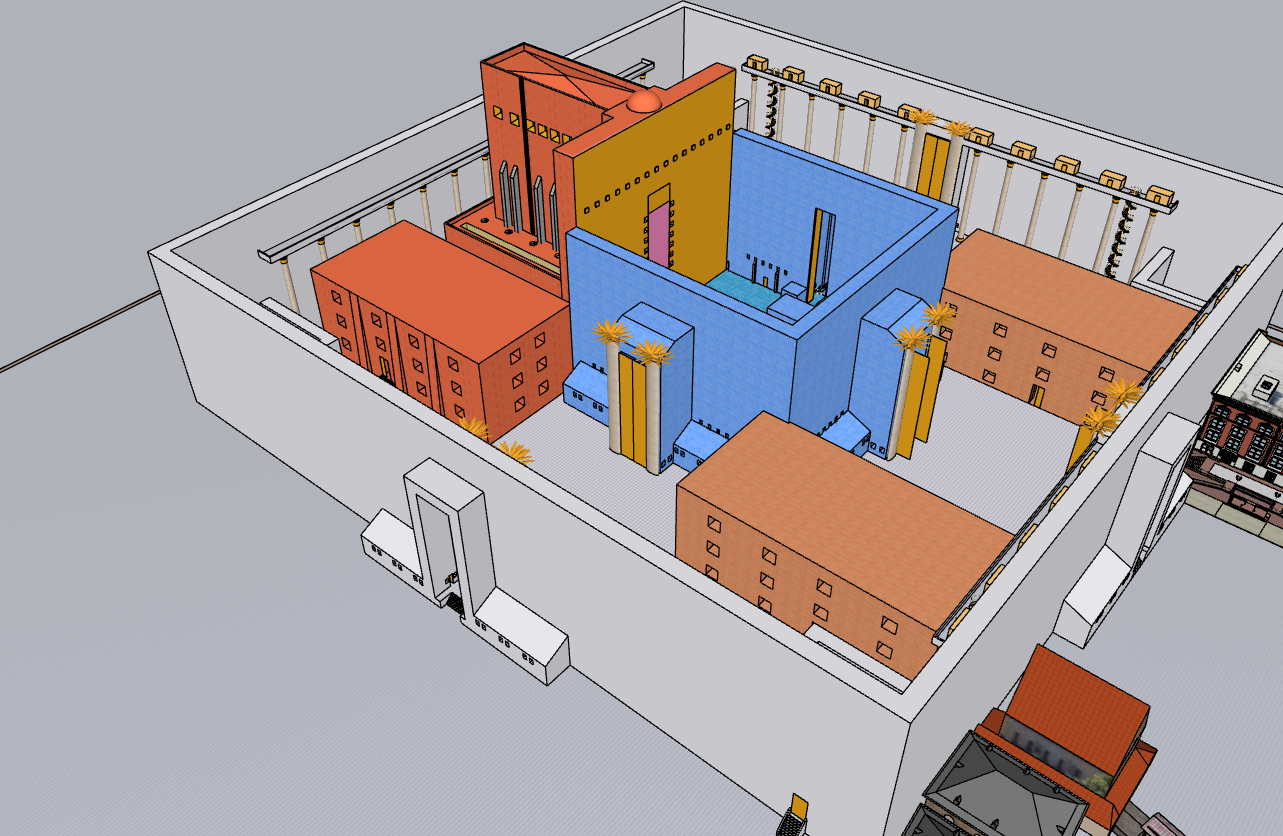
I just noticed a bug, Most files (I think it is if they were created before 2026, and I am opening them in 2026) that I open the rayscaper window in, all the faces are blue, and I have to reset every material to see the textures.
Also, One file (it is on the warehouse here https://3dwarehouse.sketchup.com/model/6e2af6cd-7fde-487b-99f4-919da24ecd11/the-original-second-temple) whenever I open rayscaper in it, sketchup just closes.
here si pictures of the first bug
-
RE: Rayscaper New Releases
@pixelcruncher thank you so much!
-
RE: Rayscaper New Releases
I think I figured something out about the blue material bug, I can make it happen in any file if I use the "edit texture in external editor" in the sketchup material editor, It shows up as blue.
(Another thing I noticed, is that If i edit a material in sketchup, it does not automatically update the material in rayscaper.) -
RE: AI generated subdivison plugin
@TIG thank you very much for your tips, I will hopefully fix them soon.