Wonderful! It could make a sweet Dresden figure!
When you are working with SubD, could Artisan and JPP, round corner etc. destroy the quad mesh?
 P
Offline
P
Offline
Wonderful! It could make a sweet Dresden figure!
When you are working with SubD, could Artisan and JPP, round corner etc. destroy the quad mesh?
@l i am said:
@bryan k said:
But one thing I have always thought about is the "blown out" exposure following the rules of a real camera automatically ajusting the apature foe an average of 18% grey Thats why the lighting is so good
https://www.greatphotography.com/blog/2016/6/14/18-gray-the-middle-value#:~:text=By%20definition%2018%25%20gray%20is,halfway%20between%20black%20and%20white.&text=The%20same%20situation%20applies%20if,using%20for%20a%20spot%20reading.
This guy does work to aspire to
Agreed on the renderings--gives me a new perspective on Twinmotion.
Thanks for the link. Good read, and how can one apply this when working on a rendering?
Very nice job! Great cushions and piping. I tried some pubby furniture work recently--it's HARD.
@l i am said:
Hi Tuna, there is a component in a render that I am anable to define other that "airiness" and this has it in spades, nice work. If I have to put in my 2 bob's worth, where the walls meet the ceiling could use some cornicing. I think that detail would add a lot to a your fine render.
It wouldn't fit the mid-century look. Millions of houses have this sort of ceiling from 50's to late 70's.
Is it supposed to be part modern? The porch post and beams might use some more detail, shape or ornamentation. The porch beam looks a little light--could be a little bigger. (Understood the porch roof is not very heavy or large.) Maybe this is how the house was designed. We have new houses like that around here,: sort of Victorian but without the detail or proportions
Hip caps on the main roof.
I don't understand the comments on the stone pillars. Pretty easy to adjust what texture is showing, to avoid the repeat (but the components for the faces have to be unique from each other).
OH, I'm just starting in with detail suggestions! Overall looking nice!
Can't you just turn off the fill? I can. I select the dimension object. Open the Shape Style window and click on the first button (Fill).
@rich o brien said:
Hope that info helps you make this model yourself at some point. It's a really good case study for anyone interested in organic form etc.
Yes I got a lot of good ideas from this!. I'd love to learn more about QFT somehow.
I also enjoyed using Bezier Surface and learned a lot about it--though I'm still at trial and error level with it. I used your video for pointers!
Excellent!
I also try to do some things with QFT but I really know how to use it effectively. I don't know of any tutorials and the tool tips don't show for it, on my system at least.
@rich o brien said:
I would lean towards Curviloft and SUbD to arrive at the final form...
Thanks Rich. So it seems you start with a rough profile, easier to work out, Curviloft that. How do you get the extra edges around the border? Then you texture it, how?
I tried Artisan to smooth your model, and it did pretty well but took the texture off . With Artisan Brush I got the texture back on, and it looks OK (on the top of the model anyway--back is a mess, but you can't see it).
@pilou said:
FredoScale 2.0 itself is not sufficient : Slicer + Twist + Bend ? (with little sections resize)
I tried a lot with Fredoscale. I couldn't figure out how to make it work. Then I turned to drawing rails in 3d.
Thanks Box! it seems that if you know what to draw for the proxy(?), SubD would be fast. I haven't got into it. This is one of the few organic challenges I have had in work projects. I do need to do terrain modeling, however. I wonder if SubD could be used in that. Or do you use it in puffy furniture?
Thanks for the inspiration.
Well I thought I'd try Bezier Surface and that took some learning and time. I got carried away with the polygons it seems. Still having trouble texturing this one.
I WILL look at Bezier Spline.
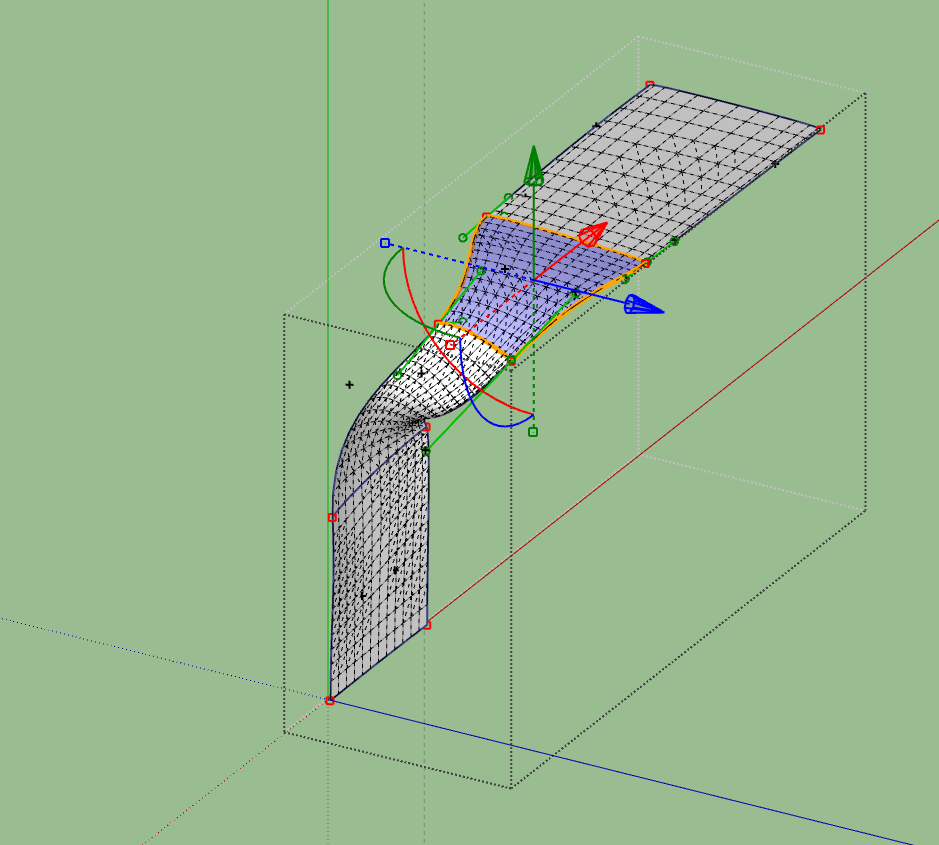
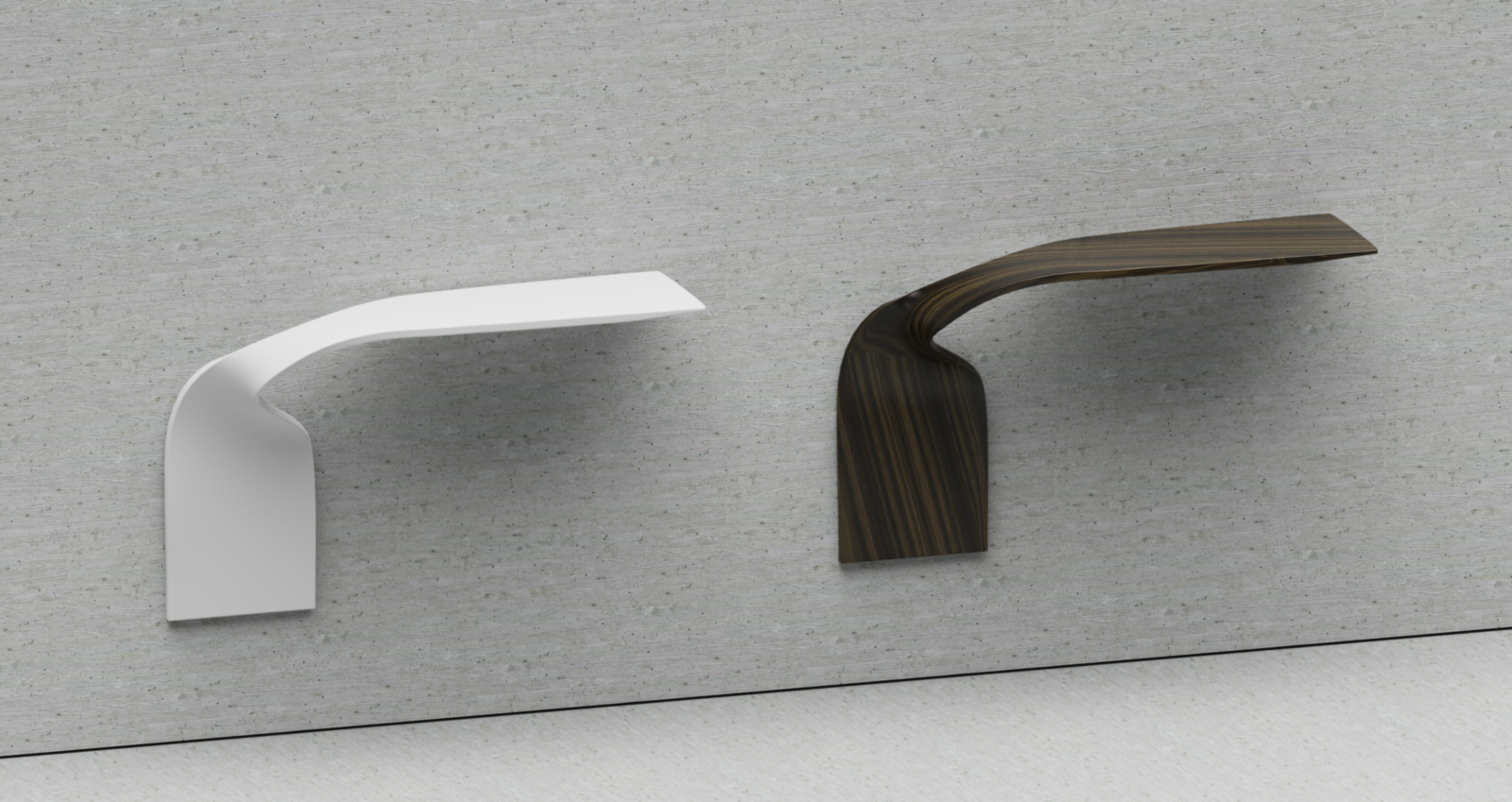
Woops I just noticed there is a twist missing from your version. It's hard to visualize, unless you open the second pdf file that has the plan view. The front edge of the shelf ends up on the inside edge against the wall. Or put another way, the top surface of the shelf ends up facing out instead of facing the wall.
Wow! That looks good--and clearly way faster than my attempt. I guess this one DOES require drawing out the paths in 3d.
There's an integral crimp at the center of the curve where the surface dips between the rails. That's why I used SSB, which had trouble leaving a nice grid at the upper part. I forgot to mention that I also used a lot of Artisan sculpting to try to get it right, much fussing. In the end I didn't get much of a dip in the material and it really doesn't show / matter in this rendering. Here is what I had (detail of the rendering). Also was unable to get other than "burl-like" texture at the bottom part.
I'll try your method (didn't use a block for reference--that should help, and didn't use Fredo Spline) and get back to you. Thanks a bunch, Dave. It's encouraging.
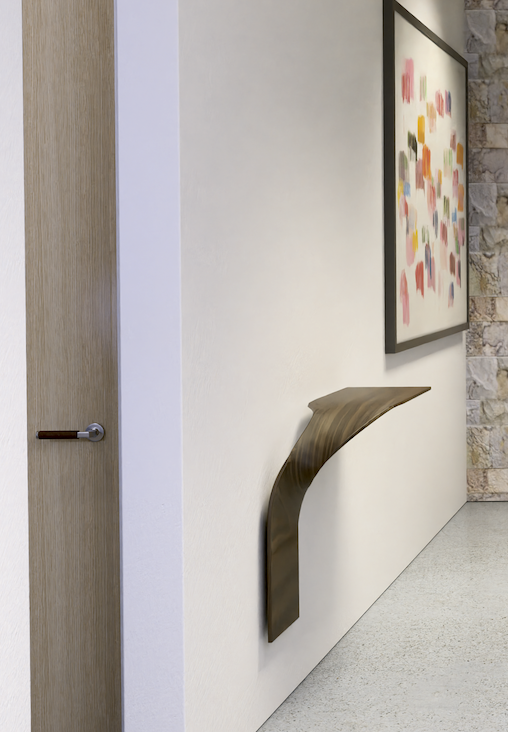
I had a request to include this shelf in a rendering and I sort of got by but the geometry was actually trash and I can't figure out a good way to do it. I ended up having to construct rails in 3d and use BZ Toolbar to manipulate and smooth them. I used SSB, JPP, Curviloft, Fredoscale, Quadface tools, Vertex tools and a bunch of mouse work and got crumby results.
So I wonder if there's any ideas on how to proceed on something like this. The object is like a rectangle that is crimped at the middle twisted at 90° and bent down 90°. (Bezier surface?).
I hope this is interesting to someone, but don't feel it's urgent--I am just bugged by not having an idea for this to get good geometry--which would probably survive a JPP.
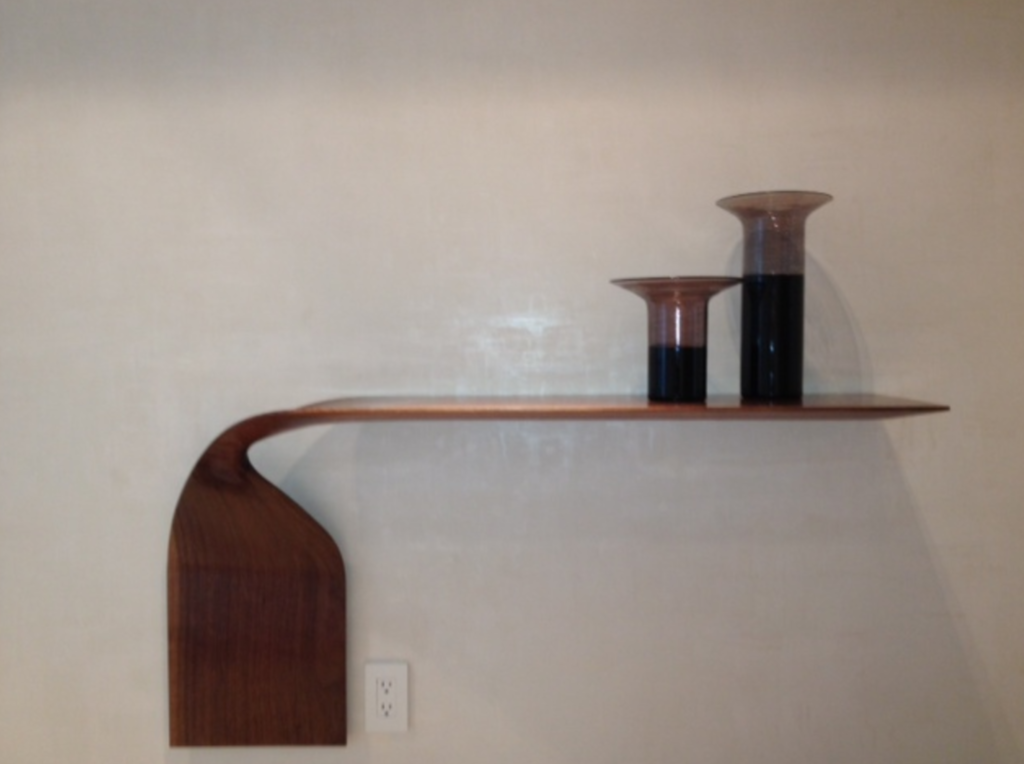
Your link doesn't work. I've tried copy and paste and changing to Htttp, but it doesn't work. You can attach the picture directly on your next post, if it is not too big. If you can't get ahold of the picture, you could use a screenshot.
Hard to say what you are trying to do. It sounds like it would require a very special plugin to do automatically. You can simply make copies and rescale them, if you know how to use the scale tool.
This is beautiful work. I like the tail lights though could be more depth to them. I don't get what's going on in the background but the lighting and all is fine AFIK / can see. Great job and thanks for sharing. It's helpful to see good renderings.
