sketchucation logo sketchucation
    • Login
    1. Home
    2. Lersince1991
    3. Posts
    Oops, your profile's looking a bit empty! To help us tailor your experience, please fill in key details like your SketchUp version, skill level, operating system, and more. Update and save your info on your profile page today!
    ⚠️ Important | Libfredo 15.6b introduces important bugfixes for Fredo's Extensions Update
    L
    Offline
    • Profile
    • Following 0
    • Followers 0
    • Topics 21
    • Posts 100
    • Groups 1

    Posts

    Recent Best Controversial
    • Plugin to add wall thicknesses

      Hi, I'm trying to add wall thicknesses to my model but as there are angles involved its a bit more complicated and I can't find a solution!

      I've attached an image of the model.

      any suggestions on how to add a 500mm thickness to every face (250mm each side?) and manage the corners.

      I've tried both shell plug ins but they don't work very well as they can't do an inner and outer shell. just inner and that not what I would like πŸ˜„

      Thanks
      Luke


      walls.png

      posted in SketchUp Discussions sketchup
      L
      Lersince1991
    • Increase sides (poly) from vector/spline import

      Hi,

      Is there a way to change the amount of sides that google creates from a vector or spline import - from autocad or illustrator. The default import isn't that much and would like it to be smoother πŸ˜„

      Cheers,
      Luke

      posted in SketchUp Discussions sketchup
      L
      Lersince1991
    • RE: [Plugin] Texture Resizer (1.5.6) β€” updated 15.05.2013

      I have a suggestion:

      Could you have an option to stop it from upscaling images when using the px/m option please?
      Nothing is gained but its cancelling out the point of downscaling the images. i.e. some images go down in size reducing the file size, but some image then get upscaled increasing file size and your back to where you started.

      This would be massively beneficial and allow me to get the best file size / quality.

      Luke

      posted in Plugins
      L
      Lersince1991
    • RE: [Plugin] Texture Resizer (1.5.6) β€” updated 15.05.2013

      awesome all works now I updated to the new version and changed the file name!

      posted in Plugins
      L
      Lersince1991
    • RE: [Plugin] Texture Resizer (1.5.6) β€” updated 15.05.2013

      Hi,

      Great plug-in but I'm having serious problems.

      When I apply any changes no matter what settings are ticked, it messes with all the colours really badly, haven't got a clue why its doing this?

      I've attached 2 thumbnails of before and after.
      cheers
      Luke

      edit; just updated to the latest version but its not working? attached another screenshot below of the blank window i get


      Screen Shot 2011-11-19 at 10.43.01.png


      Screen Shot 2011-11-19 at 10.43.35.png


      Screen Shot 2011-11-19 at 11.03.30.png

      posted in Plugins
      L
      Lersince1991
    • RE: Compress sketch-up file's materials

      Is there a way to do this automatically for the textures in the file?

      would take me forever to put the images in again

      posted in SketchUp Discussions
      L
      Lersince1991
    • Compress sketch-up file's materials

      Hi,

      I'm working on a architectural scene and each of the building images I have imported have been compressed and downscaled to what I thought was small. But now the file itself is about 50mb and when loaded into sketch up it uses about 2.5gb of ram - not a problem in itself as I have 8gb of ram but I think the problem is in the software limitations and my 256mb graphics card on my macbook.

      Each image I import is about 1500px x 1500px and is about 500kb on average, some more, some less.
      I have about 150 materials in the file.

      The problem is its crashing ever time I undo anything and try to work with it 😞

      Is this too much?
      Is there a way to quickly compress it all so it runs better? maybe a script to do this?

      Thanks,
      Luke

      posted in SketchUp Discussions sketchup
      L
      Lersince1991
    • Unfolded net of my 3d model to print

      I'd like to find a way of unwrapping my 3d model and creating a net from it in which I can make a 3d physical model from it by cutting it out and sticking it together.

      Does anyone know of a way to do this?

      Luke

      posted in SketchUp Discussions sketchup
      L
      Lersince1991
    • Random rotate on different axis

      Hi,

      I've been trying to get a random rotation on more than 100 components. I have the "chris Fullmer scale and rotate multiple. But I can't find out how to use it on a different axis than whatever it does as default. Any ideas?

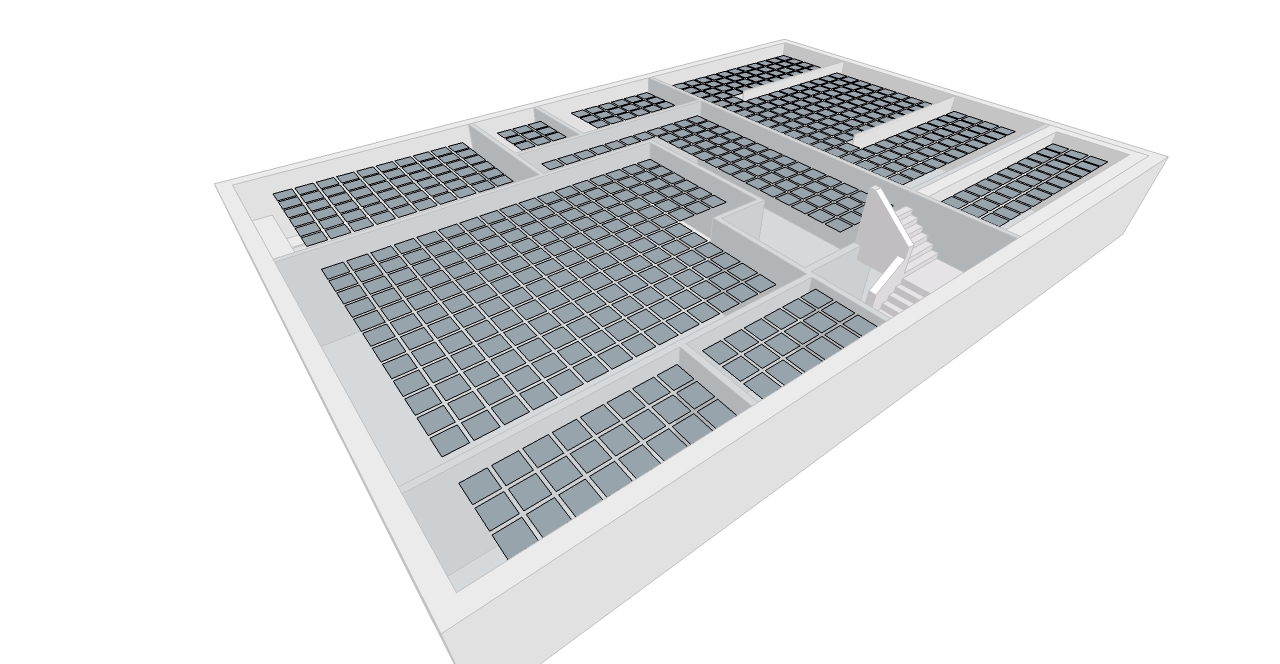
      For example, see the attached image, I want to rotate all these squares (they are the same component) in the Xand Y axis but not the Z.

      Luke


      random rotate on xy.jpg

      posted in Plugins
      L
      Lersince1991
    • RE: [Plugin] Scale and Rotate Multiple (UPDATED Dec 22, 09)

      Amazing thanks a lot! Brilliant plug in, just made the landscape look so much better with random trees πŸ˜„

      posted in Plugins
      L
      Lersince1991
    • RE: Create 3D cityscape over terrain (advanced help)lines + face

      Actually you could check it out here if you wanted.
      http://www.lukeriggall.co.uk/architecture/worship/

      I'm thinking about adding paths into the model, I'll import the paths layer from the autocad plan, extrude them and intersect them with a copy of the terrain. then move the paths up the verticle axis and delete the excess terrain. Leaving the original copy of the terrain in the same place untouched. that would make the paths extruded vertically πŸ˜„ - If it wants to intersect properly πŸ˜•

      posted in SketchUp Discussions
      L
      Lersince1991
    • RE: Create 3D cityscape over terrain (advanced help)lines + face

      thanks for the replies πŸ˜„

      I found that basically I guess the autocad file was at fault, I flattened all the layers, exploded the poly lines etc... I think the polylines were to fault.

      So yeh I managed to sort that one, but I still cant project any geometry onto the terrain even if I explode the terrain or not. It basically maps out the terrain's hidden geometry (triangular faces) and the cad plan onto a flat plane under the terrain? πŸ˜•

      Tried using the drape and other methods. Could the issue be that projections dont work on a smoothed surface such as the google terrain? I could probably extrude the map and intersect the faces if I need to.

      However, I managed to get the model done enough for the analysis. And exported shadows etc...
      I set the heights of all the surrounding building context to estimates using my photos and google street view. Works very nicely πŸ˜„ Will be a brilliant base to model my design in. Shame google terrain isnt more accurate.

      The project is going to be a synthetic diamond manufacturer which allows visitors πŸ˜› Has a lot of meaning in my project but that would take a few A2 pages and a written brief to show you πŸ˜„
      But basically carbon is the 6th most abundant element in the world, yet in a different form its the most expensive. Just shows how we value things even if they are chemically made of the same substance. Quite interesting. The projects all about the elements and worship.

      posted in SketchUp Discussions
      L
      Lersince1991
    • Create 3D cityscape over terrain (advanced help)lines + face

      Hi, I would like to create a 3d cityscape over a google earth terrain. I have tried everything and I'm stuck.

      Right firstly I downloaded a OS map of a city (Lincoln UK)
      The file was .gml which was converted to Autocad using a digimap application called interp0se
      I have cleaned up the map and imported the AutoCAD lines into sketchup.
      I got the 3d terrain within sketchup with geolocation and enabled terrain view to make it 3d.

      Now I have the problem.
      How can I get the whole site and surrounding context onto my terrain.
      Well I tried projecting it on with some ruby scripts but the results wern't that good, a lot of lines were missed out and was a bit useless. (I dont know why)

      I then had the idea to make the faces between the lines and then extrude the whole lot through the terrain and intersect. - I have done this before but the model was Much smaller and it worked fine. I would then delete unwanted geometry and build up layers of buildings by pulling and pushing to different levels. not the projected terrain faces as they cant be pulled but I would overlay another extrution of just buildings. But I ran into a problem and this is why im here. I also tried draping the lines over via the sandbox drape tool.

      Basically the i cant do this because some faces "bleed" into other face - merging them together. so I have lots of faces I can freely push and pull but some lines arent intersecting with the face there on?!

      I tried intersecting with the selected but it didnt do anything and tried projecting it again but nothing changes. I dont get why they arent interacting with each other. I attached some images. I even tried tracing over but it doesnt change anything, im not going to trace over the whole lot though.

      I used make faces plug in as well but the results are the same as if I intersect the lines with a face below it.

      Basically this will make an amazing 3d model for me to model my architectural project in and also use for analysis of the site, i.e realistic sunlight analysis etc...

      2 attachments
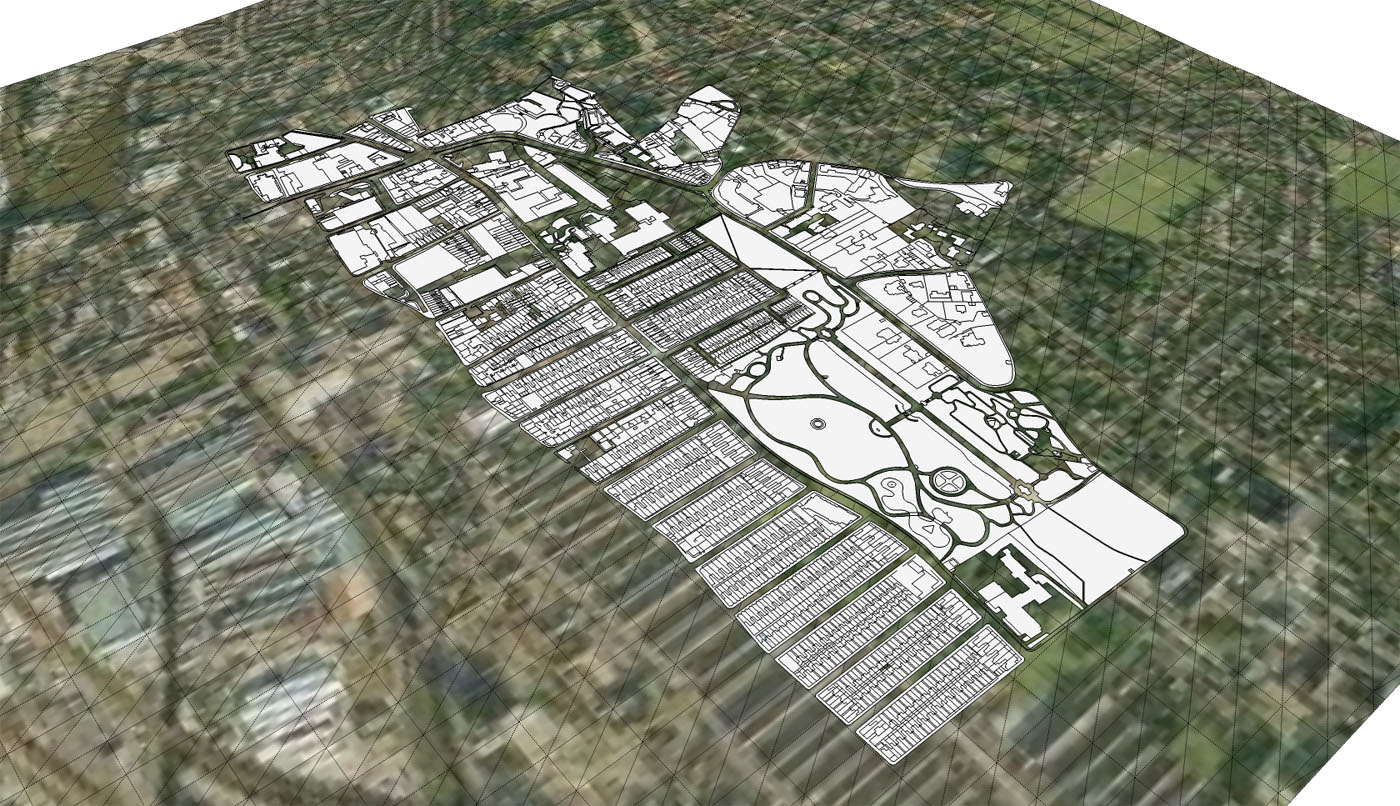
      1 - hovering above terrain waiting to be built up πŸ˜„
      hovering above terrain
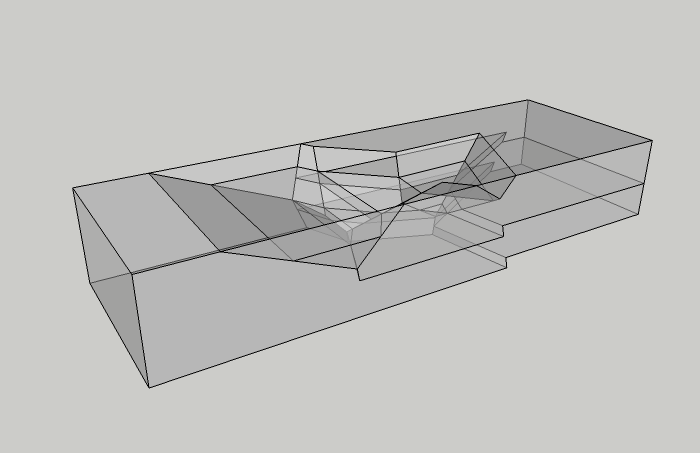
      2 - representation of what happens when I click on one face
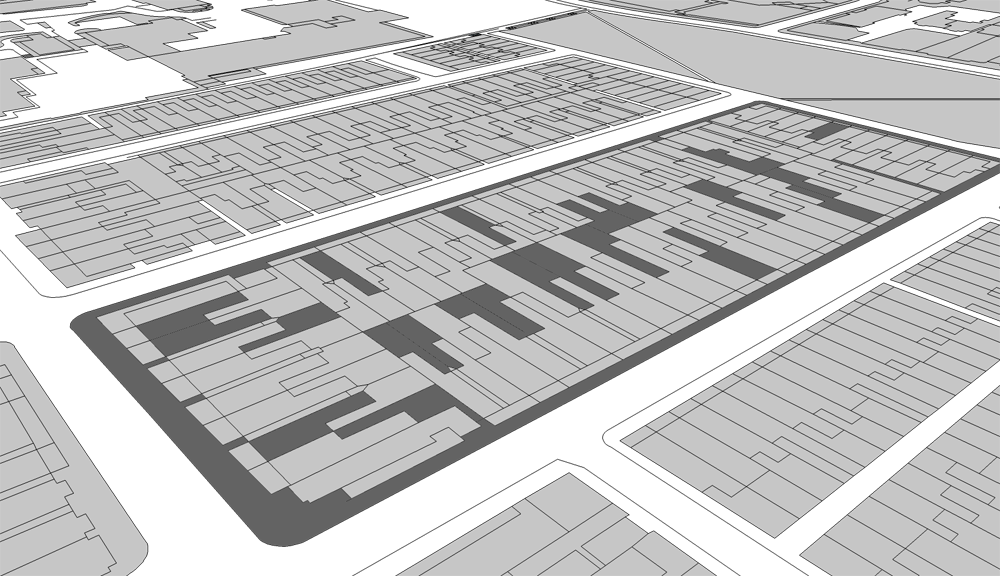
      one face or not

      posted in SketchUp Discussions sketchup
      L
      Lersince1991
    • Help with advanced form creation

      Hi,

      It's not that advanced but I can't work out how to do this geometry.

      I've uploaded some images below to help.

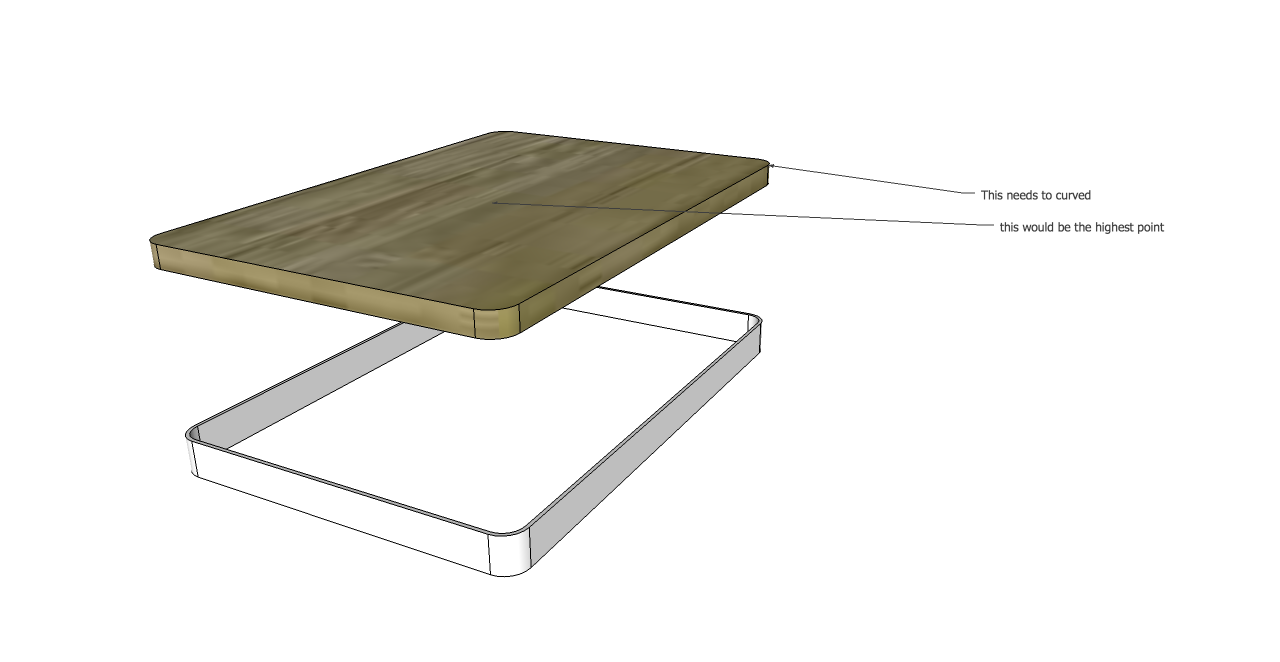
      I'm trying to create a smooth curve over a rectangular base with curved corners.
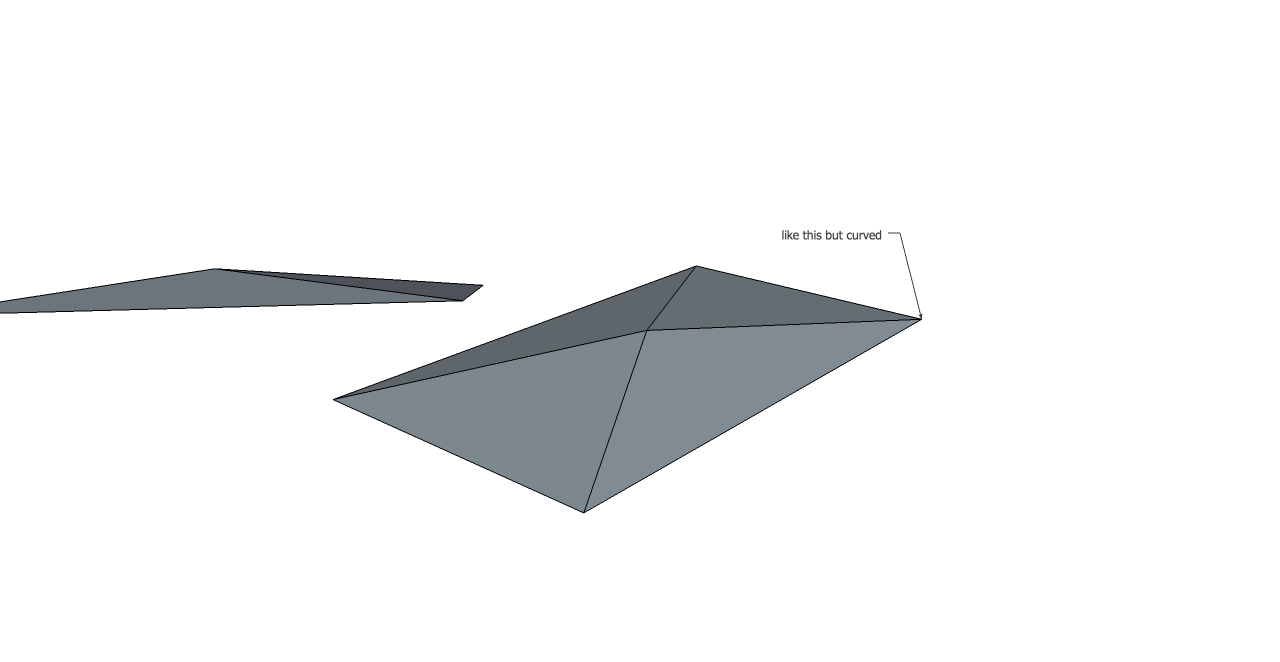
      One of the images below I show what I'm trying to achieve without the curves but I need to it be smoothed out and curved.

      I've tried using the follow me tool a few times for this application but just cant work it out.
      BTW I'm not new to sketch up but haven't done that many fluid forms, help is highly appreciated!

      Thanks
      Luke


      diagram 1.png


      diagram 2.png

      posted in SketchUp Discussions sketchup
      L
      Lersince1991
    • RE: [Plugin] Axo + Iso View v1.2 20101117

      A script would be great.
      heres the final values, I've done them to a bit more of an accuracy, accurate to more than 1mm for models under 100,000m so yeh pretty solid figures.

      I would scale all axis to get them accurate,

      blue (z) axis scale value = 9.068228873
      red axis scale value = 1.003053768
      green axis scale value = 1.003054401

      see what script you can do, typing that in every time gets boring lol

      Luke

      posted in Plugins
      L
      Lersince1991
    • RE: [Plugin] Axo + Iso View v1.2 20101117

      and...
      scale factor for the x and y sides (proportionate) is 1.003053754

      can anyone confirm both of these?
      if so could these be made into actions (scripts?) in order to prevent all this decimal typing lol.

      Good stuff πŸ˜„
      Luke

      posted in Plugins
      L
      Lersince1991
    • RE: [Plugin] Axo + Iso View v1.2 20101117

      sorry forgot to add the actual z scale factor = 9.068229097
      this produces 3500.0001 in autocad πŸ˜„
      but the 45 degree angled lines aren't quite there with a dimension of 3489.3444mm instead of 3500. although they are at the correct angles (45 and 315 or... -45)

      Luke Riggall

      posted in Plugins
      L
      Lersince1991
    • RE: [Plugin] Axo + Iso View v1.2 20101117

      Got a final figure for you, pretty accurate but will update if I find the need to go more decimal places, for now I dont know how to see the exact figure from autocad.

      basically the cal is.

      3500mm (actual height) / 385.9629 (exported height from axo4545) = transform scale

      Working between autocad and sketchup pro 8
      should be the same for all though

      Luke.

      posted in Plugins
      L
      Lersince1991
    • RE: [Plugin] Axo + Iso View v1.2 20101117

      Sure, thanks for the quick response.

      its the same on every system and model isn't it? no need to change the factor every time, just need to tweak it slightly πŸ˜„

      Heres some data for you based on a cube 3500x3500x3500mm
      (scale factor) = (45 degree line) & (90 degree line)

      9.476104 = 3489.3444 & 3657.4247
      9.5724 = 3489.3444 & 3675.9107
      10.002924 = 3489.3444 & 3860.7576

      Ideal is of course...

      (x) = 3500 & 3500

      Cheers,
      Luke.

      posted in Plugins
      L
      Lersince1991
    • RE: [Plugin] Axo + Iso View v1.2 20101117

      Hi, this is so helpful! Thanks so much.
      I was just wondering if you would be able to give a more exact figure to the "9.524" figure you've quoted.
      I'm using this to export my architectural drawings in axo to scale. a few more decimals would be fine πŸ˜„ but yeh the more accurate the better. in the last drawing I exported to autocad with this the measurements were nearly there, but 176mm out on just a height of 3500mm (before scaled). on a directly vertical line

      Thanks again!
      Luke

      posted in Plugins
      L
      Lersince1991
    • 1
    • 2
    • 3
    • 4
    • 5
    • 5 / 5