sketchucation logo sketchucation
    • Login
    1. Home
    2. Lersince1991
    3. Posts
    Oops, your profile's looking a bit empty! To help us tailor your experience, please fill in key details like your SketchUp version, skill level, operating system, and more. Update and save your info on your profile page today!
    ⚠️ Important | Libfredo 15.6b introduces important bugfixes for Fredo's Extensions Update
    L
    Offline
    • Profile
    • Following 0
    • Followers 0
    • Topics 21
    • Posts 100
    • Groups 1

    Posts

    Recent Best Controversial
    • RE: Complex scripting/plugin - to create a component library

      Can't work this one out:

      
      LukeR.importer
      C;/Program Files/Google/Google SketchUp 8/Plugins/component_import.rb;21; warning; Could not create Image for P;/02 General/Resource Library/People/JPEG/JPEG.jpg
      
      Error; #<NoMethodError; undefined method `explode' for nil;NilClass>
      C;/Program Files/Google/Google SketchUp 8/Plugins/component_import.rb;22
      C;/Program Files/Google/Google SketchUp 8/Plugins/component_import.rb;15;in `each'
      C;/Program Files/Google/Google SketchUp 8/Plugins/component_import.rb;15;in `importer'
      (eval);0


      module LukeR
        def self.importer()
      
      ### PURGE UNUSED COMPONENTS
      Sketchup.active_model.definitions.purge_unused
      
      ### SETUP LIST OF NAMES
      model=Sketchup.active_model
      defs=model.definitions
      cnames=[]
      defs.each{|d|cnames << d.name}
      cnames.sort!
      
      f='P;\02 General\Resource Library\People\JPEG'
      cnames.each{|name|
       d=defs[name]
       bb=Geom;;BoundingBox.new
       d.entities.each{|e|bb.add(e.bounds)}
      
       ### ADD IMAGE TEXTURES
       img=d.entities.add_image(File.join(f, File.basename(f, ".*")+".jpg"), [-1.mm,-1.mm,0], bb.width+2.mm, bb.height+2.mm)
       img.explode
       togos=[]
       d.entities.each{|e|togos << e if e.valid? and e.is_a?(Sketchup;;Edge) and e.faces.length<2}
       d.entities.erase_entities(togos)
       d.entities.each{|e|e.reverse! if e.is_a?(Sketchup;;Face) && e.normal!=Z_AXIS}
      
       ### STAND COMPONENT CONTENTS TO VERTICAL
       tr=Geom;;Transformation.rotation(ORIGIN, X_AXIS, -90.degrees)
       d.entities.transform_entities(tr, d.entities.to_a)
       }
      
      ### FACE ME
      cnames.each{|name|
      	defs[name].save_as(File.join(f, File.basename(f, ".*")+".skp"))
      	}
      
      ### REMOVE OUTER EDGE LEFT FROM EXPLODED IMAGE
      img.explode
      	togos=[]
      	d.entities.each{|e|togos << e if e.valid? and e.is_a?(Sketchup;;Edge) and e.faces.length<2}
      	d.entities.erase_entities(togos)
      
      ### REMOVE HOLES
      faces=[]
      d.entities.each{|e|faces << e if e.is_a?(Sketchup;;Face)}
      (faces.length-1).times{
         for face in faces
          if face.valid?
            for edgeuse in face.outer_loop.edgeuses
               if not edgeuse.partners[0] ### outermost face
                  faces = faces - [face]
                  loops = face.loops
                  for loop in loops
                     for fac in faces
                        if fac.valid? and (fac.outer_loop.edges - loop.edges) == []
                           faces = faces - [fac]
                           fac.erase! if fac.valid?
                           ### fac abutts kept face so it must be erased...
                        end #if fac
                     end #for fac
                  end #for loop
               end #if outermost
            end #for edgeuse
          end #if valid
         end #for face
      }#times
      
      end
      end
      
      
      posted in Plugins
      L
      Lersince1991
    • RE: Complex scripting/plugin - to create a component library

      Ah ok Thankyou, I didn't realise it was case sensitive on commands! Will try again πŸ˜„

      posted in Plugins
      L
      Lersince1991
    • RE: Complex scripting/plugin - to create a component library

      I got the same error:

      
      LukeR.importer
      Error; #<NoMethodError; undefined method `new' for ;Boundingbox;Symbol>
      C;/Program Files/Google/Google SketchUp 8/Plugins/component_import.rb;17
      C;/Program Files/Google/Google SketchUp 8/Plugins/component_import.rb;15;in `each'
      C;/Program Files/Google/Google SketchUp 8/Plugins/component_import.rb;15;in `importer'
      (eval);17


      module LukeR
        def self.importer()
      
      ### PURGE UNUSED COMPONENTS
      Sketchup.active_model.definitions.purge_unused
      
      ### SETUP LIST OF NAMES
      model=Sketchup.active_model
      defs=model.definitions
      cnames=[]
      defs.each{|d|cnames << d.name}
      cnames.sort!
      
      f='P;\02 General\Resource Library\People\JPEG'
      cnames.each{|name|
       d=defs[name]
       bb=Geom;;Boundingbox.new
       d.entities.each{|e|bb.add(e.bounds)}
      
       ### ADD IMAGE TEXTURES
       img=d.entities.add_image(File.join(f, File.basename(f, ".*")+".jpg"), [-1.mm,-1.mm,0], bb.width+2.mm, bb.height+2.mm)
       img.explode
       togos=[]
       d.entities.each{|e|togos << e if e.valid? and e.is_a?(Sketchup;;Edge) and e.faces.length<2}
       d.entities.erase_entities(togos)
       d.entities.each{|e|e.reverse! if e.is_a?(Sketchup;;Face) && e.normal!=Z_AXIS}
      
       ### STAND COMPONENT CONTENTS TO VERTICAL
       tr=Geom;;Transformation.rotation(ORIGIN, X_AXIS, -90.degrees)
       d.entities.transform_entities(tr, d.entities.to_a)
       }
      
      ### FACE ME
      cnames.each{|name|
      	defs[name].save_as(File.join(f, File.basename(f, ".*")+".skp"))
      	}
      
      ### REMOVE OUTER EDGE LEFT FROM EXPLODED IMAGE
      img.explode
      	togos=[]
      	d.entities.each{|e|togos << e if e.valid? and e.is_a?(Sketchup;;Edge) and e.faces.length<2}
      	d.entities.erase_entities(togos)
      
      ### REMOVE HOLES
      faces=[]
      d.entities.each{|e|faces << e if e.is_a?(Sketchup;;Face)}
      (faces.length-1).times{
         for face in faces
          if face.valid?
            for edgeuse in face.outer_loop.edgeuses
               if not edgeuse.partners[0] ### outermost face
                  faces = faces - [face]
                  loops = face.loops
                  for loop in loops
                     for fac in faces
                        if fac.valid? and (fac.outer_loop.edges - loop.edges) == []
                           faces = faces - [fac]
                           fac.erase! if fac.valid?
                           ### fac abutts kept face so it must be erased...
                        end #if fac
                     end #for fac
                  end #for loop
               end #if outermost
            end #for edgeuse
          end #if valid
         end #for face
      }#times
      
      end
      end
      
      
      posted in Plugins
      L
      Lersince1991
    • RE: Complex scripting/plugin - to create a component library

      Ahh thank you. Will try again.
      I looked there and thought it was the double "::" that was the issue πŸ˜„

      posted in Plugins
      L
      Lersince1991
    • RE: Complex scripting/plugin - to create a component library

      Managed to use a batch action in illustrator to successfully ungroup/explode all the components so that issue is solved.

      Just tried saving the file as a .rb in the plugins folder and got and error. I am really not sure what I sould really do? Does the file name matter?

      
      module LukeR
        def self.importer()
      
      ### PURGE UNUSED COMPONENTS
      Sketchup.active_model.definitions.purge_unused
      
      ### SETUP LIST OF NAMES
      model=Sketchup.active_model
      defs=model.definitions
      cnames=[]
      defs.each{|d|cnames << d.name}
      cnames.sort!
      
      f='P;\02 General\Resource Library\People\JPEG'
      cnames.each{|name|
      	d=defs[name]
      	bb=Gem;;Boundingbox.new
      	d.entities.each{|e|bb.add(e.bounds)}
      	### ADD IMAGE TEXTURES
      	img=d.entities.add_image(File.join(f, File.basename(f, ".*")+".jpg"), [-1.mm,-1.mm,0], bb.width+2.mm, bb.height+2.mm)
      	img.explode
      	togos=[]
      	d.entities.each{|e|togos << e if e.valid? and e.is_a?(Sketchup;;Edge) and e.faces.length<2}
      	d.entities.erase_entities(togos)
      	d.entities.each{|e|e.reverse! if e.is_a?(Sketchup;;Face) && e.normal!=Z_AXIS}
      	### STAND COMPONENT CONTENTS TO VERTICAL
      	tr=Geom;;Transformation.rotation(ORIGIN, X_AXIS, -90.degrees)
      	d.entities.transform_entities(tr, d.entities.to_a)
      	}
      
      ### FACE ME
      cnames.each{|name|
      	defs[name].save_as(File.join(f, File.basename(f, ".*")+".skp"))
      	}
      
      ### REMOVE OUTER EDGE LEFT FROM EXPLODED IMAGE
      img.explode
      	togos=[]
      	d.entities.each{|e|togos << e if e.valid? and e.is_a?(Sketchup;;Edge) and e.faces.length<2}
      	d.entities.erase_entities(togos)
      
      ### REMOVE HOLES
      faces=[]
      d.entities.each{|e|faces << e if e.is_a?(Sketchup;;Face)}
      (faces.length-1).times{
         for face in faces
          if face.valid?
            for edgeuse in face.outer_loop.edgeuses
               if not edgeuse.partners[0] ### outermost face
                  faces = faces - [face]
                  loops = face.loops
                  for loop in loops
                     for fac in faces
                        if fac.valid? and (fac.outer_loop.edges - loop.edges) == []
                           faces = faces - [fac]
                           fac.erase! if fac.valid?
                           ### fac abutts kept face so it must be erased...
                        end #if fac
                     end #for fac
                  end #for loop
               end #if outermost
            end #for edgeuse
          end #if valid
         end #for face
      }#times
      
      end
      end


      ERROR

      
      LukeR.importer
      Error; #<NameError; C;/Program Files/Google/Google SketchUp 8/Plugins/component_import.rb;17;in `importer'; uninitialized constant LukeR;;Gem>
      C;/Program Files/Google/Google SketchUp 8/Plugins/component_import.rb;17
      C;/Program Files/Google/Google SketchUp 8/Plugins/component_import.rb;15;in `each'
      C;/Program Files/Google/Google SketchUp 8/Plugins/component_import.rb;15;in `importer'
      (eval);0


      Nearly there now!
      Thanks again TIG πŸ˜„

      posted in Plugins
      L
      Lersince1991
    • RE: Complex scripting/plugin - to create a component library

      Done
      I think?

      ` ### PURGE UNUSED COMPONENTS
      Sketchup.active_model.definitions.purge_unused

      SETUP LIST OF NAMES

      model=Sketchup.active_model
      defs=model.definitions
      cnames=[]
      defs.each{|d|cnames << d.name}
      cnames.sort!

      f='P:\02 General\Resource Library\People\JPEG'
      cnames.each{|name|
      d=defs[name]
      bb=Gem::Boundingbox.new
      d.entities.each{|e|bb.add(e.bounds)}

      ADD IMAGE TEXTURES

      img=d.entities.add_image(File.join(f, File.basename(f, ".*")+".jpg"), [-1.mm,-1.mm,0], bb.width+2.mm, bb.height+2.mm)
      img.explode
      togos=[]
      d.entities.each{|e|togos << e if e.valid? and e.is_a?(Sketchup::Edge) and e.faces.length<2}
      d.entities.erase_entities(togos)
      d.entities.each{|e|e.reverse! if e.is_a?(Sketchup::Face) && e.normal!=Z_AXIS}

      STAND COMPONENT CONTENTS TO VERTICAL

      tr=Geom::Transformation.rotation(ORIGIN, X_AXIS, -90.degrees)
      d.entities.transform_entities(tr, d.entities.to_a)
      }

      FACE ME

      cnames.each{|name|
      defs[name].save_as(File.join(f, File.basename(f, ".*")+".skp"))
      }

      REMOVE OUTER EDGE LEFT FROM EXPLODED IMAGE

      img.explode
      togos=[]
      d.entities.each{|e|togos << e if e.valid? and e.is_a?(Sketchup::Edge) and e.faces.length<2}
      d.entities.erase_entities(togos)

      REMOVE HOLES

      faces=[]
      d.entities.each{|e|faces << e if e.is_a?(Sketchup::Face)}
      (faces.length-1).times{
      for face in faces
      if face.valid?
      for edgeuse in face.outer_loop.edgeuses
      if not edgeuse.partners[0] ### outermost face
      faces = faces - [face]
      loops = face.loops
      for loop in loops
      for fac in faces
      if fac.valid? and (fac.outer_loop.edges - loop.edges) == []
      faces = faces - [fac]
      fac.erase! if fac.valid?
      ### fac abutts kept face so it must be erased...
      end #if fac
      end #for fac
      end #for loop
      end #if outermost
      end #for edgeuse
      end #if valid
      end #for face
      }#times`

      posted in Plugins
      L
      Lersince1991
    • RE: Complex scripting/plugin - to create a component library

      haha absolutely genius!

      Would you be able to just consolodate this code into one script then so I could copy and paste it into the ruby console? Pretty please πŸ˜„

      posted in Plugins
      L
      Lersince1991
    • RE: Complex scripting/plugin - to create a component library

      Wow!
      Excellent!
      Sounds perfect!

      Would it be ok to consolodate this script so I can use it? And explain if I need to edit anything please? (Your an absolute genius!)

      Could you include the last part you mentioned about erasing inner faces? interesting to see how well it would work. Sounds like it would work perfectly on the people but may have issues on trees where the face of the leaves dont attach to the body of the tree - but this is something we could look at later or ignore and just use transparent png files so it wouldnt matter too much if the faces were there. (obviously the shadows wouldn't be as accurate but not crucial when it gets so complex with leaves!)

      p.s. once this library is complete I might as well upload it to the Google Warehouse for others to benefit! - the idea is to speed up the process of getting good images by minimizing the use of post-editing in photoshop πŸ˜„

      posted in Plugins
      L
      Lersince1991
    • RE: Complex scripting/plugin - to create a component library

      First:
      Ok will give it another try to purge before importing however a few notes:
      I used illustrator to create and process the dwgs as I can use actions and keybord shortcuts to simply process them all in minutes. I cannot do this in a cad program but I will try and make sure everything is exploded as much as possible before importing and try again.

      second: ok I can use lupas rename for simplicity - I did not know of this. That will speed things up! So now assume the only difference in file names is the extention.

      I converted them to jpg from the tiff because i didnt see how they needed the transparency and wanted to compress them a bit. Do they need transparency if the geometry it is applied to is clipping the white off? I can make them .png if needed?

      Not sure what this means:
      When the .dwgs are imported they dont import the hatches (which are the faces) and I cannot see any way of making sure a vector keeps any sort of "faces" when imported into Sketchup. Therefore the contents of the imported .dwgs (and therefore components) are JUST edges, no faces. I am unsure of what your final peice of ruby script is doing?

      Thanks for the help TIG
      This is amazing!

      posted in Plugins
      L
      Lersince1991
    • RE: Complex scripting/plugin - to create a component library

      TIG!

      Thanks this is looking good!

      However I may seem like I knew what I was doing in the previous email but I don't really have a clue with ruby script! Would you be able to make it clearer what I need to change from the code and get to a point where I can copy and paste it into the ruby console please?

      Few things to add into it if possible:
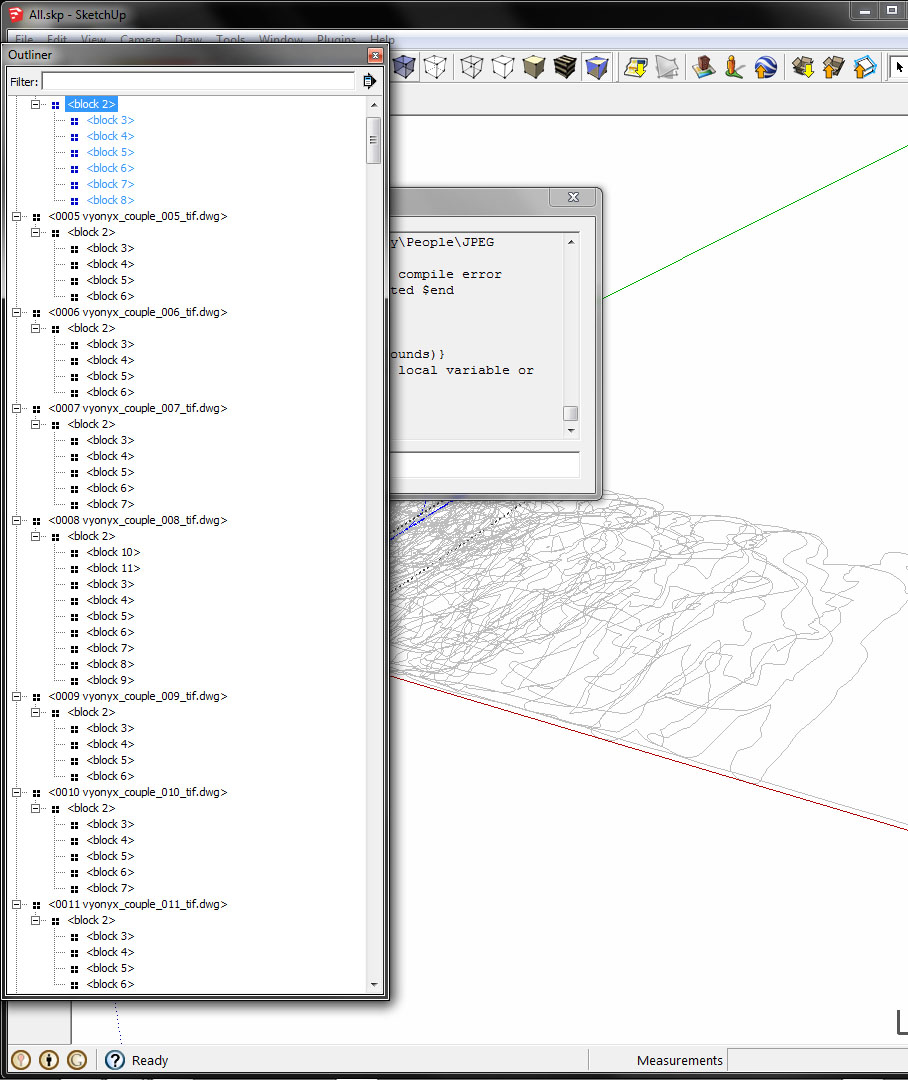
      Firstly the components are packed with more components which I can only assume are because of the way it was imported. Maybe because they were in groups in illustrator but I have had a look back at that step and it doesnt seem to be affecting the import. SO... I have attached a screenshot of the outliner to show this.

      Second point - the "image" files are named similar with a couple of differences:
      IMAGE FILE: "0001 vyonyx_couple_001.jpg"
      Component NAME: "0001 vyonyx_couple_001_tif.dwg"

      so they relate but there is a leftover "_tif" at the end from previous processes and they have different extentions.

      ` model=Sketchup.active_model
      defs=model.definitions
      cnames=[]
      defs.each{|d|cnames << d.name}
      cnames.sort!

      f='P:\02 General\Resource Library\People\JPEG'
      cnames.each{|name|
      d=defs[name]
      bb=Gem::Boundingbox.new
      d.entities.each{|e|bb.add(e.bounds)}

      add image

      img=d.entities.add_image(File.join(f, File.basename(f, ".*")+".tif"), ORIGIN, bb.width, bb.height)
      img.explode
      togos=[]
      d.entities.each{|e|togos << e if e.valid? and e.is_a?(Sketchup::Edge) and e.faces.length<2}
      d.entities.erase_entities(togos)
      d.entities.each{|e|e.reverse! if e.is_a?(Sketchup::Face) && e.normal!=Z_AXIS}

      now stand it up

      tr=Geom::Transformation.rotation(ORIGIN, X_AXIS, -90.degrees)
      d.entities.transform_entities(tr, d.entities.to_a)
      }

      cnames.each{|name| defs[name].save_as(File.join(f, File.basename(f, ".*")+".skp"))}`


      Outliner showing needed exploding

      posted in Plugins
      L
      Lersince1991
    • Complex scripting/plugin - to create a component library

      Hi,

      Intro
      My company is looking to speed up our workflow and we want to create a high quality component library to save adding these realistic touches later in photoshop which takes time, especially with multiple views being exported then edited in photoshop with many people and trees in.

      I have been trying all day to (in basic terms) CONVERT A LARGE FOLDER OF IMAGE FILES INTO SKETCHUP COMPONENTS.

      I nearly got there but have got stuck on some parts!

      I now need help in creating a really interesting script/program to do this.

      Brief
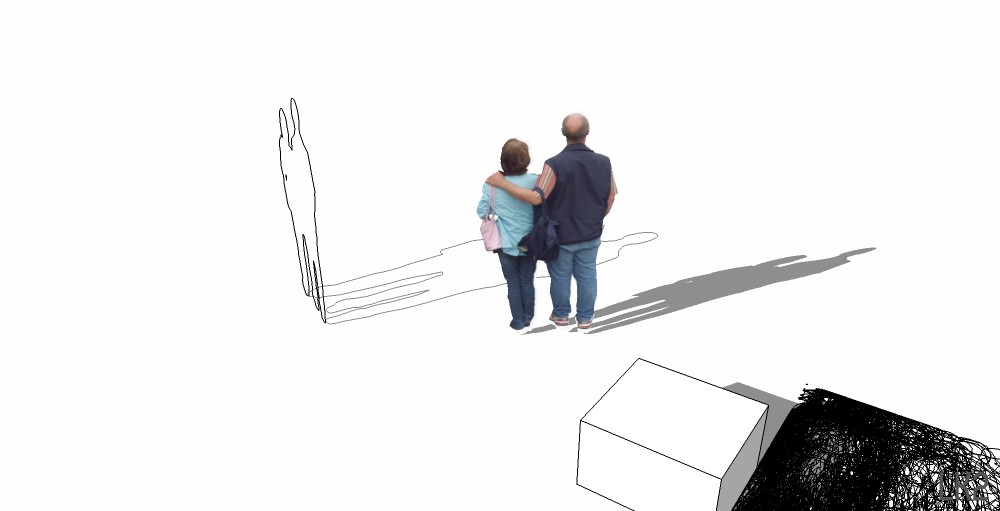
      We want to be able to create some textured sketchup components which react to shadows (i.e. geometry causing the correct shadows). These are to add realistic people and trees to models in order to avoid time consuming post photoshop editing and more of a idiot proof way to get better images from sketchup.

      There are 2 sides to this;
      1 - The image/texture file to create a realistic look
      2 - the geometry to create shadows in sketchup

      these together should work really well

      The way I have been working towards is this;
      1 - Trees and people downloaded from sources such as Vyonyx website.

      2 - consolodated them all into quality transparent tiffs (to preview in windows explorer too) - they were a mix of formats etc... these would normally then be photoshopped into an image.

      3 - Using a variety of keyboard shortcuts and scripts I took these images into Adobe illustrator, live traced them into silhouettes and expanded them into vectors. This gives an outline geometry to create a shadow in sketchup.

      4 - exported these vector shilouettes as .dwg files (2d CAD files)

      5 - Opened them all again in illustrator after setting a new document up with the artboard height of 1700mm. When opening dwg in Ai it prompts for the scale. I specified fit to artboard and they then all had the height of 1700mm (average height of man) trees would be set differently. Then had an Ai action which saved as dwg and closed the open file. They were now to scale.

      5 - imported them into Sketchup using f='P:\02 General\Resource Library\CAD People';Dir.entries(f).each{|d|Sketchup.active_model.import(File.join(f,d),false) if File.extname(d).upcase==".DWG"}

      6 - This is where I got stuck on the geometry part as these are all imported as components (maybe what SU does with dwg files, or maybe illustrator had them grouped). But they were all flat on the xy axis and needed theyre axis changing, or all needed to be rotated so they were verticle on the z axis. - I coulodnt find out how to do this without opening 150 components separatly and rotating them...

      7 - they also all needed their faces creating. makeface.rb would do the job but did not penetrate the components so again each would have to be opened and processed individually. However this would also close up the gaps in with faces which was not always needed.

      8 - All components in model were then saved to a collection with the component window and the little arrow - save collection as.

      9 - The image files were imported into a document with a batch massmaterialimporter.rb.
      however these were all incorrect scales - even though all the scales needed to be just 1700mm high with contrained proportions (width varied). (again trees would be higher, 1700mm was for people).

      10 - These textures would then be filled onto the components face and positioned.

      So there.
      This is a complicated task but if we could create this program it would be hugely benificial for SU users! imagine just finding some photorealistic images of people and trees and being able to drop them into sketchup via the component library and them giving accurate shadows and textures and to scale.
      HELP!


      All.jpg

      posted in Plugins
      L
      Lersince1991
    • Export 3x images from scenes in different styles

      Hi,

      So I am constantly churning out images from sketchup to photoshop and improve fairly roughly and send off to people as rough renders.
      I would like a script/plug-in that would be able to quickly export 3 images for each scene as a batch.

      I export different styles in sketchup to be able to further manipulate the images in photoshop.
      For example I can blur the shadows or change an opacity of the lines.

      The images for each scene I want to export are;
      1 - Material style, No shadows, no edges, no profiles, use sun for shading L100 D100.
      2 - Hidden Line Style, Edges. Profiles with 2 thickness, No Shadows
      3 - Hidden Line style, Shadows L100 D0, No edges, No Profiles,

      I would then open the 3 images in photoshop, layer them up and go from there.
      Maybe the script could even export a photoshop or layered tiff of the 3 images, but thats not whats taking the most time.

      Thanks for the help!
      Luke

      posted in Plugins
      L
      Lersince1991
    • RE: [Plugin] Axo + Iso View v1.2 20101117

      Hey TIG,

      I've done many many many exports with this doing architecture at uni, also loads of other people use it because of me too. I was wondering if it would be possible to make some buttons for it I can put on my toolbar which would be very useful!?

      Thanks again πŸ˜„
      Luke

      http://www.lukeriggall.co.uk

      posted in Plugins
      L
      Lersince1991
    • RE: Exporting perspective off screen geometry

      Ok so I've attached another image which I have edited to show the right angle that the view forms in the bottom right.
      Also I've mocked up whats missing at the top.


      7.1 copy2.png

      posted in SketchUp Discussions
      L
      Lersince1991
    • RE: Exporting perspective off screen geometry

      But I can't seem to get the right angle at the bottom right in any other way πŸ˜•

      posted in SketchUp Discussions
      L
      Lersince1991
    • RE: Exporting perspective off screen geometry

      Any help?
      Really need to find out how to export the top asap πŸ˜•

      posted in SketchUp Discussions
      L
      Lersince1991
    • RE: Exporting perspective off screen geometry

      The reason I want to use this view, is because two of the main lines on the bottom right form a right angle which is visually pleasing on the page. I also like how the top component (goes off the top of the page), is viewed as if it above.

      And I don't mind merging together multiple exports as the final photoshop image will have used about 20 exports.

      I can't seem to replicate the view with this! and get it all in 😞

      posted in SketchUp Discussions
      L
      Lersince1991
    • Exporting perspective off screen geometry

      Hi,

      So when you export an image you can select the size of the image in pixels.

      Some of you may know that you can online the aspect ratio of the width and height of the export.
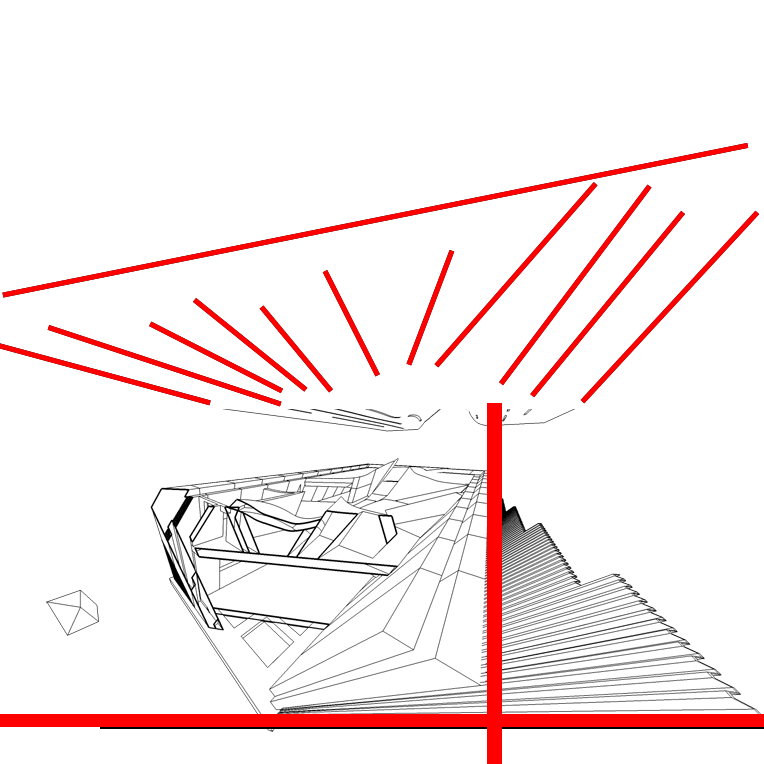
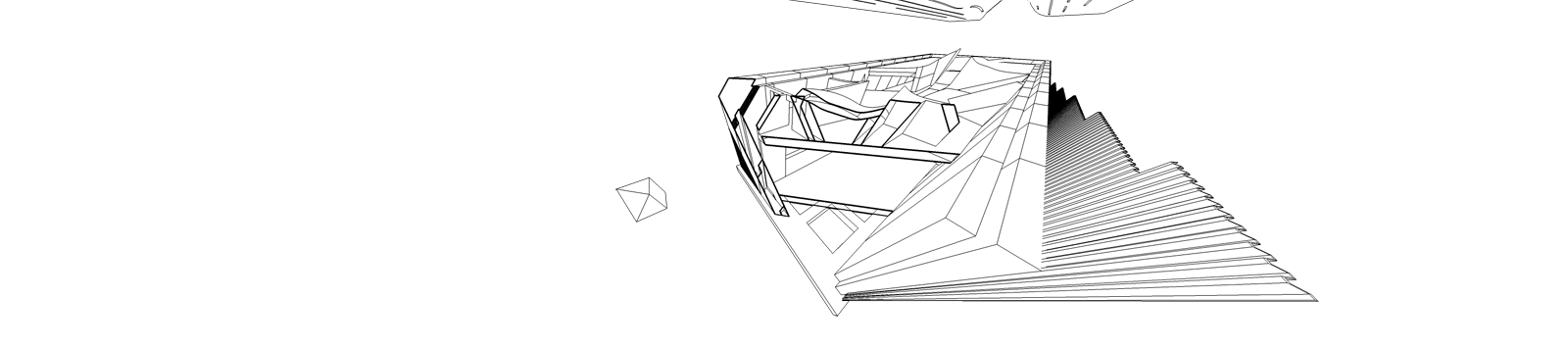
      Some of you may also know that if you increase the aspect ratio by extending the width it will export geometry that is not in the current view window, it also keeps the same perspective. You can also achieve this same view/export by making the window on your screen smaller in height. This does not change the view, FoV, orientation of zoom.

      I have used this technique many times to achieve a panoramic image.

      However what options do I have if I want to export geometry that goes off the top or bottom of my screen?
      If you stretch the aspect ratio of your window or export this way it doesn't extend the "canvas" of the export it just crops the width!

      I really don't want to move the camera as I can't get the same perspective effect from another view and when zooming out the perspective isn't as dramatic.

      There should be a way to export the top of it surely?
      Well, there should be export settings to set the canvas size as well as the image size in pixels.

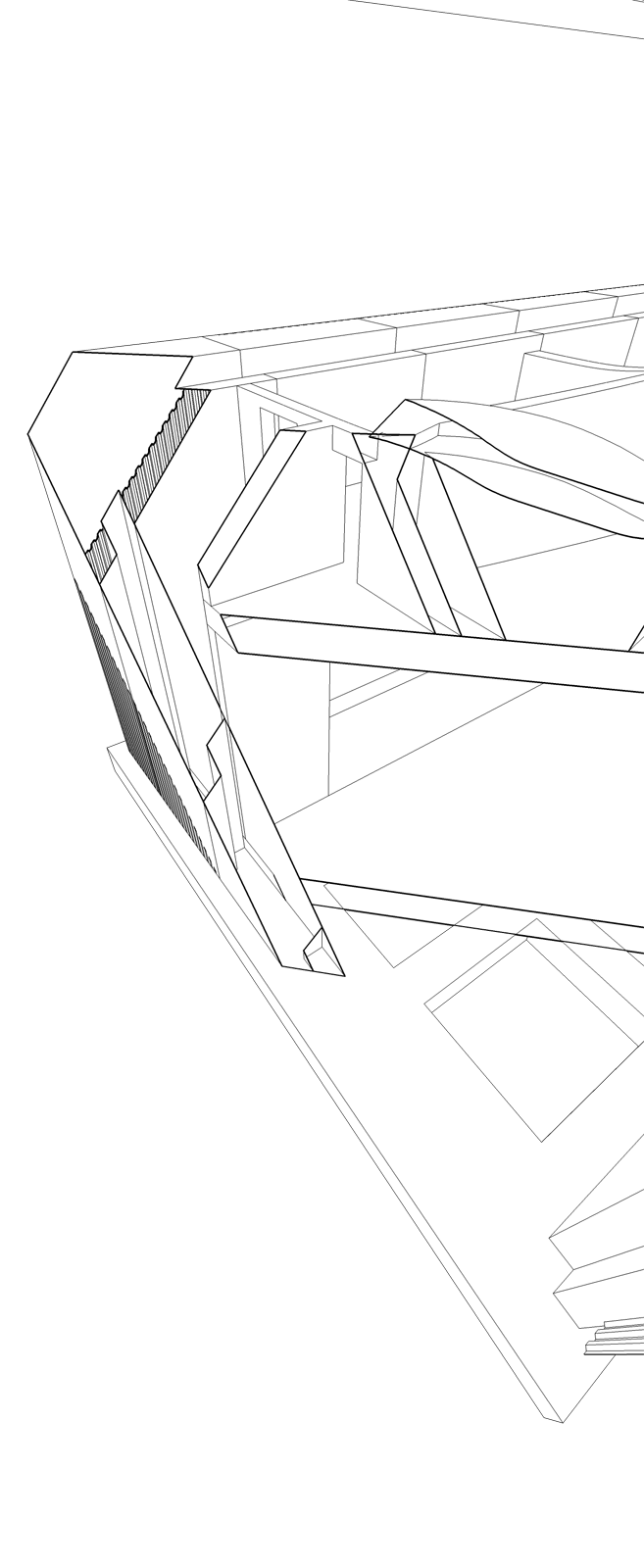
      I have attached images for reference.
      please help!


      Export stretching Width


      Render testing


      Export stretching height (crops)

      posted in SketchUp Discussions sketchup
      L
      Lersince1991
    • RE: Plugin to add wall thicknesses

      lol well I didn't think it was possible to model myself into a corner lol.
      Thanks,

      So you recommend doing the angled walls manually?
      I don't get why non of the plugin worked for it

      posted in SketchUp Discussions
      L
      Lersince1991
    • RE: Plugin to add wall thicknesses

      please help 😞
      I have attached the SU file


      walls.skp

      posted in SketchUp Discussions
      L
      Lersince1991
    • 1
    • 2
    • 3
    • 4
    • 5
    • 4 / 5