sketchucation logo sketchucation
    • Login
    1. Home
    2. ken28875
    3. Posts
    Oops, your profile's looking a bit empty! To help us tailor your experience, please fill in key details like your SketchUp version, skill level, operating system, and more. Update and save your info on your profile page today!
    Sketchucation Tools 5.0.7 | Licensing improvements and bug fixes Learn More
    K Offline
    • Profile
    • Following 0
    • Followers 0
    • Topics 23
    • Posts 774
    • Groups 1

    Posts

    Recent Best Controversial
    • RE: NPR styles

      Really nice renders. I love your style. 👍 👍

      Best,

      _KN

      posted in Gallery
      K
      ken28875
    • RE: Roman basilica - WIP

      Nice work, Gaieus. 👍 👍

      Can't wait to see the finished model.

      Take care,

      _KN

      posted in Gallery
      K
      ken28875
    • RE: CoreMaster models (updated on 18th october)

      Very cool models. 👍 👍

      I dig your tank tracks. Great job!

      Best,

      _KN

      posted in Gallery
      K
      ken28875
    • RE: My first works on Sketchup

      Very nice works. I really like the renders 5 and 6. 👍 👍

      What render engine did you use?

      Have a nice day,

      _KN

      posted in Gallery
      K
      ken28875
    • RE: The Art of SketchUp - part 1: Fantasy

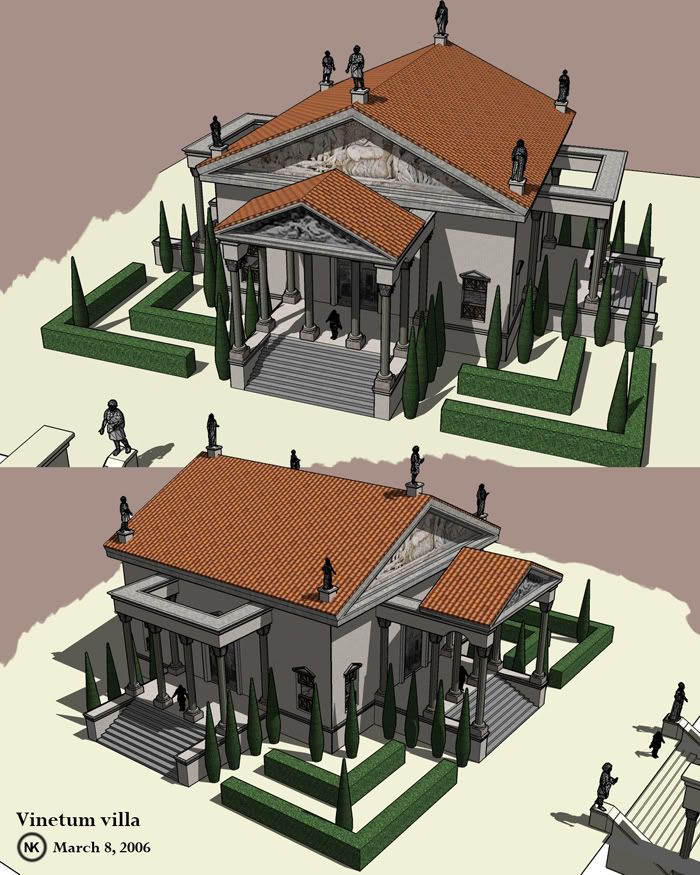
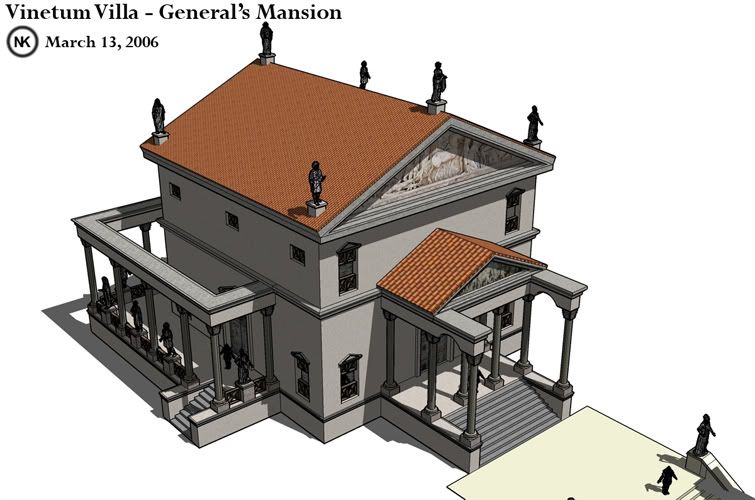
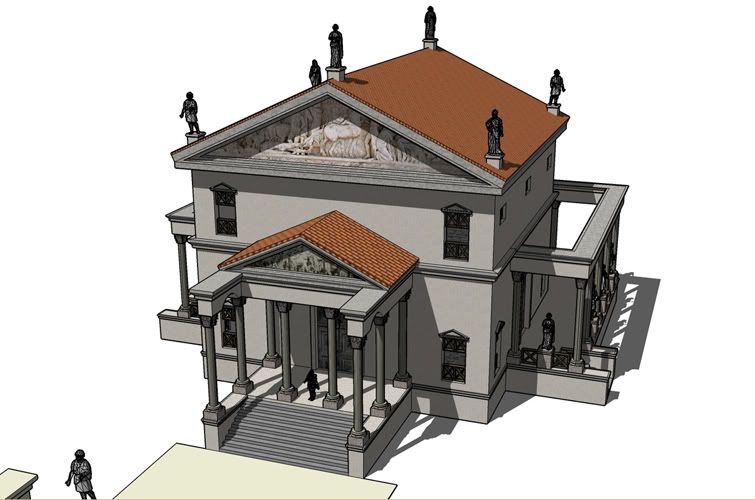
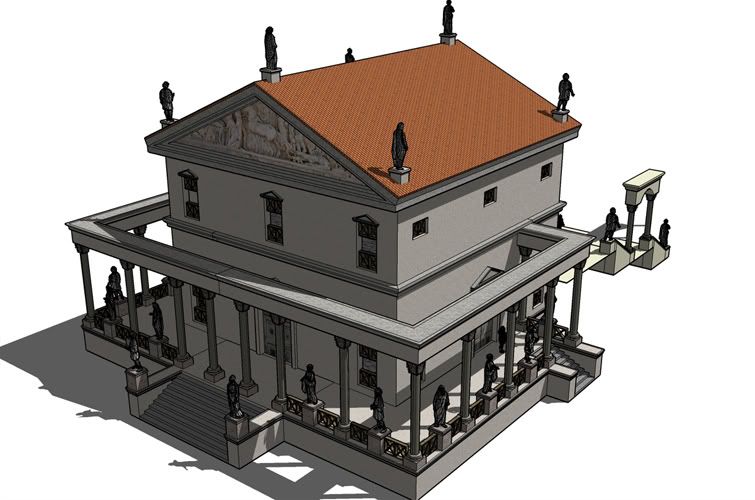
      More concepts of the Villa.

      http://i593.photobucket.com/albums/tt12/ken28875/Art of Sketchup - Fantasy/Vinetum_villa_pool_sculptures.jpg

      http://i593.photobucket.com/albums/tt12/ken28875/Art of Sketchup - Fantasy/Vinetum_villa_general_mansion_01.jpg

      http://i593.photobucket.com/albums/tt12/ken28875/Art of Sketchup - Fantasy/Vinetum_villa_general_mansion_02.jpg

      http://i593.photobucket.com/albums/tt12/ken28875/Art of Sketchup - Fantasy/Vinetum_villa_general_mansion_03.jpg

      posted in Gallery
      K
      ken28875
    • RE: [Plugin][$] RoundCorner - v3.4a - 31 Mar 24

      @unknownuser said:

      Ken,

      Could you post or send me the model, so that I can have a look at whatcrashes.
      I assume that you also upgraded to the latest version. There was a previous release that had reported crashes.

      Fredo

      Hi Fredo,

      I just sent you a private message. Unfortunately I could not attach the file. It's bigger than the allowed size of 4mb.

      Thanks,

      _KN

      posted in Plugins
      K
      ken28875
    • RE: [Plugin][$] RoundCorner - v3.4a - 31 Mar 24

      Hi TIG,

      I don't have any problems with the Follow-me tool.

      Sketchup crashes only when I use RoundCorner. 😢

      Thanks,

      _KN

      posted in Plugins
      K
      ken28875
    • RE: [Plugin][$] RoundCorner - v3.4a - 31 Mar 24

      @tig said:

      Unlikely to result in faces <1mm ?

      What do you mean, TIG?

      Thanks,

      _KN

      posted in Plugins
      K
      ken28875
    • RE: [Plugin][$] RoundCorner - v3.4a - 31 Mar 24

      Hi TIG,

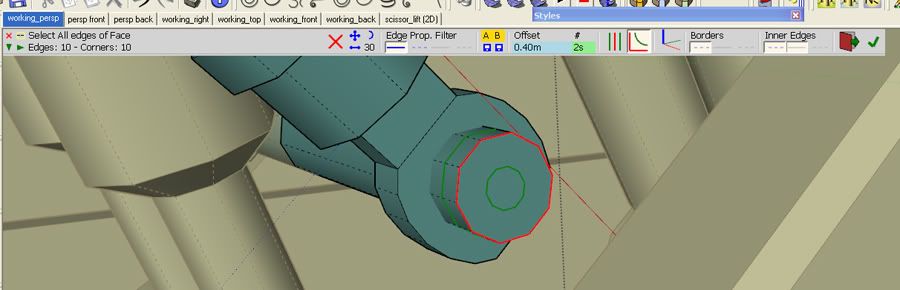
      It's only 40cm.

      http://i593.photobucket.com/albums/tt12/ken28875/Sketchup/round_corner_crash.jpg

      Thanks,

      _KN

      posted in Plugins
      K
      ken28875
    • RE: [Plugin][$] RoundCorner - v3.4a - 31 Mar 24

      I used that plugin everyday and I love it. However, it crashes Sketchup a lot. Whenever I use the round corner, Sketchup seems to freeze then shuts down. It happens maybe 70% of the time. 😢

      Does anyone have the same problem?

      Thanks,

      _KN

      posted in Plugins
      K
      ken28875
    • RE: Vecchio Carillon

      Pretty cool render, Luca. Love it. 👍 👍

      posted in Gallery
      K
      ken28875
    • RE: H · Ө · L · E

      Great job, Roberto. 👍 👍

      posted in Gallery
      K
      ken28875
    • RE: Eagle One

      Pretty cool, numbthumb! 👍 👍

      Have a terrific day! ☀

      _KN

      posted in Gallery
      K
      ken28875
    • RE: Concept art / matte paintings with SketchUp

      Awesome renders, Alex. 👍 👍

      All the Best,

      _KN

      posted in Gallery
      K
      ken28875
    • RE: [Request] Helix following curves

      Hi guys,

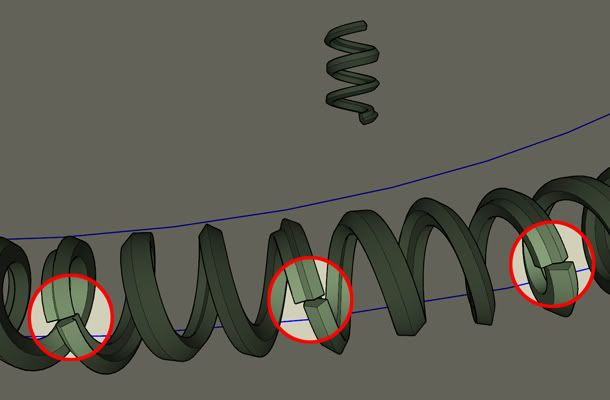
      Thanks for all the tips. Very useful. But I still cannot manage to get the correct result.

      Shape bender does work only for flat/2 dimensional curve. What I have is a complex 3 dimensional curve.

      TIG's method or the similar method that I used in my first images using Component Stringer works well only is the segments of the curve are equal. In that case I can probably join the helixs end-to-end, explode and weld them as TIG described. However, most of the curve that I use will mostly be composed of irregular segments. Therefore, all the methods that have been give won't work.

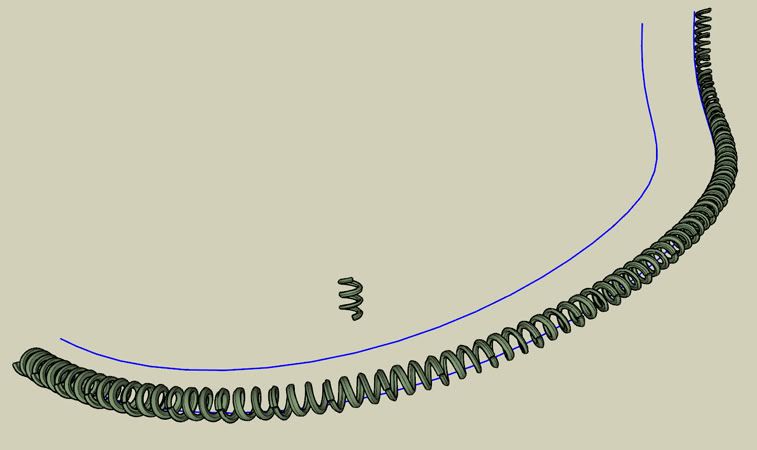
      Indeed, I just did another test with a curve with different sizes for the segment using Component Stringer. As you can see, it is not possible to join them end-to-end as the size of each helix is different from one another due to the different sizes of the segments.
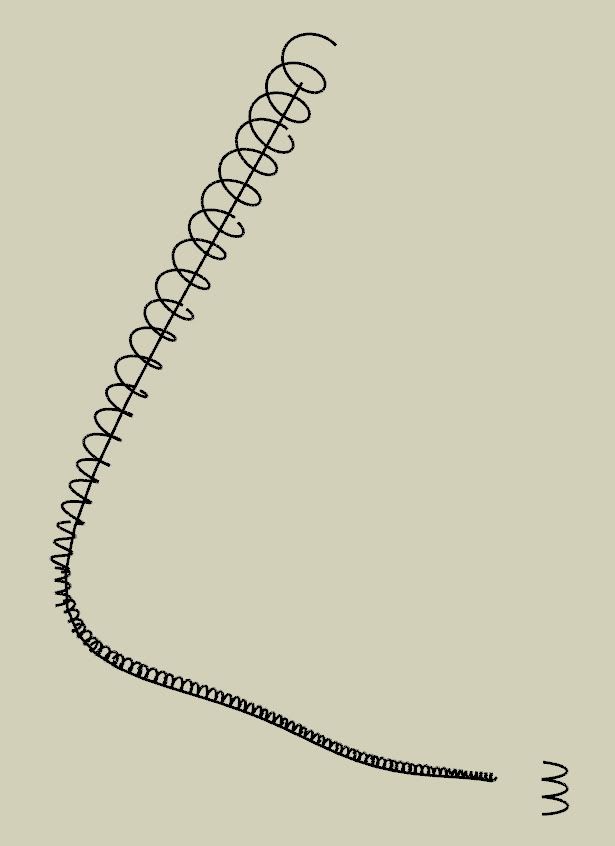
      http://i593.photobucket.com/albums/tt12/ken28875/misc images/helix_following_curve_04.jpg

      What I hope is to have a plugin that will make the helix follow the complex 3 dimensional by connecting end-to-end and keeping it size consistent/uniform not matter the sizes of each of the segments that make the curve.

      I think it will be a great challenge to come up with that plugin, but if anyone has time and would like to think about it, I'll be much appreciated. 👍

      Thank you,

      _KN

      p.s. I may even give a monetary donation as a token of my appreciation. 😉

      posted in Plugins
      K
      ken28875
    • RE: The Art of SketchUp - part 1: Fantasy

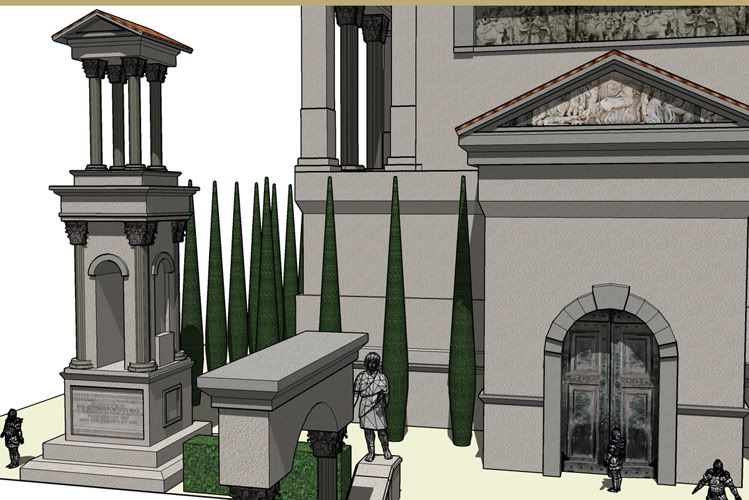
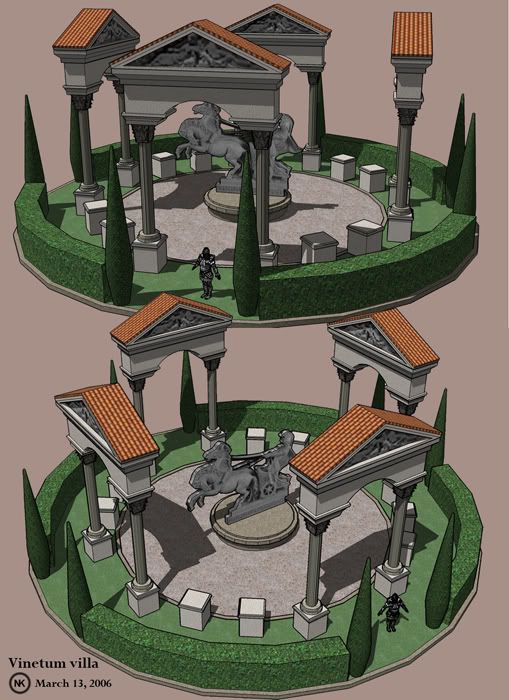
      Here are some concepts of some buildings in a Roman Villa for the same game, Gods and Heroes: Rome Rising.
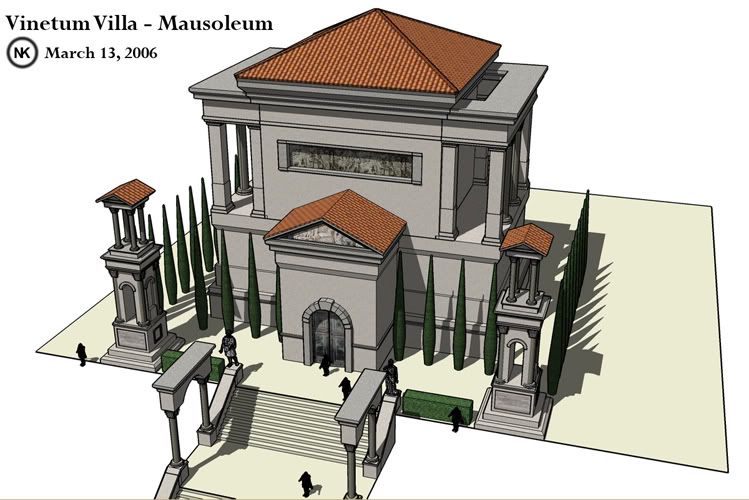
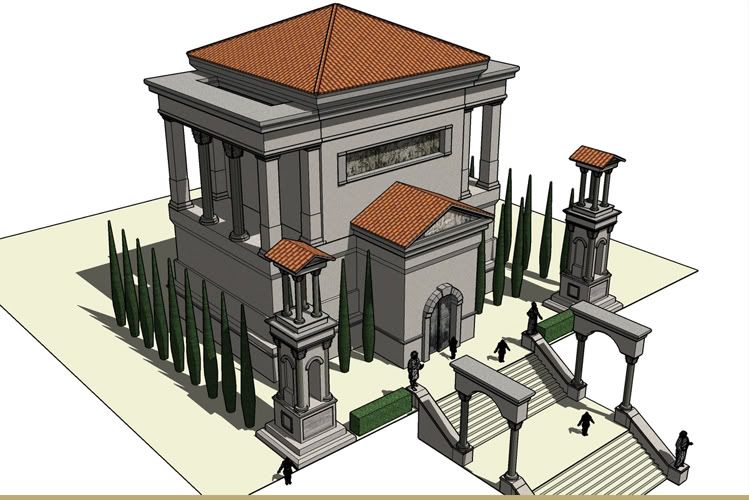
      http://i593.photobucket.com/albums/tt12/ken28875/Art of Sketchup - Fantasy/Vinetum_villa_mausoleum_01.jpg

      http://i593.photobucket.com/albums/tt12/ken28875/Art of Sketchup - Fantasy/Vinetum_villa_mausoleum_02.jpg

      http://i593.photobucket.com/albums/tt12/ken28875/Art of Sketchup - Fantasy/Vinetum_villa_mausoleum_03.jpg

      http://i593.photobucket.com/albums/tt12/ken28875/Art of Sketchup - Fantasy/Vinetum_villa_guest_house_WIP.jpg

      posted in Gallery
      K
      ken28875
    • RE: Night Ext and Day Interior

      Awesome renders as always, Teofilo.

      Best,

      _KN

      posted in Gallery
      K
      ken28875
    • RE: Bathroom

      Great renders, Nektares.

      I see you fixed the textures in the bathroom, didn't you? Looks much better than the repetitive texture you had in the old render you posted in the Vray forum.

      Have a nice day!

      _KN

      posted in Gallery
      K
      ken28875
    • RE: [Request] Helix following curves

      @tig said:

      There are several Helix tools available.
      Make a helix... then use something like my EEbyFace, draw a small circle/oval for the cross section and use that to make the extruded form...
      💭

      Hi TIG,

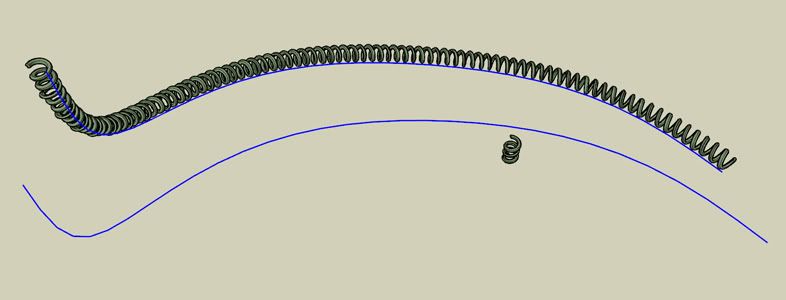
      Well, it's actually more complicated than that. As you see in the phone cords samples or the ones below, the helix should follow a curves.

      I used a helix plugin, your EEbyFace and Chris Fullmer's component stringer. The one I did is not perfect as the ends of the helix are not connected.

      I'd like to see a plugin that will make the helix follow the curve in a cleaner smoother way.

      Thanks!

      _KN
      http://i593.photobucket.com/albums/tt12/ken28875/misc images/helix_following_curve_01.jpg

      http://i593.photobucket.com/albums/tt12/ken28875/misc images/helix_following_curve_02.jpg

      http://i593.photobucket.com/albums/tt12/ken28875/misc images/helix_following_curve_03.jpg

      posted in Plugins
      K
      ken28875
    • RE: Why does everything else disappears while working on a group

      @thomthom said:

      I got that mapped to shortcut V and Hide Similar Components mapped to Shift+C. Use them all the time when modelling. Invaluable.

      Thanks, Thomas.

      Good tips.

      _KN
      posted in SketchUp Discussions
      K
      ken28875
    • 1
    • 2
    • 29
    • 30
    • 31
    • 32
    • 33
    • 38
    • 39
    • 31 / 39